# Authentication
Source: https://www.cashfree.com/docs/api-reference/authentication
Authentication Cashfree Payments APIs
Almosst all Cashfree APIs require authentication. There are some exceptions like the `/order/sessions` Payments API.
Each Cashfree product requires its own unique client ID and client secret. For
example, if you are using both the Payments API and the Payouts API, you must
generate separate credentials for each. This means one set of keys for the
Payments API and a different set of keys for the Payouts API.
## Merchant Authentication
* The standard authentication for merchants uses two specific headers `x-client-id` and `x-client-secret`. Please pass your `appId` and `secretKey` in these fields.
* Please ensure that your secret key is securely placed and cannot be accessed by anyone.
* Also never call any API which requires authentication from the client as that would require you to expose the secret key to the client.
Below is a curl request which shows how to send these headers in the API call.
```bash theme={"dark"}
curl --request {REQUEST-TYPE} \
--url https://sandbox.cashfree.com/pg/{resource} \
--header 'Content-Type: application/json' \
--header 'x-api-version: 2025-01-01' \
--header 'x-client-id: ' \
--header 'x-client-secret: '
...
...
```
## Generate API Keys
Each Cashfree product requires its own unique client ID and client secret. For example, if you are using both the Payments API and the Payouts API, you must generate separate credentials for each. This means one set of keys for the Payments API and a different set of keys for the Payouts API.
Follow the below steps to generate your API key for Payment Gateway.
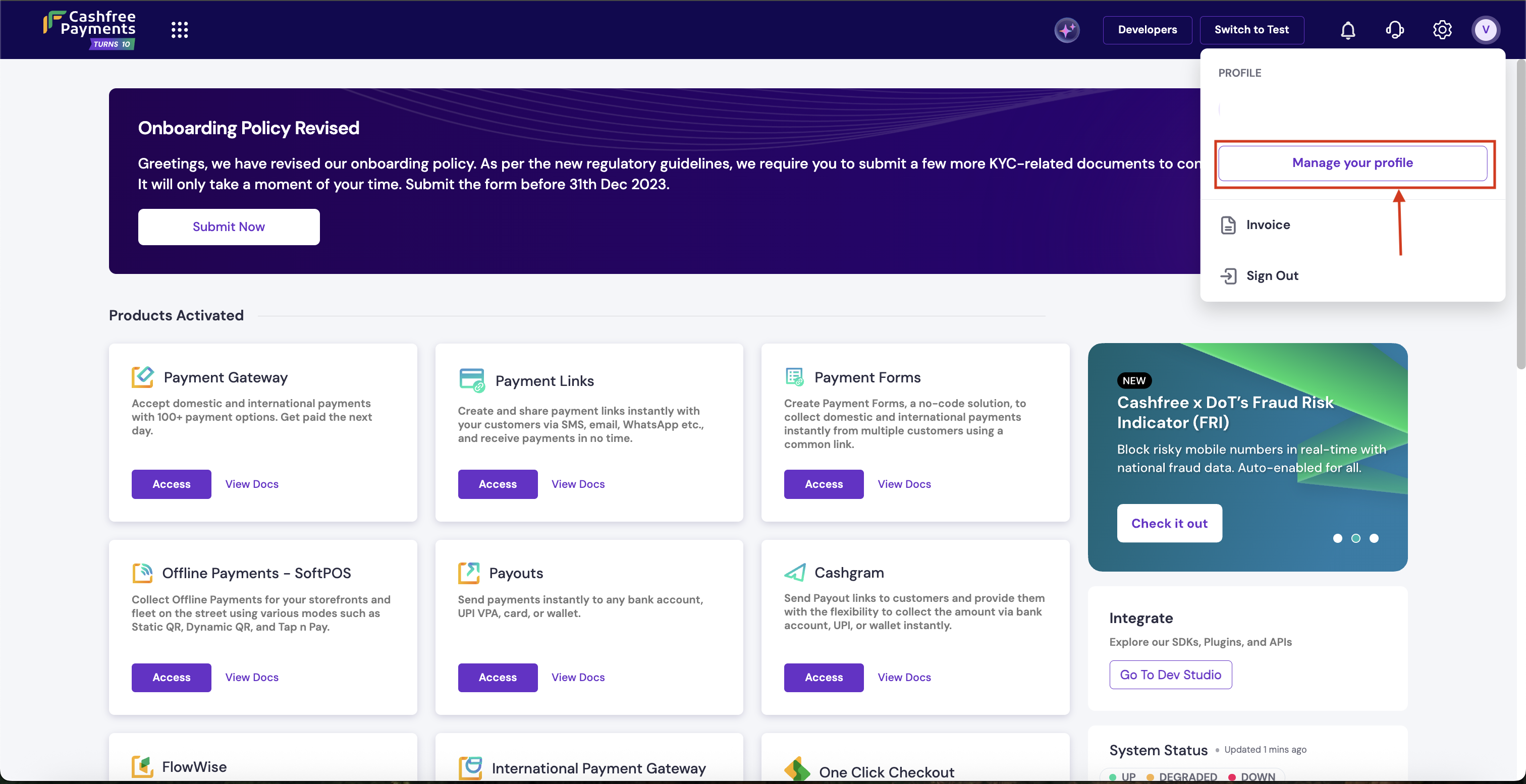
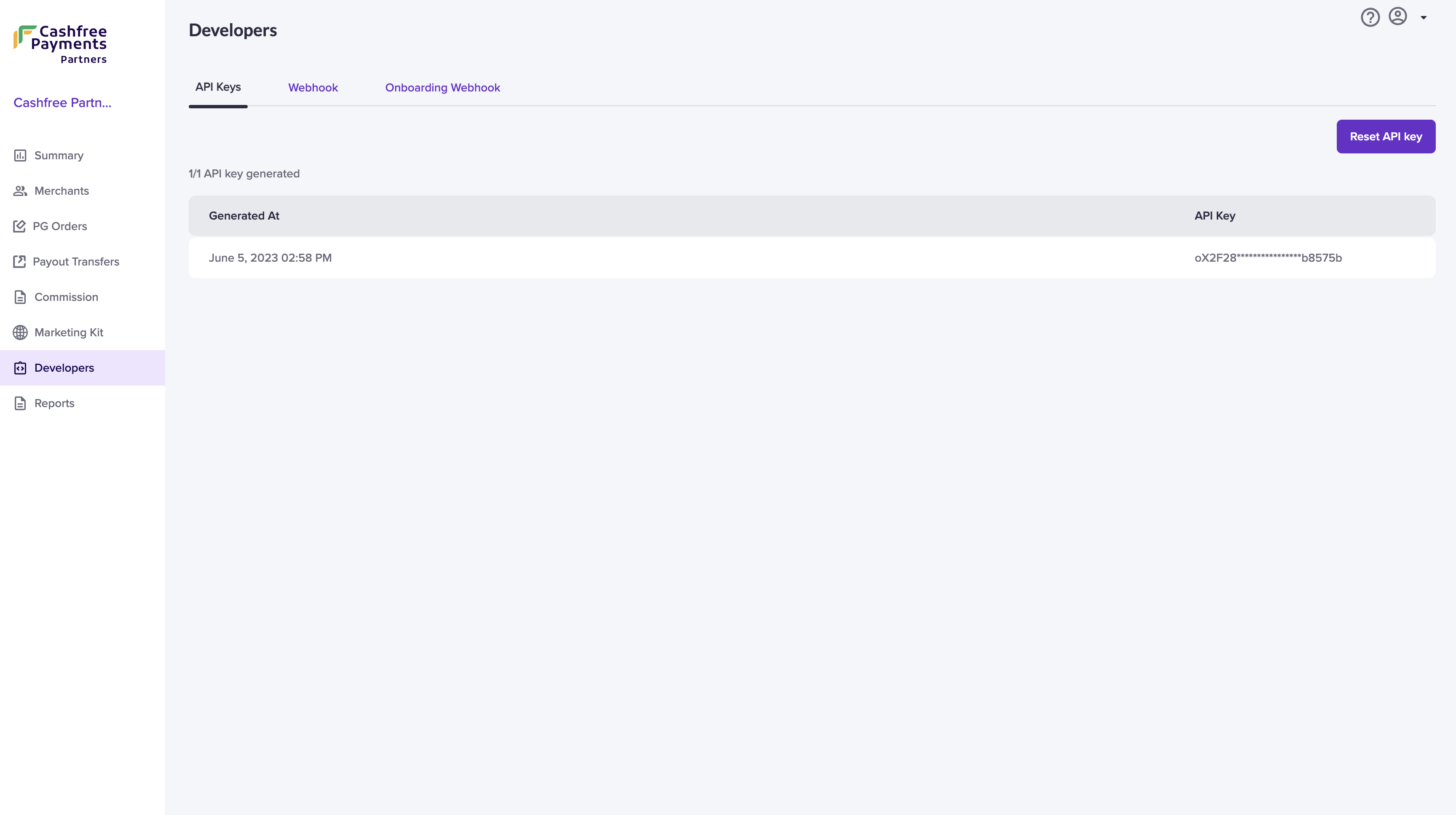
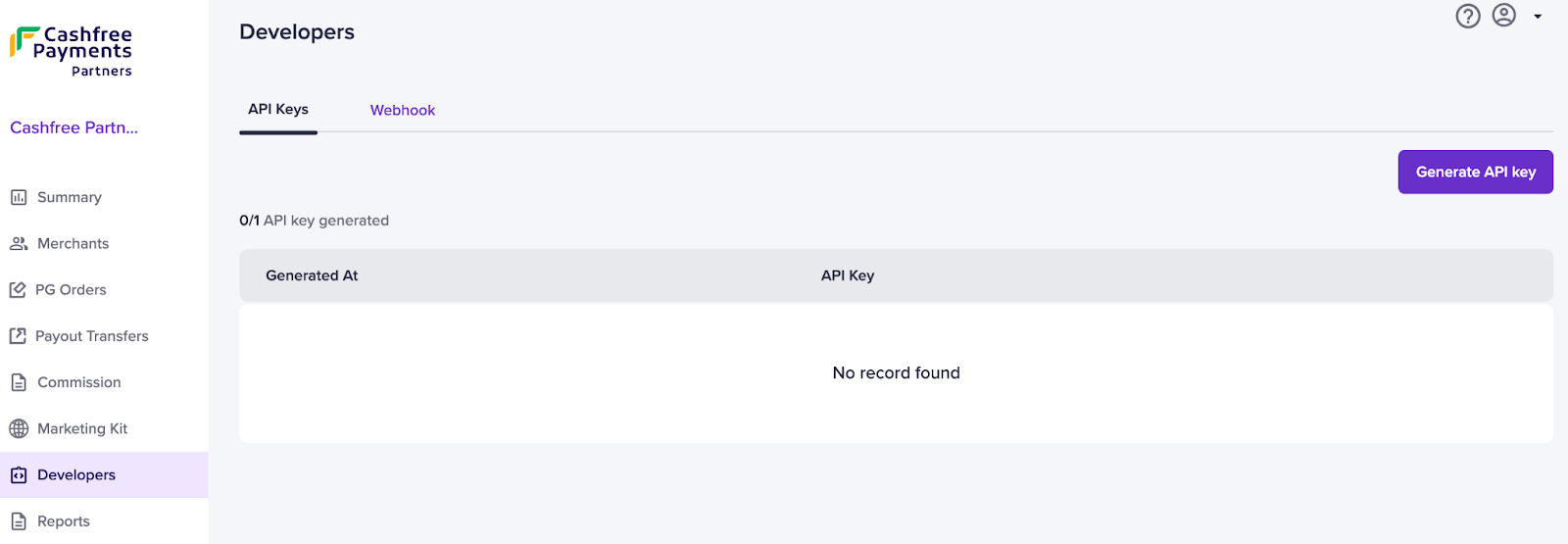
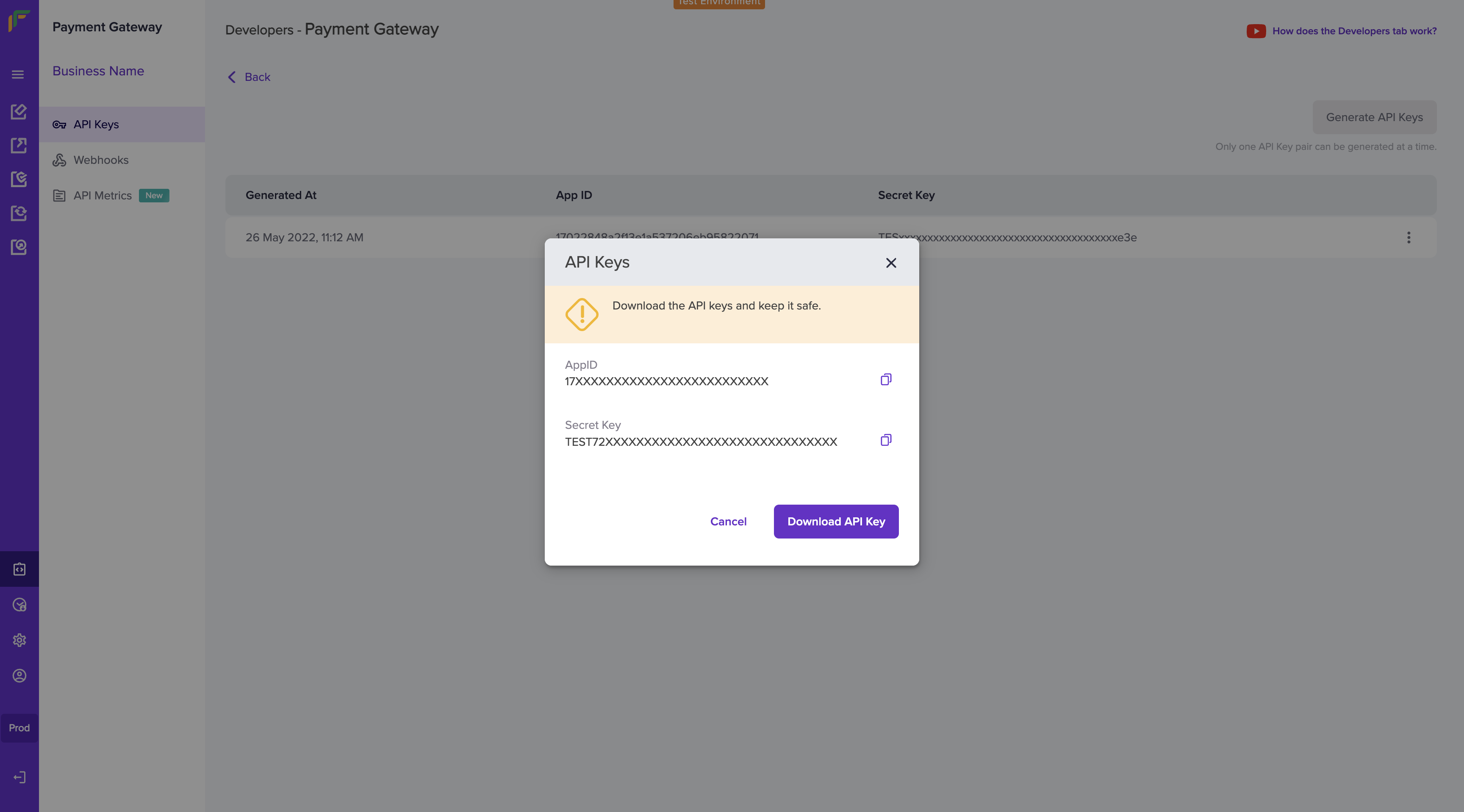
1. Go to **Payment Gateway Dashboard** > and click on **Developers** icon in the right navigation or click **Developers** on the top right of the [Merchant Dashboard](https://merchant.cashfree.com/merchants) .
2. Click **API Keys** under Payment Gateway.\
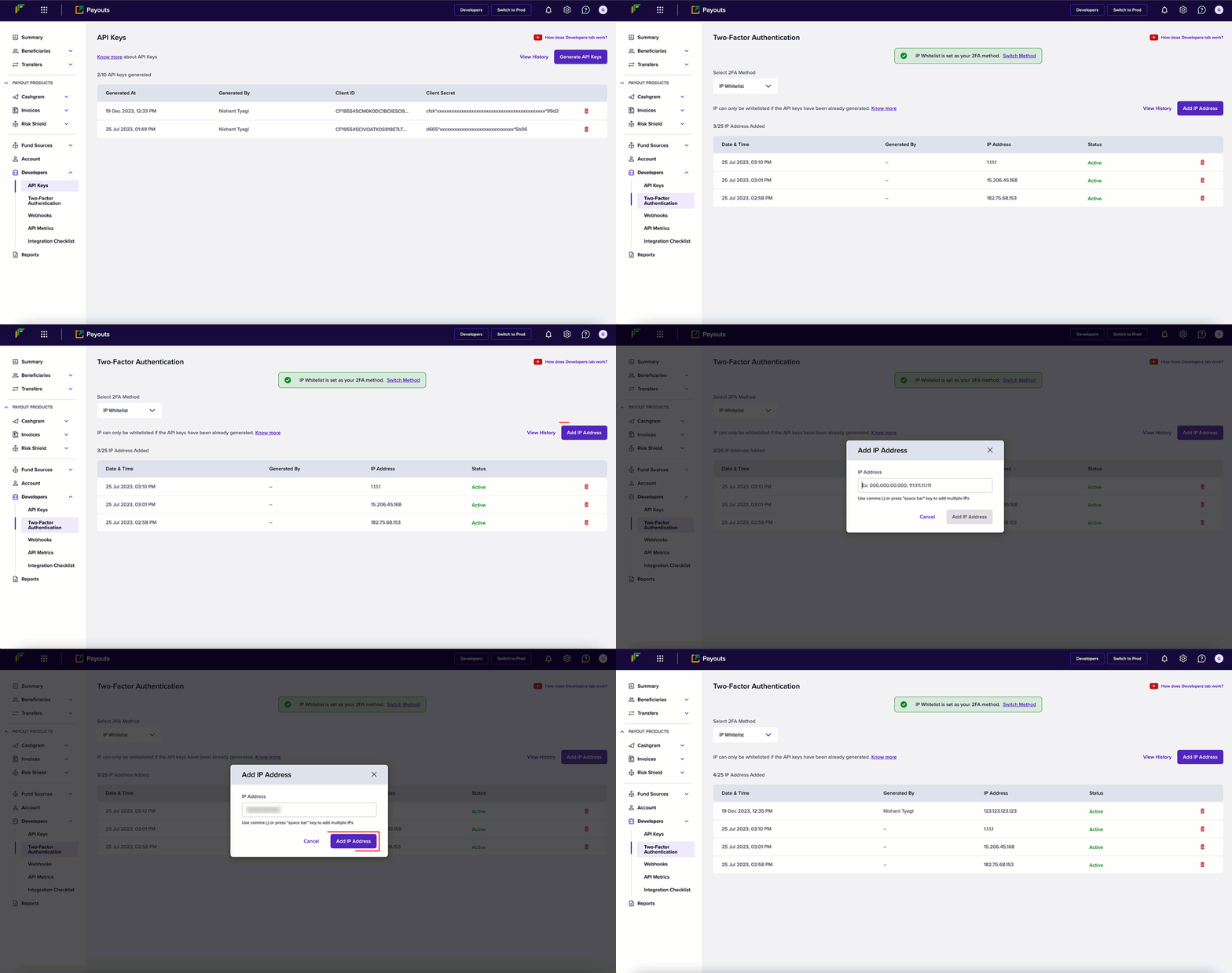
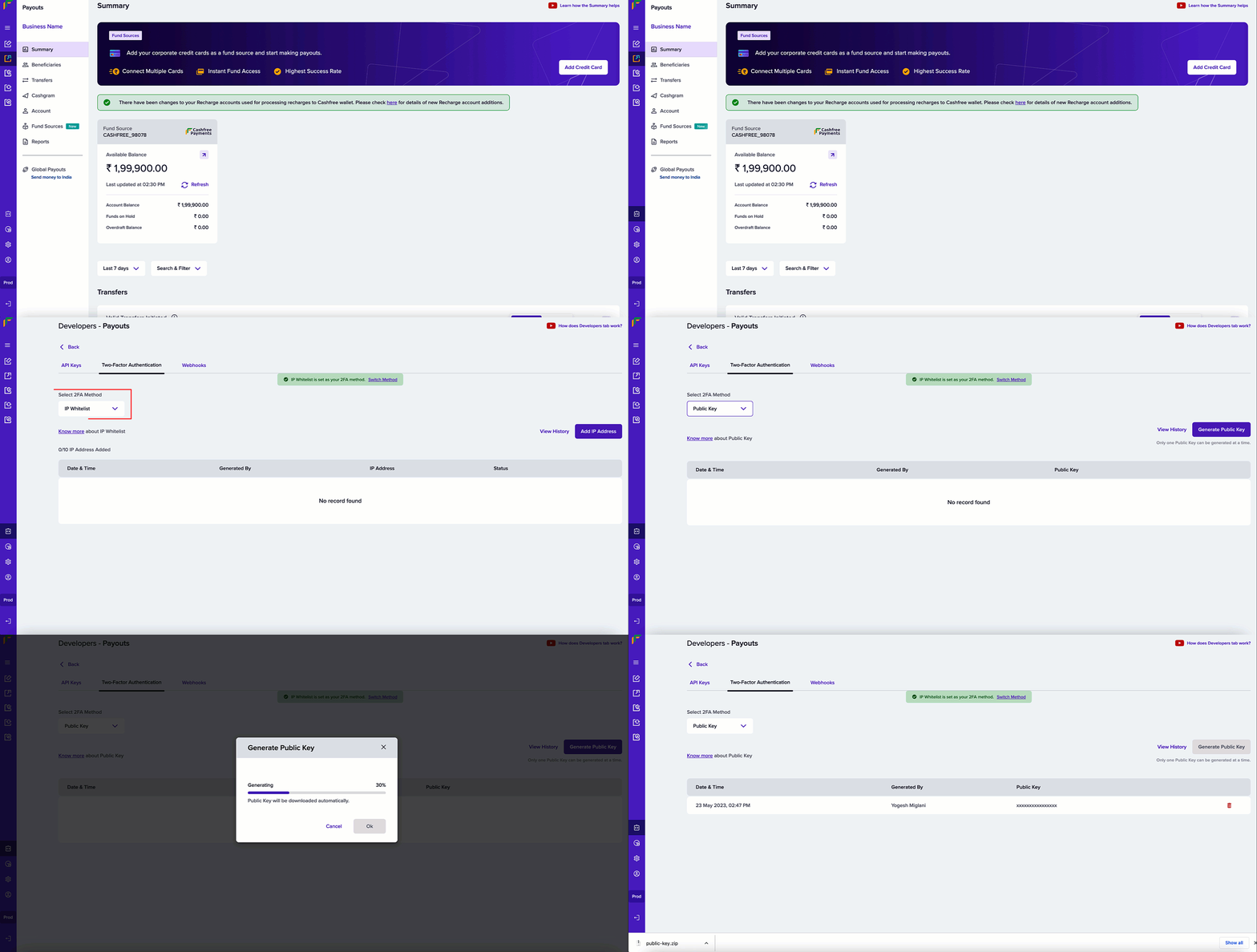
In the test environment, API keys will be auto-generated. In the production environment, click **Generate API Keys** and complete the 2FA authentication to generate the keys.
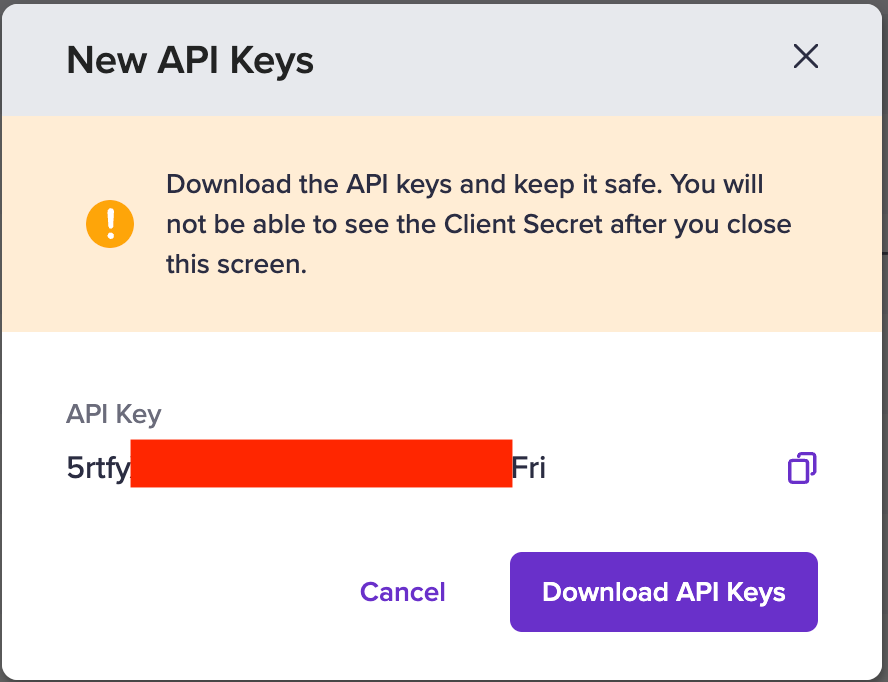
3. Once generated, the API keys are shown in a masked format. To view the full set of keys, click the icon and select **View API Key**. In the production environment, you would be required to do 2FA authentication to view the keys. You must securely store your api keys at all times.
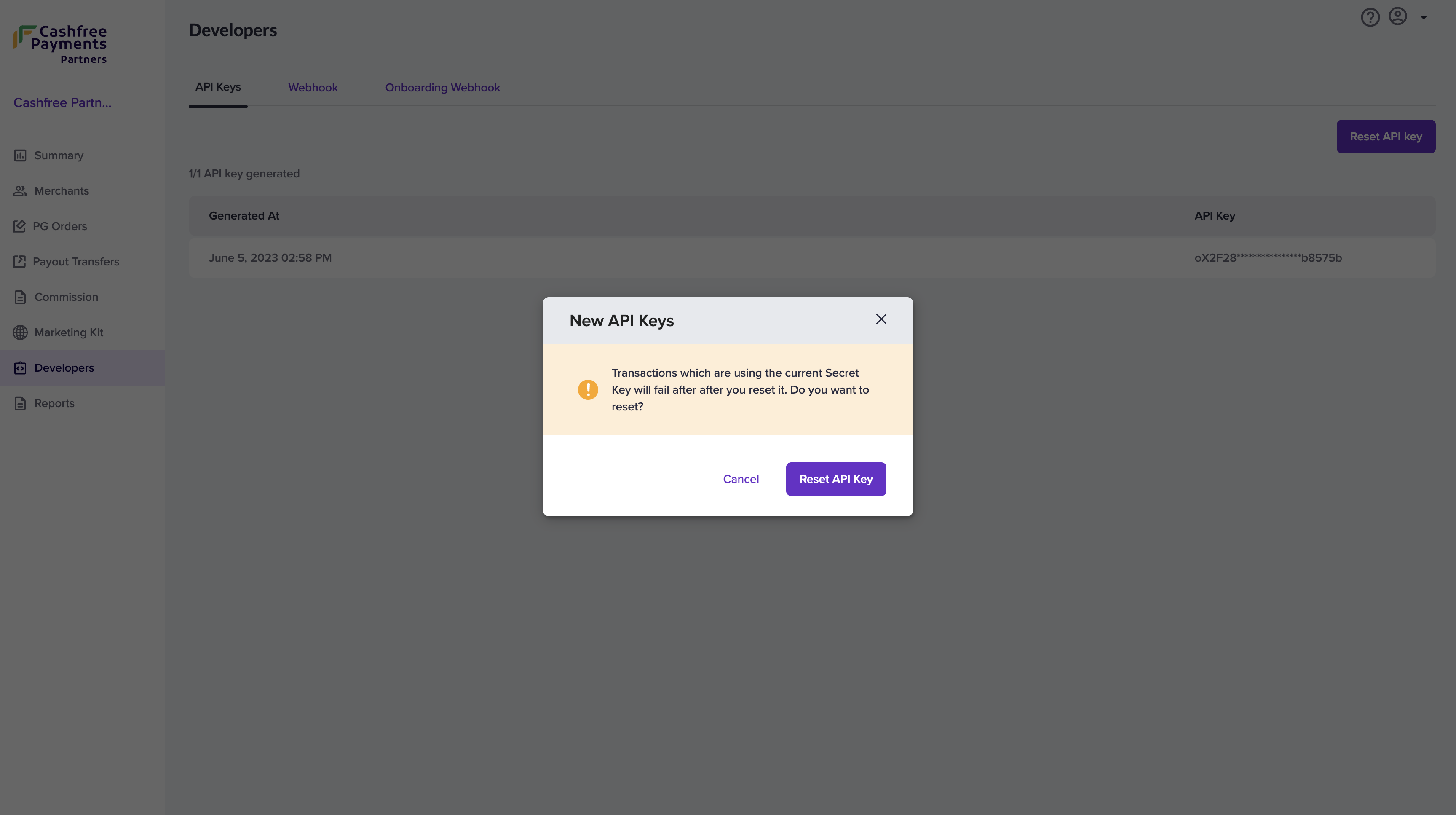
You can only generate a single API key pair at a time. Once you generate the
keys from the dashboard, keep them secure. If it is lost, you need to
re-generate them from the dashboard.
## Partner Authentication
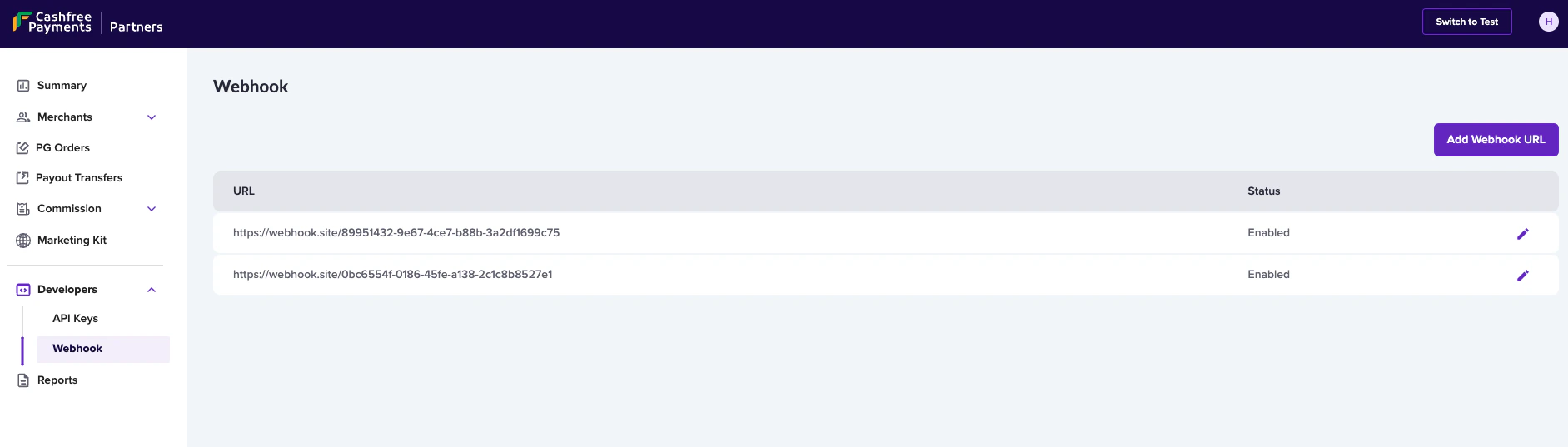
If you are building a platform and want to use the Payment APIs on behalf of your customers you can do so using by leveraging authentication for platforms. You should use the **x-partner-apikey** and **x-partner-merchantid** headers instead of the **x-client-id** and **x-client-secret** headers.
* **x-partner-apikey**: This is the common API Key generated and unique for each Partner
* **x-partner-merchantid**: This is the unique merchant ID for each merchant associated with the Partner.\
The view the merchant ID for each merchant, login to your Cashfree Partner Dashboard with your partner login credentials > go to the **Merchants** section, and copy the **Merchant ID** of the respective merchant.
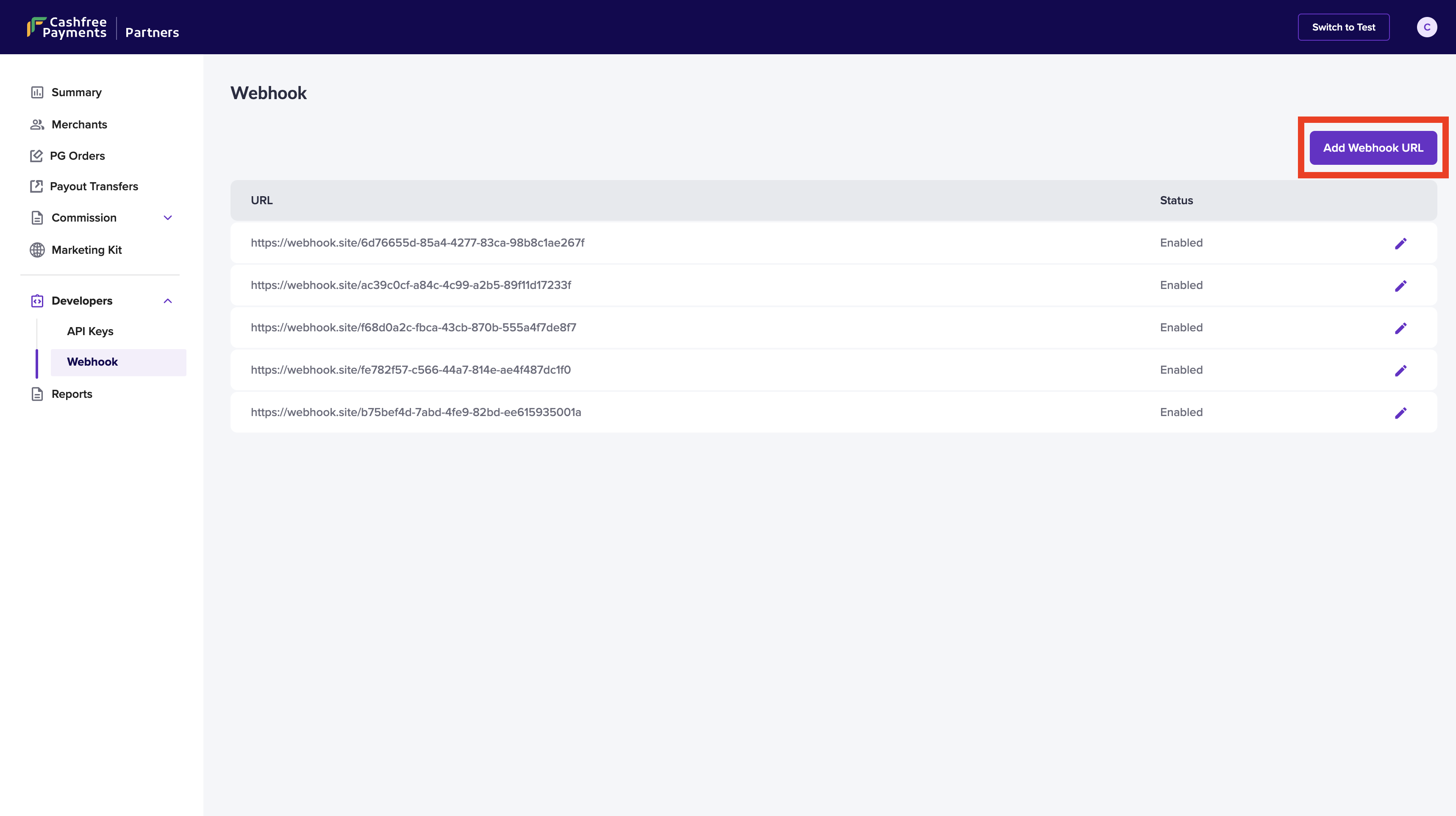
Click [here](/partners/embedded/integration/gateway-integration#partner-api-keys) to know how to generate partner authentication keys.
# Troubleshooting
Source: https://www.cashfree.com/docs/api-reference/integration-troubleshooting/overview-ts
Common integration errors and solutions
Integration errors can occur due to incorrect configurations, missing features, or environment mismatches. This guide outlines the most common issues across Cashfree Payments products and provides actionable steps to help you resolve them quickly and ensure a smooth integration experience.
Resolve common integration issues related to accepting online and in-person payments.
Troubleshoot payout failures, IP whitelisting errors, and other disbursal-related issues.
Diagnose and fix issues related to identity verification and document validation flows.
Learn how to handle webhook delivery failures, signature mismatches, and response timeouts.
Get help with integration errors and compatibility issues across Cashfree’s SDKs.
# Payments Troubleshooting
Source: https://www.cashfree.com/docs/api-reference/integration-troubleshooting/payments-ts
Common integration errors and solutions for Payments
posthog.capture('Accordion Clicked', { title: "Authentication failed" })}>
The Authentication fails when:
* Test credentials are used in the production environment or vice versa.
* Client ID and Client Secret are passed in the request body instead of as headers.
To troubleshoot this issue, follow these steps:
* Use test credentials in the test environment and production credentials in the live environment.
* Pass the Client ID and Client Secret as headers, not in the request body.
posthog.capture('Accordion Clicked', { title: 'S2S_enabled_not_approved” or “POST/orders/pay is not enabled or approved' })}>
This scenario covers multiple concerns, such as server-to-server (S2S) feature is enabled for you, but it isn't approved for your account or vice versa.
To troubleshoot this issue, follow these steps:
* The prerequisite for S2S is that it requires PCI DSS compliance.
* To enable it, contact your Account Manager or fill in the [Support Form](https://merchant.cashfree.com/merchants/landing?env=prod\&raise_issue=1). Once your account is reviewed and approved, this feature will be enabled.
posthog.capture('Accordion Clicked', { title: "Payment mode not enabled for merchant" })}>
The payment mode that the merchant is trying to make the payment isn't enabled for the respective account.
To troubleshoot this issue, follow these steps:
* Log in to the [Merchant Dashboard](https://merchant.cashfree.com/auth/login) and go to **Settings > Payment Methods** to enable the mode.
* Alternatively, contact your Account Manager or fill in the [Support Form](https://merchant.cashfree.com/merchants/landing?env=prod\&raise_issue=1).
posthog.capture('Accordion Clicked', { title: "Unable to delink existing AmazonPay wallet and add a new one" })}>
To troubleshoot this issue, follow these steps:
* The user needs to log out of the Amazon account from that system, clear the browser cache and try once again.
posthog.capture('Accordion Clicked', { title: "Null objects in Get Order / Payment API response" })}>
If you're encountering null or empty objects in the Get Order API response, please consider below cases.
* When no payment is associated with the order yet. ie a payment has not yet been attempted against the Order.
* If there’s a delay in the payment being recorded due to bank or network delays.
* You are hitting the Get payments for an order API before your end customer has tried to pay.
To troubleshoot this issue, follow these steps:
* Please Configure webhooks to receive real-time payment updates.
* Use the Get Payments for Order API, as the Get Order Status API will only return the order’s current state and not the payment specifics.
posthog.capture('Accordion Clicked', { title: "Order Amount Invalid" })}>
If you're encountering this issue, please consider below cases.
* More than two decimal places have been provided for the 'order\_amount' field. Eg: 10.123
* Order Amount is 0 or negative.
* You have exceeded the maximum amount limit set for your MID.
To troubleshoot this issue, follow these steps:
* Please configure order\_amount with only two decimal places maximum.
* A minimum amount of one rupee is required.
* Kindly get the maximum amount limit raised for your Merchant ID. Please contact your Account Manager or fill in the [Support Form](https://merchant.cashfree.com/merchants/landing?env=prod\&raise_issue=1)
posthog.capture('Accordion Clicked', { title: "UPI Intent not visible on checkout" })}>
If you're encountering this issue, please check if your Merchant Category Code (MCC) is under the blocked list for UPI Intent. This feature is not allowed for certain categories of business due to RBI regulations.
To troubleshoot this issue, please contact your Account Manager or fill in the [Support Form](https://merchant.cashfree.com/merchants/landing?env=prod\&raise_issue=1)
# Payouts Troubleshooting
Source: https://www.cashfree.com/docs/api-reference/integration-troubleshooting/payouts-ts
Common integration errors and solutions for Payouts
posthog.capture('Accordion Clicked', { title: "IP not whitelisted" })}>
This issue arises when the API requests are made from a non-whitelisted IP address.
To troubleshoot this issue, follow this step:
* Refer to the [Payouts documentation](https://www.cashfree.com/docs/api-reference/payouts/getting-started-with-payouts-apis#whitelist-your-ip-address) to whitelist your IP address.
posthog.capture('Accordion Clicked', { title: "520 Unknown Error Occurred" })}>
This issue arises due to intermittent downtimes at Cashfree's end.
To troubleshoot this issue, please retry this API after 10 - 15 minutes.
# SDK Troubleshooting
Source: https://www.cashfree.com/docs/api-reference/integration-troubleshooting/sdk-ts
Common integration errors and solutions for SDKs
### Mobile SDKs
posthog.capture('Accordion Clicked', { title: "Integration errors due to outdated SDK versions." })}>
To troubleshoot this issue, follow this step:
* Always use the latest SDK versions. Check the [Changelog](https://www.cashfree.com/docs/payments/developers/changelog/android) for updates.
posthog.capture('Accordion Clicked', { title: 'Error: "NOT_AVAILABLE isn\'t a trusted source, app should be installed from play store or another whitelisted app"' })}>
When the user is trying to install apps from sources other than the Play Store / App Store and test them in a Production environment then Cashfree mobile SDK Android, React Native, Flutter, Cordova, Ionic, Capacitor will block the transaction.
To troubleshoot this issue, follow these steps:
The guidelines provided here to test app in [production environments](https://www.cashfree.com/docs/payments/online/mobile/misc/cashfree_integrity_prod_testing).
posthog.capture('Accordion Clicked', { title: "NDK version mismatch error with flutter_cashfree_pg_sdk" })}>
This issue occurs when there is an NDK version mismatch between your local setup and the SDK requirements.\
To troubleshoot this issue, follow these steps:
* Update the ndk.dir path in your local.properties file:\
`ndk.dir=/path/to/ndk/`
* Alternatively, open Android Studio > SDK Manager > SDK Tools, and install the required NDK version.
posthog.capture('Accordion Clicked', { title: "Gradle build error: Could not resolve com.cashfree.pg:api..." })}>
This issue occurs when Gradle cannot find the required Cashfree dependencies.\
To troubleshoot this issue, follow these steps:
* Add the following repositories inside android/build.gradle under allprojects > repositories:\
`google()`\
`mavenCentral()`\
`maven { url "https://jitpack.io" }`
posthog.capture('Accordion Clicked', { title: "How to initialise payment using cashfree_pg_sdk" })}>
To initialise a payment, follow these steps:
* Use the method:\
`CashfreePGSDK.doPayment(orderId, setEnvironment, setPaymentSessionId);`
* Ensure the following:
* `orderId` and `paymentSessionId` are securely generated from your backend.
* `setEnvironment` is either `SANDBOX` or `PRODUCTION`.
* You specify the platform (for example, UPI, card, or netbanking).
posthog.capture('Accordion Clicked', { title: "Why don’t UPI apps launch in test mode?" })}>
This issue occurs in the sandbox (test) environment. Real UPI apps don’t launch because transactions are simulated.\
To test UPI behaviour, follow these steps:
* Use the Cashfree UPI simulator with sandbox credentials.
* For end-to-end testing, use production mode with small payment amounts.
posthog.capture('Accordion Clicked', { title: "SDK shows strange or inconsistent errors" })}>
To troubleshoot this issue, follow these steps:
* Run:\
`flutter clean`\
`flutter pub get`
* If issues persist, delete the following directories:\
`.gradle/`\
`.idea/`
### Server-Side SDKs
posthog.capture('Accordion Clicked', { title: "Access the sample integration kits from the below list" })}>
Sample integration kits
* [Python](https://github.com/cashfree/cashfree-pg-sdk-python)
* [Java](https://github.com/cashfree/cashfree-pg-sdk-java)
* [.NET](https://github.com/cashfree/cashfree-pg-sdk-dotnet)
* [PHP](https://github.com/cashfree/cashfree-pg-sdk-php)
* [Node.js](https://github.com/cashfree/cashfree-pg-sdk-nodejs)
* [Go](https://github.com/cashfree/cashfree-pg)
# Secure ID Troubleshooting
Source: https://www.cashfree.com/docs/api-reference/integration-troubleshooting/secureid-ts
Common integration errors and solutions for Secure ID
posthog.capture('Accordion Clicked', { title: "Empty or invalid name at bank" })}>
This issue arises when the customer's name isn't accessible through IMPS rails from partner banks. This is a bank-side limitation. The name can't be retrieved in this case.
posthog.capture('Accordion Clicked', { title: "Invalid account" })}>
Bank account details are invalid across all partner banks. This is a limitation on the bank’s end.
posthog.capture('Accordion Clicked', { title: "Account blocked" })}>
The account is valid but currently blocked, so transactions can't be processed. As part of the penny drop validation, we attempted to deposit ₹1 into the account. However, the transaction failed due to the blocked status.
To troubleshoot this issue, follow this step:
* Coordinate with the customer to verify and reactivate the account via their bank.
posthog.capture('Accordion Clicked', { title: "UTR not generated" })}>
UTR generation usually occurs during penny drop validation. In this case, a different validation mechanism was used to improve the success rate, so a UTR wasn't generated.
To troubleshoot this issue, follow this step:
* If UTR generation is required for all validations, fill in the [Support Form](https://merchant.cashfree.com/merchants/landing?env=prod\&raise_issue=1) to enable this configuration for your account.
posthog.capture('Accordion Clicked', { title: "Bank Account Validation (BAV) Fraud" })}>
This issue arises when there are excessive penny drop attempts made (for example, more than 15 in 24 hours) to the same account and IFSC code.
To troubleshoot this issue, follow this step:
* Fill in the [Support Form](https://merchant.cashfree.com/merchants/landing?env=prod\&raise_issue=1) to unblock affected accounts.
posthog.capture('Accordion Clicked', { title: "Blocked by CORS policy" })}>
This issue arises when you call Cashfree's APIs through your frontend.
To troubleshoot this issue, follow this step:
* To avoid CORS errors while integrating Cashfree's API, route the API requests through your backend server. Your backend can handle the request and pass the response back to the frontend. This approach bypasses browser-imposed CORS restrictions, as the call is made server-side.
# Webhooks Troubleshooting
Source: https://www.cashfree.com/docs/api-reference/integration-troubleshooting/webhooks-ts
Common integration errors and solutions for Webhooks
posthog.capture('Accordion Clicked', { title: 'Error: "Unable to proceed. Please retry after some time"' })}>
This issue may arise due to multiple reasons, such as:
* High latency in response to the test payload.
* Webhook endpoint didn't return HTTP 200 OK.
To troubleshoot this issue, follow this step:
Ensure your webhook endpoint returns a 200 OK response within 50 ms during configuration.
posthog.capture('Accordion Clicked', { title: "Signature verification mismatch" })}>
This issue may arise due to multiple reasons, such as:
* Parsed payload is being used.
* Timestamp provided in the ‘x-webhook-timestamp’ isn't used for creating the signed payload.
To troubleshoot this issue, follow these steps:
* Use the raw payload and x-webhook-timestamp to generate the signed payload.
* Sign it using your client secret and HMAC SHA256.
* Refer [here](https://www.cashfree.com/docs/payments/online/webhooks/overview#webhook-signature-verification) for the sample code.
posthog.capture('Accordion Clicked', { title: "Webhooks not received" })}>
This issue may arise due to multiple reasons, such as:
* Endpoint not returning 200 OK.
* Required events not selected.
* Endpoint expects a non-JSON format.
* Payment is still in an intermediate state.
To troubleshoot this issue, follow these steps:
* Ensure the endpoint returns 200 OK and can parse JSON.
* Use the [Get Payment Status API](https://www.cashfree.com/docs/api-reference/payments/latest/payments/get-payments-for-order) to check the payment status.
posthog.capture('Accordion Clicked', { title: "VALIDATION_FAILED" })}>
This issue arises because HTTP (instead of HTTPS) webhook endpoint configured in production.
To troubleshoot this issue, follow this step:
* Use only HTTPS URLs for webhook endpoints in the production environment.
# APIs to Implement
Source: https://www.cashfree.com/docs/api-reference/other-apis/bbps/apis-to-implement
## Biller APIs: Overview
In order to join the BBPS network, the biller is required to furnish 2 core APIs that fulfill essential functions. The 2 APIs to implement are as follows:
* **Bill Fetch**: This API is invoked when the end user tries to fetch bill on the App ( Phonepay/Gpay/Paytm etc). This would be a GET API based on the structure defined below.
* **Payment Posting**: This API is invoked when the end customer completes payment for a bill on the App .The Biller has to respond with "acceptance" or "rejection" of the payment made by the end user. This would be a POST API based on the structure defined below.
ℹ️ Once the biller provides the API contracts and URL for both test and production environment, Cashfree team would integrate the APIs within 2 working days provided they have been developed as per recommended standard.
***
## Authentication Mechanism
In addition to creating these APIs, the Biller must establish an authentication framework that enables Cashfree's access to these APIs. Along with delivering the API contracts, the Biller is required to inform Cashfree about the authentication protocols and furnish credentials for both testing and production environments.
# Check Transaction Status
Source: https://www.cashfree.com/docs/api-reference/other-apis/bbps/check-transaction-status
get /bbps/biller/bill/status/{bbps_transaction_id}
The check transaction status API allows billers to retrieve the current status of a transaction using the unique BBPS transaction ID associated with the bill. This endpoint serves as a reliable method for querying transaction details, providing merchants with real-time updates on payment status.
# Next Steps for Biller
Source: https://www.cashfree.com/docs/api-reference/other-apis/bbps/next-steps-for-biller
1. Once you are done implementing this APIs at your end, please create a document with the following details and send it over to [bbpsproduct@cashfree.com](mailto:bbpsproduct@cashfree.com):
* The API contracts that are finally implemented for both the APIs. Include the following:
* Expected Sample Request
* Sample Success Response
* Sample Failure Response
* Sample Error Response
* Describe the authentication mechanism you have implemented along with credentials for the same in
* Test Environment
* Production Environment
* Provide the base URL & the path to access both the APIs in
* Test Environment
* Production Environment
* Provide 7-8 data points in test environment through which bill fetch can be triggered.
* Confirm the Onboarding Configurations as defined in Section F and mention the same in the document.
2. Cashfree team will test the API functionality in test environment and then integrate with BBPS system if its working as expected.
3. The same would be sent for approval to NPCI along with the legal documentation. NPCI would take 1-2 weeks to approve the request if everything is correct.
4. NPCI would give a go-ahead and configure the production routing so transactions can be initiated. Biller would be live on BHIM initially and within 1 week would appear on GPay. Post that it would appear on PhonePe and other apps in 2 weeks.
5. Biller can use Cashfree Dashboard to see realtime reporting of transactions coming through BBPS.
# NPCI Onboarding Configurations
Source: https://www.cashfree.com/docs/api-reference/other-apis/bbps/npci-onboarding-configurations
Apart from the legal and branding details, there are a few technical configurations that need to be set with NPCI - the same have been highlighted below. Biller has to take a decision on each of them and submit along with the APIs.
1. **\[Mandatory]** What are the set of input parameters which will be sent as customer attributes and customer will have to key them in from the payment app ? For each parameter, describe the following details:
* Name of the parameter (e.g. phone\_number, loan\_number, policy\_no).
* Data Type of the parameter (e.g Alphanumeric/Numeric/Date).
* Any special characters allowed in the param value - if yes, which?
* Minimum and Maximum length of the param value (e.g. 3 to 10 characters).
2. **\[Mandatory]** What is the amount exactness of the payment you want to receive from BBPS. Select one of the following:
* ADHOC - Customer will be able to edit the amount and input any number to make the payment.
* EXACT - Amount would be non-editable.
* EXACT DOWN - Customer would be able to edit the amount and input a figure which is equal or Less than the amount retrieved from Bill Fetch.
* EXACT UP - Customer would be able to edit the amount and input a figure which is equal or Greater than the amount retrieved from Bill Fetch.
3. **\[Optional]** Do you want to add any additional parameters in Bill Fetch Response? If yes, what are they? (This will become part of the additional\_Info object in response.
4. **\[Optional]** Do you want to always accept the payment - In this case even if your systems are down, the payment will be accepted by Cashfree and later retried to post to your system. It is recommended if you have no business logic for declining the payments. If you have business logic for decline then it is recommended to accept/reject each payment as per your logic.
# Overview
Source: https://www.cashfree.com/docs/api-reference/other-apis/bbps/overview
This comprehensive document serves as a blueprint to empower billers in crafting their APIs, enabling seamless integration into the BBPS network. Its purpose is to provide clear and practical guidance, ensuring billers can efficiently navigate and create APIs that align perfectly with the BBPS standards, fostering a smoother and more effective network participation.
This is a recommended approach from Cashfree which will result in ensuring the APIs are as per NPCI’s standard and the integration with Cashfree is seamless. By adopting this structure, businesses can significantly enhance workflow success rates and expedite the onboarding process, delivering swift and efficient results.
# Allocate Funds to Virtual Account
Source: https://www.cashfree.com/docs/api-reference/other-apis/oneescrow/allocate-funds-to-virtual-account
post /v1/connected-wallet/recharge
Use this API to recharge the OneEscrow account (notional credit) using a payment instrument.
# Create Virtual Account
Source: https://www.cashfree.com/docs/api-reference/other-apis/oneescrow/create-virtual-account
post /fundsources/connected/virtual-account
Use this API to create a virtual account that helps streamline the management of funds, enhance tracking capabilities, and simplify the financial process.
# Get Fund Source Details
Source: https://www.cashfree.com/docs/api-reference/other-apis/oneescrow/fund-source/get-fund-source-details
get /v1/fundsources/{paymentInstrumentId}
Use this API to get the details of the fund source.
# Get Account Statement
Source: https://www.cashfree.com/docs/api-reference/other-apis/oneescrow/get-account-statement
get /v1/accountStatement
Use this API to fetch the account statement of the virtual account in a paginated format using cursor-based pagination.
# Overview
Source: https://www.cashfree.com/docs/api-reference/other-apis/oneescrow/payouts-v2-apis
The version 2 APIs simplifies the process of selecting the correct API for merchants, streamlines transfer APIs, and reduces integration issues:
| API | Description |
| :-------------------------------------------------------------------------------------------------- | :---------------------------------------------------------------------------------------------------------------------------------------------------------- |
| [Standard Transfer V2](/api-reference/payouts/v2/transfers-v2/standard-transfer-v2) | Use this API to initiate an amount transfer at Cashfree Payments. It is an async request by default. |
| [Get Transfer Status V2](/api-reference/payouts/v2/transfers-v2/get-transfer-status-v2) | Use this API to get the status of the initiated transfer. You can use either the transfer\_id or cf\_transfer\_id to fetch the details. |
| [Batch Transfer V2](/api-reference/payouts/v2/transfers-v2/batch-transfer-v2) | Use this API to initiate a batch transfer request at Cashfree Payments. You can transfer money to multiple beneficiaries. |
| [Get Batch Transfer Status V2](/api-reference/payouts/v2/transfers-v2/get-batch-transfer-status-v2) | Use this API to get the status of the initiated batch transfer. You can use either the batch\_transfer\_id or cf\_batch\_transfer\_id to fetch the details. |
# Transfer Funds Between VAs
Source: https://www.cashfree.com/docs/api-reference/other-apis/oneescrow/transfer-funds-between-vas
post /v1.2/internalTransfer
Use this API to transfer funds between virtual accounts (VAs).
# Overview
Source: https://www.cashfree.com/docs/api-reference/overview
Cashfree provides RESTful APIs for payments, transfers, identity verification, and financial solutions. APIs support sandbox testing and production environments determined by your credentials, with consistent authentication, error handling, and multi-language documentation examples.
Accept payments from customers through digital and in-person channels.
Manage company finances through a unified dashboard.
Verify customer identities using Cashfree's identity verification solutions (PAN, Aadhaar, and more).
Manage digital wallets, sub-wallets, gift cards, and prepaid cards with Cashfree’s PPI APIs.
Embed payments in SaaS applications with Cashfree's embedded payment solutions.
Access specialised solutions for specific business needs, including BBPS bill payments.
# API Best Practices
Source: https://www.cashfree.com/docs/api-reference/payments/api-best-practices
Follow these best practices when using Cashfree's API.
## Avoid polling
You should subscribe to webhook events instead of polling the API for data. This will help your integration stay within the API rate limit.
For more information, see [Webhooks documentation](/payments/webhooks)
## Handle rate limit errors appropriately
If you receive a rate limit error, you should stop making requests temporarily according to these guidelines:
* If the `x-ratelimit-retry` response header is present, you should not retry your request until after that many seconds has elapsed.
* If the `x-ratelimit-remaining` header is `0`, you should not make another request until after the time specified by the `x-ratelimit-reset` header.
* Otherwise, wait for at least one minute before retrying.
If you need to increase your rate limit or burst limit, raise a request through the [Merchant Dashboard](https://merchant.cashfree.com/merchants/pg/developers/rate-limits). For detailed steps, see [Rate limits](/api-reference/payments/rate-limits).
## Optimise your API requests with connection keep-alive
To ensure optimal performance and reduce latency when interacting with our APIs, we recommend using HTTP connection keep-alive. Set the Connection: keep-alive header in your API requests.
This allows a single connection to be reused for multiple requests, improving efficiency and reducing resource usage on both sides.
## Use SDKs
To simplify integration, Cashfree offers SDKs in popular programming languages like. By using these SDKs, you can significantly reduce development time and effort. They provide pre-built libraries and functions to interact with the Cashfree API, handling authentication, request/response formatting, and error handling.
You can find them [here](/api-reference/payments/sdk)
## Use API versioning
Always use the latest version of the API to ensure that you have access to the latest features and improvements.
If you are using an older version of the API, consider upgrading to the latest version to take advantage of new features and bug fixes. The payment apis follow a versioning scheme where the version is specified in `x-api-version` header. The version format is `YYYY-MM-DD`.
## Secure your API keys
Keep your API keys secure and never expose them in public repositories or client-side code. Use environment variables or other secure methods to store and access your API keys.
## Avoid concurrent requests
Avoid making multiple requests to the API at the same time from the same account. This can lead to rate limit errors and impact the performance of your integration. If you need to make multiple requests, consider using a queue or other method to manage the requests and ensure they are processed sequentially.
## Use request ID header
Include a unique request ID in each API request header `x-request-id` to help track and troubleshoot issues. This can be useful for debugging and monitoring the performance of your integration.
## Test in sandbox environment
Before deploying your integration to production, test your application in the Cashfree sandbox environment.
This will help you identify and fix any issues before they impact your customers.
Make sure you use the sandbox API keys. Log in to the **[Merchant Dashboard](https://merchant.cashfree.com/auth/login)** and go to **Payment Gateway > Developers > API Keys** for testing.
# Enums
Source: https://www.cashfree.com/docs/api-reference/payments/enums
List of all enums used in Payment APIs.
## Order states
| Order State | Description |
| :--------------------- | :------------------------------------------------------------------------------------------------------------------------------------------------------------------------------------------------------------------------------------------------------------------------------------------------------------------------------------------------------------------------------------------------------------------------------------------- |
| ACTIVE | Orders are marked as **ACTIVE**, when an order is created by the merchant through an API request to Cashfree Payments. |
| PAID | Orders are marked **PAID** when the payment is verified by Cashfree Payments and the payment is successful. |
| EXPIRED | Orders are marked as **EXPIRED** when the order has exceeded `order_expiry_time` specified by merchant to complete the order. |
| TERMINATED | This status is returned when you request order termination through the [Order Termination API](/api-reference/payments/latest/orders/terminate). Once terminated, customers can no longer pay for this order. |
| TERMINATION\_REQUESTED | This status is returned after you call the [Order Termination API](/api-reference/payments/latest/orders/terminate) to end an order. The termination request is acknowledged but still processing. Orders can only be terminated when all transactions have reached terminal states. If a pending transaction completes successfully while termination is processing, the status will change from **TERMINATION\_REQUESTED** to **SUCCESS**. |
## Payment states
| Payment State | Description |
| :------------- | :----------------------------------------------------------------------------------------------------------------------------------------------------------------------------------------------------------------------------------------------------------------------------------------------------------------------------------------------------------------------------------------------------------------------------------------------------------------------------------------------------------------------------------------------------------------------------------------------------------- |
| SUCCESS | Transactions are marked as **SUCCESS** when we get a successful response from the bank, and we can capture the amount in our system. Once payment is marked as **SUCCESS**, we mark the order as **PAID**. |
| FAILED | Transactions are marked as **FAILED** when we get a failed response from the bank. |
| NOT\_ATTEMPTED | Transactions are marked as **NOT\_ATTEMPTED** initially when a transaction is created and an acknowledgement is awaited from the bank. |
| PENDING | Transactions are marked as **PENDING** when we have successfully sent the request to the bank but waiting for a response from the bank. |
| FLAGGED | Transactions are marked as **FLAGGED** if we have identified any risks associated with the transaction. |
| CANCELLED | Transactions are marked as **CANCELLED** when there is success response post time to live. In this case, the amount will be reversed to the customer without any charge being levied to them or the merchant. |
| VOID | Transactions are marked as **VOID** when we do not want to capture the transaction amount. This is only applicable for card-based pre-authorized transactions or to UPI one-time mandates. The amount is reversed immediately in these cases by Cashfree. |
| USER\_DROPPED | Transactions are marked as **USER\_DROPPED** when customers drop out of the payment flow without completing the transaction. It will help you understand if customers attempted to pay or not. Some common scenarios where the transaction will be marked as **USER\_DROPPED** are: Android UPI intent payments: When a user clicks on the back button in the UPI app without making any payment attempt. Card payments: When a user drops out of the payment flow by closing the OTP verification page. UPI collect transactions: When a user does not enter the UPI PIN and closes the transaction screen. |
## Net banking codes
| Bank Name | Bank Code | TPV Supported |
| ------------------------------------------- | --------- | ------------- |
| Airtel Payments Bank | 3123 | N |
| Andhra Pragathi Grameena Bank | 3094 | N |
| AU Small Finance Bank | 3087 | Y |
| Axis Bank | 3003 | Y |
| Axis Bank - Corporate | 3071 | N |
| Bandhan Bank - Retail Banking | 3088 | Y |
| Bank of Bahrain and Kuwait | 3095 | N |
| Bank of Baroda - Corporate | 3060 | Y |
| Bank of Baroda - Retail Banking | 3005 | Y |
| Bank of India | 3006 | Y |
| Bank of India - Corporate | 3061 | N |
| Bank of Maharashtra | 3007 | N |
| Barclays - Corporate | 3080 | N |
| Canara Bank | 3009 | Y |
| Capital Small Finance Bank | 3098 | Y |
| Central Bank of India | 3011 | N |
| City Union Bank | 3012 | Y |
| Cosmos Bank | 3097 | Y |
| CSB Bank Limited | 3010 | Y |
| DBS Bank Ltd | 3017 | N |
| DCB Bank - Personal | 3018 | N |
| Deutsche Bank | 3016 | Y |
| Dhanlakshmi Bank | 3019 | Y |
| Dhanlaxmi Bank - Corporate | 3072 | N |
| Equitas Small Finance Bank | 3076 | N |
| ESAF Small Finance Bank | 3100 | N |
| Federal Bank | 3020 | Y |
| Fincare Bank | 3101 | N |
| Gujarat State Co-operative Bank Limited | 3091 | Y |
| HDFC Bank | 3021 | Y |
| HDFC Corporate | 3084 | N |
| HSBC Retail NetBanking | 3092 | Y |
| ICICI Bank | 3022 | Y |
| ICICI Bank - Corporate | 3073 | N |
| IDBI Bank | 3023 | Y |
| IDBI Bank - Corporate | 3124 | N |
| IDFC FIRST Bank | 3024 | Y |
| Indian Bank | 3026 | Y |
| Indian Overseas Bank | 3027 | Y |
| Indian Overseas Bank - Corporate | 3081 | N |
| IndusInd Bank | 3028 | Y |
| Jammu and Kashmir Bank | 3029 | Y |
| Jana Small Finance Bank | 3102 | Y |
| Janata Sahakari Bank Ltd Pune | 3104 | N |
| Kalyan Janata Sahakari Bank | 3105 | N |
| Karnataka Bank Ltd | 3030 | Y |
| Karnataka Gramin Bank | 3113 | N |
| Karnataka Vikas Grameena Bank | 3107 | N |
| Karur Vysya Bank | 3031 | Y |
| Kotak Mahindra Bank | 3032 | Y |
| Maharashtra Gramin Bank | 3108 | N |
| Mehsana urban Co-op Bank | 3109 | N |
| NKGSB Co-op Bank | 3111 | N |
| Nutan Nagarik Sahakari Bank Limited | 3112 | N |
| Punjab & Sind Bank | 3037 | Y |
| Punjab National Bank - Corporate | 3065 | N |
| Punjab National Bank - Retail Banking | 3038 | Y |
| RBL Bank | 3039 | Y |
| RBL Bank Limited - Corporate | 3114 | N |
| Saraswat Bank | 3040 | Y |
| SBM Bank India | 3115 | Y |
| Shamrao Vithal Bank - Corporate | 3075 | N |
| Shamrao Vitthal Co-operative Bank | 3041 | N |
| Shivalik Small Finance Bank | 3086 | Y |
| South Indian Bank | 3042 | Y |
| Standard Chartered Bank | 3043 | Y |
| State Bank Of India | 3044 | Y |
| State Bank of India - Corporate | 3066 | N |
| Suryoday Small Finance Bank | 3116 | N |
| Tamil Nadu State Co-operative Bank | 3051 | N |
| Tamilnad Mercantile Bank Ltd | 3052 | Y |
| Thane Bharat Sahakari Bank Ltd | 3118 | N |
| The Kalupur Commercial Co-Operative Bank | 3106 | N |
| The Surat Peoples Co-operative Bank Limited | 3090 | Y |
| The Sutex Co-op Bank Ltd | 3117 | Y |
| TJSB Bank | 3119 | N |
| UCO Bank | 3054 | Y |
| UCO Bank Corporate | 3122 | N |
| Ujjivan Small Finance Bank | 3126 | Y |
| Union Bank of India | 3055 | Y |
| Union Bank of India - Corporate | 3067 | N |
| Utkarsh Small Finance Bank | 3089 | Y |
| Varachha Co-operative Bank Limited | 3120 | N |
| Yes Bank - Corporate | 3077 | N |
| Yes Bank Ltd | 3058 | Y |
| Zoroastrian Co-Operative Bank Ltd | 3121 | N |
## Wallet codes
| S. No | Wallet Name | Payment Code |
| :---- | :-------------------- | :----------- |
| 1 | FreeCharge | 4001 |
| 2 | MobiKwik | 4002 |
| 3 | Ola Money | 4003 |
| 4 | Airtel Money | 4006 |
| 5 | Amazon Pay | 4008 |
| 6 | PayTM | 4007 |
| 7 | PhonePe | 4009 |
| 7 | Test Wallet (Sandbox) | 4010 |
## EMI codes
| Card Type | Type of EMI | Bank | card\_bank\_name | Minimum Amount | Maximum Amount | Annual Interest Rate | Tenure |
| --------- | ----------- | ------------------ | ------------------ | -------------- | -------------- | -------------------- | ------ |
| Credit | Standard | HDFC Bank | hdfc | 1000 | 500000 | 16 | 3 |
| Credit | Standard | HDFC Bank | hdfc | 3000 | 500000 | 16 | 6 |
| Credit | Standard | HDFC Bank | hdfc | 3000 | 500000 | 16 | 9 |
| Credit | Standard | HDFC Bank | hdfc | 3000 | 500000 | 16 | 12 |
| Credit | Standard | Axis Bank | axis | 2500 | 1000000 | 16 | 3 |
| Credit | Standard | Axis Bank | axis | 2500 | 1000000 | 16 | 6 |
| Credit | Standard | Axis Bank | axis | 2500 | 1000000 | 16 | 9 |
| Credit | Standard | Axis Bank | axis | 2500 | 1000000 | 16 | 12 |
| Credit | Standard | Axis Bank | axis | 2500 | 1000000 | 16 | 18 |
| Credit | Standard | Axis Bank | axis | 2500 | 1000000 | 16 | 24 |
| Credit | Standard | ICICI Bank | icici | 1500 | 500000 | 15.99 | 3 |
| Credit | Standard | ICICI Bank | icici | 1500 | 500000 | 15.99 | 6 |
| Credit | Standard | ICICI Bank | icici | 1500 | 500000 | 15.99 | 9 |
| Credit | Standard | ICICI Bank | icici | 1500 | 500000 | 15.99 | 12 |
| Credit | Standard | ICICI Bank | icici | 1500 | 500000 | 15.99 | 18 |
| Credit | Standard | ICICI Bank | icici | 1500 | 500000 | 15.99 | 24 |
| Credit | Standard | Kotak Bank | kotak | 1000 | 1000000 | 16 | 3 |
| Credit | Standard | Kotak Bank | kotak | 2500 | 1000000 | 16 | 6 |
| Credit | Standard | Kotak Bank | kotak | 2500 | 1000000 | 16 | 9 |
| Credit | Standard | Kotak Bank | kotak | 2500 | 1000000 | 16 | 12 |
| Credit | Standard | Kotak Bank | kotak | 2500 | 1000000 | 16 | 18 |
| Credit | Standard | Kotak Bank | kotak | 2500 | 1000000 | 16 | 24 |
| Credit | Standard | Bank of Baroda | bob | 2500 | 1000000 | 16 | 3 |
| Credit | Standard | Bank of Baroda | bob | 2500 | 1000000 | 16 | 6 |
| Credit | Standard | Bank of Baroda | bob | 2500 | 1000000 | 16 | 9 |
| Credit | Standard | Bank of Baroda | bob | 2500 | 1000000 | 16 | 12 |
| Credit | Standard | Bank of Baroda | bob | 2500 | 1000000 | 16 | 18 |
| Credit | Standard | Bank of Baroda | bob | 2500 | 1000000 | 16 | 24 |
| Credit | Standard | Bank of Baroda | bob | 2500 | 1000000 | 16 | 36 |
| Credit | Standard | Standard Chartered | standard chartered | 2000 | 500000 | 11.88 | 3 |
| Credit | Standard | Standard Chartered | standard chartered | 2000 | 500000 | 14 | 6 |
| Credit | Standard | Standard Chartered | standard chartered | 2000 | 500000 | 15 | 9 |
| Credit | Standard | Standard Chartered | standard chartered | 2000 | 500000 | 15 | 12 |
| Credit | Standard | Standard Chartered | standard chartered | 2000 | 500000 | 15 | 18 |
| Credit | Standard | Standard Chartered | standard chartered | 2000 | 500000 | 15 | 24 |
| Credit | Standard | RBL Bank | rbl | 1500 | 1000000 | 13 | 3 |
| Credit | Standard | RBL Bank | rbl | 1500 | 1000000 | 14 | 6 |
| Credit | Standard | RBL Bank | rbl | 1500 | 1000000 | 15 | 9 |
| Credit | Standard | RBL Bank | rbl | 1500 | 1000000 | 15 | 12 |
| Credit | Standard | RBL Bank | rbl | 1500 | 1000000 | 15 | 18 |
| Credit | Standard | RBL Bank | rbl | 1500 | 1000000 | 15 | 24 |
| Credit | Standard | AU Small Bank | au | 2000 | 1000000 | 16 | 3 |
| Credit | Standard | AU Small Bank | au | 2000 | 1000000 | 16 | 6 |
| Credit | Standard | AU Small Bank | au | 2000 | 1000000 | 16 | 9 |
| Credit | Standard | AU Small Bank | au | 2000 | 1000000 | 16 | 12 |
| Credit | Standard | AU Small Bank | au | 2000 | 1000000 | 16 | 18 |
| Credit | Standard | AU Small Bank | au | 2000 | 1000000 | 16 | 24 |
| Credit | Standard | Yes Bank | yes | 1500 | 1000000 | 16 | 3 |
| Credit | Standard | Yes Bank | yes | 1500 | 1000000 | 16 | 6 |
| Credit | Standard | Yes Bank | yes | 1500 | 1000000 | 16 | 9 |
| Credit | Standard | Yes Bank | yes | 1500 | 1000000 | 16 | 12 |
| Credit | Standard | Yes Bank | yes | 1500 | 1000000 | 16 | 18 |
| Credit | Standard | Yes Bank | yes | 1500 | 1000000 | 16 | 24 |
| Credit | Standard | HSBC | hsbc | 2000 | 1000000 | 12.5 | 3 |
| Credit | Standard | HSBC | hsbc | 2000 | 1000000 | 12.5 | 6 |
| Credit | Standard | HSBC | hsbc | 2000 | 1000000 | 13.5 | 9 |
| Credit | Standard | HSBC | hsbc | 2000 | 1000000 | 13.5 | 12 |
| Credit | Standard | American Express | amex | 5000 | 1000000 | 14 | 3 |
| Credit | Standard | American Express | amex | 5000 | 1000000 | 14 | 6 |
| Credit | Standard | American Express | amex | 5000 | 1000000 | 14 | 9 |
| Credit | Standard | American Express | amex | 5000 | 1000000 | 14 | 12 |
| Credit | Standard | American Express | amex | 5000 | 1000000 | 15 | 18 |
| Credit | Standard | American Express | amex | 5000 | 1000000 | 15 | 24 |
The following card issuer is supported for card-based EMIs. Please send the exact values in the `card_bank_name` parameter.
| Bank Name | Native OTP |
| :-------- | :--------- |
| HDFC Bank | Yes |
### Debit Card EMI Plans
| Card Type | Type of EMI | Bank | card\_bank\_name | Minimum Amount | Maximum Amount | Annual Interest Rate | Tenure |
| --------- | ----------- | --------- | ---------------- | -------------- | -------------- | -------------------- | ------ |
| Debit | Standard | HDFC Bank | hdfc | 3000 | 500000 | 16 | 3 |
| Debit | Standard | HDFC Bank | hdfc | 5000 | 500000 | 16 | 6 |
| Debit | Standard | HDFC Bank | hdfc | 5000 | 500000 | 16 | 9 |
| Debit | Standard | HDFC Bank | hdfc | 5000 | 500000 | 16 | 12 |
| Debit | Standard | HDFC Bank | hdfc | 5000 | 500000 | 16 | 18 |
| Debit | Standard | HDFC Bank | hdfc | 5000 | 500000 | 16 | 24 |
| Card Type | Type of EMI | Bank | provider | Minimum Amount | Maximum Amount | Annual Interest Rate | Tenure |
| --------- | ----------- | ---------- | --------- | -------------- | -------------- | -------------------- | ------ |
| Cardless | Standard | HDFC Bank | hdfc | 3000 | 500000 | 16 | 3 |
| Cardless | Standard | HDFC Bank | hdfc | 5000 | 500000 | 16 | 6 |
| Cardless | Standard | HDFC Bank | hdfc | 5000 | 500000 | 16 | 9 |
| Cardless | Standard | HDFC Bank | hdfc | 5000 | 500000 | 16 | 12 |
| Cardless | Standard | HDFC Bank | hdfc | 5000 | 500000 | 16 | 18 |
| Cardless | Standard | HDFC Bank | hdfc | 5000 | 500000 | 16 | 24 |
| Cardless | Standard | Kotak Bank | kotak | 3000 | 200000 | 19 | 3 |
| Cardless | Standard | Kotak Bank | kotak | 5000 | 200000 | 19 | 6 |
| Cardless | Standard | Kotak Bank | kotak | 5000 | 200000 | 19 | 9 |
| Cardless | Standard | Kotak Bank | kotak | 5000 | 200000 | 19 | 12 |
| Cardless | Standard | ICICI Bank | icici | 7000 | 500000 | 17 | 3 |
| Cardless | Standard | ICICI Bank | icici | 7000 | 500000 | 17 | 6 |
| Cardless | Standard | ICICI Bank | icici | 7000 | 500000 | 17 | 9 |
| Cardless | Standard | ICICI Bank | icici | 7000 | 500000 | 17 | 12 |
| Cardless | Standard | IDFC Bank | idfc | 5000 | 100000 | 24 | 3 |
| Cardless | Standard | IDFC Bank | idfc | 5000 | 100000 | 24 | 6 |
| Cardless | Standard | IDFC Bank | idfc | 5000 | 100000 | 24 | 9 |
| Cardless | Standard | IDFC Bank | idfc | 5000 | 100000 | 24 | 12 |
| Cardless | Standard | CASHe | cashe | 1000 | 100000 | 23.78 | 3 |
| Cardless | Standard | CASHe | cashe | 6000 | 100000 | 25.28 | 6 |
| Cardless | Standard | CASHe | cashe | 9000 | 100000 | 25.63 | 9 |
| Cardless | Standard | CASHe | cashe | 12000 | 100000 | 25.8 | 12 |
| Cardless | No Cost | ZestMoney | zestmoney | 5000 | 150000 | 0 | 3 |
| Cardless | Standard | ZestMoney | zestmoney | 5000 | 150000 | 36 | 6 |
| Cardless | Standard | ZestMoney | zestmoney | 5000 | 150000 | 36 | 9 |
| Cardless | Standard | ZestMoney | zestmoney | 5000 | 150000 | 36 | 12 |
| Provider Parameter | Name of the Provider |
| :----------------- | :------------------- |
| zestmoney | ZestMoney Paylater |
| lazypay | Lazypay |
| simpl | Simpl |
| mobikwik | mobikwik |
# Errors
Source: https://www.cashfree.com/docs/api-reference/payments/errors
Learn in detail about errors.
## Error structure
The Payment Gateway response in case of an error includes the following:
* **error\_code**: Code associated with every error.
* **error\_description**: Description of the error.
* **error\_source**: Source of the error.
* **error\_reason**: Failure reason.
**Sample error response from API**:
```json theme={"dark"}
{
"message": "bad URL, please check API documentation",
"help": "Check latest errors and resolution from Merchant Dashboard API logs: https://bit.ly/4glEd0W Help Document: https://bit.ly/4eeZYO9",
"code": "request_failed",
"type": "invalid_request_error"
}
```
**Sample error response from webhook**:
```json theme={"dark"}
{
"auth_id": null,
"authorization": null,
"bank_reference": "306118259130",
"cf_payment_id": 1636676360,
"entity": "payment",
"error_details": {
"error_code": "TRANSACTION_DECLINED",
"error_description": "transaction is rejected at the remitter bank end. Please reach out to issuer bank",
"error_reason": "bank_rejected",
"error_source": "bank"
},
"is_captured": false,
"order_amount": 1.00,
"order_id": "order_18482MSWq8prPMOW0jTeGsx0B1JmPC1",
"payment_amount": 1.00,
"payment_completion_time": "2023-03-02T18:24:51+05:30",
"payment_currency": "INR",
"payment_group": "upi",
"payment_message": "01::REJECTED",
"payment_method": {
"upi": {
"channel": "collect",
"upi_id": "8XXXXXXXX2@upi"
}
},
"payment_status": "FAILED",
"payment_time": "2023-03-02T18:24:18+05:30"
}
```
***
## List of error types and error codes
Below are the error types and error codes with their descriptions.
### Error types
| error\_type | description |
| ----------------------- | ----------------------------------------------------------- |
| `api_connection_error` | Network communication issue with API server. |
| `api_error` | General server error during request processing. |
| `authentication_error` | Invalid or missing authentication credentials. |
| `invalid_request_error` | Request is malformed or has invalid parameters. |
| `feature_not_enabled` | Requested feature is not enabled for the account. |
| `rate_limit_error` | Too many requests sent in a short time. |
| `validation_error` | Request failed validation checks. |
| `idempotency_error` | Repeated request with same idempotency key caused conflict. |
| `bad_gateway_error` | Received invalid response from upstream server. |
### Error codes
| error\_code | description |
| ----------------------------------------------- | --------------------------------------------------------------- |
| `card_unsupported` | Card type not supported by payment system. |
| `payment_method_unsupported` | Payment method not accepted for this transaction. |
| `surcharge_invalid` | Surcharge amount is missing, incorrect, or not allowed. |
| `payment_gateway_unsupported` | Selected payment gateway is not supported. |
| `card_submission_disabled` | Card submission is currently disabled or blocked. |
| `order_amount_invalid` | Order amount is missing, negative, or exceeds limits. |
| `order_inactive` | Order is no longer active or has expired. |
| `customer_email_invalid` | Customer email is missing or incorrectly formatted. |
| `version_invalid` | Provided API version is not supported or malformed. |
| `order_token_invalid` | Order token is missing, expired, or incorrect. |
| `sub_session_id_invalid` | Sub-session ID is missing or invalid. |
| `payment_session_id_invalid` | Payment session ID is missing or does not exist. |
| `native_otp_session_id_invalid` | Native OTP session ID is invalid or expired. |
| `flash_upi_auth_token_invalid` | Flash UPI auth token is invalid or expired. |
| `cookie_invalid` | Session cookie is missing, expired, or malformed. |
| `order_id_invalid` | Order ID is incorrect, missing, or unrecognised. |
| `order_expiry_time_invalid` | Order expiry time is missing, invalid, or in past. |
| `order_id_not_paid` | Order ID exists, but payment was not completed. |
| `order_id_voided` | Order was voided and cannot be processed further. |
| `refund_amount_invalid` | Refund amount is missing, invalid, or exceeds original payment. |
| `refund_id_invalid` | Refund ID is missing, incorrect, or unrecognised. |
| `netbanking_bank_code_invalid` | Invalid or unsupported netbanking bank code provided. |
| `payment_method_invalid` | Specified payment method is invalid or not recognised. |
| `refund_invalid` | Refund cannot be processed due to invalid conditions. |
| `vendor_id_invalid` | Vendor ID is missing, malformed, or not recognised. |
| `payment_gateway_inactive` | Payment gateway is inactive or unavailable. |
| `customer_phone_invalid` | Customer phone number is missing or incorrectly formatted. |
| `partner_apikey_invalid` | Partner API key is missing, invalid, or unauthorised. |
| `payment_amount_invalid` | Payment amount is missing, negative, or incorrectly formatted. |
| `refund_unsupported` | Refund operation is unsupported for this payment type. |
| `order_already_paid` | Order has already been paid successfully. |
| `bank_processing_failure` | Bank failed to process the payment request. |
| `api_request_timeout` | API request timed out before completion. |
| `sdk_token_invalid` | SDK token is invalid or malformed. |
| `sdk_token_unknown` | Unknown SDK token provided in the request. |
| `simulation_id_invalid` | Simulation ID is invalid or does not exist. |
| `entity_id_invalid` | Entity ID is incorrect, missing, or unrecognised. |
| `entity_unsupported` | Entity type is not supported for this operation. |
| `simulation_id_missing` | Simulation ID is required but missing in request. |
| `subscription_id_missing` | Subscription ID is required but missing. |
| `payment_id_missing` | Payment ID is missing or not found. |
| `plan_id_missing` | Plan ID is missing, invalid, or not found. |
| `refund_id_missing` | Refund ID is required but missing. |
| `PaymentForm_form_creation_failed` | Failed to create payment form due to internal error. |
| `PaymentForm_link_creation_failed` | Failed to create payment link due to system issue. |
| `order_already_exists` | Order already exists with the given ID or details. |
| `orderpay_already_exists` | OrderPay object already exists for this order. |
| `order_id_already_exists` | Order ID already exists and cannot be duplicated. |
| `domain_name_refererString` | Invalid or unapproved domain name in referer header. |
| `android_package_{xRequestedWith}` | Invalid or unrecognised Android package name in request. |
| `refType_not_approved` | Referenced entity is not approved for this operation. |
| `refType_ineligible` | Referenced entity is not eligible for this operation. |
| `payment_gateway_inactive_request_failed` | Payment gateway inactive; request could not be completed. |
| `subscription_id_missing_request_failed_failed` | Subscription ID missing; request failed. |
| `simulation_id_missing_request_failed_failed` | Simulation ID missing; request failed. |
| `cod_eligibility_failed` | COD eligibility check failed for this order. |
| `Paymentlink_create_failed` | Failed to create payment link due to internal issue. |
| `headless_otp_submit_request_failed` | OTP submission failed during headless authentication flow. |
| `order_creation_faied` | Order creation failed due to validation or server error. |
| `pan_submit_failed` | PAN submission failed due to invalid data or server error. |
| `gstin_submit_failed` | GSTIN submission failed due to incorrect or missing data. |
| `cin_submit_failed` | CIN submission failed due to invalid or missing data. |
| `risk_data_ip_address_request_failed` | IP address risk check failed during request processing. |
| `cart_create_failed` | Cart creation failed due to invalid input or server issue. |
| `order_create_failed` | Order creation failed; please retry or check input data. |
| `order_pay_failed` | Order payment attempt failed due to processing error. |
| `refund_post_failed` | Refund request failed to post due to system error. |
| `link_post_failed` | Failed to post link request to server. |
| `api_request_failed` | API request failed due to timeout or internal error. |
| `form_post_failed` | Form submission failed due to validation or processing error. |
| `aadhar_otp_generation_failed` | Aadhaar OTP generation failed during identity verification. |
| `aadhar_otp_verification_failed` | Aadhaar OTP verification failed or expired. |
| `pan_verification_failed` | PAN verification failed due to a mismatch or system error. |
| `bank_account_verification_failed` | Bank account verification failed due to invalid input. |
| `otp_generation_failed` | OTP generation failed due to rate limits or server error. |
| `otp_expired_failed` | OTP has expired; please request a new one. |
| `otp_invalid_failed` | OTP is invalid or does not match. |
| `ref_id_invalid_failed` | Reference ID is invalid or not found. |
| `shipping_fetch_failed` | Shipping info fetch failed due to network or service error. |
| `entity_simulation_payment_error_code_failed` | Entity simulation failed during payment processing. |
| `gst_verification_failed` | GST verification failed due to incorrect or unverified GSTIN. |
| `offer_not_found` | Offer not found or does not exist. |
| `customer_get_not_found` | Customer not found with given details. |
| `payment_not_found` | Payment record not found for provided ID. |
| `payment_post_not_found` | Payment request failed; resource not found. |
| `entityId_not_found` | Entity ID not found or unrecognised. |
| `order_get_not_found` | Order not found for given ID. |
| `cart_get_not_found` | Cart not found for current session or ID. |
| `orderpay_post_not_found` | OrderPay request not found or already processed. |
| `card_alias_not_found` | Card alias not found or invalid. |
| `cardbin_details_not_found` | Card BIN details not available or missing. |
| `card_not_found` | Card not found or does not exist. |
| `order_id_post_not_found` | Order ID not found in post request. |
| `modeRates_get_not_found` | Mode rate information not available or missing. |
| `refund_get_not_found` | Refund information not found for provided ID. |
| `transaction_get_not_found` | Transaction details not found or unavailable. |
| `settlement_get_not_found` | Settlement not found for provided identifier. |
| `link_get_not_found` | Payment link not found or deleted. |
| `merchant_get_not_found` | Merchant account not found or unregistered. |
| `terminal_id_post_not_found` | Terminal ID not found in post request. |
| `resource_post_not_found` | Resource not found during post request. |
| `terminal_post_not_found` | Terminal not found or inactive. |
| `order_request_not_found` | Order request not found or expired. |
| `payment_request_not_found` | Payment request not found or invalid. |
| `dispute_request_not_found` | Dispute request not found or missing. |
| `document_request_not_found` | Document request not found or expired. |
| `resource_get_not_found` | Requested resource not found or unavailable. |
| `form_get_not_found` | Form not found or has been removed. |
| `authentication_error` | Authentication failed due to invalid or missing credentials. |
| `customer_instruments_authentication_error` | Customer instruments request failed authentication. |
| `integrity_token_not_found` | Integrity token not found or expired. |
| `checkout_config_not_found` | Checkout configuration not found or misconfigured. |
| `api_error_not_found` | API error: requested resource not found. |
| `payment_instrument_not_found` | Payment instrument not found or unsupported. |
| `order_not_found` | Order does not exist or was deleted. |
| `instrument_not_found` | Instrument not found for current customer or request. |
| `request_failed` | Request failed due to server or network error. |
| `cryptogram_request_failed` | Cryptogram generation failed or request is invalid. |
| `authorize_only_invalid` | Authorise-only is not allowed for this transaction. |
| `card_number_invalid` | Card number is invalid or incorrectly formatted. |
| `emi_tenure_invalid` | EMI tenure is invalid or unsupported for selection. |
## List of errors for payments
Download the list of errors along with their explanation.
Payment Error List
Error details will be shown for every failed transaction in the payload of the following APIs and webhooks:
* [Get Payments for an Order](/api-reference/payments/latest/payments/get-payments-for-order)
* [Get Payment by ID](/api-reference/payments/latest/payments/get)
* [Payment Failed Webhook](/api-reference/payments/latest/payments/webhooks#payment-failed-webhook)
# Authorisation Only
Source: https://www.cashfree.com/docs/api-reference/payments/latest/apple-pay/payments/authorize-payment-for-an-order
post /orders/sessions/authorize
Use this API to authorise payment sessions using token-based authentication.
# Create Customer at Cashfree
Source: https://www.cashfree.com/docs/api-reference/payments/latest/customers/create
openapi/payments/v2025-01-01.yaml post /customers
Create Customer at Cashfree
# Accept Dispute by Dispute ID
Source: https://www.cashfree.com/docs/api-reference/payments/latest/disputes/accept-dispute-by-dispute-id
openapi/payments/v2025-01-01.yaml put /disputes/{dispute_id}/accept
Use this API to get accept the Dispute by specifying the Dispute ID.
# Dispute Webhooks
Source: https://www.cashfree.com/docs/api-reference/payments/latest/disputes/dispute-webhooks
Learn in detail about dispute webhooks.
Dispute webhooks can be configured to receive automated notifications when disputes are created, updated and closed.
The webhook notification will be sent on all the URLs added and enabled under the dispute webhook. Merchants can add new URLs and enable or disable existing URLs for refund webhook at any point in time and it will be reflected instantaneously.
| Webhook | Description |
| :--------------- | :------------------------------------------------------------------------------------------------------------------------------------------------------------------------------------------------------------------------------------------------------- |
| DISPUTE\_CREATED | Dispute\_created webhook will be triggered when a new dispute is created. |
| DISPUTE\_UPDATED | Dispute\_updated webhook will be triggered when a dispute is updated, for example when a comment is added by the Cashfree team, when the dispute moves into further stages like Pre-arbitration, Arbitration, or when the status of the dispute changes. |
| DISPUTE\_CLOSED | This webhook will be triggered when a dispute is closed. |
Click [here](/payments/online/webhooks/overview) to know how to configure webhooks.
## Dispute created
**Sample Payload**
```javascript Version 2025-01-01 theme={"dark"}
{
"data": {
"dispute": {
"dispute_id": "433475258",
"dispute_type": "DISPUTE",
"reason_code": "1402",
"reason_description": "Duplicate Processing",
"dispute_amount": 3,
"created_at": "2023-06-15T21:49:48+05:30",
"updated_at": "2023-06-15T21:49:48+05:30",
"respond_by": "2023-06-18T23:59:59+05:30",
"dispute_status": ""DISPUTE_CREATED"",
"cf_dispute_remarks": "Dispute is created, please take action",
"dispute_action_on": "MERCHANT",
"dispute_amount_currency": "INR"
},
"order_details": {
"order_id": "order_1944392DR1kMTFYdIf8bI2awAcC3i9FTa",
"order_amount": 3,
"order_currency": "INR",
"cf_payment_id": 885473311,
"payment_amount": 3,
"payment_currency": "INR"
},
"customer_details": {
"customer_name": "Dileep Kumar s",
"customer_phone": "8000000000",
"customer_email": "dileep@gmail.com"
}
},
"event_time": "2023-06-15T21:50:04+05:30",
"type": "DISPUTE_CREATED"
}
```
```javascript Version 2023-08-01 theme={"dark"}
{
"data": {
"dispute": {
"dispute_id": "433475258",
"dispute_type": "DISPUTE",
"reason_code": "1402",
"reason_description": "Duplicate Processing",
"dispute_amount": 3,
"created_at": "2023-06-15T21:49:48+05:30",
"updated_at": "2023-06-15T21:49:48+05:30",
"respond_by": "2023-06-18T23:59:59+05:30",
"dispute_status": ""DISPUTE_CREATED"",
"cf_dispute_remarks": "Dispute is created, please take action",
"dispute_action_on": "MERCHANT"
},
"order_details": {
"order_id": "order_1944392DR1kMTFYdIf8bI2awAcC3i9FTa",
"order_amount": 3,
"order_currency": "INR",
"cf_payment_id": 885473311,
"payment_amount": 3,
"payment_currency": "INR"
},
"customer_details": {
"customer_name": "Dileep Kumar s",
"customer_phone": "8000000000",
"customer_email": "dileep@gmail.com"
}
},
"event_time": ""2023-06-15T21:50:04+05:30",
"type": "DISPUTE_CREATED"
}
```
## Dispute updated
**Sample Payload**
```javascript Version 2025-01-01 theme={"dark"}
{
"data": {
"dispute": {
"dispute_id": "433475257",
"dispute_type": "PRE_ARBITRATION",
"reason_code": "13.1",
"reason_description": "Merchandise / Services Not Received",
"dispute_amount": 40000,
"created_at": "2023-06-15T21:16:03+05:30",
"updated_at": "2023-06-15T21:19:15+05:30",
"respond_by": "2023-06-19T23:59:59+05:30",
"dispute_status": "PRE_ARBITRATION_CREATED",
"cf_dispute_remarks": "Pre Arbitration request has been raised for this case.\nTarget Date :: 2023-06-18T00:00 -> 2023-06-19T23:59:59.",
"dispute_update": "TYPE_UPDATE",
"dispute_action_on": "MERCHANT",
"dispute_amount_currency": "INR"
},
"order_details": {
"order_id": "order_1944392D4jHtCeVPPdTXkaUwg5cfnujQe",
"order_amount": 40000,
"order_currency": "INR",
"cf_payment_id": 885457437,
"payment_amount": 40000,
"payment_currency": "INR"
},
"customer_details": {
"customer_name": "Dileep Kumar s",
"customer_phone": "8000000000",
"customer_email": "dileep@gmail.com"
}
},
"event_time": "2023-06-15T21:20:24+05:30",
"type": "DISPUTE_UPDATED"
}
```
```javascript Version 2023-08-01 theme={"dark"}
{
"data": {
"dispute": {
"dispute_id": "433475257",
"dispute_type": "PRE_ARBITRATION",
"reason_code": "13.1",
"reason_description": "Merchandise / Services Not Received",
"dispute_amount": 40000,
"created_at": "2023-06-15T21:16:03+05:30",
"updated_at": "2023-06-15T21:19:15+05:30",
"respond_by": "2023-06-19T23:59:59+05:30",
"dispute_status": "PRE_ARBITRATION_CREATED",
"cf_dispute_remarks": "Pre Arbitration request has been raised for this case.\nTarget Date :: 2023-06-18T00:00 -> 2023-06-19T23:59:59.",
"dispute_update": "TYPE_UPDATE",
"dispute_action_on": "MERCHANT"
},
"order_details": {
"order_id": "order_1944392D4jHtCeVPPdTXkaUwg5cfnujQe",
"order_amount": 40000,
"order_currency": "INR",
"cf_payment_id": 885457437,
"payment_amount": 40000,
"payment_currency": "INR"
},
"customer_details": {
"customer_name": "Dileep Kumar s",
"customer_phone": "8000000000",
"customer_email": "dileep@gmail.com"
}
},
"event_time": "2023-06-15T21:20:24+05:30",
"type": "DISPUTE_UPDATED"
}
```
## Dispute closed
**Sample Payload**
```javascript Version 2025-01-01 theme={"dark"}
{
"data": {
"dispute": {
"dispute_id": "433475257",
"dispute_type": "CHARGEBACK",
"reason_code": "4855",
"reason_description": "Goods or Services Not Provided",
"dispute_amount": 4500,
"created_at": "2023-06-15T21:16:03+05:30",
"updated_at": "2023-06-15T21:16:51+05:30",
"respond_by": "2023-06-18T00:00:00+05:30",
"resolved_at": "2023-06-15T21:16:51.682836678+05:30",
"dispute_status": "CHARGEBACK_MERCHANT_WON",
"cf_dispute_remarks": "Chargeback won by merchant",
"dispute_amount_currency": "INR"
},
"order_details": {
"order_id": "order_1944392D4jHtCeVPPdTXkaUwg5cfnujQe",
"order_amount": 4500,
"order_currency": "INR",
"cf_payment_id": 885457437,
"payment_amount": 4500,
"payment_currency": "INR"
},
"customer_details": {
"customer_name": "Dileep Kumar s",
"customer_phone": "8000000000",
"customer_email": "dileep@gmail.com"
}
},
"event_time": "2023-06-15T21:17:14+05:30",
"type": "DISPUTE_CLOSED"
}
```
```javascript Version 2023-08-01 theme={"dark"}
{
"data": {
"dispute": {
"dispute_id": "433475257",
"dispute_type": "CHARGEBACK",
"reason_code": "4855",
"reason_description": "Goods or Services Not Provided",
"dispute_amount": 4500,
"created_at": "2023-06-15T21:16:03+05:30",
"updated_at": "2023-06-15T21:16:51+05:30",
"respond_by": "2023-06-18T00:00:00+05:30",
"resolved_at": "2023-06-15T21:16:51.682836678+05:30",
"dispute_status": "CHARGEBACK_MERCHANT_WON",
"cf_dispute_remarks": "Chargeback won by merchant"
},
"order_details": {
"order_id": "order_1944392D4jHtCeVPPdTXkaUwg5cfnujQe",
"order_amount": 4500,
"order_currency": "INR",
"cf_payment_id": 885457437,
"payment_amount": 4500,
"payment_currency": "INR"
},
"customer_details": {
"customer_name": "Dileep Kumar s",
"customer_phone": "8000000000",
"customer_email": "dileep@gmail.com"
}
},
"event_time": "2023-06-15T21:17:14+05:30",
"type": "DISPUTE_CLOSED"
}
```
## Payload field description
| Field | Description | Example | Type |
| -------------------- | ---------------------------------------------------------------------------------------------------------------------------------------- | ----------------------------------- | ------------- |
| dispute\_id | Cashfree’s unique ID to identify a dispute. | 433475257 | Long |
| dispute\_type | Type of dispute created. Possible values: - DISPUTE - RETRIEVAL - CHARGEBACK - PRE\_ARBITRATION - ARBITRATION | Chargeback | String |
| reason\_code | Condition for which the customer is filing the case. Click [here]() to know more about dispute reason codes. | 13.6 | String |
| reason\_description | Description of the reason code. Codes for Chargeback cases are specified by Card networks/NPCI. | Credit not processed | String |
| dispute\_amount | The amount for which the dispute has been created. | 4500 | BigDecimal |
| created\_at | Time on which the dispute was registered on Cashfree’s system. | 2023-06-15T21:16:03+05:30 | LocalDateTime |
| updated\_at | Time on which the dispute was updated. | 2023-06-15T21:16:51+05:30 | LocalDateTime |
| respond\_by | Time by which the merchant is expected to respond to the dispute. | 2023-06-18T00:00:00+05:30 | LocalDateTime |
| dispute\_status | Status of Dispute. All possible values are listed in the table below. | CHARGEBACK\_CREATED | String |
| cf\_dispute\_remarks | Any remarks specified by Cashfree on the dispute. | Please submit documents. | String |
| dispute\_update | Specifies what has been updated on the dispute. Possible Values: - STATUS\_UPDATE - TYPE\_UPDATE - COMMENT\_UPDATE | TYPE\_UPDATE | String |
| dispute\_action\_on | Specifies whether the action is on Cashfree or Merchant at a time. Possible Values: - MERCHANT - CASHFREE | MERCHANT | String |
| resolved\_at | Time on which the dispute was resolved/closed. | 2023-06-15T21:16:51.682836678+05:30 | LocalDateTime |
| event\_time | Time at which dispute webhook was initiated. | 2023-06-15T21:16:51+05:30 | LocalDateTime |
| type | Type of webhook. Possible Values: - DISPUTE\_CREATED - DISPUTE\_UPDATED - DISPUTE\_CLOSED | DISPUTE\_CREATED | String |
| List of Dispute Status |
| :--------------------------------------- |
| DISPUTE\_CREATED |
| DISPUTE\_DOCS\_RECEIVED |
| DISPUTE\_UNDER\_REVIEW |
| DISPUTE\_MERCHANT\_WON |
| DISPUTE\_MERCHANT\_LOST |
| DISPUTE\_MERCHANT\_ACCEPTED |
| DISPUTE\_INSUFFICIENT\_EVIDENCE |
| RETRIEVAL\_CREATED |
| RETRIEVAL\_DOCS\_RECEIVED |
| RETRIEVAL\_UNDER\_REVIEW |
| RETRIEVAL\_MERCHANT\_WON |
| RETRIEVAL\_MERCHANT\_LOST |
| RETRIEVAL\_MERCHANT\_ACCEPTED |
| RETRIEVAL\_INSUFFICIENT\_EVIDENCE |
| CHARGEBACK\_CREATED |
| CHARGEBACK\_DOCS\_RECEIVED |
| CHARGEBACK\_UNDER\_REVIEW |
| CHARGEBACK\_MERCHANT\_WON |
| CHARGEBACK\_MERCHANT\_LOST |
| CHARGEBACK\_MERCHANT\_ACCEPTED |
| CHARGEBACK\_INSUFFICIENT\_EVIDENCE |
| PRE\_ARBITRATION\_CREATED |
| PRE\_ARBITRATION\_DOCS\_RECEIVED |
| PRE\_ARBITRATION\_UNDER\_REVIEW |
| PRE\_ARBITRATION\_MERCHANT\_WON |
| PRE\_ARBITRATION\_MERCHANT\_LOST |
| PRE\_ARBITRATION\_MERCHANT\_ACCEPTED |
| PRE\_ARBITRATION\_INSUFFICIENT\_EVIDENCE |
| ARBITRATION\_CREATED |
| ARBITRATION\_DOCS\_RECEIVED |
| ARBITRATION\_UNDER\_REVIEW |
| ARBITRATION\_MERCHANT\_WON |
| ARBITRATION\_MERCHANT\_LOST |
| ARBITRATION\_MERCHANT\_ACCEPTED |
| ARBITRATION\_INSUFFICIENT\_EVIDENCE |
## Compute signature and verify
The signature must be used to verify if the request has not been tampered with. To verify the signature at your end, you will need your Cashfree PG secret key along with the payload. Timestamp is present in the header x-webhook-timestamp
````bash theme={"dark"}
timestamp := 1617695238078;
signedPayload := $timestamp.$payload;
expectedSignature := Base64Encode(HMACSHA256($signedPayload, $merchantSecretKey));```
````
## Sample code
### Verify Signature using SDK
```node Node (express) theme={"dark"}
var express = require('express')
import { Cashfree } from "cashfree-pg";
var app = express()
Cashfree.XClientId = "";
Cashfree.XClientSecret = "";
Cashfree.XEnvironment = Cashfree.Environment.SANDBOX;
app.post('/webhook', function (req, res) {
try {
Cashfree.PGVerifyWebhookSignature(req.headers["x-webhook-signature"], req.rawBody, req.headers["x-webhook-timestamp"]))
} catch (err) {
console.log(err.message)
}
})
```
```go Go theme={"dark"}
var express = require('express')
import { Cashfree } from "cashfree-pg";
var app = express()
Cashfree.XClientId = "";
Cashfree.XClientSecret = "";
Cashfree.XEnvironment = Cashfree.Environment.SANDBOX;
app.post('/webhook', function (req, res) {
try {
Cashfree.PGVerifyWebhookSignature(req.headers["x-webhook-signature"], req.rawBody, req.headers["x-webhook-timestamp"]))
} catch (err) {
console.log(err.message)
}
})
```
```php PHP theme={"dark"}
";
\Cashfree\Cashfree::$XClientSecret = "";
$cashfree = new \Cashfree\Cashfree();
try {
$response = cashfree->PGVerifyWebhookSignature($expectedSig, $inputJSON, $ts);
} catch(Exception $e) {
// Error if signature verification fails
}
?>
```
```python Python theme={"dark"}
from cashfree_pg.api_client import Cashfree
@app.route('/webhook', methods = ['POST'])
def disp():
# Get the raw body from the request
raw_body = request.data
# Decode the raw body bytes into a string
decoded_body = raw_body.decode('utf-8')
#verify_signature
timestamp = request.headers['x-webhook-timestamp']
signature = request.headers['x-webhook-signature'
cashfree = Cashfree()
cashfree.XClientId = ""
cashfree.XClientSecret = ""
try:
cashfreeWebhookResponse = cashfree.PGVerifyWebhookSignature(signature, decoded_body, timestamp)
except:
# If Signature mis-match
```
```java Java theme={"dark"}
import com.cashfree.*;
@PostMapping("/my-endpoint")
public String handlePost(HttpServletRequest request) throws IOException {
Cashfree.XClientId = "";
Cashfree.XClientSecret = "";
Cashfree.XEnvironment = Cashfree.SANDBOX;
StringBuilder stringBuilder = new StringBuilder();
BufferedReader bufferedReader = null;
try {
bufferedReader = request.getReader();
String line;
while ((line = bufferedReader.readLine()) != null) {
stringBuilder.append(line).append('\n');
}
String rawBody = stringBuilder.toString();
String signature = request.getHeader("x-webhook-signature");
String timestamp = request.getHeader("x-webhook-timestamp");
Cashfree cashfree = new Cashfree();
PGWebhookEvent webhook = cashfree.PGVerifyWebhookSignature(signature, rawBody, timestamp);
} catch (Exception e) {
// Error if verification fails
} finally {
if (bufferedReader != null) {
bufferedReader.close();
}
}
}
```
```c C# theme={"dark"}
using cashfree_pg.Client;
using cashfree_pg.Model;
[Route("api/[controller]")]
[ApiController]
public class YourController : ControllerBase
{
[HttpPost]
public async Task Post()
{
// Read the raw body of the POST request
using (StreamReader reader = new StreamReader(Request.Body, Encoding.UTF8))
{
string requestBody = await reader.ReadToEndAsync();
var headers = Request.Headers;
var signature = headers["x-webhook-signature"];
var timestamp = headers["x-webhook-timestamp"];
Cashfree.XClientId = "";
Cashfree.XClientSecret = "";
Cashfree.XEnvironment = Cashfree.SANDBOX;
var cashfree = new Cashfree();
try {
var response = cashfree.PGVerifyWebhookSignature(signature, requestBody, timestamp);
} catch(Exception e) {
// Error if signature mis matches
}
}
}
}
```
### Compute signature and verify manually
```node Node (express) theme={"dark"}
function verify(ts, rawBody){
const body = req.headers["x-webhook-timestamp"] + req.rawBody;
const secretKey = "";
let genSignature = crypto.createHmac('sha256',secretKey).update(body).digest("base64");
return genSignature
}
```
```go Go theme={"dark"}
func VerifySignature(expectedSig string, ts string, body string) (string, error) {
t := time.Now()
currentTS := t.Unix()
if currentTS-ts > 1000*300 {
return "", errors.New("webhook delivered too late")
}
signStr := strconv.FormatInt(ts, 10) + body
fmt.Println("signing String: ", signStr)
key := ""
h := hmac.New(sha256.New, []byte(key))
h.Write([]byte(signStr))
b := h.Sum(nil)
return base64.StdEncoding.EncodeToString(b), nil
}
timestamp := c.Request().Header.Get("x-webhook-timestamp")
body, _ := ioutil.ReadAll(c.Request().Body)
rawBody := string(body)
signature := c.Request().Header.Get("x-webhook-signature")
VerifySignature(signature, timestamp, rawBody)func VerifySignature(expectedSig string, ts string, body string) (string, error) {
t := time.Now()
currentTS := t.Unix()
if currentTS-ts > 1000*300 {
return "", errors.New("webhook delivered too late")
}
signStr := strconv.FormatInt(ts, 10) + body
fmt.Println("signing String: ", signStr)
key := ""
h := hmac.New(sha256.New, []byte(key))
h.Write([]byte(signStr))
b := h.Sum(nil)
return base64.StdEncoding.EncodeToString(b), nil
}
timestamp := c.Request().Header.Get("x-webhook-timestamp")
body, _ := ioutil.ReadAll(c.Request().Body)
rawBody := string(body)
signature := c.Request().Header.Get("x-webhook-signature")
VerifySignature(signature, timestamp, rawBody)
```
```php PHP theme={"dark"}
function computeSignature($ts, $rawBody){
$rawBody = file_get_contents('php://input');
$ts = getallheaders()['x-webhook-timestamp'];
$signStr = $ts . $rawBody;
$key = "";
$computeSig = base64_encode(hash_hmac('sha256', $signStr, $key, true));
return $computeSig;
}
```
```java Java theme={"dark"}
public String generateSignature() {
bufferedReader = request.getReader();
String line;
while ((line = bufferedReader.readLine()) != null) {
stringBuilder.append(line).append('\n');
}
String payload = stringBuilder.toString();
String timestamp = request.getHeader("x-webhook-timestamp");
String data = timestamp+payload;
String secretKey = "SECRET-KEY"; // Get secret key from Cashfree Merchant Dashboard;
Mac sha256_HMAC = Mac.getInstance("HmacSHA256");
SecretKeySpec secret_key_spec = new SecretKeySpec(secretKey.getBytes(),"HmacSHA256");
sha256_HMAC.init(secret_key_spec);
String computed_signature = Base64.getEncoder().encodeToString(sha256_HMAC.doFinal(data.getBytes()));
return computed_signature; // compare with "x-webhook-signature"
}
```
```python Python theme={"dark"}
import base64
import hashlib
import hmac
def generateSignature():
# Get the raw body from the request
raw_body = request.data
# Decode the raw body bytes into a string
payload = raw_body.decode('utf-8')
#verify_signature
timestamp = request.headers['x-webhook-timestamp']
signatureData = timestamp+payload
message = bytes(signatureData, 'utf-8')
secretkey=bytes("Secret_Key",'utf-8') #Get Secret_Key from Cashfree Merchant Dashboard.
signature = base64.b64encode(hmac.new(secretkey, message, digestmod=hashlib.sha256).digest())
computed_signature = str(signature, encoding='utf8')
return computed_signature #compare with "x-webhook-signature"
```
# Get Disputes by Dispute ID
Source: https://www.cashfree.com/docs/api-reference/payments/latest/disputes/get-disputes-by-dispute-id
openapi/payments/v2025-01-01.yaml get /disputes/{dispute_id}
Use this API to get Dispute details by specifying the Dispute ID.
# Get Disputes by Order Id
Source: https://www.cashfree.com/docs/api-reference/payments/latest/disputes/get-disputes-by-order-id
openapi/payments/v2025-01-01.yaml get /orders/{order_id}/disputes
Use this API to get all Dispute details by specifying the Order ID.
# Get Disputes by Payment ID
Source: https://www.cashfree.com/docs/api-reference/payments/latest/disputes/get-disputes-by-payment-id
openapi/payments/v2025-01-01.yaml get /payments/{cf_payment_id}/disputes
Use this API to get all Dispute details by specifying the Payment ID.
# Submit Evidence to contest the Dispute by Dispute ID
Source: https://www.cashfree.com/docs/api-reference/payments/latest/disputes/submit-evidence-to-contest-the-dispute-by-dispute-id
openapi/payments/v2025-01-01.yaml post /disputes/{dispute_id}/documents
Use this API to Submit the Evidences to contest the Dispute by specifying the Dispute ID.
# Get Eligible Cardless EMI Payment Methods for a customer on an order
Source: https://www.cashfree.com/docs/api-reference/payments/latest/eligibility/get-eligible-cardless-emi-payment-methods-for-a-customer-on-an-order
openapi/payments/v2025-01-01.yaml post /eligibility/cardlessemi
Use this API to get eligible Cardless EMI Payment Methods available for a customer on an order basis their phone number.
# Get Eligible Offers for an Order
Source: https://www.cashfree.com/docs/api-reference/payments/latest/eligibility/get-eligible-offers-for-an-order
openapi/payments/v2025-01-01.yaml post /eligibility/offers
Use this API to get eligible offers for an order_id or order amount.
# Get Eligible Paylater for a customer on an order
Source: https://www.cashfree.com/docs/api-reference/payments/latest/eligibility/get-eligible-paylater-for-a-customer-on-an-order
openapi/payments/v2025-01-01.yaml post /eligibility/paylater
Use this API to get eligible Paylater Payment Methods for a customer on an order.
# Get eligible Payment Methods
Source: https://www.cashfree.com/docs/api-reference/payments/latest/eligibility/get-eligible-payment-methods
openapi/payments/v2025-01-01.yaml post /eligibility/payment_methods
Use this API to get eligible Payment Methods
{
const el = e.currentTarget;
el.style.backgroundColor = 'rgba(255, 248, 240, 0.8)';
el.style.transform = 'translateY(-1px)';
}}
onMouseLeave={(e) => {
const el = e.currentTarget;
el.style.backgroundColor = 'rgba(255, 248, 240, 0.4)';
el.style.transform = 'none';
}}
>
Run in Postman: You can also try this API in our Postman Collection.
# Capture Payments in Bulk
Source: https://www.cashfree.com/docs/api-reference/payments/latest/flowwise/bulk-operations/capture-payments-in-bulk
openapi/payments/flowwise.yaml post /payment/preauth/capture
Use this API to process bulk capture operations for multiple pre-authorised payments within a specified date range. This API is useful for merchants who need to capture multiple authorised payments at once.
# Get Number of Authorised Payments for Date Range
Source: https://www.cashfree.com/docs/api-reference/payments/latest/flowwise/bulk-operations/get-the-number-of-authorised-payments-for-a-date-range
openapi/payments/flowwise.yaml post /payment/preauth/count/start/{start_date_time}/end/{end_date_time}
Use this API to retrieve the count of authorised payments within a specific date range. This API helps merchants understand the volume of authorised payments before processing bulk capture operations.
# Create Customer
Source: https://www.cashfree.com/docs/api-reference/payments/latest/flowwise/customers/create-a-customer
openapi/payments/flowwise.yaml post /customer
Use this API to create a new customer record in the Flowwise system. Customer records can be scoped to a specific project or globally, allowing for better customer management and tracking across transactions.
# Delete Customer
Source: https://www.cashfree.com/docs/api-reference/payments/latest/flowwise/customers/delete-a-customer
openapi/payments/flowwise.yaml delete /customer/{customer_id}
Use this API to remove a customer record from the system. Use this API to permanently delete customer information when it is no longer needed or upon customer request for data deletion.
# Update Customer
Source: https://www.cashfree.com/docs/api-reference/payments/latest/flowwise/customers/update-a-customer
openapi/payments/flowwise.yaml put /customer/{customer_id}
Use this API to update the details of an existing customer record. This API allows you to modify customer information such as name, contact details, and address.
# Create Order
Source: https://www.cashfree.com/docs/api-reference/payments/latest/flowwise/orders/create-an-order
openapi/payments/flowwise.yaml post /orders
Use this API to create a new order in the Flowwise system. An order represents a transaction request with a specified amount and customer details. Once created, the order returns a checkout URL and order hash that can be used to initiate payments.
# Get Order
Source: https://www.cashfree.com/docs/api-reference/payments/latest/flowwise/orders/get-an-order
openapi/payments/flowwise.yaml get /orders/{order_id}
Use this API to retrieve the details of a specific order using its unique identifier. This API returns comprehensive order information including status, amounts, customer details, and payment URLs.
# Authorise Payment
Source: https://www.cashfree.com/docs/api-reference/payments/latest/flowwise/payments/authorise-a-payment
openapi/payments/flowwise.yaml post /orders/{order_id}/payments/{payment_id}/authorize
Use this API to capture or void a pre-authorised payment transaction. This API allows merchants to either capture the authorised amount or void the authorisation entirely.
# Create Payment
Source: https://www.cashfree.com/docs/api-reference/payments/latest/flowwise/payments/create-a-payment
openapi/payments/flowwise.yaml post /order/pay/{order_hash}
Use this API to initiate a payment transaction for an existing order using the order hash. This API processes the payment using the specified payment method and returns transaction details including redirect URLs for payment completion.
# Get Payment
Source: https://www.cashfree.com/docs/api-reference/payments/latest/flowwise/payments/get-a-payment
openapi/payments/flowwise.yaml get /payments/{payment_id}
Use this API to retrieve detailed information about a specific payment transaction using its unique identifier. This API returns payment status, amounts, method details, and gateway information.
# Get All Payments for Order
Source: https://www.cashfree.com/docs/api-reference/payments/latest/flowwise/payments/get-all-payments-for-an-order
openapi/payments/flowwise.yaml get /orders/{orderId}/payments
Use this API to retrieve a list of all payment transactions associated with a specific order. This API returns comprehensive details for each payment attempt made for the order.
# Create Refund by Order ID
Source: https://www.cashfree.com/docs/api-reference/payments/latest/flowwise/refunds/create-a-refund-by-order-id
openapi/payments/flowwise.yaml post /orders/{order_id}/refunds
Use this API to create a refund for a specific order. This API allows merchants to process refunds for orders that may have multiple payment transactions.
# Create Refund by Payment ID
Source: https://www.cashfree.com/docs/api-reference/payments/latest/flowwise/refunds/create-a-refund-by-payment-id
openapi/payments/flowwise.yaml post /payments/{payment_id}
Use this API to create a refund for a specific payment transaction. This API allows merchants to process partial or full refunds for successful payment transactions.
# Get Refund
Source: https://www.cashfree.com/docs/api-reference/payments/latest/flowwise/refunds/get-a-refund
openapi/payments/flowwise.yaml get /refunds/{refund_id}
Use this API to retrieve detailed information about a specific refund transaction using its unique identifier. This API returns refund status, amounts, processing details, and gateway references.
# Get Import Settlement Details
Source: https://www.cashfree.com/docs/api-reference/payments/latest/international-payments/collect-from-india/get-import-settlement-details
get /import/orders/{order_id}/settlements
This API is used to get ICA settlement details using PG Order ID
# Get Import Settlement recon details
Source: https://www.cashfree.com/docs/api-reference/payments/latest/international-payments/collect-from-india/get-import-settlement-recon-details
post /import/settlements/recon
This API is used to fetch all events happened for provided Settlement IDs
# null
Source: https://www.cashfree.com/docs/api-reference/payments/latest/international-payments/collect-from-india/get-payment-verification-details
get /import/transactions/{cf_payment_id}
# Webhooks
Source: https://www.cashfree.com/docs/api-reference/payments/latest/international-payments/collect-from-india/import-webhooks
This product helps Merchants/Payment Aggregators/Market Places who are based outside India to collect payments from customers based out of India
Webhooks are server callbacks to your server from Cashfree Payments. Webhooks are event-based and are sent when specific events related to the transaction happen.
Click [here](/payments/online/webhooks/configure) to know how to configure webhooks.
## Payment Verification details webhook version (2025-01-01)
The payment verification details update webhook notifies you about the payment details verification, and it give you comprehensive information about verification details update.
A notification is sent to your backend from cashfree when there is any new update for payment verification. These notification are useful in cases when the internet connection is unstable or slow while the payment is getting processed. This will allow you to reconcile all the payment verification update at your end. Notifications will be sent to **notifyUrl** which is a part of the request parameter specified while creating an order request.
### Sample payload
```json Json theme={"dark"}
{
"data": {
"order_id": "e145c994-5899-4466-804d-b90c625b2c1b",
"cf_payment_id": 5114910634577,
"payment_status": "SUCCESS",
"payment_verification_status": "ACTION_REQUIRED",
"payment_verification_expiry": "2024-07-12T15:19:42+05:30",
"remarks": null,
"required_details": [
{
"doc_name": "goods_description",
"doc_type": "VALUE",
"doc_status": "ACTION_REQUIRED",
"remarks": null
},
{
"doc_name": "invoice_number",
"doc_type": "VALUE",
"doc_status": "IN_REVIEW",
"remarks": null
},
{
"doc_name": "importer_name",
"doc_type": "VALUE",
"doc_status": "IN_REVIEW",
"remarks": null
},
{
"doc_name": "importer_address",
"doc_type": "VALUE",
"doc_status": "IN_REVIEW",
"remarks": null
},
{
"doc_name": "country_of_origin",
"doc_type": "VALUE",
"doc_status": "IN_REVIEW",
"remarks": null
},
{
"doc_name": "invoice_file",
"doc_type": "DOCUMENT",
"doc_status": "IN_REVIEW",
"remarks": null
},
{
"doc_name": "ecommerce_order_serial_number", //Required for Physical Goods and Digital Goods
"doc_type": "VALUE",
"doc_status": "ACTION_REQUIRED",
"remarks": null
},
{
"doc_name": "hs_code", //Required for Physical Goods and Digital Goods
"doc_type": "VALUE",
"doc_status": "IN_REVIEW",
"remarks": null
},
{
"doc_name": "shipment_date", //Required for Physical Goods
"doc_type": "VALUE",
"doc_status": "ACTION_REQUIRED",
"remarks": null
},
{
"doc_name": "port_of_loading",//Required for Physical Goods
"doc_type": "VALUE",
"doc_status": "IN_REVIEW",
"remarks": null
},
{
"doc_name": "awb_number",//Required for Physical Goods
"doc_type": "VALUE",
"doc_status": "IN_REVIEW",
"remarks": null
}
]
},
"event_time": "2024-07-12T13:39:42+05:30",
"type": "PAYMENT_VERIFICATION_UPDATE"
}
```
## ICA Settlement details webhook version 1 (2022-09-01)
The ICA Settlement Details Update webhook notifies you about the ica settlement.
A notification is sent to your backend from cashfree when there is any new update for ica settlement. These notification are useful in cases when the internet connection is unstable or slow while the payment is getting processed. This will allow you to reconcile all the ica settlement update at your end. Notifications will be sent to **notifyUrl** which is a part of the request parameter specified while creating an order request.
### Sample payload
```json Json theme={"dark"}
{
"data": {
"adjustment_amount_inr": -347641.22,
"collection_amount_inr": 604854.0,
"initiated_on": null,
"payment_from": "2024-09-26T15:43:55",
"payment_till": "2024-09-26T16:43:13",
"service_charge_inr": null,
"service_tax_inr": 2068.59,
"settled_on": null,
"settlement_amount_inr": 243651.95,
"settlement_charges_inr": 0.0,
"settlement_foreign_currency_details": {
"settlement_amount_fcy": null,
"settlement_currency": "USD",
"settlement_forex_rate": null
},
"cf_ica_settlement_id": 12,
"settlement_tax_inr": 0.0,
"settlement_utr": null,
"status": "NOT_INITIATED"
},
"event_time": "2024-10-03T13:27:36+05:30",
"type": "ICA_SETTLEMENT_UPDATE"
}
```
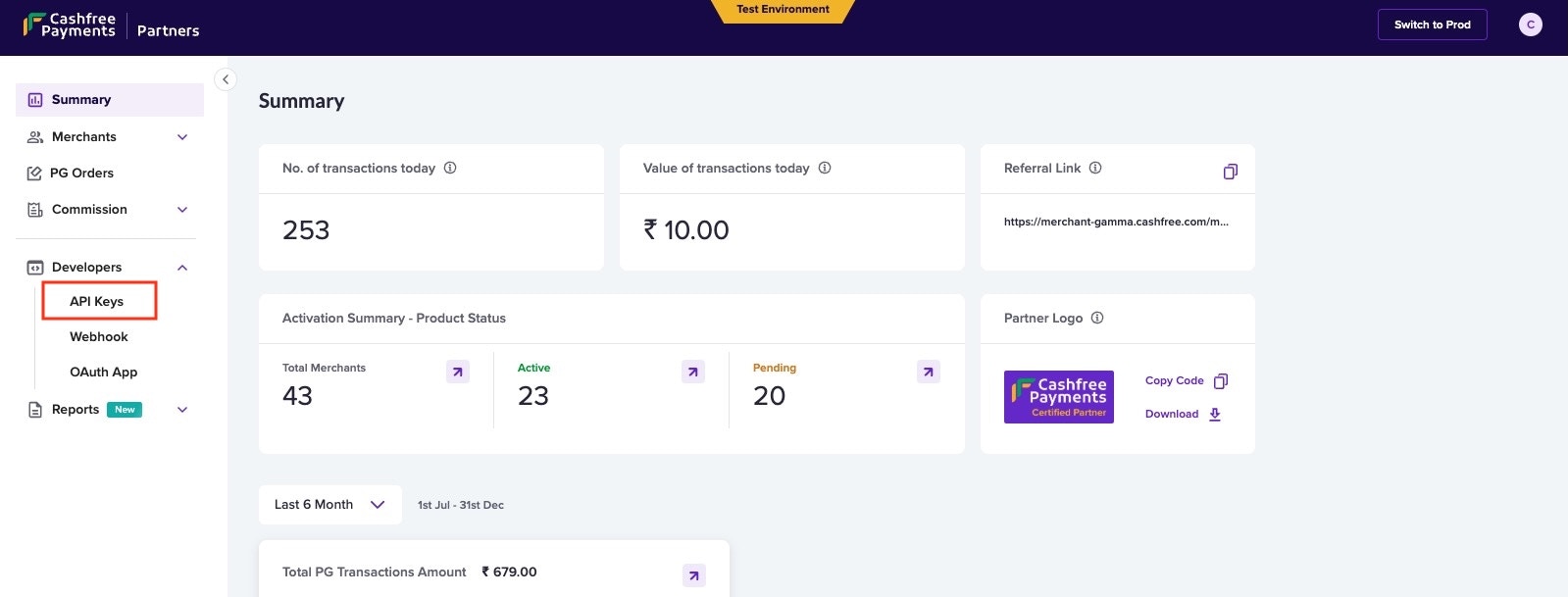
## Signature verification
The signature must be used to verify if the request has not been tampered with. To verify the signature at your end, you will need your Cashfree PG secret key along with the payload.
timestamp is present in the header x-webhook-timestamp\
Actual signature is present in the header x-webhook-signature
```
timestamp := 1617695238078;
signedPayload := $timestamp.$payload;
expectedSignature := Base64Encode(HMACSHA256($signedPayload, $merchantSecretKey));
```
## Sample code
### Verify Signature using SDK
```node Node(express) theme={"dark"}
using cashfree_pg.Client;
using cashfree_pg.Model;
[Route("api/[controller]")]
[ApiController]
public class YourController : ControllerBase
{
[HttpPost]
public async Task Post()
{
// Read the raw body of the POST request
using (StreamReader reader = new StreamReader(Request.Body, Encoding.UTF8))
{
string requestBody = await reader.ReadToEndAsync();
var headers = Request.Headers;
var signature = headers["x-webhook-signature"];
var timestamp = headers["x-webhook-timestamp"];
Cashfree.XClientId = "";
Cashfree.XClientSecret = "";
Cashfree.XEnvironment = Cashfree.SANDBOX;
var cashfree = new Cashfree();
try {
var response = cashfree.PGVerifyWebhookSignature(signature, requestBody, timestamp);
} catch(Exception e) {
// Error if signature mis matches
}
}
}
}
```
```go Go theme={"dark"}
import (
cashfree "github.com/cashfree/cashfree-pg/v4"
)
// Route
e.POST("/webhook", _this.Webhook)
// Controller
func (_this *WebhookRoute) Webhook(c echo.Context) error {
clientId := ""
clientSecret := ""
cashfree.XClientId = &clientId
cashfree.XClientSecret = &clientSecret
cashfree.XEnvironment = cashfree.SANDBOX
signature := c.Request().Header.Get("x-webhook-signature")
timestamp := c.Request().Header.Get("x-webhook-timestamp")
body, _ := ioutil.ReadAll(c.Request().Body)
rawBody := string(body)
webhookEvent, err := cashfree.PGVerifyWebhookSignature(signature, rawBody, timestamp)
if err != nil {
fmt.Println(err.Error())
} else {
fmt.Println(webhookEvent.Object)
}
}
```
```php PHP theme={"dark"}
";
\Cashfree\Cashfree::$XClientSecret = "";
$cashfree = new \Cashfree\Cashfree();
try {
$response = cashfree->PGVerifyWebhookSignature($expectedSig, $inputJSON, $ts);
} catch(Exception $e) {
// Error if signature verification fails
}
?>
```
```python Python theme={"dark"}
from cashfree_pg.api_client import Cashfree
@app.route('/webhook', methods = ['POST'])
def disp():
# Get the raw body from the request
raw_body = request.data
# Decode the raw body bytes into a string
decoded_body = raw_body.decode('utf-8')
#verify_signature
timestamp = request.headers['x-webhook-timestamp']
signature = request.headers['x-webhook-signature'
cashfree = Cashfree()
cashfree.XClientId = ""
cashfree.XClientSecret = ""
try:
cashfreeWebhookResponse = cashfree.PGVerifyWebhookSignature(signature, decoded_body, timestamp)
except:
# If Signature mis-match
```
```java Java theme={"dark"}
import com.cashfree.*;
@PostMapping("/my-endpoint")
public String handlePost(HttpServletRequest request) throws IOException {
Cashfree.XClientId = "";
Cashfree.XClientSecret = "";
Cashfree.XEnvironment = Cashfree.SANDBOX;
StringBuilder stringBuilder = new StringBuilder();
BufferedReader bufferedReader = null;
try {
bufferedReader = request.getReader();
String line;
while ((line = bufferedReader.readLine()) != null) {
stringBuilder.append(line).append('\n');
}
String rawBody = stringBuilder.toString();
String signature = request.getHeader("x-webhook-signature");
String timestamp = request.getHeader("x-webhook-timestamp");
Cashfree cashfree = new Cashfree();
PGWebhookEvent webhook = cashfree.PGVerifyWebhookSignature(signature, rawBody, timestamp);
} catch (Exception e) {
// Error if verification fails
} finally {
if (bufferedReader != null) {
bufferedReader.close();
}
}
}
```
```c C# theme={"dark"}
using cashfree_pg.Client;
using cashfree_pg.Model;
[Route("api/[controller]")]
[ApiController]
public class YourController : ControllerBase
{
[HttpPost]
public async Task Post()
{
// Read the raw body of the POST request
using (StreamReader reader = new StreamReader(Request.Body, Encoding.UTF8))
{
string requestBody = await reader.ReadToEndAsync();
var headers = Request.Headers;
var signature = headers["x-webhook-signature"];
var timestamp = headers["x-webhook-timestamp"];
Cashfree.XClientId = "";
Cashfree.XClientSecret = "";
Cashfree.XEnvironment = Cashfree.SANDBOX;
var cashfree = new Cashfree();
try {
var response = cashfree.PGVerifyWebhookSignature(signature, requestBody, timestamp);
} catch(Exception e) {
// Error if signature mis matches
}
}
}
}
```
### Compute signature and verify manually
```node Node(express) theme={"dark"}
function verify(ts, rawBody){
const body = req.headers["x-webhook-timestamp"] + req.rawBody;
const secretKey = "";
let genSignature = crypto.createHmac('sha256',secretKey).update(body).digest("base64");
return genSignature
}
```
```go Go theme={"dark"}
func VerifySignature(expectedSig string, ts string, body string) (string, error) {
t := time.Now()
currentTS := t.Unix()
if currentTS-ts > 1000*300 {
return "", errors.New("webhook delivered too late")
}
signStr := strconv.FormatInt(ts, 10) + body
fmt.Println("signing String: ", signStr)
key := ""
h := hmac.New(sha256.New, []byte(key))
h.Write([]byte(signStr))
b := h.Sum(nil)
return base64.StdEncoding.EncodeToString(b), nil
}
timestamp := c.Request().Header.Get("x-webhook-timestamp")
body, _ := ioutil.ReadAll(c.Request().Body)
rawBody := string(body)
signature := c.Request().Header.Get("x-webhook-signature")
VerifySignature(signature, timestamp, rawBody)
```
```php PHP theme={"dark"}
function computeSignature($ts, $rawBody){
$rawBody = file_get_contents('php://input');
$ts = getallheaders()['x-webhook-timestamp'];
$signStr = $ts . $rawBody;
$key = "";
$computeSig = base64_encode(hash_hmac('sha256', $signStr, $key, true));
return $computeSig;
}
```
```java Java theme={"dark"}
public String generateSignature() {
bufferedReader = request.getReader();
String line;
while ((line = bufferedReader.readLine()) != null) {
stringBuilder.append(line).append('\n');
}
String payload = stringBuilder.toString();
String timestamp = request.getHeader("x-webhook-timestamp");
String data = timestamp+payload;
String secretKey = "SECRET-KEY"; // Get secret key from Cashfree Merchant Dashboard;
Mac sha256_HMAC = Mac.getInstance("HmacSHA256");
SecretKeySpec secret_key_spec = new SecretKeySpec(secretKey.getBytes(),"HmacSHA256");
sha256_HMAC.init(secret_key_spec);
String computed_signature = Base64.getEncoder().encodeToString(sha256_HMAC.doFinal(data.getBytes()));
return computed_signature; // compare with "x-webhook-signature"
}
```
```python Python theme={"dark"}
import base64
import hashlib
import hmac
def generateSignature():
# Get the raw body from the request
raw_body = request.data
# Decode the raw body bytes into a string
payload = raw_body.decode('utf-8')
#verify_signature
timestamp = request.headers['x-webhook-timestamp']
signatureData = timestamp+payload
message = bytes(signatureData, 'utf-8')
secretkey=bytes("Secret_Key",'utf-8') #Get Secret_Key from Cashfree Merchant Dashboard.
signature = base64.b64encode(hmac.new(secretkey, message, digestmod=hashlib.sha256).digest())
computed_signature = str(signature, encoding='utf8')
return computed_signature #compare with "x-webhook-signature"
```
# Mark Sandbox Settlement processed
Source: https://www.cashfree.com/docs/api-reference/payments/latest/international-payments/collect-from-india/mark-sandbox-settlement-processed
put /import/settlements/emulate
This API is used to mark settlement as processed in sandbox environment
# Overview
Source: https://www.cashfree.com/docs/api-reference/payments/latest/international-payments/collect-from-india/overview
This product helps Merchants/Payment Aggregators/Market Places who are based outside India to collect payments from customers based out of India
**Getting Started**
Follow the steps mentioned below to get started with Collect from India APIs
* Fill out the [Support Form](https://merchant.cashfree.com/merchants/landing?env=prod\&raise_issue=1) for onboarding assistance
* If you are a Merchant, generate your keys using this method [Link](/api-reference/authentication#generate-api-keys)
* Register your webhook URL for updates and subscribe to the required events. For more information, refer to the [Webhook documentation](/api-reference/payments/latest/international-payments/collect-from-india/import-webhooks).
Once these setup is completed, we can use the below mentioned collection of APIs to create import transactions
**Collect from India - List of APIs**
| API Name | Description |
| :-------------------------------------------------------------------------------------------------------------------------------------------------- | :------------------------------------------------------------------------ |
| [Create Order](/api-reference/payments/latest/orders/create) | This API will create a order to collect payment |
| [Order Pay](/api-reference/payments/latest/payments/pay#order-payr) | This API is used to pay the created payment |
| [Get Payment by ID](/api-reference/payments/latest/payments/get#get-payment-by-id) | This API is used to view payment details of an order for a payment ID |
| [Upload Payment Verification Details](/api-reference/payments/latest/international-payments/collect-from-india/upload-payment-verification-details) | This API is used to upload the required payment verification details |
| [Get Payment Verification Details](/api-reference/payments/latest/international-payments/collect-from-india/get-payment-verification-details) | This API is used to Get the verification status of the payment |
| [Get Import Settlement Details](/api-reference/payments/latest/international-payments/collect-from-india/get-import-settlement-details) | This API is used to get ICA settlement details using PG Order ID |
| [Get Import Settlement Recon Details](/api-reference/payments/latest/international-payments/collect-from-india/get-import-settlement-recon-details) | This API is used to fetch all events happened for provided Settlement IDs |
# Overview
Source: https://www.cashfree.com/docs/api-reference/payments/latest/international-payments/collect-from-india/sandbox-simulation
Learn how to simulate transaction verification and settlement processes in the sandbox environment for payments from India-based customers to overseas merchants
## Transaction verification simulation
In the sandbox environment, you can simulate transaction verification using predefined test values that are automatically approved. For file-type content, the system approves PDF files while rejecting other file formats.
You can submit verification details either through the [Upload Payment Verification Details](/api-reference/payments/latest/international-payments/collect-from-india/upload-payment-verification-details) or the dashboard.
### Test values for transaction verification
| Field Name | Value |
| -------------------------------- | --------------------------------------------------- |
| importer\_name | John |
| importer\_address | 321 Elm Street, Suite 3, Los Angeles, CA 90401, USA |
| goods\_description | This is a test product for test purpose |
| country\_of\_origin | USA |
| ecommerce\_order\_serial\_number | 123123 |
| invoice\_number | 234234 |
| hs\_code | 3456 |
| shipment\_date | 01/01/2027 |
| port\_of\_loading | Houston |
| importer\_address\_postal\_code | 560034 |
## Settlement simulation
The sandbox environment provides APIs to simulate the settlement process. This includes triggering settlements and updating their status.
### Trigger settlement
Use the [Trigger Settlement API](/api-reference/payments/latest/international-payments/collect-from-india/trigger-sandbox-settlement) to initiate a settlement. This is an asynchronous process, with settlement entries typically created within one second.
### Mark settlement as processed
To update a settlement's status to "Processed", use the [Mark Settlement as Processed](/api-reference/payments/latest/international-payments/collect-from-india/mark-sandbox-settlement-processed).
The settlement forex rate shown is notional and may differ from actual foreign exchange rates.
#### Simulating skipped settlements
A settlement will be skipped if the settlement amount is between 0 and 1 INR, or if it is negative, the amount will be adjusted in the next settlement.
Example of how to simulate a skipped settlement:
1. Create a transaction
2. Refund the transaction
3. Trigger settlement using the API
The settlement will be skipped since the total collection amount will be less than 0.
# Trigger Sandbox Settlement
Source: https://www.cashfree.com/docs/api-reference/payments/latest/international-payments/collect-from-india/trigger-sandbox-settlement
post /import/settlements/emulate
This API is used to trigger settlement in sandbox environment
# Upload Payment Verification Details
Source: https://www.cashfree.com/docs/api-reference/payments/latest/international-payments/collect-from-india/upload-payment-verification-details
openapi/cb-imports/v2025-01-01.yaml post /import/transactions/{cf_payment_id}
This API is used to upload all the required payment details for the verification
# End Points
Source: https://www.cashfree.com/docs/api-reference/payments/latest/international-payments/global-collections/endpoints
This document provides you with the Global Collection end points.
## Global collections gateway end points
| Environment | Base URL |
| :---------- | :------------------------------------------------------------- |
| Test | [https://sandbox.cashfree.com/](https://sandbox.cashfree.com/) |
| Production | [https://api.cashfree.com/](https://api.cashfree.com/) |
# Overview
Source: https://www.cashfree.com/docs/api-reference/payments/latest/international-payments/global-collections/overview
**Getting Started**
To start using Global Collection APIs,
You can generate your API credentials using the below steps, as applicable.
***
Based on who you are, consider the below values in the API requests
| Cashfree Merchant | Cashfree Partner |
| :---------------- | :------------------- |
| x-client-id | x-partner-api-key |
| x-client-secret | x-partner-merchantid |
**Global Collections List of APIs**
| API Name | Description |
| :------------------------------------------------------------------------------------------------------------------------------------------------ | :---------------------------------------------------------------------------------------------------------------------------------------------------- |
| [Get Token](/api-reference/payments/previous/v2023-08-01/international-payments/global-collections/partner/auth-get-token) | This API generates a new token. |
| [Verify Token](/api-reference/payments/previous/v2023-08-01/international-payments/global-collections/partner/auth-verify-token) | Verify the authentication token generated. The response will be ‘Token is not valid’ if the token does not exist, invalid or has been expired. |
| [Get Collection Accounts](/api-reference/payments/previous/v2023-08-01/international-payments/global-collections/partner/get-collection-accounts) | This API fetches all the virtual accounts that are linked with this account. |
| [Get Transactions](/api-reference/payments/previous/v2023-08-01/international-payments/global-collections/partner/get-transactions) | Use this API to get all the transaction details within a time interval. |
| [Add Transaction Details](/api-reference/payments/previous/v2023-08-01/international-payments/global-collections/partner/add-transaction-details) | Use this API to add transaction details to upload multiple invoices until the cumulative total of all invoice amounts matches the transaction amount. |
| [Simulate Transaction](/api-reference/payments/previous/v2023-08-01/international-payments/global-collections/partner/simulate-transaction) | Use this API to simulate funding to any of the virtual accounts of your merchants. |
# Add Transaction Details
Source: https://www.cashfree.com/docs/api-reference/payments/latest/international-payments/global-collections/partner/add-transaction-details
post /gc/transactions/{referenceId}/invoice-details
Use this API to input invoice details for a specific transaction. You have the flexibility to upload multiple invoices until the cumulative total of all invoice amounts matches the transaction amount.
Based on who you are, consider the below values in the API requests
| Cashfree Merchant | Cashfree Partner |
| :---------------- | :------------------- |
| x-client-id | x-partner-api-key |
| x-client-secret | x-partner-merchantid |
# Get Auth Token
Source: https://www.cashfree.com/docs/api-reference/payments/latest/international-payments/global-collections/partner/auth-get-token
post /gc/authorize
Use this API to authenticate with the Cashfree system and obtain the authorization bearer token.
Based on who you are, consider the below values in the API requests
| Cashfree Merchant | Cashfree Partner |
| :---------------- | :------------------- |
| x-client-id | x-partner-api-key |
| x-client-secret | x-partner-merchantid |
# Overview
Source: https://www.cashfree.com/docs/api-reference/payments/latest/international-payments/global-collections/partner/auth-overview
Global Collection APIs
* [Get Token](/api-reference/payments/previous/v2023-08-01/international-payments/global-collections/partner/auth-get-token) - Use the Get Token API to authenticate with the Cashfree system and obtain the authorization bearer token, call the authorize API.
* [Verify Token](/api-reference/payments/previous/v2023-08-01/international-payments/global-collections/partner/auth-verify-token) - Verify the authentication token generated. The response will be ‘Token is not valid’ if the token does not exist, invalid or has been expired.
# Verify Auth Token
Source: https://www.cashfree.com/docs/api-reference/payments/latest/international-payments/global-collections/partner/auth-verify-token
get /gc/token/verify
Verify the authentication token generated by the user.
# Get Collection Accounts
Source: https://www.cashfree.com/docs/api-reference/payments/latest/international-payments/global-collections/partner/get-collection-accounts
get /gc/virtual-accounts
This API fetches all the virtual accounts that is linked with the given merchant ID.
Based on who you are, consider the below values in the API requests
| Cashfree Merchant | Cashfree Partner |
| :---------------- | :------------------- |
| x-client-id | x-partner-api-key |
| x-client-secret | x-partner-merchantid |
# Get Transactions
Source: https://www.cashfree.com/docs/api-reference/payments/latest/international-payments/global-collections/partner/get-transactions
get /gc/transactions
Use this API to get all the transaction details within a time interval.
Based on who you are, consider the below values in the API requests
| Cashfree Merchant | Cashfree Partner |
| :---------------- | :------------------- |
| x-client-id | x-partner-api-key |
| x-client-secret | x-partner-merchantid |
# Overview
Source: https://www.cashfree.com/docs/api-reference/payments/latest/international-payments/global-collections/partner/overview
Global Collection APIs for partners
* [Get All Transactions Details](/api-reference/payments/previous/v2023-08-01/international-payments/global-collections/partner/get-transactions) - Use this to fetch all the transactions for a particular merchant.
* [Emulate Funding](/api-reference/payments/previous/v2023-08-01/international-payments/global-collections/partner/simulate-transaction#simulate-transaction) - Use this to emulate a transaction for a specific merchant.
* [Get All Collection Accounts for Partner Merchants](/api-reference/payments/previous/v2023-08-01/international-payments/global-collections/partner/get-collection-accounts) - Use this to get all VAs for a specific merchant.
* [Add Invoice Details for Partner Merchants](/api-reference/payments/previous/v2023-08-01/international-payments/global-collections/partner/add-transaction-details) - Use this API to input invoice details for a specific transaction for a specific merchant.
* [Merchant Webhook Configs](/api-reference/payments/previous/v2023-08-01/international-payments/global-collections/partner/webhooks) - Use this document to understand the webhooks payload events and verification.
# Simulate Transaction
Source: https://www.cashfree.com/docs/api-reference/payments/latest/international-payments/global-collections/partner/simulate-transaction
post /gc/transactions/emulate
Use this API to simulate a funding in test environment.
Based on who you are, consider the below values in the API requests
| Cashfree Merchant | Cashfree Partner |
| :---------------- | :------------------- |
| x-client-id | x-partner-api-key |
| x-client-secret | x-partner-merchantid |
# Webhook - Partner
Source: https://www.cashfree.com/docs/api-reference/payments/latest/international-payments/global-collections/partner/webhooks
This chapter explains the Global Collections Webhooks.
### Guide to subscribe webhook events
1. Visit [https://partner.cashfree.com](https://partner.cashfree.com) login with your partner credentials
2. On the landing page click on developers section and select webhook, you will be redirected to a page to add webhook URL and subscribe events or once logged in you can use this URL [Webhook Page](https://partner.cashfree.com/partner-ui/dashboard/developers/webhook)
3. Add your webhook URL and subscribe events Global Collect Transaction, Global Collect Settlement & Global Collect Virtual Account
4. To validate the webhook signature follow [Adding webhook and signature verification guide](/api-reference/platforms/latest/merchant-onboarding/webhooks#verify-signature)
### Screenshots:
Landing page to add the webhook URL and subscribe the events
We can add multiple webhook URLs for the different type of events. For testing, Switch to test and follow the same step in sandbox environment.
## Transaction status
Active Event needs to be subscribed: **Global Collect Transaction**
```json Json theme={"dark"}
{
"amount": "4.50",
"currency": "GBP",
"cmsProfileId": 123,
"event": "INTERNATIONAL_PAYMENT_COLLECTED",
"merchant": {
"merchant_id": "CF_7644f46b-ad82-472c-8d97-609d1a429eac"
},
"paymentTime": "2022-12-29 13:42:54",
"referenceId": 63,
"remarks": "",
"remitterAccount": "1223456789",
"remitterAddress": "Dummy Address",
"remitterBic": "TRWIBEB1XXX",
"remitterCountry": "GB",
"remitterName": "Dummy Sender",
"remitterRoutingCode": "TLG0123",
"status": "COMPLETED",
"utr": "5347f52a-9851-4fe9-8618-32eb085590ce",
"updatedStatusTime": "2022-12-29 13:50:35",
"vAccountId": "97836",
"vAccountNumber": "GB38TCCL12345687997836"
}
```
### Possible events and corresponding transaction status mapping
| Event Name | Payment Status | Description |
| :---------------------------------------- | :------------- | :------------------------------------------------------------------------------------ |
| INTERNATIONAL\_PAYMENT\_COLLECTED | COMPLETED | Received payment |
| INTERNATIONAL\_PAYMENT\_BLOCKED | BLOCKED | The transaction has been blocked due to the specified reason in the designated field. |
| INTERNATIONAL\_PAYMENT\_AWAITING\_DETAILS | COMPLETED | Waiting for the details of the transaction |
### Payload field description
| Field | Description | Example |
| :------------------ | :----------------------------------------------------------------------------------------------------------------------------------------- | :---------------------------------------- |
| amount | The foreign currency amount sent | 4.50 |
| currency | Three character ISO code. View list of supported currencies [here](/payments/global-collections/collection-accounts#supported-currencies). | GBP |
| cmsProfileId | Merchant identifier | 123 |
| event | Webhook event | INTERNATIONAL\_AMOUNT\_COLLECTED |
| paymentTime | The time at which the payment was initiated. | 2022-12-29 13:42:54 |
| referenceId | Cashfree Payments transaction identifier | 63 |
| remarks | Remarks passed by the sender. | Sample Remark |
| reason | Reason regarding the transaction being blocked. | Transaction value below the allowed limit |
| remitterAccount | The bank account number of the person who sends the money. | 1223456789 |
| remitterAddress | The address of the person who sends the money. | Dummy Address |
| remitterBic | Bank identifier code for the remitter. | TRWIBEB1XXX |
| remitterCountry | The country from which the money is sent. | GB |
| remitterName | The name of the remitter who is sending the money. | John Doe |
| remitterRoutingCode | The routing code of the remitter's bank. | TLG0123 |
| status | Status of FCY (foreign currency leg) of transaction. | COMPLETED, FAILED, AWAITING\_DETAILS |
| updatedStatusTime | The time of the last status update. | 2022-12-29 13:50:35 |
| vAccountId | Identifier of the virtual account. | 97836 |
| vAccountNumber | Account number to which the payment was done. | GB38TCCL12345687997836 |
| merchant | Object contains merchant\_id used while creating merchant | CF\_7644f46b-ad82-472c-8d97-609d1a429eac |
## Reversal status
```Text JSON theme={"dark"}
{
"amount": "1000000.00",
"cmsProfileId": 123,
"currency": "USD",
"event": "INTERNATIONAL_PAYMENT_REVERSAL_INITIATED",
"merchant": {
"merchant_id": "CF_7644f46b-ad82-472c-8d97-609d1a429eac"
},
"paymentTime": "2024-02-28 16:17:48",
"referenceId": 63,
"remitterAccount": "9919391193",
"remitterAddress": "Dummy Address",
"remarks": "",
"remitterBic": "",
"remitterCountry": "IN",
"remitterName": "Dummy Sender",
"remitterRoutingCode": "TLG0123",
"reversal": {
"reason": "Transaction value higher than the compliant limit",
"status": "INITIATED"
},
"signature": "F8raBNGcGjMUvbh2t/7t/9C4zU0Snqa/iXf9XzvOq0Y=",
"status": "REVERSAL_INITIATED",
"updatedStatusTime": "2024-02-28 16:17:54",
"utr": "IF-20240228-KT9ZFA",
"vAccountId": "GB75T",
"vAccountNumber": "GB75TCCL12345654108280"
}
```
### Possible events and corresponding transaction status mapping
| Event Name | Reversal Status | Transaction Status | Description |
| :------------------------------------------ | :-------------- | :------------------ | :-------------------------------------------------------------------------------------------------- |
| INTERNATIONAL\_PAYMENT\_REVERSAL\_INITIATED | INITIATED | REVERSAL\_INITIATED | Reversal for the transaction is initiated. |
| INTERNATIONAL\_PAYMENT\_REVERSAL\_DONE | DONE | REVERSAL\_DONE | Reversal for the transaction is completed. The funds have been successfully returned to the sender. |
### Payload field description
***
## Settlement status
Active Event needs to be subscribed: **Global Collect Settlement**
```json theme={"dark"}
{
"amount": "3500.00",
"cmsProfileId": 23853384,
"currency": "USD",
"event": "INR_SETTLEMENT_INITIATED",
"merchant": {
"merchant_id": "CF_7644f46b-ad82-472c-8d97-609d1a429eac"
},
"paymentRail": "ACH",
"paymentTime": "2024-02-06 11:11:42",
"referenceId": 312620,
"remarks": "EMULATE GC INCOMING FUNDS",
"remitterAccount": "7337377781",
"remitterAddress": "Dummy Address",
"remitterBic": "TLG0123",
"remitterCountry": "GB",
"remitterName": "Dummy Sender",
"remitterRoutingCode": "TLG0123",
"settlement": {
"expectedSettlementDate": "2024-02-06",
"fxRate": 85.12,
"id": "f16581f5-344c-40e8-be4b-e63cb5714a88",
"inrAmount": 16219.65,
"netPartnerCommission": 2106.72,
"settlementCharge": 4213.44,
"settlementChargeTax": 758.42,
"status": "INITIATED"
},
"status": "READY_FOR_SETTLEMENT",
"updatedStatusTime": "2024-02-05 18:39:42",
"utr": "f185d0f5-abf5-492b-9149-d45eacfeaca7",
"vAccountId": "03314",
"vAccountNumber": "0331496070"
}
```
The firaFileDownloadUrl field will only be included in the webhook response
after it has been updated.
### Possible events and corresponding settlement status mapping
| Event Name | Settlement Status | Description |
| :------------------------- | :---------------- | :------------------------------------- |
| INR\_SETTLEMENT\_INITIATED | INITIATED | The settlement is initiated. |
| INR\_SETTLEMENT\_APPROVED | SETTLED | The settlement is settled. |
| INR\_SETTLEMENT\_REJECTED | REJECTED | The settlement is rejected. |
| FIRA\_FILE\_RECEIVED | SETTLED | FIRA file received for the settlement. |
### Payload field description
| Field | Description | Example |
| :------------------------------ | :----------------------------------------------------------------------------------------------------------------------------------- | :--------------------------------------- |
| amount | The foreign currency amount sent | 4.50 |
| currency | Three character ISO code. View list of supported currencies [here](doc:global-collections-collection-accounts#supported-currencies). | GBP |
| cmsProfileId | Merchant identifier | 123 |
| event | Webhook event | INTERNATIONAL\_AMOUNT\_COLLECTED |
| merchant | Object contains the merchant\_id to map the merchant created. | CF\_7644f46b-ad82-472c-8d97-609d1a429eac |
| paymentTime | The time at which the payment was initiated. | 2022-12-29 13:42:54 |
| referenceId | Cashfree Payments transaction identifier | 63 |
| remarks | Remarks passed by the sender. | Sample Remark |
| remitterAccount | The bank account number of the person who sends the money. | 1223456789 |
| remitterAddress | The address of the person who sends the money. | Dummy Address |
| remitterBic | Bank identifier code for the remitter. | TRWIBEB1XXX |
| remitterCountry | The country from which the money is sent. | GB |
| remitterName | The name of the remitter who is sending the money. | John Doe |
| remitterRoutingCode | The routing code of the remitter's bank. | TLG0123 |
| status | Status of FCY (foreign currency leg) of transaction. | COMPLETED, FAILED |
| updatedStatusTime | The time of the last status update. | 2022-12-29 13:50:35 |
| vAccountId | Identifier of the virtual account. | 97836 |
| vAccountNumber | Account number to which the payment was made. | GB38TCCL12345687997836 |
| paymentRail | Payment Network used to make the payment | ACH,EFT,FPS,SEPA,SWIFT,FEDWIRE |
| settlement.id | Unique reference ID for the settlement since the payment can have multiple settlements. | b84a7c4c-2ce0-48ca-9b86-2a2c9ad5a35d |
| settlement.fxRate | The foreign exchange rate used for currency conversion between the transaction currency and settlement currency | 85.12 |
| settlement.netPartnerCommission | The final commission amount payable to the partner after deducting all applicable fees and charge | 2106.72 |
| settlement.settlementCharge | Service fees charged for facilitating the settlement | 4213.44 |
| settlement.settlementChargeTax | Applicable tax amount levied on the settlement service charges | 758.42 |
| settlement.inrAmount | Settlement amount in rupees (INR). | 16219.65 |
| settlement.firafileDownloadUrl | Download link to FIRA file | fileDownloadUrl |
| settlement.status | Current status of the settlement. | INITIATED |
## Virtual account details
Active Event needs to be subscribed: **Global Collect Virtual Account**
```json Json theme={"dark"}
{
"cmsProfileId": 260559,
"event": "VIRTUAL_ACCOUNT_DETAILS",
"merchant": {
"merchant_id": "CF_7644f46b-ad82-472c-8d97-609d1a429eac"
},
"vAccounts": [
{
"accountName": "John Doe",
"accountNumber": "GB11TCCL12345638242754",
"accountType": "iban",
"paymentType": "priority",
"bankName": "The Currency Cloud Limited",
"bankAddress": "12 Steward Street, The Steward Building, London, E1 6FQ, GB",
"bankCountry": "GB",
"currency": "AUD",
"routingCode": "TCCLGB3L",
"routingCodeType": "bic_swift",
"addedOn": "2023-03-28 14:43:30",
"vaccountId": "GB11T"
},
{
"accountName": "John Doe",
"accountNumber": "GB11TCCL12345638242754",
"accountType": "iban",
"paymentType": "priority",
"bankName": "The Currency Cloud Limited",
"bankAddress": "12 Steward Street, The Steward Building, London, E1 6FQ, GB",
"bankCountry": "GB",
"currency": "BHD",
"routingCode": "TCCLGB3L",
"routingCodeType": "bic_swift",
"addedOn": "2023-03-28 14:43:30",
"vaccountId": "GB11T"
}
]
}
```
### Possible events and corresponding virtual account mapping
| Event Name | Virtual Account Status | Description |
| ---------------------------- | ---------------------- | ------------------------------------------------------------------------------------------------------------ |
| VIRTUAL\_ACCOUNTS\_ACTIVATED | ACTIVE | Virtual account is activated |
| VIRTUAL\_ACCOUNTS\_CREATED | INACTIVE / ACTIVE | If all the business required details are passed in the first go, VAs are created in ACTIVE state or INACTIVE |
| VIRTUAL\_ACCOUNT\_DETAILS | ACTIVE | Will contain all the details of the VA |
#### Description
Sometimes there is mere might be a slight delay in creating some virtual accounts during onboarding and as a result, some of them might be missing in the Get All Collection Accounts API. Hence, when these missing account details are added, this webhook is triggered with all virtual account details (including the ones that were present before). This webhook contains information for all virtual account associated with a merchant along with cmsProfileId , signature and event.
### Payload field description
| Field | Description | Example |
| :------------------------ | :------------------------------------------------------------ | :---------------------------------------------------------- |
| cmsProfileId | Merchant identifier | 123 |
| event | Webhook Event | VIRTUAL\_ACCOUNT\_DETAILS |
| merchant | Object contains the merchant\_id to map the merchant created. | CF\_7644f46b-ad82-472c-8d97-609d1a429eac |
| vAccounts.accountName | Account Name | John Doe |
| vAccounts.accountNumber | Account Number | GB11TCCL12345638242754 |
| vAccounts.accountType | Account Type | iban |
| vAccounts.paymentType | Type of Payment | priority |
| vAccounts.bankName | Bank Name | The Currency Cloud Limited |
| vAccounts.bankAddress | Bank Address | 12 Steward Street, The Steward Building, London, E1 6FQ, GB |
| vAccounts.bankCountry | Bank Country | GB |
| vAccounts.currency | Currency Code | BHD |
| vAccounts.routingCode | Routing Code | TCCLGB3L |
| vAccounts.routingCodeType | Routing Code Type | bic\_swift |
| vAccounts.addedOn | The time when this virtual account was created | 2023-03-28 14:43:30 |
| vAccounts.vaccountId | Virtual Account Id | GB11T |
# Purpose Codes
Source: https://www.cashfree.com/docs/api-reference/payments/latest/international-payments/global-collections/purpose-codes
This page contains the purpose codes for Global Collect
| Purpose Code | Description |
| ------------ | ----------------------------------------------------------------------------------------------------------------------------------------------------------------------------------------------------------------------------- |
| P0103 | Advance receipts against export contracts, which will be covered later by GR/PP/SOFTEX/ SDF - other than Nepal and Bhutan |
| P1004 | Legal services |
| P1005 | Accounting, auditing, bookkeeping services |
| P1006 | Business and management consultancy and public relations |
| P1007 | Advertising, trade fair service |
| P1008 | Research & Development services |
| P1009 | Architectural services |
| P0802 | Software consultancy / implementation (other than those covered in SOFTEX form) |
| P0807 | For Export of Software covered under softex (advance payment) |
| P1020 | Wholesale and retailing trade services |
| P1002 | Trade related services - commission on exports / imports |
| P1104 | Entertainment services |
| P1099 | Other services not included elsewhere, for export of services |
| P1015 | Tax consulting services |
| P1016 | Market research and public opinion polling service |
| P1017 | Publishing and printing services |
| P1019 | Commission agent services |
| P1107 | Educational services |
| P1109 | Other Personal, Cultural & Recreational services |
| P1701 | Receipts on account of processing of goods |
| P0301 | Purchases towards travel (Includes purchases of foreign TCs, currency notes etc over the counter, by hotels, Emporiums, institutions etc. as well as amount received by TT/SWIFT transfers or debit to Non-Resident account). |
| P0302 | Business travel |
| P0304 | Travel for medical treatment including TC purchased by hospitals |
| P0305 | Travel for education including TCs purchased by educational institutions |
| P0306 | Other travel receipts |
| P0801 | Hardware consultancy/implementation |
| P0803 | Data base, data processing charges |
| P0804 | Repair and maintenance of computer and software |
| P0805 | News agency services |
| P0806 | Other information services- Subscription to newspapers, periodicals, etc. |
| P0808 | Telecommunication services including electronic mail services and voice mail services |
| P1013 | Environmental Services |
| P1014 | Engineering Services |
| P1101 | Audio-visual & related service:Motion picture & video tape production, distribution & projection service |
| P1103 | Radio & TV production,distribution & transmission service |
| P1105 | Museums, library and archival services |
| P1106 | Recreation and sporting activity services |
| P1108 | Health Service provided by Indian hospitals,doctors,nurses,paramedical remotely/on-site) |
# Overview
Source: https://www.cashfree.com/docs/api-reference/payments/latest/international-payments/overview
Learn about Cashfree APIs suitable for International Payments
You can use the Cashfree API in test mode, which doesn't affect your live data or interact with the banking networks. The API key you use to authenticate the request determines whether the request is live mode or test mode.
For overseas businesses to collect payments from Indian customers
For Indian businesses to collect payments from customers worldwide
# Create Offer
Source: https://www.cashfree.com/docs/api-reference/payments/latest/offers/create
openapi/payments/v2025-01-01.yaml post /offers
Use this API to create offers with Cashfree from your backend
{
const el = e.currentTarget;
el.style.backgroundColor = 'rgba(255, 248, 240, 0.8)';
el.style.transform = 'translateY(-1px)';
}}
onMouseLeave={(e) => {
const el = e.currentTarget;
el.style.backgroundColor = 'rgba(255, 248, 240, 0.4)';
el.style.transform = 'none';
}}
>
Run in Postman: You can also try this API in our Postman Collection.
# Get Offer by ID
Source: https://www.cashfree.com/docs/api-reference/payments/latest/offers/get
openapi/payments/v2025-01-01.yaml get /offers/{offer_id}
Use this API to get offer by offer_id
{
const el = e.currentTarget;
el.style.backgroundColor = 'rgba(255, 248, 240, 0.8)';
el.style.transform = 'translateY(-1px)';
}}
onMouseLeave={(e) => {
const el = e.currentTarget;
el.style.backgroundColor = 'rgba(255, 248, 240, 0.4)';
el.style.transform = 'none';
}}
>
Run in Postman: You can also try this API in our Postman Collection.
# Create Order
Source: https://www.cashfree.com/docs/api-reference/payments/latest/orders/create
openapi/payments/v2025-01-01.yaml post /orders
### Order
An order is an entity which has a amount and currency associated with it. It is something for which you want to collect payment for.
Use this API to create orders with Cashfree from your backend to get a `payment_sessions_id`.
You can use the `payment_sessions_id` to create a transaction for the order.
{
const el = e.currentTarget;
el.style.backgroundColor = 'rgba(255, 248, 240, 0.8)';
el.style.transform = 'translateY(-1px)';
}}
onMouseLeave={(e) => {
const el = e.currentTarget;
el.style.backgroundColor = 'rgba(255, 248, 240, 0.4)';
el.style.transform = 'none';
}}
>
Run in Postman: You can also try this API in our Postman Collection.
# Get Order
Source: https://www.cashfree.com/docs/api-reference/payments/latest/orders/get
openapi/payments/v2025-01-01.yaml get /orders/{order_id}
Use this API to fetch the order that was created at Cashfree's using the `order_id`.
## When to use this API
- To check the status of your order
{
const el = e.currentTarget;
el.style.backgroundColor = 'rgba(255, 248, 240, 0.8)';
el.style.transform = 'translateY(-1px)';
}}
onMouseLeave={(e) => {
const el = e.currentTarget;
el.style.backgroundColor = 'rgba(255, 248, 240, 0.4)';
el.style.transform = 'none';
}}
>
Run in Postman: You can also try this API in our Postman Collection.
This API allows you to retrieve order data for the current and previous financial years. To access data older than this period, log in to the [Merchant Dashboard](https://merchant.cashfree.com/auth/login)
# Get Order Extended
Source: https://www.cashfree.com/docs/api-reference/payments/latest/orders/get-order-extended
openapi/payments/v2025-01-01.yaml get /orders/{order_id}/extended
Use this API to fetch the order related data like address,cart,offers,customer details etc using the Cashfree's `order_id`.
## When to use this API
- To get the extended data associated with order.
{
const el = e.currentTarget;
el.style.backgroundColor = 'rgba(255, 248, 240, 0.8)';
el.style.transform = 'translateY(-1px)';
}}
onMouseLeave={(e) => {
const el = e.currentTarget;
el.style.backgroundColor = 'rgba(255, 248, 240, 0.4)';
el.style.transform = 'none';
}}
>
Run in Postman: You can also try this API in our Postman Collection.
This API allows you to retrieve order data for the current and previous financial years. To access data older than this period, log in to the [Merchant Dashboard](https://merchant.cashfree.com/auth/login)
# Terminate Order
Source: https://www.cashfree.com/docs/api-reference/payments/latest/orders/terminate
openapi/payments/v2025-01-01.yaml patch /orders/{order_id}
Use this API to terminate the order that was created at Cashfree's using the `order_id`.
{
const el = e.currentTarget;
el.style.backgroundColor = 'rgba(255, 248, 240, 0.8)';
el.style.transform = 'translateY(-1px)';
}}
onMouseLeave={(e) => {
const el = e.currentTarget;
el.style.backgroundColor = 'rgba(255, 248, 240, 0.4)';
el.style.transform = 'none';
}}
>
Run in Postman: You can also try this API in our Postman Collection.
# Update Order Extended
Source: https://www.cashfree.com/docs/api-reference/payments/latest/orders/update-order-extended
openapi/payments/v2025-01-01.yaml put /orders/{order_id}/extended
Use this api to update the order related data like shipment details,order delivery status etc.
## When to use this API
- To provide/update the shipment details or order delivery status.
- Once the order is PAID.
{
const el = e.currentTarget;
el.style.backgroundColor = 'rgba(255, 248, 240, 0.8)';
el.style.transform = 'translateY(-1px)';
}}
onMouseLeave={(e) => {
const el = e.currentTarget;
el.style.backgroundColor = 'rgba(255, 248, 240, 0.4)';
el.style.transform = 'none';
}}
>
Run in Postman: You can also try this API in our Postman Collection.
# Overview
Source: https://www.cashfree.com/docs/api-reference/payments/latest/overview
Learn details about the 2025-01-01 version of our Payment APIs.
## Payment Gateway end points
| Environment | Base URL |
| :------------- | :-------------------------------------------------------------------------------------------------- |
| Test | [https://sandbox.cashfree.com/pg](https://sandbox.cashfree.com/pg) |
| Production | [https://api.cashfree.com/pg](https://api.cashfree.com/pg) |
| Latest version | v5, 2025-01-01 The previous versions were 2023-08-01, 2021-05-21, 2022-01-01, and 2022-09-01 |
## Authentication
All the APIs require authentication, except the /orders/sessions API, which does not require any authentication and can be safely done from the browser as well.
Click [here](/api-reference/authentication) for detailed information on API Authentication for Merchants and Partners.
## Payment Gateway APIs
### Orders
| API | Description |
| :-------------------------------------------------------------------- | :------------------------------------------------------------------------------------------------------- |
| [Create Order](/api-reference/payments/latest/orders/create) | Use this API to create orders with Cashfree from your backend and get the payment link. |
| [Order Pay](/api-reference/payments/latest/payments/pay) | Use this API when you have already created the orders and want Cashfree Payments to process the payment. |
| [Preauthorization](/api-reference/payments/latest/payments/authorize) | Use this API to capture or void a preauthorized payment. |
| [Get Order](/api-reference/payments/latest/orders/get) | Use this API to view all details of an order. |
### Authentication
| API | Description |
| :--------------------------------------------------------------------------- | :-------------------------------------------------------- |
| [Submit or Resend OTP](/api-reference/payments/latest/payments/authenticate) | Use the submit or resend OTP API to send OTP to Cashfree. |
### Payments
| API | Description |
| :------------------------------------------------------------------------------------------ | :----------------------------------------------------------------- |
| [Get Payments for an Order](/api-reference/payments/latest/payments/get-payments-for-order) | Use this API to view all payment details for an order. |
| [Get Payment by ID](/api-reference/payments/latest/payments/get) | Use this API to view payment details of an order for a payment ID. |
### Settlements
| API | Description |
| :------------------------------------------------------------------------------------------------- | :-------------------------------------------------------------------------------------------------------- |
| [Get Settlements by Order ID](/api-reference/payments/latest/operations/get-settlements-for-order) | Use this API to view all the settlements of a particular order. |
| [Get All Settlements](/api-reference/payments/latest/operations/get-settlements) | Use this API to get all settlement details by specifying the settlement ID, settlement UTR or date range. |
### Payment links
| API | Description |
| :------------------------------------------------------------------------------------------------ | :---------------------------------------------------------------------------------------------------------------------------------------------- |
| [Create Payment Link](/api-reference/payments/latest/payment-links/create) | Use this API to create a new payment link. The created payment link url will be available in the API response parameter link\_url. |
| [Fetch Payment Link Details](/api-reference/payments/latest/payment-links/get) | Use this API to view all details and status of a payment link. |
| [Get Orders for a Payment Link](/api-reference/payments/latest/payment-links/get-orders-for-link) | Use this API to view all order details for a payment link. |
| [Cancel Payment Link](/api-reference/payments/latest/payment-links/cancel) | Use this API to cancel a payment link. No further payments can be done against a cancelled link. Only a link in ACTIVE status can be cancelled. |
### Token vault
| API | Description |
| :------------------------------------------------------------------------------------------------------ | :------------------------------------------------------------------------------------------------------------------ |
| [Fetch All Saved Instruments](/api-reference/payments/latest/token-vault/get-all) | Use this API to get all saved instruments for a customer ID. |
| [Fetch Single Saved Instrument](/api-reference/payments/latest/token-vault/get) | Use this API to get specific saved instrument for a customer id and instrument ID. |
| [Delete Saved Instrument](/api-reference/payments/latest/token-vault/delete) | Use this API to delete a saved instrument for a customer id and instrument ID. |
| [Fetch Cryptogram for Saved Instrument](/api-reference/payments/latest/token-vault/generate-cryptogram) | Use this API to get the card network token, token expiry and cryptogram for a saved instrument using instrument ID. |
### Reconciliation
| API | Description |
| :----------------------------------------------------------------------------------------------- | :------------------------------------------------------------------------------------------------------- |
| [Settlement Reconciliation](/api-reference/payments/latest/operations/settlement-reconciliation) | Use this API to get settlement reconciliation details using Settlement ID, settlement UTR or date range. |
| [PG Reconciliation](/api-reference/payments/latest/operations/reconcile) | Use this API to get the payment gateway reconciliation details with date range. |
# Cancel Payment Link
Source: https://www.cashfree.com/docs/api-reference/payments/latest/payment-links/cancel
openapi/payments/v2025-01-01.yaml post /links/{link_id}/cancel
Use this API to cancel a payment link. No further payments can be done against a cancelled link. Only a link in ACTIVE status can be cancelled.
{
const el = e.currentTarget;
el.style.backgroundColor = 'rgba(255, 248, 240, 0.8)';
el.style.transform = 'translateY(-1px)';
}}
onMouseLeave={(e) => {
const el = e.currentTarget;
el.style.backgroundColor = 'rgba(255, 248, 240, 0.4)';
el.style.transform = 'none';
}}
>
Run in Postman: You can also try this API in our Postman Collection.
# Create Payment Link
Source: https://www.cashfree.com/docs/api-reference/payments/latest/payment-links/create
openapi/payments/v2025-01-01.yaml post /links
Use this API to create a new payment link. The created payment link url will be available in the API response parameter link_url.
{
const el = e.currentTarget;
el.style.backgroundColor = 'rgba(255, 248, 240, 0.8)';
el.style.transform = 'translateY(-1px)';
}}
onMouseLeave={(e) => {
const el = e.currentTarget;
el.style.backgroundColor = 'rgba(255, 248, 240, 0.4)';
el.style.transform = 'none';
}}
>
Run in Postman: You can also try this API in our Postman Collection.
# Fetch Payment Link Details
Source: https://www.cashfree.com/docs/api-reference/payments/latest/payment-links/get
openapi/payments/v2025-01-01.yaml get /links/{link_id}
Use this API to view all details and status of a payment link.
{
const el = e.currentTarget;
el.style.backgroundColor = 'rgba(255, 248, 240, 0.8)';
el.style.transform = 'translateY(-1px)';
}}
onMouseLeave={(e) => {
const el = e.currentTarget;
el.style.backgroundColor = 'rgba(255, 248, 240, 0.4)';
el.style.transform = 'none';
}}
>
Run in Postman: You can also try this API in our Postman Collection.
# Get Orders for a Payment Link
Source: https://www.cashfree.com/docs/api-reference/payments/latest/payment-links/get-orders-for-link
openapi/payments/v2025-01-01.yaml get /links/{link_id}/orders
Use this API to view all order details for a payment link.
# Payment Link Webhooks
Source: https://www.cashfree.com/docs/api-reference/payments/latest/payment-links/webhooks
Learn about webhooks triggered when payments made through Payment Links.
## Webhook Schema
Payment Link webhook will be triggered when your customer makes a complete or partial payment using the payment link you shared. You will also be notified via the same webhook when the payment link gets cancelled or expired.
```json theme={"dark"}
{
"data": {
"cf_link_id": 1576977,
"link_id": "payment_ps11",
"link_status": "PARTIALLY_PAID",
"link_currency": "INR",
"link_amount": "200.12",
"link_amount_paid": "55.00",
"link_partial_payments": true,
"link_minimum_partial_amount": "11.00",
"link_purpose": "Payment for order 10",
"link_created_at": "2021-08-18T07:13:41",
"customer_details": {
"customer_phone": "9000000000",
"customer_email": "john@gmail.com",
"customer_name": "John "
},
"link_meta": {
"notify_url": "https://ee08e626ecd88c61c85f5c69c0418cb5.m.pipedream.net"
},
"link_url": "https://payments-test.cashfree.com/links//U1mgll3c0e9g",
"link_expiry_time": "2021-11-28T21:46:20",
"link_notes": {
"note_key_1": "note_value_1"
},
"link_auto_reminders": true,
"link_notify": {
"send_sms": true,
"send_email": true
},
"order": {
"order_amount": "22.00",
"order_id": "CFPay_U1mgll3c0e9g_ehdcjjbtckf",
"order_expiry_time": "2021-08-18T07:34:50",
"order_hash": "Gb2gC7z0tILhGbZUIeds",
"transaction_id": 1021206,
"transaction_status": "SUCCESS"
}
},
"type": "PAYMENT_LINK_EVENT",
"version": 1,
"event_time": "2021-08-18T12:55:06+05:30"
}
```
***
## Payload
| Field | Description | Example |
| :---------------------------- | :------------------------------------------------------------------------------------------------ | :----------------------------------------------------------- |
| `cf_link_id` | Unique Identifier (generated by Cashfree) for this Link. | 1543566 |
| `link_id` | Unique Identifier (provided by merchant) for the Link. Only for merchant reference. | payment\_1psw |
| `link_status` | Current status of the payment link. Possible values: PAID, PARTIALLY\_PAID, EXPIRED, CANCELLED. | PARTIALLY\_PAID |
| `link_currency` | Default is INR. International currencies are supported. | INR |
| `link_amount` | The amount which merchant wants to collect for the order. | 500.00 |
| `link_amount_paid` | The amount paid by the customer. | 250.00 |
| `link_partial_payments` | Indicates if partial payments are allowed or not. Default value is false. | true |
| `link_minimum_partial_amount` | The minimum amount which must be paid by customer as the first payment. | 200.00 |
| `link_purpose` | A brief description for which payment must be collected. This is shown to the customer. | Payment for order 10 |
| `link_created_at` | Time at which the link was created. | 2021-08-18T07:13:41 |
| `customer_details` | Customer object, it contains customer details. | |
| `customer_name` | Name of the customer | John |
| `customer_phone` | Phone number of the customer | 9000000000 |
| `customer_email` | Email ID of the customer | [john@gmail.com](mailto:john@gmail.com) |
| `notify_url` | Payment notification URL | [https://payment1notify.net](https://payment1notify.net) |
| `link_url` | Payment link URL | [https://website.com/payments](https://website.com/payments) |
| `link_expiry_time` | The date till which the link will be valid, and then it will be expired. Default is 30 days. | 2021-11-28T21:46:20 |
| `link_notes` | Link notes object where you can provide any key-value pairs for your internal reference. | |
| `note_key_1` | | note\_value\_1 |
| `link_auto_reminders` | Default is false. Reminders will be sent to customers based on defined settings. | true |
| `link_notify` | Link notify object, used to notify customers via SMS or an email. | |
| `send_sms` | Default is true. If true, Cashfree will send the link to customer via SMS. | true |
| `send_email` | Default is true. If true and `customer_email` is provided, Cashfree will send the link via Email. | true |
| `order` | Order object, contains the order details. Will be null for cancelled and expired link statuses. | |
| `order_amount` | Order amount that the customer must pay. | 700 |
| `order_id` | The order ID generated. | order\_10 |
| `order_expiry_time` | The date till which the order will be valid. Default is 30 days. | 2021-08-18T07:34:50 |
| `transaction_id` | Transaction ID | id45466ye |
| `transaction_status` | Status of the transaction. Possible values: SUCCESS. | SUCCESS |
| `type` | Type of the webhook. `PAYMENT_LINK_EVENT` | PAYMENT\_LINK\_EVENT |
| `version` | The version of webhook. Build parsing logic with respect to this version. | 1 |
| `event_time` | Time when this webhook was created. | 2021-08-18T12:55:06+05:30 |
***
## Signature generation
The signature must be used to verify if the request has not been tampered with. To verify the signature at your end, you will need your Cashfree Payment Gateway secret key along with the payload.
```javascript theme={"dark"}
// The payload here refers to the raw request sent by
// Cashfree to your endpoint. No modifications need to be made to this payload.
{
"data": {
"cf_link_id": 1576977,
"link_id": "payment_ps11",
"link_status": "PARTIALLY_PAID",
"link_currency": "INR",
"link_amount": "200.12",
"link_amount_paid": "55.00",
"link_partial_payments": true,
"link_minimum_partial_amount": "11.00",
"link_purpose": "Hello my friend how are you",
"link_created_at": "2021-08-18T07:13:41",
"customer_details": {
"customer_phone": "9905736722",
"customer_email": "supal.dubey@cashfree.com",
"customer_name": "Supal "
},
"link_meta": { ... }
}
}
```
We send the webhook response in a form data format.
# Submit or Resend OTP
Source: https://www.cashfree.com/docs/api-reference/payments/latest/payments/authenticate
openapi/payments/v2025-01-01.yaml post /orders/pay/authenticate/{cf_payment_id}
Use this API to submit or resend OTP if you use [Native OTP](https://www.cashfree.com/docs/payments/features/native-otp) for authentication of card payments
Refer to the sample responses below:
Submit OTP Success and Transaction Successful – 200 OK
```json theme={"dark"}
{
"action": "SUBMIT_OTP",
"authenticate_status": "SUCCESS",
"cf_payment_id": "3991872901",
"payment_message": "payment successful"
}
```
Submit OTP Success but Invalid OTP – 200 OK
```json theme={"dark"}
{
"action": "SUBMIT_OTP",
"authenticate_status": "FAILED",
"cf_payment_id": "5114916442998",
"payment_message": "otp is invalid"
}
```
Max OTP Submit Limit Exceeded – 400 Bad Request
```json theme={"dark"}
{
"message": "Exceeded retry attempts. Check latest errors and resolution from Merchant Dashboard API logs: https://bit.ly/4glEd0W Help Document: https://bit.ly/4eeZYO9",
"code": "request_invalid",
"type": "invalid_request_error"
}
```
Transaction Already Completed – 400 Bad Request
```json theme={"dark"}
{
"message": "Transaction is already processed. Check latest errors and resolution from Merchant Dashboard API logs: https://bit.ly/4glEd0W Help Document: https://bit.ly/4eeZYO9",
"code": "request_invalid",
"type": "invalid_request_error"
}
```
Invalid Request – 404 Not Found
```json theme={"dark"}
{
"message": "transaction not found. Check latest errors and resolution from Merchant Dashboard API logs: https://bit.ly/4glEd0W Help Document: https://bit.ly/4eeZYO9",
"code": "payment_not_found",
"type": "invalid_request_error"
}
```
Submit OTP Success but Transaction Failed – 502 Bad Gateway
```json theme={"dark"}
{
"message": "transaction failed",
"code": "bank_processing_failure",
"type": "api_error"
}
```
Submit OTP Success but Transaction Pending – 502 Bad Gateway
```json theme={"dark"}
{
"message": "transaction incomplete",
"code": "bank_processing_failure",
"type": "api_error"
}
```
Resend OTP Success – 200 OK
```json theme={"dark"}
{
"action": "RESEND_OTP",
"authenticate_status": "SUCCESS",
"cf_payment_id": "5114916574918",
"payment_message": "otp sent successfully"
}
```
# Preauthorisation
Source: https://www.cashfree.com/docs/api-reference/payments/latest/payments/authorize
openapi/payments/v2025-01-01.yaml post /orders/{order_id}/authorization
Use this API to capture or void a [pre-authorised](/docs/payments/features/pre-authorisation) payment.
# Get Payment by ID
Source: https://www.cashfree.com/docs/api-reference/payments/latest/payments/get
openapi/payments/v2025-01-01.yaml get /orders/{order_id}/payments/{cf_payment_id}
Use this API to view payment details of an order for a payment ID.
{
const el = e.currentTarget;
el.style.backgroundColor = 'rgba(255, 248, 240, 0.8)';
el.style.transform = 'translateY(-1px)';
}}
onMouseLeave={(e) => {
const el = e.currentTarget;
el.style.backgroundColor = 'rgba(255, 248, 240, 0.4)';
el.style.transform = 'none';
}}
>
Run in Postman: You can also try this API in our Postman Collection.
This API allows you to retrieve payment data for the current and previous financial years. To access data older than this period, log in to the [Merchant Dashboard](https://merchant.cashfree.com/auth/login)
# Get Payments for an Order
Source: https://www.cashfree.com/docs/api-reference/payments/latest/payments/get-payments-for-order
openapi/payments/v2025-01-01.yaml get /orders/{order_id}/payments
Use this API to view all payment details for an order.
This API allows you to retrieve payment data for the current and previous financial years. To access data older than this period, log in to the [Merchant Dashboard](https://merchant.cashfree.com/auth/login) {
const el = e.currentTarget;
el.style.backgroundColor = 'rgba(255, 248, 240, 0.8)';
el.style.transform = 'translateY(-1px)';
}}
onMouseLeave={(e) => {
const el = e.currentTarget;
el.style.backgroundColor = 'rgba(255, 248, 240, 0.4)';
el.style.transform = 'none';
}}
>
Run in Postman: You can also try this API in our Postman Collection.
# Order Pay
Source: https://www.cashfree.com/docs/api-reference/payments/latest/payments/pay
openapi/payments/v2025-01-01.yaml post /orders/sessions
Use this API when you have already created the order using [Create Order API](https://www.cashfree.com/docs/api-reference/payments/latest/orders/create) and want Cashfree to process the payment. To use this API S2S flag needs to be enabled from the backend. In case you want to use this API for plain cards payments also, the PCI DSS flag is required, for more information fill out the [Support Form](https://merchant.cashfree.com/merchants/landing?env=prod&raise_issue=1).
{
const el = e.currentTarget;
el.style.backgroundColor = 'rgba(255, 248, 240, 0.8)';
el.style.transform = 'translateY(-1px)';
}}
onMouseLeave={(e) => {
const el = e.currentTarget;
el.style.backgroundColor = 'rgba(255, 248, 240, 0.4)';
el.style.transform = 'none';
}}
>
Run in Postman: You can also try this API in our Postman Collection.
# Payment Webhooks
Source: https://www.cashfree.com/docs/api-reference/payments/latest/payments/webhooks
Read about all asynchronous events initiated by Cashfree for this entity
Webhooks are server callbacks from Cashfree Payments to your server. We send webhooks for three different events for a `payment`.
* Payment success webhook
* Payment failed webhook
* Payment user dropped webhook
## Webhook signature
The merchant will receive the Webhook signature in the Webhook Header part. Below is a sample header that merchants can expect in the Webhook request.
| Header Name | Header Value |
| ------------------- | :------------------------------------------: |
| content-length | 1099 |
| x-webhook-attempt | 1 |
| content-type | application/json |
| x-webhook-signature | 07r5C3VMwsGYeldGOCYxe5zoHhIN1zLfa8O0U/yngHI= |
| x-idempotency-key | n9rn7079wqXcse3GEDEXCYle9ajXmU0SUQY8zrUNAlc= |
| x-webhook-timestamp | 1746427759733 |
| x-webhook-version | 2025-01-01 |
| Header Name | Header Value |
| ------------------- | :------------------------------------------: |
| content-length | 1002 |
| x-webhook-attempt | 1 |
| content-type | application/json |
| x-webhook-signature | 0s9zgYXyUYrQaadF5oTYzpxzHmPBMmGDSjbAKZTleL4= |
| x-webhook-timestamp | 1746426425612 |
| x-webhook-version | 2023-08-01 |
Ensure that the webhook payload is received in raw text format. Converting the webhook into a JSON object can lead to automatic transformation of decimal values—such as the payment\_amount—into integers. This alteration (e.g., payment\_amount: 170 instead of payment\_amount: 170.00) can cause a webhook signature mismatch.
**Correct format: payment\_amount: 170.00** ✅ **Incorrect format: payment\_amount: 170** ❌
## Payment success webhook
A payment success webhook is triggered when a payment is successfully completed. You can use this for: Updating order status, triggering fulfilment, and sending confirmation to the customer.
```javascript Version (2025-01-01) theme={"dark"}
{
"data":{
"order":{
"order_id":"order_OFR_2",
"order_amount":2,
"order_currency":"INR",
"order_tags":null
},
"payment":{
"cf_payment_id":"1453002795",
"payment_status":"SUCCESS",
"payment_amount":1,
"payment_currency":"INR",
"payment_message":"00::Transaction success",
"payment_time":"2025-01-15T12:20:29+05:30",
"bank_reference":"234928698581",
"auth_id":null,
"payment_method":{
"upi":{
"channel":"collect",
"upi_id":"rishab@ybl",
"upi_instrument":"UPI_CREDIT_CARD",
"upi_instrument_number":"masked card number",
"upi_payer_ifsc":"SBI0025434",
"upi_payer_account_number":"XXXXX0231"
}
},
"payment_group":"upi",
"international_payment":{
"international":false
},
"payment_surcharge":{
"payment_surcharge_service_charge":0.36,
"payment_surcharge_service_tax":0.06
}
},
"customer_details":{
"customer_name":null,
"customer_id":"7112AAA812234",
"customer_email":"test@gmail.com",
"customer_phone":"9908734801"
},
"payment_gateway_details":{
"gateway_name":"CASHFREE",
"gateway_order_id":"1634766330",
"gateway_payment_id":"1504280029",
"gateway_order_reference_id":"abc_124",
"gateway_settlement":"CASHFREE",
"gateway_status_code":null
},
"payment_offers":[
{
"offer_id":"0f05e1d0-fbf8-4c9c-a1f0-814c7b2abdba",
"offer_type":"DISCOUNT",
"offer_meta":{
"offer_title":"50% off on UPI",
"offer_description":"50% off for testing",
"offer_code":"UPI50",
"offer_start_time":"2022-11-09T06:23:25.972Z",
"offer_end_time":"2025-02-27T18:30:00Z"
},
"offer_redemption":{
"redemption_status":"SUCCESS",
"discount_amount":1,
"cashback_amount":0
}
}
],
"terminal_details":{
"cf_terminal_id":17269,
"terminal_phone":"8971520311"
}
},
"event_time":"2025-01-15T11:16:10+05:30",
"type":"PAYMENT_SUCCESS_WEBHOOK"
}
```
```javascript Version (2023-08-01) theme={"dark"}
{
"data":{
"order":{
"order_id":"order_OFR_2",
"order_amount":2,
"order_currency":"INR",
"order_tags":null
},
"payment":{
"cf_payment_id":"1453002795",
"payment_status":"SUCCESS",
"payment_amount":1,
"payment_currency":"INR",
"payment_message":"00::Transaction success",
"payment_time":"2022-12-15T12:20:29+05:30",
"bank_reference":"234928698581",
"auth_id":null,
"payment_method":{
"upi":{
"channel":"collect",
"upi_id":"suhasg6@ybl",
}
},
"payment_group":"upi"
},
"customer_details":{
"customer_name":null,
"customer_id":"7112AAA812234",
"customer_email":"test@gmail.com",
"customer_phone":"9908734801"
},
"payment_gateway_details":{
"gateway_name":"CASHFREE",
"gateway_order_id":"1634766330",
"gateway_payment_id":"1504280029",
"gateway_order_reference_id":"abc_124",
"gateway_settlement":"CASHFREE",
"gateway_status_code":null
},
"payment_offers":[
{
"offer_id":"0f05e1d0-fbf8-4c9c-a1f0-814c7b2abdba",
"offer_type":"DISCOUNT",
"offer_meta":{
"offer_title":"50% off on UPI",
"offer_description":"50% off for testing",
"offer_code":"UPI50",
"offer_start_time":"2022-11-09T06:23:25.972Z",
"offer_end_time":"2023-02-27T18:30:00Z"
},
"offer_redemption":{
"redemption_status":"SUCCESS",
"discount_amount":1,
"cashback_amount":0
}
}
]
},
"event_time":"2023-08-01T11:16:10+05:30",
"type":"PAYMENT_SUCCESS_WEBHOOK"
}
```
## Payment failed webhook
The payment failed webhook notifies you when a payment attempt fails, and we receive a failed response from the bank. Use case: Update order status, notify customer, initiate retry flow
```javascript Version 2025-01-01 theme={"dark"}
{
"data": {
"order": {
"order_id": "CFPay_g47u3888d0k0_tblfm766qc",
"order_amount": 1.8,
"order_currency": "INR",
"order_tags": {
"cf_link_id": "13746255"
}
},
"payment": {
"cf_payment_id": "1504280029",
"payment_status": "FAILED",
"payment_amount": 1.8,
"payment_currency": "INR",
"payment_message": "AMOUNT SHOULD BE WITHIN RANGE BETWEEN 20.00 TO 500000.00.",
"payment_time": "2023-01-06T20:00:11+05:30",
"bank_reference": "NA",
"auth_id": "null",
"payment_method": {
"netbanking": {
"channel": null,
"netbanking_bank_code": "3054",
"netbanking_bank_name": "UCO Bank"
}
},
"payment_group": "net_banking",
"international_payment":{
"international":false
},
"payment_surcharge":null
},
"customer_details": {
"customer_name": null,
"customer_id": null,
"customer_email": "test@gmail.com",
"customer_phone": "9611199227"
},
"error_details": {
"error_code": "GATEWAY_ERROR",
"error_description": "AMOUNT SHOULD BE WITHIN RANGE BETWEEN 20.00 TO 500000.00. for this bank",
"error_reason": "invalid_amount",
"error_source": "cashfree",
"error_subcode_raw": "U09"
},
"payment_gateway_details": {
"gateway_name": "CASHFREE",
"gateway_order_id": "1634766330",
"gateway_payment_id": "1504280029",
"gateway_settlement": "CASHFREE",
"gateway_status_code": null
},
"payment_offers": null,
"terminal_details":{
"cf_terminal_id":17269,
"terminal_phone":"8971520311"
}
},
"event_time": "2023-08-01T20:00:12+05:30",
"type": "PAYMENT_FAILED_WEBHOOK"
}
```
```javascript Version 2023-08-01 theme={"dark"}
{
"data": {
"order": {
"order_id": "CFPay_g47u3888d0k0_tblfm766qc",
"order_amount": 1.8,
"order_currency": "INR",
"order_tags": {
"cf_link_id": "13746255"
}
},
"payment": {
"cf_payment_id": "1504280029",
"payment_status": "FAILED",
"payment_amount": 1.8,
"payment_currency": "INR",
"payment_message": "AMOUNT SHOULD BE WITHIN RANGE BETWEEN 20.00 TO 500000.00.",
"payment_time": "2023-01-06T20:00:11+05:30",
"bank_reference": "NA",
"auth_id": "null",
"payment_method": {
"netbanking": {
"channel": null,
"netbanking_bank_code": "3054",
"netbanking_bank_name": "UCO Bank"
}
},
"payment_group": "net_banking"
},
"customer_details": {
"customer_name": null,
"customer_id": null,
"customer_email": "test@gmail.com",
"customer_phone": "9611199227"
},
"error_details": {
"error_code": "GATEWAY_ERROR",
"error_description": "AMOUNT SHOULD BE WITHIN RANGE BETWEEN 20.00 TO 500000.00. for this bank",
"error_reason": "invalid_amount",
"error_source": "cashfree",
"error_subcode_raw": "U09"
},
"payment_gateway_details": {
"gateway_name": "CASHFREE",
"gateway_order_id": "1634766330",
"gateway_payment_id": "1504280029",
"gateway_settlement": "CASHFREE",
"gateway_status_code": null
},
"payment_offers": null
},
"event_time": "2023-08-01T20:00:12+05:30",
"type": "PAYMENT_FAILED_WEBHOOK"
}
```
## Payment user dropped webhook
The User Dropped Webhook notifies you when your customer abandons the payment flow. It will help you understand if customers attempted to pay or not. Some common scenarios where the transaction will be marked as USER\_DROPPED are:
* User was redirected to the bank's OTP page, but never entered the OTP.
* User was redirected to open the UPI app, but never entered the UPI PIN.
* User was shown the 3ds OTP modal, but did not enter the OTP.
```javascript Version 2025-01-01 theme={"dark"}
{
"data": {
"order": {
"order_id": "order_02",
"order_amount": 2,
"order_currency": "INR",
"order_tags": null
},
"payment": {
"cf_payment_id": "975672265",
"payment_status": "USER_DROPPED",
"payment_amount": 2,
"payment_currency": "INR",
"payment_message": "User dropped and did not complete the two factor authentication",
"payment_time": "2022-05-25T14:25:34+05:30",
"bank_reference": "1803592531",
"auth_id": "2980",
"payment_method": {
"netbanking": {
"channel": null,
"netbanking_bank_code": "3044",
"netbanking_bank_name": "State Bank Of India"
}
},
"payment_group": "net_banking",
"international_payment":{
"international":false
},
"payment_surcharge":null
},
"customer_details": {
"customer_name": null,
"customer_id": "7112AAA812234",
"customer_email": "test@gmail.com",
"customer_phone": "9611199227"
},
"terminal_details":{
"cf_terminal_id":17269,
"terminal_phone":"8971520311"
}
},
"event_time": "2022-05-25T14:35:38+05:30",
"type": "PAYMENT_USER_DROPPED_WEBHOOK"
}
```
```javascript Version 2023-08-01 theme={"dark"}
{
"data": {
"order": {
"order_id": "order_02",
"order_amount": 2,
"order_currency": "INR",
"order_tags": null
},
"payment": {
"cf_payment_id": "975672265",
"payment_status": "USER_DROPPED",
"payment_amount": 2,
"payment_currency": "INR",
"payment_message": "User dropped and did not complete the two factor authentication",
"payment_time": "2022-05-25T14:25:34+05:30",
"bank_reference": "1803592531",
"auth_id": "2980",
"payment_method": {
"netbanking": {
"channel": null,
"netbanking_bank_code": "3044",
"netbanking_bank_name": "State Bank Of India"
}
},
"payment_group": "net_banking"
},
"customer_details": {
"customer_name": null,
"customer_id": "7112AAA812234",
"customer_email": "test@gmail.com",
"customer_phone": "9611199227"
}
},
"event_time": "2022-05-25T14:35:38+05:30",
"type": "PAYMENT_USER_DROPPED_WEBHOOK"
}
```
## Sample payload by payment method
The instrument used for making a payment will vary by the payment methods used by the customer. Details of the payload by payment method are documented for reference.
```javascript theme={"dark"}
{
...,
"payment_method": {
"card": {
"channel": "link",
"card_number": "XXXXXXXXXXXX4738",
"card_network": "visa",
"card_type": "credit_card",
"card_sub_type": "R",
"card_country": "IN",
"card_bank_name": "HDFC Bank",
"card_network_reference_id": "100212023061200000001014824849",
"instrument_id":"8e9cc167-4fe2-4ece-be8d-c1b224e50a23",
"par": "V0010014623022637739353641436"
}
},
"payment_group": "credit_card",
...
}
```
```javascript theme={"dark"}
{
...,
"payment_method": {
"netbanking": {
"channel":null,
"netbanking_bank_code":"3022",
"netbanking_bank_name":"ICICI Bank"
}
},
"payment_group":"net_banking",
...
}
```
```javascript theme={"dark"}
{
...,
"payment_method": {
"upi": {
"channel": "collect",
"upi_id": "rishabtated@ybl",
"upi_instrument" : "UPI_CREDIT_CARD",
"upi_instrument_number" : "masked card number",
"upi_payer_ifsc" : "SBI0025434",
"upi_payer_account_number" : "XXXXX0231"
}
},
"payment_group":"upi",
...
}
```
```javascript theme={"dark"}
{
...,
"payment_method": {
"app": {
"channel":"AmazonPay",
"upi_id":null
}
},
"payment_group":"wallet",
...
}
```
```javascript theme={"dark"}
{
...,
"payment_method":{
"card":{
"channel":null,
"card_number":"XXXXXXXXXX8952",
"card_network":null,
"card_type":"credit_card_emi",
"card_country":null,
"card_bank_name":"HDFC BANK",
"emi_details":{
"emi_amount":1167,
"emi_tenure":3,
"emi_interest":16.00
},
"card_network_reference_id":null
}
},
"payment_group":"credit_card_emi",
...
}
```
```javascript theme={"dark"}
{
...,
"payment_method":{
"card":{
"channel":null,
"card_number":"XXXXXXXXXX8952",
"card_network":null,
"card_type":"debit_card_emi",
"card_country":null,
"card_bank_name":"HDFC BANK",
"emi_details":{
"emi_amount":1167,
"emi_tenure":3,
"emi_interest":16.00
}
}
},
"payment_group":"debit_card_emi",
...
}
```
```javascript theme={"dark"}
{
...,
"payment_method":{
"cardless_emi":{
"channel":null,
"provider":"flexmoney",
"phone":"9731117102",
"emi_details":null
}
},
"payment_group":"cardless_emi",
...
}
```
```javascript theme={"dark"}
{
...,
"payment_method":{
"pay_later":{
"channel":null,
"provider":"olapostpaid",
"phone":"9731117102"
}
},
"payment_group":"pay_later",
...
}
```
```javascript theme={"dark"}
{
...,
"payment_method":{
"vba_transfer":{
"utr":"MerchantID_utr",
"credit_ref_no":"NA",
"remitter_account":"808081pxqp242614HW",
"remitter_name":"Test",
"remitter_ifsc":"IFSC",
"email":"rishabtated@gmail.com",
"phone":"9999999999",
"vaccount_id":"123499",
"vaccount_number":"94260000123400"
}
},
"payment_group":"vba_transfer",
...
}
```
```javascript theme={"dark"}
{
...,
"payment_method":{
"bank_transfer":{
"transfer_type":"NEFT",
"bank":"UNION BANK OF INDIA"
}
},
"payment_group":"bank_transfer",
...
}
```
## Webhook FAQs
You can configure webhook URLs for each notification type in your merchant dashboard. To receive notifications, subscribe to specific events, such as PAYMENT\_SUCCESS or PAYMENT\_FAILED. For step-by-step instructions, go through the [official documentation](https://www.cashfree.com/docs/payments/online/webhooks/overview).
This may occur if the PAYMENT\_FAILED webhook event is not subscribed. To resolve this, open your dashboard, navigate to the webhook configuration, and ensure that the `PAYMENT_FAILED` event is selected.
This applies to all webhook events. Make sure relevant events are enabled as needed.
Ensure that your endpoint is reachable and returns a 2xx status code. Also, verify that it is properly configured to accept webhook requests.
There could be multiple reasons:
* The webhook URL was not included in the notify\_url parameter during order creation.
* Make sure you have done the webhook configuration for the notification type as needed.
* The endpoint URL is returning a 4xx or 5xx error.
Actions to take:
* Verify that your webhook is correctly configured. Log in to the [Merchant Dashboard](https://merchant.cashfree.com/auth/login) and go to **Payment Gateway > Developers > Webhook Configuration**.
* Ensure that the endpoint is accessible and able to accept requests from Cashfree.
You can enable or disable specific webhook types directly from the [Merchant Dashboard](https://merchant.cashfree.com/auth/login). For detailed instructions, refer to the
**Payment Gateway > Developers > Webhook Configuration** section.
Once the feature is rolled out in Production, the new version will appear in the version drop-down under Webhook Configuration.
If you do not see the new version, the rollout may still be in progress. Please check back later or contact support for assistance.
This may happen if the webhook URL is configured, but no events are selected. Ensure:
* Webhook types are enabled.
* Your endpoint is healthy and accessible to accept the requests from Cashfree.
Duplicate webhook triggers may occur due to misconfiguration or retry logic. This can happen if multiple webhook versions are configured using the same or different endpoint URLs.
✅ Actions to take:
* The Merchant can revisit and delete the duplicate configured endpoint URL. Log in to the [Merchant Dashboard](https://merchant.cashfree.com/auth/login) and go to **Payment Gateway > Developers > Webhook Configuration**.
Notify URLs are necessary for webhook delivery. Return URLs only redirect the user after the transaction. Ensure you pass both as different URLs, especially if you need server-side notifications.
* Always subscribe to the necessary webhook event types (`SUCCESS`, `FAILED`, `USER_DROPPED`).
* Test your webhook integration in Sandbox before going live.
* Use publicly accessible HTTPS URLs that return 200 OK responses.
* Regularly review and update webhook configurations in the merchant dashboard to avoid outdated or incorrect entries.
# Create VBA
Source: https://www.cashfree.com/docs/api-reference/payments/latest/pgvba/create-vba
openapi/pgvba/pgvba.yaml post /pg/vba
Use this API to create a virtual bank account. It allows you to receive payments just like a regular bank account.
# Create VBA Notification Group
Source: https://www.cashfree.com/docs/api-reference/payments/latest/pgvba/create-vba-notification-group
openapi/pgvba/pgvba.yaml post /pg/vba/notificationgroup
Use this API to create a notification group. The recipients in the group will receive notifications regarding the payment details.
# Edit VBA
Source: https://www.cashfree.com/docs/api-reference/payments/latest/pgvba/edit-vba
openapi/pgvba/pgvba.yaml put /pg/vba/{virtual_account_id}
Use this API to edit the details of the created virtual bank account.
# Edit VBA Notification Group
Source: https://www.cashfree.com/docs/api-reference/payments/latest/pgvba/edit-vba-notification-group
openapi/pgvba/pgvba.yaml put /pg/vba/notificationgroup/{notification_group_name}
Use this API to edit the details of the created notification group.
# Get VBA
Source: https://www.cashfree.com/docs/api-reference/payments/latest/pgvba/get-vba
openapi/pgvba/pgvba.yaml get /pg/vba/{virtual_account_id}
Use this API to get the details of the created virtual bank account by entering the virtual account ID.
# Get VBA Notification Group
Source: https://www.cashfree.com/docs/api-reference/payments/latest/pgvba/get-vba-notification-group
openapi/pgvba/pgvba.yaml get /pg/vba/notificationgroup/{notification_group_name}
Use this API to get the details of the created notification group.
# Get VBA Payments
Source: https://www.cashfree.com/docs/api-reference/payments/latest/pgvba/get-vba-payments
openapi/pgvba/pgvba.yaml post /pg/vba/payments
Use this API to get all the payment details regarding a virtual bank account.
# Get VBA Payments By UTR
Source: https://www.cashfree.com/docs/api-reference/payments/latest/pgvba/get-vba-payments-by-utr
openapi/pgvba/pgvba.yaml get /pg/vba/payments/{utr}
Use this API to get the payment details by entering the unique transaction reference (UTR).
# Manage VBA
Source: https://www.cashfree.com/docs/api-reference/payments/latest/pgvba/manage-vba
openapi/pgvba/pgvba.yaml patch /pg/vba/{virtual_account_id}
Use this API to manage the status of the created virtual bank account.
# Manage VBA Notification Group Status
Source: https://www.cashfree.com/docs/api-reference/payments/latest/pgvba/manage-vba-notification-group-status
openapi/pgvba/pgvba.yaml patch /pg/vba/notificationgroup/{notification_group_name}
Use this API to modify the status of the created notification group.
# Vendor Reconciliation API
Source: https://www.cashfree.com/docs/api-reference/payments/latest/reconciliation/vendor-recon
openapi/payments/v2025-01-01.yaml post /recon/vendor
This API allows users to fetch vendor reconciliation details using different filters. Use the appropriate filters based on your requirements.
- **View Split Order Details Using Settlement ID**: Retrieve details of split orders within a settlement by Settlement ID.
- **Vendor Recon for a Time Period**: Fetch reconciliation details for all vendors within a specific time interval.
- **Vendor Recon Using Vendor ID & Time Interval**: Get reconciliation details for a specific vendor within a given time interval.
# Create Refund
Source: https://www.cashfree.com/docs/api-reference/payments/latest/refunds/create
openapi/payments/v2025-01-01.yaml post /orders/{order_id}/refunds
Use this API to initiate refunds. You can initiate refunds only within six months of the original successful transaction's date and time. {
const el = e.currentTarget;
el.style.backgroundColor = 'rgba(255, 248, 240, 0.8)';
el.style.transform = 'translateY(-1px)';
}}
onMouseLeave={(e) => {
const el = e.currentTarget;
el.style.backgroundColor = 'rgba(255, 248, 240, 0.4)';
el.style.transform = 'none';
}}
>
Run in Postman: You can also try this API in our Postman Collection.
# Get Refund
Source: https://www.cashfree.com/docs/api-reference/payments/latest/refunds/get
openapi/payments/v2025-01-01.yaml get /orders/{order_id}/refunds/{refund_id}
Use this API to fetch a specific refund processed on your Cashfree Account.
{
const el = e.currentTarget;
el.style.backgroundColor = 'rgba(255, 248, 240, 0.8)';
el.style.transform = 'translateY(-1px)';
}}
onMouseLeave={(e) => {
const el = e.currentTarget;
el.style.backgroundColor = 'rgba(255, 248, 240, 0.4)';
el.style.transform = 'none';
}}
>
Run in Postman: You can also try this API in our Postman Collection.
# Get All Refunds for an Order
Source: https://www.cashfree.com/docs/api-reference/payments/latest/refunds/get-refunds-for-order
openapi/payments/v2025-01-01.yaml get /orders/{order_id}/refunds
Use this API to fetch all refunds processed against an order.
{
const el = e.currentTarget;
el.style.backgroundColor = 'rgba(255, 248, 240, 0.8)';
el.style.transform = 'translateY(-1px)';
}}
onMouseLeave={(e) => {
const el = e.currentTarget;
el.style.backgroundColor = 'rgba(255, 248, 240, 0.4)';
el.style.transform = 'none';
}}
>
Run in Postman: You can also try this API in our Postman Collection.
# Update Refund
Source: https://www.cashfree.com/docs/api-reference/payments/latest/refunds/update-refund
openapi/payments/v2025-01-01.yaml put /orders/{order_id}/refunds/{refund_id}
Use this API to Update refunds.
# Refund Webhooks
Source: https://www.cashfree.com/docs/api-reference/payments/latest/refunds/webhooks
Learn about the async events sent for refunds
Webhooks are server callbacks to your server from Cashfree Payments. We send refund webhooks for three different events for a payment.
1. Refund is successfully processed
2. Refund is cancelled by Cashfree - we were unable to successfully refund to customer even after multiple attempts.
3. For successful Auto-refunds - Read more about Auto-Refunds [here](/payments/manage/refunds#auto-refunds)
## Refund webhook payload
```javascript Version 2025-01-01 theme={"dark"}
{
"data":{
"refund":{
"cf_refund_id":11325632,
"cf_payment_id":789727431,
"refund_id":"refund_sampleorder0413",
"order_id":"sampleorder0413",
"refund_amount":2.00,
"refund_currency":"INR",
"entity":"Refund",
"refund_type":"MERCHANT_INITIATED",
"refund_arn":"205907014017",
"refund_status":"SUCCESS",
"status_description":"Refund processed successfully",
"created_at":"2022-02-28T12:54:25+05:30",
"processed_at":"2022-02-28T13:04:27+05:30",
"refund_note":"Test",
"refund_splits":[
{
"merchantVendorId":"sampleID12345",
"amount":1,
"percentage":null
},
{
"merchantVendorId":"otherVendor",
"amount":1,
"percentage":null
}
],
"metadata":null,
"requested_speed":"STANDARD",
"processed_speed":"STANDARD",
"service_charge":0.00,
"service_tax":0.00,
"forex_conversion_handling_charge":null,
"forex_conversion_handling_tax":null,
"forex_conversion_rate":null,
"charges_currency":null
},
terminalDetails:{
"cf_terminal_id":17269,
"terminal_phone":"8971520311"
}
},
"event_time":"2022-02-28T13:04:28+05:30",
"type":"REFUND_STATUS_WEBHOOK"
}
```
```javascript Version 2023-08-01 theme={"dark"}
{
"data":{
"refund":{
"cf_refund_id":11325632,
"cf_payment_id":789727431,
"refund_id":"refund_sampleorder0413",
"order_id":"sampleorder0413",
"refund_amount":2.00,
"refund_currency":"INR",
"entity":"Refund",
"refund_type":"MERCHANT_INITIATED",
"refund_arn":"205907014017",
"refund_status":"SUCCESS",
"status_description":"Refund processed successfully",
"created_at":"2022-02-28T12:54:25+05:30",
"processed_at":"2022-02-28T13:04:27+05:30",
"refund_note":"Test",
"refund_splits":[
{
"merchantVendorId":"sampleID12345",
"amount":1,
"percentage":null
},
{
"merchantVendorId":"otherVendor",
"amount":1,
"percentage":null
}
],
"metadata":null,
"requested_speed":"STANDARD",
"processed_speed":"STANDARD",
"service_charge":0.00,
"service_tax":0.00
}
},
"event_time":"2022-02-28T13:04:28+05:30",
"type":"REFUND_STATUS_WEBHOOK"
}
```
## Auto refund webhook payload
Auto-refund webhooks differ from standard refund webhooks because they handle refunds that occur automatically (like failed payment attempts) rather than manual refunds tied to specific orders. Since these automatic refunds may happen before an order is created, they don't contain the usual order-related data fields that are mandatory in standard refund webhooks,
```javascript Version 2025-01-01 theme={"dark"}
{
"data": {
"auto_refund": {
"event": "AUTO-REFUND",
"cf_refund_id": 1243460973,
"cf_payment_id": "2148333968",
"bank_reference": "234928698581",
"order_id": "order_1944392Tpba8y2fHcHVx0SwREojp51Jgr",
"refund_amount": 39,
"refund_currency": "INR",
"refund_type": "PAYMENT_AUTO_REFUND",
"refund_arn": "205907014017",
"refund_status": "SUCCESS",
"status_description": "Auto-Refund processed successfully",
"refund_reason": "Multiple payments were performed against same order.",
"created_at": "2023-08-11T14:08:28+05:30",
"processed_at": null,
"refund_charge": 0,
"refund_splits": null,
"metadata": null,
"forex_conversion_handling_charge": null,
"forex_conversion_handling_tax": null,
"forex_conversion_rate": null,
"charges_currency": null
},
terminalDetails:{
"cf_terminal_id":17269,
"terminal_phone":"8971520311"
}
},
"event_time": "2023-08-11T14:10:21+05:30",
"type": "AUTO_REFUND_STATUS_WEBHOOK"
}
```
```javascript Version 2023-08-01 theme={"dark"}
{
"data": {
"auto_refund": {
"event": "AUTO-REFUND",
"cf_refund_id": 1243460973,
"cf_payment_id": "2148333968",
"bank_reference": "234928698581",
"order_id": "order_1944392Tpba8y2fHcHVx0SwREojp51Jgr",
"refund_amount": 39,
"refund_currency": "INR",
"refund_type": "PAYMENT_AUTO_REFUND",
"refund_arn": "205907014017",
"refund_status": "SUCCESS",
"status_description": "Auto-Refund processed successfully",
"refund_reason": "Multiple payments were performed against same order.",
"created_at": "2023-08-11T14:08:28+05:30",
"processed_at": null,
"refund_charge": 0,
"refund_splits": null,
"metadata": null
}
},
"event_time": "2023-08-11T14:10:21+05:30",
"type": "AUTO_REFUND_STATUS_WEBHOOK"
}
```
# Submit Risk Details
Source: https://www.cashfree.com/docs/api-reference/payments/latest/risk/submit-risk-details
openapi/payments/risk-details.yaml post /risk-details
Use this API to submit comprehensive risk assessment data for an order to Cashfree's risk management system. The API accepts customer details, device information, and industry-specific transaction data for enhanced fraud detection and risk analysis.
# Get All Settlements
Source: https://www.cashfree.com/docs/api-reference/payments/latest/settlements/get-settlements
openapi/payments/v2025-01-01.yaml post /settlements
Use this API to get all settlement details by specifying the settlement ID, settlement UTR or date range.
{
const el = e.currentTarget;
el.style.backgroundColor = 'rgba(255, 248, 240, 0.8)';
el.style.transform = 'translateY(-1px)';
}}
onMouseLeave={(e) => {
const el = e.currentTarget;
el.style.backgroundColor = 'rgba(255, 248, 240, 0.4)';
el.style.transform = 'none';
}}
>
Run in Postman: You can also try this API in our Postman Collection.
# Get Settlements by Order ID
Source: https://www.cashfree.com/docs/api-reference/payments/latest/settlements/get-settlements-for-order
openapi/payments/v2025-01-01.yaml get /orders/{order_id}/settlements
Use this API to view all the settlements of a particular order.
# Mark Order For Settlement
Source: https://www.cashfree.com/docs/api-reference/payments/latest/settlements/mark-order-for-settlement
openapi/payments/v2025-01-01.yaml post /orders/settlements
Use this API to pass the CBRICS ID to Cashfree and mark an order for settlement.
This API supports only merchants linked with the National Stock Exchange (NSE) or Bombay Stock Exchange (BSE).
# PG Reconciliation
Source: https://www.cashfree.com/docs/api-reference/payments/latest/settlements/reconcile
openapi/payments/v2025-01-01.yaml post /recon
- Use this API to get the payment gateway reconciliation details with date range.
- It will have events for your payment account
# Settlement Reconciliation
Source: https://www.cashfree.com/docs/api-reference/payments/latest/settlements/settlement-reconciliation
openapi/payments/v2025-01-01.yaml post /settlement/recon
- Use this API to get settlement reconciliation details using Settlement ID, settlement UTR or date range.
- This API will return events for the settlement IDs you want
# Settlement Webhooks
Source: https://www.cashfree.com/docs/api-reference/payments/latest/settlements/settlement-webhooks
Learn more about webhooks triggered when a payout to merchant or vendor account happens
We broadly send two types of notifications when a payout happens.
1. Payout to Merchant account
2. Payout to Vendor account (if you are using Easy Split)
## Settlement Webhook
This webhook is triggered whenever there is a payout to your merchant account. The settlement webhooks will notify you about instant settlements in addition to the standard settlement webhooks. We send webhooks for four different events for a `settlement`.
| Webhook Event | Description |
| --------------------- | ------------------------------------------------------------------- |
| SETTLEMENT\_INITIATED | This webhook will be triggered when a settlement is initiated. |
| SETTLEMENT\_SUCCESS | This webhook will be triggered when a settlement is successful. |
| SETTLEMENT\_FAILED | This webhook will be triggered when a settlement has failed. |
| SETTLEMENT\_REVERSED | This webhook will be triggered when a settlement has been reversed. |
The following webhook is sent for other types of settlements as well: instant settlement or an on-demand settlement.
```javascript 2025-01-01 theme={"dark"}
{
"data": {
"settlement": {
"adjustment": 0,
"amount_settled": 97.94,
"payment_amount": 100,
"payment_from": "2025-02-14 12:00:00",
"payment_till": "2025-02-14 12:15:00",
"reason": null,
"service_charge": 1.75,
"service_tax": 0.31,
"settled_on": "2025-02-14T12:35:19+05:30",
"settlement_type": "STANDARD", //settlement type //
"settlement_amount": 97.94,
"settlement_id": 738,
"settlement_initiated_on": "2025-02-14T12:35:17+05:30",
"status": "SUCCESS",
"utr": 1644822317781212,
"settlement_charge": 0, // applicable for instant settlement //
"settlement_tax": 0, // applicable for instant settlement //
"remarks": null, // applicable for instant settlement //
"forex_conversion_handling_charge":null,
"forex_conversion_handling_tax":null,
"forex_conversion_rate":null,
"charges_currency":null
}
},
"event_time": "2022-02-08T13:37:34+05:30",
"type": "SETTLEMENT_SUCCESS"
}
```
```javascript 2023-08-01 theme={"dark"}
{
"data": {
"settlement": {
"adjustment": 0,
"amount_settled": 97.94,
"payment_amount": 100,
"payment_from": "2022-02-14 12:00:00",
"payment_till": "2022-02-14 12:15:00",
"reason": null,
"service_charge": 1.75,
"service_tax": 0.31,
"settled_on": "2022-02-14T12:35:19+05:30",
"settlement_type": "STANDARD", //settlement type //
"settlement_amount": 97.94,
"settlement_id": 738,
"settlement_initiated_on": "2022-02-14T12:35:17+05:30",
"status": "SUCCESS",
"utr": 1644822317781212,
"settlement_charge": 0, // applicable for instant settlement //
"settlement_tax": 0, // applicable for instant settlement //
"remarks": null. // applicable for instant settlement //
}
},
"event_time": "2022-02-08T13:37:34+05:30",
"type": "SETTLEMENT_SUCCESS"
}
```
## Payload field description
| Field | Description | Example |
| ------------------------- | ---------------------------------------------------------------------------------------------------------------- | ---------------------------------------- |
| adjustment | Sum of refunds, disputes, and chargebacks included in this settlement. | 0 |
| amount\_settled | Total amount settled in this schedule. | 15 |
| payment\_amount | Total transaction amount considered for settlement. | 15 |
| payment\_from | Start date and time from which payments are considered for settlement. | 2022-02-14 12:00:00 |
| payment\_till | End date and time till which payments are considered for settlement. | 2022-02-23 12:00:00 |
| reason | Reason for failed or reversed settlements. | Transfer mode not valid for beneficiary. |
| service\_charge | Service charges applicable to the payments included in this settlement. | 2 |
| service\_tax | Service tax applicable to the payments included in this settlement. | 0 |
| settled\_on | Date and time when the settlement was processed. | 2022-03-17T14:21:18+05:30 |
| settlement\_type | Type of settlement (e.g., INSTANT). | INSTANT |
| settlement\_amount | Net settlement amount for the payments included in this settlement. | 13 |
| settlement\_id | Unique settlement ID generated by Cashfree. | 1155353 |
| settlement\_initiated\_on | Date on which settlement was initiated. | 2022-03-17T14:29:21+05:30 |
| status | Status of the settlement (INITIATED, SUCCESS, FAILED, or REVERSED). | SUCCESS |
| utr | Unique transaction reference number provided by the bank for the settlement. | N076221079016329 |
| settlement\_charge | Additional charge applicable for instant settlement. | 10.10 |
| settlement\_tax | Settlement tax applicable for instant settlement. | 01.97 |
| remarks | Any remarks specified by the merchant. | Settlement Initiated |
| event\_time | Time when the settlement webhook was triggered. | 2022-03-17T14:29:23+05:30 |
| type | Type of webhook event (SETTLEMENT\_INITIATED, SETTLEMENT\_SUCCESS, SETTLEMENT\_FAILED, or SETTLEMENT\_REVERSED). | SETTLEMENT\_SUCCESS |
## Vendor Settlement Webhook
This section only applies to merchants using our Easy Split product
These settlement webhooks automate notifications when vendor settlements are initiated, successfully processed, failed, or reversed.
| Webhook Event | Description |
| :---------------------------- | :------------------------------------------------------------------------- |
| VENDOR\_SETTLEMENT\_INITIATED | This webhook will be triggered when a vendor settlement is initiated. |
| VENDOR\_SETTLEMENT\_SUCCESS | This webhook will be triggered when a vendor settlement is successful. |
| VENDOR\_SETTLEMENT\_FAILED | This webhook will be triggered when a vendor settlement has failed. |
| VENDOR\_SETTLEMENT\_REVERSED | This webhook will be triggered when a vendor settlement has been reversed. |
```javascript Vendor Settlement Webhook theme={"dark"}
{
"data": {
"settlement": {
"adjustment": 0,
"amount_settled": 10,
"payment_amount": null,
"payment_from": "2022-05-26",
"payment_till": "2022-05-26",
"reason": null,
"service_charge": 0.05,
"service_tax": 0.01,
"settled_on": "2022-05-26T15: 06: 14+05: 30",
"settled_orders_count": 2,
"settlement_amount": 10,
"settlement_id": 6151,
"settlement_initiated_on": "2022-05-26T15: 06: 09+05: 30",
"settlement_type": null,
"status": "CREATED",
"utr": null,
"vendor_id": "Vendor_123adj4dr4osn23fn",
"vendor_transaction_amount": 10,
"account_mode": "BANK",
"account_number": "XXXXXXX1234",
"ifsc": "HDFC0000001",
"vpa": null
},
"event_time": "2022-05-26T15:06:15+05:30",
"type": "VENDOR_SETTLEMENT_INITIATED"
}
}
```
## Transaction Wise Settlement Webhook
This section only applies to merchants using our Transaction Wise Settlement model
These TWS(Transaction Wise Settlement) webhooks are triggered when settlement are initiated, successfully processed, failed, or reversed.
| Webhook Event | Description |
| :--------------------------------------- | :----------------------------------------------------------- |
| TRANSACTION\_WISE\_SETTLEMENT\_INITIATED | This webhook will be triggered when a TWS is initiated. |
| TRANSACTION\_WISE\_SETTLEMENT\_SUCCESS | This webhook will be triggered when a TWS is successful. |
| TRANSACTION\_WISE\_SETTLEMENT\_FAILED | This webhook will be triggered when a TWS has failed. |
| TRANSACTION\_WISE\_SETTLEMENT\_REVERSED | This webhook will be triggered when a TWS has been reversed. |
```javascript Transaction Wise Settlement Webhook theme={"dark"}
{
"data":{
"order":{
"order_id":"order_OFR_2",
"order_amount":2,
"order_currency":"INR",
"order_tags":null
},
"payment":{
"cf_payment_id":"1453002795",
"payment_status":"SUCCESS",
"payment_amount":1,
"payment_currency":"INR",
"payment_message":"00::Transaction success",
"payment_time":"2022-12-15T12:20:29+05:30",
"bank_reference":"234928698581",
"auth_id":null,
"payment_method":{
"upi":{
"channel":"collect",
"upi_id":"suhasg6@ybl",
"upi_instrument":"UPI_CREDIT_CARD",
"upi_instrument_number":"masked card number",
"upi_payer_ifsc":"SBI0025434",
"upi_payer_account_number":"XXXXX0231"
}
},
"payment_group":"upi"
},
"customer_details":{
"customer_name":null,
"customer_id":"7112AAA812234",
"customer_email":"test@gmail.com",
"customer_phone":"9908734801"
},
"payment_gateway_details":null,
"payment_offers":null,
"settlement": {
"settlement_id": "1639789947",
"status": "SUCCESS",
"utr": "1212743972438575",
"payment_amount": 500.00,
"settlement_initiated_on": "2025-03-15T22:21:29+05:30",
"settled_on": "2025-03-15T22:22:30+05:30",
"reason": "Transfer completed successfully",
"adjustment": 0.00,
"settlement_amount": 441.00,
"service_charge": 50.00,
"service_tax": 9.00,
"amount_settled": 441.00,
"payment_from": "2025-03-15T22:21:29+05:30",
"payment_till": "2025-03-15T22:21:29+05:30",
"settlement_type": "NORMAL_SETTLEMENT",
"remarks": null,
"settlement_charge": 0.00,
"settlement_tax": 0.00
}
},
"event_time": "2025-04-10T22:22:06+05:30",
"type": "TRANSACTION_WISE_SETTLEMENT_SUCCESS"
}
}
```
# Fetch Settlement Simulation
Source: https://www.cashfree.com/docs/api-reference/payments/latest/simulation/fetch-settlement-simulation
openapi/payments/v2025-01-01.yaml get /simulate/settlement/{simulation_id}
Use this API to fetch the details of a simulated settlement.
# Fetch Simulation
Source: https://www.cashfree.com/docs/api-reference/payments/latest/simulation/fetch-simulation
openapi/payments/v2025-01-01.yaml get /simulate/{simulation_id}
Use this API to fetch simulated payment details.
# Simulate Payment
Source: https://www.cashfree.com/docs/api-reference/payments/latest/simulation/simulate-payment
openapi/payments/v2025-01-01.yaml post /simulate
Use this API to simulate payment. To use this API you should first create an order using the Create Order API. Also, you need to create a payment with the same order.
# Simulate Settlement Payment
Source: https://www.cashfree.com/docs/api-reference/payments/latest/simulation/simulate-settlement
openapi/payments/v2025-01-01.yaml post /simulate/settlement
Use this API to simulate a settlement in the sandbox environment. First, create a successful order, and then call this API with the order ID to simulate the settlement for that order.
# Create Terminal
Source: https://www.cashfree.com/docs/api-reference/payments/latest/softpos/create-terminal
openapi/payments/v2025-01-01.yaml post /terminal
Use this API to create new terminals to use softPOS.
# Create Terminal Transaction
Source: https://www.cashfree.com/docs/api-reference/payments/latest/softpos/create-terminal-transaction
openapi/payments/v2025-01-01.yaml post /terminal/transactions
Use this API to create a new terminal transaction. To use this API you should first create an order using the Create Order API. Also, you need to enter the terminal details while creating the order and pass the same terminal information while creating a transaction using the below mentioned API.
# Demap Soundbox Vpa
Source: https://www.cashfree.com/docs/api-reference/payments/latest/softpos/demap-soundbox-vpa
openapi/payments/v2025-01-01.yaml post /terminal/demap/soundbox
Use this API to demap a device from soundbox.
# Fetch Terminal QR Codes
Source: https://www.cashfree.com/docs/api-reference/payments/latest/softpos/fetch-terminal-qr-codes
openapi/payments/v2025-01-01.yaml get /terminal/qrcodes
You can fetch all the StaticQRs corresponding to given terminal id or phone number. Provide either the terminal_phone_no or terminal_id in the request.
# Fetch Terminal Soundbox vpa
Source: https://www.cashfree.com/docs/api-reference/payments/latest/softpos/fetch-terminal-soundbox-vpa
openapi/payments/v2025-01-01.yaml get /terminal/soundbox/qrcodes
You can fetch all the active and mapped SoundboxVpa corresponding to given terminal id or deviceSerialNo. Provide either the device_serial_no or cf_terminal_id in the request.
# Get Terminal Payments
Source: https://www.cashfree.com/docs/api-reference/payments/latest/softpos/get-terminal-payments
openapi/payments/v2025-01-01.yaml post /terminal/payments
Use this API to fetch a paginated list of terminal payment transactions. You can filter results by date range, terminal details, payment status, and other criteria.
snippets/related-topics-loader.mdx
# Get Terminal Status using Phone Number
Source: https://www.cashfree.com/docs/api-reference/payments/latest/softpos/get-terminal-status-using-phone-number
openapi/payments/v2025-01-01.yaml get /terminal/{terminal_phone_no}
Use this API to view all details of a terminal.
# Get Terminal Transaction
Source: https://www.cashfree.com/docs/api-reference/payments/latest/softpos/get-terminal-transaction
openapi/payments/v2025-01-01.yaml get /terminal/{cf_terminal_id}/payments
Use this API to get terminal transaction.
# Onboard Soundbox Vpa
Source: https://www.cashfree.com/docs/api-reference/payments/latest/softpos/onboard-soundbox-vpa
openapi/payments/v2025-01-01.yaml post /terminal/soundbox
Use this API to onboard a terminal Vpa to soundbox.
# softPOS Webhooks
Source: https://www.cashfree.com/docs/api-reference/payments/latest/softpos/softpos-webhooks
Learn in detail about softPOS webhooks.
Webhooks are server callbacks to your server from Cashfree Payments. Webhooks are event-based and are sent when specific events related to the transaction happen.
## Terminal Status Update Webhook
The new terminal status update webhook notifies you about the terminal status update, and gives you comprehensive information about terminal updates.
```java theme={"dark"}
{
"data":{
"added_on":"2024-03-07 15:11:02"
"cf_terminal_id":1234
"last_updated_on":"2024-04-26 12:16:08"
"terminal_id":1233
"terminal_name":"ABC"
"terminal_phone":"9696969696"
"terminal_status":"PROVISIONALLY_ACTIVE"
"terminal_type":"STOREFRONT"
"review_remarks":"approved"
}
"event_time":"2024-04-26T12:16:08+05:30"
"type":"TERMINAL_STATUS_UPDATE"
}
```
***
# Update Soundbox Vpa
Source: https://www.cashfree.com/docs/api-reference/payments/latest/softpos/update-soundbox-vpa
openapi/payments/v2025-01-01.yaml patch /terminal/{cf_terminal_id}/soundbox
Use this API to update a terminal Vpa to soundbox.
# Update Terminal
Source: https://www.cashfree.com/docs/api-reference/payments/latest/softpos/update-terminal
openapi/payments/v2025-01-01.yaml patch /terminal/{cf_terminal_id}
Use this API to update the terminal details. Email, Phone Number, and Terminal Meta are updatable for "Storefront". Only account status change is possible in case of "Agent".
# Update Terminal Status
Source: https://www.cashfree.com/docs/api-reference/payments/latest/softpos/update-terminal-status
openapi/payments/v2025-01-01.yaml patch /terminal/{cf_terminal_id}/status
Use this API to update the terminal status.
# Upload Terminal Docs
Source: https://www.cashfree.com/docs/api-reference/payments/latest/softpos/upload-terminal-docs
openapi/payments/v2025-01-01.yaml post /terminal/{cf_terminal_id}/docs
Use this API to upload the terminal documents.
# Get Vendor Balance Transfer Charges
Source: https://www.cashfree.com/docs/api-reference/payments/latest/split/billing/balance-transfer-charges
openapi/payments/v2025-01-01.yaml get /easy-split/amount/{amount}/charges
This API returns the applicable service charge and service tax for a vendor balance transfer, based on the provided amount and rate type.
# Split After Payment
Source: https://www.cashfree.com/docs/api-reference/payments/latest/split/configuration/split-after-payment
openapi/payments/v2025-01-01.yaml post /easy-split/orders/{order_id}/split
Split After Payment API splits the payments to vendors after successful payment from the customers.
# Create Static Split Configuration
Source: https://www.cashfree.com/docs/api-reference/payments/latest/split/configuration/static-split
openapi/payments/v2025-01-01.yaml post /easy-split/static-split
This API will create a static split scheme wherein you can define the split type and the vendor-wise split percentage.
# Easy Split Overview
Source: https://www.cashfree.com/docs/api-reference/payments/latest/split/easy-split-overview
Easy Split automates the splitting of payments with vendors and partners on time. Collect payments from customers, and set up a flexible schedule options to disburse payments to your vendors. Get detailed reports on the transactions, settlements, refunds, vendor payments and adjustments.
**How does Easy Split Work?**
**You can perform the following tasks using Easy Split:**
* Add and manage all your vendors efficiently
* Split payments and settle them into multiple vendor accounts using the available schedule options cycles
* Check on-demand vendor balance and settle the money into the vendor accounts instantly
* Vendor reconciliation
The table below provides the list of Easy Split APIs along with their description:
**Vendor APIs**
| API Name | Description |
| :---------------------------------------------------------------------------------------------- | :------------------------------------------------------------------------------------------------------ |
| [Create Vendor](/api-reference/payments/latest/split/vendors/create) | Create Vendor API creates a new vendor in your Easy Split account. |
| [Update Vendor Details](/api-reference/payments/latest/split/vendors/update) | Update Vendor Details API updates the existing vendor details. |
| [Get Specific Vendor Details](/api-reference/payments/latest/split/vendors/download-documents) | Get Specific Vendor Details API gets the details of a specific vendor. |
| [Get All Vendor Details](/api-reference/payments/latest/split/vendors/get) | Get All Vendor Details API gets the details of all the vendors associated with that Easy Split account. |
| [Transfer Vendor Balance](/api-reference/payments/latest/split/configuration/create-adjustment) | Transfer Vendor Balance API adjusts the vendor balances. |
| [Create Refund](/api-reference/payments/latest/refunds/create) | Create Refund API creates a new refund. |
**Split Order APIs**
| API Name | Description |
| :------------------------------------------------------------------------------------------------------------- | :---------------------------------------------------------------------------------------------------------------------------------------------- |
| [Split at Order Level](/api-reference/payments/latest/split/configuration/create-adjustment#create-adjustment) | Use this API to create a split at order level. |
| [Split After Payment](/api-reference/payments/latest/split/configuration/split-after-payment) | Split After Payment API created a split after the payment is completed. |
| [Get Split and Settlement Details by OrderId](/api-reference/payments/latest/split/settlements/split-details) | Get Split and Settlement Details by OrderId API gets details of the split, settled and unsettled transactions of each vendor using the OrderID. |
**Settlement APIs**
| API Name | Description |
| :------------------------------------------------- | :------------------------------------------------------------------------------------------------------------ |
| [Get Settlement Cycle Details]() | Get Settlement Cycle Details API gets the schedule option details. |
| [Get All Vendor Settlement Details]() | Get All Vendor Settlement Details API gets all the vendor settlement details. |
| [Get Vendor Settlement Details by Settlement ID]() | Get Vendor Settlement Details by Settlement ID API gets the Vendor Settlement of each vendor by SettlementID. |
**On Demand Settlement APIs**
| API Name | Description |
| :---------------------------------- | :----------------------------------------------------------------------------------------- |
| [Get On Demand Vendor Balance]() | Get On Demand Vendor Balance API gets the on-demand vendor balance. |
| [Settle On Demand Vendor Balance]() | Settle On Demand Vendor Balance API settles the balance to a vendor on-demand immediately. |
| [Get On Demand Settlement Status]() | Get On Demand Settlement Status API gets the on-demand settlement status. |
**Deferred Settlement APIs**
| API Name | Description |
| :---------------------------------------------------- | :------------------------------------------------------------------------------------------------------------------------------- |
| [Set Vendor Settlement Eligibility Date for Orders]() | Set Vendor Settlement Eligibility Date for Orders API assigns a settlement eligibility date for an order and vendor combination. |
**Reconciliation APIs**
| API Name | Description |
| :----------------------------------------------- | :---------------------------------------------------------------------------------------------------------------------------------- |
| [View Split Order Details Using Settlement ID]() | View Split Order Details Using Settlement ID API gets the details of the split order processed in a settlement using Settlement ID. |
| [Vendor Recon for a Time Period]() | Vendor Recon for a Time Period API gets the on demand settlement status by providing the on-demand request ID. |
| [Vendor Recon Using Vendor ID & Time Interval]() | Vendor Recon Using Vendor ID & Time Interval API gets the details of all events for a specific vendor within an interval. |
# Easy Split - Postman Collection
Source: https://www.cashfree.com/docs/api-reference/payments/latest/split/easy-split-postman-collection
Get started quickly with Cashfree's Easy Split APIs by downloading the collection and importing it in Postman.
Download Cashfree Easy Split Postman Collection
Watch the video below to learn how to setup API
# End Points
Source: https://www.cashfree.com/docs/api-reference/payments/latest/split/end-points
Cashfree uses API keys to allow access to the API. Once you have signed up at our merchant site, you can see your AppId and SecretKey.
Cashfree expects the API key to be included in all API requests to the server. Use the endpoint /api/v1/credentials/verify to verify your credentials.
| Environment | Base URL |
| :---------- | :----------------------------------------------------------------- |
| Production | [https://api.cashfree.com/pg](https://api.cashfree.com/pg) |
| Test | [https://sandbox.cashfree.com/pg](https://sandbox.cashfree.com/pg) |
# Create On Demand Transfer
Source: https://www.cashfree.com/docs/api-reference/payments/latest/split/settlements/on-demand-transfer
openapi/payments/v2025-01-01.yaml post /easy-split/vendors/{vendor_id}/transfer
The Create On Demand Transfer API will create a new on-demand request either from to the merchant or from to the vendor.
# Get Split and Settlement Details by OrderID v2.0
Source: https://www.cashfree.com/docs/api-reference/payments/latest/split/settlements/split-details
openapi/payments/v2025-01-01.yaml post /split/order/vendor/recon
Use this API to get all the split details, settled and unsettled transactions details of each vendor who were part of a particular order by providing order Id or start date and end date.
# Upload Vendor Docs
Source: https://www.cashfree.com/docs/api-reference/payments/latest/split/vendors/add-document
openapi/payments/v2025-01-01.yaml post /easy-split/vendor-docs/{vendor_id}
Use this API to upload KYC documents of a specific vendor.
# Create vendor
Source: https://www.cashfree.com/docs/api-reference/payments/latest/split/vendors/create
openapi/payments/v2025-01-01.yaml post /easy-split/vendors
Use this API to create a new vendor to your EasySplit account along with the KYC details. Provide KYC details such as account_type, business_type, gst, cin, pan, passport number and so on.
# Download Vendor Documents
Source: https://www.cashfree.com/docs/api-reference/payments/latest/split/vendors/download-documents
openapi/payments/v2025-01-01.yaml get /easy-split/vendor-docs/{vendor_id}/download/{doc_type}
Use this API to download the uploaded KYC documents of that particular vendor. Provide the document type. Click the link from the sample request to download the KYC document.
# Get Vendor All Details
Source: https://www.cashfree.com/docs/api-reference/payments/latest/split/vendors/get
openapi/payments/v2025-01-01.yaml get /easy-split/vendors/{vendor_id}
Use this API to get the details of a specific vendor associated with your Easy Split account.
# Get Vendor All Documents Status
Source: https://www.cashfree.com/docs/api-reference/payments/latest/split/vendors/get-document
openapi/payments/v2025-01-01.yaml get /easy-split/vendor-docs/{vendor_id}
Use this API to fetch the details of all the KYC details of a particular vendor.
# Get On Demand Balance
Source: https://www.cashfree.com/docs/api-reference/payments/latest/split/vendors/get-on-demand-balance
openapi/payments/v2025-01-01.yaml get /easy-split/vendors/{vendor_id}/balances
This API fetches the available amount with the merchant, vendor, and the unsettled amount for the merchant as well as the vendor.
# Update vendor Details
Source: https://www.cashfree.com/docs/api-reference/payments/latest/split/vendors/update
openapi/payments/v2025-01-01.yaml patch /easy-split/vendors/{vendor_id}
Use this API to edit the existing vendor details added to your EasySplit account. You can edit vendor details such as name, email, phone number, upi details, and any of the KYC details.
# Overview
Source: https://www.cashfree.com/docs/api-reference/payments/latest/split/webhooks/overview
This section consists of the Easy Split Webhooks.
Webhooks are server callbacks to your server from Cashfree Payments. Webhooks are event-based and are sent when specific events happen.
The table below lists the various webhook events:
| Webhook Name | Description |
| :---------------------------------------------------------------------------------------------------------- | :---------------------------------------------------------------------------------------------------------------------------------------------------------- |
| [Vendor Settlement Webhook](/api-reference/payments/latest/split/webhooks/vendor-settlement-webhooks) | Configure vendor settlement webhooks to receive automated notifications when vendor settlements are initiated, successfully processed, failed, or reversed. |
| [Vendor Status Change Webhook](/api-reference/payments/latest/split/webhooks/vendor-status-change-webhooks) | Configure vendor status change webhooks to receive automated notifications when vendor status is changed. |
# Vendor Settlement Webhook
Source: https://www.cashfree.com/docs/api-reference/payments/latest/split/webhooks/vendor-settlement-webhooks
This chapter explains the vendor settlement webhooks.
Configure vendor settlement webhooks to receive automated notifications when vendor settlements are initiated, successfully processed, failed, or reversed.
The webhook notifications are sent on all the URLs added and enabled in the settlement webhook. You can add new URLs and enable or disable existing URLs for settlement webhook at any time and it will reflect instantaneously.
The table below lists the webhook events available for settlements.
| Webhook Event | Description |
| :---------------------------- | :------------------------------------------------------------------------- |
| VENDOR\_SETTLEMENT\_INITIATED | This webhook will be triggered when a vendor settlement is initiated. |
| VENDOR\_SETTLEMENT\_SUCCESS | This webhook will be triggered when a vendor settlement is successful. |
| VENDOR\_SETTLEMENT\_FAILED | This webhook will be triggered when a vendor settlement has failed. |
| VENDOR\_SETTLEMENT\_REVERSED | This webhook will be triggered when a vendor settlement has been reversed. |
## Vendor settlement initiated
SETTLEMENT\_INITIATED webhook is triggered when a settlement has been initiated by Cashfree Payments.
```
{
"data": {
"settlement": {
"settlement_id": 49703,
"status": "CREATED",
"utr": "1686217237243457",
"payment_amount": null,
"settlement_initiated_on": "2023-06-08T15:10:35+05:30",
"settlement_type": null,
"settled_on": "null",
"reason": null,
"adjustment": 100.00,
"settlement_amount": 600.00,
"service_charge": 0.50,
"service_tax": 0.09,
"amount_settled": null,
"payment_from": "2023-06-08",
"payment_till": "2023-06-08",
"vendor_id": "esSettlementsAutomationVendor",
"vendor_transaction_amount": 500.00,
"account_mode": "BANK",
"settled_orders_count": 1,
"account_number": "XXXXXXX1234",
"ifsc": "HDFC0000001",
"vpa": null
}
},
"event_time": "2023-06-08T15:10:37+05:30",
"type": "VENDOR_SETTLEMENT_CREATED"
}
```
## Vendor settlement success
```
{
"data": {
"settlement": {
"settlement_id": 49703,
"status": "SUCCESS",
"utr": "1686217237243457",
"payment_amount": null,
"settlement_initiated_on": "2023-06-08T15:10:35+05:30",
"settlement_type": null,
"settled_on": "2023-06-08T15:10:37+05:30",
"reason": null,
"adjustment": 100.00,
"settlement_amount": 600.00,
"service_charge": 0.50,
"service_tax": 0.09,
"amount_settled": 600.00,
"payment_from": "2023-06-08",
"payment_till": "2023-06-08",
"vendor_id": "esSettlementsAutomationVendor",
"vendor_transaction_amount": 500.00,
"account_mode": "UPI",
"settled_orders_count": 1,
"account_number": null,
"ifsc": null,
"vpa": "9898989898@ybl"
}
},
"event_time": "2023-06-08T15:10:37+05:30",
"type": "VENDOR_SETTLEMENT_SUCCESS"
}
```
***
## Vendor settlement failed
```
{
"data": {
"settlement": {
"settlement_id": 49703,
"status": "FAILED",
"utr": "1686217237243457",
"payment_amount": null,
"settlement_initiated_on": "2023-06-08T15:10:35+05:30",
"settlement_type": null,
"settled_on": "null",
"reason": null,
"adjustment": 100.00,
"settlement_amount": 600.00,
"service_charge": 0.50,
"service_tax": 0.09,
"amount_settled": null,
"payment_from": "2023-06-08",
"payment_till": "2023-06-08",
"vendor_id": "esSettlementsAutomationVendor",
"vendor_transaction_amount": 500.00,
"account_mode": "BANK",
"settled_orders_count": 1,
"account_number": "XXXXXXX1234",
"ifsc": "HDFC0000001",
"vpa": null
}
},
"event_time": "2023-06-08T15:10:37+05:30",
"type": "VENDOR_SETTLEMENT_FAILED"
}
```
***
## Vendor settlement reversed
```
{
"data": {
"settlement": {
"settlement_id": 49703,
"status": "REVERSED",
"utr": "1686217237243457",
"payment_amount": null,
"settlement_initiated_on": "2023-06-08T15:10:35+05:30",
"settlement_type": null,
"settled_on": "null",
"reason": Failed from bank end,
"adjustment": 100.00,
"settlement_amount": 600.00,
"service_charge": 0.50,
"service_tax": 0.09,
"amount_settled": null,
"payment_from": "2023-06-08",
"payment_till": "2023-06-08",
"vendor_id": "esSettlementsAutomationVendor",
"vendor_transaction_amount": 500.00,
"account_mode": "BANK",
"settled_orders_count": 1,
"account_number": "XXXXXXX1234",
"ifsc": "HDFC0000001",
"vpa": null
}
},
"event_time": "2023-06-08T15:10:37+05:30",
"type": "VENDOR_SETTLEMENT_REVERSED"
}
```
***
## Payload field description
| Field | Description | Example |
| --------------------------- | ------------------------------------------------------------------------------------------------------------------------------------------ | ------------------------------------------- |
| adjustment | The sum of refunds, disputes, and chargeback part of this settlement is displayed here. | 0 |
| amount\_settled | The total amount that is settled in this schedule option. | 50 |
| payment\_amount | Total transaction amount considered for settlement. | 100 |
| payment\_from | Start date from which the payments are considered for settlement. | 2022-03-15 |
| payment\_till | End date till which the payments are considered for settlement. | 2022-03-23 |
| reason | Reason for failed and reversed settlements. | Transfer mode is not valid for beneficiary. |
| service\_charge | Service charges are applicable for the payments that are included in this settlement. | 2 |
| service\_tax | Service tax is applicable for the payments that are included in this settlement. | 0.50 |
| settled\_on | Date and time at which the settlement was processed. | 2022-03-17T14:21:18+05:30 |
| settlement\_amount | The sum of net settlement amount for the payments part of this settlement. | 13 |
| settlement\_id | Cashfree settlement ID | 1155353 |
| settlement\_initiated\_on | The date on which settlement was initiated. | 2022-03-17T14:29:21+05:30 |
| status | Status of the settlement (either INITIATED, SUCCESS, FAILED, or REVERSED) | SUCCESS |
| utr | The unique transaction reference number is given by the bank for the settlement. | N076221079016329 |
| vendor\_id | Reference ID as shared by you when onboarding the vendor. | IS\_1hour\_Upi |
| vendor\_transaction\_amount | Transaction amount split of vendor | 50 |
| event\_time | Time at which settlement webhook was initiated. | 2022-03-17T14:29:23+05:30 |
| type | Type of webhook - VENDOR\_SETTLEMENT\_INITIATED, VENDOR\_SETTLEMENT\_SUCCESS, VENDOR\_SETTLEMENT\_FAILED, or VENDOR\_SETTLEMENT\_REVERSED. | VENDOR\_SETTLEMENT\_SUCCESS |
## Reasons for failed and reversed settlements
| Reason | Category | Description |
| :----------------------------------- | :------- | :--------------------------------------------------- |
| BANK\_GATEWAY\_ERROR | Bank | Technical error at the bank |
| BENE\_BANK\_DECLINED | Bank | Rejected by Beneficiary bank due to business reasons |
| FAILED | Bank | No explicit failure reason from the bank |
| INVALID\_IFSC\_FAIL | Customer | Invalid ifsc code provided for bank account |
| INVALID\_ACCOUNT\_FAIL | Customer | Bank account is invalid |
| RETURNED\_FROM\_BENEFICIARY | Bank | Immediate reversal from the beneficiary bank |
| INSUFFICIENT\_BALANCE | Vendor | Your balance is exhausted, need to add funds |
| IMPS\_MODE\_FAIL | Bank | IMPS mode not supported for the beneficiary |
| RTGS\_MODE\_FAIL | Bank | RTGS mode not supported (only for RTGS) |
| REINITIALIZE\_TRANSFER\_LATER | Bank | Technical error at the bank, retry later |
| NRE\_ACCOUNT\_FAIL | Customer | Customer bank account is an NRE account |
| ACCOUNT\_BLOCKED | Customer | Customer bank account is blocked |
| DEST\_LIMIT\_REACHED | Bank | Transfer limit to beneficiary exceeded |
| INVALID\_MODE\_FAIL | Bank | Transfer mode not valid for beneficiary |
| NPCI\_UNAVAILABLE | Bank | NPCI in unavailable |
| BENEFICIARY\_BANK\_OFFLINE | Bank | Beneficiary bank is offline |
| INVALID\_AMOUNT\_FAIL | Vendor | Amount is invalid for the given transfer mode |
| SUSPECTED\_TRANSFER | Customer | Suspicious transfer identified |
| BENE\_NAME\_DIFFERS | Customer | Beneficiary name not matching with bank records |
| DISABLED\_MODE | Vendor | Transfer mode not enabled for the account |
| AMAZON\_AMOUNT\_EXCEED | Vendor | Amount should be less than 10000 for Amazon Pay mode |
| BENEFICIARY\_BLACKLISTED | Vendor | Beneficiary is blacklisted |
| PAYOUT\_INACTIVE | Vendor | Payout account is not active |
| INVALID\_TRANSFER\_AMOUNT | Vendor | Transfer amount is invalid |
| BENEFICIARY\_NOT\_EXIST | Vendor | Beneficiary does not exist |
| BENEFICIARY\_INVALID\_MODE | Vendor | Mode Not valid for Beneficiary |
| INVALID\_BENE\_ACCOUNT\_OR\_IFSC | Vendor | Invalid bank account number or ifsc provided |
| BENEFICIARY\_NAME\_DIFFERS | Customer | Beneficiary name not matching with bank records |
| ANY\_OTHER\_REASON | Bank | No reason provided for the failure/reversal |
| INVALID\_OR\_NO\_SUCH\_ACCOUNT\_TYPE | Customer | Invalid account |
***
## Signature verification
The signature must be used to verify if the request has not been tampered with. To verify the signature at your end, you will need your Cashfree PG secret key along with the payload.
timestamp is present in the header x-webhook-timestamp\
Actual signature is present in the header x-webhook-signature
```
"headers": {
"host": "gamma.cashfree.com",
"x-request-id": "ad4dc1e65f8901302455b247237a667a",
"x-real-ip": "172.0.57.13",
"x-forwarded-for": "172.0.57.13",
"x-forwarded-host": "gamma.cashfree.com",
"x-forwarded-port": "80",
"x-forwarded-proto": "http",
"x-forwarded-scheme": "http",
"x-scheme": "http",
"x-original-forwarded-for": "52.66.25.127",
"content-length": "592",
"accept": "_/_",
"content-type": "application/json",
"user-agent": "ReactorNetty/1.0.30",
"x-datadog-parent-id": "4281924148563621550",
"x-datadog-sampling-priority": "1",
"x-datadog-trace-id": "228569355002181270",
"x-webhook-signature": "Xm0YzEJCRsh0XvIEK12D4FqpmC60cReKoqPBn424kV0=",
"x-webhook-timestamp": "1686217237543",
"x-webhook-version": "2022-09-01"
}
```
Watch this video to learn more on Vendor Webhooks:
# Vendor Status Change Webhook
Source: https://www.cashfree.com/docs/api-reference/payments/latest/split/webhooks/vendor-status-change-webhooks
This chapter explains the vendor status change webhook.
Configure vendor status change webhooks to receive automated notifications when vendor status is changed.
The webhook notifications are sent on all the URLs added and enabled in the vendor status change webhook. You can add new URLs and enable or disable existing URLs for vendor status change webhook at any time and it will reflect instantaneously.
The table below lists the webhook events available for vendor status change.
| Webhook Event | Description |
| :--------------------- | :------------------------------------------------------------------------------------- |
| VENDOR\_STATUS\_UPDATE | This webhook will be triggered whenever there is a change in the status of the vendor. |
# Vendor Status Update
```javascript 2025-01-01 theme={"dark"}
{
"data": {
"merchant_id": 152707,
"merchant_vendor_id": "status002",
"email": "[john.doe@cashfree.com]()",
"updated_status": "ACTION_REQUIRED",
"past_status": "IN_BENE_CREATION",
"account_holder": "JOHN DOE",
"phone": "9876554927",
"name": "BOB HOPE",
"product_type": "PG",
"max_split": 100,
"account_number": null,
"ifsc": null,
"dashboard_access": false,
"vpa": "success@upi",
"account_type": "Individual",
"business_type": "Travel and Hospitality",
"updated_by": "AUTOMATED",
"document_status": {
"PAN": "VERIFIED",
"GSTIN": "DUE_CURRENTLY"
}
},
"event_time": "2023-06-08T15:10:37+05:30",
"type": "VENDOR_STATUS_UPDATE"
}
```
```javascript Version 2023-08-01 theme={"dark"}
{
"data": {
"merchant_id": 152707,
"merchant_vendor_id": "status002",
"email": "[john.doe@cashfree.com]()",
"updated_status": "ACTION_REQUIRED",
"past_status": "IN_BENE_CREATION",
"account_holder": "JOHN DOE",
"phone": "9876554927",
"name": "BOB HOPE",
"product_type": "PG",
"max_split": 100,
"account_number": null,
"ifsc": null,
"dashboard_access": false,
"vpa": "success@upi",
"account_type": "Individual",
"business_type": "Travel and Hospitality",
"updated_by": "AUTOMATED",
"document_status": {
"PAN": "VERIFIED",
"GSTIN": "DUE_CURRENTLY"
}
},
"event_time": "2023-06-08T15:10:37+05:30",
"type": "VENDOR_STATUS_UPDATE"
}
```
***
# Payload Field Description
| Field | Description | Example |
| -------------------- | ----------------------------------------------------------------------- | ------------------------------------------- |
| merchant\_id | Cashfree Merchant ID. | 152707 |
| merchant\_vendor\_id | Reference ID as shared by you when onboarding the vendor. | IS\_1hour\_Upi |
| email | Email of the vendor. | [test@gmail.com](mailto:test@gmail.com) |
| updated\_status | Current status of the vendor. | ACTIVE |
| past\_status | Previous status of the vendor. | ACTION\_REQUIRED |
| account\_holder | Name of the account holder associated with the vendor. | John Doe |
| phone | Contact phone number of the vendor. | 9876554927 |
| name | Name of the vendor. | BOB HOPE |
| product\_type | Type of product offered to the vendor | PG |
| max\_split | The maximum percentage of the amount shared with a vendor in any order. | 100 |
| account\_number | Vendor's bank account number. | 12345678909 |
| ifsc | IFSC (Indian Financial System Code) associated with the vendor's bank. | SBIN1231935 |
| dashboard\_access | Access level to the dashboard for the vendor (if applicable). | FALSE |
| vpa | VPA of the vendor for UPI transactions. | success\@upi |
| account\_type | Type of the vendor's account. | Individual |
| business\_type | Type of business conducted by the vendor. | Travel and Hospitality |
| updated\_by | Entity or process that initiated the status update. | AUTOMATED |
| document\_status | Status of any associated documents for the vendor. | "PAN": "VERIFIED" "GSTIN": "DUE\_CURRENTLY" |
***
# Signature Verification
The signature must be used to verify if the request has not been tampered with. To verify the signature at your end, you will need your Cashfree PG secret key along with the payload.
timestamp is present in the header x-webhook-timestamp\
Actual signature is present in the header x-webhook-signature
```
"headers": {
"host": "gamma.cashfree.com",
"x-request-id": "ad4dc1e65f8901302455b247237a667a",
"x-real-ip": "172.0.57.13",
"x-forwarded-for": "172.0.57.13",
"x-forwarded-host": "gamma.cashfree.com",
"x-forwarded-port": "80",
"x-forwarded-proto": "http",
"x-forwarded-scheme": "http",
"x-scheme": "http",
"x-original-forwarded-for": "52.66.25.127",
"content-length": "592",
"accept": "_/_",
"content-type": "application/json",
"user-agent": "ReactorNetty/1.0.30",
"x-datadog-parent-id": "4281924148563621550",
"x-datadog-sampling-priority": "1",
"x-datadog-trace-id": "228569355002181270",
"x-webhook-signature": "Xm0YzEJCRsh0XvIEK12D4FqpmC60cReKoqPBn424kV0=",
"x-webhook-timestamp": "1686217237543",
"x-webhook-version": "2022-09-01"
}
```
Watch this video to learn more on Vendor Webhooks
# End Points
Source: https://www.cashfree.com/docs/api-reference/payments/latest/subscription/endpoints
Cashfree uses API keys to control access to the API. After you sign up on the merchant site, you'll receive your `AppId` and `SecretKey`.
Include your API key in all requests to the server. Use the endpoint **`/api/v1/credentials/verify`** to verify your credentials.
All API responses are in JSON format. POST requests must include the header `Content-Type: application/json`.
| Environment | Base URL |
| -------------- | ------------------------------------------------------------------------------------- |
| Test | `https://sandbox.cashfree.com/pg` |
| Production | `https://api.cashfree.com/pg` |
| Latest version | v5, 2025-01-01 Previous versions: 2023-08-01, 2021-05-21, 2022-01-01, 2022-09-01 |
# Error Codes and Reasons
Source: https://www.cashfree.com/docs/api-reference/payments/latest/subscription/error-codes
Learn more about subscription error codes, failure reasons, and their resolutions
## Error codes
The following are the common error codes returned by the Subscription APIs:
| Error Code | Description | Resolution |
| ----------------------------------------------- | ------------------------------------------------------------------- | ---------------------------------------------------------------------------- |
| `subscription_id_missing` | Subscription ID is required but missing in the request | Ensure the subscription ID is included in your API request |
| `plan_id_missing` | Plan ID is missing, invalid, or not found | Verify the plan ID exists and is correctly specified |
| `payment_id_missing` | Payment ID is missing or not found | Include a valid payment ID in your request |
| `subscription_id_missing_request_failed_failed` | Subscription ID missing; request failed | Add the required subscription ID parameter |
| `invalid_payment_type` | Invalid payment type specified | Use supported payment types: 'E\_MANDATE', 'UPI', or 'CARD' |
| `subscription_does_not_exist` | Subscription doesn't exist for the provided reference ID | Verify the subscription reference ID is correct |
| `authorization_payment_info_mismatch` | Authorization payment info doesn't match subscription creation info | Ensure payment details match between subscription creation and authorization |
| `tpv_not_supported` | TPV currently not allowed for Intent and QR auth flow | Use alternative auth flows when TPV is enabled |
## Transaction failure reasons
The following are the detailed failure reasons categorised by their nature:
* [Account issues](#account-issues)
* [Balance and limit issues](#balance-and-limit-issues)
* [Mandate issues](#mandate-issues)
* [Fraud and security](#fraud-and-security)
* [Technical issues](#technical-issues)
* [Customer action required](#customer-action-required)
* [Invalid data and validation](#invalid-data-and-validation)
* [Know your customer and documentation](#know-your-customer-and-documentation)
* [System and processing status](#system-and-processing-status)
* [Notification issues](#notification-issues)
### Account issues
The following are the account-related error codes:
| Error | Description | Resolution |
| ------------------------------------------------------------------ | ------------------------------------------------------------------------ | -------------------------------------------------------------- |
| `ACCOUNT CLOSED` | The account has been closed and all associated mandates were deactivated | Create a new mandate with a different account for the customer |
| `Account Blocked or frozen` | Account is temporarily blocked (for example, KYC not updated) | Customer needs to contact their bank to unblock the account |
| `DEBIT HAS BEEN FAILED \| ACCOUNT DOES NOT EXIST (REMITTER)` | Account verification failed due to incorrect account details | Verify and update correct account information |
| `Not a CBS act no.or old act no.representwithCBS no` | Account given for debit is old/non CBS/wrong/invalid | Use a valid CBS-enabled account number |
| `DEBIT HAS BEEN FAILED \| REMITTER CBS OFFLINE` | Core Banking System is offline | Wait for CBS to come online and retry |
| `U30\|DEBIT HAS BEEN FAILED\|YE\|REMITTING ACCOUNT BLOCKED/FROZEN` | Remitting account is blocked or frozen | Customer should contact their bank to resolve account issues |
### Balance and limit issues
The following are the balance and limit-related error codes:
| Error | Description | Resolution |
| ----------------------------------------------------------------------------------------- | --------------------------------------------------------- | -------------------------------------------------------------- |
| `Balance Insufficient` | Insufficient funds in customer account | Customer should add funds or retry when balance is available |
| `DEBIT HAS BEEN FAILED \| INSUFFICIENT FUNDS IN CUSTOMER (REMITTER) ACCOUNT` | Insufficient balance in customer account | Recommend customer to maintain sufficient balance before retry |
| `U30\|DEBIT HAS BEEN FAILED\|Z9\|INSUFFICIENT FUNDS IN CUSTOMER (REMITTER) ACCOUNT` | Insufficient funds in remitter account | Customer needs to ensure adequate balance |
| `Amount Exceeds E-mandate Limit` | Transaction amount exceeds the e-mandate limit | Reduce amount or increase mandate limit if supported |
| `DEBIT HAS BEEN FAILED \| PER TRANSACTION LIMIT EXCEEDED AS SET BY REMITTING MEMBER` | Per transaction limit exceeded | Use amount within the set transaction limits |
| `U29\|ADDRESS RESOLUTION IS FAILED\|QL\|MANDATE DEBIT IS BEYOND PSP SPECIFIED AMOUNT CAP` | Amount limit is breached | Ensure amount is within PSP specified limits |
| `DEBIT HAS BEEN FAILED \| MANDATE REQUEST LIMIT HAS BREACHED` | Mandate request limit has been breached | Wait for limit reset or contact support |
| `U30\|DEBIT HAS BEEN FAILED\|QK\|MANDATE REQUEST LIMIT HAS BREACHED` | Mandate request limit exceeded | Review and adjust mandate limits |
| `Not Arranged For` | Bank account isn't set up to facilitate debit transaction | Customer should contact bank to set up debit facility |
### Mandate issues
The following are the mandate-related error codes:
| Error | Description | Resolution |
| ------------------------------------------------------------------------------ | ---------------------------------------------------------------------- | ------------------------------------------------------------------- |
| `Invalid UMRN or Inactive Mandate` | Mandate has been deactivated by NPCI or cancelled by customer/merchant | Create a new mandate for the customer |
| `Mandate Cancelled` | Mandate has been cancelled by customer or merchant | Create a new mandate to continue debits |
| `Record Level Error: Invalid Mandate Info` | Mandate cancelled by customer from bank | Create a new mandate with updated information |
| `DEBIT HAS BEEN FAILED \| MANDATE HAS BEEN REVOKED` | Mandate has been revoked | Create a new mandate for the customer |
| `DEBIT HAS BEEN FAILED \| MANDATE SIGNATURE IS TAMPERED OR CORRUPT (REMITTER)` | Mandate signature is corrupted | Customer should contact issuing bank |
| `DUPLICATE MANDATE REQUEST FOR SAME ITEM` | Duplicate mandate request submitted | Avoid duplicate requests or check existing mandates |
| `Mandate Qr tampered` | Mandate QR code has been tampered with | Generate a new mandate with fresh QR code |
| `U29\|ADDRESS RESOLUTION IS FAILED\|QB\|MANDATE IS ALREADY HONOURED` | Duplicate transaction attempt | Ensure transaction isn't a duplicate of a previously successful one |
| `Invalid frequency` | Invalid frequency specified for LOAN category | Use appropriate frequency as per NPCI guidelines |
### Fraud and security
The following are the fraud and security-related error codes:
| Error | Description | Resolution |
| ------------------------------------------------------------------------------------------------------------------ | ------------------------------------------ | -------------------------------------------------------- |
| `DEBIT HAS BEEN FAILED \| SUSPECTED FRAUD` | Transaction flagged as suspected fraud | Customer should contact their bank for clearance |
| `U30\|DEBIT HAS BEEN FAILED\|K1\|SUSPECTED FRAUD, DECLINE / TRANSACTIONS DECLINED BASED ON RISK SCORE BY REMITTER` | Risk-based decline by remitter bank | Customer may retry or contact bank |
| `ADDRESS RESOLUTION IS FAILED \| TRANSACTION CANNOT BE COMPLETED. COMPLIANCE VIOLATION (REMITTER)` | Compliance violation detected | Ensure transaction complies with regulatory requirements |
| `DEBIT HAS BEEN FAILED \| DO NOT HONOUR (REMITTER)` | Debit transaction rejected by issuing bank | Customer should contact their bank |
### Technical issues
The following are the technical error codes:
| Error | Description | Resolution |
| --------------------------------------------------------------------- | --------------------------------------------------------- | -------------------------------------------------- |
| `REMITTER BANK NOT AVAILABLE` | Remitter bank system is unavailable | Retry the transaction after some time |
| `DEBIT TIMEOUT \| REMITTER/ISSUER UNAVAILABLE (TIMEOUT)` | Bank system timeout occurred | Retry the transaction when bank systems are stable |
| `U67\|DEBIT TIMEOUT\|UT\|REMITTER/ISSUER UNAVAILABLE (TIMEOUT)` | Timeout from remitter or issuer | Retry during stable network conditions |
| `REMITTER BANK DEEMED HIGH RESPONSE TIME CHECK DECLINE` | Bank system experiencing high traffic or technical issues | Retry during off-peak hours |
| `U90\|REMITTER BANK DEEMED HIGH RESPONSE TIME CHECK DECLINE` | High response time from remitter bank | Retry when bank systems are more responsive |
| `U91\|BENEFICIARY BANK DEEMED HIGH RESPONSE TIME CHECK DECLINE` | Beneficiary bank system issues | Retry when bank systems are stable |
| `No response received from bank within the prescribed API time limit` | Bank API timeout | Retry the transaction |
| `ADD_RESLN_DISPATCH_FAILED` | Address resolution dispatch failure | Contact support for technical assistance |
### Customer action required
The following are the error codes that require customer action:
| Error | Description | Resolution |
| ------------------------------------------------- | -------------------------------------------------------------------------------- | ---------------------------------------------------------- |
| `No action performed by customer` | Customer didn't complete the authorization process | Customer needs to complete the payment flow |
| `COLLECT EXPIRED` | Customer didn't complete auth after entering VPA | Customer should complete the transaction within time limit |
| `RESPMANDATE TIMEOUT AT REMITTER END` | Customer didn't honor the mandate within time | Customer should respond to mandate requests |
| `RESPMANDATE DECLINED BY REMITTER BANK` | Remitter bank declined the mandate | Customer should contact their bank |
| `RESPAUTHMANDATE EXPIRED` | No action performed on collect request and it expired | Customer should complete authorization within time limit |
| `RESPAUTHMANDATE DECLINED BY PSP` | PSP declined the authorization mandate | Contact support for assistance |
| `Transaction Open Status` | Customer closed transaction page before completion or retried failed transaction | Complete the transaction without closing the page |
| `No Details available for Requested MandateReqID` | Customer cancelled mandate before reaching NPCI page | Reinitiate the mandate creation process |
### Invalid data and validation
The following are the data validation error codes:
| Error | Description | Resolution |
| ------------------------------------------------------------------------------------------------------------------------------- | --------------------------------------------- | --------------------------------------------- |
| `U29\|ADDRESS RESOLUTION IS FAILED\|ZH\|INVALID VIRTUAL ADDRESS` | Invalid VPA used in transaction | Use a valid and verified VPA |
| `ADDRESS RESOLUTION IS FAILED \| INVALID VIRTUAL ADDRESS` | Invalid Virtual Address during VPA validation | Verify and use correct VPA |
| `DEBIT HAS BEEN FAILED \| INVALID TRANSACTION OR IF MEMBER IS NOT ABLE TO FIND ANY APPROPRIATE RESPONSE CODE (REMITTER)` | Invalid transaction or unrecognized response | Retry with valid transaction details |
| `U30\|DEBIT HAS BEEN FAILED\|XB\|INVALID TRANSACTION OR IF MEMBER IS NOT ABLE TO FIND ANY APPROPRIATE RESPONSE CODE (REMITTER)` | Invalid transaction from remitter | Verify transaction details and retry |
| `DEBIT HAS BEEN FAILED \| INVALID RESPONSE CODE` | Invalid response received from bank | Retry the transaction |
| `U30\|DEBIT HAS BEEN FAILED\|XD\|INVALID AMOUNT (REMITTER)` | Invalid amount specified | Use valid amount format and value |
| `DEBIT HAS BEEN FAILED \| RegIdDetails must be present` | Required registration details missing | Ensure all required details are provided |
| `U30\|DEBIT HAS BEEN FAILED\|V1\|RegIdDetails must be present` | Registration details missing | Include all required registration information |
| `DEBIT HAS BEEN FAILED \| Id name must be present` | Required ID name field missing | Include the ID name field in the request |
### Know your customer and documentation
The following are the KYC and documentation-related error codes:
| Error | Description | Resolution |
| ------------------------------------------------------------------ | ------------------------------------- | --------------------------------------------------- |
| `Aadhaar number does not have mobile number registered with uidai` | Mobile number not linked with Aadhaar | Customer should link mobile number with Aadhaar |
| `Payer Account Validation Failure` | TPV verification failed | Ensure correct account details for TPV verification |
### System and processing status
The following are the system and processing status error codes:
| Error | Description | Resolution |
| -------------------------------- | --------------------------------------------------------- | ----------------------------------------------------- |
| `Internal Payment Failed` | Internal system error during payment processing | Retry the transaction or contact support |
| `Charge couldn't happen on time` | Previous charge was in progress, preventing next charge | Wait for previous charge to complete |
| `Previous request in progress` | Previous request for same action is still being processed | Wait for previous request to complete before retrying |
| `debit has been failed` | Bank didn't send any failure reason | Check with bank for specific failure details |
### Notification issues
The following are the notification-related error codes:
| Error | Description | Resolution |
| -------------------------------------------------------- | -------------------------------------- | ------------------------------------------- |
| `Notification couldn't be sent to the customer` | Pre-debit notification failed to send | Ensure customer contact details are correct |
| `DEBIT HAS BEEN FAILED \| Unable to Notify the Customer` | Pre-debit notification delivery failed | Update customer contact information |
## Error response structure
Subscription API errors follow this structure:
```json theme={"dark"}
{
"status": "ERROR",
"subCode": "400",
"message": "Error description",
"reason": "Detailed error reason"
}
```
## Best practices for error handling
The following are the recommended practices for handling subscription errors:
**Implement retry logic**:
* For timeout and temporary errors, implement exponential backoff retry logic.
* Start with a 1-second delay, double the delay for each subsequent retry.
* Use a maximum of 3-5 retry attempts.
* Apply different retry strategies for different error types.
**Customer communication**:
* Provide clear, actionable error messages to customers.
* Include specific steps they need to take for resolution.
* Avoid technical jargon in customer-facing messages.
**Mandate management**:
* Monitor mandate status.
* Proactively create new mandates when existing ones are cancelled or expired.
* Implement mandate renewal work flows before expiration.
**Balance monitoring**:
* Advise customers to maintain sufficient balance before scheduled debits.
* Send pre-debit notifications to remind customers.
* Implement balance check APIs where available.
**Error logging and monitoring**:
* Log all errors with timestamps and request details.
* Set up alerts for critical error patterns.
* Analyse error trends to identify systemic issues.
**Graceful degradation**:
* Provide alternative payment methods when subscription payment fails.
* Implement fallback mechanisms for critical payment flows.
* Maintain service availability despite individual payment failures.
**Security considerations**:
* Handle fraud-related errors with additional verification steps.
* Implement risk scoring for suspicious transaction patterns.
* Maintain compliance with regulatory requirements.
For additional API error codes and web hook error structures, refer to the [Payment Errors documentation](/api-reference/payments/errors).
# Create Subscription
Source: https://www.cashfree.com/docs/api-reference/payments/latest/subscription/mandate/create
openapi/payments/v2025-01-01.yaml post /subscriptions
Use this API to create a new subscription.
# Fetch Subscription
Source: https://www.cashfree.com/docs/api-reference/payments/latest/subscription/mandate/fetch
openapi/payments/v2025-01-01.yaml get /subscriptions/{subscription_id}
Use this API to fetch subscription details.
# Generate Transaction Return Summary
Source: https://www.cashfree.com/docs/api-reference/payments/latest/subscription/mandate/generate-transaction-summary
openapi/payments/v2025-01-01.yaml post /subscriptions/charge/{payment_id}/transaction-return-summary/generate
Use this API to generate transaction return summary for failed transactions (insufficient balance).
# Manage Subscription
Source: https://www.cashfree.com/docs/api-reference/payments/latest/subscription/mandate/manage
openapi/payments/v2025-01-01.yaml post /subscriptions/{subscription_id}/manage
Use this API to manage subscriptions. You can cancel, pause, activate, or change the plan associated with a subscription.
To update the recurring amount for a periodic subscription: 1. Create a new plan with the revised amount. 2. Use the Manage Subscription API to associate the subscription with the new plan. 3. Include the `CHANGE_PLAN` action and the new `plan_id` in the request body.
* Customers won't be notified about plan changes. The charge amount can't exceed the maximum amount defined in the original plan.
* The `CHANGE_PLAN` and `PAUSE` actions aren't supported for On-Demand Subscriptions.
# Get All the Payment Method Details Available for Subscription Payments
Source: https://www.cashfree.com/docs/api-reference/payments/latest/subscription/mandate/payment-methods
openapi/payments/v2025-01-01.yaml post /subscriptions/eligibility/payment_methods
Use this API to check if a payment method is enabled for your account.
# Upload file for Physical Nach Authorisation
Source: https://www.cashfree.com/docs/api-reference/payments/latest/subscription/mandate/physical-nach-mandate
openapi/payments/v2025-01-01.yaml post /subscriptions/pay/documents/{payment_id}
Use this API to upload file for Physical Nach Authorization.
# Fetch Details of a Single Payment
Source: https://www.cashfree.com/docs/api-reference/payments/latest/subscription/payment/fetch
openapi/payments/v2025-01-01.yaml get /subscriptions/{subscription_id}/payments/{payment_id}
Use this API to fetch details of a single payment of a subscription.
# Fetch Details of All Payments of a Subscription
Source: https://www.cashfree.com/docs/api-reference/payments/latest/subscription/payment/fetch-payments-for-mandate
openapi/payments/v2025-01-01.yaml get /subscriptions/{subscription_id}/payments
Use this API to fetch all payments of a subscription.
# Manage a Single Payment
Source: https://www.cashfree.com/docs/api-reference/payments/latest/subscription/payment/manage
openapi/payments/v2025-01-01.yaml post /subscriptions/{subscription_id}/payments/{payment_id}/manage
Use this API to manage a payment of a subscription. A payment can be cancelled or retried with this API.
# Raise a Charge or Create an Auth
Source: https://www.cashfree.com/docs/api-reference/payments/latest/subscription/payment/raise
openapi/payments/v2025-01-01.yaml post /subscriptions/pay
Use this API to create an auth or to raise a charge.
In the sandbox environment, authorisation-related responses for eNACH, card, and UPI differ from those in production.
You must generate the URL in production by concatenating it with the payload data in JSON format. The following are example responses for all Seamless Auth modes in the production environment.
```
{
"action": "custom",
"cf_payment_id": "39394805",
"channel": "link",
"data": {
"url": "https://centinelapi.cardinalcommerce.com/V2/Cruise/StepUp",
"payload": {
"JWT": "eyJhbGciOiJIUzI1NiIsInR5cCI6IkpXVCJ9.eyJqdGkiOiI4MjcxZmJlMS1mOTU5LTQwMTgtOTc1OC01MzZkMWRkNzM2NjIiLCJpYXQiOjE3NDc2NDI4NjIsImlzcyI6IjYxNDIwNjg4OTMzODI1Njc1MDg0ZGI2ZiIsImV4cCI6MTc0NzY0NjQ2MiwiT3JnVW5pdElkIjoiNjRkNjA3ZGFmZjUzNDk2MWYxNjk0YWZjIiwiUGF5bG9hZCI6eyJBQ1NVcmwiOiJodHRwczovL3NlY3VyZWljaWNpLWNyMS5pY2ljaWJhbmsuY29tL3YxL2Fjcy9zZXJ2aWNlcy9icm93c2VyL2NyZXEvTC84MTEyLzMzNzAxNTBlLTM0OGEtMTFmMC05NTliLTJiYjZmODk2ZjIzOCIsIlBheWxvYWQiOiJleUp0WlhOellXZGxWSGx3WlNJNklrTlNaWEVpTENKdFpYTnpZV2RsVm1WeWMybHZiaUk2SWpJdU1pNHdJaXdpZEdoeVpXVkVVMU5sY25abGNsUnlZVzV6U1VRaU9pSTRZV1ZtT1RCaU15MW1ZakU0TFRRME5qa3RPREF3TVMwMk1tVm1ZakEwWW1RMk56TWlMQ0poWTNOVWNtRnVjMGxFSWpvaU16TTNNREUxTUdVdE16UTRZUzB4TVdZd0xUazFPV0l0TW1KaU5tWTRPVFptTWpNNElpd2lZMmhoYkd4bGJtZGxWMmx1Wkc5M1UybDZaU0k2SWpBeUluMCIsIlRyYW5zYWN0aW9uSWQiOiJUNGVtNEdidnBubGwzQWViakNKMSJ9LCJPYmplY3RpZnlQYXlsb2FkIjp0cnVlLCJSZXR1cm5VcmwiOiJodHRwczovL3d3dy5jYXNoZnJlZS5jb20vc3Vic2NyaXB0aW9uL2NhcmRfcmV0dXJuLzE1MTk5NzA3P3NiY2RhdGE9bHM5SmlOMUl6VUlKaU9pY0diaEpDTGlRMVZLSmlPaUFYZTBKeWUualY5MTNOd2NUTzVFVE54b2pJa2xFYTBWWFlpc25PaXdrVVY5bFRTVkZWRkoxWEhCMVhJUlZWQkp5ZS5CM2txOWhMeXdvY2hlV1U3QV9yT2tmQ2tTVl9TUEw3NzZxcl9mVHY2RG85MmwifQ.BeWYE8vslkOLZVWJd4mJ4MU1eu682fpp2Va7IvzdL9U",
"MD": "3881717951"
},
"content_type": "application/json",
"method": "post"
},
"payment_amount": 1,
"payment_currency": "INR",
"payment_id": "test12343234887",
"payment_method": "card",
"payment_status": "PENDING",
"payment_type": "AUTH",
"subscription_id": "jd-rupay-test106"
}
```
```
{
"action": "custom",
"cf_payment_id": "39394843",
"channel": "link",
"data": {
"url": "https://enach.npci.org.in/onmags/sendRequest",
"payload": {
"AuthMode": "NetBanking",
"BankID": "ICIC",
"CheckSumVal": "Ril5otPjBl/Y44z3a0HAsSce2NlDqO1iEpP3pIBuKGYJplXVLuIQ1azxNB2aSJkx7...",
"MandateReqDoc": "..."
},
"content_type": "application/json",
"method": "post"
},
"payment_amount": 1,
"payment_currency": "INR",
"payment_id": "test12343234888",
"payment_method": "enach",
"payment_status": "PENDING",
"payment_type": "AUTH",
"subscription_id": "jd-enach-test107"
}
```
```
{
"action": "custom",
"cf_payment_id": "40756575",
"channel": "link",
"data": {
"url": "https://payments.cashfree.com/subscriptions/checkout/timer",
"payload": {
"paymentType": "UPI",
"upiIntentData": {
"androidAuthAppLinks": {
"AMAZONPAY": "intent://mandate?pa=branchautopay.cf@icici&pn=Branch&tr=EZM2025060413545205666653&am=10.00&cu=INR&orgid=400011&mc=7322&purpose=14&tn=Cashfree%20Payments&validitystart=04062025&validityend=04062055&amrule=MAX&recur=ASPRESENTED&rev=N&share=Y&block=N&txnType=CREATE&mode=13&fam=10.00#Intent;scheme=upi;package=in.amazon.mShop.android.shopping;end",
"BHIM": "intent://mandate?pa=branchautopay.cf@icici&pn=Branch&tr=EZM2025060413545205666653&am=10.00&cu=INR&orgid=400011&mc=7322&purpose=14&tn=Cashfree%20Payments&validitystart=04062025&validityend=04062055&amrule=MAX&recur=ASPRESENTED&rev=N&share=Y&block=N&txnType=CREATE&mode=13&fam=10.00#Intent;scheme=upi;package=in.org.npci.upiapp;end",
"DEFAULT": "upi://mandate?pa=branchautopay.cf@icici&pn=Branch&tr=EZM2025060413545205666653&am=10.00&cu=INR&orgid=400011&mc=7322&purpose=14&tn=Cashfree%20Payments&validitystart=04062025&validityend=04062055&amrule=MAX&recur=ASPRESENTED&rev=N&share=Y&block=N&txnType=CREATE&mode=13&fam=10.00",
"GPAY": "gpay://upi/mandate?pa=branchautopay.cf@icici&pn=Branch&tr=EZM2025060413545205666653&am=10.00&cu=INR&orgid=400011&mc=7322&purpose=14&tn=Cashfree%20Payments&validitystart=04062025&validityend=04062055&amrule=MAX&recur=ASPRESENTED&rev=N&share=Y&block=N&txnType=CREATE&mode=13&fam=10.00#Intent;scheme=upi;package=com.google.android.apps.nbu.paisa.user;end",
"PAYTM": "paytmmp://mandate?pa=branchautopay.cf@icici&pn=Branch&tr=EZM2025060413545205666653&am=10.00&cu=INR&orgid=400011&mc=7322&purpose=14&tn=Cashfree%20Payments&validitystart=04062025&validityend=04062055&amrule=MAX&recur=ASPRESENTED&rev=N&share=Y&block=N&txnType=CREATE&mode=13&fam=10.00#Intent;scheme=upi;package=net.one97.paytm;end",
"PHONEPE": "phonepe://mandate?pa=branchautopay.cf@icici&pn=Branch&tr=EZM2025060413545205666653&am=10.00&cu=INR&orgid=400011&mc=7322&purpose=14&tn=Cashfree%20Payments&validitystart=04062025&validityend=04062055&amrule=MAX&recur=ASPRESENTED&rev=N&share=Y&block=N&txnType=CREATE&mode=13&fam=10.00#Intent;scheme=upi;package=com.phonepe.app;end"
},
"iosAuthAppLinks": {
"BHIM": "bhim://upi://mandate?pa=branchautopay.cf@icici&pn=Branch&tr=EZM2025060413545205666653&am=10.00&cu=INR&orgid=400011&mc=7322&purpose=14&tn=Cashfree%20Payments&validitystart=04062025&validityend=04062055&amrule=MAX&recur=ASPRESENTED&rev=N&share=Y&block=N&txnType=CREATE&mode=13&fam=10.00",
"GPAY": "tez://upi/mandate?pa=branchautopay.cf@icici&pn=Branch&tr=EZM2025060413545205666653&am=10.00&cu=INR&orgid=400011&mc=7322&purpose=14&tn=Cashfree%20Payments&validitystart=04062025&validityend=04062055&amrule=MAX&recur=ASPRESENTED&rev=N&share=Y&block=N&txnType=CREATE&mode=13&fam=10.00",
"PAYTM": "paytmmp://mandate?pa=branchautopay.cf@icici&pn=Branch&tr=EZM2025060413545205666653&am=10.00&cu=INR&orgid=400011&mc=7322&purpose=14&tn=Cashfree%20Payments&validitystart=04062025&validityend=04062055&amrule=MAX&recur=ASPRESENTED&rev=N&share=Y&block=N&txnType=CREATE&mode=13&fam=10.00",
"PHONEPE": "phonepe://mandate?pa=branchautopay.cf@icici&pn=Branch&tr=EZM2025060413545205666653&am=10.00&cu=INR&orgid=400011&mc=7322&purpose=14&tn=Cashfree%20Payments&validitystart=04062025&validityend=04062055&amrule=MAX&recur=ASPRESENTED&rev=N&share=Y&block=N&txnType=CREATE&mode=13&fam=10.00"
}
}
},
"content_type": "application/json",
"method": "post"
},
"payment_amount": 10,
"payment_id": "PAY-1749025491584-4289ae9a",
"payment_method": "upi",
"payment_status": "PENDING",
"payment_type": "AUTH",
"subscription_id": "SUB_TEST_1749025465390"
}
```
```
{
"action": "custom",
"cf_payment_id": "40756761",
"channel": "collect",
"data": {
"url": "https://payments.cashfree.com/subscriptions/checkout/timer",
"payload": {
"paymentType": "UPI"
},
"content_type": "application/json",
"method": ""
},
"payment_amount": 10,
"payment_id": "PAY-1749025606422-791be52e",
"payment_method": "upi",
"payment_status": "PENDING",
"payment_type": "AUTH",
"subscription_id": "SUB_TEST_1749025465390"
}
```
```
{
"action": "custom",
"cf_payment_id": "40757018",
"channel": "qrcode",
"data": {
"url": "",
"payload": {
"paymentType": "UPI",
"qrData": "upi://mandate?pa=branchautopay.cf@icici&pn=Branch&tr=EZM2025060413592105685824&am=10.00&cu=INR&orgid=400011&mc=7322&purpose=14&tn=Cashfree%20Payments&validitystart=04062025&validityend=04062055&amrule=MAX&recur=ASPRESENTED&rev=N&share=Y&block=N&txnType=CREATE&mode=13&fam=10.00"
},
"content_type": "application/json",
"method": "post"
},
"payment_amount": 10,
"payment_id": "PAY-1749025760541-4c158190",
"payment_method": "upi",
"payment_status": "PENDING",
"payment_type": "AUTH",
"subscription_id": "SUB_TEST_1749025465390"
}
```
```
{
"action": "post",
"cf_payment_id": "47720375",
"channel": "post",
"data": {
"url": "https://api.cashfree.com/pg/view/gateway/subscriptions/testkriti12upi12ANUG5689TFVNB357123",
"payload": null,
"content_type": "",
"method": null
},
"payment_amount": 0,
"payment_currency": "INR",
"payment_id": "PAY-1749025760541-4c158190",
"payment_method": "pnach",
"payment_status": "PENDING",
"payment_tags": null,
"payment_type": "AUTH",
"subscription_id": "SUB_TEST_1749025465390"
}
```
# Physical Mandates
Source: https://www.cashfree.com/docs/api-reference/payments/latest/subscription/physical-mandates
In this chapter, you will learn in detail about the APIs related to Physical Mandates.
Physical mandate is the process of authorization where the customer requires only his signature and bank account details. There is no requirement to have a Debit Card/Netbanking enabled to set up the mandate. Click [here](/payments/subscription/payment-modes#bank-account-physical-mandate) to read more on Physical Mandates.
List of Physical Mandates APIs
| API Name | Description |
| :--------------------------------------------------------------------------------------- | :------------------------------------------------------------------------------------------------------------------------------------------------------------------------------------------------------------------------------------------------------------------------------------------------------------------------------------------------------------------------------------------------------------------------------------- |
| [Create Subscription API](/api-reference/payments/latest/subscription/mandate/create) | Use this API to create a subscription by providing a custom payment experience to your customers by specifying the plan ID and the customer details. You can also specify the bank account information when you create the subscription to ensure that mandates are created via the specified bank account only. Make sure to choose the payment mode as PNACH to enable Physical NACH flow. TPV is applicable only for eNACH and UPI. |
| [Create an Auth API](/api-reference/payments/latest/subscription/payment/raise) | Use this API to create an authorization request for your customer. For Physical mandates (PNACH), you must include the payment\_method with "pnach" details in the request payload. Upon creation, the authorization status will be set to "DOCUMENT\_PENDING". To move the status to "INITIALIZED", use the Upload File API to upload the required documents. |
| [Upload File](/api-reference/payments/latest/subscription/mandate/physical-nach-mandate) | Use this API to upload the Physical Nach registration forms that contain your customer’s bank account details and signature. Use the paymentId you get in the response in the "Create Auth API" and set action as "SUBMIT\_DOCUMENT". |
| [Simulate Payment api](/api-reference/payments/latest/simulation/simulate-payment) | Use this API to update the authorisation status from INITIALIZED to either SUCCESS or FAILED. You must provide the payment\_id (obtained from the upload file API) along with the desired payment status. This functionality is available only in the test environment. |
# Create a Plan
Source: https://www.cashfree.com/docs/api-reference/payments/latest/subscription/plans/create
openapi/payments/v2025-01-01.yaml post /plans
A plan allows your customer to identify the features you offer along with your pricing. You can create plans as per the pricing you support for your services. For each plan, you can set a pre-decided frequency and amount with which they’ll be charged.
Example: Netflix Plans : Premium, Basic, Standard, Mobile. Each plan differs and caters for a particular set of audiences.
# Fetch Plan
Source: https://www.cashfree.com/docs/api-reference/payments/latest/subscription/plans/fetch
openapi/payments/v2025-01-01.yaml get /plans/{plan_id}
Use this API to fetch plan details.
# Rate Limits
Source: https://www.cashfree.com/docs/api-reference/payments/latest/subscription/rate-limits
This chapter explains the default rate limit applied by the Subscriptions APIs per minute.
The rate limit value shows the number of API calls that were made in a minute. For example, if the rate limit is 400 - it means you can call a maximum of 400 API calls in a minute.
**Rate Limits in Sandbox & Production:**\
We use rate limiting for all endpoints. Rate limiting is based on your IP and your account Id. By default, the following rate limits are applied per minute.
| API | Rate Limit Value Per Minute | Rate Limit Type |
| :-------------------------------------------------------------------------------------------------------------------------------------------------- | :-------------------------- | :-------------- |
| [Create Plan](/api-reference/payments/latest/subscription/plans/create) | 60 | Account |
| [Create Subscription](/api-reference/payments/latest/subscription/mandate/create) | 60 | Account |
| [Create Seamless Subscription](/api-reference/payments/previous/subscriptionsv1/seamless-apis/create-seamless-subscription-with-plan-id) | 60 | Account |
| [Get Subscription Details](/api-reference/payments/latest/subscription/mandate/fetch) | 60 | Account |
| [Get All Subscription Payments](/api-reference/payments/previous/subscriptionsv1/subscription/fetch-subscription-payments) | 60 | Account |
| [Get Single Subscription Payment](/api-reference/payments/previous/subscriptionsv1/subscription/fetch-single-subscription-payment) | 60 | Account |
| [Cancel Charge](/api-reference/payments/previous/subscriptionsv1/subscription/cancel-subscription) | 60 | Account |
| [Charge Subscription](/api-reference/payments/previous/subscriptionsv1/subscription/charge-subscription) | 60 | Account |
| [Charge Retry](/api-reference/payments/previous/subscriptionsv1/subscription/retry-subscription-charge) | 60 | Account |
| [Activate Subscription](/api-reference/payments/previous/subscriptionsv1/subscription/activate-subscription) | 60 | Account |
| [Get Payment Details using Merchant Txn ID](/api-reference/payments/previous/subscriptionsv1/subscription/fetch-payment-by-merchant-transaction-id) | 60 | Account |
| [Update Recurring-amount](/api-reference/payments/previous/subscriptionsv1/subscription/update-recurring-amount) | 60 | Account |
# Redirection Payload after Authorization
Source: https://www.cashfree.com/docs/api-reference/payments/latest/subscription/redirection-payload-after-authorization
When a subscription is created a returnUrl is provided as a part of the request. When the customer authorizes the payment, they will be redirected to the returnURL. This redirection is done via a POST request with the parameters available below.
## Request configuration
| Method | Parameter Type | URL |
| ------------------------- | -------------- | -------------------------------------------------------------------------------------------------------------------------------------------------------------------------------------------------------------------------------------------------- |
| cf\_subReferenceId | Long | Unique Id which was generated when the subscription was created (Numeric) |
| cf\_subscriptionId | String | Checksum used to authenticate the transaction |
| cf\_authAmount | Float | The money that was charged to authorize the subscription |
| cf\_referenceId | Long | The referenceId/transactionId of authorization in PG |
| cf\_status | String | Status of the subscription. In the returnUrl, the response should be ACTIVE or BANK\_APPROVAL\_PENDING if the authorization was successful or INITIALIZED if the authorization failed. |
| cf\_message | String | A brief note about the payment. |
| signature | String | The hash of all parameters in the request generated using secretKey. |
| cf\_umrn | String | The unique identifier associated with a mandate. Applicable if the payment mode is eMandate. |
| cf\_checkoutStatus | String | The subscription checkout status. The status can be SUCCESS, FAILED, SUCCESS\_DEBIT\_PENDING, SUCCESS\_TOKENIZATION\_PENDING. (This parameter will be sent from the 1st of November onwards, by default. It is available in the test environment.) |
| cf\_mode | String | The checkout payment mode. Modes - NPCI\_SBC, SBC\_UPI, SBC\_CREDIT\_CARD, SBC\_DEBIT\_CARD. (This parameter will be sent from the 1st of November onwards, by default. It is available in the test environment.) |
| cf\_subscriptionPaymentId | String | The subscription payment ID. (This parameter will be sent from the 1st of November onwards, by default. It is available in the test environment.) |
| cf\_umn | String | The unique identifier is associated with a mandate. This is applicable if the payment mode is **UPI**. |
**Return URL**
* After the customer completes the checkout on the OTP page, they are redirected to your `return_url`. This redirection is link-based. For example, if you provide a `return_url` in the format `https://b8af79f41056.eu.ngrok.io?order_id={order_id}`, the customer is redirected to `https://b8af79f41056.eu.ngrok.io?order_id=order_271vfuhh1o4h6bQIigqyOx74YiJ1T`.
* In production, `cf_status` and `cf_message` may not be included in the `return_url` response, even though they are present in the sandbox.\
The `return_url` is intended only to redirect customers back to your site after payment. It should not be used to retrieve complete subscription details.
For accurate and complete data, use webhooks.
* Configure your webhook URL in the Cashfree Dashboard.
* Enable the relevant events, such as `SUBSCRIPTION_AUTH_STATUS` and `SUBSCRIPTION_PAYMENT_SUCCESS`.
Always validate the subscription status through webhook notifications for production-grade reliability.
# Create a Refund
Source: https://www.cashfree.com/docs/api-reference/payments/latest/subscription/refund/create
openapi/payments/v2025-01-01.yaml post /subscriptions/{subscription_id}/refunds
This API allows you to create refund on a successful payment. Refund amount can be partial or the full amount of the payment.
# Fetch Details of a Refund
Source: https://www.cashfree.com/docs/api-reference/payments/latest/subscription/refund/fetch
openapi/payments/v2025-01-01.yaml get /subscriptions/{subscription_id}/refunds/{refund_id}
Use this API to fetch details of a refund of a subscription payment.
# Refund APIs Overview
Source: https://www.cashfree.com/docs/api-reference/payments/latest/subscription/refund/refund-apis-overview
In this section, you will learn about all the APIs related to subscription refunds.
# List of Subscription Refund APIs
| API Name | Description |
| :------------------------------------------------------------------------- | :----------------------------------------------------------------- |
| [Create Refund](/api-reference/payments/latest/subscription/refund/create) | Use this API to create a refund for the payment of a Subscription. |
| [Get Refund](/api-reference/payments/latest/subscription/refund/fetch) | Use this API to fetch the status of the refund of a Subscription. |
# Postman Collection
Source: https://www.cashfree.com/docs/api-reference/payments/latest/subscription/subscription-postman-collection
Download Cashfree's subscription APIs Postman collection to get started with testing and integration.
Get started with Cashfree's subscription APIs by downloading the collection and importing it in Postman.
Download Cashfree subscription Postman collection
## Error codes and reasons
For comprehensive error codes, failure reasons, and troubleshooting guidance when working with subscription APIs, refer to the [Error codes and reasons](/api-reference/payments/latest/subscription/error-codes) documentation.
# Subscription Webhooks
Source: https://www.cashfree.com/docs/api-reference/payments/latest/subscription/webhooks
Learn about the various Subscription webhooks sent by Cashfree
Below are the various events that can be sent to your webhook endpoint. These webhooks will be triggered if the merchant has integrated our newer Subscription API.
* If the merchant added the webhook under the 2025-01-01 version, they will receive the same version of the webhook for older subscriptions as well.
* While filling the UPI payment methods, `upi_instrument` and `upi_instrument_number` will remain empty for webhook versions before 2025. This will be implemented in later versions.
* While filling the UPI payment methods, `upi_payer_account_number` and `upi_payer_ifsc` will be applicable only for TPV customers who have passed TPV details while creating the subscription.
* [`SUBSCRIPTION_STATUS_CHANGED`](/api-reference/payments/latest/subscription/webhooks#subscription-status-changed)
* [`SUBSCRIPTION_AUTH_STATUS`](/api-reference/payments/latest/subscription/webhooks#subscription-auth-status)
* [`SUBSCRIPTION_PAYMENT_NOTIFICATION_INITIATED`](/api-reference/payments/latest/subscription/webhooks#subscription-payment-notification-initiated)
* [`SUBSCRIPTION_PAYMENT_SUCCESS`](/api-reference/payments/latest/subscription/webhooks#subscription-payment-success)
* [`SUBSCRIPTION_PAYMENT_FAILED`](/api-reference/payments/latest/subscription/webhooks#subscription-payment-failed)
* [`SUBSCRIPTION_PAYMENT_CANCELLED`](/api-reference/payments/latest/subscription/webhooks#subscription-payment-cancelled)
* [`SUBSCRIPTION_REFUND_STATUS`](/api-reference/payments/latest/subscription/webhooks#subscription-refund-status)
* [`SUBSCRIPTION_CARD_EXPIRY_REMINDER`](/api-reference/payments/latest/subscription/webhooks#subscription-card-expiry-reminder)
Payment method object attributes:
```javascript UPI theme={"dark"}
"payment_method": {
"upi": {
"channel": "collect",
"upi_id": "8709228804@ybl",
"upi_instrument": "",
"upi_instrument_number": "",
"upi_payer_account_number": "",
"upi_payer_ifsc": ""
}
},
"payment_group": "upi"
```
```javascript ENACH theme={"dark"}
"payment_method": {
"enach": {
"channel": "link",
"auth_mode": "aadhar",
"account_type": "",
"account_number": "",
"account_ifsc": "",
"account_holder_name": "",
"account_bank_code": ""
}
},
"payment_group": "enach"
```
```javascript PNACH theme={"dark"}
"payment_method": {
"pnach": {
"channel": "link",
"mandate_creation_date": "",
"mandate_start_date": "",
"account_type": "",
"account_number": "",
"account_ifsc": "",
"account_holder_name": "",
"account_bank_code": ""
}
},
"payment_group": "pnach"
```
```javascript Debit/Credit card theme={"dark"}
{
"payment_method": {
"card": {
"channel": null,
"card_number": "XXXXXXXXXXXX2123",
"card_network": "visa",
"card_type": "debit_card",
"card_sub_type": "R",
"card_country": "IN",
"card_bank_name": "KOTAK MAHINDRA BANK",
"card_network_reference_id": null,
"instrument_id": "8e9cc167-4fe2-4ece-be8d-c1b224e50a23"
}
},
"payment_group": "debit_card"
}
```
## SUBSCRIPTION\_STATUS\_CHANGED
Whenever a subscription is created it goes to initialised state and customer is expected to authorise it. The list of statuses where this webhook will get triggered are:
* ACTIVE
* ON\_HOLD
* COMPLETED
* CUSTOMER\_CANCELLED
* CUSTOMER\_PAUSED
* EXPIRED
* LINK\_EXPIRED
* BANK\_APPROVAL\_PENDING
* CANCELLED
* CARD\_EXPIRED
```javascript theme={"dark"}
{
"data": {
"subscription_details": {
"cf_subscription_id": "23639356",
"subscription_id": "mozuyYwUCbWEfJVVRLi",
"subscription_status": "BANK_APPROVAL_PENDING",
"subscription_expiry_time": "2055-08-07T10:30:46",
"subscription_first_charge_time": null,
"subscription_tags": null,
"next_schedule_date": null
},
"customer_details": {
"customer_name": null,
"customer_email": "john@dummy.com",
"customer_phone": "9900000000"
},
"plan_details": {
"plan_id": "mozuyYwUCbWEfJVVRLi",
"plan_name": "6Msuj2mttuf2F5P1FYVSet",
"plan_type": "ON_DEMAND",
"plan_max_cycles": 0,
"plan_recurring_amount": null,
"plan_max_amount": 399.00,
"plan_interval_type": null,
"plan_intervals": null,
"plan_currency": "INR",
"plan_note": null,
"plan_status": null
},
"authorization_details": {
"authorization_amount": 2.00,
"authorization_amount_refund": false,
"approve_by_time": "2025-09-06T10:30:47",
"authorization_reference": "6ba74ac2b047424da95591xxxxx[at]xxxx",
"authorization_time": "2025-08-07T10:31:36",
"authorization_status": "PENDING",
"payment_id": "49988270",
"payment_method": {
"upi": {
"channel": "link",
"upi_id": "9910000000@ybl",
"upi_instrument": "",
"upi_instrument_number": "",
"upi_payer_account_number": "",
"upi_payer_ifsc": ""
}
},
"payment_group": "upi"
},
"payment_gateway_details": {
"gateway_name": "CASHFREE",
"gateway_subscription_id": "23639356",
"gateway_plan_id": "mozuyYwUCbWEfJVVRLi",
"gateway_auth_id": "6ba74ac2b047424da95591xxxxx[at]xxxx"
}
},
"event_time": "2025-08-07T10:31:35+05:30",
"type": "SUBSCRIPTION_STATUS_CHANGED"
}
```
```javascript theme={"dark"}
{
"data": {
"subscription_details": {
"cf_subscription_id": "123456",
"subscription_id": "Demo_Subscription",
"subscription_status": "ACTIVE",
"subscription_expiry_time": "2024-01-14T23:00:08+05:30",
"subscription_first_charge_time": "2024-01-10T23:00:08+05:30"
},
"customer_details": {
"customer_name": "john",
"customer_email": "john@dummy.com",
"customer_phone": "9900000000"
},
"plan_details": {
"plan_id": "plan12345",
"plan_name": "Plan Name",
"plan_type": "ON_DEMAND",
"plan_max_cycles": 10,
"plan_recurring_amount": 100.00,
"plan_max_amount": 1000.00,
"plan_currency": "INR",
"plan_note": "Note",
"plan_status": "ACTIVE"
},
"authorization_details": {
"authorizationAmount": 1.00,
"authorizationAmountRefund": true,
"approveByTime": "2025-09-06T16:44:48",
"authorizationReference": "544edde057f34ce588627axxxxx[at]xxxx",
"authorizationTime": "2025-08-07T16:46:06",
"authorizationStatus": "PENDING",
"paymentId": "50088288",
"paymentMethod": "upi",
"instrumentId": "xxxxx@xxxx"
},
"payment_gateway_details": {
"gateway_name": "CASHFREE",
"gateway_subscription_id": "Demo_Subscription",
"gateway_plan_id": "plan12345",
"gateway_auth_id": "6595231908096894505959"
}
},
"event_time": "2023-01-03T11:16:10+05:30",
"type": "SUBSCRIPTION_STATUS_CHANGED"
}
```
## SUBSCRIPTION\_AUTH\_STATUS
The event is triggered when the checkout is completed by the customer for success and failed cases.
```javascript theme={"dark"}
{
"data": {
"payment_id": "ab-SUBV2ODRFhdJuHlcQYyFw-1",
"cf_payment_id": "49988825",
"cf_txn_id": "4213159266",
"cf_order_id": "4519691525",
"subscription_id": "mozth7smWGCCqPRaSv7",
"cf_subscription_id": "23639858",
"payment_type": "AUTH",
"authorization_details": {
"authorization_amount": 2.00,
"authorization_amount_refund": false,
"approve_by_time": "",
"authorization_reference": "cce92d335be0467693c020xxxxx[at]xxxx",
"authorization_time": "2025-08-07T10:34:23+05:30",
"authorization_status": "FAILED",
"payment_id": "ab-SUBV2ODRFhdJuHlcQYyFw-1",
"payment_method": {
"upi": {
"channel": "link",
"upi_id": "9910000000@ybl",
"upi_instrument": "",
"upi_instrument_number": "",
"upi_payer_account_number": "",
"upi_payer_ifsc": ""
}
},
"payment_group": "upi"
},
"payment_amount": 2.00,
"payment_currency": "INR",
"payment_schedule_date": "",
"payment_initiated_date": "2025-08-07T10:33:56+05:30",
"payment_remarks": "auth payment",
"retry_attempts": 0,
"failure_details": {
"failure_reason": "DEBIT HAS BEEN FAILED"
},
"payment_status": "FAILED",
"payment_gateway_details": {
"gateway_name": "CASHFREE",
"gateway_subscription_id": "23639858",
"gateway_payment_id": "49988825"
}
},
"event_time": "2025-08-07T10:34:23+05:30",
"type": "SUBSCRIPTION_AUTH_STATUS"
}
```
```javascript theme={"dark"}
{
"data": {
"payment_id": "12345",
"cf_payment_id": "67890",
"cf_txn_id": "789012",
"cf_order_id": "98765",
"subscription_id": "sub12345",
"cf_subscription_id": "sub67890",
"payment_type": "DEBIT_CARD",
"authorization_details": {
"authorization_amount": 100,
"authorization_amount_refund": true,
"approve_by_time": "2024-07-20T16:09:50+05:30",
"authorization_reference": "6595231908096894505959",
"authorization_time": "2024-07-20T16:09:51",
"authorization_status": "ACTIVE",
"payment_id": "123",
"payment_method": "DEBIT_CARD",
"instrument_id": "hsdg9"
},
"payment_amount": 200.75,
"payment_schedule_date": "2024-07-20",
"payment_initiated_date": "2024-07-20",
"payment_remarks": "auth payment",
"retry_attempts": 0,
"failureDetails": null,
"payment_status": "SUCCESS",
"payment_gateway_details": {
"gateway_name": "CASHFREE",
"gateway_subscription_id": "Demo_Subscription",
"gateway_payment_id": "payment12345"
}
},
"event_time": "2024-07-20T11:16:10+05:30",
"type": "SUBSCRIPTION_AUTH_STATUS"
}
```
## SUBSCRIPTION\_PAYMENT\_NOTIFICATION\_INITIATED
This webhook is used to inform the merchant that we have sent a notification of payment to the customer.
```javascript Version (2025-01-01) theme={"dark"}
{
"data": {
"payment_id": "ab-SUBV2ODR683gV1CXF85ev-1",
"cf_payment_id": "49970855",
"cf_txn_id": null,
"cf_order_id": "",
"subscription_id": "moziva9hyjiLtCuGN74",
"cf_subscription_id": "22390006",
"payment_type": "CHARGE",
"authorization_details": {
"authorization_amount": 399.00,
"authorization_amount_refund": false,
"approve_by_time": "",
"authorization_reference": null,
"authorization_time": "",
"authorization_status": null,
"payment_id": "ab-SUBV2ODR683gV1CXF85ev-1",
"payment_method": null,
"payment_group": null
},
"payment_amount": 399.00,
"payment_currency": "INR",
"payment_schedule_date": "2025-08-08T12:00:00+05:30",
"payment_initiated_date": "2025-08-07T09:08:09+05:30",
"payment_remarks": null,
"retry_attempts": 0,
"failure_details": {
"failure_reason": null
},
"payment_status": "INITIALIZED",
"payment_gateway_details": {
"gateway_name": "CASHFREE",
"gateway_subscription_id": "22390006",
"gateway_payment_id": "49970855"
}
},
"event_time": "2025-08-07T09:51:07+05:30",
"type": "SUBSCRIPTION_PAYMENT_NOTIFICATION_INITIATED"
}
```
```javascript theme={"dark"}
{
"data": {
"payment_id": "12345",
"cf_payment_id": "67890",
"cf_txn_id": "789012",
"cf_order_id": "98765",
"subscription_id": "sub12345",
"cf_subscription_id": "sub67890",
"payment_type": "DEBIT_CARD",
"authorization_details": {
"authorization_amount": 100,
"authorization_amount_refund": true,
"approve_by_time": "2024-07-20T16:09:50+05:30",
"authorization_reference": "6595231908096894505959",
"authorization_time": "2024-07-20T16:09:51",
"authorization_status": "PENDING",
"payment_id": "123",
"payment_method": "DEBIT_CARD",
"instrument_id": "hsdg9"
},
"payment_amount": 200,
"payment_schedule_date": "2024-07-20",
"payment_initiated_date": "2024-07-20",
"payment_remarks": "payment",
"retry_attempts": 0,
"failureDetails": null,
"payment_status": "INITIALIZED",
"payment_gateway_details": {
"gateway_name": "CASHFREE",
"gateway_subscription_id": "Demo_Subscription",
"gateway_payment_id": "payment12345"
}
},
"event_time": "2024-07-20T11:16:10+05:30",
"type": "SUBSCRIPTION_PAYMENT_NOTIFICATION_INITIATED"
}
```
## SUBSCRIPTION\_PAYMENT\_SUCCESS
This notification is sent whenever a successful payment is processed for an active subscription.
```javascript Version (2025-01-01) theme={"dark"}
{
"data": {
"payment_id": "ab-SUBV2ODRc5Dl2meCr7Iui-1",
"cf_payment_id": "49914526",
"cf_txn_id": "4212435861",
"cf_order_id": "4518936510",
"subscription_id": "moznV33AssPd6vXsSm2",
"cf_subscription_id": "23601811",
"payment_type": "AUTH",
"authorization_details": {
"authorization_amount": 2.00,
"authorization_amount_refund": false,
"approve_by_time": "",
"authorization_reference": "427b608f83ad4cbdb6d472xxxxx[at]xxxx",
"authorization_time": "2025-08-07T05:53:22+05:30",
"authorization_status": "ACTIVE",
"payment_id": "ab-SUBV2ODRc5Dl2meCr7Iui-1",
"payment_method": {
"upi": {
"channel": "link",
"upi_id": "8100000000@ybl",
"upi_instrument": "",
"upi_instrument_number": "",
"upi_payer_account_number": "",
"upi_payer_ifsc": ""
}
},
"payment_group": "upi"
},
"payment_amount": 2.00,
"payment_currency": "INR",
"payment_schedule_date": "",
"payment_initiated_date": "2025-08-07T05:52:21+05:30",
"payment_remarks": "auth payment",
"retry_attempts": 0,
"failure_details": {
"failure_reason": null
},
"payment_status": "SUCCESS",
"payment_gateway_details": {
"gateway_name": "CASHFREE",
"gateway_subscription_id": "23601811",
"gateway_payment_id": "49914526"
}
},
"event_time": "2025-08-07T05:53:21+05:30",
"type": "SUBSCRIPTION_PAYMENT_SUCCESS"
}
```
```javascript theme={"dark"}
{
"data": {
"payment_id": "12345",
"cf_payment_id": "67890",
"cf_txn_id": "789012",
"cf_order_id": "98765",
"subscription_id": "sub12345",
"cf_subscription_id": "sub67890",
"payment_type": "DEBIT_CARD",
"authorization_details": {
"authorization_amount": 100,
"authorization_amount_refund": true,
"approve_by_time": "2024-07-20T16:09:50+05:30",
"authorization_reference": "6595231908096894505959",
"authorization_time": "2024-07-20T16:09:51",
"authorization_status": "ACTIVE",
"payment_id": "123",
"payment_method": "DEBIT_CARD",
"instrument_id": "hsdg9"
},
"payment_amount": 200,
"payment_schedule_date": "2024-07-20",
"payment_initiated_date": "2024-07-20",
"payment_remarks": "payment",
"retry_attempts": 0,
"failureDetails": null,
"payment_status": "SUCCESS",
"payment_gateway_details": {
"gateway_name": "CASHFREE",
"gateway_subscription_id": "Demo_Subscription",
"gateway_payment_id": "payment12345"
}
},
"event_time": "2024-07-20T11:16:10+05:30",
"type": "SUBSCRIPTION_PAYMENT_SUCCESS"
}
```
## SUBSCRIPTION\_PAYMENT\_FAILED
This notification is sent whenever payment processing fails for an active subscription.
```javascript theme={"dark"}
{
"data": {
"payment_id": "ab-SUBV2ODRIeYlFEhMHfS0M-1",
"cf_payment_id": "49585655",
"cf_txn_id": "4212555720",
"cf_order_id": "4519061918",
"subscription_id": "mozh4iRHSsjre7GkDNz",
"cf_subscription_id": "22393526",
"payment_type": "CHARGE",
"authorization_details": {
"authorization_amount": 399.00,
"authorization_amount_refund": false,
"approve_by_time": "",
"authorization_reference": "a7d6101a7d9340269f070dxxxxx[at]xxxx",
"authorization_time": "2025-07-25T22:37:53+05:30",
"authorization_status": "ACTIVE",
"payment_id": "ab-SUBV2ODRIeYlFEhMHfS0M-1",
"payment_method": {
"upi": {
"channel": "link",
"upi_id": "9910000000@ybl",
"upi_instrument": "",
"upi_instrument_number": "",
"upi_payer_account_number": "",
"upi_payer_ifsc": ""
}
},
"payment_group": "upi"
},
"payment_amount": 399.00,
"payment_currency": "INR",
"payment_schedule_date": "2025-08-07T12:00:00+05:30",
"payment_initiated_date": "2025-08-06T05:02:41+05:30",
"payment_remarks": null,
"retry_attempts": 0,
"failure_details": {
"failure_reason": "DEBIT FAILED | Insufficient Funds In Customer (Remitter) Account"
},
"payment_status": "FAILED",
"payment_gateway_details": {
"gateway_name": "CASHFREE",
"gateway_subscription_id": "22393526",
"gateway_payment_id": "49585655"
}
},
"event_time": "2025-08-07T10:24:45+05:30",
"type": "SUBSCRIPTION_PAYMENT_FAILED"
}
```
```javascript theme={"dark"}
{
"data": {
"payment_id": "12345",
"cf_payment_id": "67890",
"cf_txn_id": "789012",
"cf_order_id": "98765",
"subscription_id": "sub12345",
"cf_subscription_id": "sub67890",
"payment_type": "DEBIT_CARD",
"authorization_details": {
"authorization_amount": 100,
"authorization_amount_refund": true,
"approve_by_time": "2024-07-18T16:09:50+05:30",
"authorization_reference": "6595231908096894505959",
"authorization_time": "2024-07-18T16:09:51",
"authorization_status": "ACTIVE",
"payment_id": "123",
"payment_method": "DEBIT_CARD",
"instrument_id": "hsdg9"
},
"payment_amount": 200,
"payment_schedule_date": "2024-07-20",
"payment_initiated_date": "2024-07-20",
"payment_remarks": "payment",
"retry_attempts": 0,
"failureDetails": {
"failureReason": "Insufficient balance"
},
"payment_status": "FAILED",
"payment_gateway_details": {
"gateway_name": "CASHFREE",
"gateway_subscription_id": "Demo_Subscription",
"gateway_payment_id": "payment12345"
}
},
"event_time": "2024-07-20T11:16:10+05:30",
"type": "SUBSCRIPTION_PAYMENT_FAILED"
}
```
## SUBSCRIPTION\_PAYMENT\_CANCELLED
This notification is sent whenever payment processing is cancelled by user for an active subscription.
```javascript Version (2025-01-01) theme={"dark"}
{
"data": {
"payment_id": "433563_33_1754492527395",
"cf_payment_id": "2011332",
"cf_txn_id": null,
"cf_order_id": "",
"subscription_id": "subTestIdOndemand_2025080615020470",
"cf_subscription_id": "1220385",
"payment_type": "CHARGE",
"authorization_details": {
"authorization_amount": 1.00,
"authorization_amount_refund": false,
"approve_by_time": "",
"authorization_reference": null,
"authorization_time": "",
"authorization_status": null,
"payment_id": "433563_33_1754492527395",
"payment_method": null,
"payment_group": null
},
"payment_amount": 1.00,
"payment_currency": "INR",
"payment_schedule_date": "2025-08-08T12:00:00+05:30",
"payment_initiated_date": "2025-08-06T20:32:07+05:30",
"payment_remarks": null,
"retry_attempts": 0,
"failure_details": {
"failure_reason": null
},
"payment_status": "CANCELLED",
"payment_gateway_details": {
"gateway_name": "CASHFREE",
"gateway_subscription_id": "1220385",
"gateway_payment_id": "2011332"
}
},
"event_time": "2025-08-06T20:32:07+05:30",
"type": "SUBSCRIPTION_PAYMENT_CANCELLED"
}
```
```javascript theme={"dark"}
{
"data": {
"payment_id": "12345",
"cf_payment_id": "67890",
"cf_txn_id": "789012",
"cf_order_id": "98765",
"subscription_id": "sub12345",
"cf_subscription_id": "sub67890",
"payment_type": "DEBIT_CARD",
"authorization_details": {
"authorization_amount": 100,
"authorization_amount_refund": true,
"approve_by_time": "2024-07-18T16:09:50+05:30",
"authorization_reference": "6595231908096894505959",
"authorization_time": "2024-07-18T16:09:51",
"authorization_status": "ACTIVE",
"payment_id": "123",
"payment_method": "DEBIT_CARD",
"instrument_id": "hsdg9"
},
"payment_amount": 200,
"payment_schedule_date": "2024-07-20",
"payment_initiated_date": "2024-07-20",
"payment_remarks": "payment",
"retry_attempts": 0,
"failureDetails": {
"failureReason": "Subscription is not active"
},
"payment_status": "CANCELLED",
"payment_gateway_details": {
"gateway_name": "CASHFREE",
"gateway_subscription_id": "Demo_Subscription",
"gateway_payment_id": "payment12345"
}
},
"event_time": "2024-07-20T11:16:10+05:30",
"type": "SUBSCRIPTION_PAYMENT_CANCELLED"
}
```
## SUBSCRIPTION\_REFUND\_STATUS
This event is triggered whenever a refund status of a transaction will be success, failed, or cancelled.
```javascript theme={"dark"}
{
"data": {
"payment_id": "yCzJxeT2aXDqI",
"cf_payment_id": "49778199",
"refund_id": "WHOqiwy05P1l0",
"cf_refund_id": "SUB_21ebb4bf-e84f-4afa-bb09-07aac433abe4",
"refund_amount": 1000.00,
"refund_speed": "STANDARD",
"refund_note": "Tesg Refund",
"refund_status": "SUCCESS",
"failure_details": "",
"refund_gateway_details": {
"gateway_name": "CASHFREE",
"gateway_payment_id": "49778199",
"gateway_refund_id": "SUB_21ebb4bf-e84f-4afa-bb09-07aac433abe4"
}
},
"event_time": "2025-08-06T17:20:02+05:30",
"type": "SUBSCRIPTION_REFUND_STATUS"
}
```
```javascript theme={"dark"}
{
"data": {
"payment_id": "pay8643",
"cf_payment_id": "863782648",
"refund_id": "refund2",
"cf_refund_id": "ref_212",
"refund_amount": 100,
"refund_note": "test",
"refund_speed": "INSTANT",
"refund_status": "SUCCESS",
"failure_details": null,
"payment_gateway_details": {
"gateway_name": "CASHFREE",
"gateway_payment_id": "pay8643",
"gateway_refund_id": "refund2"
}
},
"event_time": "2023-01-03T11:16:10+05:30",
"type": "SUBSCRIPTION_REFUND_STATUS"
}
```
## SUBSCRIPTION\_CARD\_EXPIRY\_REMINDER
This event is triggered 7 days prior to the card’s expiry date for active card subscriptions.
```javascript theme={"dark"}
{
"data": {
"subscription_status_webhook": {
"subscription_details": {
"cf_subscription_id": "23661347",
"subscription_id": "SUB_TEST_1754550382119",
"subscription_status": "ACTIVE",
"subscription_expiry_time": "2050-12-31T00:00:00",
"subscription_first_charge_time": "2025-09-30T00:00:00",
"subscription_tags": {
"next_schedule_date": "2025-09-30T00:10:00"
}
},
"customer_details": {
"customer_name": "John Doe",
"customer_email": "john@cashfree.com",
"customer_phone": "9090909090"
},
"plan_details": {
"plan_id": "PLAN_1754550139964",
"plan_name": "MY_PLAN",
"plan_type": "PERIODIC",
"plan_max_cycles": 2,
"plan_recurring_amount": 5,
"plan_max_amount": 1000,
"plan_interval_type": "MONTH",
"plan_intervals": 1,
"plan_currency": null,
"plan_note": null,
"plan_status": null
},
"authorization_details": {
"authorizationAmount": 1,
"authorizationAmountRefund": false,
"approveByTime": "2025-09-06T12:36:22",
"authorizationReference": null,
"authorizationTime": "2025-08-07T13:14:18",
"authorizationStatus": "ACTIVE",
"paymentId": "160594_178_1754552533131",
"paymentMethod": "card",
"instrumentId": null
},
"payment_gateway_details": {
"gateway_name": "CASHFREE",
"gateway_subscription_id": "23661347",
"gateway_plan_id": "PLAN_1754550139964",
"gateway_auth_id": null
}
},
"card_expiry_date": "2025-09-30"
},
"event_time": "2025-09-24T02:00:09+05:30",
"type": "SUBSCRIPTION_CARD_EXPIRY_REMINDER"
}
```
# Delete Saved Card Instrument
Source: https://www.cashfree.com/docs/api-reference/payments/latest/token-vault/delete
openapi/payments/v2025-01-01.yaml delete /customers/{customer_id}/instruments/{instrument_id}
Use this API to delete a specific saved card stored for the customer in Cashfree’s [Token Vault](https://www.cashfree.com/docs/payments/features/token-vault)
# Get Cryptogram for a Saved Card Instrument
Source: https://www.cashfree.com/docs/api-reference/payments/latest/token-vault/generate-cryptogram
openapi/payments/v2025-01-01.yaml get /customers/{customer_id}/instruments/{instrument_id}/cryptogram
Use this API to retrieve the token and cryptogram for a specific saved card stored in Cashfree's [Token Vault](https://www.cashfree.com/docs/payments/features/token-vault).
# Get Specific Saved Card Instrument
Source: https://www.cashfree.com/docs/api-reference/payments/latest/token-vault/get
openapi/payments/v2025-01-01.yaml get /customers/{customer_id}/instruments/{instrument_id}
Use this API to fetch a specific saved card stored for the customer in Cashfree’s [Token Vault](https://www.cashfree.com/docs/payments/features/token-vault).
# Get All Saved Card Instrument
Source: https://www.cashfree.com/docs/api-reference/payments/latest/token-vault/get-all
openapi/payments/v2025-01-01.yaml get /customers/{customer_id}/instruments?instrument_type=card
Use this API to fetch all saved cards stored for the customer in Cashfree’s [Token Vault](https://www.cashfree.com/docs/payments/features/token-vault)
# Card Token Webhook
Source: https://www.cashfree.com/docs/api-reference/payments/latest/token-vault/webhooks
Receive asynchronous notification for updates on a card instrument, which is requested to be tokenised.
| Event | Description |
| --------------------------- | ------------------------------------------------------------------ |
| INSTRUMENT\_ACTIVE\_WEBHOOK | This webhook is triggered when the card is successfully tokenised. |
| INSTRUMENT\_FAILED\_WEBHOOK | This webhook is triggered when the card tokenisation fails. |
For more information on how to configure webhooks, see [Webhook configuration](/payments/online/webhooks/configure).
## Instrument active webhook
```javascript Instrument active webhook theme={"dark"}
{
"data": {
"instrument": {
"customer_id": "siddhesh199721",
"afa_reference": "887316963",
"instrument_id": "af250dc5-e5e5-4e7d-a7cf-3f446741fa54",
"instrument_type": "card",
"instrument_uid": "680cd7171583f9f64b426983d4501d6941b462932ce5f626be78392d5ec42660",
"instrument_display": "XXXXXXXXXXXX6854",
"instrument_status": "ACTIVE",
"added_at": "2022-04-14T10:42:59+05:30",
"instrument_meta": {
"card_network": "visa",
"card_bank_name": "HDFC BANK",
"card_country": "IN",
"card_type": "credit",
"sub_type": "R",
"card_par": "50012ADWQZJKHCLXLT61QTYD5QNX1",
"card_token_details": null
}
}
},
"event_time": "2022-04-14T10:44:14+05:30",
"type": "INSTRUMENT_ACTIVE_WEBHOOK"
}
```
## Instrument failed Webhook
```javascript Instrument failed webhook theme={"dark"}
{
"data": {
"instrument": {
"customer_id": "siddhesh199721",
"afa_reference": "887316963",
"instrument_id": "af250dc5-e5e5-4e7d-a7cf-3f446741fa54",
"instrument_type": "card",
"instrument_uid": "680cd7171583f9f64b426983d4501d6941b462932ce5f626be78392d5ec42660",
"instrument_display": "XXXXXXXXXXXX6854",
"instrument_status": "FAILED",
"added_at": "2022-04-14T10:42:59+05:30",
"instrument_meta": {
"card_network": "visa",
"card_bank_name": "HDFC BANK",
"card_country": "IN",
"card_type": "credit",
"sub_type": "R",
"card_par": null,
"card_token_details": null
}
},
"error_details": {
"error_code": "NETWORK_ERROR",
"error_description": "Error while processing the request",
"error_source": "NETWORK"
}
},
"event_time": "2022-04-14T10:44:14+05:30",
"type": "INSTRUMENT_FAILED_WEBHOOK"
}
```
## Payload field description
| Field | Description | Type |
| -------------------- | ------------------------------------------------------------------------------------------------------------------------------------------------------------------------------------------------------------------------------------------------- | -------------- |
| customer\_id | For checkout, this is the customer phone number and for seamless this is the customer ID provided by the merchant during the [Create Order API](/api-reference/payments/latest/orders/create) call, which is used to save cards for the customer. | `string` |
| afa\_reference | Represents the `cf_payment_id` of the successful transaction done while saving the instrument. | `string` |
| instrument\_id | Represents the identifier for the card saved at Cashfree. | `string` |
| instrument\_type | Specifies the type of instrument. Available options: `card`. | `enum` |
| instrument\_uid | Represents the unique identifier for the card, used to identify a specific card. | `string` |
| instrument\_display | Shows the last 4 digits of the actual card number. | `string` |
| instrument\_status | Shows the status of the saved instrument. It is `ACTIVE` when the card is successfully tokenised, else `FAILED`. Available options: `ACTIVE`, `FAILED`. | `enum` |
| added\_at | Shows the timestamp at which the instrument was attempted to be saved. | `string` |
| card\_network | Specifies the card scheme or network. Available options: `visa`, `mastercard`, `rupay`, `amex`, `diners`. | `string` |
| card\_bank\_name | Shows the issuing bank name of the card. Examples: `HDFC BANK`, `ICICI BANK`, `AXIS BANK`. | `string` |
| card\_country | Shows the issuing country of the card. Example: `IN`. | `string` |
| card\_type | Specifies the type of card. Available options: `credit`, `debit`, `prepaid`. | `string` |
| sub\_type | Specifies the sub-type of card. `R` = Retail, `P` = Premium, `C` = Corporate. Available options: `R`, `P`, `C`. | `string` |
| card\_par | Represents the [PAR](/payments/features/payment-account-reference) for the plain card. Appears only in instrument active webhook when the card is tokenised successfully. | `string` |
| card\_token\_details | Always passed as null. | `object` |
| event\_time | Shows the time at which the webhook is initiated. | `string` |
| type | Specifies the type of the instrument webhook. Available options: `INSTRUMENT_ACTIVE_WEBHOOK`, `INSTRUMENT_FAILED_WEBHOOK`. | `string` |
# Get Card BIN Details
Source: https://www.cashfree.com/docs/api-reference/payments/latest/utilities/get-card-bin
post /utilities/cardbin
Use this API to get [Card BIN](https://www.cashfree.com/docs/payments/features/utility-apis) (Bank Identification Number) details
# Get PAR
Source: https://www.cashfree.com/docs/api-reference/payments/latest/utilities/get-par
post /utilities/pars
Use this API to get [Payment Account Reference (PAR)](https://www.cashfree.com/docs/payments/features/payment-account-reference) by providing plain card details.
# Fetch All Downtimes
Source: https://www.cashfree.com/docs/api-reference/payments/latest/utilities/incidents/fetch-all-downtimes
get /incident
Fetches active downtimes across various payment methods based on filters. Gives all active downtimes when no filters are applied.
# Fetch Downtime by ID
Source: https://www.cashfree.com/docs/api-reference/payments/latest/utilities/incidents/fetch-downtime-by-id
get /incident/{id}
Fetches details of a specific downtime using its unique ID.
# Incident Service Webhook
Source: https://www.cashfree.com/docs/api-reference/payments/latest/utilities/incidents/incident-webhook
Cashfree Payments will notify you whenever we create an incident at our end. An incident implies that the issuing bank is facing high failure rates or has scheduled a maintenance activity during that time. The former could be due to many reasons and until the failure rates go down, we would recommend customers to use alternative payment instruments.
There are two channels through which we notify. You can subscribe to either of the channels by adding your email address and webhook endpoint in the merchant dashboard.
Email - Cashfree Payments will send an email alert when an issuer is facing downtime or a scheduled incident.
Webhooks - Cashfree Payments will invoke a server to server call whenever an incident is created. You can use this webhook and update your payment page accordingly.
## Webhook Schema of Incident Service Webhook
### Sample Payload for Creation of Incident
```javascript Version (2025-01-01) theme={"dark"}
{
"data": {
"incident": {
"end_time": "2025-04-29T09:11:48+05:30",
"id": "x77rkd7phl5dobr94k1s",
"impact": "HIGH",
"message": "Payment mode up",
"start_time": "2025-04-22T09:11:48+05:30",
"status": "RESOLVED",
"type": "SCHEDULED"
},
"instruments": {
"upi": {
"issuers": [
"DEUTSCHE BANK"
]
}
}
},
"event_time": "2025-04-22T14:42:08+05:30",
"type": "HEALTH_ALERT"
}
```
```javascript Version (2023-08-01) theme={"dark"}
{
"data": {
"incident": {
"end_time": "2025-04-29T09:11:48+05:30",
"id": "x77rkd7phl5dobr94k1s",
"impact": "HIGH",
"message": "Payment mode up",
"start_time": "2025-04-22T09:11:48+05:30",
"status": "RESOLVED",
"type": "SCHEDULED"
},
"instruments": {
"upi": {
"issuers": [
"DEUTSCHE BANK"
]
}
}
},
"event_time": "2025-04-22T14:42:08+05:30",
"type": "HEALTH_ALERT"
}
```
### Sample Payload When Incident is Resolved
```javascript Version (2025-01-01) theme={"dark"}
{
"data": {
"incident": {
"end_time": "2025-04-29T09:11:48+05:30",
"id": "x77rkd7phl5dobr94k1s",
"impact": "HIGH",
"message": "Payment mode up",
"start_time": "2025-04-22T09:11:48+05:30",
"status": "RESOLVED",
"type": "SCHEDULED"
},
"instruments": {
"upi": {
"issuers": [
"DEUTSCHE BANK"
]
}
}
},
"event_time": "2025-04-22T14:42:08+05:30",
"type": "HEALTH_ALERT"
}
```
```javascript Version (2023-08-01) theme={"dark"}
{
"data": {
"incident": {
"end_time": "2025-04-29T09:11:48+05:30",
"id": "x77rkd7phl5dobr94k1s",
"impact": "HIGH",
"message": "Payment mode up",
"start_time": "2025-04-22T09:11:48+05:30",
"status": "RESOLVED",
"type": "SCHEDULED"
},
"instruments": {
"upi": {
"issuers": [
"DEUTSCHE BANK"
]
}
}
},
"event_time": "2025-04-22T14:42:08+05:30",
"type": "HEALTH_ALERT"
}
```
### Payload
| Field | Description | Example | Mandatory |
| -------------------- | --------------------------------------------------------------------------------------------------- | ---------------------------------------------------- | --------- |
| end\_time | Null when an incident is created. Or end time when incident is resolved | 2021-04-16T15:10:36+05:30 | No |
| start\_time | Time since we have seen this incident | 2021-04-16T14:10:36+05:30 | Yes |
| id | Incident id | Alphanumeric with \_,- | Yes |
| impact | Impact of the downtime | HIGH, MEDIUM, LOW | Yes |
| message | Human readable message | | No |
| status | Status of the incident. OPEN when created, RESOLVED when resolved, UPDATE when updated with details | OPEN, UPDATE, RESOLVED | Yes |
| type | Is this a scheduled or an unscheduled downtime? | SCHEDULED, UNSCHEDULED | Yes |
| instruments | Refers to the payment mode. This will contain a nested object | | Yes |
| upi.issuers | Issuers which are impacted | Array | No |
| net\_banking.issuers | Net banking banks which are impacted | Array | No |
| wallet.issuers | Wallets which are impacted | Array | No |
| card.type | Card types which are impacted | CREDIT\_CARD, DEBIT\_CARD, ALL | No |
| card.scheme | Card schemes which are impacted | MASTER, VISA, RUPAY, MAESTRO, AMEX, Multiple Schemes | No |
| card.issuers | Banks which are impacted | Array | No |
| event\_time | Time when this webhook was created | | Yes |
| type | Type of webhook | HEALTH\_ALERT | Yes |
| version | Version of webhook. You should build your parsing logic with respect to this version | | Yes |
| Children | Optional | Type | Possible Values |
| ------------ | -------- | ---------------- | --------------- |
| wallet | Y\* | Child attributes | Available below |
| net\_banking | Y\* | Child attributes | Available below |
| upi | Y\* | Child attributes | Available below |
| card | Y\* | Child attributes | Available below |
> At least one of the children needs to be present
### Wallet
| Children | Optional | Type | Possible Values |
| -------- | -------- | ---- | --------------------------------- |
| issuers | N | Text | See list of wallet issuers below. |
### Net Banking
| Children | Optional | Type | Possible Values |
| -------- | -------- | ----- | -------------------------- |
| issuers | N | Array | See list of issuers below. |
### UPI
| Children | Optional | Type | Possible Values |
| -------- | -------- | ----- | -------------------------- |
| issuers | N | Array | See list of issuers below. |
### Card
| Children | Optional | Type | Possible Values |
| -------- | -------- | ----- | ---------------------------------------------------- |
| type | N | Text | CREDIT\_CARD, DEBIT\_CARD, ALL |
| scheme | N | Text | MASTER, VISA, RUPAY, MAESTRO, AMEX, Multiple Schemes |
| issuers | N | Array | See list of issuers below. |
### Payload Headers
Cashfree Payments will send two custom headers for every webhook being invoked by our system.
| Name | Description | Example |
| -------------------- | ---------------------------------------------------- | -------------------------------------------- |
| x-cashfree-timestamp | Timestamp for this event. Used to generate signature | 1618562436364 |
| x-cashfree-signature | Cashfree Payments signature for this webhook | ke+K3gR8GssH9AMfJm+0+8jGIL1Mq7hOheP9w36/hL0= |
## Signature Generation
The signature must be used to verify if the request has not been tampered with. To verify the signature at your end, you will need your Cashfree Payment Gateway secret key along with the payload.
```
//The payload here refers to the raw request sent by
Cashfree to your endpoint. No modifications need to be
done to this payload.
payload := {"data":{"bank_name":"Test Bank",
"card_type":"Visa","health":"DEGRADED",
"incident_end_time":"2021-04-07T00:20:30",
"incident_id":"INCIDENT_HIGH_Test Bank_954b95zz-f11a-test-abcd-0eb0e8608847",
"incident_impact":"High",
"incident_start_time":"2021-04-06T00:20",
"incident_type":"Scheduled",
"is_resolved":false,
"issuers":[],
"message":"We are facing high failure issues in Payment gateway at the moment and will keep you updated about the issue.",
"payment_gateway":null,"payment_mode":"DEBIT_CARD",
"scope":"PaymentMode"},
"type":"HEALTH_ALERT","version":1}
# timestamp is present in the header x-cashfree-timestamp
timestamp := 1617695238078
signedPayload := $timestamp.$payload
expectedSignature := Base64Encode(HMACSHA256($signedPayload, $merchantSecretKey))
```
## Bank Names
* Axis Bank
* Bank of Baroda - Retail Banking
* Bank of India
* Bank of Maharashtra
* Canara Bank
* Catholic Syrian Bank
* Central Bank of India
* City Union Bank
* Deutsche Bank
* DBS Bank Ltd
* DCB Bank - Personal
* Dhanlakshmi Bank
* Federal Bank
* HDFC Bank
* ICICI Bank
* IDBI Bank
* IDFC Bank
* Indian Bank
* Indian Overseas Bank
* IndusInd Bank
* Jammu and Kashmir Bank
* Karnataka Bank Ltd
* Karur Vysya Bank
* Kotak Mahindra Bank
* Laxmi Vilas Bank - Retail Net Banking
* Punjab & Sind Bank
* Punjab National Bank - Retail Net Banking
* RBL Bank
* Saraswat Bank
* South Indian Bank
* Standard Chartered Bank
* State Bank Of India
* Tamilnad Mercantile Bank Ltd
* UCO Bank
* Union Bank of India
* Yes Bank Ltd
* Bank of Baroda - Corporate
* Bank of India - Corporate
* DCB Bank - Corporate
* Lakshmi Vilas Bank - Corporate
* Punjab National Bank - Corporate
* State Bank of India - Corporate
* Union Bank of India - Corporate
* Axis Bank Corporate
* Dhanlaxmi Bank Corporate
* ICICI Corporate Netbanking
* Ratnakar Corporate Banking
* Shamrao Vithal Bank Corporate
* Equitas Small Finance Bank
* Yes Bank Corporate
* Bandhan Bank- Corporate banking
* Barclays Corporate- Corporate Banking - Corporate
* Indian Overseas Bank Corporate
* City Union Bank of Corporate
* HDFC Corporate
* Shivalik Bank
* AU Small Finance
* Bandhan Bank - Retail Net Banking
* Shamrao Vitthal Co-operative Bank
* Tamil Nadu State Co-operative Bank
All Banks (Note: This parameter will be sent when all banks are having a downtime)
## Wallet Names
* FreeCharge
* MobiKwik
* Ola Money
* Reliance Jio Money
* Airtel Money
* Paytm
* Amazon Pay
* PhonePe
## Compute Signature and Verify
#### Sample code
#### Verify Signature using SDK
```javascript Node(express) theme={"dark"}
var express = require('express')
import { Cashfree } from "cashfree-pg";
var app = express()
Cashfree.XClientId = "";
Cashfree.XClientSecret = "";
Cashfree.XEnvironment = Cashfree.Environment.SANDBOX;
app.post('/webhook', function (req, res) {
try {
Cashfree.PGVerifyWebhookSignature(req.headers["x-webhook-signature"], req.rawBody, req.headers["x-webhook-timestamp"]))
} catch (err) {
console.log(err.message)
}
})
```
```go Go theme={"dark"}
import (
cashfree "github.com/cashfree/cashfree-pg/v4"
)
// Route
e.POST("/webhook", _this.Webhook)
// Controller
func (_this *WebhookRoute) Webhook(c echo.Context) error {
clientId := ""
clientSecret := ""
cashfree.XClientId = &clientId
cashfree.XClientSecret = &clientSecret
cashfree.XEnvironment = cashfree.SANDBOX
signature := c.Request().Header.Get("x-webhook-signature")
timestamp := c.Request().Header.Get("x-webhook-timestamp")
body, _ := ioutil.ReadAll(c.Request().Body)
rawBody := string(body)
webhookEvent, err := cashfree.PGVerifyWebhookSignature(signature, rawBody, timestamp)
if err != nil {
fmt.Println(err.Error())
} else {
fmt.Println(webhookEvent.Object)
}
}
```
```php PHP theme={"dark"}
";
\Cashfree\Cashfree::$XClientSecret = "";
$cashfree = new \Cashfree\Cashfree();
try {
$response = cashfree->PGVerifyWebhookSignature($expectedSig, $inputJSON, $ts);
} catch(Exception $e) {
// Error if signature verification fails
}
?>
```
```python Python theme={"dark"}
from cashfree_pg.api_client import Cashfree
@app.route('/webhook', methods = ['POST'])
def disp():
# Get the raw body from the request
raw_body = request.data
# Decode the raw body bytes into a string
decoded_body = raw_body.decode('utf-8')
#verify_signature
timestamp = request.headers['x-webhook-timestamp']
signature = request.headers['x-webhook-signature']
cashfree = Cashfree()
cashfree.XClientId = ""
cashfree.XClientSecret = ""
try:
cashfreeWebhookResponse = cashfree.PGVerifyWebhookSignature(signature, decoded_body, timestamp)
except:
# If Signature mis-match
```
```java Java theme={"dark"}
import com.cashfree.*;
@PostMapping("/my-endpoint")
public String handlePost(HttpServletRequest request) throws IOException {
Cashfree.XClientId = "";
Cashfree.XClientSecret = "";
Cashfree.XEnvironment = Cashfree.SANDBOX;
StringBuilder stringBuilder = new StringBuilder();
BufferedReader bufferedReader = null;
try {
bufferedReader = request.getReader();
String line;
while ((line = bufferedReader.readLine()) != null) {
stringBuilder.append(line).append('\n');
}
String rawBody = stringBuilder.toString();
String signature = request.getHeader("x-webhook-signature");
String timestamp = request.getHeader("x-webhook-timestamp");
Cashfree cashfree = new Cashfree();
PGWebhookEvent webhook = cashfree.PGVerifyWebhookSignature(signature, rawBody, timestamp);
} catch (Exception e) {
// Error if verification fails
} finally {
if (bufferedReader != null) {
bufferedReader.close();
}
}
}
```
```csharp C# theme={"dark"}
import com.cashfree.*;
@PostMapping("/my-endpoint")
public String handlePost(HttpServletRequest request) throws IOException {
Cashfree.XClientId = "";
Cashfree.XClientSecret = "";
Cashfree.XEnvironment = Cashfree.SANDBOX;
StringBuilder stringBuilder = new StringBuilder();
BufferedReader bufferedReader = null;
try {
bufferedReader = request.getReader();
String line;
while ((line = bufferedReader.readLine()) != null) {
stringBuilder.append(line).append('\n');
}
String rawBody = stringBuilder.toString();
String signature = request.getHeader("x-webhook-signature");
String timestamp = request.getHeader("x-webhook-timestamp");
Cashfree cashfree = new Cashfree();
PGWebhookEvent webhook = cashfree.PGVerifyWebhookSignature(signature, rawBody, timestamp);
} catch (Exception e) {
// Error if verification fails
} finally {
if (bufferedReader != null) {
bufferedReader.close();
}
}
}
```
### Compute Signature and Verify manually
```javascript Node(express) theme={"dark"}
function verify(ts, rawBody){
const body = req.headers["x-webhook-timestamp"] + req.rawBody;
const secretKey = "";
let genSignature = crypto.createHmac('sha256',secretKey).update(body).digest("base64");
return genSignature
}
```
```go Go theme={"dark"}
func VerifySignature(expectedSig string, ts string, body string) (string, error) {
t := time.Now()
currentTS := t.Unix()
if currentTS-ts > 1000*300 {
return "", errors.New("webhook delivered too late")
}
signStr := strconv.FormatInt(ts, 10) + body
fmt.Println("signing String: ", signStr)
key := ""
h := hmac.New(sha256.New, []byte(key))
h.Write([]byte(signStr))
b := h.Sum(nil)
return base64.StdEncoding.EncodeToString(b), nil
}
timestamp := c.Request().Header.Get("x-webhook-timestamp")
body, _ := ioutil.ReadAll(c.Request().Body)
rawBody := string(body)
signature := c.Request().Header.Get("x-webhook-signature")
VerifySignature(signature, timestamp, rawBody)
```
```php PHP theme={"dark"}
function computeSignature($ts, $rawBody){
$rawBody = file_get_contents('php://input');
$ts = getallheaders()['x-webhook-timestamp'];
$signStr = $ts . $rawBody;
$key = "";
$computeSig = base64_encode(hash_hmac('sha256', $signStr, $key, true));
return $computeSig;
}
```
```java Java theme={"dark"}
public String generateSignature() {
bufferedReader = request.getReader();
String line;
while ((line = bufferedReader.readLine()) != null) {
stringBuilder.append(line).append('\n');
}
String payload = stringBuilder.toString();
String timestamp = request.getHeader("x-webhook-timestamp");
String data = timestamp+payload;
String secretKey = "SECRET-KEY"; // Get secret key from Cashfree Merchant Dashboard;
Mac sha256_HMAC = Mac.getInstance("HmacSHA256");
SecretKeySpec secret_key_spec = new SecretKeySpec(secretKey.getBytes(),"HmacSHA256");
sha256_HMAC.init(secret_key_spec);
String computed_signature = Base64.getEncoder().encodeToString(sha256_HMAC.doFinal(data.getBytes()));
return computed_signature; // compare with "x-webhook-signature"
}
```
```python Python theme={"dark"}
import base64
import hashlib
import hmac
def generateSignature():
# Get the raw body from the request
raw_body = request.data
# Decode the raw body bytes into a string
payload = raw_body.decode('utf-8')
#verify_signature
timestamp = request.headers['x-webhook-timestamp']
signatureData = timestamp+payload
message = bytes(signatureData, 'utf-8')
secretkey=bytes("Secret_Key",'utf-8') #Get Secret_Key from Cashfree Merchant Dashboard.
signature = base64.b64encode(hmac.new(secretkey, message, digestmod=hashlib.sha256).digest())
computed_signature = str(signature, encoding='utf8')
return computed_signature #compare with "x-webhook-signature"
```
# Get Started
Source: https://www.cashfree.com/docs/api-reference/payments/overview
Explore Cashfree Payment Gateway and products available as part of Cashfree Payments suite.
Cashfree's RESTful API provides a robust and flexible interface for integrating payment solutions into your applications. Most of the API is organized around REST. Our API has predictable resource-oriented URLs, accepts JSON request bodies, returns JSON-encoded responses, and uses standard HTTP response codes, authentication, and verbs.
To simplify integration, Cashfree offers SDKs in popular programming languages like. By using these SDKs, you can significantly reduce development time and effort. They provide pre-built libraries and functions to interact with the Cashfree API, handling authentication, request/response formatting, and error handling.
We strongly recommend using SDKs to streamline the integration process and
ensure optimal performance and security.
Learn about best practices to follow while integrating with Cashfree Payments API.
# End Points
Source: https://www.cashfree.com/docs/api-reference/payments/previous/subscriptionsv1/endpoints
Cashfree uses API keys to allow access to the API. Once you have signed up at our merchant site, you will see your AppId and SecretKey.
Cashfree expects the API key to be included in all API requests to the server. Use the endpoint **/api/v1/credentials/verify** to verify your credentials.
All API responses are in JSON format. POST requests should include ContentType: application/json
| Environment | Base URL |
| :---------- | :------------------------------------------------------- |
| Production | [https://api.cashfree.com/](https://api.cashfree.com/) |
| Test | [https://test.cashfree.com/](https://test.cashfree.com/) |
# Physical Mandates
Source: https://www.cashfree.com/docs/api-reference/payments/previous/subscriptionsv1/physical-mandates
In this chapter, you will learn in detail about the APIs related to Physical Mandates.
Physical mandate is the process of authorization where the customer requires only his signature and bank account details. There is no requirement to have a Debit Card/Netbanking enabled to set up the mandate. Click [here](/payments/subscription/payment-modes#bank-account-physical-mandate) to read more on Physical Mandates.
List of Physical Mandates APIs
| API Name | Description |
| :------------------------------------------------------------------------------------------------------------------------------------------- | :-------------------------------------------------------------------------------------------------------------------------------------------------------------------------------------------------------------------------------------------------------------------------------------------------------------------------------------------------------- |
| [Create Seamless Subscription API](/api-reference/payments/previous/subscriptionsv1/seamless-apis/create-seamless-subscription-with-plan-id) | Use this API to create a subscription by providing a custom payment experience to your customers by specifying the plan ID and the customer details.You can also specify the bank account information when you create the subscription to ensure that mandates are created via the specified bank account only. TPV is applicable only for eNACH and UPI. |
| [Upload File](/api-reference/payments/previous/subscriptionsv1/seamless-apis/create-authorization-request) | Use this API to upload the Physical Nach registration forms that contain your customer’s bank account details and signature. Use the fileId you get in the response in the "Create Auth Seamless PhysicalMandate API". |
| [Create Auth Seamless Physical Mandate](/api-reference/payments/previous/subscriptionsv1/seamless-apis/get-authorization-status) | Use this API to create an Authorization request for your customer. For Physical mandates, this API lets Cashfree Payments know that the nach form is to be raised to the bank for successfully registering the mandate in production. |
| [Update Authorisation Status](/api-reference/payments/previous/subscriptionsv1/seamless-apis/update-authorization-status) | Use this API to update the status of the authorisation from INITIALIZED to SUCCESS or FAILED. Provide the authID and the payment status. This is applicable only in the test environment. |
# Rate Limits
Source: https://www.cashfree.com/docs/api-reference/payments/previous/subscriptionsv1/rate-limits
This chapter explains the default rate limit applied by the Subscriptions APIs per minute.
The rate limit value shows the number of API calls that were made in a minute. For example, if the rate limit is 400 - it means you can call a maximum of 400 API calls in a minute.
**Rate Limits in Sandbox & Production:**\
We use rate limiting for all endpoints. Rate limiting is based on your IP and your account Id. By default, the following rate limits are applied per minute.
| API | Rate Limit Value Per Minute | Rate Limit Type |
| :-------------------------------------------------------------------------------------------------------------------------------------------------- | :-------------------------- | :-------------- |
| [Create Plan](/api-reference/payments/latest/subscription/plans/create) | 60 | Account |
| [Create Subscription](/api-reference/payments/previous/subscriptionsv1/subscription/create-a-subscription) | 60 | Account |
| [Create Seamless Subscription](/api-reference/payments/previous/subscriptionsv1/seamless-apis/create-seamless-subscription-with-plan-id) | 60 | Account |
| [Get Subscription Details](/api-reference/payments/previous/subscriptionsv1/subscription/get-subscription-details) | 60 | Account |
| [Get All Subscription Payments](/api-reference/payments/previous/subscriptionsv1/subscription/fetch-subscription-payments) | 60 | Account |
| [Get Single Subscription Payment](/api-reference/payments/previous/subscriptionsv1/subscription/fetch-single-subscription-payment) | 60 | Account |
| [Cancel Charge](/api-reference/payments/previous/subscriptionsv1/subscription/cancel-subscription-charge) | 60 | Account |
| [Charge Subscription](/api-reference/payments/previous/subscriptionsv1/subscription/charge-subscription) | 60 | Account |
| [Charge Retry](/api-reference/payments/previous/subscriptionsv1/subscription/retry-subscription-charge) | 60 | Account |
| [Activate Subscription](/api-reference/payments/previous/subscriptionsv1/subscription/activate-subscription) | 60 | Account |
| [Get Payment Details using Merchant Txn ID](/api-reference/payments/previous/subscriptionsv1/subscription/fetch-payment-by-merchant-transaction-id) | 60 | Account |
| [Update Recurring-amount](/api-reference/payments/previous/subscriptionsv1/subscription/update-recurring-amount) | 60 | Account |
# Redirection Payload after Authorization
Source: https://www.cashfree.com/docs/api-reference/payments/previous/subscriptionsv1/redirection-payload-after-authorization
When a subscription is created a returnUrl is provided as a part of the request. When the customer authorizes the payment, they will be redirected to the returnURL. This redirection is done via a POST request with the parameters available below.
## Request configuration
| Method | Parameter Type | URL |
| ------------------------- | -------------- | -------------------------------------------------------------------------------------------------------------------------------------------------------------------------------------------------------------------------------------------------- |
| cf\_subReferenceId | Long | Unique Id which was generated when the subscription was created (Numeric) |
| cf\_subscriptionId | String | Checksum used to authenticate the transaction |
| cf\_authAmount | Float | The money that was charged to authorize the subscription |
| cf\_referenceId | Long | The referenceId/transactionId of authorization in PG |
| cf\_status | String | Status of the subscription. In the returnUrl, the response should be ACTIVE or BANK\_APPROVAL\_PENDING if the authorization was successful or INITIALIZED if the authorization failed. |
| cf\_message | String | A brief note about the payment. |
| signature | String | The hash of all parameters in the request generated using secretKey. |
| cf\_umrn | String | The unique identifier associated with a mandate. Applicable if the payment mode is eMandate. |
| cf\_checkoutStatus | String | The subscription checkout status. The status can be SUCCESS, FAILED, SUCCESS\_DEBIT\_PENDING, SUCCESS\_TOKENIZATION\_PENDING. (This parameter will be sent from the 1st of November onwards, by default. It is available in the test environment.) |
| cf\_mode | String | The checkout payment mode. Modes - NPCI\_SBC, SBC\_UPI, SBC\_CREDIT\_CARD, SBC\_DEBIT\_CARD. (This parameter will be sent from the 1st of November onwards, by default. It is available in the test environment.) |
| cf\_subscriptionPaymentId | String | The subscription payment ID. (This parameter will be sent from the 1st of November onwards, by default. It is available in the test environment.) |
| cf\_umn | String | The unique identifier is associated with a mandate. This is applicable if the payment mode is **UPI**. |
🚧 **Return URL**
Once your customer has completed the checkout on the OTP page, we will redirect them back to your `return_url`. This will be a link-based redirection, so if you have provided a return\_url of the format - `https://b8af79f41056.eu.ngrok.io?order_id={order_id}` - your customer will be redirected to the URL - `https://b8af79f41056.eu.ngrok.io?order_id=order_271vfuhh1o4h6bQIigqyOx74YiJ1T`.
# Create Authorization Request
Source: https://www.cashfree.com/docs/api-reference/payments/previous/subscriptionsv1/seamless-apis/create-authorization-request
post /api/v2/subscriptions/seamless/authorization
Use this API to create an authorisation request for a particular subscription. This API is applicable only if you have created a subscription via Create Seamless Subscription API. Use the response of the Create Seamless Subscription API to get the supported banks for E_MANDATE and supported UPI handles.
# Create Seamless Subscription with Plan ID
Source: https://www.cashfree.com/docs/api-reference/payments/previous/subscriptionsv1/seamless-apis/create-seamless-subscription-with-plan-id
post /api/v2/subscriptions/seamless/subscription
Use this API to create a subscription by providing a custom payment experience to your customers by specifying the plan ID and the customer details. You can also specify the bank account information when you create the subscription to ensure that mandates are created via the specified bank account only. TPV is applicable only for eNACH and UPI.
# Get Authorization Status
Source: https://www.cashfree.com/docs/api-reference/payments/previous/subscriptionsv1/seamless-apis/get-authorization-status
get /api/v2/subscriptions/seamless/authorization/{authId}/poll
Use this API to fetch the status of the authorisation request. Provide the authID that is available in the Create Auth API response. This API is applicable only if you have created a subscription using the Create Seamless Subscription API
# Update Authorization Status
Source: https://www.cashfree.com/docs/api-reference/payments/previous/subscriptionsv1/seamless-apis/update-authorization-status
post /api/v2/subscriptions/seamless/authorization/simulate
Use this API to update the status of the authorisation from INITIALIZED to SUCCESS or FAILED. Provide the authID and the payment status. This is applicable only in the test environment.
# Postman Collection
Source: https://www.cashfree.com/docs/api-reference/payments/previous/subscriptionsv1/subscription-postman-collection
Get started quickly with Cashfree's Subscription APIs by downloading the collection and importing it in Postman.
Download Cashfree Subscription Postman Collection
# Create Subscription Refund
Source: https://www.cashfree.com/docs/api-reference/payments/previous/subscriptionsv1/subscription-refund/create-subscription-refund
post /api/v2/subscriptions/create-refund
Use this API to create a refund for the payment of a Subscription. Only one of paymentId or merchantTxnId should be passed. If both are passed then the request will be rejected.
# Get Subscription Refund Details
Source: https://www.cashfree.com/docs/api-reference/payments/previous/subscriptionsv1/subscription-refund/get-subscription-refund-details
get /api/v2/subscriptions/refund-details
Use this API to fetch the status of the refund of a Subscription. Only one of paymentId or merchantRefundId should be passed as query parameter. If both are passed then the request will be rejected.
# Overview
Source: https://www.cashfree.com/docs/api-reference/payments/previous/subscriptionsv1/subscription-refund/refund-apis-overview
In this section, you will learn about all the APIs related to subscription refunds.
## List of subscription refund APIs
| API Name | Description |
| :----------------------------------------------------------------------------------------------------------------- | :----------------------------------------------------------------- |
| [Create Refund](/api-reference/payments/previous/subscriptionsv1/subscription-refund/create-subscription-refund) | Use this API to create a refund for the payment of a Subscription. |
| [Get Refund](/api-reference/payments/previous/subscriptionsv1/subscription-refund/get-subscription-refund-details) | Use this API to fetch the status of the refund of a Subscription. |
# Activate Subscription
Source: https://www.cashfree.com/docs/api-reference/payments/previous/subscriptionsv1/subscription/activate-subscription
post /api/v2/subscriptions/{subReferenceId}/activate
Use this API to activate a subscription that is in ONHOLD state. For periodic subscriptions, the next charge date is calculated for the next cycle.
# Cancel Subscription
Source: https://www.cashfree.com/docs/api-reference/payments/previous/subscriptionsv1/subscription/cancel-subscription
post /api/v2/subscriptions/{subReferenceId}/cancel
Use this API to cancel the subscription. After a successful cancellation, the subscription status will move to "CANCELLED", and the customer will no longer be charged. Subscription, once cancelled, cannot be reactivated.
# Cancel Subscription Charge
Source: https://www.cashfree.com/docs/api-reference/payments/previous/subscriptionsv1/subscription/cancel-subscription-charge
post /api/v2/subscription/{subReferenceId}/charge/{chargeId}/cancel
Use this API to cancel a transaction that is in the INITIALIZED state.
# Charge Subscription
Source: https://www.cashfree.com/docs/api-reference/payments/previous/subscriptionsv1/subscription/charge-subscription
post /api/v2/subscriptions/{subReferenceId}/charge
Charge a specific subscription using the provided subscription reference ID.
# Create a Subscription
Source: https://www.cashfree.com/docs/api-reference/payments/previous/subscriptionsv1/subscription/create-a-subscription
post /api/v2/subscriptions/nonSeamless/subscription
Use this API to create a subscription by specifying the plan ID or plan Info and customer details.You can also specify the bank account information when you create the subscription to ensure that mandates are created via the specified bank account only. TPV is applicable only for eNACH and UPI Autopay. The Auth Link received in the response will be redirected to a link hosted on cashfree.com. Once the authorization is complete, your customer will be redirected to returnUrl. Store the subReferenceId as this is the unique ID generated by Cashfree Payments for the subscription and will be required for subsequent operations.
# Create a Subscription Plan
Source: https://www.cashfree.com/docs/api-reference/payments/previous/subscriptionsv1/subscription/create-a-subscription-plan
post /api/v2/subscription-plans
Use this API to create a new plan. Provide the planId, planName, and the plan type(PERIODIC/ON_DEMAND).
# Fetch Payment by Merchant Transaction ID
Source: https://www.cashfree.com/docs/api-reference/payments/previous/subscriptionsv1/subscription/fetch-payment-by-merchant-transaction-id
get /api/v2/subscriptions/payments/merchantTxnId/{merchantTxnId}
Fetch details of a specific payment associated with a given merchant transaction ID.
# Fetch Single Subscription Payment
Source: https://www.cashfree.com/docs/api-reference/payments/previous/subscriptionsv1/subscription/fetch-single-subscription-payment
get /api/v2/subscriptions/{subReferenceId}/payments/{paymentId}
Fetch details of a specific payment associated with a subscription reference ID.
# Fetch Subscription Payments
Source: https://www.cashfree.com/docs/api-reference/payments/previous/subscriptionsv1/subscription/fetch-subscription-payments
get /api/v2/subscriptions/{subReferenceId}/payments
Fetch all payments associated with a specific subscription reference ID.
# Generate Transaction Return Summary
Source: https://www.cashfree.com/docs/api-reference/payments/previous/subscriptionsv1/subscription/generate-transaction-return-summary
post /api/v2/subscriptions/charge/{paymentId}/transaction-return-summary/generate
Use this API to generate transaction return summary for failed transactions (insufficient balance). You will have to hit the API again to check the status of the transaction return summary, or go to the [Merchant Dashboard](https://merchant.cashfree.com/merchants) and download the same.
# Get Subscription Details
Source: https://www.cashfree.com/docs/api-reference/payments/previous/subscriptionsv1/subscription/get-subscription-details
get /api/v2/subscriptions/{subReferenceId}
Fetch the details of a subscription for a specific subscription reference ID.
# Pause Subscription
Source: https://www.cashfree.com/docs/api-reference/payments/previous/subscriptionsv1/subscription/pause-subscription
put /api/v2/subscriptions/{subReferenceId}/pause-subscription
Use this API to temporarily pause a subscription. Once this API is called, the subscription status will be updated to "PAUSED". Only a periodic subscription can be paused. To reactivate the subscription, you can use the Activate Subscription API.
# Port Mandate
Source: https://www.cashfree.com/docs/api-reference/payments/previous/subscriptionsv1/subscription/port-mandate
post /api/v2/subscriptions/mandate/port
Use this API to import an existing mandate into the Cashfree subscription system. This is applicable where mandates are already created with another provider or system. By porting the mandate, you can manage the subscription within Cashfree's ecosystem.
# Retry Subscription Charge
Source: https://www.cashfree.com/docs/api-reference/payments/previous/subscriptionsv1/subscription/retry-subscription-charge
post /api/v2/subscriptions/{subReferenceId}/charge-retry
Applicable only for Periodic Subscriptions. Use this API to retry the last failed payment for a subscription in ON HOLD state. On a successful retry, the subscription gets activated. Use the Retry API when the subscription debit has failed at your customer's end. Only one retry attempt is allowed per day and 3 retry attempts are allowed for a failed transaction within the cycle. Retry is not allowed if the current cycle expires.
# Update Charge Status
Source: https://www.cashfree.com/docs/api-reference/payments/previous/subscriptionsv1/subscription/update-charge-status
put /api/v2/subscriptions/charge/{paymentId}/simulate
Use this API to update the status of the charge from PENDING to SUCCESS or FAILED. This is applicable only in the test environment.
# Update Recurring Amount
Source: https://www.cashfree.com/docs/api-reference/payments/previous/subscriptionsv1/subscription/update-recurring-amount
put /api/v2/subscriptions/{subReferenceId}/recurring-amount
Update the recurring amount for a specific subscription reference ID.
# Upload Physical Mandate File
Source: https://www.cashfree.com/docs/api-reference/payments/previous/subscriptionsv1/subscription/upload-physical-mandate-file
post /api/v2/subscriptions/physical-mandate-file/upload
Use this API to upload the Physical Nach registration forms that contain your customer’s bank account details and signature. Use the fileId you get in the response in the "Create Auth Seamless PhysicalMandate API".
# Webhooks
Source: https://www.cashfree.com/docs/api-reference/payments/previous/subscriptionsv1/webhooks
Webhooks are server callbacks to your server from Cashfree Payments. Webhooks are event-based and are sent when specific events related to that transaction happen.
## Configure webhook
* You can now configure webhooks from the [Merchant Dashboard](https://merchant.cashfree.com/auth/login). Click [here](doc:configure-subscription-webhooks) to know how to add a new webhook.
* Ensure you do not process duplicate events.
Webhooks will be sent to your configured endpoint as a POST request with the body containing the various parameters specifying the details of each event. Each request contains an event parameter that identifies its type.
Below are the various events that can be sent to your webhook endpoint.
* SUBSCRIPTION\_STATUS\_CHANGE
* SUBSCRIPTION\_NEW\_PAYMENT
* SUBSCRIPTION\_PAYMENT\_CANCELLED
* SUBSCRIPTION\_PAYMENT\_DECLINED
* SUBSCRIPTION\_AUTH\_STATUS
* REFUND\_STATUS
## SUBSCRIPTION\_STATUS\_CHANGE
The parameters "cf\_subscriptionId" will be available from 31st July 2023 onwards.
| Parameter | Type | Description |
| :----------------- | :------------------------------------- | :---------------------------------------------------------------------------------------------------------------------------------------------------------------------------- |
| cf\_event | String | This event is triggered whenever the subscription status changes. The value for this event is SUBSCRIPTION\_STATUS\_CHANGE. |
| cf\_subReferenceId | Integer | A unique Id which was generated when the subscription was created. |
| cf\_status | String | The new status of the subscription. Click [here](doc:subscription-status) for information on subscription statuses. |
| cf\_lastStatus | String | The old status of the subscription. Click [here](doc:subscription-status) for information on subscription statuses. |
| cf\_eventTime | String \[format - yyyy-MM-dd HH:mm:ss] | The time when the event was dispatched. |
| cf\_subscriptionId | String | The subscription Id passed by the merchant while creating the subscription |
| signature | String | A unique string which helps distinguish that the request is genuine and initiated by Cashfree. Click [here](ref:subscription-webhooks#verify-signature) for more information. |
***
## SUBSCRIPTION\_NEW\_PAYMENT
The parameters "cf\_subscriptionId" and "cf\_merchantTxnId" will be available from 31st July 2023 onwards.
| Parameter | Type | Description |
| :----------------- | :------------------------------------- | :---------------------------------------------------------------------------------------------------------------------------------------------------------------------------- |
| cf\_event | String | This event is triggered whenever there is a successful new payment for an authorized subscription. The value for this event is SUBSCRIPTION\_NEW\_PAYMENT. |
| cf\_subReferenceId | Integer | A unique Id which was generated when the subscription was created. |
| cf\_eventTime | String \[format - yyyy-MM-dd HH:mm:ss] | The time when the event was dispatched. |
| cf\_orderId | String | The unique order ID against which the payment is made. |
| cf\_paymentId | Integer | The unique paymentId for the payment. |
| cf\_amount | Float | The amount charged for payment. |
| cf\_subscriptionId | String | The subscription Id passed by the merchant while creating the subscription |
| cf\_merchantTxnId | String | An id unique to the transaction that merchant passed while raising a transaction for a subscription. |
| cf\_referenceId | Integer | The unique txnId for the payment. |
| cf\_retryAttempts | Integer | The number of payment retries. This is applicable for failed payments. |
| signature | String | A unique string which helps distinguish that the request is genuine and initiated by Cashfree. Click [here](ref:subscription-webhooks#verify-signature) for more information. |
***
## SUBSCRIPTION\_PAYMENT\_CANCELLED
The parameters "cf\_subscriptionId" and "cf\_merchantTxnId" will be available from 31st July 2023 onwards.
| Parameter | Type | Description |
| :----------------- | :------------------------------------- | :---------------------------------------------------------------------------------------------------------------------------------------------------------------------------- |
| cf\_event | String | This webhook is triggered when the charge is cancelled. The value for this event is PAYMENT\_CANCELLED\_WEBHOOK. |
| cf\_subReferenceId | Integer | A unique ID which was generated when the subscription was created. |
| cf\_eventTime | String \[format - yyyy-MM-dd HH:mm:ss] | The time when the event was dispatched. |
| orderId | String | The unique order ID against which the payment is made. |
| paymentId | Integer | The unique paymentId for the payment. |
| amount | Float | The amount charged for payment. |
| subscriptionId | String | The subscription Id passed by the merchant while creating the subscription |
| merchantTxnId | String | An id unique to the transaction that the merchant passed while raising a transaction for a subscription. |
| referenceId | Integer | The unique txnId for the payment. |
| retryAttempts | Integer | The number of payment retries. This is applicable for failed payments. |
| reasons | String | Failure reason |
| signature | String | A unique string which helps distinguish that the request is genuine and initiated by Cashfree. Click [here](ref:subscription-webhooks#verify-signature) for more information. |
***
## SUBSCRIPTION\_PAYMENT\_DECLINED
The parameters "cf\_subscriptionId" and "cf\_merchantTxnId" will be available from 31st July 2023 onwards.
| Parameter | Type | Description |
| :----------------- | :------------------------------------- | :---------------------------------------------------------------------------------------------------------------------------------------------------------------------------- |
| cf\_event | String | This event is triggered whenever a payment fails for an authorized subscription. The value for this event is SUBSCRIPTION\_PAYMENT\_DECLINED. |
| cf\_subReferenceId | Integer | A unique Id which was generated when the subscription was created. |
| cf\_eventTime | String \[format - yyyy-MM-dd HH:mm:ss] | The time when the event was dispatched. |
| cf\_paymentId | Integer | The unique paymentId for the payment. |
| cf\_amount | Float | The amount charged for payment. |
| cf\_subscriptionId | String | The subscription Id passed by the merchant while creating the subscription |
| cf\_merchantTxnId | String | An id unique to the transaction that merchant passed while raising a transaction for a subscription. |
| cf\_referenceId | Integer | The unique txnId for the payment. |
| cf\_retryAttempts | Integer | The number of payment retries. This is applicable for failed payments. |
| cf\_reasons | String | A possible reason for failure. |
| signature | String | A unique string which helps distinguish that the request is genuine and initiated by Cashfree. Click [here](ref:subscription-webhooks#verify-signature) for more information. |
***
## SUBSCRIPTION\_AUTH\_STATUS
The parameters "cf\_subscriptionId" and "cf\_merchantTxnId" will be available from 31st July 2023 onwards.
The event is triggered when the checkout is completed by the customer for success and failed cases.
| Parameter | Type | Description |
| :--------------------- | :------------------------------------- | :---------------------------------------------------------------------------------------------------------------------------------------------------------------------------- |
| cf\_event | String | The event is triggered when the checkout fails The value for this event is SUBSCRIPTION\_AUTH\_STATUS. |
| cf\_subReferenceId | Integer | A unique Id which was generated when the subscription was created. |
| cf\_eventTime | String \[format - yyyy-MM-dd HH:mm:ss] | The time when the event was dispatched. |
| cf\_subscriptionStatus | String | The status of the subscription. Click [here](doc:subscription-status) for information on subscription statuses. |
| cf\_authStatus | String | Checkout status. Allowed value: FAILED |
| cf\_subscriptionId | String | The subscription Id passed by the merchant while creating the subscription |
| cf\_merchantTxnId | String | An id unique to the transaction that merchant passed while raising a transaction for a subscription. |
| cf\_authTimestamp | String \[format - yyyy-MM-dd HH:mm:ss] | Checkout initiated timestamp. |
| cf\_authFailureReason | String | Possible checkout failure. It will be empty for successFul authStatus change. |
| signature | String | A unique string which helps distinguish that the request is genuine and initiated by Cashfree. Click [here](ref:subscription-webhooks#verify-signature) for more information. |
***
## REFUND\_STATUS
| Parameter | Type | Description |
| :----------------------- | :------------------------------------- | :--------------------------------------------------------------------------------------------------------------------------------------------------------------------------- |
| cf\_event | String | This event is triggered whenever a refundStatus of a transaction will be success or failed or cancelled. The value for this event is REFUND\_STATUS\_WEBHOOK. |
| cf\_subReferenceId | Integer | A unique Id that was generated when the subscription was created. |
| cf\_eventTime | String \[format - yyyy-MM-dd HH:mm:ss] | The time when the event was dispatched. |
| cf\_sub\_refund\_id | String | A unique ID that is generated for every refund at the initialisation of refund state. |
| cf\_payment\_id | Integer | The unique payment ID for the payment. |
| cf\_refund\_amount | BigDecimal | The amount that is to be refunded |
| cf\_refund\_id | Integer | The refund ID is a unique ID generated when processing a refund. |
| cf\_merchant\_refund\_id | String | A unique ID for the transaction that merchant passed while raising a refund. |
| cf\_refund\_status | String | Refund status of the transaction. |
| signature | String | A unique string which helps distinguish that the request is genuine and initiated by Cashfree. Click [here](ref:subscription-webhooks#verify-signature) for more information |
***
## Verify signature
Verifying the signature (passed along with the POST parameters) is mandatory before you process any response. We also recommend whitelisting only our IP address on your webhook endpoint.
Follow the steps below to calculate & verify the signature on the webhook payload:
1. Please sort the webhook payload in alphabetical order based on fields which are starting with field cf\_.
2. Append the key-value pair w/o using any delimiter and create a string.
3. Hash the string using the secret key which will be provided to you.
4. Encode the hashed string using base64 and generate the signature.
**Example** :
1. Sample web hook payload -
```
{
"cf_retryAttempts":0,
"cf_amount":1,
"cf_event":"SUBSCRIPTION_NEW_PAYMENT",
"cf_eventTime":"2022-01-10 10:03:50",
"cf_paymentId":1,
"cf_referenceId":2,
"cf_subReferenceId":3,
"signature":"tT9pXZkT2LuDzXacYDUaur7EX3dJgNKcITHQng44tns="
}
```
2. Sorted web hook payload -
3. Signature generated using encoding with secret key -
tT9pXZkT2LuDzXacYDUaur7EX3dJgNKcITHQng44tns=
4. Generated signature should match the signature present in the webhook payload.
Following code snippets show you how to generate and verify the signature. This should not be assumed production-ready, kindly consider adding necessary validation before processing.
```java Java theme={"dark"}
import javax.crypto.Mac;
import javax.crypto.spec.SecretKeySpec;
import java.util.*;
public class SignatureVerification {
private static final String MAC_SHA256_ALGO = "HmacSHA256";
private static final String SECRET_KEY = "ac7960e7995536f0177fd210f3b3937fc2d974a4"; // Merchant secret key
public boolean verifySignature(Map payload) {
String signature = String.valueOf(payload.get("signature"));
String computedSignature = generateSignature(payload);
return signature != null && signature.equals(computedSignature);
}
public String generateSignature(Map payload) {
try {
StringBuilder data = new StringBuilder();
SortedSet keys = new TreeSet<>(payload.keySet());
for (String key : keys) {
if (key.startsWith("cf_")) {
data.append(key).append(String.valueOf(payload.get(key)));
}
}
Mac mac = Mac.getInstance(MAC_SHA256_ALGO);
SecretKeySpec secretKeySpec = new SecretKeySpec(SECRET_KEY.getBytes(), MAC_SHA256_ALGO);
mac.init(secretKeySpec);
byte[] encrypted = mac.doFinal(data.toString().getBytes());
return Base64.getEncoder().encodeToString(encrypted);
} catch (Exception ex) {
// handle
}
}
}
```
```php PHP theme={"dark"}
generateSignature($payload);
return !empty($signature) && $signature === $computedSignature;
}
public function generateSignature(array $payload): string {
try {
$data = '';
ksort($payload);
foreach ($payload as $key => $value) {
if (strpos($key, 'cf_') === 0) {
$data .= $key . strval($value);
}
}
$hmac = hash_hmac(self::MAC_SHA256_ALGO, $data, self::SECRET_KEY, true);
return base64_encode($hmac);
} catch (Exception $ex) {
// Handle exception (log it, throw error, etc.)
return '';
}
}
}
?>
```
```python Python theme={"dark"}
import hmac
import hashlib
import base64
from collections import OrderedDict
class SignatureVerification:
MAC_SHA256_ALGO = "sha256"
SECRET_KEY = "ac7960e7995536f0177fd210f3b3937fc2d974a4" # Merchant secret key
def verify_signature(self, payload: dict) -> bool:
signature = str(payload.get("signature", ""))
computed_signature = self.generate_signature(payload)
return signature == computed_signature
def generate_signature(self, payload: dict) -> str:
try:
data = "".join(f"{key}{payload[key]}" for key in sorted(payload.keys()) if key.startswith("cf_"))
mac = hmac.new(self.SECRET_KEY.encode(), data.encode(), hashlib.sha256)
return base64.b64encode(mac.digest()).decode()
except Exception as ex:
print(f"Error generating signature: {ex}")
return ""
```
**Failure Reasons**
| Code | Reason |
| :--- | :----------------------------------------------------------------------- |
| AP01 | Account Blocked |
| AP02 | Account Closed |
| AP03 | Account Frozen |
| AP04 | Account Inoperative |
| AP05 | No Such Account |
| AP06 | Not a SBS accoountnumber or old account number represent with CBS number |
| AP07 | Refer to the branch KYC not completed |
| AP11 | Authentication Failed |
| AP14 | Invalid user credentials |
| AP15 | Mandate not registered\_ not maintaining required balance |
| AP16 | Mandate not registered\_ minor account |
| AP17 | Mandate not registerd\_ NRE Account |
| AP18 | Mandate registration not allowed for CC account |
| AP19 | Mandate registration not allowed for PF account |
| AP20 | Mandate registraction not allowed for PPF account |
| AP23 | Transaction rejected or canceleed by customer |
| AP24 | Account not in regular Status |
| AP25 | Withdrawal stopped due to insolvency of account |
| AP28 | Mandate registration failed. Please contact your home branch |
| AP29 | Technical errors or connectivity issues as bank |
| AP30 | Browser closed by customer in mid-transaction |
| AP31 | Mandate registration not allowed for joint account |
| AP32 | Mandate registration not allowed for wallet account |
| AP33 | User rejected the transaction on pre-login page |
| AP34 | Account number not registered with net-banking facility |
| AP35 | Debit card validation failed due to\_ Invalid card number |
| AP36 | Debit card validation failed due to\_ Invalid expiry date |
| AP37 | Debit card validation failed due to\_ Invalid PIN |
| AP38 | Debit card validation failed due to\_ Invalid CVV |
| AP39 | OTP invalid |
| AP40 | Maximum retries exceeded for OTP |
| AP41 | Time expired for OTP |
| AP42 | Debit card not activated |
| AP43 | Debit card blocked |
| AP44 | Debit card hot listed |
| AP45 | Debit card expired |
| AP46 | No response received from customer while preforming transaction |
| AP47 | Account number registered for only view rights in net banking facility. |
We send the webhook response in a form data format.
# Get Eligible Cardless EMI
Source: https://www.cashfree.com/docs/api-reference/payments/previous/v2022-09-01/eligibility/get-eligible-cardless-emi
openapi/payments/v2022-09-01.yaml post /eligibility/cardlessemi
Use this API to get eligible Cardless EMI Payment Methods available for a customer on an order basis their phone number.
# Get Eligible Offers
Source: https://www.cashfree.com/docs/api-reference/payments/previous/v2022-09-01/eligibility/get-eligible-offers
openapi/payments/v2022-09-01.yaml post /eligibility/offers
Use this API to get eligible offers for an order_id or order amount.
# Get Eligible Paylater
Source: https://www.cashfree.com/docs/api-reference/payments/previous/v2022-09-01/eligibility/get-eligible-paylater
openapi/payments/v2022-09-01.yaml post /eligibility/paylater
Use this API to get eligible Paylater Payment Methods for a customer on an order.
# Get Eligible Payment Methods
Source: https://www.cashfree.com/docs/api-reference/payments/previous/v2022-09-01/eligibility/get-eligible-payment-methods
openapi/payments/v2022-09-01.yaml post /eligibility/payment_methods
Use this API to get eligible Payment Methods
# Create Offer
Source: https://www.cashfree.com/docs/api-reference/payments/previous/v2022-09-01/offers/create-offer
openapi/payments/v2022-09-01.yaml post /offers
Use this API to create offers with Cashfree from your backend
# Get Offer by ID
Source: https://www.cashfree.com/docs/api-reference/payments/previous/v2022-09-01/offers/get-offer-by-id
openapi/payments/v2022-09-01.yaml get /offers/{offer_id}
Use this API to get offer by offer_id
# Create Order
Source: https://www.cashfree.com/docs/api-reference/payments/previous/v2022-09-01/orders/create-order
openapi/payments/v2022-09-01.yaml post /orders
### Order
An order is an entity which has a amount and currency associated with it. It is something for which you want to collect payment for.
Use this API to create orders with Cashfree from your backend to get a `payment_sessions_id`.
You can use the `payment_sessions_id` to create a transaction for the order.
# Get Order
Source: https://www.cashfree.com/docs/api-reference/payments/previous/v2022-09-01/orders/get-order
openapi/payments/v2022-09-01.yaml get /orders/{order_id}
Use this API to fetch the order that was created at Cashfree's using the `order_id`.
## When to use this API
- To check the status of your order
- Once the order is PAID
- Once your customer returns to `return_url`
# Overview
Source: https://www.cashfree.com/docs/api-reference/payments/previous/v2022-09-01/overview
Learn details about the 2022-01-01 version of our Payment APIs.
Use the latest version of our APIs [v2025-01-01](/api-reference/payments/latest/overview) for any new integrations.
## Payment Gateway end points
| Environment | Base URL |
| :------------- | :--------------------------------------------------------------------- |
| Test | [https://sandbox.cashfree.com/pg](https://sandbox.cashfree.com/pg) |
| Production | [https://api.cashfree.com/pg](https://api.cashfree.com/pg) |
| Latest Version | v3, 2022-09-01 The previous versions were 2021-05-21,2022-01-01 |
## Authentication
All the APIs require authentication, except the /orders/sessions API, which does not require any authentication and can be safely done from the browser as well.
Click [here](/api-reference/authentication) for detailed information on API Authentication for Merchants and Partners.
## Payment Gateway APIs
### Orders
| API | Description |
| :----------------------------------------------------------------------------------------- | :------------------------------------------------------------------------------------------------------- |
| [Create Order](/api-reference/payments/previous/v2022-09-01/orders/create-order) | Use this API to create orders with Cashfree from your backend and get the payment link. |
| [Order Pay](/api-reference/payments/previous/v2022-09-01/payments/order-pay) | Use this API when you have already created the orders and want Cashfree Payments to process the payment. |
| [Preauthorization](/api-reference/payments/previous/v2022-09-01/payments/preauthorization) | Use this API to capture or void a preauthorized payment. |
| [Get Order](/api-reference/payments/previous/v2022-09-01/orders/get-order) | Use this API to view all details of an order. |
### Authentication
| API | Description |
| :------------------------------------------------------------------------------------------------- | :-------------------------------------------------------- |
| [Submit or Resend OTP](/api-reference/payments/previous/v2022-09-01/payments/submit-or-resend-otp) | Use the submit or resend OTP API to send OTP to Cashfree. |
### Payments
| API | Description |
| :----------------------------------------------------------------------------------------------------------- | :----------------------------------------------------------------- |
| [Get Payments for an Order](/api-reference/payments/previous/v2022-09-01/payments/get-payments-for-an-order) | Use this API to view all payment details for an order. |
| [Get Payment by ID](/api-reference/payments/previous/v2022-09-01/payments/get-payment-by-id) | Use this API to view payment details of an order for a payment ID. |
### Settlements
| API | Description |
| :------------------------------------------------------------------------------------------------------------------ | :-------------------------------------------------------------------------------------------------------- |
| [Get Settlements by Order ID](/api-reference/payments/previous/v2022-09-01/settlements/get-settlements-by-order-id) | Use this API to view all the settlements of a particular order. |
| [Get All Settlements](/api-reference/payments/previous/v2022-09-01/settlement-reconciliation/get-all-settlements) | Use this API to get all settlement details by specifying the settlement ID, settlement UTR or date range. |
### Payment links
| API | Description |
| :------------------------------------------------------------------------------------------------------------------------ | :---------------------------------------------------------------------------------------------------------------------------------------------- |
| [Create Payment Link](/api-reference/payments/previous/v2022-09-01/payment-links/create-payment-link) | Use this API to create a new payment link. The created payment link url will be available in the API response parameter link\_url. |
| [Fetch Payment Link Details](/api-reference/payments/previous/v2022-09-01/payment-links/fetch-payment-link-details) | Use this API to view all details and status of a payment link. |
| [Get Orders for a Payment Link](/api-reference/payments/previous/v2022-09-01/payment-links/get-orders-for-a-payment-link) | Use this API to view all order details for a payment link. |
| [Cancel Payment Link](/api-reference/payments/previous/v2022-09-01/payment-links/get-orders-for-a-payment-link) | Use this API to cancel a payment link. No further payments can be done against a cancelled link. Only a link in ACTIVE status can be cancelled. |
### Token vault
| API | Description |
| :--------------------------------------------------------------------------------------------------------------------------------------------- | :------------------------------------------------------------------------------------------------------------------ |
| [Fetch All Saved Instruments](/api-reference/payments/previous/v2022-09-01/token-vault/fetch-all-saved-card-instrument) | Use this API to get all saved instruments for a customer ID. |
| [Fetch Single Saved Instrument](/api-reference/payments/previous/v2022-09-01/token-vault/fetch-specific-saved-card-instrument) | Use this API to get specific saved instrument for a customer id and instrument ID. |
| [Delete Saved Instrument](/api-reference/payments/previous/v2022-09-01/token-vault/delete-saved-card-instrument) | Use this API to delete a saved instrument for a customer id and instrument ID. |
| [Fetch Cryptogram for Saved Instrument](/api-reference/payments/previous/v2022-09-01/token-vault/fetch-cryptogram-for-a-saved-card-instrument) | Use this API to get the card network token, token expiry and cryptogram for a saved instrument using instrument ID. |
### Reconciliation
| API | Description |
| :---------------------------------------------------------------------------------------------------------------------------- | :------------------------------------------------------------------------------------------------------- |
| [Settlement Reconciliation](/api-reference/payments/previous/v2022-09-01/settlement-reconciliation/settlement-reconciliation) | Use this API to get settlement reconciliation details using Settlement ID, settlement UTR or date range. |
| [PG Reconciliation](/api-reference/payments/previous/v2022-09-01/pg-reconciliation/pg-reconciliation) | Use this API to get the payment gateway reconciliation details with date range. |
# Cancel Payment Link
Source: https://www.cashfree.com/docs/api-reference/payments/previous/v2022-09-01/payment-links/cancel-payment-link
openapi/payments/v2022-09-01.yaml post /links/{link_id}/cancel
Use this API to cancel a payment link. No further payments can be done against a cancelled link. Only a link in ACTIVE status can be cancelled.
# Create Payment Link
Source: https://www.cashfree.com/docs/api-reference/payments/previous/v2022-09-01/payment-links/create-payment-link
openapi/payments/v2022-09-01.yaml post /links
Use this API to create a new payment link. The created payment link url will be available in the API response parameter link_url.
# Fetch Payment Link Details
Source: https://www.cashfree.com/docs/api-reference/payments/previous/v2022-09-01/payment-links/fetch-payment-link-details
openapi/payments/v2022-09-01.yaml get /links/{link_id}
Use this API to view all details and status of a payment link.
# Get Orders for a Payment Link
Source: https://www.cashfree.com/docs/api-reference/payments/previous/v2022-09-01/payment-links/get-orders-for-a-payment-link
openapi/payments/v2022-09-01.yaml get /links/{link_id}/orders
Use this API to view all order details for a payment link.
# Get Payment by ID
Source: https://www.cashfree.com/docs/api-reference/payments/previous/v2022-09-01/payments/get-payment-by-id
openapi/payments/v2022-09-01.yaml get /orders/{order_id}/payments/{cf_payment_id}
Use this API to view payment details of an order for a payment ID.
# Get Payments for an Order
Source: https://www.cashfree.com/docs/api-reference/payments/previous/v2022-09-01/payments/get-payments-for-an-order
openapi/payments/v2022-09-01.yaml get /orders/{order_id}/payments
Use this API to view all payment details for an order.
# Order Pay
Source: https://www.cashfree.com/docs/api-reference/payments/previous/v2022-09-01/payments/order-pay
openapi/payments/v2022-09-01.yaml post /orders/sessions
Use this API when you have already created the orders and want Cashfree to process the payment. To use this API S2S flag needs to be enabled
from the backend. In case you want to use the cards payment option the PCI
DSS flag is required, for more information reach out to us by filling out the [Support Form](https://merchant.cashfree.com/merchants/landing?env=prod&raise_issue=1).
# Preauthorization
Source: https://www.cashfree.com/docs/api-reference/payments/previous/v2022-09-01/payments/preauthorization
openapi/payments/v2022-09-01.yaml post /orders/{order_id}/authorization
Use this API to capture or void a preauthorized payment
# Submit or Resend OTP
Source: https://www.cashfree.com/docs/api-reference/payments/previous/v2022-09-01/payments/submit-or-resend-otp
openapi/payments/v2022-09-01.yaml post /orders/pay/authenticate/{cf_payment_id}
If you accept OTP on your own page, you can use the below API to send OTP to Cashfree.
# PG Reconciliation
Source: https://www.cashfree.com/docs/api-reference/payments/previous/v2022-09-01/pg-reconciliation/pg-reconciliation
openapi/payments/v2022-09-01.yaml post /recon
- Use this API to get the payment gateway reconciliation details with date range.
- It will have events for your payment account
# Create Refund
Source: https://www.cashfree.com/docs/api-reference/payments/previous/v2022-09-01/refunds/create-refund
openapi/payments/v2022-09-01.yaml post /orders/{order_id}/refunds
Use this API to initiate refunds.
# Get All Refunds for an Order
Source: https://www.cashfree.com/docs/api-reference/payments/previous/v2022-09-01/refunds/get-all-refunds-for-an-order
openapi/payments/v2022-09-01.yaml get /orders/{order_id}/refunds
Use this API to fetch all refunds processed against an order.
# Get Refund
Source: https://www.cashfree.com/docs/api-reference/payments/previous/v2022-09-01/refunds/get-refund
openapi/payments/v2022-09-01.yaml get /orders/{order_id}/refunds/{refund_id}
Use this API to fetch a specific refund processed on your Cashfree Account.
# Get All Settlements
Source: https://www.cashfree.com/docs/api-reference/payments/previous/v2022-09-01/settlement-reconciliation/get-all-settlements
openapi/payments/v2022-09-01.yaml post /settlements
Use this API to get all settlement details by specifying the settlement ID, settlement UTR or date range.
# Settlement Reconciliation
Source: https://www.cashfree.com/docs/api-reference/payments/previous/v2022-09-01/settlement-reconciliation/settlement-reconciliation
openapi/payments/v2022-09-01.yaml post /settlement/recon
- Use this API to get settlement reconciliation details using Settlement ID, settlement UTR or date range.
- This API will return events for the settlement IDs you want
# Get Settlements by Order ID
Source: https://www.cashfree.com/docs/api-reference/payments/previous/v2022-09-01/settlements/get-settlements-by-order-id
openapi/payments/v2022-09-01.yaml get /orders/{order_id}/settlements
Use this API to view all the settlements of a particular order.
# Create Terminal
Source: https://www.cashfree.com/docs/api-reference/payments/previous/v2022-09-01/softpos/create-terminal
openapi/payments/v2022-09-01.yaml post /terminal
Use this API to create new terminals to use softPOS.
# Create Terminal
Source: https://www.cashfree.com/docs/api-reference/payments/previous/v2022-09-01/softpos/create-terminal-1
openapi/payments/v2022-09-01.yaml post /terminal/transactions
Use this API to create a new terminal transaction. To use this API you should first create an order using the Create Order API. Also, you need to enter the terminal details while creating the order and pass the same terminal information while creating a transaction using the below mentioned API.
# Fetch Terminal QR Codes
Source: https://www.cashfree.com/docs/api-reference/payments/previous/v2022-09-01/softpos/fetch-terminal-qr-codes
openapi/payments/v2022-09-01.yaml get /terminal/qrcodes
You can fetch all the StaticQRs corresponding to given terminal id or phone number. Provide either the terminal_phone_no or terminal_id in the request.
# Get terminal status using phone number
Source: https://www.cashfree.com/docs/api-reference/payments/previous/v2022-09-01/softpos/get-terminal-status-using-phone-number
openapi/payments/v2022-09-01.yaml get /terminal/{terminal_phone_no}
Use this API to view all details of a terminal.
# softPOS Webhooks
Source: https://www.cashfree.com/docs/api-reference/payments/previous/v2022-09-01/softpos/softpos-webhooks
Learn in detail about softPOS webhooks.
Webhooks are server callbacks to your server from Cashfree Payments. Webhooks are event-based and are sent when specific events related to the transaction happen.
Cashfree Payments sends the following webhooks for softPOS:
* [Payment Success](/api-reference/payments/previous/v2022-09-01/softpos/softpos-webhooks#payment-success-webhook-version-2022-09-01)
* [Payment Failed](/api-reference/payments/previous/v2022-09-01/softpos/softpos-webhooks#payment-failed-webhook-version-2022-09-01)
* [User Dropped](/api-reference/payments/previous/v2022-09-01/softpos/softpos-webhooks#user-dropped-webhook-version-2022-09-01)
* [Refunds](/api-reference/payments/previous/v2022-09-01/softpos/softpos-webhooks#refund-webhook-version-2022-09-01)
* [Auto Refund](/api-reference/payments/previous/v2022-09-01/softpos/softpos-webhooks#auto-refund-webhook-version-2022-09-01)
* [Disputes](/api-reference/payments/previous/v2022-09-01/softpos/softpos-webhooks#dispute-webhooks-version-2022-09-01)
## Payment Success Webhook Version: (2022-09-01)
The new payment success webhook notifies you about the payment, and gives you comprehensive information about successful payments. A notification is sent to your backend from Cashfree Payments when payments are successful. These notifications are useful in cases when the internet connection is unstable or slow while the payment is being processed. This will allow you to reconcile all the successful orders at your end. Notifications will be sent to **notifyUrl** which is a part of the request parameter specified while creating an order request as well as endpoints configured on the [Merchant Dashboard](https://merchant.cashfree.com/auth/login).
#### Sample payload
```{ theme={"dark"}
"data": {
"order": {
"order_id": "order_OFR_2",
"order_amount": 2,
"order_currency": "INR",
"order_tags": null
},
"payment": {
"cf_payment_id": 1453002795,
"payment_status": "SUCCESS",
"payment_amount": 1,
"payment_currency": "INR",
"payment_message": "00::Transaction success",
"payment_time": "2022-12-15T12:20:29+05:30",
"bank_reference": "234928698581",
"auth_id": null,
"payment_method": {
"upi": {
"channel": null,
"upi_id": "9611199227@paytm"
}
},
"payment_group": "upi"
},
"customer_details": {
"customer_name": null,
"customer_id": "7112AAA812234",
"customer_email": "[miglaniyogesh7@gmail.com]()",
"customer_phone": "9908734801"
},
"payment_gateway_details": {
"gateway_name": "CASHFREE",
"gateway_order_id": "1580762800",
"gateway_payment_id": "1453002795",
"gateway_status_code": null
},
"payment_offers": [
{
"offer_id": "0f05e1d0-fbf8-4c9c-a1f0-814c7b2abdba",
"offer_type": "DISCOUNT",
"offer_meta": {
"offer_title": "50% off on UPI",
"offer_description": "50% off for testing",
"offer_code": "UPI50",
"offer_start_time": "2022-11-09T06:23:25.972Z",
"offer_end_time": "2023-02-27T18:30:00Z"
},
"offer_redemption": {
"redemption_status": "SUCCESS",
"discount_amount": 1,
"cashback_amount": 0
}
}
],
"terminal_details": {
"cf_terminal_id": 989876,
"terminal_phone": "9773769999"
}
},
"event_time": "2023-01-03T11:16:10+05:30",
"type": "PAYMENT_SUCCESS_WEBHOOK"
}
```
## Payment Failed Webhook Version: (2022-09-01)
The payment failed webhook notifies you when transactions fail and we receive a failed response from the bank.
```{ theme={"dark"}
"data": {
"order": {
"order_id": "CFPay_g47u3888d0k0_tblfm766qc",
"order_amount": 1.8,
"order_currency": "INR",
"order_tags": {
"cf_link_id": "13746255"
}
},
"payment": {
"cf_payment_id": 1504280029,
"payment_status": "FAILED",
"payment_amount": 1.8,
"payment_currency": "INR",
"payment_message": "AMOUNT SHOULD BE WITHIN RANGE BETWEEN 20.00 TO 500000.00.",
"payment_time": "2023-01-06T20:00:11+05:30",
"bank_reference": "NA",
"auth_id": "null",
"payment_method": {
"netbanking": {
"channel": null,
"netbanking_bank_code": "3054",
"netbanking_bank_name": "UCO Bank"
}
},
"payment_group": "net_banking"
},
"customer_details": {
"customer_name": null,
"customer_id": null,
"customer_email": null,
"customer_phone": "9611199227"
},
"error_details": {
"error_code": "GATEWAY_ERROR",
"error_description": "AMOUNT SHOULD BE WITHIN RANGE BETWEEN 20.00 TO 500000.00. for this bank",
"error_reason": "invalid_amount",
"error_source": "cashfree"
},
"payment_gateway_details": {
"gateway_name": "CASHFREE",
"gateway_order_id": "1634766330",
"gateway_payment_id": "1504280029",
"gateway_status_code": null
},
"payment_offers": null,
"terminal_details": {
"cf_terminal_id": 989876,
"terminal_phone": "9773769999"
}
},
"event_time": "2023-01-06T20:00:12+05:30",
"type": "PAYMENT_FAILED_WEBHOOK"
}
```
## User Dropped Webhook Version: (2022-09-01)
The User Dropped Webhook notifies you when customers drop out of the payment flow without completing the transaction. It will help you understand if customers attempted to pay or not.
Some common scenarios where the transaction will be marked as USER\_DROPPED are:
* Android UPI Intent Payments - when a user clicks on the back button in the UPI app without making any payment attempt.
* Card Payments - when a user drops out of the payment flow by closing the OTP verification page.
* UPI Collect Transactions - when a user does not enter the UPI PIN and closes the transaction screen
```{ theme={"dark"}
"data": {
"order": {
"order_id": "testspos83",
"order_amount": 1.00,
"order_currency": "INR",
"order_tags": null
},
"payment": {
"cf_payment_id": 2150264295,
"payment_status": "USER_DROPPED",
"payment_amount": 1.00,
"payment_currency": "INR",
"payment_message": null,
"payment_time": "2023-11-03T12:37:32+05:30",
"bank_reference": null,
"auth_id": null,
"payment_method": {
"upi": {
"channel": null,
"upi_id": "testsuccess@gocash"
}
},
"payment_group": "upi"
},
"customer_details": {
"customer_name": "johndoe",
"customer_id": "9112",
"customer_email": "[johndoe@cashfree.com]()",
"customer_phone": "9876543210"
},
"payment_gateway_details": {
"gateway_name": null,
"gateway_order_id": null,
"gateway_payment_id": null,
"gateway_status_code": null,
"gateway_settlement": null
},
"payment_offers": null,
"terminal_details": {
"cf_terminal_id": 20532321,
"terminal_phone": "9876543210"
}
},
"event_time": "2023-11-03T12:37:44+05:30",
"type": "PAYMENT_USER_DROPPED_WEBHOOK"
}
```
## Refund Webhook Version: (2022-09-01)
Refund webhooks can be configured to receive automated notifications for refunds when either they are successfully processed or are cancelled. Merchants can build their own downstream systems like auto-updating their refund status, and sending a communication to customers by consuming refund webhooks.
The webhook notification will be sent on all the URLs added and enabled under the refund webhook. Merchants can add new URLs and enable or disable existing URLs for refund webhook at any point in time and it will be reflected instantaneously.
#### Sample payload
```
{
"data": {
"refund": {
"cf_refund_id": 11325632,
"cf_payment_id": 789727431,
"refund_id": "refund_sampleorder0413",
"order_id": "sampleorder0413",
"refund_amount": 2.00,
"refund_currency": "INR",
"entity": "Refund",
"refund_type": "MERCHANT_INITIATED",
"refund_arn": "205907014017",
"refund_status": "SUCCESS",
"status_description": "Refund processed successfully",
"created_at": "2022-02-28T12:54:25+05:30",
"processed_at": "2022-02-28T13:04:27+05:30",
"refund_charge": 0,
"refund_note": "Test",
"refund_splits": [
{
"merchantVendorId": "sampleID12345",
"amount": 1,
"percentage": null
},
{
"merchantVendorId": "otherVendor",
"amount": 1,
"percentage": null
}
],
"metadata": null,
"refund_mode": "STANDARD",
"terminal_details": {
"cf_terminal_id": 911876,
"terminal_phone": "9876543210"
}
}
},
"event_time": "2022-02-28T13:04:28+05:30",
"type": "REFUND_STATUS_WEBHOOK"
}
```
#### Payload field description
| Field | Description | Example |
| :------------------ | :-------------------------------------------------------------------------- | :---------------------------- |
| cf\_refund\_id | Cashfree Payments ID for a refund. | 11325632 |
| cf\_payment\_id | Cashfree Payments ID of the payment for which refund is initiated. | 789727431 |
| cf\_terminal\_id | Cashfree Payments Terminal ID of the payment for which refund is initiated. | 21345 |
| terminal\_phone | The phone number of the corresponding terminal. | 9876543212 |
| refund\_id | Merchant’s refund ID of the refund | refund\_sampleorder0413 |
| order\_id | Merchant’s order Id of the order for which refund is initiated. | sampleorder0413 |
| refund\_amount | Amount that was refunded | 2.00 |
| refund\_currency | Currency of the refund amount. | INR |
| entity | Type of object (refund always) | Refund |
| refund\_type | Type of refund (for webhook it will always be MERCHANT\_INITIATED) | MERCHANT\_INITIATED |
| refund\_arn | The bank reference number for refund | 205907014017 |
| refund\_status | Status of the refund (either SUCCESS or CANCELLED in refund webhook) | SUCCESS |
| status\_description | Description of refund status | Refund processed successfully |
| created\_at | Time of refund creation | 2022-02-28T12:54:25+05:30 |
| processed\_at | Time when refund was processed successfully | 2022-02-28T13:04:27+05:30 |
| refund\_charge | Charges in INR for processing refund | 0 |
| refund\_note | Note added by merchant for the refund | Cancelled Order |
| refund\_splits | Refund split details | \[] |
| metadata | Additional refund metadata | null |
| refund\_mode | Method or speed of processing refund (INSTANT or STANDARD) | STANDARD |
| event\_time | Time at which refund webhook was initiated. | 2022-02-28T13:04:28+05:30 |
| type | Type of webhook. REFUND\_STATUS\_WEBHOOK always | REFUND\_STATUS\_WEBHOOK |
## Auto Refund Webhook Version: (2022-09-01)
Auto-refund webhooks can be configured to receive automated notifications when auto-refunds are initiated, processed and delayed. Auto-refunds are refunds triggered automatically for unsuccessful payments, disputes, duplicate payments; or instances where payments are received directly to your VPA, regardless of whether an order has been generated.
Webhook notifications are sent to every URL added and enabled under **Auto-refund Webhooks**. Merchants can add new URLs and enable or disable existing ones for auto-refund webhooks at any point in time. The changes are reflected instantaneously.
#### Sample payload
```Text Auto-Refund Webhook Sample Payload theme={"dark"}
{
"data": {
"auto_refund": {
"event": "AUTO-REFUND",
"cf_refund_id": 1243460973,
"cf_payment_id": "2148333968",
"bank_reference": "234928698581",
"order_id": "order_1944392Tpba8y2fHcHVx0SwREojp51Jgr",
"refund_amount": 39,
"refund_currency": "INR",
"refund_type": "PAYMENT_AUTO_REFUND",
"refund_arn": "205907014017",
"refund_status": "SUCCESS",
"status_description": "Auto-Refund processed successfully",
"refund_reason": "Multiple payments were performed against same order.",
"created_at": "2023-08-11T14:08:28+05:30",
"processed_at": null,
"refund_charge": 0,
"refund_splits": null,
"metadata": null
},
"terminal_details": {
"cf_terminal_id": 989876,
"terminal_phone": "9773769999"
}
},
"event_time": "2023-08-11T14:10:21+05:30",
"type": "AUTO_REFUND_STATUS_WEBHOOK"
}
```
Find the description for each field of the payload below:
| Field | Description | Example |
| ------------------- | --------------------------------------------------------------------------------------------------------------------------------------------------------------------------------------------------------------------------------------------------------------------------------------------------------------------------------------------------------------------------------------------------------------------------- | --------------------------------------------------- |
| cf\_refund\_id | It represents the ID created by Cashfree Payments to identify the refund. | 1243460973 |
| cf\_payment\_id | It represents the ID created by Cashfree Payments to identify the payment for the initiated refund. | 2148333968 |
| cf\_terminal\_id | Cashfree Payments Terminal ID of the payment for which refund is initiated. | 21345 |
| terminal\_phone | The phone number of the corresponding terminal. | 9876543212 |
| order\_id | It represents the ID created by you to identify the order for which the refund is initiated. | sampleorder0413 |
| bank\_reference | It represents the bank reference number for the transaction. | 234928698581 |
| refund\_currency | It represents the currency of the refund amount. | INR |
| refund\_amount | It represents the refunded amount. | 2 |
| refund\_type | It represents the refund type. The value will always be PAYMENT\_AUTO\_REFUND. | PAYMENT\_AUTO\_REFUND |
| refund\_arn | It represents the bank reference number for the refund. | 205907014017 |
| refund\_status | It represents the status of the refund (either SUCCESS or INITIATED). | SUCCESS |
| status\_description | It represents the description of the refund status. (Two possible values: Auto-Refund initiated successfully or Auto-Refund processed successfully). | Auto-Refund initiated successfully |
| created\_at | It represents the time of auto-refund creation. | 2022-02-28T12:54:25+05:30 |
| processed\_at | It represents when the auto-refund was processed successfully. | 2022-02-28T13:04:27+05:30 |
| refund\_reason | It represents the reason of initiation of Auto-refund. (Possible values: Credit was received for an incomplete payment. Refunded to customer for Dispute. Payment made directly to your VPA without order creation. Multiple payments were performed against same order. Payment details (amount, bank, etc.) do not match with created order or the payment was made after TTL.) | Multiple payments were performed against same order |
| refund\_charge | It represents the charges for processing refund in INR. | 0 |
| refund\_splits | It represents the refund split details. | \[] |
| metadata | It represents the additional metadata. | null |
| event\_time | It represents when the refund webhook was initiated. | 2022-02-28T13:04:28+05:30 |
| type | It represents the webhook type. The value will always be AUTO\_REFUND\_STATUS\_WEBHOOK. | AUTO\_REFUND\_STATUS\_WEBHOOK |
## Dispute Webhooks Version: (2022-09-01)
Dispute webhooks can be configured to receive automated notifications when disputes are created, updated and closed.
The webhook notification will be sent on all the URLs added and enabled under the dispute webhook. Merchants can add new URLs and enable or disable existing URLs for refund webhook at any point in time and it will be reflected instantaneously.
| Webhook | Description |
| :--------------- | :------------------------------------------------------------------------------------------------------------------------------------------------------------------------------------------------------------------------------------------------------- |
| DISPUTE\_CREATED | Dispute\_created webhook will be triggered when a new dispute is created. |
| DISPUTE\_UPDATED | Dispute\_updated webhook will be triggered when a dispute is updated, for example when a comment is added by the Cashfree team, when the dispute moves into further stages like Pre-arbitration, Arbitration, or when the status of the dispute changes. |
| DISPUTE\_CLOSED | This webhook will be triggered when a dispute is closed. |
#### Dispute created
**Sample Payload**
```{ theme={"dark"}
"data": {
"dispute": {
"dispute_id": "433475258",
"dispute_type": "DISPUTE",
"reason_code": "1402",
"reason_description": "Duplicate Processing",
"dispute_amount": 3,
"created_at": "2023-06-15T21:49:48+05:30",
"updated_at": "2023-06-15T21:49:48+05:30",
"respond_by": "2023-06-18T23:59:59+05:30",
"dispute_status": "DISPUTE_CREATED",
"cf_dispute_remarks": "Dispute is created, please take action",
"dispute_action_on": "MERCHANT"
},
"order_details": {
"order_id": "order_1944392DR1kMTFYdIf8bI2awAcC3i9FTa",
"order_amount": 3,
"order_currency": "INR",
"cf_payment_id": 885473311,
"payment_amount": 3,
"payment_currency": "INR"
},
"customer_details": {
"customer_name": "Dileep Kumar s",
"customer_phone": "8000000000",
"customer_email": "dileep@gmail.com"
},
"terminal_details": {
"cf_terminal_id": 989876,
"terminal_phone": "9876543212"
}
},
"event_time": "2023-06-15T21: 50: 04+05: 30",
"type": "DISPUTE_CREATED"
}
```
#### Dispute updated
**Sample Payload**
```{ theme={"dark"}
"data": {
"dispute": {
"dispute_id": "433475257",
"dispute_type": "PRE_ARBITRATION",
"reason_code": "13.1",
"reason_description": "Merchandise / Services Not Received",
"dispute_amount": 40000,
"created_at": "2023-06-15T21:16:03+05:30",
"updated_at": "2023-06-15T21:19:15+05:30",
"respond_by": "2023-06-19T23:59:59+05:30",
"dispute_status": "PRE_ARBITRATION_CREATED",
"cf_dispute_remarks": "Pre Arbitration request has been raised for this case.\\nTarget Date :: 2023-06-18T00:00 -> 2023-06-19T23:59:59.",
"dispute_update": "TYPE_UPDATE",
"dispute_action_on": "MERCHANT"
},
"order_details": {
"order_id": "order_1944392D4jHtCeVPPdTXkaUwg5cfnujQe",
"order_amount": 40000,
"order_currency": "INR",
"cf_payment_id": 885457437,
"payment_amount": 40000,
"payment_currency": "INR"
},
"customer_details": {
"customer_name": "Dileep Kumar s",
"customer_phone": "8000000000",
"customer_email": "dileep@gmail.com"
},
"terminal_details": {
"cf_terminal_id": 989876,
"terminal_phone": "9876543212"
}
},
"event_time": "2023-06-15T21:20:24+05:30",
"type": "DISPUTE_UPDATED"
}
```
#### Dispute closed
**Sample Payload**
```{ theme={"dark"}
"data": {
"dispute": {
"dispute_id": "433475257",
"dispute_type": "CHARGEBACK",
"reason_code": "4855",
"reason_description": "Goods or Services Not Provided",
"dispute_amount": 4500,
"created_at": "2023-06-15T21:16:03+05:30",
"updated_at": "2023-06-15T21:16:51+05:30",
"respond_by": "2023-06-18T00:00:00+05:30",
"resolved_at": "2023-06-15T21:16:51.682836678+05:30",
"dispute_status": "CHARGEBACK_MERCHANT_WON",
"cf_dispute_remarks": "Chargeback won by merchant"
},
"order_details": {
"order_id": "order_1944392D4jHtCeVPPdTXkaUwg5cfnujQe",
"order_amount": 4500,
"order_currency": "INR",
"cf_payment_id": 885457437,
"payment_amount": 4500,
"payment_currency": "INR"
},
"customer_details": {
"customer_name": "Dileep Kumar s",
"customer_phone": "8000000000",
"customer_email": "dileep@gmail.com"
},
"terminal_details": {
"cf_terminal_id": 989876,
"terminal_phone": "9876543212"
}
},
"event_time": "2023-06-15T21:17:14+05:30",
"type": "DISPUTE_CLOSED"
}
```
#### Payload field description
| Field | Description | Example | Type |
| -------------------- | ------------------------------------------------------------------------------------------------------------------------------------------------ | ----------------------------------- | ------------- |
| dispute\_id | Cashfree’s unique ID to identify a dispute. | 433475257 | Long |
| dispute\_type | Type of dispute created. Possible values:
- DISPUTE - RETRIEVAL - CHARGEBACK - PRE\_ARBITRATION - ARBITRATION | Chargeback | String |
| cf\_terminal\_id | Cashfree Payments Terminal ID of the payment for which refund is initiated. | 989876 | Long |
| terminal\_phone | The phone number of the corresponding terminal. | 9876543212 | String |
| reason\_code | Condition for which the customer is filing the case. Click [here](doc:dispute-reason-codes) to know more about dispute reason codes. | 13.6 | String |
| reason\_description | Description of the reason code. Codes for Chargeback cases are specified by Card networks/NPCI. | Credit not processed | String |
| dispute\_amount | The amount for which the dispute has been created. | 4500 | BigDecimal |
| created\_at | Time on which the dispute was registered on Cashfree’s system. | 2023-06-15T21:16:03+05:30 | LocalDateTime |
| updated\_at | Time on which the dispute was updated. | 2023-06-15T21:16:51+05:30 | LocalDateTime |
| respond\_by | Time by which the merchant is expected to respond to the dispute. | 2023-06-18T00:00:00+05:30 | LocalDateTime |
| dispute\_status | Status of Dispute. All possible values are listed in the table below. | CHARGEBACK\_CREATED | String |
| cf\_dispute\_remarks | Any remarks specified by Cashfree on the dispute. | Please submit documents. | String |
| dispute\_update | Specifies what has been updated on the dispute. Possible Values:
- STATUS\_UPDATE - TYPE\_UPDATE - COMMENT\_UPDATE | TYPE\_UPDATE | String |
| dispute\_action\_on | Specifies whether the action is on Cashfree or Merchant at a time. Possible Values:
- MERCHANT - CASHFREE | MERCHANT | String |
| resolved\_at | Time on which the dispute was resolved/closed. | 2023-06-15T21:16:51.682836678+05:30 | LocalDateTime |
| event\_time | Time at which dispute webhook was initiated. | 2023-06-15T21:16:51+05:30 | LocalDateTime |
| type | Type of webhook. Possible Values:
- DISPUTE\_CREATED - DISPUTE\_UPDATED - DISPUTE\_CLOSED | DISPUTE\_CREATED | String |
# Delete Saved Card Instrument
Source: https://www.cashfree.com/docs/api-reference/payments/previous/v2022-09-01/token-vault/delete-saved-card-instrument
openapi/payments/v2022-09-01.yaml delete /customers/{customer_id}/instruments/{instrument_id}
Use this API to delete a saved card instrument for a customer_id and instrument_id
# Fetch All Saved Card Instrument
Source: https://www.cashfree.com/docs/api-reference/payments/previous/v2022-09-01/token-vault/fetch-all-saved-card-instrument
openapi/payments/v2022-09-01.yaml get /customers/{customer_id}/instruments
Use this API to fetch saved cards for a customer_id
# Fetch cryptogram for a saved card instrument
Source: https://www.cashfree.com/docs/api-reference/payments/previous/v2022-09-01/token-vault/fetch-cryptogram-for-a-saved-card-instrument
openapi/payments/v2022-09-01.yaml get /customers/{customer_id}/instruments/{instrument_id}/cryptogram
Use this API To get the card network token, token expiry and cryptogram for a saved card instrument using instrument id
# Fetch Specific Saved Card Instrument
Source: https://www.cashfree.com/docs/api-reference/payments/previous/v2022-09-01/token-vault/fetch-specific-saved-card-instrument
openapi/payments/v2022-09-01.yaml get /customers/{customer_id}/instruments/{instrument_id}
Use this API to fetch a single specific saved card for a customer_id by it's instrument_id
# Create Customer
Source: https://www.cashfree.com/docs/api-reference/payments/previous/v2023-08-01/customers/create
openapi/payments/v2023-08-01.yaml post /customers
Create Customer at Cashfree
# Accept Dispute by Dispute ID
Source: https://www.cashfree.com/docs/api-reference/payments/previous/v2023-08-01/dispute/dispute-accept
openapi/payments/v2023-08-01.yaml put /disputes/{dispute_id}/accept
Use this API to get accept the Dispute by specifying the Dispute ID.
# Submit Evidence to contest the Dispute by Dispute ID
Source: https://www.cashfree.com/docs/api-reference/payments/previous/v2023-08-01/dispute/dispute-submission
openapi/payments/v2023-08-01.yaml post /disputes/{dispute_id}/documents
Use this API to Submit the Evidences to contest the Dispute by specifying the Dispute ID.
# Dispute Webhooks
Source: https://www.cashfree.com/docs/api-reference/payments/previous/v2023-08-01/dispute/dispute-webhooks
Learn in detail about dispute webhooks.
Dispute webhooks can be configured to receive automated notifications when disputes are created, updated and closed.
The webhook notification will be sent on all the URLs added and enabled under the dispute webhook. Merchants can add new URLs and enable or disable existing URLs for refund webhook at any point in time and it will be reflected instantaneously.
| Webhook | Description |
| :--------------- | :------------------------------------------------------------------------------------------------------------------------------------------------------------------------------------------------------------------------------------------------------- |
| DISPUTE\_CREATED | Dispute\_created webhook will be triggered when a new dispute is created. |
| DISPUTE\_UPDATED | Dispute\_updated webhook will be triggered when a dispute is updated, for example when a comment is added by the Cashfree team, when the dispute moves into further stages like Pre-arbitration, Arbitration, or when the status of the dispute changes. |
| DISPUTE\_CLOSED | This webhook will be triggered when a dispute is closed. |
Click [here](/payments/online/webhooks/overview) to know how to configure webhooks.
## Dispute created
**Sample Payload**
```json theme={"dark"}
"{
"data": {
"dispute": {
"dispute_id": "433475258",
"dispute_type": "DISPUTE",
"reason_code": "1402",
"reason_description": "Duplicate Processing",
"dispute_amount": 3,
"created_at": "2023-06-15T21:49:48+05:30",
"updated_at": "2023-06-15T21:49:48+05:30",
"respond_by": "2023-06-18T23:59:59+05:30",
"dispute_status": ""DISPUTE_CREATED"",
"cf_dispute_remarks": "Dispute is created, please take action",
"dispute_action_on": "MERCHANT"
},
"order_details": {
"order_id": "order_1944392DR1kMTFYdIf8bI2awAcC3i9FTa",
"order_amount": 3,
"order_currency": "INR",
"cf_payment_id": 885473311,
"payment_amount": 3,
"payment_currency": "INR"
},
"customer_details": {
"customer_name": "Dileep Kumar s",
"customer_phone": "8000000000",
"customer_email": "dileep@gmail.com"
}
},
"event_time": ""2023-06-15T21:50:04+05:30",
"type": "DISPUTE_CREATED"
}"
```
## Dispute updated
**Sample Payload**
```json theme={"dark"}
"{
"data": {
"dispute": {
"dispute_id": "433475257",
"dispute_type": "PRE_ARBITRATION",
"reason_code": "13.1",
"reason_description": "Merchandise / Services Not Received",
"dispute_amount": 40000,
"created_at": "2023-06-15T21:16:03+05:30",
"updated_at": "2023-06-15T21:19:15+05:30",
"respond_by": "2023-06-19T23:59:59+05:30",
"dispute_status": "PRE_ARBITRATION_CREATED",
"cf_dispute_remarks": "Pre Arbitration request has been raised for this case.\nTarget Date :: 2023-06-18T00:00 -> 2023-06-19T23:59:59.",
"dispute_update": "TYPE_UPDATE",
"dispute_action_on": "MERCHANT"
},
"order_details": {
"order_id": "order_1944392D4jHtCeVPPdTXkaUwg5cfnujQe",
"order_amount": 40000,
"order_currency": "INR",
"cf_payment_id": 885457437,
"payment_amount": 40000,
"payment_currency": "INR"
},
"customer_details": {
"customer_name": "Dileep Kumar s",
"customer_phone": "8000000000",
"customer_email": "dileep@gmail.com"
}
},
"event_time": "2023-06-15T21:20:24+05:30",
"type": "DISPUTE_UPDATED"
}"
```
## Dispute closed
**Sample Payload**
```json theme={"dark"}
"{
"data": {
"dispute": {
"dispute_id": "433475257",
"dispute_type": "CHARGEBACK",
"reason_code": "4855",
"reason_description": "Goods or Services Not Provided",
"dispute_amount": 4500,
"created_at": "2023-06-15T21:16:03+05:30",
"updated_at": "2023-06-15T21:16:51+05:30",
"respond_by": "2023-06-18T00:00:00+05:30",
"resolved_at": "2023-06-15T21:16:51.682836678+05:30",
"dispute_status": "CHARGEBACK_MERCHANT_WON",
"cf_dispute_remarks": "Chargeback won by merchant"
},
"order_details": {
"order_id": "order_1944392D4jHtCeVPPdTXkaUwg5cfnujQe",
"order_amount": 4500,
"order_currency": "INR",
"cf_payment_id": 885457437,
"payment_amount": 4500,
"payment_currency": "INR"
},
"customer_details": {
"customer_name": "Dileep Kumar s",
"customer_phone": "8000000000",
"customer_email": "dileep@gmail.com"
}
},
"event_time": "2023-06-15T21:17:14+05:30",
"type": "DISPUTE_CLOSED"
}"
```
## Payload field description
| Field | Description | Example | Type |
| -------------------- | ---------------------------------------------------------------------------------------------------------------------------------------- | ----------------------------------- | ------------- |
| dispute\_id | Cashfree’s unique ID to identify a dispute. | 433475257 | Long |
| dispute\_type | Type of dispute created. Possible values: - DISPUTE - RETRIEVAL - CHARGEBACK - PRE\_ARBITRATION - ARBITRATION | Chargeback | String |
| reason\_code | Condition for which the customer is filing the case. Click [here]() to know more about dispute reason codes. | 13.6 | String |
| reason\_description | Description of the reason code. Codes for Chargeback cases are specified by Card networks/NPCI. | Credit not processed | String |
| dispute\_amount | The amount for which the dispute has been created. | 4500 | BigDecimal |
| created\_at | Time on which the dispute was registered on Cashfree’s system. | 2023-06-15T21:16:03+05:30 | LocalDateTime |
| updated\_at | Time on which the dispute was updated. | 2023-06-15T21:16:51+05:30 | LocalDateTime |
| respond\_by | Time by which the merchant is expected to respond to the dispute. | 2023-06-18T00:00:00+05:30 | LocalDateTime |
| dispute\_status | Status of Dispute. All possible values are listed in the table below. | CHARGEBACK\_CREATED | String |
| cf\_dispute\_remarks | Any remarks specified by Cashfree on the dispute. | Please submit documents. | String |
| dispute\_update | Specifies what has been updated on the dispute. Possible Values: - STATUS\_UPDATE - TYPE\_UPDATE - COMMENT\_UPDATE | TYPE\_UPDATE | String |
| dispute\_action\_on | Specifies whether the action is on Cashfree or Merchant at a time. Possible Values: - MERCHANT - CASHFREE | MERCHANT | String |
| resolved\_at | Time on which the dispute was resolved/closed. | 2023-06-15T21:16:51.682836678+05:30 | LocalDateTime |
| event\_time | Time at which dispute webhook was initiated. | 2023-06-15T21:16:51+05:30 | LocalDateTime |
| type | Type of webhook. Possible Values: - DISPUTE\_CREATED - DISPUTE\_UPDATED - DISPUTE\_CLOSED | DISPUTE\_CREATED | String |
| List of Dispute Status |
| :--------------------------------------- |
| DISPUTE\_CREATED |
| DISPUTE\_DOCS\_RECEIVED |
| DISPUTE\_UNDER\_REVIEW |
| DISPUTE\_MERCHANT\_WON |
| DISPUTE\_MERCHANT\_LOST |
| DISPUTE\_MERCHANT\_ACCEPTED |
| DISPUTE\_INSUFFICIENT\_EVIDENCE |
| RETRIEVAL\_CREATED |
| RETRIEVAL\_DOCS\_RECEIVED |
| RETRIEVAL\_UNDER\_REVIEW |
| RETRIEVAL\_MERCHANT\_WON |
| RETRIEVAL\_MERCHANT\_LOST |
| RETRIEVAL\_MERCHANT\_ACCEPTED |
| RETRIEVAL\_INSUFFICIENT\_EVIDENCE |
| CHARGEBACK\_CREATED |
| CHARGEBACK\_DOCS\_RECEIVED |
| CHARGEBACK\_UNDER\_REVIEW |
| CHARGEBACK\_MERCHANT\_WON |
| CHARGEBACK\_MERCHANT\_LOST |
| CHARGEBACK\_MERCHANT\_ACCEPTED |
| CHARGEBACK\_INSUFFICIENT\_EVIDENCE |
| PRE\_ARBITRATION\_CREATED |
| PRE\_ARBITRATION\_DOCS\_RECEIVED |
| PRE\_ARBITRATION\_UNDER\_REVIEW |
| PRE\_ARBITRATION\_MERCHANT\_WON |
| PRE\_ARBITRATION\_MERCHANT\_LOST |
| PRE\_ARBITRATION\_MERCHANT\_ACCEPTED |
| PRE\_ARBITRATION\_INSUFFICIENT\_EVIDENCE |
| ARBITRATION\_CREATED |
| ARBITRATION\_DOCS\_RECEIVED |
| ARBITRATION\_UNDER\_REVIEW |
| ARBITRATION\_MERCHANT\_WON |
| ARBITRATION\_MERCHANT\_LOST |
| ARBITRATION\_MERCHANT\_ACCEPTED |
| ARBITRATION\_INSUFFICIENT\_EVIDENCE |
## Compute Signature and Verify
The signature must be used to verify if the request has not been tampered with. To verify the signature at your end, you will need your Cashfree PG secret key along with the payload. Timestamp is present in the header x-webhook-timestamp
````bash theme={"dark"}
timestamp := 1617695238078;
signedPayload := $timestamp.$payload;
expectedSignature := Base64Encode(HMACSHA256($signedPayload, $merchantSecretKey));```
````
## Sample code
### Verify Signature using SDK
```node Node (express) theme={"dark"}
var express = require('express')
import { Cashfree } from "cashfree-pg";
var app = express()
Cashfree.XClientId = "";
Cashfree.XClientSecret = "";
Cashfree.XEnvironment = Cashfree.Environment.SANDBOX;
app.post('/webhook', function (req, res) {
try {
Cashfree.PGVerifyWebhookSignature(req.headers["x-webhook-signature"], req.rawBody, req.headers["x-webhook-timestamp"]))
} catch (err) {
console.log(err.message)
}
})
```
```go Go theme={"dark"}
var express = require('express')
import { Cashfree } from "cashfree-pg";
var app = express()
Cashfree.XClientId = "";
Cashfree.XClientSecret = "";
Cashfree.XEnvironment = Cashfree.Environment.SANDBOX;
app.post('/webhook', function (req, res) {
try {
Cashfree.PGVerifyWebhookSignature(req.headers["x-webhook-signature"], req.rawBody, req.headers["x-webhook-timestamp"]))
} catch (err) {
console.log(err.message)
}
})
```
```php PHP theme={"dark"}
";
\Cashfree\Cashfree::$XClientSecret = "";
$cashfree = new \Cashfree\Cashfree();
try {
$response = cashfree->PGVerifyWebhookSignature($expectedSig, $inputJSON, $ts);
} catch(Exception $e) {
// Error if signature verification fails
}
?>
```
```python Python theme={"dark"}
from cashfree_pg.api_client import Cashfree
@app.route('/webhook', methods = ['POST'])
def disp():
# Get the raw body from the request
raw_body = request.data
# Decode the raw body bytes into a string
decoded_body = raw_body.decode('utf-8')
#verify_signature
timestamp = request.headers['x-webhook-timestamp']
signature = request.headers['x-webhook-signature'
cashfree = Cashfree()
cashfree.XClientId = ""
cashfree.XClientSecret = ""
try:
cashfreeWebhookResponse = cashfree.PGVerifyWebhookSignature(signature, decoded_body, timestamp)
except:
# If Signature mis-match
```
```java Java theme={"dark"}
import com.cashfree.*;
@PostMapping("/my-endpoint")
public String handlePost(HttpServletRequest request) throws IOException {
Cashfree.XClientId = "";
Cashfree.XClientSecret = "";
Cashfree.XEnvironment = Cashfree.SANDBOX;
StringBuilder stringBuilder = new StringBuilder();
BufferedReader bufferedReader = null;
try {
bufferedReader = request.getReader();
String line;
while ((line = bufferedReader.readLine()) != null) {
stringBuilder.append(line).append('\n');
}
String rawBody = stringBuilder.toString();
String signature = request.getHeader("x-webhook-signature");
String timestamp = request.getHeader("x-webhook-timestamp");
Cashfree cashfree = new Cashfree();
PGWebhookEvent webhook = cashfree.PGVerifyWebhookSignature(signature, rawBody, timestamp);
} catch (Exception e) {
// Error if verification fails
} finally {
if (bufferedReader != null) {
bufferedReader.close();
}
}
}
```
```c C# theme={"dark"}
using cashfree_pg.Client;
using cashfree_pg.Model;
[Route("api/[controller]")]
[ApiController]
public class YourController : ControllerBase
{
[HttpPost]
public async Task Post()
{
// Read the raw body of the POST request
using (StreamReader reader = new StreamReader(Request.Body, Encoding.UTF8))
{
string requestBody = await reader.ReadToEndAsync();
var headers = Request.Headers;
var signature = headers["x-webhook-signature"];
var timestamp = headers["x-webhook-timestamp"];
Cashfree.XClientId = "";
Cashfree.XClientSecret = "";
Cashfree.XEnvironment = Cashfree.SANDBOX;
var cashfree = new Cashfree();
try {
var response = cashfree.PGVerifyWebhookSignature(signature, requestBody, timestamp);
} catch(Exception e) {
// Error if signature mis matches
}
}
}
}
```
### Compute Signature and Verify manually
```node Node (express) theme={"dark"}
function verify(ts, rawBody){
const body = req.headers["x-webhook-timestamp"] + req.rawBody;
const secretKey = "";
let genSignature = crypto.createHmac('sha256',secretKey).update(body).digest("base64");
return genSignature
}
```
```go Go theme={"dark"}
func VerifySignature(expectedSig string, ts string, body string) (string, error) {
t := time.Now()
currentTS := t.Unix()
if currentTS-ts > 1000*300 {
return "", errors.New("webhook delivered too late")
}
signStr := strconv.FormatInt(ts, 10) + body
fmt.Println("signing String: ", signStr)
key := ""
h := hmac.New(sha256.New, []byte(key))
h.Write([]byte(signStr))
b := h.Sum(nil)
return base64.StdEncoding.EncodeToString(b), nil
}
timestamp := c.Request().Header.Get("x-webhook-timestamp")
body, _ := ioutil.ReadAll(c.Request().Body)
rawBody := string(body)
signature := c.Request().Header.Get("x-webhook-signature")
VerifySignature(signature, timestamp, rawBody)func VerifySignature(expectedSig string, ts string, body string) (string, error) {
t := time.Now()
currentTS := t.Unix()
if currentTS-ts > 1000*300 {
return "", errors.New("webhook delivered too late")
}
signStr := strconv.FormatInt(ts, 10) + body
fmt.Println("signing String: ", signStr)
key := ""
h := hmac.New(sha256.New, []byte(key))
h.Write([]byte(signStr))
b := h.Sum(nil)
return base64.StdEncoding.EncodeToString(b), nil
}
timestamp := c.Request().Header.Get("x-webhook-timestamp")
body, _ := ioutil.ReadAll(c.Request().Body)
rawBody := string(body)
signature := c.Request().Header.Get("x-webhook-signature")
VerifySignature(signature, timestamp, rawBody)
```
```php PHP theme={"dark"}
function computeSignature($ts, $rawBody){
$rawBody = file_get_contents('php://input');
$ts = getallheaders()['x-webhook-timestamp'];
$signStr = $ts . $rawBody;
$key = "";
$computeSig = base64_encode(hash_hmac('sha256', $signStr, $key, true));
return $computeSig;
}
```
```java Java theme={"dark"}
public String generateSignature() {
bufferedReader = request.getReader();
String line;
while ((line = bufferedReader.readLine()) != null) {
stringBuilder.append(line).append('\n');
}
String payload = stringBuilder.toString();
String timestamp = request.getHeader("x-webhook-timestamp");
String data = timestamp+payload;
String secretKey = "SECRET-KEY"; // Get secret key from Cashfree Merchant Dashboard;
Mac sha256_HMAC = Mac.getInstance("HmacSHA256");
SecretKeySpec secret_key_spec = new SecretKeySpec(secretKey.getBytes(),"HmacSHA256");
sha256_HMAC.init(secret_key_spec);
String computed_signature = Base64.getEncoder().encodeToString(sha256_HMAC.doFinal(data.getBytes()));
return computed_signature; // compare with "x-webhook-signature"
}
```
```python Python theme={"dark"}
import base64
import hashlib
import hmac
def generateSignature():
# Get the raw body from the request
raw_body = request.data
# Decode the raw body bytes into a string
payload = raw_body.decode('utf-8')
#verify_signature
timestamp = request.headers['x-webhook-timestamp']
signatureData = timestamp+payload
message = bytes(signatureData, 'utf-8')
secretkey=bytes("Secret_Key",'utf-8') #Get Secret_Key from Cashfree Merchant Dashboard.
signature = base64.b64encode(hmac.new(secretkey, message, digestmod=hashlib.sha256).digest())
computed_signature = str(signature, encoding='utf8')
return computed_signature #compare with "x-webhook-signature"
```
# Get Disputes by Dispute ID
Source: https://www.cashfree.com/docs/api-reference/payments/previous/v2023-08-01/dispute/disputes
openapi/payments/v2023-08-01.yaml get /disputes/{dispute_id}
Use this API to get Dispute details by specifying the Dispute ID.
# Get Disputes by Order Id
Source: https://www.cashfree.com/docs/api-reference/payments/previous/v2023-08-01/dispute/disputes-for-order
openapi/payments/v2023-08-01.yaml get /orders/{order_id}/disputes
Use this API to get all Dispute details by specifying the Order ID.
# Get Disputes by Payment ID
Source: https://www.cashfree.com/docs/api-reference/payments/previous/v2023-08-01/dispute/disputes-for-payment
openapi/payments/v2023-08-01.yaml get /payments/{cf_payment_id}/disputes
Use this API to get all Dispute details by specifying the Payment ID.
# Get Import Settlement Details
Source: https://www.cashfree.com/docs/api-reference/payments/previous/v2023-08-01/international-payments/collect-from-india/get-import-settlement-details
get /import/orders/{order_id}/settlements
This API is used to get ICA settlement details using PG Order ID
# Get Import Settlement recon details
Source: https://www.cashfree.com/docs/api-reference/payments/previous/v2023-08-01/international-payments/collect-from-india/get-import-settlement-recon-details
post /import/settlements/recon
This API is used to fetch all events happened for provided Settlement IDs
# null
Source: https://www.cashfree.com/docs/api-reference/payments/previous/v2023-08-01/international-payments/collect-from-india/get-payment-verification-details
get /import/transactions/{cf_payment_id}
# Overview
Source: https://www.cashfree.com/docs/api-reference/payments/previous/v2023-08-01/international-payments/collect-from-india/import-settlement-apis-overview
This page is the parent folder for all the APIs required for obtaining ICA settlement details related to orders that have been remitted.
* [Get Import Settlement Details](/api-reference/payments/previous/v2023-08-01/international-payments/collect-from-india/get-import-settlement-details) - Use this to fetch ICA settlements.
* [Get Import Settlement Recon Details](/api-reference/payments/previous/v2023-08-01/international-payments/collect-from-india/get-import-settlement-recon-details) - Use this to fetch recon events of ICA settlements.
# Overview
Source: https://www.cashfree.com/docs/api-reference/payments/previous/v2023-08-01/international-payments/collect-from-india/import-verification-apis-overview
This page is the parent folder for all the APIs required for processing the transactions need to be remitted abroad.
* [Upload Payment Verification Details](https://www.cashfree.com/docs/api-reference/payments/previous/v2023-08-01/international-payments/collect-from-india/upload-payment-verification-details) - Use this to submit verification details
* [Get Payment Verification Details](https://www.cashfree.com/docs/api-reference/payments/previous/v2023-08-01/international-payments/collect-from-india/get-payment-verification-details) - Use this to fetch payment verification details
# Webhooks
Source: https://www.cashfree.com/docs/api-reference/payments/previous/v2023-08-01/international-payments/collect-from-india/import-webhooks
This product helps Merchants/Payment Aggregators/Market Places who are based outside India to collect payments from customers based out of India
Webhooks are server callbacks to your server from Cashfree Payments. Webhooks are event-based and are sent when specific events related to the transaction happen.
Click [here](/payments/online/webhooks/configure) to know how to configure webhooks.
## Payment Verification details webhook version 1 (2022-09-01)
The payment verification details update webhook notifies you about the payment details verification, and it give you comprehensive information about verification details update.
A notification is sent to your backend from cashfree when there is any new update for payment verification. These notification are useful in cases when the internet connection is unstable or slow while the payment is getting processed. This will allow you to reconcile all the payment verification update at your end. Notifications will be sent to **notifyUrl** which is a part of the request parameter specified while creating an order request.
### Sample payload
```json Json theme={"dark"}
{
"data": {
"cf_payment_id": 5114910634577,
"payment_status": "SUCCESS",
"payment_verification_status": "ACTION_REQUIRED",
"payment_verification_expiry": "2024-07-12T15:19:42+05:30",
"remarks": null,
"required_details": [
{
"doc_name": "shop_or_brand_name",
"doc_type": "VALUE",
"doc_status": "ACTION_REQUIRED",
"remarks": null
},
{
"doc_name": "partner_order_number",
"doc_type": "VALUE",
"doc_status": "ACTION_REQUIRED",
"remarks": null
},
{
"doc_name": "goods_description",
"doc_type": "VALUE",
"doc_status": "ACTION_REQUIRED",
"remarks": null
},
{
"doc_name": "invoice_number",
"doc_type": "VALUE",
"doc_status": "IN_REVIEW",
"remarks": null
},
{
"doc_name": "importer_name",
"doc_type": "VALUE",
"doc_status": "IN_REVIEW",
"remarks": null
},
{
"doc_name": "importer_address",
"doc_type": "VALUE",
"doc_status": "IN_REVIEW",
"remarks": null
},
{
"doc_name": "country_of_origin",
"doc_type": "VALUE",
"doc_status": "IN_REVIEW",
"remarks": null
},
{
"doc_name": "invoice_file",
"doc_type": "DOCUMENT",
"doc_status": "IN_REVIEW",
"remarks": null
},
{
"doc_name": "ecommerce_order_serial_number", //Required for Physical Goods and Digital Goods
"doc_type": "VALUE",
"doc_status": "ACTION_REQUIRED",
"remarks": null
},
{
"doc_name": "hs_code", //Required for Physical Goods and Digital Goods
"doc_type": "VALUE",
"doc_status": "IN_REVIEW",
"remarks": null
},
{
"doc_name": "shipment_date", //Required for Physical Goods
"doc_type": "VALUE",
"doc_status": "ACTION_REQUIRED",
"remarks": null
},
{
"doc_name": "port_of_loading",//Required for Physical Goods
"doc_type": "VALUE",
"doc_status": "IN_REVIEW",
"remarks": null
},
{
"doc_name": "awb_number",//Required for Physical Goods
"doc_type": "VALUE",
"doc_status": "IN_REVIEW",
"remarks": null
}
]
},
"event_time": "2024-07-12T13:39:42+05:30",
"type": "PAYMENT_VERIFICATION_UPDATE"
}
```
## ICA Settlement details webhook version 1 (2022-09-01)
The ICA Settlement Details Update webhook notifies you about the ica settlement.
A notification is sent to your backend from cashfree when there is any new update for ica settlement. These notification are useful in cases when the internet connection is unstable or slow while the payment is getting processed. This will allow you to reconcile all the ica settlement update at your end. Notifications will be sent to **notifyUrl** which is a part of the request parameter specified while creating an order request.
### Sample payload
```json Json theme={"dark"}
{
"data": {
"adjustment_amount_inr": -347641.22,
"collection_amount_inr": 604854.0,
"initiated_on": null,
"payment_from": "2024-09-26T15:43:55",
"payment_till": "2024-09-26T16:43:13",
"service_charge_inr": null,
"service_tax_inr": 2068.59,
"settled_on": null,
"settlement_amount_inr": 243651.95,
"settlement_charges_inr": 0.0,
"settlement_foreign_currency_details": {
"settlement_amount_fcy": null,
"settlement_currency": "USD",
"settlement_forex_rate": null
},
"settlement_id": 12,
"settlement_tax_inr": 0.0,
"settlement_utr": null,
"status": "NOT_INITIATED"
},
"event_time": "2024-10-03T13:27:36+05:30",
"type": "ICA_SETTLEMENT_UPDATE"
}
```
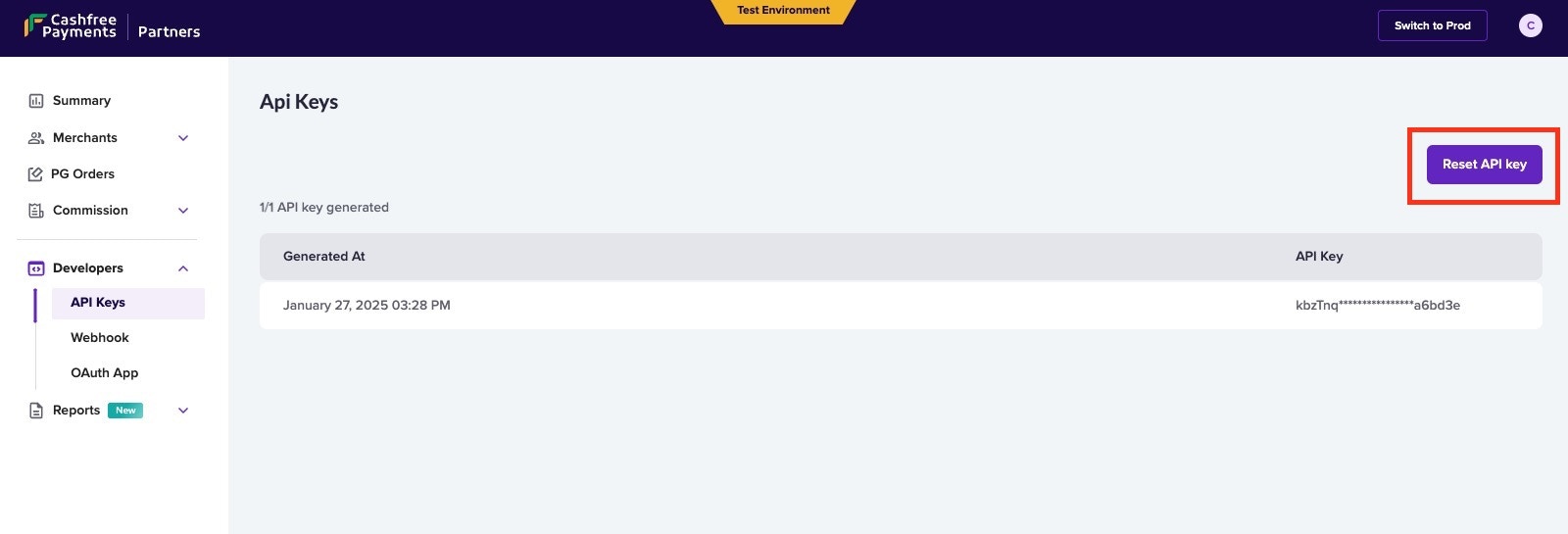
## Signature verification
The signature must be used to verify if the request has not been tampered with. To verify the signature at your end, you will need your Cashfree PG secret key along with the payload.
timestamp is present in the header x-webhook-timestamp\
Actual signature is present in the header x-webhook-signature
```
timestamp := 1617695238078;
signedPayload := $timestamp.$payload;
expectedSignature := Base64Encode(HMACSHA256($signedPayload, $merchantSecretKey));
```
## Sample code
### Verify Signature using SDK
```node Node(express) theme={"dark"}
using cashfree_pg.Client;
using cashfree_pg.Model;
[Route("api/[controller]")]
[ApiController]
public class YourController : ControllerBase
{
[HttpPost]
public async Task Post()
{
// Read the raw body of the POST request
using (StreamReader reader = new StreamReader(Request.Body, Encoding.UTF8))
{
string requestBody = await reader.ReadToEndAsync();
var headers = Request.Headers;
var signature = headers["x-webhook-signature"];
var timestamp = headers["x-webhook-timestamp"];
Cashfree.XClientId = "";
Cashfree.XClientSecret = "";
Cashfree.XEnvironment = Cashfree.SANDBOX;
var cashfree = new Cashfree();
try {
var response = cashfree.PGVerifyWebhookSignature(signature, requestBody, timestamp);
} catch(Exception e) {
// Error if signature mis matches
}
}
}
}
```
```go Go theme={"dark"}
import (
cashfree "github.com/cashfree/cashfree-pg/v4"
)
// Route
e.POST("/webhook", _this.Webhook)
// Controller
func (_this *WebhookRoute) Webhook(c echo.Context) error {
clientId := ""
clientSecret := ""
cashfree.XClientId = &clientId
cashfree.XClientSecret = &clientSecret
cashfree.XEnvironment = cashfree.SANDBOX
signature := c.Request().Header.Get("x-webhook-signature")
timestamp := c.Request().Header.Get("x-webhook-timestamp")
body, _ := ioutil.ReadAll(c.Request().Body)
rawBody := string(body)
webhookEvent, err := cashfree.PGVerifyWebhookSignature(signature, rawBody, timestamp)
if err != nil {
fmt.Println(err.Error())
} else {
fmt.Println(webhookEvent.Object)
}
}
```
```php PHP theme={"dark"}
";
\Cashfree\Cashfree::$XClientSecret = "";
$cashfree = new \Cashfree\Cashfree();
try {
$response = cashfree->PGVerifyWebhookSignature($expectedSig, $inputJSON, $ts);
} catch(Exception $e) {
// Error if signature verification fails
}
?>
```
```python Python theme={"dark"}
from cashfree_pg.api_client import Cashfree
@app.route('/webhook', methods = ['POST'])
def disp():
# Get the raw body from the request
raw_body = request.data
# Decode the raw body bytes into a string
decoded_body = raw_body.decode('utf-8')
#verify_signature
timestamp = request.headers['x-webhook-timestamp']
signature = request.headers['x-webhook-signature'
cashfree = Cashfree()
cashfree.XClientId = ""
cashfree.XClientSecret = ""
try:
cashfreeWebhookResponse = cashfree.PGVerifyWebhookSignature(signature, decoded_body, timestamp)
except:
# If Signature mis-match
```
```java Java theme={"dark"}
import com.cashfree.*;
@PostMapping("/my-endpoint")
public String handlePost(HttpServletRequest request) throws IOException {
Cashfree.XClientId = "";
Cashfree.XClientSecret = "";
Cashfree.XEnvironment = Cashfree.SANDBOX;
StringBuilder stringBuilder = new StringBuilder();
BufferedReader bufferedReader = null;
try {
bufferedReader = request.getReader();
String line;
while ((line = bufferedReader.readLine()) != null) {
stringBuilder.append(line).append('\n');
}
String rawBody = stringBuilder.toString();
String signature = request.getHeader("x-webhook-signature");
String timestamp = request.getHeader("x-webhook-timestamp");
Cashfree cashfree = new Cashfree();
PGWebhookEvent webhook = cashfree.PGVerifyWebhookSignature(signature, rawBody, timestamp);
} catch (Exception e) {
// Error if verification fails
} finally {
if (bufferedReader != null) {
bufferedReader.close();
}
}
}
```
```c C# theme={"dark"}
using cashfree_pg.Client;
using cashfree_pg.Model;
[Route("api/[controller]")]
[ApiController]
public class YourController : ControllerBase
{
[HttpPost]
public async Task Post()
{
// Read the raw body of the POST request
using (StreamReader reader = new StreamReader(Request.Body, Encoding.UTF8))
{
string requestBody = await reader.ReadToEndAsync();
var headers = Request.Headers;
var signature = headers["x-webhook-signature"];
var timestamp = headers["x-webhook-timestamp"];
Cashfree.XClientId = "";
Cashfree.XClientSecret = "";
Cashfree.XEnvironment = Cashfree.SANDBOX;
var cashfree = new Cashfree();
try {
var response = cashfree.PGVerifyWebhookSignature(signature, requestBody, timestamp);
} catch(Exception e) {
// Error if signature mis matches
}
}
}
}
```
### Compute Signature and Verify manually
```node Node(express) theme={"dark"}
function verify(ts, rawBody){
const body = req.headers["x-webhook-timestamp"] + req.rawBody;
const secretKey = "";
let genSignature = crypto.createHmac('sha256',secretKey).update(body).digest("base64");
return genSignature
}
```
```go Go theme={"dark"}
func VerifySignature(expectedSig string, ts string, body string) (string, error) {
t := time.Now()
currentTS := t.Unix()
if currentTS-ts > 1000*300 {
return "", errors.New("webhook delivered too late")
}
signStr := strconv.FormatInt(ts, 10) + body
fmt.Println("signing String: ", signStr)
key := ""
h := hmac.New(sha256.New, []byte(key))
h.Write([]byte(signStr))
b := h.Sum(nil)
return base64.StdEncoding.EncodeToString(b), nil
}
timestamp := c.Request().Header.Get("x-webhook-timestamp")
body, _ := ioutil.ReadAll(c.Request().Body)
rawBody := string(body)
signature := c.Request().Header.Get("x-webhook-signature")
VerifySignature(signature, timestamp, rawBody)
```
```php PHP theme={"dark"}
function computeSignature($ts, $rawBody){
$rawBody = file_get_contents('php://input');
$ts = getallheaders()['x-webhook-timestamp'];
$signStr = $ts . $rawBody;
$key = "";
$computeSig = base64_encode(hash_hmac('sha256', $signStr, $key, true));
return $computeSig;
}
```
```java Java theme={"dark"}
public String generateSignature() {
bufferedReader = request.getReader();
String line;
while ((line = bufferedReader.readLine()) != null) {
stringBuilder.append(line).append('\n');
}
String payload = stringBuilder.toString();
String timestamp = request.getHeader("x-webhook-timestamp");
String data = timestamp+payload;
String secretKey = "SECRET-KEY"; // Get secret key from Cashfree Merchant Dashboard;
Mac sha256_HMAC = Mac.getInstance("HmacSHA256");
SecretKeySpec secret_key_spec = new SecretKeySpec(secretKey.getBytes(),"HmacSHA256");
sha256_HMAC.init(secret_key_spec);
String computed_signature = Base64.getEncoder().encodeToString(sha256_HMAC.doFinal(data.getBytes()));
return computed_signature; // compare with "x-webhook-signature"
}
```
```python Python theme={"dark"}
import base64
import hashlib
import hmac
def generateSignature():
# Get the raw body from the request
raw_body = request.data
# Decode the raw body bytes into a string
payload = raw_body.decode('utf-8')
#verify_signature
timestamp = request.headers['x-webhook-timestamp']
signatureData = timestamp+payload
message = bytes(signatureData, 'utf-8')
secretkey=bytes("Secret_Key",'utf-8') #Get Secret_Key from Cashfree Merchant Dashboard.
signature = base64.b64encode(hmac.new(secretkey, message, digestmod=hashlib.sha256).digest())
computed_signature = str(signature, encoding='utf8')
return computed_signature #compare with "x-webhook-signature"
```
# Overview
Source: https://www.cashfree.com/docs/api-reference/payments/previous/v2023-08-01/international-payments/collect-from-india/overview
This product helps Merchants/Payment Aggregators/Market Places who are based outside India to collect payments from customers based out of India
**Getting Started**
Follow the steps mentioned below to get started with Collect from India APIs
* Fill out the [Support Form](https://merchant.cashfree.com/merchants/landing?env=prod\&raise_issue=1) for onboarding assistance
* If you are a Merchant, generate your keys using this method [Link](/api-reference/authentication#generate-api-keys)
* Register your webhook URL for updates and subscribe to the required events. For more information, refer to the [Webhook documentation](/api-reference/payments/previous/v2023-08-01/international-payments/collect-from-india/import-webhooks).
Once these setup is completed, we can use the below mentioned collection of APIs to create import transactions
**Collect from India - List of APIs**
| API Name | Description |
| :------------------------------------------------------------------------------------------------------------------------------------------------------------- | :------------------------------------------------------------------------ |
| [Create Order](/api-reference/payments/previous/v2023-08-01/orders/create) | This API will create a order to collect payment |
| [Order Pay](/api-reference/payments/previous/v2023-08-01/payments/pay#order-payr) | This API is used to pay the created payment |
| [Get Payment by ID](/api-reference/payments/previous/v2023-08-01/payments/get#get-payment-by-id) | This API is used to double verify the payment status |
| [Upload Payment Details](/api-reference/payments/previous/v2023-08-01/international-payments/collect-from-india/upload-payment-verification-details) | This API is used to upload the required payment verification details |
| [Payment Verification Details](/api-reference/payments/previous/v2023-08-01/international-payments/collect-from-india/get-payment-verification-details) | This API is used to Get the verification status of the payment |
| [Payment Settlement Details](/api-reference/payments/previous/v2023-08-01/international-payments/collect-from-india/get-import-settlement-details) | This API is used to get ICA settlement details using PG Order ID |
| [Payment Settlement Recon Details](/api-reference/payments/previous/v2023-08-01/international-payments/collect-from-india/get-import-settlement-recon-details) | This API is used to fetch all events happened for provided Settlement IDs |
# Upload Payment Verification Details
Source: https://www.cashfree.com/docs/api-reference/payments/previous/v2023-08-01/international-payments/collect-from-india/upload-payment-verification-details
openapi/cb-imports/merchant-spec.json post /import/transactions/{cf_payment_id}
This API is used to upload the required payment details for theverification.
# End Points
Source: https://www.cashfree.com/docs/api-reference/payments/previous/v2023-08-01/international-payments/global-collections/endpoints
This document provides you with the Global Collection end points.
## Global Collections Gateway End Points
| Environment | Base URL |
| :---------- | :------------------------------------------------------------- |
| Test | [https://sandbox.cashfree.com/](https://sandbox.cashfree.com/) |
| Production | [https://api.cashfree.com/](https://api.cashfree.com/) |
# Overview
Source: https://www.cashfree.com/docs/api-reference/payments/previous/v2023-08-01/international-payments/global-collections/overview
**Getting Started**
To start using Global Collection APIs,
You can generate your API credentials using the below steps, as applicable.
***
Based on who you are, consider the below values in the API requests
| Cashfree Merchant | Cashfree Partner |
| :---------------- | :------------------- |
| x-client-id | x-partner-api-key |
| x-client-secret | x-partner-merchantid |
**Global Collections List of APIs**
| API Name | Description |
| :------------------------------------------------------------------------------------------------------------------------------------------------ | :---------------------------------------------------------------------------------------------------------------------------------------------------- |
| [Get Token](/api-reference/payments/previous/v2023-08-01/international-payments/global-collections/partner/auth-get-token) | This API generates a new token. |
| [Verify Token](/api-reference/payments/previous/v2023-08-01/international-payments/global-collections/partner/auth-verify-token) | Verify the authentication token generated. The response will be ‘Token is not valid’ if the token does not exist, invalid or has been expired. |
| [Get Collection Accounts](/api-reference/payments/previous/v2023-08-01/international-payments/global-collections/partner/get-collection-accounts) | This API fetches all the virtual accounts that are linked with this account. |
| [Get Transactions](/api-reference/payments/previous/v2023-08-01/international-payments/global-collections/partner/get-transactions) | Use this API to get all the transaction details within a time interval. |
| [Add Transaction Details](/api-reference/payments/previous/v2023-08-01/international-payments/global-collections/partner/add-transaction-details) | Use this API to add transaction details to upload multiple invoices until the cumulative total of all invoice amounts matches the transaction amount. |
| [Simulate Transaction](/api-reference/payments/previous/v2023-08-01/international-payments/global-collections/partner/simulate-transaction) | Use this API to simulate funding to any of the virtual accounts of your merchants. |
# Add Transaction Details
Source: https://www.cashfree.com/docs/api-reference/payments/previous/v2023-08-01/international-payments/global-collections/partner/add-transaction-details
post /gc/transactions/{referenceId}/invoice-details
Use this API to input invoice details for a specific transaction. You have the flexibility to upload multiple invoices until the cumulative total of all invoice amounts matches the transaction amount.
Based on who you are, consider the below values in the API requests
| Cashfree Merchant | Cashfree Partner |
| :---------------- | :------------------- |
| x-client-id | x-partner-api-key |
| x-client-secret | x-partner-merchantid |
# Get Auth Token
Source: https://www.cashfree.com/docs/api-reference/payments/previous/v2023-08-01/international-payments/global-collections/partner/auth-get-token
post /gc/authorize
Use this API to authenticate with the Cashfree system and obtain the authorization bearer token.
Based on who you are, consider the below values in the API requests
| Cashfree Merchant | Cashfree Partner |
| :---------------- | :------------------- |
| x-client-id | x-partner-api-key |
| x-client-secret | x-partner-merchantid |
# Overview
Source: https://www.cashfree.com/docs/api-reference/payments/previous/v2023-08-01/international-payments/global-collections/partner/auth-overview
Global Collection APIs
* [Get Token](/api-reference/payments/previous/v2023-08-01/international-payments/global-collections/partner/auth-get-token) - Use the Get Token API to authenticate with the Cashfree system and obtain the authorization bearer token, call the authorize API.
* [Verify Token](/api-reference/payments/previous/v2023-08-01/international-payments/global-collections/partner/auth-verify-token) - Verify the authentication token generated. The response will be ‘Token is not valid’ if the token does not exist, invalid or has been expired.
# Verify Auth Token
Source: https://www.cashfree.com/docs/api-reference/payments/previous/v2023-08-01/international-payments/global-collections/partner/auth-verify-token
get /gc/token/verify
Verify the authentication token generated by the user.
# Get Collection Accounts
Source: https://www.cashfree.com/docs/api-reference/payments/previous/v2023-08-01/international-payments/global-collections/partner/get-collection-accounts
get /gc/virtual-accounts
This API fetches all the virtual accounts that is linked with the given merchant ID.
Based on who you are, consider the below values in the API requests
| Cashfree Merchant | Cashfree Partner |
| :---------------- | :------------------- |
| x-client-id | x-partner-api-key |
| x-client-secret | x-partner-merchantid |
# Get Transactions
Source: https://www.cashfree.com/docs/api-reference/payments/previous/v2023-08-01/international-payments/global-collections/partner/get-transactions
get /gc/transactions
Use this API to get all the transaction details within a time interval.
Based on who you are, consider the below values in the API requests
| Cashfree Merchant | Cashfree Partner |
| :---------------- | :------------------- |
| x-client-id | x-partner-api-key |
| x-client-secret | x-partner-merchantid |
# Overview
Source: https://www.cashfree.com/docs/api-reference/payments/previous/v2023-08-01/international-payments/global-collections/partner/overview
Global Collection APIs for partners
* [Get All Transactions Details](/api-reference/payments/previous/v2023-08-01/international-payments/global-collections/partner/get-transactions) - Use this to fetch all the transactions for a particular merchant.
* [Emulate Funding](/api-reference/payments/previous/v2023-08-01/international-payments/global-collections/partner/simulate-transaction#simulate-transaction) - Use this to emulate a transaction for a specific merchant.
* [Get All Collection Accounts for Partner Merchants](/api-reference/payments/previous/v2023-08-01/international-payments/global-collections/partner/get-collection-accounts) - Use this to get all VAs for a specific merchant.
* [Add Invoice Details for Partner Merchants](/api-reference/payments/previous/v2023-08-01/international-payments/global-collections/partner/add-transaction-details) - Use this API to input invoice details for a specific transaction for a specific merchant.
* [Merchant Webhook Configs](/api-reference/payments/previous/v2023-08-01/international-payments/global-collections/partner/webhooks) - Use this document to understand the webhooks payload events and verification.
# Simulate Transaction
Source: https://www.cashfree.com/docs/api-reference/payments/previous/v2023-08-01/international-payments/global-collections/partner/simulate-transaction
post /gc/transactions/emulate
Use this API to simulate a funding in test environment.
Based on who you are, consider the below values in the API requests
| Cashfree Merchant | Cashfree Partner |
| :---------------- | :------------------- |
| x-client-id | x-partner-api-key |
| x-client-secret | x-partner-merchantid |
# Webhook - Partner
Source: https://www.cashfree.com/docs/api-reference/payments/previous/v2023-08-01/international-payments/global-collections/partner/webhooks
This chapter explains the Global Collections Webhooks.
### Guide to Subscribe Webhook Events
1. Visit [https://partner.cashfree.com](https://partner.cashfree.com) login with your partner credentials
2. On the landing page click on developers section and select webhook, you will be redirected to a page to add webhook URL and subscribe events or once logged in you can use this URL [Webhook Page](https://partner.cashfree.com/partner-ui/dashboard/developers/webhook)
3. Add your webhook URL and subscribe events Global Collect Transaction, Global Collect Settlement & Global Collect Virtual Account
4. To validate the webhook signature follow [Adding webhook and signature verification guide](/api-reference/platforms/latest/merchant-onboarding/webhooks#verify-signature)
### Screenshots:
Landing page to add the webhook URL and subscribe the events
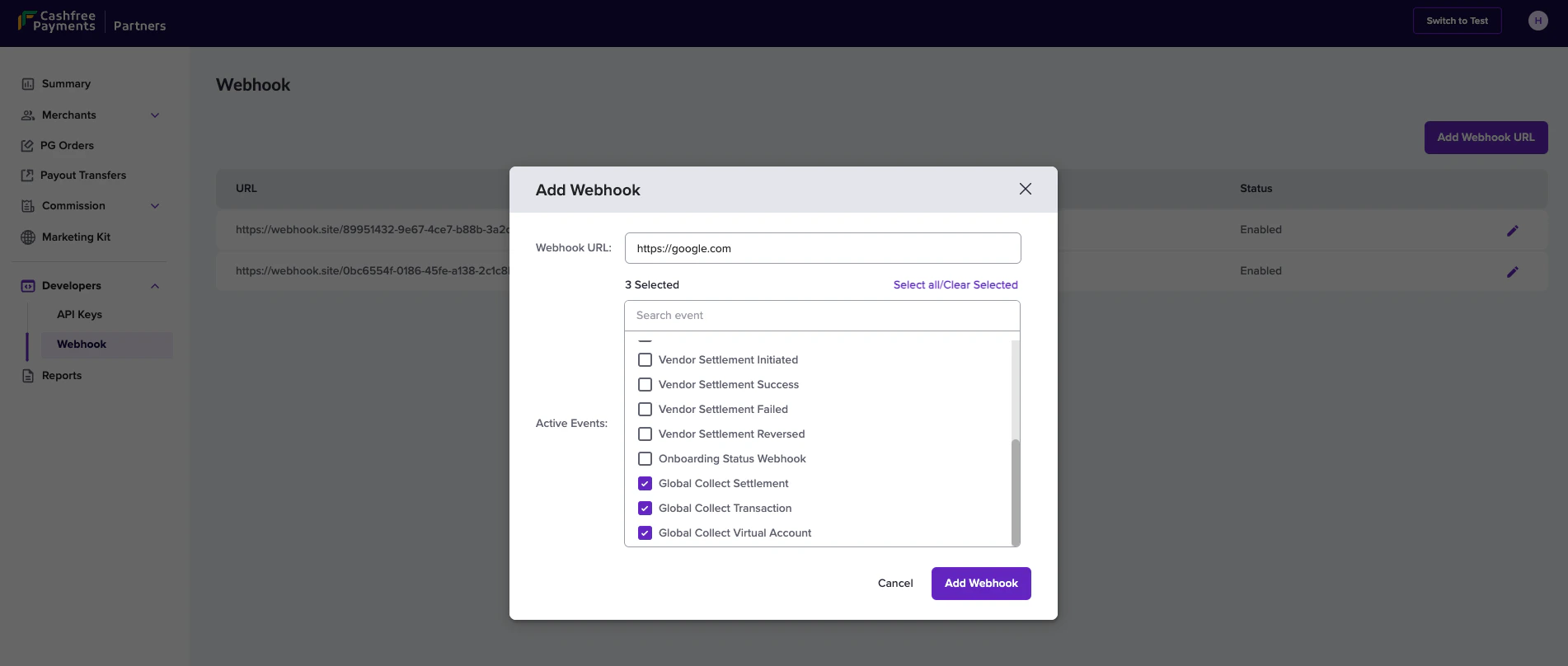
We can add multiple webhook URLs for the different type of events. For testing, Switch to test and follow the same step in sandbox environment.
## Transaction status
Active Event needs to be subscribed: **Global Collect Transaction**
```json Json theme={"dark"}
{
"amount": "4.50",
"currency": "GBP",
"cmsProfileId": 123,
"event": "INTERNATIONAL_PAYMENT_COLLECTED",
"merchant": {
"merchant_id": "CF_7644f46b-ad82-472c-8d97-609d1a429eac"
},
"paymentTime": "2022-12-29 13:42:54",
"referenceId": 63,
"remarks": "",
"remitterAccount": "1223456789",
"remitterAddress": "Dummy Address",
"remitterBic": "TRWIBEB1XXX",
"remitterCountry": "GB",
"remitterName": "Dummy Sender",
"remitterRoutingCode": "TLG0123",
"status": "COMPLETED",
"utr": "5347f52a-9851-4fe9-8618-32eb085590ce",
"updatedStatusTime": "2022-12-29 13:50:35",
"vAccountId": "97836",
"vAccountNumber": "GB38TCCL12345687997836"
}
```
### Possible Events and Corresponding Transaction Status Mapping
| Event Name | Payment Status | Description |
| :---------------------------------------- | :------------- | :------------------------------------------------------------------------------------ |
| INTERNATIONAL\_PAYMENT\_COLLECTED | COMPLETED | Received payment |
| INTERNATIONAL\_PAYMENT\_BLOCKED | BLOCKED | The transaction has been blocked due to the specified reason in the designated field. |
| INTERNATIONAL\_PAYMENT\_AWAITING\_DETAILS | COMPLETED | Waiting for the details of the transaction |
### Payload field description
| Field | Description | Example |
| :------------------ | :----------------------------------------------------------------------------------------------------------------------------------------- | :---------------------------------------- |
| amount | The foreign currency amount sent | 4.50 |
| currency | Three character ISO code. View list of supported currencies [here](/payments/global-collections/collection-accounts#supported-currencies). | GBP |
| cmsProfileId | Merchant identifier | 123 |
| event | Webhook event | INTERNATIONAL\_AMOUNT\_COLLECTED |
| paymentTime | The time at which the payment was initiated. | 2022-12-29 13:42:54 |
| referenceId | Cashfree Payments transaction identifier | 63 |
| remarks | Remarks passed by the sender. | Sample Remark |
| reason | Reason regarding the transaction being blocked. | Transaction value below the allowed limit |
| remitterAccount | The bank account number of the person who sends the money. | 1223456789 |
| remitterAddress | The address of the person who sends the money. | Dummy Address |
| remitterBic | Bank identifier code for the remitter. | TRWIBEB1XXX |
| remitterCountry | The country from which the money is sent. | GB |
| remitterName | The name of the remitter who is sending the money. | John Doe |
| remitterRoutingCode | The routing code of the remitter's bank. | TLG0123 |
| status | Status of FCY (foreign currency leg) of transaction. | COMPLETED, FAILED, AWAITING\_DETAILS |
| updatedStatusTime | The time of the last status update. | 2022-12-29 13:50:35 |
| vAccountId | Identifier of the virtual account. | 97836 |
| vAccountNumber | Account number to which the payment was done. | GB38TCCL12345687997836 |
| merchant | Object contains merchant\_id used while creating merchant | CF\_7644f46b-ad82-472c-8d97-609d1a429eac |
***
## Reversal status
```Text JSON theme={"dark"}
{
"amount": "1000000.00",
"cmsProfileId": 123,
"currency": "USD",
"event": "INTERNATIONAL_PAYMENT_REVERSAL_INITIATED",
"merchant": {
"merchant_id": "CF_7644f46b-ad82-472c-8d97-609d1a429eac"
},
"paymentTime": "2024-02-28 16:17:48",
"referenceId": 63,
"remitterAccount": "9919391193",
"remitterAddress": "Dummy Address",
"remarks": "",
"remitterBic": "",
"remitterCountry": "IN",
"remitterName": "Dummy Sender",
"remitterRoutingCode": "TLG0123",
"reversal": {
"reason": "Transaction value higher than the compliant limit",
"status": "INITIATED"
},
"signature": "F8raBNGcGjMUvbh2t/7t/9C4zU0Snqa/iXf9XzvOq0Y=",
"status": "REVERSAL_INITIATED",
"updatedStatusTime": "2024-02-28 16:17:54",
"utr": "IF-20240228-KT9ZFA",
"vAccountId": "GB75T",
"vAccountNumber": "GB75TCCL12345654108280"
}
```
### Possible Events and Corresponding Transaction Status Mapping
| Event Name | Reversal Status | Transaction Status | Description |
| :------------------------------------------ | :-------------- | :------------------ | :-------------------------------------------------------------------------------------------------- |
| INTERNATIONAL\_PAYMENT\_REVERSAL\_INITIATED | INITIATED | REVERSAL\_INITIATED | Reversal for the transaction is initiated. |
| INTERNATIONAL\_PAYMENT\_REVERSAL\_DONE | DONE | REVERSAL\_DONE | Reversal for the transaction is completed. The funds have been successfully returned to the sender. |
### Payload field description
***
## Settlement status
Active Event needs to be subscribed: **Global Collect Settlement**
```json theme={"dark"}
{
"amount": "3500.00",
"cmsProfileId": 23853384,
"currency": "USD",
"event": "INR_SETTLEMENT_INITIATED",
"merchant": {
"merchant_id": "CF_7644f46b-ad82-472c-8d97-609d1a429eac"
},
"paymentRail": "ACH",
"paymentTime": "2024-02-06 11:11:42",
"referenceId": 312620,
"remarks": "EMULATE GC INCOMING FUNDS",
"remitterAccount": "7337377781",
"remitterAddress": "Dummy Address",
"remitterBic": "TLG0123",
"remitterCountry": "GB",
"remitterName": "Dummy Sender",
"remitterRoutingCode": "TLG0123",
"settlement": {
"expectedSettlementDate": "2024-02-06",
"id": "f16581f5-344c-40e8-be4b-e63cb5714a88",
"inrAmount": 16219.65,
"status": "INITIATED"
},
"status": "SETTLED",
"updatedStatusTime": "2024-02-05 18:39:42",
"utr": "f185d0f5-abf5-492b-9149-d45eacfeaca7",
"vAccountId": "03314",
"vAccountNumber": "0331496070"
}
```
The firaFileDownloadUrl field will only be included in the webhook response
after it has been updated.
### Possible Events and Corresponding Settlement Status Mapping
| Event Name | Settlement Status | Description |
| :------------------------- | :---------------- | :------------------------------------- |
| INR\_SETTLEMENT\_INITIATED | INITIATED | The settlement is initiated. |
| INR\_SETTLEMENT\_APPROVED | SETTLED | The settlement is settled. |
| INR\_SETTLEMENT\_REJECTED | REJECTED | The settlement is rejected. |
| FIRA\_FILE\_RECEIVED | SETTLED | FIRA file received for the settlement. |
### Payload field description
| Field | Description | Example |
| :-------------------------------- | :----------------------------------------------------------------------------------------------------------------------------------- | :--------------------------------------- |
| amount | The foreign currency amount sent | 4.50 |
| currency | Three character ISO code. View list of supported currencies [here](doc:global-collections-collection-accounts#supported-currencies). | GBP |
| cmsProfileId | Merchant identifier | 123 |
| event | Webhook event | INTERNATIONAL\_AMOUNT\_COLLECTED |
| merchant | Object contains the merchant\_id to map the merchant created. | CF\_7644f46b-ad82-472c-8d97-609d1a429eac |
| paymentTime | The time at which the payment was initiated. | 2022-12-29 13:42:54 |
| referenceId | Cashfree Payments transaction identifier | 63 |
| remarks | Remarks passed by the sender. | Sample Remark |
| remitterAccount | The bank account number of the person who sends the money. | 1223456789 |
| remitterAddress | The address of the person who sends the money. | Dummy Address |
| remitterBic | Bank identifier code for the remitter. | TRWIBEB1XXX |
| remitterCountry | The country from which the money is sent. | GB |
| remitterName | The name of the remitter who is sending the money. | John Doe |
| remitterRoutingCode | The routing code of the remitter's bank. | TLG0123 |
| status | Status of FCY (foreign currency leg) of transaction. | COMPLETED, FAILED |
| updatedStatusTime | The time of the last status update. | 2022-12-29 13:50:35 |
| vAccountId | Identifier of the virtual account. | 97836 |
| vAccountNumber | Account number to which the payment was made. | GB38TCCL12345687997836 |
| paymentRail | Payment Network used to make the payment | ACH,EFT,FPS,SEPA,SWIFT,FEDWIRE |
| settlement.id | Unique reference ID for the settlement since the payment can have multiple settlements. | b84a7c4c-2ce0-48ca-9b86-2a2c9ad5a35d |
| settlement.firafileDownloadUrl | Download link to FIRA file | fileDownloadUrl |
| settlement.expectedSettlementDate | Expected date of settlement. | 2023-08-30 |
| settlement.inrAmount | Settlement amount in rupees (INR). | 16219.65 |
| settlement.status | Current status of the settlement. | INITIATED |
***
## Virtual account details
Active Event needs to be subscribed: **Global Collect Virtual Account**
```json Json theme={"dark"}
{
"cmsProfileId": 260559,
"event": "VIRTUAL_ACCOUNT_DETAILS",
"merchant": {
"merchant_id": "CF_7644f46b-ad82-472c-8d97-609d1a429eac"
},
"vAccounts": [
{
"accountNumber": "GB11TCCL12345638242754",
"accountType": "iban",
"paymentType": "priority",
"bankName": "The Currency Cloud Limited",
"bankAddress": "12 Steward Street, The Steward Building, London, E1 6FQ, GB",
"bankCountry": "GB",
"currency": "AUD",
"routingCode": "TCCLGB3L",
"routingCodeType": "bic_swift",
"addedOn": "2023-03-28 14:43:30",
"vaccountId": "GB11T"
},
{
"accountNumber": "GB11TCCL12345638242754",
"accountType": "iban",
"paymentType": "priority",
"bankName": "The Currency Cloud Limited",
"bankAddress": "12 Steward Street, The Steward Building, London, E1 6FQ, GB",
"bankCountry": "GB",
"currency": "BHD",
"routingCode": "TCCLGB3L",
"routingCodeType": "bic_swift",
"addedOn": "2023-03-28 14:43:30",
"vaccountId": "GB11T"
}
]
}
```
### Possible Events and Corresponding Virtual Account Mapping
| Event Name | Virtual Account Status | Description |
| ---------------------------- | ---------------------- | ------------------------------------------------------------------------------------------------------------ |
| VIRTUAL\_ACCOUNTS\_ACTIVATED | ACTIVE | Virtual account is activated |
| VIRTUAL\_ACCOUNTS\_CREATED | INACTIVE / ACTIVE | If all the business required details are passed in the first go, VAs are created in ACTIVE state or INACTIVE |
| VIRTUAL\_ACCOUNT\_DETAILS | ACTIVE | Will contain all the details of the VA |
#### Description
Sometimes there is mere might be a slight delay in creating some virtual accounts during onboarding and as a result, some of them might be missing in the Get All Collection Accounts API. Hence, when these missing account details are added, this webhook is triggered with all virtual account details (including the ones that were present before). This webhook contains information for all virtual account associated with a merchant along with cmsProfileId , signature and event.
### Payload field description
| Field | Description | Example |
| :------------------------ | :------------------------------------------------------------ | :---------------------------------------------------------- |
| cmsProfileId | Merchant identifier | 123 |
| event | Webhook Event | VIRTUAL\_ACCOUNT\_DETAILS |
| merchant | Object contains the merchant\_id to map the merchant created. | CF\_7644f46b-ad82-472c-8d97-609d1a429eac |
| vAccounts.accountNumber | Account Number | GB11TCCL12345638242754 |
| vAccounts.accountType | Account Type | iban |
| vAccounts.paymentType | Type of Payment | priority |
| vAccounts.bankName | Bank Name | The Currency Cloud Limited |
| vAccounts.bankAddress | Bank Address | 12 Steward Street, The Steward Building, London, E1 6FQ, GB |
| vAccounts.bankCountry | Bank Country | GB |
| vAccounts.currency | Currency Code | BHD |
| vAccounts.routingCode | Routing Code | TCCLGB3L |
| vAccounts.routingCodeType | Routing Code Type | bic\_swift |
| vAccounts.addedOn | The time when this virtual account was created | 2023-03-28 14:43:30 |
| vAccounts.vaccountId | Virtual Account Id | GB11T |
# Purpose Codes
Source: https://www.cashfree.com/docs/api-reference/payments/previous/v2023-08-01/international-payments/global-collections/purpose-codes
This page contains the purpose codes for Global Collect
| Purpose Code | Description |
| ------------ | ----------------------------------------------------------------------------------------------------------------------------------------------------------------------------------------------------------------------------- |
| P0103 | Advance receipts against export contracts, which will be covered later by GR/PP/SOFTEX/ SDF - other than Nepal and Bhutan |
| P1004 | Legal services |
| P1005 | Accounting, auditing, bookkeeping services |
| P1006 | Business and management consultancy and public relations |
| P1007 | Advertising, trade fair service |
| P1008 | Research & Development services |
| P1009 | Architectural services |
| P0802 | Software consultancy / implementation (other than those covered in SOFTEX form) |
| P0807 | For Export of Software covered under softex (advance payment) |
| P1020 | Wholesale and retailing trade services |
| P1002 | Trade related services - commission on exports / imports |
| P1104 | Entertainment services |
| P1099 | Other services not included elsewhere, for export of services |
| P1015 | Tax consulting services |
| P1016 | Market research and public opinion polling service |
| P1017 | Publishing and printing services |
| P1019 | Commission agent services |
| P1107 | Educational services |
| P1109 | Other Personal, Cultural & Recreational services |
| P1701 | Receipts on account of processing of goods |
| P0301 | Purchases towards travel (Includes purchases of foreign TCs, currency notes etc over the counter, by hotels, Emporiums, institutions etc. as well as amount received by TT/SWIFT transfers or debit to Non-Resident account). |
| P0302 | Business travel |
| P0304 | Travel for medical treatment including TC purchased by hospitals |
| P0305 | Travel for education including TCs purchased by educational institutions |
| P0306 | Other travel receipts |
| P0801 | Hardware consultancy/implementation |
| P0803 | Data base, data processing charges |
| P0804 | Repair and maintenance of computer and software |
| P0805 | News agency services |
| P0806 | Other information services- Subscription to newspapers, periodicals, etc. |
| P0808 | Telecommunication services including electronic mail services and voice mail services |
| P1013 | Environmental Services |
| P1014 | Engineering Services |
| P1101 | Audio-visual & related service:Motion picture & video tape production, distribution & projection service |
| P1103 | Radio & TV production,distribution & transmission service |
| P1105 | Museums, library and archival services |
| P1106 | Recreation and sporting activity services |
| P1108 | Health Service provided by Indian hospitals,doctors,nurses,paramedical remotely/on-site) |
# Overview
Source: https://www.cashfree.com/docs/api-reference/payments/previous/v2023-08-01/international-payments/overview
Learn about Cashfree APIs suitable for International Payments
You can use the Cashfree API in test mode, which doesn't affect your live data or interact with the banking networks. The API key you use to authenticate the request determines whether the request is live mode or test mode.
For overseas businesses to collect payments from Indian customers
For Indian businesses to collect payments from customers worldwide
# Create Offer
Source: https://www.cashfree.com/docs/api-reference/payments/previous/v2023-08-01/offers/create
openapi/payments/v2023-08-01.yaml post /offers
Use this API to create offers with Cashfree from your backend
# Get Offer by ID
Source: https://www.cashfree.com/docs/api-reference/payments/previous/v2023-08-01/offers/get
openapi/payments/v2023-08-01.yaml get /offers/{offer_id}
Use this API to get offer by offer_id
# Create Order
Source: https://www.cashfree.com/docs/api-reference/payments/previous/v2023-08-01/orders/create
openapi/payments/v2023-08-01.yaml post /orders
### Order
An order is an entity which has a amount and currency associated with it. It is something for which you want to collect payment for.
Use this API to create orders with Cashfree from your backend to get a `payment_sessions_id`.
You can use the `payment_sessions_id` to create a transaction for the order.
# Get Order
Source: https://www.cashfree.com/docs/api-reference/payments/previous/v2023-08-01/orders/get
openapi/payments/v2023-08-01.yaml get /orders/{order_id}
Use this API to fetch the order that was created at Cashfree's using the `order_id`.
## When to use this API
- To check the status of your order
- Once the order is PAID
- Once your customer returns to `return_url`
# Get Order Extended
Source: https://www.cashfree.com/docs/api-reference/payments/previous/v2023-08-01/orders/get-order-extended
openapi/payments/v2023-08-01.yaml get /orders/{order_id}/extended
Use this API to fetch the order related data like address,cart,offers,customer details etc using the Cashfree's `order_id`.
## When to use Get Order Extended API
- To get the extended data associated with order.
- Once the order is PAID
- Once your customer returns to `return_url`
This API allows you to retrieve payment data for the current and previous financial years. To access data older than this period, log in to the [Merchant Dashboard](https://merchant.cashfree.com/auth/login)
# Terminate Order
Source: https://www.cashfree.com/docs/api-reference/payments/previous/v2023-08-01/orders/terminate
openapi/payments/v2023-08-01.yaml patch /orders/{order_id}
Use this API to terminate the order that was created at Cashfree's using the `order_id`.
# Update Order Extended
Source: https://www.cashfree.com/docs/api-reference/payments/previous/v2023-08-01/orders/update-order-extended
openapi/payments/v2023-08-01.yaml put /orders/{order_id}/extended
Use this api to update the order related data like shipment details,order delivery status etc.
## When to use this API
- To provide/update the shipment details or order delivery status.
- Once the order is PAID.
# End Points
Source: https://www.cashfree.com/docs/api-reference/payments/previous/v2023-08-01/overview
Learn details about the 2023-08-01 version of our Payment APIs.
Use the latest version of our APIs [v2025-01-01](/api-reference/payments/latest/overview) for any new integrations.
## Payment Gateway end points
| Environment | Base URL |
| :------------- | :---------------------------------------------------------------------------------- |
| Test | [https://sandbox.cashfree.com/pg](https://sandbox.cashfree.com/pg) |
| Production | [https://api.cashfree.com/pg](https://api.cashfree.com/pg) |
| Latest Version | v4, 2023-08-01 The previous versions were 2021-05-21, 2022-01-01, 2022-09-01 |
## Authentication
All the APIs require authentication, except the /orders/sessions API, which does not require any authentication and can be safely done from the browser as well.
Click [here](/api-reference/authentication) for detailed information on API Authentication for Merchants and Partners.
***
## Payment Gateway APIs
### Orders
| API | Description |
| :---------------------------------------------------------------------------------- | :------------------------------------------------------------------------------------------------------- |
| [Create Order](/api-reference/payments/previous/v2023-08-01/orders/create) | Use this API to create orders with Cashfree from your backend and get the payment link. |
| [Order Pay](/api-reference/payments/previous/v2023-08-01/payments/pay) | Use this API when you have already created the orders and want Cashfree Payments to process the payment. |
| [Preauthorization](/api-reference/payments/previous/v2023-08-01/payments/authorize) | Use this API to capture or void a preauthorized payment. |
| [Get Order](/api-reference/payments/previous/v2023-08-01/orders/get) | Use this API to view all details of an order. |
***
### Authentication
| API | Description |
| :----------------------------------------------------------------------------------------- | :-------------------------------------------------------- |
| [Submit or Resend OTP](/api-reference/payments/previous/v2023-08-01/payments/authenticate) | Use the submit or resend OTP API to send OTP to Cashfree. |
***
### Payments
| API | Description |
| :-------------------------------------------------------------------------------------------------------- | :----------------------------------------------------------------- |
| [Get Payments for an Order](/api-reference/payments/previous/v2023-08-01/payments/get-payments-for-order) | Use this API to view all payment details for an order. |
| [Get Payment by ID](/api-reference/payments/previous/v2023-08-01/payments/get) | Use this API to view payment details of an order for a payment ID. |
***
### Settlements
| API | Description |
| :----------------------------------------------------------------------------------------------------------- | :-------------------------------------------------------------------------------------------------------- |
| [Get Settlements by Order ID](/api-reference/payments/previous/v2023-08-01/operations/settlements-for-order) | Use this API to view all the settlements of a particular order. |
| [Get All Settlements](/api-reference/payments/previous/v2023-08-01/operations/settlements) | Use this API to get all settlement details by specifying the settlement ID, settlement UTR or date range. |
***
### Payment links
| API | Description |
| :----------------------------------------------------------------------------------------------------------- | :---------------------------------------------------------------------------------------------------------------------------------------------- |
| [Create Payment Link](/api-reference/payments/previous/v2023-08-01/payment-links/create) | Use this API to create a new payment link. The created payment link url will be available in the API response parameter link\_url. |
| [Fetch Payment Link Details](/api-reference/payments/previous/v2023-08-01/payment-links/get-orders-for-link) | Use this API to view all details and status of a payment link. |
| [Get Orders for a Payment Link](/api-reference/payments/previous/v2023-08-01/payment-links/get) | Use this API to view all order details for a payment link. |
| [Cancel Payment Link](/api-reference/payments/previous/v2023-08-01/payment-links/cancel) | Use this API to cancel a payment link. No further payments can be done against a cancelled link. Only a link in ACTIVE status can be cancelled. |
### Token vault
| API | Description |
| :-------------------------------------------------------------------------------------------------------------------- | :------------------------------------------------------------------------------------------------------------------ |
| [Fetch All Saved Instruments](/api-reference/payments/previous/v2023-08-01/token-vault/get-all) | Use this API to get all saved instruments for a customer ID. |
| [Fetch Single Saved Instrument](/api-reference/payments/previous/v2023-08-01/token-vault/get) | Use this API to get specific saved instrument for a customer id and instrument ID. |
| [Delete Saved Instrument](/api-reference/payments/previous/v2023-08-01/token-vault/delete) | Use this API to delete a saved instrument for a customer id and instrument ID. |
| [Fetch Cryptogram for Saved Instrument](/api-reference/payments/previous/v2023-08-01/token-vault/generate-cryptogram) | Use this API to get the card network token, token expiry and cryptogram for a saved instrument using instrument ID. |
***
### Reconciliation
| API | Description |
| :------------------------------------------------------------------------------------------------------------- | :------------------------------------------------------------------------------------------------------- |
| [Settlement Reconciliation](/api-reference/payments/previous/v2023-08-01/operations/settlement-reconciliation) | Use this API to get settlement reconciliation details using Settlement ID, settlement UTR or date range. |
| [PG Reconciliation](/api-reference/payments/previous/v2023-08-01/operations/reconcile) | Use this API to get the payment gateway reconciliation details with date range. |
# Create Pre-Activated Vpas for partner
Source: https://www.cashfree.com/docs/api-reference/payments/previous/v2023-08-01/partners/create-pre-activated-vpas-for-partner
openapi/payments/v2023-08-01.yaml post /partners/merchant/qrcodes
Use this API to create a pre-activated vpa for partner.
# Get Pre-Activated Vpas for partner
Source: https://www.cashfree.com/docs/api-reference/payments/previous/v2023-08-01/partners/get-pre-activated-vpas-for-partner
openapi/payments/v2023-08-01.yaml get /partners/merchant/qrcodes
Use this API to get a pre-activated vpa for partner.
# Cancel Payment Link
Source: https://www.cashfree.com/docs/api-reference/payments/previous/v2023-08-01/payment-links/cancel
openapi/payments/v2023-08-01.yaml post /links/{link_id}/cancel
Use this API to cancel a payment link. No further payments can be done against a cancelled link. Only a link in ACTIVE status can be cancelled.
# Create Payment Link
Source: https://www.cashfree.com/docs/api-reference/payments/previous/v2023-08-01/payment-links/create
openapi/payments/v2023-08-01.yaml post /links
Use this API to create a new payment link. The created payment link url will be available in the API response parameter link_url.
# Get Orders for a Payment Link
Source: https://www.cashfree.com/docs/api-reference/payments/previous/v2023-08-01/payment-links/get
openapi/payments/v2023-08-01.yaml get /links/{link_id}/orders
Use this API to view all order details for a payment link.
# Fetch Payment Link Details
Source: https://www.cashfree.com/docs/api-reference/payments/previous/v2023-08-01/payment-links/get-orders-for-link
openapi/payments/v2023-08-01.yaml get /links/{link_id}
Use this API to view all details and status of a payment link.
# Payment Link Webhooks
Source: https://www.cashfree.com/docs/api-reference/payments/previous/v2023-08-01/payment-links/webhooks
Learn about webhooks triggered when payments made through Payment Links.
## Webhook Schema
Payment Link webhook will be triggered when your customer makes a complete or partial payment using the payment link you shared. You will also be notified via the same webhook when the payment link gets cancelled or expired.
```json theme={"dark"}
{
"data": {
"cf_link_id": 1576977,
"link_id": "payment_ps11",
"link_status": "PARTIALLY_PAID",
"link_currency": "INR",
"link_amount": "200.12",
"link_amount_paid": "55.00",
"link_partial_payments": true,
"link_minimum_partial_amount": "11.00",
"link_purpose": "Payment for order 10",
"link_created_at": "2021-08-18T07:13:41",
"customer_details": {
"customer_phone": "9000000000",
"customer_email": "john@gmail.com",
"customer_name": "John "
},
"link_meta": {
"notify_url": "https://ee08e626ecd88c61c85f5c69c0418cb5.m.pipedream.net"
},
"link_url": "https://payments-test.cashfree.com/links//U1mgll3c0e9g",
"link_expiry_time": "2021-11-28T21:46:20",
"link_notes": {
"note_key_1": "note_value_1"
},
"link_auto_reminders": true,
"link_notify": {
"send_sms": true,
"send_email": true
},
"order": {
"order_amount": "22.00",
"order_id": "CFPay_U1mgll3c0e9g_ehdcjjbtckf",
"order_expiry_time": "2021-08-18T07:34:50",
"order_hash": "Gb2gC7z0tILhGbZUIeds",
"transaction_id": 1021206,
"transaction_status": "SUCCESS"
}
},
"type": "PAYMENT_LINK_EVENT",
"version": 1,
"event_time": "2021-08-18T12:55:06+05:30"
}
```
***
## Payload
| Field | Description | Example |
| :---------------------------- | :------------------------------------------------------------------------------------------------ | :----------------------------------------------------------- |
| `cf_link_id` | Unique Identifier (generated by Cashfree) for this Link. | 1543566 |
| `link_id` | Unique Identifier (provided by merchant) for the Link. Only for merchant reference. | payment\_1psw |
| `link_status` | Current status of the payment link. Possible values: PAID, PARTIALLY\_PAID, EXPIRED, CANCELLED. | PARTIALLY\_PAID |
| `link_currency` | Default is INR. International currencies are supported. | INR |
| `link_amount` | The amount which merchant wants to collect for the order. | 500.00 |
| `link_amount_paid` | The amount paid by the customer. | 250.00 |
| `link_partial_payments` | Indicates if partial payments are allowed or not. Default value is false. | true |
| `link_minimum_partial_amount` | The minimum amount which must be paid by customer as the first payment. | 200.00 |
| `link_purpose` | A brief description for which payment must be collected. This is shown to the customer. | Payment for order 10 |
| `link_created_at` | Time at which the link was created. | 2021-08-18T07:13:41 |
| `customer_details` | Customer object, it contains customer details. | |
| `customer_name` | Name of the customer | John |
| `customer_phone` | Phone number of the customer | 9000000000 |
| `customer_email` | Email ID of the customer | [john@gmail.com](mailto:john@gmail.com) |
| `notify_url` | Payment notification URL | [https://payment1notify.net](https://payment1notify.net) |
| `link_url` | Payment link URL | [https://website.com/payments](https://website.com/payments) |
| `link_expiry_time` | The date till which the link will be valid, and then it will be expired. Default is 30 days. | 2021-11-28T21:46:20 |
| `link_notes` | Link notes object where you can provide any key-value pairs for your internal reference. | |
| `note_key_1` | | note\_value\_1 |
| `link_auto_reminders` | Default is false. Reminders will be sent to customers based on defined settings. | true |
| `link_notify` | Link notify object, used to notify customers via SMS or an email. | |
| `send_sms` | Default is true. If true, Cashfree will send the link to customer via SMS. | true |
| `send_email` | Default is true. If true and `customer_email` is provided, Cashfree will send the link via Email. | true |
| `order` | Order object, contains the order details. Will be null for cancelled and expired link statuses. | |
| `order_amount` | Order amount that the customer must pay. | 700 |
| `order_id` | The order ID generated. | order\_10 |
| `order_expiry_time` | The date till which the order will be valid. Default is 30 days. | 2021-08-18T07:34:50 |
| `transaction_id` | Transaction ID | id45466ye |
| `transaction_status` | Status of the transaction. Possible values: SUCCESS. | SUCCESS |
| `type` | Type of the webhook. `PAYMENT_LINK_EVENT` | PAYMENT\_LINK\_EVENT |
| `version` | The version of webhook. Build parsing logic with respect to this version. | 1 |
| `event_time` | Time when this webhook was created. | 2021-08-18T12:55:06+05:30 |
***
## Signature generation
The signature must be used to verify if the request has not been tampered with. To verify the signature at your end, you will need your Cashfree Payment Gateway secret key along with the payload.
```javascript theme={"dark"}
// The payload here refers to the raw request sent by
// Cashfree to your endpoint. No modifications need to be made to this payload.
{
"data": {
"cf_link_id": 1576977,
"link_id": "payment_ps11",
"link_status": "PARTIALLY_PAID",
"link_currency": "INR",
"link_amount": "200.12",
"link_amount_paid": "55.00",
"link_partial_payments": true,
"link_minimum_partial_amount": "11.00",
"link_purpose": "Hello my friend how are you",
"link_created_at": "2021-08-18T07:13:41",
"customer_details": {
"customer_phone": "9905736722",
"customer_email": "supal.dubey@cashfree.com",
"customer_name": "Supal "
},
"link_meta": { ... }
}
}
```
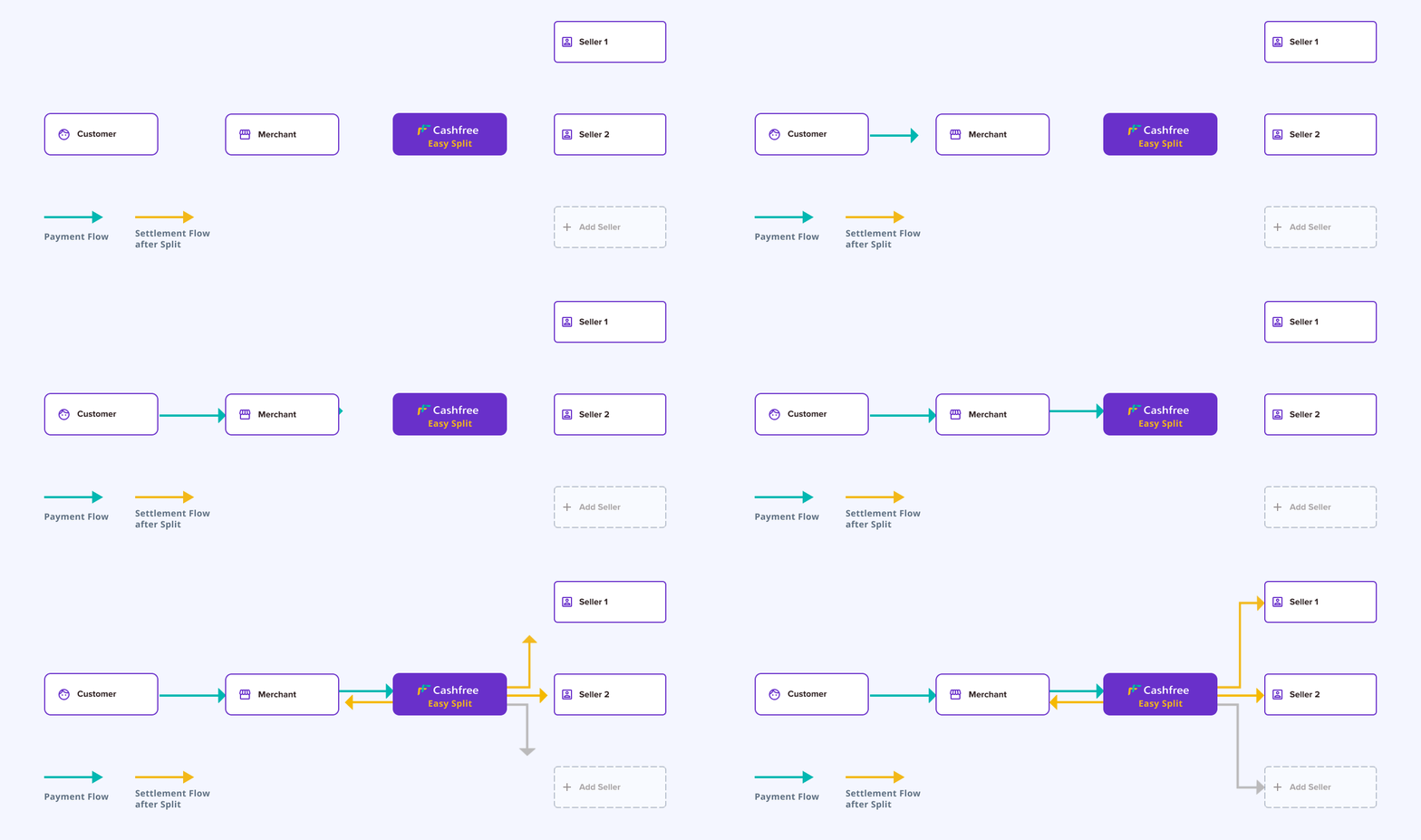
We send the webhook response in a form data format.
# Get Eligible Cardless EMI Payment Methods for a customer on an order
Source: https://www.cashfree.com/docs/api-reference/payments/previous/v2023-08-01/payment-methods/get-emi-for-customer-order
openapi/payments/v2023-08-01.yaml post /eligibility/cardlessemi
Use this API to get eligible Cardless EMI Payment Methods available for a customer on an order basis their phone number.
# Get Eligible Offers for an Order
Source: https://www.cashfree.com/docs/api-reference/payments/previous/v2023-08-01/payment-methods/get-offers-for-order
openapi/payments/v2023-08-01.yaml post /eligibility/offers
Use this API to get eligible offers for an order_id or order amount.
# Get Eligible Paylater for a customer on an order
Source: https://www.cashfree.com/docs/api-reference/payments/previous/v2023-08-01/payment-methods/get-paylater-for-customer-order
openapi/payments/v2023-08-01.yaml post /eligibility/paylater
Use this API to get eligible Paylater Payment Methods for a customer on an order.
# Get eligible Payment Methods
Source: https://www.cashfree.com/docs/api-reference/payments/previous/v2023-08-01/payment-methods/get-payment-methods
openapi/payments/v2023-08-01.yaml post /eligibility/payment_methods
Use this API to get eligible Payment Methods
# Submit or Resend OTP
Source: https://www.cashfree.com/docs/api-reference/payments/previous/v2023-08-01/payments/authenticate
openapi/payments/v2023-08-01.yaml post /orders/pay/authenticate/{cf_payment_id}
If you accept OTP on your own page, you can use the below API to send OTP to Cashfree.
# Preauthorization
Source: https://www.cashfree.com/docs/api-reference/payments/previous/v2023-08-01/payments/authorize
openapi/payments/v2023-08-01.yaml post /orders/{order_id}/authorization
Use this API to capture or void a preauthorized payment
# Get Payment by ID
Source: https://www.cashfree.com/docs/api-reference/payments/previous/v2023-08-01/payments/get
openapi/payments/v2023-08-01.yaml get /orders/{order_id}/payments/{cf_payment_id}
Use this API to view payment details of an order for a payment ID.
# Get Payments for an Order
Source: https://www.cashfree.com/docs/api-reference/payments/previous/v2023-08-01/payments/get-payments-for-order
openapi/payments/v2023-08-01.yaml get /orders/{order_id}/payments
Use this API to view all payment details for an order.
# Order Pay
Source: https://www.cashfree.com/docs/api-reference/payments/previous/v2023-08-01/payments/pay
openapi/payments/v2023-08-01.yaml post /orders/sessions
Use this API when you have already created the orders and want Cashfree to process the payment. To use this API S2S flag needs to be enabled
from the backend. In case you want to use the cards payment option the PCI
DSS flag is required, reach out to us by filling out the [Support Form](https://merchant.cashfree.com/merchants/landing?env=prod&raise_issue=1)".
# Payment Webhooks
Source: https://www.cashfree.com/docs/api-reference/payments/previous/v2023-08-01/payments/webhooks
Read about all asyncronous events initiated by Cashfree for this entity
Webhooks are server callbacks to your server from Cashfree Payments. We send webhooks for three different events for a `payment`.
* [Payment success webhook](/api-reference/payments/previous/v2023-08-01/payments/webhooks#payment-success-webhook)
* [Payment failed webhook](/api-reference/payments/previous/v2023-08-01/payments/webhooks#payment-failed-webhook)
* [Payment user dropped webhook](/api-reference/payments/previous/v2023-08-01/payments/webhooks#payment-user-dropped-webhook)
## Payment success webhook
A payment success webhook is triggered when a payment is successfully completed. You can use this for: Updating order status, triggering fulfillment, send confirmation to customer.
Some parameters in the API response may return null values depending on the flow type. In the Flowwise flow, all actual parameter values are returned. However, in other flows, some fields in the response may contain null.
```javascript Version (2023-08-01) theme={"dark"}
{
"data": {
"order": {
"order_id": "order_OFR_2",
"order_amount": 2,
"order_currency": "INR",
"order_tags": null
},
"payment": {
"cf_payment_id": "1453002795",
"payment_status": "SUCCESS",
"payment_amount": 1,
"payment_currency": "INR",
"payment_message": "00::Transaction success",
"payment_time": "2022-12-15T12:20:29+05:30",
"bank_reference": "234928698581",
"auth_id": null,
"payment_method": {
"upi": {
"channel": "collect",
"upi_id": "suhasg6@ybl"
}
},
"payment_group": "upi"
},
"customer_details": {
"customer_name": null,
"customer_id": "7112AAA812234",
"customer_email": "test@gmail.com",
"customer_phone": "9908734801"
},
"payment_gateway_details": {
"gateway_name": "CASHFREE",
"gateway_order_id": "1634766330",
"gateway_payment_id": "1504280029",
"gateway_order_reference_id": "abc_124",
"gateway_settlement": "CASHFREE",
"gateway_status_code": null
},
"payment_offers": [
{
"offer_id": "0f05e1d0-fbf8-4c9c-a1f0-814c7b2abdba",
"offer_type": "DISCOUNT",
"offer_meta": {
"offer_title": "50% off on UPI",
"offer_description": "50% off for testing",
"offer_code": "UPI50",
"offer_start_time": "2022-11-09T06:23:25.972Z",
"offer_end_time": "2023-02-27T18:30:00Z"
},
"offer_redemption": {
"redemption_status": "SUCCESS",
"discount_amount": 1,
"cashback_amount": 0
}
}
]
},
"event_time": "2023-08-01T11:16:10+05:30",
"type": "PAYMENT_SUCCESS_WEBHOOK"
}
```
## Payment failed webhook
The payment failed webhook notifies you when a payment attempt fails and we receive a failed response from the bank. Use case: Update order status, notify customer, initiate retry flow
```javascript Version 2023-08-01 theme={"dark"}
{
"data": {
"order": {
"order_id": "CFPay_d8bjgga36hmg_gc2pgapl4t",
"order_amount": 1924,
"order_currency": "INR",
"order_tags": {
"cf_link_id": "6420634"
}
},
"payment": {
"cf_payment_id": "5114917126974",
"payment_status": "FAILED",
"payment_amount": 1924,
"payment_currency": "INR",
"payment_message": "Internal Server Error",
"payment_time": "2025-04-03T14:57:38+05:30",
"bank_reference": null,
"auth_id": null,
"payment_method": {
"cardless_emi": {
"channel": null,
"provider": "flexmoney",
"phone": "+919611199227",
"emi_details": null
}
},
"payment_group": "cardless_emi"
},
"customer_details": {
"customer_name": null,
"customer_id": null,
"customer_email": null,
"customer_phone": "+919611199227"
},
"error_details": {
"error_code": "TRANSACTION_DECLINED",
"error_description": "payment has been declined",
"error_reason": "debit_failed",
"error_source": "bank",
"error_code_raw": null,
"error_description_raw": null,
"error_subcode_raw": null
},
"payment_gateway_details": {
"gateway_name": "CASHFREE",
"gateway_order_id": "2191827274",
"gateway_payment_id": "5114917126974",
"gateway_status_code": null,
"gateway_order_reference_id": "null",
"gateway_settlement": null,
"gateway_reference_name": null
},
"payment_offers": null
},
"event_time": "2025-04-03T14:57:38+05:30",
"type": "PAYMENT_FAILED_WEBHOOK"
}
```
## Payment user dropped webhook
The User Dropped Webhook notifies you when your customer abandons the payment flow. It will help you understand if customers attempted to pay or not. Some common scenarios where the transaction will be marked as USER\_DROPPED are:
* User was redirected to the bank's OTP page, but never entered the OTP.
* User was redirected to open the UPI app, but never entered the UPI PIN.
* User was shown the 3ds OTP modal, but did not enter the OTP.
```javascript Version 2023-08-01 theme={"dark"}
{
"data": {
"order": {
"order_id": "order_02",
"order_amount": 2,
"order_currency": "INR",
"order_tags": null
},
"payment": {
"cf_payment_id": "975672265",
"payment_status": "USER_DROPPED",
"payment_amount": 2,
"payment_currency": "INR",
"payment_message": "User dropped and did not complete the two factor authentication",
"payment_time": "2022-05-25T14:25:34+05:30",
"bank_reference": "1803592531",
"auth_id": "2980",
"payment_method": {
"netbanking": {
"channel": null,
"netbanking_bank_code": "3044",
"netbanking_bank_name": "State Bank Of India"
}
},
"payment_group": "net_banking"
},
"customer_details": {
"customer_name": null,
"customer_id": "7112AAA812234",
"customer_email": "test@gmail.com",
"customer_phone": "9611199227"
}
},
"event_time": "2022-05-25T14:35:38+05:30",
"type": "PAYMENT_USER_DROPPED_WEBHOOK"
}
```
## Sample payload by payment method
The instrument used for making a payment will vary by the payment methods used by the customer. Details of the payload by payment method are documented for reference.
```javascript theme={"dark"}
{
...,
"payment_method": {
"card": {
"channel": null,
"card_number": "470613XXXXXX2123",
"card_network": "visa",
"card_type": "credit_card",
"card_sub_type": "C",
"card_country": "IN",
"card_bank_name": "TEST Bank" ,
"card_network_reference_id": "100212023061200000001014824849"
}
},
"payment_group": "credit_card",
...
}
```
```javascript theme={"dark"}
{
...,
"payment_method": {
"netbanking": {
"channel":null,
"netbanking_bank_code":"3022",
"netbanking_bank_name":"ICICI Bank"
}
},
"payment_group":"net_banking",
...
}
```
```javascript theme={"dark"}
{
...,
"payment_method": {
"upi": {
"channel": "collect",
"upi_id": "suhasg6@ybl",
}
},
"payment_group":"upi",
...
}
```
```javascript theme={"dark"}
{
...,
"payment_method": {
"app": {
"channel":"AmazonPay",
"upi_id":null
}
},
"payment_group":"wallet",
...
}
```
```javascript theme={"dark"}
{
...,
"payment_method":{
"card":{
"channel":null,
"card_number":"XXXXXXXXXX8952",
"card_network":null,
"card_type":"credit_card_emi",
"card_country":null,
"card_bank_name":"HDFC BANK",
"emi_details":{
"emi_amount":1167,
"emi_tenure":3,
"emi_interest":16.00
}
}
},
"payment_group":"credit_card_emi",
...
}
```
```javascript theme={"dark"}
{
...,
"payment_method":{
"card":{
"channel":null,
"card_number":"XXXXXXXXXX8952",
"card_network":null,
"card_type":"debit_card_emi",
"card_country":null,
"card_bank_name":"HDFC BANK",
"emi_details":{
"emi_amount":1167,
"emi_tenure":3,
"emi_interest":16.00
}
}
},
"payment_group":"debit_card_emi",
...
}
```
```javascript theme={"dark"}
{
...,
"payment_method":{
"cardless_emi":{
"channel":null,
"provider":"flexmoney",
"phone":"9731117102",
"emi_details":null
}
},
"payment_group":"cardless_emi",
...
}
```
```javascript theme={"dark"}
{
...,
"payment_method":{
"pay_later":{
"channel":null,
"provider":"olapostpaid",
"phone":"9731117102"
}
},
"payment_group":"pay_later",
...
}
```
# Create VBA
Source: https://www.cashfree.com/docs/api-reference/payments/previous/v2023-08-01/pgvba/create-vba
openapi/pgvba/pgvba.yaml post /pg/vba
Use this API to create a virtual bank account. It allows you to receive payments just like a regular bank account.
# Create VBA Notification Group
Source: https://www.cashfree.com/docs/api-reference/payments/previous/v2023-08-01/pgvba/create-vba-notification-group
openapi/pgvba/pgvba.yaml post /pg/vba/notificationgroup
Use this API to create a notification group. The recipients in the group will receive notifications regarding the payment details.
# Edit VBA
Source: https://www.cashfree.com/docs/api-reference/payments/previous/v2023-08-01/pgvba/edit-vba
openapi/pgvba/pgvba.yaml put /pg/vba/{virtual_account_id}
Use this API to edit the details of the created virtual bank account.
# Edit VBA Notification Group
Source: https://www.cashfree.com/docs/api-reference/payments/previous/v2023-08-01/pgvba/edit-vba-notification-group
openapi/pgvba/pgvba.yaml put /pg/vba/notificationgroup/{notification_group_name}
Use this API to edit the details of the created notification group.
# Get VBA
Source: https://www.cashfree.com/docs/api-reference/payments/previous/v2023-08-01/pgvba/get-vba
openapi/pgvba/pgvba.yaml get /pg/vba/{virtual_account_id}
Use this API to get the details of the created virtual bank account by entering the virtual account ID.
# Get VBA Notification Group
Source: https://www.cashfree.com/docs/api-reference/payments/previous/v2023-08-01/pgvba/get-vba-notification-group
openapi/pgvba/pgvba.yaml get /pg/vba/notificationgroup/{notification_group_name}
Use this API to get the details of the created notification group.
# Get VBA Payments
Source: https://www.cashfree.com/docs/api-reference/payments/previous/v2023-08-01/pgvba/get-vba-payments
openapi/pgvba/pgvba.yaml get /pg/vba/{virtual_account_id}
Use this API to get the details of the created virtual bank account by entering the virtual account ID.
# Get VBA Payments By UTR
Source: https://www.cashfree.com/docs/api-reference/payments/previous/v2023-08-01/pgvba/get-vba-payments-by-utr
openapi/pgvba/pgvba.yaml get /pg/vba/payments/{utr}
Use this API to get the payment details by entering the unique transaction reference (UTR).
# Manage VBA
Source: https://www.cashfree.com/docs/api-reference/payments/previous/v2023-08-01/pgvba/manage-vba
openapi/pgvba/pgvba.yaml patch /pg/vba/{virtual_account_id}
Use this API to manage the status of the created virtual bank account.
# Manage VBA Notification Group Status
Source: https://www.cashfree.com/docs/api-reference/payments/previous/v2023-08-01/pgvba/manage-vba-notification-group-status
openapi/pgvba/pgvba.yaml patch /pg/vba/notificationgroup/{notification_group_name}
Use this API to modify the status of the created notification group.
# Create Refund
Source: https://www.cashfree.com/docs/api-reference/payments/previous/v2023-08-01/refunds/create
openapi/payments/v2023-08-01.yaml post /orders/{order_id}/refunds
Use this API to initiate refunds.
# Get Refund
Source: https://www.cashfree.com/docs/api-reference/payments/previous/v2023-08-01/refunds/get
openapi/payments/v2023-08-01.yaml get /orders/{order_id}/refunds/{refund_id}
Use this API to fetch a specific refund processed on your Cashfree Account.
# Get All Refunds for an Order
Source: https://www.cashfree.com/docs/api-reference/payments/previous/v2023-08-01/refunds/get-refunds-for-order
openapi/payments/v2023-08-01.yaml get /orders/{order_id}/refunds
Use this API to fetch all refunds processed against an order.
# Refund Webhooks
Source: https://www.cashfree.com/docs/api-reference/payments/previous/v2023-08-01/refunds/webhooks
Learn about the async events sent for refunds
Webhooks are server callbacks to your server from Cashfree Payments. We send refund webhooks for three different events for a payment.
1. Refund is successfully processed
2. Refund is cancelled by Cashfree - we were unable to successfully refund to customer even after multiple attempts.
3. For successful Auto-refunds - Read more about Auto-Refunds [here](/payments/manage/refunds#auto-refunds)
## Refund Webhook Payload
```javascript Refund Webhook Payload theme={"dark"}
{
"data":{
"refund":{
"cf_refund_id":11325632,
"cf_payment_id":789727431,
"refund_id":"refund_sampleorder0413",
"order_id":"sampleorder0413",
"refund_amount":2.00,
"refund_currency":"INR",
"entity":"Refund",
"refund_type":"MERCHANT_INITIATED",
"refund_arn":"205907014017",
"refund_status":"SUCCESS",
"status_description":"Refund processed successfully",
"created_at":"2022-02-28T12:54:25+05:30",
"processed_at":"2022-02-28T13:04:27+05:30",
"refund_charge":0,
"refund_note":"Test",
"refund_splits":[
{
"merchantVendorId":"sampleID12345",
"amount":1,
"percentage":null
},
{
"merchantVendorId":"otherVendor",
"amount":1,
"percentage":null
}
],
"metadata":null,
"refund_mode":"STANDARD"
}
},
"event_time":"2022-02-28T13:04:28+05:30",
"type":"REFUND_STATUS_WEBHOOK"
}
```
## Auto Refund Webhook Payload
Auto-refund webhooks differ from standard refund webhooks because they handle refunds that occur automatically (like failed payment attempts) rather than manual refunds tied to specific orders. Since these automatic refunds may happen before an order is created, they don't contain the usual order-related data fields that are mandatory in standard refund webhooks,
```javascript Auto-refund webhook payload theme={"dark"}
{
"data": {
"auto_refund": {
"event": "AUTO-REFUND",
"cf_refund_id": 1243460973,
"cf_payment_id": "2148333968",
"bank_reference": "234928698581",
"order_id": "order_1944392Tpba8y2fHcHVx0SwREojp51Jgr",
"refund_amount": 39,
"refund_currency": "INR",
"refund_type": "PAYMENT_AUTO_REFUND",
"refund_arn": "205907014017",
"refund_status": "SUCCESS",
"status_description": "Auto-Refund processed successfully",
"refund_reason": "Multiple payments were performed against same order.",
"created_at": "2023-08-11T14:08:28+05:30",
"processed_at": null,
"refund_charge": 0,
"refund_splits": null,
"metadata": null
}
},
"event_time": "2023-08-11T14:10:21+05:30",
"type": "AUTO_REFUND_STATUS_WEBHOOK"
}
```
# Release Notes: v2023-08-01
Source: https://www.cashfree.com/docs/api-reference/payments/previous/v2023-08-01/release-notes
Changes and Improvements made in the version 2023-08-01
Following are the key changes made in the version 2023-08-01:
New header "x-deprecated-at" is added in the API response which will let you
know the date when the used version is going to get deprecated.
All cashfree IDs like `cf_order_id`, `cf_payment_id`, `cf_refund_id` etc are
now in **string** format instead of **integer** (in older versions).
1. We have removed payments, refunds, settlements urls from order entity. 2.
`customer_uid` part of customer\_details in order entity. This is the unique
identifier of the customer created at Cashfree. You can create customer at
cashfree using [Create Customer API](/api-reference/payments/previous/v2023-08-01/customers/create) 3.
`order_status` can have two more values - "TERMINATED" and
"TERMINATION\_REQUESTED". Find the complete list of order statuses
[here](/v4/docs/transaction-lifecycle#order-state-details) 4. No longer
support for `notify_url` in Create Order API. You can [configure
webhooks](/api-reference/payments/previous/v2023-08-01/payments/webhooks) from dashboard instead.
We have released a new API to terminate an Order. Find API details - [Order
Termination API.](/v4/reference/pgterminateorder)
We have released Customer APIs to let merchants create and manager their
customers. Find more about this here - [Customer
Management](/api-reference/payments/previous/v2023-08-01/customers/create)
Find newly released [SPOS APIs](/v4/reference/create-terminal-transaction)
Earlier cf\_refund\_id used to start with a prefix "refund\_" . In this
version, you will not get that prefix and cf\_refund\_id will be directly be
the id without any prefix. Example - OLD cf\_refund\_id = "refund\_41805719" ,
NEW cf\_refund\_id = "41805719"
# Mark Order For Settlement
Source: https://www.cashfree.com/docs/api-reference/payments/previous/v2023-08-01/settlements/mark-order-for-settlement
openapi/payments/v2023-08-01.yaml post /orders/settlements
Use this API to pass the CBRICS ID to Cashfree and mark an order for settlement.
# PG Reconciliation
Source: https://www.cashfree.com/docs/api-reference/payments/previous/v2023-08-01/settlements/reconcile
openapi/payments/v2023-08-01.yaml post /recon
- Use this API to get the payment gateway reconciliation details with date range.
- It will have events for your payment account
# Settlement Reconciliation
Source: https://www.cashfree.com/docs/api-reference/payments/previous/v2023-08-01/settlements/settlement-reconciliation
openapi/payments/v2023-08-01.yaml post /settlement/recon
- Use this API to get settlement reconciliation details using Settlement ID, settlement UTR or date range.
- This API will return events for the settlement IDs you want
# Settlement Webhooks
Source: https://www.cashfree.com/docs/api-reference/payments/previous/v2023-08-01/settlements/settlement-webhooks
Learn more about webhooks triggered when a payout to merchant or vendor account happens
We broadly send two types of notifications when a payout happens.
1. Payout to Merchant account
2. Payout to Vendor account (if you are using Easy Split)
## Settlement Webhook
This webhook is triggered whenever there is a payout to your merchant account. The settlement webhooks will notify you about instant settlements in addition to the standard settlement webhooks. We send webhooks for four different events for a `settlement`.
| Webhook Event | Description |
| --------------------- | ------------------------------------------------------------------- |
| SETTLEMENT\_INITIATED | This webhook will be triggered when a settlement is initiated. |
| SETTLEMENT\_SUCCESS | This webhook will be triggered when a settlement is successful. |
| SETTLEMENT\_FAILED | This webhook will be triggered when a settlement has failed. |
| SETTLEMENT\_REVERSED | This webhook will be triggered when a settlement has been reversed. |
The following webhook is sent for other types of settlements as well: instant settlement or an on-demand settlement.
```javascript Settlement webhook theme={"dark"}
{
"data": {
"settlement": {
"adjustment": 0,
"amount_settled": 97.94,
"payment_amount": 100,
"payment_from": "2022-02-14 12:00:00",
"payment_till": "2022-02-14 12:15:00",
"reason": null,
"service_charge": 1.75,
"service_tax": 0.31,
"settled_on": "2022-02-14T12:35:19+05:30",
"settlement_type": "STANDARD", //settlement type //
"settlement_amount": 97.94,
"settlement_id": 738,
"settlement_initiated_on": "2022-02-14T12:35:17+05:30",
"status": "SUCCESS",
"utr": 1644822317781212,
"settlement_charge": 0, // applicable for instant settlement //
"settlement_tax": 0, // applicable for instant settlement //
"remarks": null. // applicable for instant settlement //
}
},
"event_time": "2022-02-08T13:37:34+05:30",
"type": "SETTLEMENT_SUCCESS"
}
```
## Payload field description
| Field | Description | Example |
| ------------------------- | ---------------------------------------------------------------------------------------------------------------- | ---------------------------------------- |
| adjustment | Sum of refunds, disputes, and chargebacks included in this settlement. | 0 |
| amount\_settled | Total amount settled in this schedule. | 15 |
| payment\_amount | Total transaction amount considered for settlement. | 15 |
| payment\_from | Start date and time from which payments are considered for settlement. | 2022-02-14 12:00:00 |
| payment\_till | End date and time till which payments are considered for settlement. | 2022-02-23 12:00:00 |
| reason | Reason for failed or reversed settlements. | Transfer mode not valid for beneficiary. |
| service\_charge | Service charges applicable to the payments included in this settlement. | 2 |
| service\_tax | Service tax applicable to the payments included in this settlement. | 0 |
| settled\_on | Date and time when the settlement was processed. | 2022-03-17T14:21:18+05:30 |
| settlement\_type | Type of settlement (e.g., INSTANT). | INSTANT |
| settlement\_amount | Net settlement amount for the payments included in this settlement. | 13 |
| settlement\_id | Unique settlement ID generated by Cashfree. | 1155353 |
| settlement\_initiated\_on | Date on which settlement was initiated. | 2022-03-17T14:29:21+05:30 |
| status | Status of the settlement (INITIATED, SUCCESS, FAILED, or REVERSED). | SUCCESS |
| utr | Unique transaction reference number provided by the bank for the settlement. | N076221079016329 |
| settlement\_charge | Additional charge applicable for instant settlement. | 10.10 |
| settlement\_tax | Settlement tax applicable for instant settlement. | 01.97 |
| remarks | Any remarks specified by the merchant. | Settlement Initiated |
| event\_time | Time when the settlement webhook was triggered. | 2022-03-17T14:29:23+05:30 |
| type | Type of webhook event (SETTLEMENT\_INITIATED, SETTLEMENT\_SUCCESS, SETTLEMENT\_FAILED, or SETTLEMENT\_REVERSED). | SETTLEMENT\_SUCCESS |
## Vendor Settlement Webhook
This section only applies to merchants using our Easy Split product
These settlement webhooks automate notifications when vendor settlements are initiated, successfully processed, failed, or reversed.
| Webhook Event | Description |
| :---------------------------- | :------------------------------------------------------------------------- |
| VENDOR\_SETTLEMENT\_INITIATED | This webhook will be triggered when a vendor settlement is initiated. |
| VENDOR\_SETTLEMENT\_SUCCESS | This webhook will be triggered when a vendor settlement is successful. |
| VENDOR\_SETTLEMENT\_FAILED | This webhook will be triggered when a vendor settlement has failed. |
| VENDOR\_SETTLEMENT\_REVERSED | This webhook will be triggered when a vendor settlement has been reversed. |
```javascript Vendor Settlement Webhook theme={"dark"}
{
"data": {
"settlement": {
"adjustment": 0,
"amount_settled": 10,
"payment_amount": null,
"payment_from": "2022-05-26",
"payment_till": "2022-05-26",
"reason": null,
"service_charge": 0.05,
"service_tax": 0.01,
"settled_on": "2022-05-26T15: 06: 14+05: 30",
"settled_orders_count": null,
"settlement_amount": 10,
"settlement_id": 6151,
"settlement_initiated_on": "2022-05-26T15: 06: 09+05: 30",
"settlement_type": null,
"status": "CREATED",
"utr": null,
"vendor_id": IS_1hour_Upi,
"vendor_transaction_amount": 10
},
"event_time": "2022-05-26T15:06:15+05:30",
"type": "VENDOR_SETTLEMENT_INITIATED"
}
}
```
# Get All Settlements
Source: https://www.cashfree.com/docs/api-reference/payments/previous/v2023-08-01/settlements/settlements
openapi/payments/v2023-08-01.yaml post /settlements
Use this API to get all settlement details by specifying the settlement ID, settlement UTR or date range.
# Get Settlements by Order ID
Source: https://www.cashfree.com/docs/api-reference/payments/previous/v2023-08-01/settlements/settlements-for-order
openapi/payments/v2023-08-01.yaml get /orders/{order_id}/settlements
Use this API to view all the settlements of a particular order.
# Fetch Simulation
Source: https://www.cashfree.com/docs/api-reference/payments/previous/v2023-08-01/simulation/fetch-simulation
openapi/payments/v2023-08-01.yaml get /simulate/{simulation_id}
Use this API to fetch simulated payment details.
# Simulate Payment
Source: https://www.cashfree.com/docs/api-reference/payments/previous/v2023-08-01/simulation/simulate-payment
openapi/payments/v2023-08-01.yaml post /simulate
Use this API to simulate payment. To use this API you should first create an order using the Create Order API. Also, you need to create a payment with the same order.
# Create Terminal
Source: https://www.cashfree.com/docs/api-reference/payments/previous/v2023-08-01/softpos/create-terminal
openapi/payments/v2023-08-01.yaml post /terminal
Use this API to create new terminals to use softPOS.
# Create Terminal Transaction
Source: https://www.cashfree.com/docs/api-reference/payments/previous/v2023-08-01/softpos/create-terminal-transaction
openapi/payments/v2023-08-01.yaml post /terminal/transactions
Use this API to create a new terminal transaction. To use this API you should first create an order using the Create Order API. Also, you need to enter the terminal details while creating the order and pass the same terminal information while creating a transaction using the below mentioned API.
# Demap Soundbox Vpa
Source: https://www.cashfree.com/docs/api-reference/payments/previous/v2023-08-01/softpos/demap-soundbox-vpa
openapi/payments/v2023-08-01.yaml post /terminal/demap/soundbox
Use this API to demap a device from soundbox.
# Fetch Terminal QR Codes
Source: https://www.cashfree.com/docs/api-reference/payments/previous/v2023-08-01/softpos/fetch-terminal-qr-codes
openapi/payments/v2023-08-01.yaml get /terminal/qrcodes
You can fetch all the StaticQRs corresponding to given terminal id or phone number. Provide either the terminal_phone_no or terminal_id in the request.
# Fetch Terminal Soundbox vpa
Source: https://www.cashfree.com/docs/api-reference/payments/previous/v2023-08-01/softpos/fetch-terminal-soundbox-vpa
openapi/payments/v2023-08-01.yaml get /terminal/soundbox/qrcodes
You can fetch all the active and mapped SoundboxVpa corresponding to given terminal id or deviceSerialNo. Provide either the device_serial_no or cf_terminal_id in the request.
# Get Terminal Status using Phone Number
Source: https://www.cashfree.com/docs/api-reference/payments/previous/v2023-08-01/softpos/get-terminal-status-using-phone-number
openapi/payments/v2023-08-01.yaml get /terminal/{terminal_phone_no}
Use this API to view all details of a terminal.
# Get Terminal Transaction
Source: https://www.cashfree.com/docs/api-reference/payments/previous/v2023-08-01/softpos/get-terminal-transaction
openapi/payments/v2023-08-01.yaml get /terminal/{cf_terminal_id}/payments
Use this API to get terminal transaction.
# Onboard Soundbox Vpa
Source: https://www.cashfree.com/docs/api-reference/payments/previous/v2023-08-01/softpos/onboard-soundbox-vpa
openapi/payments/v2023-08-01.yaml post /terminal/soundbox
Use this API to onboard a terminal Vpa to soundbox.
# softPOS Webhooks
Source: https://www.cashfree.com/docs/api-reference/payments/previous/v2023-08-01/softpos/softpos-webhooks
Learn in detail about softPOS webhooks.
Webhooks are server callbacks to your server from Cashfree Payments. Webhooks are event-based and are sent when specific events related to the transaction happen.
Cashfree Payments sends the following webhooks for softPOS:
* [Payment Success](/api-reference/payments/previous/v2023-08-01/softpos/softpos-webhooks#payment-success-webhook-version-2022-09-01)
* [Payment Failed](/api-reference/payments/previous/v2023-08-01/softpos/softpos-webhooks#payment-failed-webhook-version-2022-09-01)
* [User Dropped](/api-reference/payments/previous/v2023-08-01/softpos/softpos-webhooks#user-dropped-webhook-version-2022-09-01)
* [Refunds](/api-reference/payments/previous/v2023-08-01/softpos/softpos-webhooks#refund-webhook-version-2022-09-01)
* [Auto Refund](/api-reference/payments/previous/v2023-08-01/softpos/softpos-webhooks#auto-refund-webhook-version-2022-09-01)
* [Disputes](/api-reference/payments/previous/v2023-08-01/softpos/softpos-webhooks#dispute-created)
* [Settlements](/payments/split/webhooks#settlement-webhook)
* [Terminal](/api-reference/payments/previous/v2023-08-01/softpos/softpos-webhooks#terminal-status-update-webhook-version-2022-09-01)
***
## Payment Success Webhook Version: (2022-09-01)
The new payment success webhook notifies you about the payment, and gives you comprehensive information about successful payments. A notification is sent to your backend from Cashfree Payments when payments are successful. These notifications are useful in cases when the internet connection is unstable or slow while the payment is being processed. This will allow you to reconcile all the successful orders at your end. Notifications will be sent to **notifyUrl** which is a part of the request parameter specified while creating an order request as well as endpoints configured on the [Merchant Dashboard](https://merchant.cashfree.com/auth/login).
### Sample payload
```java theme={"dark"}
{
"data": {
"order": {
"order_id": "order_OFR_2",
"order_amount": 2,
"order_currency": "INR",
"order_tags": null
},
"payment": {
"cf_payment_id": 1453002795,
"payment_status": "SUCCESS",
"payment_amount": 1,
"payment_currency": "INR",
"payment_message": "00::Transaction success",
"payment_time": "2022-12-15T12:20:29+05:30",
"bank_reference": "234928698581",
"auth_id": null,
"payment_method": {
"upi": {
"channel": null,
"upi_id": "9611199227@paytm"
}
},
"payment_group": "upi"
},
"customer_details": {
"customer_name": null,
"customer_id": "7112AAA812234",
"customer_email": "[miglaniyogesh7@gmail.com]()",
"customer_phone": "9908734801"
},
"payment_gateway_details": {
"gateway_name": "CASHFREE",
"gateway_order_id": "1580762800",
"gateway_payment_id": "1453002795",
"gateway_status_code": null
},
"payment_offers": [
{
"offer_id": "0f05e1d0-fbf8-4c9c-a1f0-814c7b2abdba",
"offer_type": "DISCOUNT",
"offer_meta": {
"offer_title": "50% off on UPI",
"offer_description": "50% off for testing",
"offer_code": "UPI50",
"offer_start_time": "2022-11-09T06:23:25.972Z",
"offer_end_time": "2023-02-27T18:30:00Z"
},
"offer_redemption": {
"redemption_status": "SUCCESS",
"discount_amount": 1,
"cashback_amount": 0
}
}
],
"terminal_details": {
"cf_terminal_id": 989876,
"terminal_phone": "9773769999"
}
},
"event_time": "2023-01-03T11:16:10+05:30",
"type": "PAYMENT_SUCCESS_WEBHOOK"
}
```
***
## Payment Failed Webhook Version: (2022-09-01)
The payment failed webhook notifies you when transactions fail and we receive a failed response from the bank.
```java theme={"dark"}
{
"data": {
"order": {
"order_id": "CFPay_g47u3888d0k0_tblfm766qc",
"order_amount": 1.8,
"order_currency": "INR",
"order_tags": {
"cf_link_id": "13746255"
}
},
"payment": {
"cf_payment_id": 1504280029,
"payment_status": "FAILED",
"payment_amount": 1.8,
"payment_currency": "INR",
"payment_message": "AMOUNT SHOULD BE WITHIN RANGE BETWEEN 20.00 TO 500000.00.",
"payment_time": "2023-01-06T20:00:11+05:30",
"bank_reference": "NA",
"auth_id": "null",
"payment_method": {
"netbanking": {
"channel": null,
"netbanking_bank_code": "3054",
"netbanking_bank_name": "UCO Bank"
}
},
"payment_group": "net_banking"
},
"customer_details": {
"customer_name": null,
"customer_id": null,
"customer_email": null,
"customer_phone": "9611199227"
},
"error_details": {
"error_code": "GATEWAY_ERROR",
"error_description": "AMOUNT SHOULD BE WITHIN RANGE BETWEEN 20.00 TO 500000.00. for this bank",
"error_reason": "invalid_amount",
"error_source": "cashfree"
},
"payment_gateway_details": {
"gateway_name": "CASHFREE",
"gateway_order_id": "1634766330",
"gateway_payment_id": "1504280029",
"gateway_status_code": null
},
"payment_offers": null,
"terminal_details": {
"cf_terminal_id": 989876,
"terminal_phone": "9773769999"
}
},
"event_time": "2023-01-06T20:00:12+05:30",
"type": "PAYMENT_FAILED_WEBHOOK"
}
```
***
## User Dropped Webhook Version: (2022-09-01)
The User Dropped Webhook notifies you when customers drop out of the payment flow without completing the transaction. It will help you understand if customers attempted to pay or not.
Some common scenarios where the transaction will be marked as USER\_DROPPED are:
* Android UPI Intent Payments - when a user clicks on the back button in the UPI app without making any payment attempt.
* Card Payments - when a user drops out of the payment flow by closing the OTP verification page.
* UPI Collect Transactions - when a user does not enter the UPI PIN and closes the transaction screen
```java theme={"dark"}
{
"data": {
"order": {
"order_id": "testspos83",
"order_amount": 1.00,
"order_currency": "INR",
"order_tags": null
},
"payment": {
"cf_payment_id": 2150264295,
"payment_status": "USER_DROPPED",
"payment_amount": 1.00,
"payment_currency": "INR",
"payment_message": null,
"payment_time": "2023-11-03T12:37:32+05:30",
"bank_reference": null,
"auth_id": null,
"payment_method": {
"upi": {
"channel": null,
"upi_id": "testsuccess@gocash"
}
},
"payment_group": "upi"
},
"customer_details": {
"customer_name": "johndoe",
"customer_id": "9112",
"customer_email": "[johndoe@cashfree.com]()",
"customer_phone": "9876543210"
},
"payment_gateway_details": {
"gateway_name": null,
"gateway_order_id": null,
"gateway_payment_id": null,
"gateway_status_code": null,
"gateway_settlement": null
},
"payment_offers": null,
"terminal_details": {
"cf_terminal_id": 20532321,
"terminal_phone": "9876543210"
}
},
"event_time": "2023-11-03T12:37:44+05:30",
"type": "PAYMENT_USER_DROPPED_WEBHOOK"
}
```
***
## Refund Webhook Version: (2022-09-01)
Refund webhooks can be configured to receive automated notifications for refunds when either they are successfully processed or are cancelled. Merchants can build their own downstream systems like auto-updating their refund status, and sending a communication to customers by consuming refund webhooks.
The webhook notification will be sent on all the URLs added and enabled under the refund webhook. Merchants can add new URLs and enable or disable existing URLs for refund webhook at any point in time and it will be reflected instantaneously.
### Sample payload
```java theme={"dark"}
{
"data": {
"refund": {
"cf_refund_id": 11325632,
"cf_payment_id": 789727431,
"refund_id": "refund_sampleorder0413",
"order_id": "sampleorder0413",
"refund_amount": 2.00,
"refund_currency": "INR",
"entity": "Refund",
"refund_type": "MERCHANT_INITIATED",
"refund_arn": "205907014017",
"refund_status": "SUCCESS",
"status_description": "Refund processed successfully",
"created_at": "2022-02-28T12:54:25+05:30",
"processed_at": "2022-02-28T13:04:27+05:30",
"refund_charge": 0,
"refund_note": "Test",
"refund_splits": [
{
"merchantVendorId": "sampleID12345",
"amount": 1,
"percentage": null
},
{
"merchantVendorId": "otherVendor",
"amount": 1,
"percentage": null
}
],
"metadata": null,
"refund_mode": "STANDARD",
"terminal_details": {
"cf_terminal_id": 911876,
"terminal_phone": "9876543210"
}
}
},
"event_time": "2022-02-28T13:04:28+05:30",
"type": "REFUND_STATUS_WEBHOOK"
}
```
### Payload field description
| Field | Description | Example |
| ------------------- | --------------------------------------------------------------------------- | ----------------------------- |
| cf\_refund\_id | Cashfree Payments ID for a refund. | 11325632 |
| cf\_payment\_id | Cashfree Payments ID of the payment for which refund is initiated. | 789727431 |
| cf\_terminal\_id | Cashfree Payments Terminal ID of the payment for which refund is initiated. | 21345 |
| terminal\_phone | The phone number of the corresponding terminal. | 9876543212 |
| refund\_id | Merchant’s refund ID of the refund | refund\_sampleorder0413 |
| order\_id | Merchant’s order ID of the order for which refund is initiated. | sampleorder0413 |
| refund\_amount | Amount that was refunded | 2.00 |
| refund\_currency | Currency of the refund amount. | INR |
| entity | Type of object (refund always) | Refund |
| refund\_type | Type of refund (for webhook it will always be MERCHANT\_INITIATED) | MERCHANT\_INITIATED |
| refund\_arn | The bank reference number for refund | 205907014017 |
| refund\_status | Status of the refund (either SUCCESS or CANCELLED in refund webhook) | SUCCESS |
| status\_description | Description of refund status | Refund processed successfully |
| created\_at | Time of refund creation | 2022-02-28T12:54:25+05:30 |
| processed\_at | Time when refund was processed successfully | 2022-02-28T13:04:27+05:30 |
| refund\_charge | Charges in INR for processing refund | 0 |
| refund\_note | Note added by merchant for the refund | Cancelled Order |
| refund\_splits | Refund split details | \[] |
| metadata | Additional refund metadata | null |
| refund\_mode | Method or speed of processing refund (INSTANT or STANDARD) | STANDARD |
| event\_time | Time at which refund webhook was initiated. | 2022-02-28T13:04:28+05:30 |
| type | Type of webhook. REFUND\_STATUS\_WEBHOOK always | REFUND\_STATUS\_WEBHOOK |
***
## Auto Refund Webhook Version: (2022-09-01)
Auto-refund webhooks can be configured to receive automated notifications when auto-refunds are initiated, processed and delayed. Auto-refunds are refunds triggered automatically for unsuccessful payments, disputes, duplicate payments; or instances where payments are received directly to your VPA, regardless of whether an order has been generated.
Webhook notifications are sent to every URL added and enabled under **Auto-refund Webhooks**. Merchants can add new URLs and enable or disable existing ones for auto-refund webhooks at any point in time. The changes are reflected instantaneously.
### Sample payload
###
```java theme={"dark"}
{
"data": {
"auto_refund": {
"event": "AUTO-REFUND",
"cf_refund_id": 1243460973,
"cf_payment_id": "2148333968",
"bank_reference": "234928698581",
"order_id": "order_1944392Tpba8y2fHcHVx0SwREojp51Jgr",
"refund_amount": 39,
"refund_currency": "INR",
"refund_type": "PAYMENT_AUTO_REFUND",
"refund_arn": "205907014017",
"refund_status": "SUCCESS",
"status_description": "Auto-Refund processed successfully",
"refund_reason": "Multiple payments were performed against same order.",
"created_at": "2023-08-11T14:08:28+05:30",
"processed_at": null,
"refund_charge": 0,
"refund_splits": null,
"metadata": null
},
"terminal_details": {
"cf_terminal_id": 989876,
"terminal_phone": "9773769999"
}
},
"event_time": "2023-08-11T14:10:21+05:30",
"type": "AUTO_REFUND_STATUS_WEBHOOK"
}
```
Find the description for each field of the payload below:
| Field | Description | Example |
| ------------------- | ------------------------------------------------------------------------------------------------------------------------------------------------------------------------------------------------------------------------------------------------------------------------------------------------------------------------------------------------------------------------------------- | --------------------------------------------------- |
| cf\_refund\_id | It represents the ID created by Cashfree Payments to identify the refund. | 1243460973 |
| cf\_payment\_id | It represents the ID created by Cashfree Payments to identify the payment for the initiated refund. | 2148333968 |
| cf\_terminal\_id | Cashfree Payments Terminal ID of the payment for which refund is initiated. | 21345 |
| terminal\_phone | The phone number of the corresponding terminal. | 9876543212 |
| order\_id | It represents the ID created by you to identify the order for which the refund is initiated. | sampleorder0413 |
| bank\_reference | It represents the bank reference number for the transaction. | 234928698581 |
| refund\_currency | It represents the currency of the refund amount. | INR |
| refund\_amount | It represents the refunded amount. | 2 |
| refund\_type | It represents the refund type. The value will always be PAYMENT\_AUTO\_REFUND. | PAYMENT\_AUTO\_REFUND |
| refund\_arn | It represents the bank reference number for the refund. | 205907014017 |
| refund\_status | It represents the status of the refund (either SUCCESS or INITIATED) | SUCCESS |
| status\_description | It represents the description of the refund status (Two possible values: Auto-Refund initiated successfully or Auto-Refund processed successfully). | Auto-Refund initiated successfully |
| created\_at | It represents the time of auto-refund creation. | 2022-02-28T12:54:25+05:30 |
| processed\_at | It represents when the auto-refund was processed successfully. | 2022-02-28T13:04:27+05:30 |
| refund\_reason | It represents the reason of initiation of Auto-refund (Possible values: Credit was received for an incomplete payment. Refunded to customer for Dispute. Payment made directly to your VPA without order creation. Multiple payments were performed against same order. Payment details (amount, bank, etc.) do not match with created order or the payment was made after TTL.) | Multiple payments were performed against same order |
| refund\_charge | It represents the charges for processing refund in INR. | 0 |
| refund\_splits | It represents the refund split details. | \[] |
| metadata | It represents the additional metadata. | null |
| event\_time | It represents when the refund webhook was initiated. | 2022-02-28T13:04:28+05:30 |
| type | It represents the webhook type. The value will always be AUTO\_REFUND\_STATUS\_WEBHOOK. | AUTO\_REFUND\_STATUS\_WEBHOOK |
***
## Terminal Status Update Webhook Version: (2022-09-01)
The new terminal status update webhook notifies you about the terminal status update, and gives you comprehensive information about terminal updates.
```java theme={"dark"}
{
"data":{
"added_on":string"2024-03-07 15:11:02"
"cf_terminal_id":int1234
"last_updated_on":string"2024-04-26 12:16:08"
"terminal_id":int1233
"terminal_name":string"ABC"
"terminal_phone":string"9696969696"
"terminal_status":string"PROVISIONALLY_ACTIVE"
"terminal_type":string"STOREFRONT"
"review_remarks":string"approved"
}
"event_time":string"2024-04-26T12:16:08+05:30"
"type":string"TERMINAL_STATUS_UPDATE"
}
```
***
## Dispute Webhooks Version: (2022-09-01)
Dispute webhooks can be configured to receive automated notifications when disputes are created, updated and closed.
The webhook notification will be sent on all the URLs added and enabled under the dispute webhook. Merchants can add new URLs and enable or disable existing URLs for refund webhook at any point in time and it will be reflected instantaneously.
| Webhook | Description |
| :--------------- | :------------------------------------------------------------------------------------------------------------------------------------------------------------------------------------------------------------------------------------------------------- |
| DISPUTE\_CREATED | Dispute\_created webhook will be triggered when a new dispute is created. |
| DISPUTE\_UPDATED | Dispute\_updated webhook will be triggered when a dispute is updated, for example when a comment is added by the Cashfree team, when the dispute moves into further stages like Pre-arbitration, Arbitration, or when the status of the dispute changes. |
| DISPUTE\_CLOSED | This webhook will be triggered when a dispute is closed. |
### Dispute created
**Sample Payload**
```java theme={"dark"}
{
"data": {
"dispute": {
"dispute_id": "433475258",
"dispute_type": "DISPUTE",
"reason_code": "1402",
"reason_description": "Duplicate Processing",
"dispute_amount": 3,
"created_at": "2023-06-15T21:49:48+05:30",
"updated_at": "2023-06-15T21:49:48+05:30",
"respond_by": "2023-06-18T23:59:59+05:30",
"dispute_status": "DISPUTE_CREATED",
"cf_dispute_remarks": "Dispute is created, please take action",
"dispute_action_on": "MERCHANT"
},
"order_details": {
"order_id": "order_1944392DR1kMTFYdIf8bI2awAcC3i9FTa",
"order_amount": 3,
"order_currency": "INR",
"cf_payment_id": 885473311,
"payment_amount": 3,
"payment_currency": "INR"
},
"customer_details": {
"customer_name": "Dileep Kumar s",
"customer_phone": "8000000000",
"customer_email": "dileep@gmail.com"
},
"terminal_details": {
"cf_terminal_id": 989876,
"terminal_phone": "9876543212"
}
},
"event_time": "2023-06-15T21: 50: 04+05: 30",
"type": "DISPUTE_CREATED"
}
```
***
### Dispute updated
**Sample Payload**
```java theme={"dark"}
{
"data": {
"dispute": {
"dispute_id": "433475257",
"dispute_type": "PRE_ARBITRATION",
"reason_code": "13.1",
"reason_description": "Merchandise / Services Not Received",
"dispute_amount": 40000,
"created_at": "2023-06-15T21:16:03+05:30",
"updated_at": "2023-06-15T21:19:15+05:30",
"respond_by": "2023-06-19T23:59:59+05:30",
"dispute_status": "PRE_ARBITRATION_CREATED",
"cf_dispute_remarks": "Pre Arbitration request has been raised for this case.\\nTarget Date :: 2023-06-18T00:00 -> 2023-06-19T23:59:59.",
"dispute_update": "TYPE_UPDATE",
"dispute_action_on": "MERCHANT"
},
"order_details": {
"order_id": "order_1944392D4jHtCeVPPdTXkaUwg5cfnujQe",
"order_amount": 40000,
"order_currency": "INR",
"cf_payment_id": 885457437,
"payment_amount": 40000,
"payment_currency": "INR"
},
"customer_details": {
"customer_name": "Dileep Kumar s",
"customer_phone": "8000000000",
"customer_email": "dileep@gmail.com"
},
"terminal_details": {
"cf_terminal_id": 989876,
"terminal_phone": "9876543212"
}
},
"event_time": "2023-06-15T21:20:24+05:30",
"type": "DISPUTE_UPDATED"
}
```
***
### Dispute closed
**Sample Payload**
```java theme={"dark"}
{
"data": {
"dispute": {
"dispute_id": "433475257",
"dispute_type": "CHARGEBACK",
"reason_code": "4855",
"reason_description": "Goods or Services Not Provided",
"dispute_amount": 4500,
"created_at": "2023-06-15T21:16:03+05:30",
"updated_at": "2023-06-15T21:16:51+05:30",
"respond_by": "2023-06-18T00:00:00+05:30",
"resolved_at": "2023-06-15T21:16:51.682836678+05:30",
"dispute_status": "CHARGEBACK_MERCHANT_WON",
"cf_dispute_remarks": "Chargeback won by merchant"
},
"order_details": {
"order_id": "order_1944392D4jHtCeVPPdTXkaUwg5cfnujQe",
"order_amount": 4500,
"order_currency": "INR",
"cf_payment_id": 885457437,
"payment_amount": 4500,
"payment_currency": "INR"
},
"customer_details": {
"customer_name": "Dileep Kumar s",
"customer_phone": "8000000000",
"customer_email": "dileep@gmail.com"
},
"terminal_details": {
"cf_terminal_id": 989876,
"terminal_phone": "9876543212"
}
},
"event_time": "2023-06-15T21:17:14+05:30",
"type": "DISPUTE_CLOSED"
}
```
### Payload field description
| Field | Description | Example | Type |
| -------------------- | ------------------------------------------------------------------------------------------------------------------------------------ | ----------------------------------- | ------------- |
| dispute\_id | Cashfree’s unique ID to identify a dispute. | 433475257 | Long |
| dispute\_type | Type of dispute created. Possible values: \n- DISPUTE \n- RETRIEVAL \n- CHARGEBACK \n- PRE\_ARBITRATION \n- ARBITRATION | Chargeback | String |
| cf\_terminal\_id | Cashfree Payments Terminal ID of the payment for which refund is initiated. | 989876 | Long |
| terminal\_phone | The phone number of the corresponding terminal. | 9876543212 | String |
| reason\_code | Condition for which the customer is filing the case. Click [here](doc:dispute-reason-codes) to know more about dispute reason codes. | 13.6 | String |
| reason\_description | Description of the reason code. Codes for Chargeback cases are specified by Card networks/NPCI. | Credit not processed | String |
| dispute\_amount | The amount for which the dispute has been created. | 4500 | BigDecimal |
| created\_at | Time on which the dispute was registered on Cashfree’s system. | 2023-06-15T21:16:03+05:30 | LocalDateTime |
| updated\_at | Time on which the dispute was updated. | 2023-06-15T21:16:51+05:30 | LocalDateTime |
| respond\_by | Time by which the merchant is expected to respond to the dispute. | 2023-06-18T00:00:00+05:30 | LocalDateTime |
| dispute\_status | Status of Dispute. All possible values are listed in the table below. | CHARGEBACK\_CREATED | String |
| cf\_dispute\_remarks | Any remarks specified by Cashfree on the dispute. | Please submit documents. | String |
| dispute\_update | Specifies what has been updated on the dispute. Possible Values: \n- STATUS\_UPDATE \n- TYPE\_UPDATE \n- COMMENT\_UPDATE | TYPE\_UPDATE | String |
| dispute\_action\_on | Specifies whether the action is on Cashfree or Merchant at a time. Possible Values: \n- MERCHANT \n- CASHFREE | MERCHANT | String |
| resolved\_at | Time on which the dispute was resolved/closed. | 2023-06-15T21:16:51.682836678+05:30 | LocalDateTime |
| event\_time | Time at which dispute webhook was initiated. | 2023-06-15T21:16:51+05:30 | LocalDateTime |
| type | Type of webhook. Possible Values: DISPUTE\_CREATED, DISPUTE\_UPDATED, and DISPUTE\_CLOSED | DISPUTE\_CREATED | String |
# Update Soundbox Vpa
Source: https://www.cashfree.com/docs/api-reference/payments/previous/v2023-08-01/softpos/update-soundbox-vpa
openapi/payments/v2023-08-01.yaml patch /terminal/{cf_terminal_id}/soundbox
Use this API to update a terminal Vpa to soundbox.
# Update Terminal
Source: https://www.cashfree.com/docs/api-reference/payments/previous/v2023-08-01/softpos/update-terminal
openapi/payments/v2023-08-01.yaml patch /terminal/{cf_terminal_id}
Use this API to update the terminal details. Email, Phone Number, and Terminal Meta are updatable for "Storefront". Only account status change is possible in case of "Agent".
# Update Terminal Status
Source: https://www.cashfree.com/docs/api-reference/payments/previous/v2023-08-01/softpos/update-terminal-status
openapi/payments/v2023-08-01.yaml patch /terminal/{cf_terminal_id}/status
Use this API to update the terminal status.
# Upload Terminal Docs
Source: https://www.cashfree.com/docs/api-reference/payments/previous/v2023-08-01/softpos/upload-terminal-docs
openapi/payments/v2023-08-01.yaml post /terminal/{cf_terminal_id}/docs
Use this API to upload the terminal documents.
# Get Vendor Balance Transfer Charges
Source: https://www.cashfree.com/docs/api-reference/payments/previous/v2023-08-01/split/billing/balance-transfer-charges
openapi/payments/v2023-08-01.yaml get /easy-split/amount/{amount}/charges
This API returns the applicable service charge and service tax for a vendor balance transfer, based on the provided amount and rate type.
# Create Adjustment
Source: https://www.cashfree.com/docs/api-reference/payments/previous/v2023-08-01/split/configuration/create-adjustment
openapi/payments/v2023-08-01.yaml post /easy-split/vendors/{vendor_id}/adjustment
The Create Adjustment API will create a adjustment request either from vendor to the merchant or from merchant to the vendor.
# Split After Payment
Source: https://www.cashfree.com/docs/api-reference/payments/previous/v2023-08-01/split/configuration/split-after-payment
openapi/payments/v2023-08-01.yaml post /easy-split/orders/{order_id}/split
Split After Payment API splits the payments to vendors after successful payment from the customers.
# Create Static Split Configuration
Source: https://www.cashfree.com/docs/api-reference/payments/previous/v2023-08-01/split/configuration/static-split
openapi/payments/v2023-08-01.yaml post /easy-split/static-split
This API will create a static split scheme wherein you can define the split type and the vendor-wise split percentage.
# Easy Split Overview
Source: https://www.cashfree.com/docs/api-reference/payments/previous/v2023-08-01/split/easy-split-overview
Easy Split automates the splitting of payments with vendors and partners on time. Collect payments from customers, and set up a flexible schedule options to disburse payments to your vendors. Get detailed reports on the transactions, settlements, refunds, vendor payments and adjustments.
**How does Easy Split Work?**
**You can perform the following tasks using Easy Split:**
* Add and manage all your vendors efficiently
* Split payments and settle them into multiple vendor accounts using the available schedule options cycles
* Check on-demand vendor balance and settle the money into the vendor accounts instantly
* Vendor reconciliation
The table below provides the list of Easy Split APIs along with their description:
**Vendor APIs**
| API Name | Description |
| :------------------------------------------------------------------------------------------------------------ | :------------------------------------------------------------------------------------------------------ |
| [Create Vendor](/api-reference/payments/previous/v2023-08-01/split/vendors/create) | Create Vendor API creates a new vendor in your Easy Split account. |
| [Update Vendor Details](/api-reference/payments/previous/v2023-08-01/split/vendors/update) | Update Vendor Details API updates the existing vendor details. |
| [Get Specific Vendor Details](/api-reference/payments/previous/v2023-08-01/split/vendors/download-documents) | Get Specific Vendor Details API gets the details of a specific vendor. |
| [Get All Vendor Details](/api-reference/payments/previous/v2023-08-01/split/vendors/get) | Get All Vendor Details API gets the details of all the vendors associated with that Easy Split account. |
| [Transfer Vendor Balance](/api-reference/payments/previous/v2023-08-01/split/configuration/create-adjustment) | Transfer Vendor Balance API adjusts the vendor balances. |
| [Create Refund](/api-reference/payments/previous/v2023-08-01/refunds/create) | Create Refund API creates a new refund. |
**Split Order APIs**
| API Name | Description |
| :-------------------------------------------------------------------------------------------------------------------------- | :---------------------------------------------------------------------------------------------------------------------------------------------- |
| [Split at Order Level](/api-reference/payments/previous/v2023-08-01/split/configuration/create-adjustment) | Use this API to create a split at order level. |
| [Split After Payment](/api-reference/payments/previous/v2023-08-01/split/configuration/split-after-payment) | Split After Payment API created a split after the payment is completed. |
| [Get Split and Settlement Details by OrderId](/api-reference/payments/previous/v2023-08-01/split/settlements/split-details) | Get Split and Settlement Details by OrderId API gets details of the split, settled and unsettled transactions of each vendor using the OrderID. |
**Settlement APIs**
| API Name | Description |
| :------------------------------------------------- | :------------------------------------------------------------------------------------------------------------ |
| [Get Settlement Cycle Details]() | Get Settlement Cycle Details API gets the schedule option details. |
| [Get All Vendor Settlement Details]() | Get All Vendor Settlement Details API gets all the vendor settlement details. |
| [Get Vendor Settlement Details by Settlement ID]() | Get Vendor Settlement Details by Settlement ID API gets the Vendor Settlement of each vendor by SettlementID. |
**On Demand Settlement APIs**
| API Name | Description |
| :---------------------------------- | :----------------------------------------------------------------------------------------- |
| [Get On Demand Vendor Balance]() | Get On Demand Vendor Balance API gets the on-demand vendor balance. |
| [Settle On Demand Vendor Balance]() | Settle On Demand Vendor Balance API settles the balance to a vendor on-demand immediately. |
| [Get On Demand Settlement Status]() | Get On Demand Settlement Status API gets the on-demand settlement status. |
**Deferred Settlement APIs**
| API Name | Description |
| :---------------------------------------------------- | :------------------------------------------------------------------------------------------------------------------------------- |
| [Set Vendor Settlement Eligibility Date for Orders]() | Set Vendor Settlement Eligibility Date for Orders API assigns a settlement eligibility date for an order and vendor combination. |
**Reconciliation APIs**
| API Name | Description |
| :----------------------------------------------- | :---------------------------------------------------------------------------------------------------------------------------------- |
| [View Split Order Details Using Settlement ID]() | View Split Order Details Using Settlement ID API gets the details of the split order processed in a settlement using Settlement ID. |
| [Vendor Recon for a Time Period]() | Vendor Recon for a Time Period API gets the on demand settlement status by providing the on-demand request ID. |
| [Vendor Recon Using Vendor ID & Time Interval]() | Vendor Recon Using Vendor ID & Time Interval API gets the details of all events for a specific vendor within an interval. |
# Easy Split - Postman Collection
Source: https://www.cashfree.com/docs/api-reference/payments/previous/v2023-08-01/split/easy-split-postman-collection
Get started quickly with Cashfree's Easy Split APIs by downloading the collection and importing it in Postman.
Download Cashfree Easy Split Postman Collection
Watch the video below to learn how to setup API
# End Points
Source: https://www.cashfree.com/docs/api-reference/payments/previous/v2023-08-01/split/end-points
Cashfree uses API keys to allow access to the API. Once you have signed up at our merchant site, you can see your AppId and SecretKey.
Cashfree expects the API key to be included in all API requests to the server. Use the endpoint /api/v1/credentials/verify to verify your credentials.
| Environment | Base URL |
| :---------- | :------------------------------------------------------- |
| Production | [https://api.cashfree.com/](https://api.cashfree.com/) |
| Test | [https://test.cashfree.com/](https://test.cashfree.com/) |
**Auto Collect End Points**
For Auto Collect pass the Authorization token. Use the [Authorize API](/api-reference/payouts/v1/authorize#authorize) to generate the token for Auto Collect APIs.
| Environment | Base URL |
| :---------- | :------------------------------------------------------------- |
| Production | [https://api.cashfree.com/](https://api.cashfree.com/) |
| Test | [https://sandbox.cashfree.com/](https://sandbox.cashfree.com/) |
# Vendor Reconciliation API
Source: https://www.cashfree.com/docs/api-reference/payments/previous/v2023-08-01/split/reconciliation/vendor-recon
openapi/payments/v2023-08-01.yaml post /recon/vendor
This API allows users to fetch vendor reconciliation details using different filters. Use the appropriate filters based on your requirements.
- **View Split Order Details Using Settlement ID**: Retrieve details of split orders within a settlement by Settlement ID.
- **Vendor Recon for a Time Period**: Fetch reconciliation details for all vendors within a specific time interval.
- **Vendor Recon Using Vendor ID & Time Interval**: Get reconciliation details for a specific vendor within a given time interval.
# Get Split and Settlement Details by OrderID v2.0
Source: https://www.cashfree.com/docs/api-reference/payments/previous/v2023-08-01/split/settlements/get-split-and-settlement-details
openapi/payments/v2023-08-01.yaml post /split/order/vendor/recon
Use this API to get all the split details, settled and unsettled transactions details of each vendor who were part of a particular order by providing order Id or start date and end date.
# Create On Demand Balance Transfer
Source: https://www.cashfree.com/docs/api-reference/payments/previous/v2023-08-01/split/settlements/on-demand-transfer
openapi/payments/v2023-08-01.yaml post /easy-split/vendors/{vendor_id}/transfer
The Create On Demand Transfer API will create a new on-demand request either from the merchant ledger or from the vendor ledger to the vendor bank account.
# Settlements Overview
Source: https://www.cashfree.com/docs/api-reference/payments/previous/v2023-08-01/split/settlements/overview
This section comprises of the settlement APIs.
Once you have created an order and your customer pays for the order, the amount is received by Cashfree Payments and processes the settlement into your bank account.
With the settlement APIs, you can fetch the settlement details by providing the Order ID.
Apart from this, you can settle the payments instantly using the On-demand settlements option. This option allows you to receive the unsettled amount to your bank account instantly 24x7 including holidays.
#### Settlement APIs
| API Name | Description |
| :-------------------------------------------------------------------------------------------------------------------------------------------------- | :------------------------------------------------------------------------------------------------------------------- |
| [Create On Demand Balance Transfer](/api-reference/payments/previous/v2023-08-01/split/settlements/on-demand-transfer) | Create a new on-demand request either from the merchant ledger or from the vendor ledger to the vendor bank account. |
| [Get Split and Settlement Details by OrderID](/api-reference/payments/previous/v2023-08-01/split/settlements/split-details) | Get all the split details, settled and unsettled transactions details of each vendor. |
| [Get Split and Settlement Details by OrderID v2.0](/api-reference/payments/previous/v2023-08-01/split/settlements/get-split-and-settlement-details) | Get all the split details, settled and unsettled transactions details of each vendor. |
# Get Split and Settlement Details by OrderID
Source: https://www.cashfree.com/docs/api-reference/payments/previous/v2023-08-01/split/settlements/split-details
openapi/payments/v2023-08-01.yaml get /easy-split/orders/{order_id}
Use this API to get all the split details, settled and unsettled transactions details of each vendor who were part of a particular order by providing order Id or start date and end date.
# Upload Vendor Docs
Source: https://www.cashfree.com/docs/api-reference/payments/previous/v2023-08-01/split/vendors/add-document
openapi/payments/v2023-08-01.yaml post /easy-split/vendor-docs/{vendor_id}
Use this API to upload KYC documents of a specific vendor.
# Create vendor
Source: https://www.cashfree.com/docs/api-reference/payments/previous/v2023-08-01/split/vendors/create
openapi/payments/v2023-08-01.yaml post /easy-split/vendors
Use this API to create a new vendor to your EasySplit account along with the KYC details. Provide KYC details such as account_type, business_type, gst, cin, pan, passport number and so on.
# Download Vendor Documents
Source: https://www.cashfree.com/docs/api-reference/payments/previous/v2023-08-01/split/vendors/download-documents
openapi/payments/v2023-08-01.yaml get /easy-split/vendor-docs/{vendor_id}/download/{doc_type}
Use this API to download the uploaded KYC documents of that particular vendor. Provide the document type. Click the link from the sample request to download the KYC document.
# Get Vendor All Details
Source: https://www.cashfree.com/docs/api-reference/payments/previous/v2023-08-01/split/vendors/get
openapi/payments/v2023-08-01.yaml get /easy-split/vendors/{vendor_id}
Use this API to get the details of a specific vendor associated with your Easy Split account.
# Get Vendor All Documents Status
Source: https://www.cashfree.com/docs/api-reference/payments/previous/v2023-08-01/split/vendors/get-document
openapi/payments/v2023-08-01.yaml get /easy-split/vendor-docs/{vendor_id}
Use this API to fetch the details of all the KYC details of a particular vendor.
# Get On Demand Balance
Source: https://www.cashfree.com/docs/api-reference/payments/previous/v2023-08-01/split/vendors/get-on-demand-balance
openapi/payments/v2023-08-01.yaml get /easy-split/vendors/{vendor_id}/balances
This API fetches the available amount with the merchant, vendor, and the unsettled amount for the merchant as well as the vendor.
# Overview
Source: https://www.cashfree.com/docs/api-reference/payments/previous/v2023-08-01/split/vendors/overview
This section consists of the new set of Vendor KYC APIs. Use these APIs to perform actions such as creating a vendor, updating vendor details, get vendor details, upload vendor KYC documents, get all vendor documents and so on.
**Vendors 2.0 APIs**
| API Name | Description |
| :-------------------------------------------------------------------------------------------------- | :----------------------------------------------------------------------------------------------------------------------- |
| [Create Vendor v2.0](/api-reference/payments/latest/split/vendors/create) | This API creates a new vendor in Cashfree Payments system. |
| [Update Vendor Details v2.0](/api-reference/payments/latest/split/vendors/update) | This API updates the existing vendor details such as name, email, phone number, UPI details, and any of the KYC details. |
| [Get Vendor All Details](/api-reference/payments/latest/split/vendors/get) | This API fetches all the details of a specific vendor by sharing the vendor ID. |
| [Upload Vendor Docs](/api-reference/payments/latest/split/vendors/add-document) | This API uploads the vendor KYC docs. |
| [Get Vendor All Document Status](/api-reference/payments/latest/split/vendors/get-document) | This API fetches the submitted vendor KYC document status. |
| [Get Vendor Document Download URL](/api-reference/payments/latest/split/vendors/download-documents) | This API downloads the uploaded KYC documents. Provide the vendor ID and the document type. |
# Update vendor Details
Source: https://www.cashfree.com/docs/api-reference/payments/previous/v2023-08-01/split/vendors/update
openapi/payments/v2023-08-01.yaml patch /easy-split/vendors/{vendor_id}
Use this API to edit the existing vendor details added to your EasySplit account. You can edit vendor details such as name, email, phone number, upi details, and any of the KYC details.
# Overview
Source: https://www.cashfree.com/docs/api-reference/payments/previous/v2023-08-01/split/webhooks/overview
This section consists of the Easy Split Webhooks.
Webhooks are server callbacks to your server from Cashfree Payments. Webhooks are event-based and are sent when specific events happen.
The table below lists the various webhook events:
| Webhook Name | Description |
| :------------------------------------------------------------------------------------------------------------------------ | :---------------------------------------------------------------------------------------------------------------------------------------------------------- |
| [Vendor Settlement Webhook](/api-reference/payments/previous/v2023-08-01/split/webhooks/vendor-settlement-webhooks) | Configure vendor settlement webhooks to receive automated notifications when vendor settlements are initiated, successfully processed, failed, or reversed. |
| [Vendor Status Change Webhook](/api-reference/payments/previous/v2023-08-01/split/webhooks/vendor-status-change-webhooks) | Configure vendor status change webhooks to receive automated notifications when vendor status is changed. |
# Vendor Settlement Webhook
Source: https://www.cashfree.com/docs/api-reference/payments/previous/v2023-08-01/split/webhooks/vendor-settlement-webhooks
This chapter explains the vendor settlement webhooks.
Configure vendor settlement webhooks to receive automated notifications when vendor settlements are initiated, successfully processed, failed, or reversed.
The webhook notifications are sent on all the URLs added and enabled in the settlement webhook. You can add new URLs and enable or disable existing URLs for settlement webhook at any time and it will reflect instantaneously.
The table below lists the webhook events available for settlements.
| Webhook Event | Description |
| :---------------------------- | :------------------------------------------------------------------------- |
| VENDOR\_SETTLEMENT\_INITIATED | This webhook will be triggered when a vendor settlement is initiated. |
| VENDOR\_SETTLEMENT\_SUCCESS | This webhook will be triggered when a vendor settlement is successful. |
| VENDOR\_SETTLEMENT\_FAILED | This webhook will be triggered when a vendor settlement has failed. |
| VENDOR\_SETTLEMENT\_REVERSED | This webhook will be triggered when a vendor settlement has been reversed. |
***
### Vendor settlement initiated
SETTLEMENT\_INITIATED webhook is triggered when a settlement has been initiated by Cashfree Payments.
```json theme={"dark"}
{
"data": {
"settlement": {
"settlement_id": 49703,
"status": "CREATED",
"utr": "1686217237243457",
"payment_amount": null,
"settlement_initiated_on": "2023-06-08T15:10:35+05:30",
"settled_on": "null",
"reason": null,
"adjustment": 100.0,
"settlement_amount": 600.0,
"service_charge": 0.5,
"service_tax": 0.09,
"amount_settled": null,
"payment_from": "2023-06-08",
"payment_till": "2023-06-08",
"settlement_type": null,
"remarks": null,
"settlement_charge": null,
"settlement_tax": null
}
},
"event_time": "2023-06-08T15:10:37+05:30",
"type": "VENDOR_SETTLEMENT_INITIATED"
}
```
### Vendor settlement success
```json theme={"dark"}
{
"data": {
"settlement": {
"settlement_id": 49703,
"status": "SUCCESS",
"utr": "1686217237243457",
"payment_amount": null,
"settlement_initiated_on": "2023-06-08T15:10:35+05:30",
"settled_on": "2023-06-08T15:10:37+05:30",
"reason": null,
"adjustment": 100.0,
"settlement_amount": 600.0,
"service_charge": 0.5,
"service_tax": 0.09,
"amount_settled": 600.0,
"payment_from": "2023-06-08",
"payment_till": "2023-06-08",
"settlement_type": null,
"remarks": null,
"settlement_charge": null,
"settlement_tax": null
}
},
"event_time": "2023-06-08T15:10:37+05:30",
"type": "VENDOR_SETTLEMENT_SUCCESS"
}
```
***
### Vendor settlement failed
```json theme={"dark"}
{
"data": {
"settlement": {
"settlement_id": 49703,
"status": "FAILED",
"utr": "1686217237243457",
"payment_amount": null,
"settlement_initiated_on": "2023-06-08T15:10:35+05:30",
"settled_on": "null",
"reason": null,
"adjustment": 100.0,
"settlement_amount": 600.0,
"service_charge": 0.5,
"service_tax": 0.09,
"amount_settled": null,
"payment_from": "2023-06-08",
"payment_till": "2023-06-08",
"settlement_type": null,
"remarks": null,
"settlement_charge": null,
"settlement_tax": null
}
},
"event_time": "2023-06-08T15:10:37+05:30",
"type": "VENDOR_SETTLEMENT_FAILED"
}
```
***
### Vendor settlement reversed
```json theme={"dark"}
{
"data": {
"settlement": {
"settlement_id": 49703,
"status": "REVERSED",
"utr": "1686217237243457",
"payment_amount": null,
"settlement_initiated_on": "2023-06-08T15:10:35+05:30",
"settled_on": "null",
"reason": Failed from bank end,
"adjustment": 100.00,
"settlement_amount": 600.00,
"service_charge": 0.50,
"service_tax": 0.09,
"amount_settled": null,
"payment_from": "2023-06-08",
"payment_till": "2023-06-08",
"settlement_type": null,
"remarks": null,
"settlement_charge": null,
"settlement_tax": null
}
},
"event_time": "2023-06-08T15:10:37+05:30",
"type": "VENDOR_SETTLEMENT_REVERSED"
}
```
***
### Payload field description
| Field | Description | Example |
| --------------------------- | ------------------------------------------------------------------------------------------------------------------------------------------ | ------------------------------------------- |
| adjustment | The sum of refunds, disputes, and chargeback part of this settlement is displayed here. | 0 |
| amount\_settled | The total amount that is settled in this schedule option. | 50 |
| payment\_amount | Total transaction amount considered for settlement. | 100 |
| payment\_from | Start date from which the payments are considered for settlement. | 2022-03-15 |
| payment\_till | End date till which the payments are considered for settlement. | 2022-03-23 |
| reason | Reason for failed and reversed settlements. Click [here](/payments/split/webhooks#settlement-webhook) to know more. | Transfer mode is not valid for beneficiary. |
| service\_charge | Service charges are applicable for the payments that are included in this settlement. | 2 |
| service\_tax | Service tax is applicable for the payments that are included in this settlement. | 0.50 |
| settled\_on | Date and time at which the settlement was processed. | 2022-03-17T14:21:18+05:30 |
| settlement\_amount | The sum of net settlement amount for the payments part of this settlement. | 13 |
| settlement\_id | Cashfree settlement ID | 1155353 |
| settlement\_initiated\_on | The date on which settlement was initiated. | 2022-03-17T14:29:21+05:30 |
| status | Status of the settlement (either INITIATED, SUCCESS, FAILED, or REVERSED) | SUCCESS |
| utr | The unique transaction reference number is given by the bank for the settlement. | N076221079016329 |
| vendor\_id | Reference ID as shared by you when onboarding the vendor. | IS\_1hour\_Upi |
| vendor\_transaction\_amount | Transaction amount split of vendor | 50 |
| event\_time | Time at which settlement webhook was initiated. | 2022-03-17T14:29:23+05:30 |
| type | Type of webhook - VENDOR\_SETTLEMENT\_INITIATED, VENDOR\_SETTLEMENT\_SUCCESS, VENDOR\_SETTLEMENT\_FAILED, or VENDOR\_SETTLEMENT\_REVERSED. | VENDOR\_SETTLEMENT\_SUCCESS |
### Reasons for failed and reversed settlements
| Reason | Category | Description |
| :----------------------------------- | :------- | :--------------------------------------------------- |
| BANK\_GATEWAY\_ERROR | Bank | Technical error at the bank |
| BENE\_BANK\_DECLINED | Bank | Rejected by Beneficiary bank due to business reasons |
| FAILED | Bank | No explicit failure reason from the bank |
| INVALID\_IFSC\_FAIL | Customer | Invalid ifsc code provided for bank account |
| INVALID\_ACCOUNT\_FAIL | Customer | Bank account is invalid |
| RETURNED\_FROM\_BENEFICIARY | Bank | Immediate reversal from the beneficiary bank |
| INSUFFICIENT\_BALANCE | Vendor | Your balance is exhausted, need to add funds |
| IMPS\_MODE\_FAIL | Bank | IMPS mode not supported for the beneficiary |
| RTGS\_MODE\_FAIL | Bank | RTGS mode not supported (only for RTGS) |
| REINITIALIZE\_TRANSFER\_LATER | Bank | Technical error at the bank, retry later |
| NRE\_ACCOUNT\_FAIL | Customer | Customer bank account is an NRE account |
| ACCOUNT\_BLOCKED | Customer | Customer bank account is blocked |
| DEST\_LIMIT\_REACHED | Bank | Transfer limit to beneficiary exceeded |
| INVALID\_MODE\_FAIL | Bank | Transfer mode not valid for beneficiary |
| NPCI\_UNAVAILABLE | Bank | NPCI in unavailable |
| BENEFICIARY\_BANK\_OFFLINE | Bank | Beneficiary bank is offline |
| INVALID\_AMOUNT\_FAIL | Vendor | Amount is invalid for the given transfer mode |
| SUSPECTED\_TRANSFER | Customer | Suspicious transfer identified |
| BENE\_NAME\_DIFFERS | Customer | Beneficiary name not matching with bank records |
| DISABLED\_MODE | Vendor | Transfer mode not enabled for the account |
| AMAZON\_AMOUNT\_EXCEED | Vendor | Amount should be less than 10000 for Amazon Pay mode |
| BENEFICIARY\_BLACKLISTED | Vendor | Beneficiary is blacklisted |
| PAYOUT\_INACTIVE | Vendor | Payout account is not active |
| INVALID\_TRANSFER\_AMOUNT | Vendor | Transfer amount is invalid |
| BENEFICIARY\_NOT\_EXIST | Vendor | Beneficiary does not exist |
| BENEFICIARY\_INVALID\_MODE | Vendor | Mode Not valid for Beneficiary |
| INVALID\_BENE\_ACCOUNT\_OR\_IFSC | Vendor | Invalid bank account number or ifsc provided |
| BENEFICIARY\_NAME\_DIFFERS | Customer | Beneficiary name not matching with bank records |
| ANY\_OTHER\_REASON | Bank | No reason provided for the failure/reversal |
| INVALID\_OR\_NO\_SUCH\_ACCOUNT\_TYPE | Customer | Invalid account |
***
### Signature verification
The signature must be used to verify if the request has not been tampered with. To verify the signature at your end, you will need your Cashfree PG secret key along with the payload.
timestamp is present in the header x-webhook-timestamp\
Actual signature is present in the header x-webhook-signature
```json theme={"dark"}
"headers": {
"host": "gamma.cashfree.com",
"x-request-id": "ad4dc1e65f8901302455b247237a667a",
"x-real-ip": "172.0.57.13",
"x-forwarded-for": "172.0.57.13",
"x-forwarded-host": "gamma.cashfree.com",
"x-forwarded-port": "80",
"x-forwarded-proto": "http",
"x-forwarded-scheme": "http",
"x-scheme": "http",
"x-original-forwarded-for": "52.66.25.127",
"content-length": "592",
"accept": "_/_",
"content-type": "application/json",
"user-agent": "ReactorNetty/1.0.30",
"x-datadog-parent-id": "4281924148563621550",
"x-datadog-sampling-priority": "1",
"x-datadog-trace-id": "228569355002181270",
"x-webhook-signature": "Xm0YzEJCRsh0XvIEK12D4FqpmC60cReKoqPBn424kV0=",
"x-webhook-timestamp": "1686217237543",
"x-webhook-version": "2022-09-01"
}
```
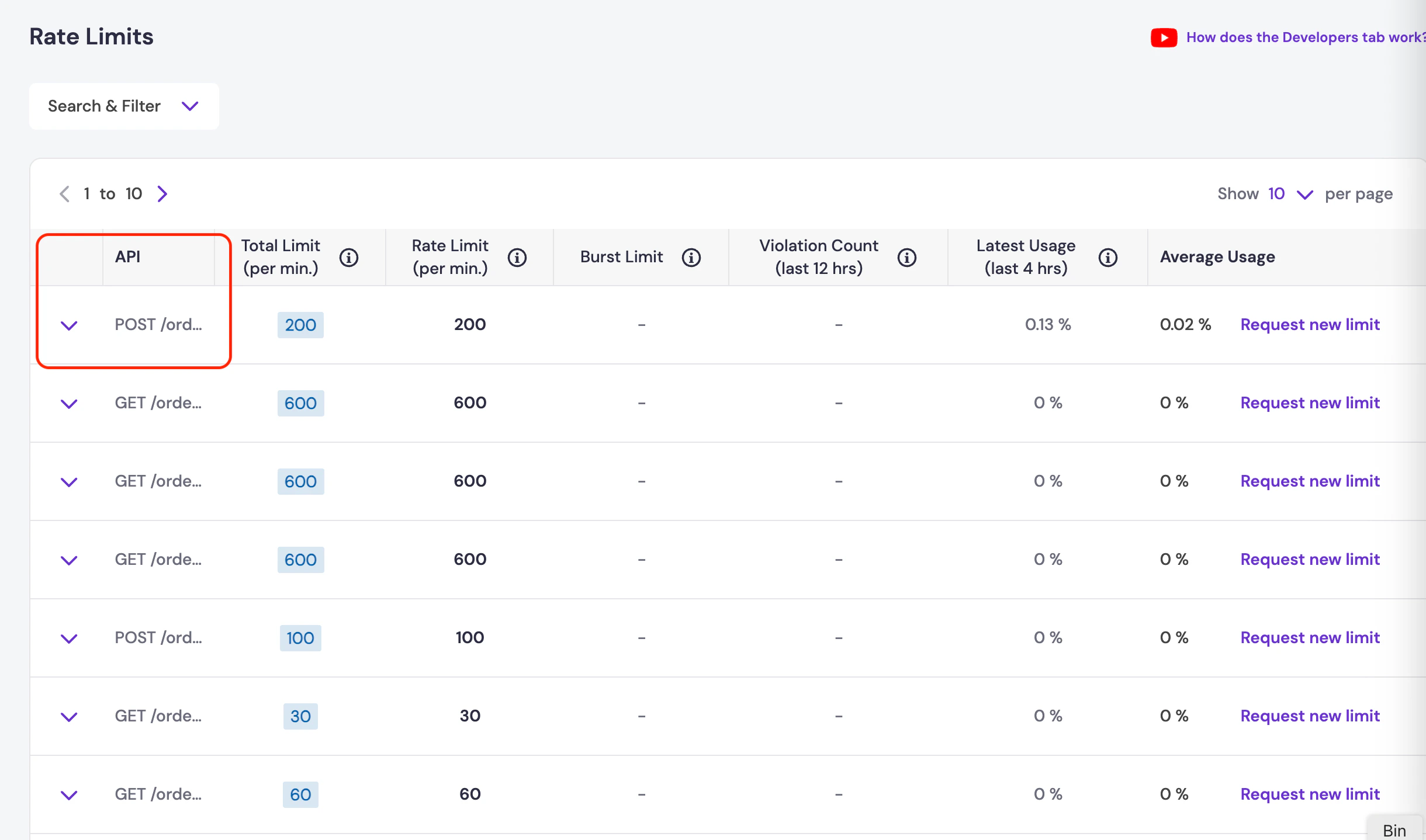
# Vendor Status Change Webhook
Source: https://www.cashfree.com/docs/api-reference/payments/previous/v2023-08-01/split/webhooks/vendor-status-change-webhooks
This chapter explains the vendor status change webhook.
Configure vendor status change webhooks to receive automated notifications when vendor status is changed.
The webhook notifications are sent on all the URLs added and enabled in the vendor status change webhook. You can add new URLs and enable or disable existing URLs for vendor status change webhook at any time and it will reflect instantaneously.
The table below lists the webhook events available for vendor status change.
| Webhook Event | Description |
| :--------------------- | :------------------------------------------------------------------------------------- |
| VENDOR\_STATUS\_UPDATE | This webhook will be triggered whenever there is a change in the status of the vendor. |
## Vendor status update
```json theme={"dark"}
{
"data": {
"merchant_vendor_id": "status002",
"email": "john.doe@cashfree.com",
"updated_status": "ACTION_REQUIRED",
"past_status": "IN_BENE_CREATION",
"account_holder": "JOHN DOE",
"phone": "9876554927",
"name": "BOB HOPE",
"product_type": "PG",
"max_split": 100,
"account_number": "890289871772",
"ifsc": "SCBL0036078",
"dashboard_access": false,
"vpa": "success@upi",
"account_type": "Individual",
"business_type": "Travel and Hospitality",
"updated_by": "AUTOMATED",
"document_status": {
"PAN": "VERIFIED",
"GSTIN": "ACTION_REQUIRED"
}
},
"event_time": "2023-06-08T15:10:37+05:30",
"type": "VENDOR_STATUS_UPDATE"
}
```
***
## Payload field description
| Field | Description | Example |
| -------------------- | ----------------------------------------------------------------------- | --------------------------------------------- |
| merchant\_vendor\_id | Reference ID as shared by you when onboarding the vendor. | IS\_1hour\_Upi |
| email | Email of the vendor. | [test@gmail.com](mailto:test@gmail.com) |
| updated\_status | Current status of the vendor. | ACTIVE |
| past\_status | Previous status of the vendor. | ACTION\_REQUIRED |
| account\_holder | Name of the account holder associated with the vendor. | John Doe |
| phone | Contact phone number of the vendor. | 9876554927 |
| name | Name of the vendor. | BOB HOPE |
| product\_type | Type of product offered to the vendor | PG |
| max\_split | The maximum percentage of the amount shared with a vendor in any order. | 100 |
| account\_number | Vendor's bank account number. | 12345678909 |
| ifsc | IFSC (Indian Financial System Code) associated with the vendor's bank. | SBIN1231935 |
| dashboard\_access | Access level to the dashboard for the vendor (if applicable). | FALSE |
| vpa | VPA of the vendor for UPI transactions. | success\@upi |
| account\_type | Type of the vendor's account. | Individual |
| business\_type | Type of business conducted by the vendor. | Travel and Hospitality |
| updated\_by | Entity or process that initiated the status update. | AUTOMATED |
| document\_status | Status of any associated documents for the vendor. | "PAN": "VERIFIED" "GSTIN": "ACTION\_REQUIRED" |
***
## Signature verification
The signature must be used to verify if the request has not been tampered with. To verify the signature at your end, you will need your Cashfree PG secret key along with the payload.
timestamp is present in the header x-webhook-timestamp\
Actual signature is present in the header x-webhook-signature
```json theme={"dark"}
"headers": {
"host": "gamma.cashfree.com",
"x-request-id": "ad4dc1e65f8901302455b247237a667a",
"x-real-ip": "172.0.57.13",
"x-forwarded-for": "172.0.57.13",
"x-forwarded-host": "gamma.cashfree.com",
"x-forwarded-port": "80",
"x-forwarded-proto": "http",
"x-forwarded-scheme": "http",
"x-scheme": "http",
"x-original-forwarded-for": "52.66.25.127",
"content-length": "592",
"accept": "_/_",
"content-type": "application/json",
"user-agent": "ReactorNetty/1.0.30",
"x-datadog-parent-id": "4281924148563621550",
"x-datadog-sampling-priority": "1",
"x-datadog-trace-id": "228569355002181270",
"x-webhook-signature": "Xm0YzEJCRsh0XvIEK12D4FqpmC60cReKoqPBn424kV0=",
"x-webhook-timestamp": "1686217237543",
"x-webhook-version": "2022-09-01"
}
```
# End Points
Source: https://www.cashfree.com/docs/api-reference/payments/previous/v2023-08-01/subscription/endpoints
Cashfree uses API keys to allow access to the API. Once you have signed up at our merchant site, you will see your AppId and SecretKey.
Cashfree expects the API key to be included in all API requests to the server. Use the endpoint **/api/v1/credentials/verify** to verify your credentials.
All API responses are in JSON format. POST requests should include ContentType: application/json
| Environment | Base URL |
| :---------- | :------------------------------------------------------- |
| Production | [https://api.cashfree.com/](https://api.cashfree.com/) |
| Test | [https://test.cashfree.com/](https://test.cashfree.com/) |
# Create Subscription
Source: https://www.cashfree.com/docs/api-reference/payments/previous/v2023-08-01/subscription/mandate/create
openapi/payments/v2023-08-01.yaml post /subscriptions
Use this API to create a new subscription.
# Fetch Subscription
Source: https://www.cashfree.com/docs/api-reference/payments/previous/v2023-08-01/subscription/mandate/fetch
openapi/payments/v2023-08-01.yaml get /subscriptions/{subscription_id}
Use this API to fetch subscription details.
# Generate Transaction Return Summary
Source: https://www.cashfree.com/docs/api-reference/payments/previous/v2023-08-01/subscription/mandate/generate-transaction-summary
openapi/payments/v2023-08-01.yaml post /subscriptions/charge/{payment_id}/transaction-return-summary/generate
Use this API to generate transaction return summary for failed transactions (insufficient balance).
# Manage a subscription.
Source: https://www.cashfree.com/docs/api-reference/payments/previous/v2023-08-01/subscription/mandate/manage
openapi/payments/v2023-08-01.yaml post /subscriptions/{subscription_id}/manage
Use this API to manage subscriptions. You can cancel, pause, activate, or change the plan associated with a subscription. To update the recurring amount for a periodic subscription, create a new plan with the revised amount, and then use the Manage Subscription API to associate the subscription with the new plan. Include the CHANGE_PLAN action and the new plan ID in the request body. Customers will not be notified about the restructuring. The charge amount cannot exceed the maximum amount defined in the original plan.Please note that the CHANGE_PLAN and PAUSE actions are not supported for On-Demand Subscriptions.
# API to get all the payment method details available for subscription payments.
Source: https://www.cashfree.com/docs/api-reference/payments/previous/v2023-08-01/subscription/mandate/payment-methods
openapi/payments/v2023-08-01.yaml post /subscriptions/eligibility/payment_methods
Use this API to check if a payment method is enabled for your account.
# API to upload file for Physical Nach Authorization.
Source: https://www.cashfree.com/docs/api-reference/payments/previous/v2023-08-01/subscription/mandate/physical-nach-mandate
openapi/payments/v2023-08-01.yaml post /subscriptions/pay/documents/{payment_id}
Use this API to upload file for Physical Nach Authorization.
# Fetch details of a single payment.
Source: https://www.cashfree.com/docs/api-reference/payments/previous/v2023-08-01/subscription/payment/fetch
openapi/payments/v2023-08-01.yaml get /subscriptions/{subscription_id}/payments/{payment_id}
Use this API to fetch details of a single payment of a subscription.
# Fetch details of all payments of a subscription.
Source: https://www.cashfree.com/docs/api-reference/payments/previous/v2023-08-01/subscription/payment/fetch-payments-for-mandate
openapi/payments/v2023-08-01.yaml get /subscriptions/{subscription_id}/payments
Use this API to fetch all payments of a subscription.
# Manage a single payment.
Source: https://www.cashfree.com/docs/api-reference/payments/previous/v2023-08-01/subscription/payment/manage
openapi/payments/v2023-08-01.yaml post /subscriptions/{subscription_id}/payments/{payment_id}/manage
Use this API to manage a payment of a subscription. A payment can be cancelled or retried with this API.
# Raise a charge or create an auth.
Source: https://www.cashfree.com/docs/api-reference/payments/previous/v2023-08-01/subscription/payment/raise
openapi/payments/v2023-08-01.yaml post /subscriptions/pay
Use this API to create an auth or to raise a charge.
# Physical Mandates
Source: https://www.cashfree.com/docs/api-reference/payments/previous/v2023-08-01/subscription/physical-mandates
In this chapter, you will learn in detail about the APIs related to Physical Mandates.
Physical mandate is the process of authorization where the customer requires only his signature and bank account details. There is no requirement to have a Debit Card/Netbanking enabled to set up the mandate. Click [here](/payments/subscription/payment-modes#bank-account-physical-mandate) to read more on Physical Mandates.
List of Physical Mandates APIs
| API Name | Description |
| :------------------------------------------------------------------------------------------------------------------------------------------------------------------------------------- | :-------------------------------------------------------------------------------------------------------------------------------------------------------------------------------------------------------------------------------------------------------------------------------------------------------------------------------------------------------- |
| [Create Seamless Subscription API](/api-reference/payments/previous/subscriptionsv1/seamless-apis/create-seamless-subscription-with-plan-id#create-seamless-subscription-with-plan-id) | Use this API to create a subscription by providing a custom payment experience to your customers by specifying the plan ID and the customer details.You can also specify the bank account information when you create the subscription to ensure that mandates are created via the specified bank account only. TPV is applicable only for eNACH and UPI. |
| [Upload File](/api-reference/payments/previous/subscriptionsv1/subscription/upload-physical-mandate-file#upload-physical-mandate-file) | Use this API to upload the Physical Nach registration forms that contain your customer’s bank account details and signature. Use the fileId you get in the response in the "Create Auth Seamless PhysicalMandate API". |
| [Create Auth Seamless Physical Mandate](/api-reference/payments/previous/subscriptionsv1/seamless-apis/create-authorization-request) | Use this API to create an Authorization request for your customer. For Physical mandates, this API lets Cashfree Payments know that the nach form is to be raised to the bank for successfully registering the mandate in production. |
| [Update Authorisation Status](/api-reference/payments/previous/subscriptionsv1/seamless-apis/update-authorization-status) | Use this API to update the status of the authorisation from INITIALIZED to SUCCESS or FAILED. Provide the authID and the payment status. This is applicable only in the test environment. |
# Create a plan.
Source: https://www.cashfree.com/docs/api-reference/payments/previous/v2023-08-01/subscription/plans/create
openapi/payments/v2023-08-01.yaml post /plans
A plan allows your customer to identify the features you offer along with your pricing. You can create plans as per the pricing you support for your services. For each plan, you can set a pre-decided frequency and amount with which they’ll be charged.
Example: Netflix Plans - Premium, Basic, Standard, Mobile. Each plan differs and caters for a particular set of audiences.
# Fetch Plan
Source: https://www.cashfree.com/docs/api-reference/payments/previous/v2023-08-01/subscription/plans/fetch
openapi/payments/v2023-08-01.yaml get /plans/{plan_id}
Use this API to fetch plan details.
# Rate Limits
Source: https://www.cashfree.com/docs/api-reference/payments/previous/v2023-08-01/subscription/rate-limits
This chapter explains the default rate limit applied by the Subscriptions APIs per minute.
The rate limit value shows the number of API calls that were made in a minute. For example, if the rate limit is 400 - it means you can call a maximum of 400 API calls in a minute.
**Rate Limits in Sandbox & Production:**\
We use rate limiting for all endpoints. Rate limiting is based on your IP and your account Id. By default, the following rate limits are applied per minute.
| API | Rate Limit Value Per Minute | Rate Limit Type |
| :-------------------------------------------------------------------------------------------------------------------------------------------------- | :-------------------------- | :-------------- |
| [Create Plan](/api-reference/payments/previous/v2023-08-01/subscription/plans/create) | 60 | Account |
| [Create Subscription](/api-reference/payments/previous/v2023-08-01/subscription/mandate/create) | 60 | Account |
| [Create Seamless Subscription](/api-reference/payments/previous/subscriptionsv1/seamless-apis/create-seamless-subscription-with-plan-id) | 60 | Account |
| [Get Subscription Details](/api-reference/payments/previous/v2023-08-01/subscription/mandate/fetch) | 60 | Account |
| [Get All Subscription Payments](/api-reference/payments/previous/subscriptionsv1/subscription/fetch-subscription-payments) | 60 | Account |
| [Get Single Subscription Payment](/api-reference/payments/previous/subscriptionsv1/subscription/fetch-single-subscription-payment) | 60 | Account |
| [Cancel Charge](/api-reference/payments/previous/subscriptionsv1/subscription/cancel-subscription) | 60 | Account |
| [Charge Subscription](/api-reference/payments/previous/subscriptionsv1/subscription/charge-subscription) | 60 | Account |
| [Charge Retry](/api-reference/payments/previous/subscriptionsv1/subscription/retry-subscription-charge) | 60 | Account |
| [Activate Subscription](/api-reference/payments/previous/subscriptionsv1/subscription/activate-subscription) | 60 | Account |
| [Get Payment Details using Merchant Txn ID](/api-reference/payments/previous/subscriptionsv1/subscription/fetch-payment-by-merchant-transaction-id) | 60 | Account |
| [Update Recurring-amount](/api-reference/payments/previous/subscriptionsv1/subscription/update-recurring-amount) | 60 | Account |
# Redirection Payload after Authorization
Source: https://www.cashfree.com/docs/api-reference/payments/previous/v2023-08-01/subscription/redirection-payload-after-authorization
When a subscription is created a returnUrl is provided as a part of the request. When the customer authorizes the payment, they will be redirected to the returnURL. This redirection is done via a POST request with the parameters available below.
## Request configuration
| Method | Parameter Type | URL |
| ------------------------- | -------------- | -------------------------------------------------------------------------------------------------------------------------------------------------------------------------------------------------------------------------------------------------- |
| cf\_subReferenceId | Long | Unique Id which was generated when the subscription was created (Numeric) |
| cf\_subscriptionId | String | Checksum used to authenticate the transaction |
| cf\_authAmount | Float | The money that was charged to authorize the subscription |
| cf\_referenceId | Long | The referenceId/transactionId of authorization in PG |
| cf\_status | String | Status of the subscription. In the returnUrl, the response should be ACTIVE or BANK\_APPROVAL\_PENDING if the authorization was successful or INITIALIZED if the authorization failed. |
| cf\_message | String | A brief note about the payment. |
| signature | String | The hash of all parameters in the request generated using secretKey. |
| cf\_umrn | String | The unique identifier associated with a mandate. Applicable if the payment mode is eMandate. |
| cf\_checkoutStatus | String | The subscription checkout status. The status can be SUCCESS, FAILED, SUCCESS\_DEBIT\_PENDING, SUCCESS\_TOKENIZATION\_PENDING. (This parameter will be sent from the 1st of November onwards, by default. It is available in the test environment.) |
| cf\_mode | String | The checkout payment mode. Modes - NPCI\_SBC, SBC\_UPI, SBC\_CREDIT\_CARD, SBC\_DEBIT\_CARD. (This parameter will be sent from the 1st of November onwards, by default. It is available in the test environment.) |
| cf\_subscriptionPaymentId | String | The subscription payment ID. (This parameter will be sent from the 1st of November onwards, by default. It is available in the test environment.) |
| cf\_umn | String | The unique identifier is associated with a mandate. This is applicable if the payment mode is **UPI**. |
🚧 **Return URL**
Once your customer has completed the checkout on the OTP page, we will redirect them back to your `return_url`. This will be a link-based redirection, so if you have provided a return\_url of the format - `https://b8af79f41056.eu.ngrok.io?order_id={order_id}` - your customer will be redirected to the URL - `https://b8af79f41056.eu.ngrok.io?order_id=order_271vfuhh1o4h6bQIigqyOx74YiJ1T`.
# Create a refund.
Source: https://www.cashfree.com/docs/api-reference/payments/previous/v2023-08-01/subscription/refund/create
openapi/payments/v2023-08-01.yaml post /subscriptions/{subscription_id}/refunds
This API allows you to create refund on a successful payment. Refund amount can be partial or the full amount of the payment.
# Fetch details of a refund.
Source: https://www.cashfree.com/docs/api-reference/payments/previous/v2023-08-01/subscription/refund/fetch
openapi/payments/v2023-08-01.yaml get /subscriptions/{subscription_id}/refunds/{refund_id}
Use this API to fetch details of a refund of a subscription payment.
# Overview
Source: https://www.cashfree.com/docs/api-reference/payments/previous/v2023-08-01/subscription/refund/refund-apis-overview
In this section, you will learn about all the APIs related to subscription refunds.
# List of Subscription Refund APIs
| API Name | Description |
| :--------------------------------------------------------------------------------------- | :----------------------------------------------------------------- |
| [Create Refund](/api-reference/payments/previous/v2023-08-01/subscription/refund/create) | Use this API to create a refund for the payment of a Subscription. |
| [Get Refund](/api-reference/payments/previous/v2023-08-01/subscription/refund/fetch) | Use this API to fetch the status of the refund of a Subscription. |
# Postman Collection
Source: https://www.cashfree.com/docs/api-reference/payments/previous/v2023-08-01/subscription/subscription-postman-collection
Get started quickly with Cashfree's Subscription APIs by downloading the collection and importing it in Postman.
Download Cashfree Subscription Postman Collection
# Subscription Webhooks
Source: https://www.cashfree.com/docs/api-reference/payments/previous/v2023-08-01/subscription/webhooks
Learn about the various Subscription webhooks sent by Cashfree
Below are the various events that can be sent to your webhook endpoint. These webhooks will be triggered if the merchant has integrated our newer Subscription API.
If the merchant added the webhook under the 2023-08-01 version, they will receive the same version of the webhook for older subscriptions as well.
* `SUBSCRIPTION_STATUS_CHANGE`
* `SUBSCRIPTION_AUTH_STATUS`
* `SUBSCRIPTION_PAYMENT_NOTIFICATION_INITIATED`
* `SUBSCRIPTION_PAYMENT_SUCCESS`
* `SUBSCRIPTION_PAYMENT_FAILED`
* `SUBSCRIPTION_PAYMENT_CANCELLED`
* `SUBSCRIPTION_REFUND_STATUS`
## `SUBSCRIPTION_STATUS_CHANGE`
Whenever a subscription is created it goes to initialised state and customer is expected to authorise it. The list of statuses where this webhook will get triggered are:
* ACTIVE
* ON\_HOLD
* COMPLETED
* CUSTOMER\_CANCELLED
* CUSTOMER\_PAUSED
* EXPIRED
* LINK\_EXPIRED
* BANK\_APPROVAL\_PENDING
```javascript theme={"dark"}
{
"data": {
"subscription_details": {
"cf_subscription_id": "123456",
"subscription_id": "Demo_Subscription",
"subscription_status": "ACTIVE",
"subscription_expiry_time": "2024-01-14T23:00:08+05:30",
"subscription_first_charge_time": "2024-01-10T23:00:08+05:30"
},
"customer_details": {
"customer_name": "john",
"customer_email": "john@dummy.com",
"customer_phone": "9908730221"
},
"plan_details": {
"plan_id": "plan12345",
"plan_name": "Plan Name",
"plan_type": "ON_DEMAND",
"plan_max_cycles": 10,
"plan_recurring_amount": 100.00,
"plan_max_amount": 1000.00,
"plan_currency": "INR",
"plan_note": "Note",
"plan_status": "ACTIVE"
},
"authorization_details": {
"authorizationAmount": 100,
"authorizationAmountRefund": true,
"approveByTime": "2022-02-09T18:04:34+05:30",
"authorizationReference": "6595231908096894505959",
"authorizationTime": "2022-08-03T16:09:51",
"authorizationStatus": "SUCCESS",
"paymentId": "123",
"paymentMethod": "DEBIT_CARD",
"instrumentId": "hsdg9"
},
"payment_gateway_details": {
"gateway_name": "CASHFREE",
"gateway_subscription_id": "Demo_Subscription",
"gateway_plan_id": "plan12345",
"gateway_auth_id": "6595231908096894505959"
}
},
"event_time": "2023-01-03T11:16:10+05:30",
"type": "SUBSCRIPTION_STATUS_CHANGE"
}
```
## SUBSCRIPTION\_AUTH\_STATUS
The event is triggered when the checkout is completed by the customer for success and failed cases.
```javascript theme={"dark"}
{
"data": {
"payment_id": "12345",
"cf_payment_id": "67890",
"cf_txn_id": "789012",
"cf_order_id": 98765,
"subscription_id": "sub12345",
"cf_subscription_id": "sub67890",
"payment_type": "DEBIT_CARD",
"authorization_details": {
"authorization_amount": 100,
"authorization_amount_refund": true,
"approve_by_time": "2024-07-20T16:09:50+05:30",
"authorization_reference": "6595231908096894505959",
"authorization_time": "2024-07-20T16:09:51",
"authorization_status": "ACTIVE",
"payment_id": "123",
"payment_method": "DEBIT_CARD",
"instrument_id": "hsdg9"
},
"payment_amount": 200.75,
"payment_schedule_date": "2024-07-20",
"payment_initiated_date": "2024-07-20",
"payment_remarks": "auth payment",
"retry_attempts": 0,
"failureDetails": null,
"payment_status": "SUCCESS",
"payment_gateway_details": {
"gateway_name": "CASHFREE",
"gateway_subscription_id": "Demo_Subscription",
"gateway_payment_id": "payment12345"
}
},
"event_time": "2024-07-20T11:16:10+05:30",
"type": "SUBSCRIPTION_AUTH_STATUS"
}
```
## SUBSCRIPTION\_PAYMENT\_NOTIFICATION\_INITIATED
This webhook is used to inform the merchant that we have sent a notification of payment to the customer.
```javascript theme={"dark"}
{
"data": {
"payment_id": "12345",
"cf_payment_id": "67890",
"cf_txn_id": "789012",
"cf_order_id": 98765,
"subscription_id": "sub12345",
"cf_subscription_id": "sub67890",
"payment_type": "DEBIT_CARD",
"authorization_details": {
"authorization_amount": 100,
"authorization_amount_refund": true,
"approve_by_time": "2024-07-20T16:09:50+05:30",
"authorization_reference": "6595231908096894505959",
"authorization_time": "2024-07-20T16:09:51",
"authorization_status": "PENDING",
"payment_id": "123",
"payment_method": "DEBIT_CARD",
"instrument_id": "hsdg9"
},
"payment_amount": 200,
"payment_schedule_date": "2024-07-20",
"payment_initiated_date": "2024-07-20",
"payment_remarks": "payment",
"retry_attempts": 0,
"failureDetails": null,
"payment_status": "INITIALIZED",
"payment_gateway_details": {
"gateway_name": "CASHFREE",
"gateway_subscription_id": "Demo_Subscription",
"gateway_payment_id": "payment12345"
}
},
"event_time": "2024-07-20T11:16:10+05:30",
"type": "SUBSCRIPTION_PAYMENT_NOTIFICATION_INITIATED"
}
```
## SUBSCRIPTION\_PAYMENT\_SUCCESS
This notification is sent whenever a successful payment is processed for an active subscription.
```javascript theme={"dark"}
{
"data": {
"payment_id": "12345",
"cf_payment_id": "67890",
"cf_txn_id": "789012",
"cf_order_id": 98765,
"subscription_id": "sub12345",
"cf_subscription_id": "sub67890",
"payment_type": "DEBIT_CARD",
"authorization_details": {
"authorization_amount": 100,
"authorization_amount_refund": true,
"approve_by_time": "2024-07-20T16:09:50+05:30",
"authorization_reference": "6595231908096894505959",
"authorization_time": "2024-07-20T16:09:51",
"authorization_status": "ACTIVE",
"payment_id": "123",
"payment_method": "DEBIT_CARD",
"instrument_id": "hsdg9"
},
"payment_amount": 200,
"payment_schedule_date": "2024-07-20",
"payment_initiated_date": "2024-07-20",
"payment_remarks": "payment",
"retry_attempts": 0,
"failureDetails": null,
"payment_status": "SUCCESS",
"payment_gateway_details": {
"gateway_name": "CASHFREE",
"gateway_subscription_id": "Demo_Subscription",
"gateway_payment_id": "payment12345"
}
},
"event_time": "2024-07-20T11:16:10+05:30",
"type": "SUBSCRIPTION_PAYMENT_SUCCESS"
}
```
## SUBSCRIPTION\_PAYMENT\_FAILED
This notification is sent whenever payment processing fails for an active subscription.
```javascript theme={"dark"}
{
"data": {
"payment_id": "12345",
"cf_payment_id": "67890",
"cf_txn_id": "789012",
"cf_order_id": 98765,
"subscription_id": "sub12345",
"cf_subscription_id": "sub67890",
"payment_type": "DEBIT_CARD",
"authorization_details": {
"authorization_amount": 100,
"authorization_amount_refund": true,
"approve_by_time": "2024-07-18T16:09:50+05:30",
"authorization_reference": "6595231908096894505959",
"authorization_time": "2024-07-18T16:09:51",
"authorization_status": "ACTIVE",
"payment_id": "123",
"payment_method": "DEBIT_CARD",
"instrument_id": "hsdg9"
},
"payment_amount": 200,
"payment_schedule_date": "2024-07-20",
"payment_initiated_date": "2024-07-20",
"payment_remarks": "payment",
"retry_attempts": 0,
"failureDetails": {
"failureReason": "Insufficient balance"
},
"payment_status": "FAILED",
"payment_gateway_details": {
"gateway_name": "CASHFREE",
"gateway_subscription_id": "Demo_Subscription",
"gateway_payment_id": "payment12345"
}
},
"event_time": "2024-07-20T11:16:10+05:30",
"type": "SUBSCRIPTION_PAYMENT_FAILED"
}
```
## SUBSCRIPTION\_PAYMENT\_CANCELLED
This notification is sent whenever payment processing is cancelled by user for an active subscription.
```javascript theme={"dark"}
{
"data": {
"payment_id": "12345",
"cf_payment_id": "67890",
"cf_txn_id": "789012",
"cf_order_id": 98765,
"subscription_id": "sub12345",
"cf_subscription_id": "sub67890",
"payment_type": "DEBIT_CARD",
"authorization_details": {
"authorization_amount": 100,
"authorization_amount_refund": true,
"approve_by_time": "2024-07-18T16:09:50+05:30",
"authorization_reference": "6595231908096894505959",
"authorization_time": "2024-07-18T16:09:51",
"authorization_status": "ACTIVE",
"payment_id": "123",
"payment_method": "DEBIT_CARD",
"instrument_id": "hsdg9"
},
"payment_amount": 200,
"payment_schedule_date": "2024-07-20",
"payment_initiated_date": "2024-07-20",
"payment_remarks": "payment",
"retry_attempts": 0,
"failureDetails": {
"failureReason": "Subscription is not active"
},
"payment_status": "CANCELLED",
"payment_gateway_details": {
"gateway_name": "CASHFREE",
"gateway_subscription_id": "Demo_Subscription",
"gateway_payment_id": "payment12345"
}
},
"event_time": "2024-07-20T11:16:10+05:30",
"type": "SUBSCRIPTION_PAYMENT_CANCELLED"
}
```
## SUBSCRIPTION\_REFUND\_STATUS
This event is triggered whenever a refund status of a transaction will be success, failed, or cancelled.
```javascript theme={"dark"}
{
"data": {
"payment_id": "pay8643",
"cf_payment_id": "863782648",
"refund_id": "refund2",
"cf_refund_id": "ref_212",
"refund_amount": 100,
"refund_note": "test",
"refund_speed": "INSTANT",
"refund_status": "SUCCESS",
"failure_details": null,
"payment_gateway_details": {
"gateway_name": "CASHFREE",
"gateway_payment_id": "pay8643",
"gateway_refund_id": "refund2"
}
},
"event_time": "2023-01-03T11:16:10+05:30",
"type": "SUBSCRIPTION_REFUND_STATUS"
}
```
# Delete Saved Card Instrument
Source: https://www.cashfree.com/docs/api-reference/payments/previous/v2023-08-01/token-vault/delete
openapi/payments/v2023-08-01.yaml delete /customers/{customer_id}/instruments/{instrument_id}
Use this API to delete a saved card instrument for a customer_id and instrument_id
# Fetch Specific Saved Card Instrument
Source: https://www.cashfree.com/docs/api-reference/payments/previous/v2023-08-01/token-vault/fetch-specific-saved-card-instrument
openapi/payments/v2023-08-01.yaml get /customers/{customer_id}/instruments/{instrument_id}
Use this API to fetch a single specific saved card for a customer_id by it's instrument_id
# Fetch cryptogram for a saved card instrument
Source: https://www.cashfree.com/docs/api-reference/payments/previous/v2023-08-01/token-vault/generate-cryptogram
openapi/payments/v2023-08-01.yaml get /customers/{customer_id}/instruments/{instrument_id}/cryptogram
Use this API To get the card network token, token expiry and cryptogram for a saved card instrument using instrument id
# Fetch All Saved Card Instrument
Source: https://www.cashfree.com/docs/api-reference/payments/previous/v2023-08-01/token-vault/get-all
openapi/payments/v2023-08-01.yaml get /customers/{customer_id}/instruments
Use this API to fetch saved cards for a customer_id
# Card Token Webhook
Source: https://www.cashfree.com/docs/api-reference/payments/previous/v2023-08-01/token-vault/webhooks
Receive asynchronous notifications for every update on an instrument.
| Event | Description |
| --------------------------- | ------------------------------------------------------------------ |
| INSTRUMENT\_ACTIVE\_WEBHOOK | This webhook is triggered when the card is successfully tokenised. |
| INSTRUMENT\_FAILED\_WEBHOOK | This webhook is triggered when the card tokenisation fails. |
## Instrument active webhook
An instrument active webhook is triggered when a card is tokenised successfully from the networks like visa, mastercard, etc.
```javascript Instrument Active Webhook theme={"dark"}
{
"data": {
"instrument": {
"customer_id": "siddhesh199721",
"afa_reference": "887316963",
"instrument_id": "af250dc5-e5e5-4e7d-a7cf-3f446741fa54",
"instrument_type": "card",
"instrument_uid": "680cd7171583f9f64b426983d4501d6941b462932ce5f626be78392d5ec42660",
"instrument_display": "XXXXXXXXXXXX6854",
"instrument_status": "ACTIVE",
"added_at": "2022-04-14T10:42:59+05:30",
"instrument_meta": {
"card_network": "visa",
"card_bank_name": "HDFC BANK",
"card_country": "IN",
"card_type": "credit",
"sub_type": "R",
"card_par": "50012ADWQZJKHCLXLT61QTYD5QNX1",
"card_token_details": null
}
}
},
"event_time": "2022-04-14T10:44:14+05:30",
"type": "INSTRUMENT_ACTIVE_WEBHOOK"
}
```
## Instrument failed webhook
An instrument failed webhook is triggered when a card was not tokenised from the networks like visa, mastercard, etc.
```javascript Instrument Failed Webhook theme={"dark"}
{
"data": {
"instrument": {
"customer_id": "siddhesh199721",
"afa_reference": "887316963",
"instrument_id": "af250dc5-e5e5-4e7d-a7cf-3f446741fa54",
"instrument_type": "card",
"instrument_uid": "680cd7171583f9f64b426983d4501d6941b462932ce5f626be78392d5ec42660",
"instrument_display": "XXXXXXXXXXXX6854",
"instrument_status": "FAILED",
"added_at": "2022-04-14T10:42:59+05:30",
"instrument_meta": {
"card_network": "visa",
"card_bank_name": "HDFC BANK",
"card_country": "IN",
"card_type": "credit",
"sub_type": "R",
"card_par": null,
"card_token_details": null
}
},
"error_details": {
"error_code": "NETWORK_ERROR",
"error_description": "Error while processing the request",
"error_source": "NETWORK"
}
},
"event_time": "2022-04-14T10:44:14+05:30",
"type": "INSTRUMENT_FAILED_WEBHOOK"
}
```
## Payload field description
| Field | Description | Example |
| :---------------------------- | :--------------------------------------------------------------------------------------------------------------------------------------------------------------------------------------------------------------------------------------------------------------------------------- | :--------------------------------------------------------------- |
| customer\_id (String) | The customer ID associated with the save instrument request. It is sent by the merchant as a part of create order request in the customer ID field. | user199721 |
| afa\_reference (String) | cf\_payment\_id of the successful transaction done while saving instrument. | 887316963 |
| instrument\_id (String) | The reference ID of the saved instrument. Unique for a save instrument request but not unique for a particular instrument like card number. | af250dc5-e5e5-4e7d-a7cf-3f446741fa54 |
| instrument\_type (String) | Type of instrument - card | card |
| instrument\_uid (String) | Unique identifier for the instrument. For example, if a same card is saved by 2 different customers the instrument\_uid would be same for both the cards. | 680cd7171583f9f64b426983d4501d6941b462932ce5f626be78392d5ec42660 |
| instrument\_display (String) | The display text for the saved instrument. For example, in case of saved cards the first 12 digits would be masked and only the last 4 digits would be visible in the instrument display string. It can be displayed to the customer for selecting a saved instrument for payment. | XXXXXXXXXXXX6854 |
| instrument\_status (String) | The status of saved instrument - INACTIVE, ACTIVE | ACTIVE |
| added\_at (String) | Timestamp at which instrument was saved. | 2022-04-14T10:42:59+05:30 |
| card\_network (String) | The card network to which the saved card belongs. Visa, Mastercard, Rupay, etc. | visa |
| card\_bank\_name (String) | Card issuing bank name. | HDFC BANK |
| card\_country (String) | Card issuing country code. | IN |
| card\_type (String) | debit, credit, prepaid, etc. | debit |
| card\_token\_details (Object) | Additional card token details like card token expiry, card token would be passed in this object. Note: Currently, the field is always passed as null. | null |
| event\_time (String) | Time at which webhook was initiated. | 2022-02-28T13:04:28+05:30 |
| type (String) | Type of the instrument webhook. | INSTRUMENT\_ACTIVE\_WEBHOOK |
# API Limits
Source: https://www.cashfree.com/docs/api-reference/payments/rate-limits
Learn how many number of API calls a user can make over a certain period of time.
You can view your API usage and rate limits on your dashboard. Go to **Developers** > **Rate Limits** to view various metrics such as: `Rate Limit`, `Latest Usage`, `Average Usage`, `Burst limit`, `Request Count` and `Violation Count`.
## Rate limiting
We use rate limiting for all endpoints. Rate limiting is based on your IP and your account Id. By default, the following rate limits are applied per minute. You can also view your rate limits in the response headers.
### Rate limit in Production
| API | Rate limit value per minute | Rate limit type |
| :----------------- | :-------------------------- | :-------------- |
| Create Order | 200 | Account |
| Get Order | 400 | Account |
| Get Payments | 100 | Account |
| Get Payments by ID | 130 | Account |
| Pay Order | 100 | IP |
| Get Settlements | 30 | Account |
| Initiate Refund | 100 | Account |
| Get Refund | 30 | Account |
### Rate limits in Sandbox
| API | Rate limit value per minute | Rate limit type |
| :-------------- | :-------------------------- | :-------------- |
| Create Order | 30 | Account |
| Get Order | 60 | Account |
| Get Payments | 30 | Account |
| Pay Order | 30 | IP |
| Get Settlements | 20 | Account |
| Initiate Refund | 30 | Account |
| Get refund | 60 | Account |
## Rate limiting headers
All responses will have the following headers to help you understand rate limiting.
| Header name | Example | Description |
| :-------------------- | :--------------- | :------------------------------------------------------------ |
| x-ratelimit-limit | 100 | Max number of calls that can be made in a minute |
| x-ratelimit-remaining | 30 | Remaining number of calls that can be made in a minute |
| x-ratelimit-retry | 0 | Number of seconds you will have to wait to make the next call |
| x-ratelimit-type | `app_id` or `ip` | Type of rate limiting applied |
## Upgrading limits
You can increase rate limits or burst limits at an API level through the Merchant Dashboard.
To request a limit increase:
1. Log in to the [Merchant Dashboard](https://merchant.cashfree.com/auth/login).
2. Go to **Payment Gateway > Developers > Rate Limits**.
*Rate Limits page showing all APIs with current limits*
3. Select **Request new limit** for the API you want to change the limit for.
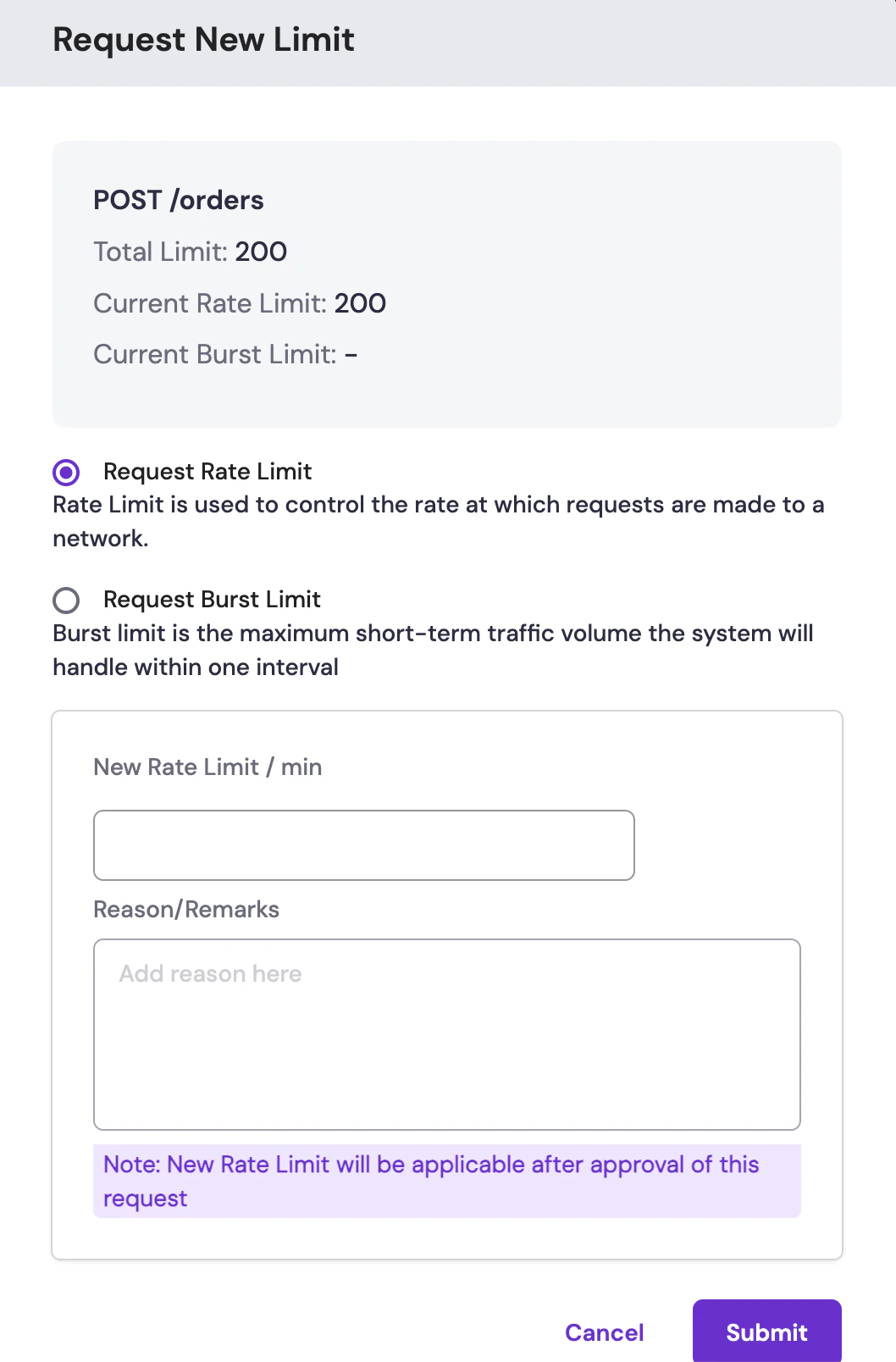
*Request form for increasing rate or burst limits*
4. Enter the new rate or burst limit you require. For burst limit, enter the time duration.
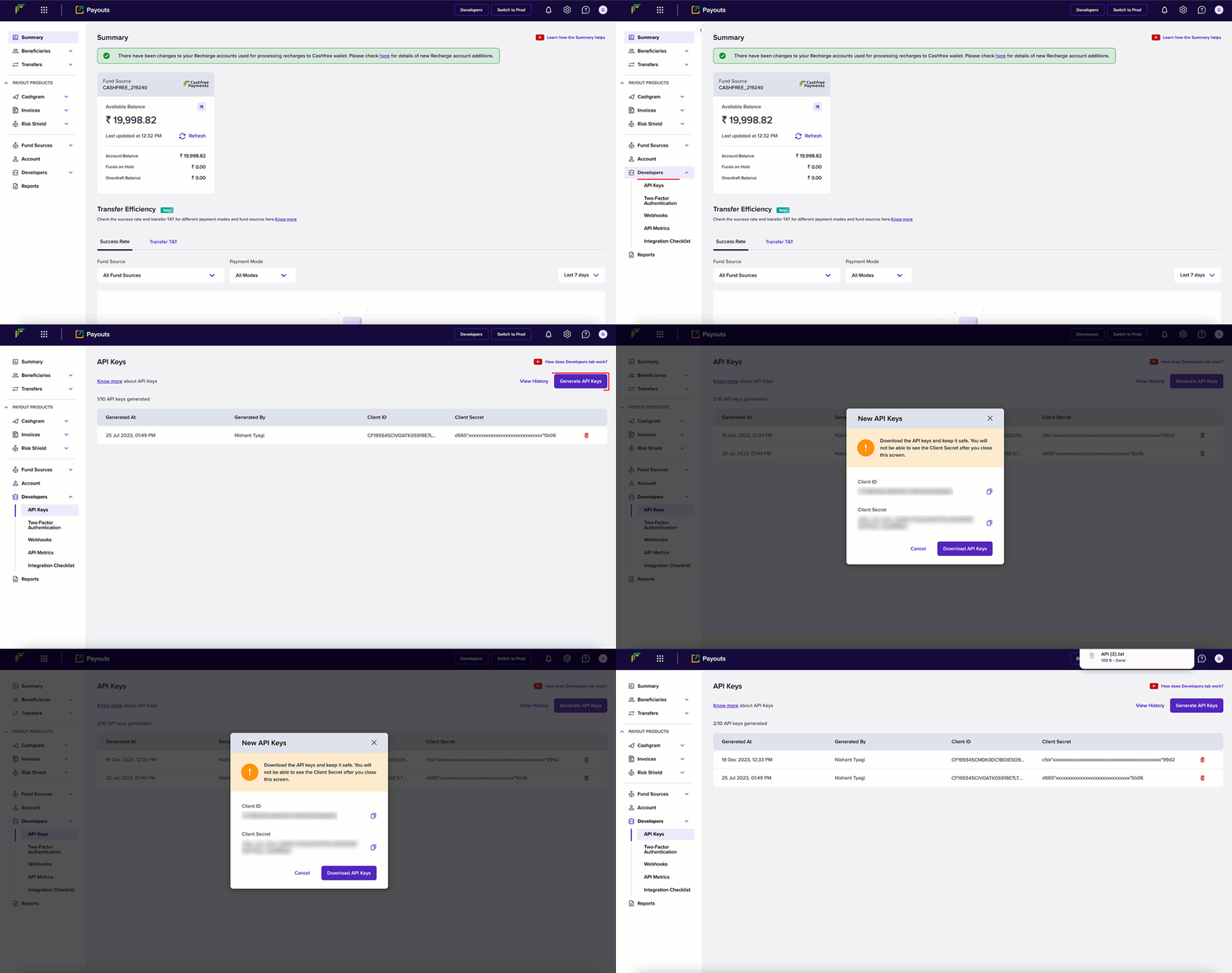
The total limit is the sum of the rate limit and burst limits.
5. Provide the reason for the request and click **Submit**.
After you submit the request, it will be reviewed and approved within 1-2 business days. Once approved, the new rate limits will be applied to your account.
# Payment SDK
Source: https://www.cashfree.com/docs/api-reference/payments/sdk
Build your integration using Cashfree's SDK.
Cashfree server-side SDKs reduce the amount of work required to use Cashfree's REST APIs. Below are the links for these libraries in a variety of popular server-side programming languages.
## Server SDK
# Getting Started
Source: https://www.cashfree.com/docs/api-reference/payouts/getting-started-with-payouts-apis
In this article, you will learn the things to do before testing our Payouts APIs.
Version 2 APIs: We have a new [version 2 APIs for Payouts](/api-reference/payouts/v2/payouts-api-v2-new). The v2 APIs represent a significant leap forward in payouts integration, offering enhanced versioning, standardized requests and responses, efficient troubleshooting, standardization across products, and simplified transfer APIs.
* [Download Postman Collection](/api-reference/payouts/getting-started-with-payouts-apis#download-postman-collection)
* [View End Points](/api-reference/payouts/getting-started-with-payouts-apis#view-end-points)
* [Generate API Keys](/api-reference/payouts/getting-started-with-payouts-apis#generate-api-keys)
* [Whitelist IP Address](/api-reference/payouts/getting-started-with-payouts-apis#whitelist-your-ip-address) / [Generate Signature](/api-reference/payouts/getting-started-with-payouts-apis#generate-signature)
* [Any Queries: Contact Us](/api-reference/payouts/getting-started-with-payouts-apis#any-queries-contact-us)
## Download Postman collection
This collection can save you time because of easy access to different requests.
Download Cashfree Payments Payouts Postman Collection
## View endpoints
For [Payout v2 APIs](/api-reference/payouts/v2/payouts-api-v2-new), \[NEW]
| Environment | Base URL |
| :---------- | :------------------------------------------------------------------------- |
| Production | [https://api.cashfree.com/payout](https://api.cashfree.com/payout) |
| Test | [https://sandbox.cashfree.com/payout](https://sandbox.cashfree.com/payout) |
For Payout v1 and v1.2 APIs,
| Environment | Base URL |
| :---------- | :--------------------------------------------------------------------- |
| Production | [https://payout-api.cashfree.com](https://payout-api.cashfree.com) |
| Test | [https://payout-gamma.cashfree.com](https://payout-gamma.cashfree.com) |
Cashfree Payments uses unique identifiers to allow access to the API. Once you have signed up at our merchant site, you can see your **AppId** and **SecretKey**. Each API request to the server requires these credentials.
Use this endpoint to verify your credentials: **/api/v1/credentials/verify**
## Generate API keys
Follow the instructions below to generate API keys:
1. From the Payouts dashboard, click **Developers** on the navigation panel.
2. Click **API Keys**.
3. Click **Generate API Keys** from the *API Keys* screen.
4. The *New API Keys* popup displays with the client ID and client secret information.
5. Click **Download API Keys** to download the information and save them in your local system folder. Do not share the keys with anyone because they are confidential. You can generate a maximum of 10 API keys.
API Keys - Production Environment: You need to perform an OTP authentication
to generate API keys for production environment.
## Identity verification
Whitelisting the IP address or generating a signature provides a layer of authentication. These cybersecurity techniques prevent anonymous or unknown disbursement requests and allow only verified requests.
### Whitelist your IP address
Your IP address needs to be whitelisted in the Cashfree Payments production server or it rejects all incoming requests.
Only the production environment needs approval from Cashfree Payments and not
for the test environment.
Follow the instructions below to whitelist your IP:
1. From the \_Payout\_s dashboard, click **Developers** > **Two-Factor Authentication**.
2. Choose **IP Whitelist** from the *Select 2FA Method* drop-down.
3. Click **Add IP Address**.
4. Enter the IP address you want to whitelist in the respective field and click **Add IP Address** to save the details. Note that the IPv4 has to be whitelisted, and not IPv6. The whitelisted IPs are displayed in the grid as shown below. You can whitelist a maximum of 25 IPs.
### Generate signature
To generate a signature, you need to generate the public key. You then use the generated public key to generate the signature.
#### Generating a public key
1. From the *Payouts* dashboard, click **Developers** > **Two-Factor Authentication**.
2. Select **Public Key** from the *Select 2FA Method* drop-down.
3. Click **Generate Public Key**.
4. The public key is downloaded to your computer. Use your registered email ID to access the key.
#### Generating a signature
Below are the steps to generate your signature:
1. Retrieve your clientId (one which you are passing through the header X-Client-Id )
2. Append this with CURRENT UNIX timestamp separated by a period (.)
3. Encrypt this data using RSA encrypt with Public key you received – this is the signature.
4. Pass this signature through the header X-Cf-Signature.
In the case of using our library, go through the libraries section. During the initialization process, you need to pass the key as a parameter.
```php PHP theme={"dark"}
";
$publicKey =
openssl_pkey_get_public(file_get_contents("/path/to/certificate/public
_key.pem"));
$encodedData = $clientId.".".strtotime("now");
return static::encrypt_RSA($encodedData, $publicKey);
}
private static function encrypt_RSA($plainData, $publicKey) { if (openssl_public_encrypt($plainData, $encrypted, $publicKey,
OPENSSL_PKCS1_OAEP_PADDING))
$encryptedData = base64_encode($encrypted);
else return NULL;
return $encryptedData;
}
?>
```
```java Java theme={"dark"}
private static String generateEncryptedSignature(String clientIdWithEpochTimestamp) {
// String clientIdWithEpochTimeStamp = clientId+"."+Instant.now().getEpochSecond();
String encrytedSignature = "";
try {
byte[] keyBytes = Files
.readAllBytes(new File("/Users/sameera/Downloads/payout_test_public_key.pem").toPath()); // Absolute Path to be replaced
String publicKeyContent = new String(keyBytes);
System.out.println(publicKeyContent);
publicKeyContent = publicKeyContent.replaceAll("[\\t\\n\\r]", "")
.replace("-----BEGIN PUBLIC KEY-----", "").replace("-----END PUBLIC KEY-----", "");
KeyFactory kf = KeyFactory.getInstance("RSA");
System.out.println(publicKeyContent);
X509EncodedKeySpec keySpecX509 = new X509EncodedKeySpec(
Base64.getDecoder().decode(publicKeyContent));
RSAPublicKey pubKey = (RSAPublicKey) kf.generatePublic(keySpecX509);
final Cipher cipher = Cipher.getInstance("RSA/ECB/OAEPWithSHA-1AndMGF1Padding");
cipher.init(Cipher.ENCRYPT_MODE, pubKey);
encrytedSignature = Base64.getEncoder().encodeToString(cipher.doFinal(clientIdWithEpochTimestamp.getBytes()));
System.out.println(encrytedSignature);
} catch (Exception e) {
e.printStackTrace();
}
return encrytedSignature;
}
```
```python Python theme={"dark"}
from cashfree_sdk.payouts import Payouts
// Initialise the SDK, pass public key for dynamic IP
Payouts.init("", "", "PROD", public_key= b'public key')
```
```javascript Node theme={"dark"}
//require CashfreeSDK
const cfSdk = require("cashfree-sdk");
//access the PayoutsSdk from CashfreeSDK
const { Payouts } = cfSdk;
// Instantiate Cashfree Payouts
const payoutsInstance = new Payouts({
env: "TEST",
clientId: "",
clientSecret: "",
pathToPublicKey: "/path/to/your/public/key/file.pem",
//"publicKey": "ALTERNATIVE TO SPECIFYING PATH (DIRECTLY PASTE PublicKey)"
});
```
**Getting the “IP not whitelisted” error on the Postman web app?**\
If you're using the Postman web app, API requests may fail because Postman uses dynamic cloud IPs, which cannot be whitelisted.
**How to fix it**: Use the Postman desktop app. It sends requests from your local IP address, which can be whitelisted.
Signature verification works correctly with both web and desktop apps. Only **IP-based whitelisting** is affected.
## Any queries: Contact us
For identifying, diagnosing, and resolving problems related to API requests, ensure the information below is communicated while contacting us:
* Share the API request and response details along with only **x-client-ID**.
* Mention the registered email ID and environment in the email.
* Use your registered email address (with Cashfree Payments) to send the email or mention the registered email address.
* Include your account manager in the CC of the email request.
For dashboard queries, share the screenshot and .har file of the screen.
# Overview
Source: https://www.cashfree.com/docs/api-reference/payouts/overview
The **Payouts APIs** by Cashfree Payments provide secure, scalable RESTful endpoints for instant fund transfers. These APIs enable businesses to disburse payments directly to **bank accounts**, **UPI IDs**, or **cards** without manual intervention. With high success rates, consistent authentication, and robust error handling, Payouts ensure reliable and real-time disbursal operations across a range of business use cases.
The Payouts APIs are available for both **sandbox testing** and **production** environments, supporting webhook notifications, reconciliation capabilities, and multiple payout modes.
## Key features
The key features offered by Cashfree’s **Payouts APIs** are:
* **Instant fund transfers**: Process payouts to bank accounts, UPI, and cards 24×7.
* **Multi-mode disbursals**: Choose from IMPS, NEFT, RTGS, UPI, and card-based transfers.
* **Bulk payouts**: Automate thousands of payments in a single API call.
* **Dynamic beneficiary management**: Add, verify, and manage beneficiaries securely.
* **Advanced reconciliation**: Track transaction statuses with webhooks and detailed reporting.
* **Enhanced security and compliance**: PCI DSS-certified infrastructure with real-time fraud prevention through Payout Protect.
Receive real-time notifications on payout success, failure, or reversal events.
## Get started
Use the following resources to begin implementing Cashfree Payouts:
Learn about Payouts features, sub-products, and setup process.
Configure API keys, Postman collection, and security requirements.
# Add Beneficiary
Source: https://www.cashfree.com/docs/api-reference/payouts/v1/add-beneficiary
post /payout/v1/addBeneficiary
Use this API to add a beneficiary to your Cashfree account by providing the bank account number, IFSC, and other required details. Before you request a transfer, ensure the account has been successfully added as a beneficiary.
This API will be retired soon. Please plan to migrate to the latest version, [Beneficiary V2](/api-reference/payouts/v2/beneficiary-v2/get-beneficiary-v2).
Please use this Authorization token in headers to call any payout API (Refresh this page if the token is expired)
| Sub Code | Status | Message | Next Action |
| :------- | :------ | :------------------------------------------------------------------------------------------------------------------------------------ | :-------------------------------------------------------------------------------------- |
| 200 | SUCCESS | Beneficiary added successfully | - |
| 400 | ERROR | Please provide a valid VPA | Enter a valid VPA in the API request. |
| 403 | ERROR | Token is not valid | Enter a valid token in the request. |
| 403 | ERROR | IP not whitelisted | Whitelist the API. |
| 403 | ERROR | APIs not enabled. Fill out the details in the [Support Form](https://merchant.cashfree.com/merchants/landing?env=prod\&raise_issue=1) | [Support Form](https://merchant.cashfree.com/merchants/landing?env=prod\&raise_issue=1) |
| 409 | ERROR | Beneficiary Id already exists | Enter a unique ID for the beneficiary. |
| 409 | ERROR | Entered bank Account is already registered | Enter different bank account information. |
| 412 | ERROR | Token missing in the request | Enter a valid token in the request. |
| 412 | ERROR | Beneficiary group is not an active group | |
| 412 | ERROR | Bank account and VPA are both provided in the request. Please add either of them to add the beneficiary. | Enter any of the information in the request. |
| 412 | ERROR | Cannot add yourself as a beneficiary | Enter an individual's information apart from yours to add a beneficiary. |
| 422 | ERROR | Please provide a valid Beneficiary Id | Enter a valid beneficiary ID. |
| 422 | ERROR | Please provide a valid email | Enter a valid email address. |
| 422 | ERROR | Please provide a valid name | Enter a valid name. |
| 422 | ERROR | Please provide a valid Phone Number | Enter a valid phone number. |
| 422 | ERROR | Please provide a valid Bank Account | Enter valid bank account information. |
| 422 | ERROR | Please provide a valid Bank IFSC code | Enter a valid IFSC. |
| 422 | ERROR | Please provide a valid Virtual Payee Address | Enter a valid VPA. |
| 422 | ERROR | Please provide a valid Address | Enter a valid address. |
| 422 | ERROR | Please provide a valid City Name | Enter a valid city name. |
| 422 | ERROR | Please provide a valid State Name | Enter a valid state name. |
| 422 | ERROR | Please provide a valid Pin code | Enter a valid PIN code. |
| 422 | ERROR | Cashfree VBA/VPA cannot be added as a beneficiary | Enter a different VBA/VPA to add the beneficiary. |
| 422 | ERROR | Please provide a valid MasterCard or Visa card number | Enter a valid MasterCard or Visa card number. |
| 422 | ERROR | Please provide a masked card number of a valid MasterCard or Visa card | Enter a masked card number of a valid MasterCard or Visa card. |
| 422 | ERROR | Invalid details provided | Enter valid details of the beneficiary to add the beneficiary in the system. |
| 520 | ERROR | Adding beneficiary Failed | Re-enter the details or try again after some time. |
**Note**: If you are attempting to create a transfer in the Sandbox environment, you can obtain the test data details from this [link](doc:data-to-test).
# Authorize
Source: https://www.cashfree.com/docs/api-reference/payouts/v1/authorize
post /payout/v1/authorize
Use this API to authenticate with the Cashfree system and obtain the authorization bearer token. All other API calls must have this token as Authorization header in the format 'Bearer ' (without quotes) for them to get processed.
**URLs**
* Production/Live: [https://payout-api.cashfree.com/payout/v1/authorize](https://payout-api.cashfree.com/payout/v1/authorize)
* Sandbox/Test: [https://payout-gamma.cashfree.com/payout/v1/authorize](https://payout-gamma.cashfree.com/payout/v1/authorize)
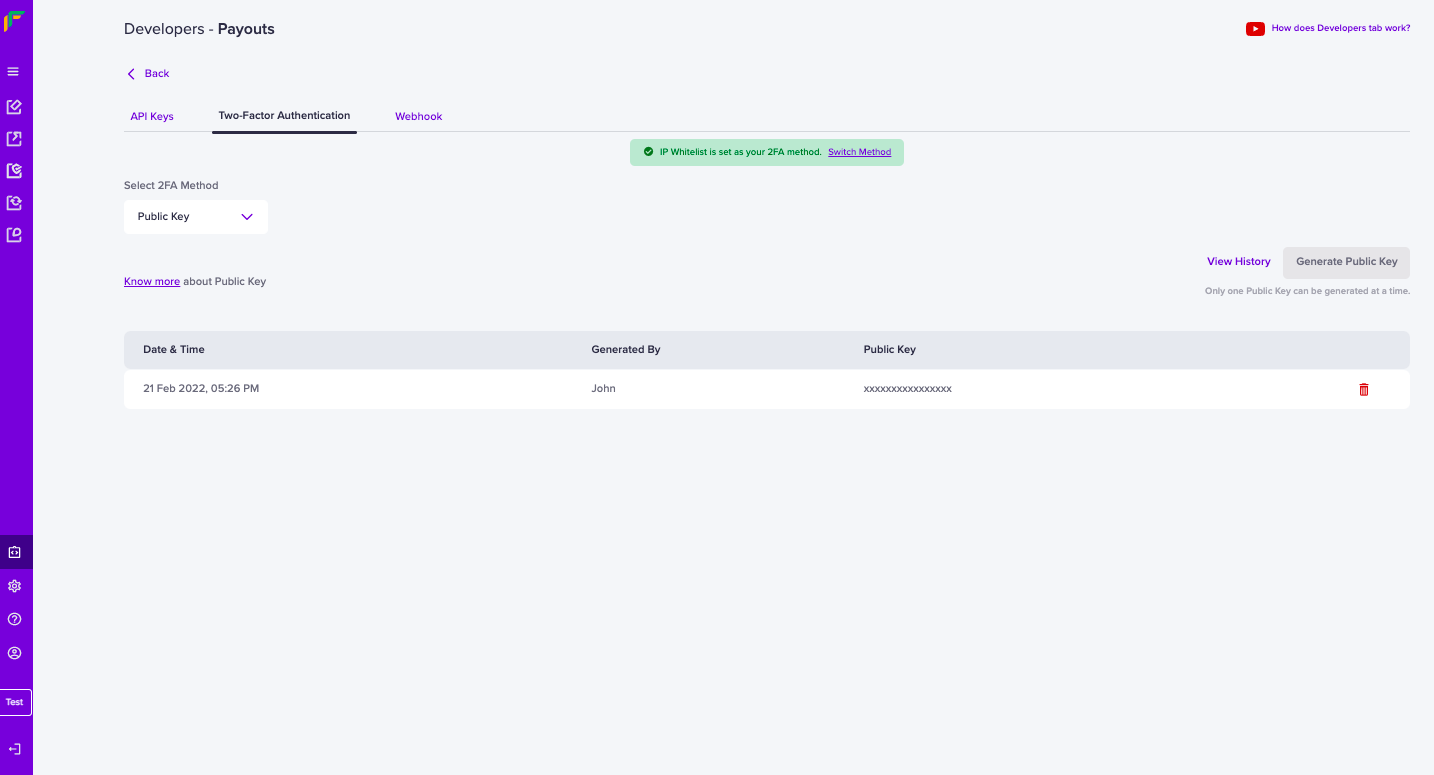
If you do not have a static IP, you can generate a public key and pass it with the API request.
To generate a public key,
1. Go Payouts Dashboard > **Developers** section on the left-side navigation > **Payouts** > **Two-Factor Authentication** > **Public Key**.
2. Click **Generate Public Key**. The public key will be downloaded to your computer and the password to access it will be your email ID registered with Cashfree Payments. Only one Public Key can be generated at a time.
Below are the steps to generate your signature:
1. Retrieve your clientId (one which you are passing through the header X-Client-Id )
2. Append this with CURRENT UNIX timestamp separated by a period (.)
3. Encrypt this data using RSA encrypt with Public key you received - this is the signature.
4. Pass this signature through the header X-Cf-Signature.
In the case of using our library, go through the libraries section. During the initialization process, you need to pass the key as a parameter.
```php PHP theme={"dark"}
";
$publicKey =
openssl_pkey_get_public(file_get_contents("/path/to/certificate/public
_key.pem"));
$encodedData = $clientId.".".strtotime("now");
return static::encrypt_RSA($encodedData, $publicKey);
}
private static function encrypt_RSA($plainData, $publicKey) { if (openssl_public_encrypt($plainData, $encrypted, $publicKey,
OPENSSL_PKCS1_OAEP_PADDING))
$encryptedData = base64_encode($encrypted);
else return NULL;
return $encryptedData;
}
?>
```
```java Java theme={"dark"}
private static String generateEncryptedSignature(String clientIdWithEpochTimestamp) {
// String clientIdWithEpochTimeStamp = clientId+"."+Instant.now().getEpochSecond();
String encrytedSignature = "";
try {
byte[] keyBytes = Files
.readAllBytes(new File("/Users/sameera/Downloads/payout_test_public_key.pem").toPath()); // Absolute Path to be replaced
String publicKeyContent = new String(keyBytes);
System.out.println(publicKeyContent);
publicKeyContent = publicKeyContent.replaceAll("[\\t\\n\\r]", "")
.replace("-----BEGIN PUBLIC KEY-----", "").replace("-----END PUBLIC KEY-----", "");
KeyFactory kf = KeyFactory.getInstance("RSA");
System.out.println(publicKeyContent);
X509EncodedKeySpec keySpecX509 = new X509EncodedKeySpec(
Base64.getDecoder().decode(publicKeyContent));
RSAPublicKey pubKey = (RSAPublicKey) kf.generatePublic(keySpecX509);
final Cipher cipher = Cipher.getInstance("RSA/ECB/OAEPWithSHA-1AndMGF1Padding");
cipher.init(Cipher.ENCRYPT_MODE, pubKey);
encrytedSignature = Base64.getEncoder().encodeToString(cipher.doFinal(clientIdWithEpochTimestamp.getBytes()));
System.out.println(encrytedSignature);
} catch (Exception e) {
e.printStackTrace();
}
return encrytedSignature;
}
```
```python Python theme={"dark"}
from cashfree_sdk.payouts import Payouts
// Initialise the SDK, pass public key for dynamic IP
Payouts.init("", "", "PROD", public_key= b'public key')
```
```javascript Node theme={"dark"}
//require CashfreeSDK
const cfSdk = require('cashfree-sdk');
//access the PayoutsSdk from CashfreeSDK
const {Payouts} = cfSdk;
// Instantiate Cashfree Payouts
const payoutsInstance = new Payouts({
env: 'TEST',
clientId: '',
clientSecret: '',
pathToPublicKey: '/path/to/your/public/key/file.pem',
//"publicKey": "ALTERNATIVE TO SPECIFYING PATH (DIRECTLY PASTE PublicKey)"
});
```
# Batch Transfer
Source: https://www.cashfree.com/docs/api-reference/payouts/v1/batch-transfer
post /payout/v1/requestBatchTransfer
Use this API to create multiple transfers to multiple beneficiaries. This API accepts an array of transfer objects under the batch field.
This API will be retired soon. Please plan to migrate to the latest version, [Transfers V2](/api-reference/payouts/v2/transfers-v2/get-transfer-status-v2).
Please use this Authorization token in headers to call any payout API (Refresh this page if the token is expired)
Get Batch Transfer Status
Use the [Get Batch Transfer Status](https://docs.cashfree.com/reference/get-batch-transfer-status) API to get the status of the batch transfer request. The Get Transfer Status API does not give you the status of the batch transfer requests. Read the [batch transfer document](https://docs.cashfree.com/docs/batch-transfer-1) to understand the flow of the API.
| Value | Description |
| :-------------- | :-------------------------------------------------------------------------------------------------------------------------------------------------------------------------------------------------------------------------------------------------------------------- |
| BENEFICIARY\_ID | With this value, beneId and transferMode must be passed in the transfer object within the batch array alphanumeric and underscore allowed (60 character limit) If batchFormat is set to any of the below values, transfers will only be processed via specified mode. |
| BANK\_ACCOUNT | With this value, Additional details such as bankAccount, ifsc, name, email, phone must be passed in the transfer object within the batch array |
| UPI | With this value, Additional details such as vpa, name, email, phone must be passed in the transfer object within the batch array |
| PAYTM | With this value, Additional details such as name, email, phone must be passed in the transfer object within the batch array |
| AMAZONPAY | With this value, Additional details such as name, email, phone must be passed in the transfer object within the batch array |
| **Field Name** | **Description** |
| ------------------- | ---------------------------------------------------------------------------------------------------------------------------------------------------------------------------------- |
| transferId | A unique transfer id. |
| amount | Amount to be transferred. |
| beneId | The ID of the beneficiary. This field must be passed if the batch format option is BENEFICIARY\_ID. |
| transferMode | Required only when batchFormat is set to BENEFICIARY\_ID, mode of transfer for each transfer in batch needs to be set. Allowed values are: banktransfer, upi, paytm, and amazonpay |
| bankAccount | Bank account number for payout. This field must be passed if the batch format option is BANK\_ACCOUNT. |
| ifsc | IFSC of the corresponding bank account. This field must be passed if the batch format option is BANK\_ACCOUNT. |
| vpa \[optional] | VPA of the corresponding user. This field must be passed if the batch format option is UPI. |
| name | Name of the account holder. This field must be passed if the batch format option is BANK\_ACCOUNT. |
| email \[optional] | Email of the beneficiary. This field must be passed if the batch format option is BANK\_ACCOUNT. |
| phone | The phone of the beneficiary. This field must be passed if the batch format option is BANK\_ACCOUNT/PAYTM/AMAZONPAY. |
| remarks \[optional] | Remarks, if any. |
Currently, batch transfer supports transfers to bank accounts, UPI, Paytm, and Amazon Pay. If the beneficiary object does not have valid details attached to it, the transfer fails.
| Sub Code | Status | Message | Solution |
| :------- | :------ | :------------------------------------------------------------------------------- | :-------------------------------------------- |
| 200 | SUCCESS | Batch Transfer requested successfully. Please check later for processing status. | |
| 202 | PENDING | Request received. Please check status after some time. | |
| 403 | ERROR | Token is not valid | Verify the generated token. |
| 403 | ERROR | Permission Denied | |
| 409 | ERROR | Invalid Batch Format | Enter a valid batch transfer ID. |
| 409 | ERROR | Batch TransferId already exists | Enter a different batch transfer ID. |
| 412 | ERROR | Token missing in the request | Enter a valid token in the request. |
| 422 | ERROR | Batch transfer id is missing | Enter a valid batch transfer ID. |
| 422 | ERROR | Invalid Batch Transfer Id provided | Enter a valid batch transfer ID. |
| 422 | ERROR | The maximum number of entries allowed per file is 500, please try again. | Enter only a maximum of 500 entries per file. |
| 422 | ERROR | Batch format is missing | Enter valid batch format details. |
| 422 | ERROR | Transfer Parameters missing in the request | |
| 422 | ERROR | Please provide at least one transfer entry | Enter at least one transfer entry. |
| 520 | ERROR | Unknown error occurred at batchTransfer | |
| 520 | ERROR | Batch Transfer request failed | |
| 520 | ERROR | Error in batch transfer | |
| 520 | ERROR | Unknown error occurred | |
# Batch Transfer V1.2
Source: https://www.cashfree.com/docs/api-reference/payouts/v1/batch-transfer-v12
post /payout/v1.2/requestBatchTransfer
Use this API to create transfers to multiple beneficiaries. This API accepts an array of transfer objects under the batch field.
This API will be retired soon. Please plan to migrate to the latest version, [Transfers V2](/api-reference/payouts/v2/transfers-v2/get-transfer-status-v2).
Please use this Authorization token in headers to call any payout API (Refresh this page if the token is expired)
**Get Batch Transfer Status**
Use the [Get Batch Transfer Status V1.2](https://docs.cashfree.com/reference/get-batch-transfer-status-v1-2) API to get the status of the batch transfer request. The Get Transfer Status V1.2 API does not give you the status of the batch transfer requests. Read the [batch transfer document](https://docs.cashfree.com/docs/batch-transfer-1) to understand the flow of the API.
| Value | Description |
| :-------------- | :-------------------------------------------------------------------------------------------------------------------------------------------------------------------------------------------------------------------------------------------------------------------- |
| BENEFICIARY\_ID | With this value, beneId and transferMode must be passed in the transfer object within the batch array alphanumeric and underscore allowed (60 character limit) If batchFormat is set to any of the below values, transfers will only be processed via specified mode. |
| BANK\_ACCOUNT | With this value, Additional details such as bankAccount, ifsc, name, email, phone must be passed in the transfer object within the batch array |
| UPI | With this value, Additional details such as vpa, name, email, phone must be passed in the transfer object within the batch array |
| PAYTM | With this value, Additional details such as name, email, phone must be passed in the transfer object within the batch array |
| AMAZONPAY | With this value, Additional details such as name, email, phone must be passed in the transfer object within the batch array |
| Field Name | Description |
| ------------------- | ---------------------------------------------------------------------------------------------------------------------- |
| transferId | A unique transfer id. |
| amount | Amount to be transferred. |
| beneId | The ID of the beneficiary. This field must be passed if the batch format option is BENEFICIARY\_ID. |
| transferMode | Required only when batchFormat is set to BENEFICIARY\_ID, mode of transfer for each transfer in batch needs to be set. |
| | Allowed values are: banktransfer, upi, paytm, and amazonpay. |
| bankAccount | Bank account number for payout. This field must be passed if the batch format option is BANK\_ACCOUNT. |
| ifsc | IFSC of the corresponding bank account. This field must be passed if the batch format option is BANK\_ACCOUNT. |
| vpa \[optional] | VPA of the corresponding user. This field must be passed if the batch format option is UPI. |
| name | Name of the account holder. This field must be passed if the batch format option is BANK\_ACCOUNT. |
| email \[optional] | Email of the beneficiary. This field must be passed if the batch format option is BANK\_ACCOUNT. |
| phone | The phone of the beneficiary. This field must be passed if the batch format option is BANK\_ACCOUNT/PAYTM/AMAZONPAY. |
| remarks \[optional] | Remarks, if any. |
Currently, batch transfer supports transfers to bank accounts, UPI, Paytm, and Amazon Pay. If the beneficiary object does not have valid details attached to it, the transfer fails.
| Sub Code | Status | Message | Next Action |
| :------- | :------ | :------------------------------------------------------------------------------- | :--------------------------------------------------------- |
| 200 | SUCCESS | Batch Transfer requested successfully. Please check later for processing status. | - |
| 200 | SUCCESS | beneficiary already exists with a different name. Please delete | |
| 202 | PENDING | Request received. Please check status after some time. | - |
| 403 | ERROR | Token is not valid | Verify the generated token. |
| 403 | ERROR | Permission Denied | |
| 409 | ERROR | Invalid Batch Format | Enter valid batch format details. |
| 409 | ERROR | Batch TransferId already exists | Enter a valid batch transfer ID. |
| 412 | ERROR | Token missing in the request | Enter a valid token in the request. |
| 422 | ERROR | Batch transfer id is missing | Enter a valid batch transfer ID. |
| 422 | ERROR | Batch format is missing | Enter valid batch format details. |
| 422 | ERROR | Invalid Batch Transfer Id provided | Enter a valid batch transfer ID. |
| 422 | ERROR | Please provide at least one transfer entry | Enter at least one transfer entry. |
| 422 | ERROR | The maximum number of entries allowed per file is 500, please try again. | Enter only a maximum of 500 entries per file. |
| 422 | ERROR | Transfer Parameters missing in the request | Enter all the required transfer parameters in the request. |
| 520 | ERROR | Unknown error occurred at batchTransfer | |
| 520 | ERROR | Batch Transfer request failed | |
| 520 | ERROR | Error in batch transfer | |
| 520 | ERROR | Unknown error occurred | |
# CardPay
Source: https://www.cashfree.com/docs/api-reference/payouts/v1/cardpay
post /payout/v1/cardpay
Use this API to transfer money to beneficiary cards. Provide details such as beneficiary name, card type, network type, and transfer ID.
You need to pass the tokenised card number or card token for this transfer.
Please use this Authorization token in headers to call any payout API (Refresh this page if the token is expired)
| Test Token | Response in UAT |
| :--------------- | :-------------- |
| 4895379990484220 | SUCCESS |
| 5480981500100002 | SUCCESS |
| 5480981500100003 | FAILURE |
| 4895379990484221 | FAILURE |
| Sub Code | Status | Message | Next Action |
| :------- | :------ | :---------------------------------------------------------------------------------------------------------------------------- | :---------------------------------------------------------------------------------------------------------- |
| 200 | SUCCESS | Transfer completed successfully | None |
| 201 | PENDING | Transfer request pending at the bank | None |
| 400 | ERROR | Transfer Id already exists | Provide a different transfer ID |
| 403 | ERROR | Token is not valid | Validate the token |
| 403 | ERROR | APIs not enabled. Please fill out the [Support Form](https://merchant.cashfree.com/merchants/landing?env=prod\&raise_issue=1) | Please fill out the [Support Form](https://merchant.cashfree.com/merchants/landing?env=prod\&raise_issue=1) |
| 412 | ERROR | Not enough available balance in the account | Try again with sufficient account balance |
| 422 | ERROR | Please provide valid token details | Provide a valid token |
| 422 | ERROR | amount should be at least 1.0 | Enter a transfer amount that is equal to or more than Rs. 1. |
| 422 | ERROR | Invalid bank account number or ifsc provided | Provide valid bank account details |
| 422 | ERROR | Please provide a valid Name | Provide a valid name |
| 422 | ERROR | Please provide a valid networkType | Provide a valid network type |
| 422 | ERROR | cardType is invalid | Provide a valid card type |
| 422 | ERROR | transferId can contain only alphabets, numbers, hyphen and underscore | Provide a valid transfer ID |
# Postman Collection
Source: https://www.cashfree.com/docs/api-reference/payouts/v1/cashgram-postman-collection
Get started quickly with Cashfree's Cashgram APIs by downloading the collection and importing it in Postman.
[Download Cashfree Cashgram Postman Collection](https://gocashassets.s3.ap-south-1.amazonaws.com/repostmancollection/Cashfree_Cashgram_Collection.json.zip)
# Create Cashgram
Source: https://www.cashfree.com/docs/api-reference/payouts/v1/create-cashgram
post /payout/v1/createCashgram
Use this API to create a Cashgram.
# Deactivate Cashgram
Source: https://www.cashfree.com/docs/api-reference/payouts/v1/deactivate-cashgram
post /payout/v1/deactivateCashgram
# Direct Transfer
Source: https://www.cashfree.com/docs/api-reference/payouts/v1/direct-transfer
post /payout/v1/directTransfer
Use this API to initiate amount transfers directly to the beneficiary account via a bank transfer or UPI. You can add the beneficiary details in the same API request.
This API will be retired soon. Please plan to migrate to the latest version, [Transfers V2](/api-reference/payouts/v2/transfers-v2/get-transfer-status-v2).
Please use this Authorization token in headers to call any payout API (Refresh this page if the token is expired)
| Sub Code | Status | Message | Next Action |
| :------- | :------ | :--------------------------------------------------------------- | :---------------------------------------------------------------- |
| 200 | SUCCESS | Transfer completed successfully. | - |
| 201 | SUCCESS | Transfer Scheduled for next working day. | - |
| 201 | PENDING | Awaiting confirmation from beneficiary bank. | - |
| 201 | PENDING | Transfer request pending at the bank. | - |
| 202 | PENDING | Request received. Please check status after some time. | - |
| 400/520 | ERROR | Transfer attempt failed at the bank. | - |
| 403 | ERROR | Token is not valid | Verify the generated token. |
| 403 | ERROR | IP not whitelisted | Whitelist the IP address. |
| 403 | ERROR | This feature is not available for your account. | - |
| 403 | ERROR | Transfer mode is not available for your account. | Enter a different transfer mode. |
| 403 | ERROR | Transfer to this beneficiary not allowed. | Enter different beneficiary details. |
| 404 | ERROR | Beneficiary does not exist. | Enter a valid beneficiary ID. |
| 409 | ERROR | Transfer Id already exists. | Enter a different transfer ID. |
| 412 | ERROR | Token missing in the request. | Enter a valid token in the API request. |
| 412 | ERROR | BeneId missing in the request. | Enter a valid beneficiary ID. |
| 412 | ERROR | Amount missing in the request. | Enter a valid transfer amount. |
| 412 | ERROR | TransferId missing in the request. | Enter a valid transfer ID. |
| 412 | ERROR | Invalid Tag passed in the request. | |
| 412 | ERROR | Invalid transfer mode passed in the request. | |
| 412 | ERROR | Transfer mode not enabled for the account. | |
| 412 | ERROR | Transfer limit for your account exceeded. | |
| 412 | ERROR | Transfer limit for beneficiary exceeded. | |
| 412 | ERROR | Not enough available balance in the account. | Retry with sufficient balance in your account. |
| 412 | ERROR | Please wait 30 minutes after adding the beneficiary. | - |
| 412 | ERROR | Transfer amount is less than minimum amount of Rs. 100. | Enter a transfer amount that is equal to or more than Rs. 100. |
| 412 | ERROR | Transfer amount is greater than the maximum amount of Rs.100000. | Enter a transfer amount that is equal to or less than Rs. 100000. |
| 422 | ERROR | Invalid IFSC code provided for bank account. | Enter a valid IFSC for the provided bank account details. |
| 422 | ERROR | Invalid bank account number or IFSC provided. | Enter valid bank account details. |
| 422 | ERROR | Transfer request to paytm wallet failed. | |
| 422 | ERROR | No Bank account or IFSC associated with the beneficiary. | Enter valid bank account details of the beneficiary. |
| 422 | ERROR | Invalid transferId passed. | Enter a valid transferId. |
| 422 | ERROR | Beneficiary details not valid. | Enter valid beneficiary details. |
| 422 | ERROR | Remarks can have only numbers, alphabets and whitespaces. | - |
| 422 | ERROR | Invalid amount passed. | Enter a valid transfer amount. |
| 422 | ERROR | No Payee Virtual Address associated with the beneficiary. | |
| 520 | ERROR | Transfer request triggered.No response from bank. | |
# Direct Transfer V1.2
Source: https://www.cashfree.com/docs/api-reference/payouts/v1/direct-transfer-v12
post /payout/v1.2/directTransfer
Use this API to initiate amount transfers directly to the beneficiary account via a bank transfer or UPI. You can add the beneficiary details in the same API request.
This API will be retired soon. Please plan to migrate to the latest version, [Transfers V2](/api-reference/payouts/v2/transfers-v2/get-transfer-status-v2).
Please use this Authorization token in headers to call any payout API (Refresh this page if the token is expired)
| Sub Code | Status | Message | Next Action |
| :------- | :------ | :--------------------------------------------------------------- | :---------------------------------------------------------------- |
| 200 | SUCCESS | Transfer completed successfully. | - |
| 201 | SUCCESS | Transfer Scheduled for next working day. | - |
| 201 | PENDING | Awaiting confirmation from beneficiary bank. | - |
| 201 | PENDING | Transfer request pending at the bank. | - |
| 202 | PENDING | Request received. Please check status after some time. | - |
| 400 | ERROR | Multiple PaymentInstruments available for this payment mode. | - |
| 400 | ERROR | Specified paymentInstrumentId not valid for this payment mode. | - |
| 400 | ERROR | Specified paymentInstrumentId not available. | Enter a different paymentInstrumentId. |
| 400 | ERROR | Transfer attempt failed at the bank. | - |
| 403 | ERROR | Token is not valid | Verify the generated token |
| 403 | ERROR | IP not whitelisted | Whitelist the IP address |
| 403 | ERROR | Transfer to this beneficiary not allowed. | Enter different beneficiary details |
| 403 | ERROR | This feature is not available for your account. | |
| 403 | ERROR | Transfer mode is not available for your account. | Enter a different transfer mode. |
| 404 | ERROR | Beneficiary does not exist. | Enter a valid beneficiary ID. |
| 409 | ERROR | Transfer Id already exists. | Enter a different transfer ID. |
| 412 | ERROR | Token missing in the request. | Enter a valid token in the API request. |
| 412 | ERROR | BeneId missing in the request. | Enter a valid beneficiary ID. |
| 412 | ERROR | Amount missing in the request. | Enter a valid transfer amount. |
| 412 | ERROR | TransferId missing in the request. | Enter a valid transfer ID. |
| 412 | ERROR | Please wait 30 minutes after adding the beneficiary. | - |
| 412 | ERROR | Transfer amount is less than minimum amount of Rs. 100. | Enter a transfer amount that is equal to or more than Rs. 100. |
| 412 | ERROR | Transfer amount is greater than the maximum amount of Rs.100000. | Enter a transfer amount that is equal to or less than Rs. 100000. |
| 412 | ERROR | Transfer limit for beneficiary exceeded. | |
| 412 | ERROR | Transfer limit for your account exceeded. | |
| 412 | ERROR | Not enough available balance in the account. | Retry with sufficient balance in your account. |
| 412 | ERROR | Invalid Tag passed in the request. | |
| 412 | ERROR | Transfer mode not enabled for the account. | |
| 412 | ERROR | Invalid transfer mode passed in the request. | |
| 422 | ERROR | Invalid amount passed. | Enter a valid transfer amount. |
| 422 | ERROR | Invalid transferId passed. | Enter a valid transferId. |
| 422 | ERROR | No Payee Virtual Address associated with the beneficiary. | |
| 422 | ERROR | Remarks can have only numbers, alphabets and whitespaces. | |
| 422 | ERROR | Beneficiary details not valid. | Enter valid beneficiary details. |
| 422 | ERROR | No Bank account or IFSC associated with the beneficiary. | Enter valid bank account details of the beneficiary. |
| 422 | ERROR | Transfer request to paytm wallet failed. | |
| 422 | ERROR | Invalid IFSC code provided for bank account. | Enter a valid IFSC for the provided bank account details. |
| 422 | ERROR | Invalid bank account number or IFSC provided. | Enter valid bank account details. |
| 520 | ERROR | Transfer request triggered.No response from bank. | |
# End Points
Source: https://www.cashfree.com/docs/api-reference/payouts/v1/end-points
Cashfree uses API keys to allow access to the API. Once you have signed up at our merchant site, you will be able to see your AppId and SecretKey.
Cashfree expects API key to be included in all API requests to the server. Use the endpoint **/api/v1/credentials/verify** to verify your credentials.
| Environment | Base URL |
| :---------- | :--------------------------------------------------------------------- |
| Production | [https://payout-api.cashfree.com](https://payout-api.cashfree.com) |
| Test | [https://payout-gamma.cashfree.com](https://payout-gamma.cashfree.com) |
# Get Balance
Source: https://www.cashfree.com/docs/api-reference/payouts/v1/get-balance
get /payout/v1/getBalance
Use this API to get the ledger balance and available balance of your account. Available balance is ledger balance minus the sum of all pending transfers (transfers triggered and processing or pending now).
Please use this Authorization token in headers to call any payout API (Refresh this page if the token is expired)
| Sub Code | Status | Message | Solution |
| :------- | :------ | :----------------------------- | :------------------------------------------------------------------------------------------------------ |
| 200 | SUCCESS | Ledger balance for the account | |
| 403 | ERROR | Token is not valid | Verify the generated token. |
| 412 | ERROR | Token missing in the request | Enter the generated token as the value for Authorization under Headers in this format: Bearer \. |
# Get Balance V1.2
Source: https://www.cashfree.com/docs/api-reference/payouts/v1/get-balance-v12
get /payout/v1.2/getBalance
Use this API to get the ledger balance and available balance of your account. Available balance is ledger balance minus the sum of all pending transfers (transfers triggered and processing or pending now).
Please use this Authorization token in headers to call any payout API (Refresh this page if the token is expired)
# Get Batch Transfer Status
Source: https://www.cashfree.com/docs/api-reference/payouts/v1/get-batch-transfer-status
get /payout/v1/getBatchTransferStatus
Use this API to get the status of the Batch Transfer.
This API will be retired soon. Please plan to migrate to the latest version, [Transfers V2](/api-reference/payouts/v2/transfers-v2/get-transfer-status-v2).
Please use this Authorization token in headers to call any payout API (Refresh this page if the token is expired)
| Sub Code | Status | Message | |
| :------- | :------ | :------------------------------------- | - |
| 200 | SUCCESS | Data retrieved successfully | |
| 201 | PENDING | Entries are not processed yet | |
| 403 | ERROR | Token is not valid | |
| 403 | ERROR | IP not whitelisted | |
| 404 | ERROR | Bulk Transfer Id does not exist | |
| 412 | ERROR | Token missing in the request | |
| 520 | ERROR | Error while fetching data | |
| 520 | ERROR | Unknown error occured at batchTransfer | |
# Get Batch Transfer Status
Source: https://www.cashfree.com/docs/api-reference/payouts/v1/get-batch-transfer-status-1
get /payout/v1.3/getBatchTransferStatus
Use this API to get the status of the Batch Transfer.
This API will be retired soon. Please plan to migrate to the latest version, [Transfers V2](/api-reference/payouts/v2/transfers-v2/get-transfer-status-v2).
# Get Batch Transfer Status V1.2
Source: https://www.cashfree.com/docs/api-reference/payouts/v1/get-batch-transfer-status-v12
get /payout/v1.2/getBatchTransferStatus
Use this API to get the status of the Batch Transfer.
This API will be retired soon. Please plan to migrate to the latest version, [Transfers V2](/api-reference/payouts/v2/transfers-v2/get-transfer-status-v2).
Please use this Authorization token in headers to call any payout API (Refresh this page if the token is expired)
| Sub Code | Status | Message | Next Action |
| :------- | :------ | :-------------------------------------- | :---------------------------------- |
| 200 | SUCCESS | Data retrieved successfully | - |
| 201 | PENDING | Entries are not processed yet | - |
| 403 | ERROR | Token is not valid | Verify the generated token. |
| 403 | ERROR | IP not whitelisted | Whitelist the IP address. |
| 404 | ERROR | Bulk Transfer Id does not exist | Enter a valid batch transfer ID. |
| 412 | ERROR | Token missing in the request | Enter a valid token in the request. |
| 520 | ERROR | Error while fetching data | |
| 520 | ERROR | Unknown error occurred at batchTransfer | |
# Get Beneficiary Details
Source: https://www.cashfree.com/docs/api-reference/payouts/v1/get-beneficiary-details
get /payout/v1/getBeneficiary/{beneId}
Use this API to get the details of a particular beneficiary in your account.
This API will be retired soon. Please plan to migrate to the latest version, [Beneficiary V2](/api-reference/payouts/v2/beneficiary-v2/get-beneficiary-v2).
Please use this Authorization token in headers to call any payout API (Refresh this page if the token is expired)
| Sub Code | Status | Message | Next Action |
| :------- | :------ | :--------------------------- | :------------------------------------------------------------------------------------------------------- |
| 200 | SUCCESS | Details of beneficiary | - |
| 403 | ERROR | Token is not valid | Verify the generated token |
| 404 | ERROR | Beneficiary does not exist | Provide a valid beneficiary ID |
| 412 | ERROR | Token missing in the request | Enter the generated token as the value for Authorization under Headers in this format: `Bearer `. |
# Get Beneficiary History
Source: https://www.cashfree.com/docs/api-reference/payouts/v1/get-beneficiary-history
get /payout/v1/beneHistory
Use this API to fetch the transaction history for a particular beneficiary and for a desired period of time.
This API will be retired soon. Please plan to migrate to the latest version, [Beneficiary V2](/api-reference/payouts/v2/beneficiary-v2/get-beneficiary-v2).
Please use this Authorization token in headers to call any payout API (Refresh this page if the token is expired)
| Sub Code | Status | Message | Solution |
| :------- | :------ | :------------------------------------------------ | :------------------------------------------------------- |
| 200 | SUCCESS | Data retrieved successfully. | - |
| 403 | ERROR | Token is invalid. | Validate the generated token. |
| 405 | ERROR | Invalid request URL or HTTP method. | |
| 422 | ERROR | Requested date range is invalid. | Enter a valid date rage. |
| 422 | ERROR | Page value should be minimum 1. | Enter the page value as 1. |
| 422 | ERROR | Please provide a valid Beneficiary Id. | Enter a valid beneficiary ID. |
| 422 | ERROR | startDate should be of format yyyy-mm-dd | Enter the date range in the format: yyyy-mm-dd. |
| 422 | ERROR | endDate should be of format yyyy-mm-dd | Enter the date range in the format: yyyy-mm-dd. |
| 422 | ERROR | startDate should be less than or equal to EndDate | Enter a startDate value lesser than or equal to endDate. |
| 422 | ERROR | perPage should be at max 25 | Enter the perPage value lesser than or equal to 25. |
| 429 | ERROR | Too many requests. | |
| 520 | ERROR | Unknown error occurred. | Try again after some time. |
# Get Beneficiary ID
Source: https://www.cashfree.com/docs/api-reference/payouts/v1/get-beneficiary-id
get /payout/v1/getBeneId
Use this API to get the beneficiary ID by providing the bank account number and ifsc.
This API will be retired soon. Please plan to migrate to the latest version, [Beneficiary V2](/api-reference/payouts/v2/beneficiary-v2/get-beneficiary-v2).
Please use this Authorization token in headers to call any payout API (Refresh this page if the token is expired)
| Sub Code | Status | Message | Next Action |
| :------- | :------ | :---------------------------------------------------- | :------------------------------------------------------------------------------------------------------- |
| 200 | SUCCESS | BeneId retrieved successfully | - |
| 52 | ERROR | Error while fetching beneId | Retry or try again after some time. |
| 403 | ERROR | Token is not valid | Validate the generated token. |
| 403 | ERROR | IP not whitelisted | Whitelist the IP address. |
| 404 | ERROR | Beneficiary not found with given bank account details | Enter a valid bank account number and IFSC. |
| 412 | ERROR | Token missing in the request | Enter the generated token as the value for Authorization under Headers in this format: `Bearer `. |
| 422 | ERROR | Please provide a valid bank account and ifsc | Enter a valid bank account number and IFSC. |
| 422 | ERROR | Please provide both bank account and ifsc | Enter both the bank account number and IFSC. |
| 422 | ERROR | Please provide a valid ifsc | Enter a valid IFSC. |
# Get Cashgram Status
Source: https://www.cashfree.com/docs/api-reference/payouts/v1/get-cashgram-status
get /payout/v1/getCashgramStatus
Use this API to get the status of the Cashgram created.
# Get Incidents
Source: https://www.cashfree.com/docs/api-reference/payouts/v1/get-incidents
get /payout/v1/incidents
Use this API to get the list of incidents on banks(Resolved,Unresolved,All) for a given time range.
Please use this Authorization token in headers to call any payout API (Refresh this page if the token is expired)
| Status | Sub Code | Message | |
| -------- | -------- | ----------------------------------------------------------------------------------------------------------------------------- | - |
| SUCCESS | 200 | List of incidents retrieved | |
| ERROR | 403 | Token is not valid | |
| ERROR | 403 | IP Not Whitelisted | |
| ERROR | 403 | APIs not enabled. Please fill out the [Support Form](https://merchant.cashfree.com/merchants/landing?env=prod\&raise_issue=1) | |
| ERROR | 412 | Token missing in the request | |
| ERROR | 422 | Status is invalid | |
| ERROR | 422 | startTime should be less than or equal to EndTime. | |
| ERROR | 422 | Maximum time difference can be up to 7 days and startTime should be within 90 days from now. | |
| ERROR | 422 | startTime should be of the format yyyy-mm-dd | |
| hh:mm:ss | | | |
| ERROR | 422 | endTime should be of the format yyyy-mm-dd | |
| hh:mm:ss | | | |
| ERROR | 520 | Unknown error occurred! | |
# Get Transfer Status
Source: https://www.cashfree.com/docs/api-reference/payouts/v1/get-transfer-status
get /payout/v1.1/getTransferStatus
Use these details to get details of a particular transfer. You can pass referenceId or transferId to fetch the details.
This API will be retired soon. Please plan to migrate to the latest version, [Transfers V2](/api-reference/payouts/v2/transfers-v2/get-transfer-status-v2).
Please use this Authorization token in headers to call any payout API (Refresh this page if the token is expired)
| Sub Code | Status | Message | Solution |
| :------- | :------ | :-------------------------------------------------------- | :------------------------------------- |
| 200 | SUCCESS | Details of transfer with referenceId (or transferId) XXXX | - |
| 403 | ERROR | Token is not valid | Verify the generated token. |
| 403 | ERROR | IP not whitelisted | Whitelist the IP address. |
| 404 | ERROR | TransferId is invalid or does not exist | Enter a valid transfer ID. |
| 404 | ERROR | ReferenceId is invalid or does not exist | Enter a valid reference ID. |
| 412 | ERROR | Token missing in the request | Enter a valid token in the request. |
| 422 | ERROR | Please provide referenceId or transferId to fetch details | Enter a valid reference or transferId. |
| /520 | ERROR | Unknown error occurred | Try again after some time. |
| Reason (in API response) | Category | Description | Solution |
| :---------------------------- | :------- | :-------------------------------------------- | :-------------------------------- |
| BANK\_GATEWAY\_ERROR | Bank | Technical error at the bank | |
| SOURCE\_BANK\_DECLINED | Bank | TPS exceeded at the bank/NPCI | |
| FAILED | Bank | No explicit failure reason from the bank | |
| INVALID\_AMOUNT\_FAIL | Merchant | Amount is invalid for the given transfer mode | Enter a valid transfer amount. |
| INVALID\_AMOUNT\_FAIL | Customer | Bank account is invalid | Enter valid bank account details. |
| INVALID\_REQUEST | Merchant | Request is invalid | |
| RETURNED\_FROM\_BENEFICIARY | Bank | Immediate reversal from the beneficiary bank | |
| INSUFFICIENT\_BALANCE | Merchant | Balance is exhausted, need to add funds | |
| IMPS\_MODE\_FAIL | Bank | IMPS mode not supported for the beneficiary | |
| RTGS\_MODE\_FAIL | Bank | RTGS mode not supported (only for RTGS) | |
| REINITIALIZE\_TRANSFER\_LATER | Bank | Technical error at the bank, retry later | |
| NRE\_ACCOUNT\_FAIL | Customer | Customer bank account is an NRE account | |
| ACCOUNT\_BLOCKED | Customer | Customer bank account is blocked | |
| DEST\_LIMIT\_REACHED | Bank | Transfer limit to beneficiary exceeded | |
| INVALID\_MODE\_FAIL | Bank | Transfer mode not valid for beneficiary | Enter a different transfer mode. |
| NPCI\_UNAVAILABLE | Bank | NPCI in unavailable | |
| BENEFICIARY\_BANK\_OFFLINE | Bank | Beneficiary bank is offline | |
| Reason (in API response) | Category | Description | Solution |
| :----------------------------------- | :------- | :---------------------------------------------- | :-------------------------------- |
| ACCOUNT\_FROZEN\_OR\_CLOSED | Customer | Account is closed or frozen | |
| CREDIT\_LIMIT\_EXCEEDED | Customer | Transfer limit to beneficiary exceeded | |
| ACCOUNT\_CLOSED\_OR\_FROZEN | Customer | Transfer limit to beneficiary exceeded | |
| ACCOUNT\_ON\_HOLD | Customer | Account is temporarily on hold | |
| ACCOUNT\_FROZEN | Customer | Account is frozen | |
| IFSC\_DOES\_NOT\_MATCH | Customer | IFSC does not match | Enter a valid IFSC. |
| FRAUD\_REVERSED | Customer | Suspect fraudulent transfer | |
| ANY OTHER REASON | Bank | Reason not specified by bank | |
| INVALID\_OR\_NO\_SUCH\_ACCOUNT\_TYPE | Customer | Invalid account | |
| ACCOUNT\_CLOSED | Customer | Account is closed | |
| ACCOUNT\_FROZEN\_OR\_BLOCKED | Customer | Account is frozen or blocked | |
| BENEFICIARY\_NAME\_DIFFERS | Customer | Beneficiary name does not match (only for NEFT) | |
| BENEFICIARY\_BANK\_NODE\_OFFLINE | Bank | Beneficiary bank offline | |
| ACCOUNT\_DOES\_NOT\_EXIST | Customer | Account does not exist | Enter valid bank account details. |
# Get Transfer Status V1.2
Source: https://www.cashfree.com/docs/api-reference/payouts/v1/get-transfer-status-v12
get /payout/v1.2/getTransferStatus
Use these details to get details of a particular transfer. You can pass referenceId or transferId to fetch the details.
This API will be retired soon. Please plan to migrate to the latest version, [Transfers V2](/api-reference/payouts/v2/transfers-v2/get-transfer-status-v2).
Please use this Authorization token in headers to call any payout API (Refresh this page if the token is expired)
| Sub Code | Status | Message | Next Action |
| :------- | :------ | :-------------------------------------------------------- | :--------------------------------------- |
| 200 | SUCCESS | Details of transfer with referenceId (or transferId) XXXX | - |
| 403 | ERROR | Token is not valid | Verify the generated token. |
| 403 | ERROR | IP not whitelisted | Whitelist the IP address. |
| 404 | ERROR | ReferenceId is invalid or does not exist | Enter a valid reference ID. |
| 404 | ERROR | TransferId is invalid or does not exist | Enter a valid transfer ID. |
| 412 | ERROR | Token missing in the request | Enter a valid token in the API request. |
| 422 | ERROR | Please provide referenceId or transferId to fetch details | Enter a valid referenceId or transferId. |
| 520 | ERROR | Unknown error occurred | Try again after some time. |
FAILED / REJECTED / REVERSED Reasons (**reason** field will be available only for these 3 statuses)
| Reason (in API response) | Category | Description | Next Action |
| :----------------------------------- | :------- | :--------------------------------------------------- | :------------------------------------------------------------------------------------------------------------------ |
| BANK\_GATEWAY\_ERROR | Bank | Technical error at the bank | |
| BENE\_BANK\_DECLINED | Bank | Rejected by Beneficiary bank due to business reasons | |
| FAILED | Bank | No explicit failure reason from the bank | |
| INVALID\_IFSC\_FAIL | Customer | Invalid ifsc code provided for bank account | Enter a valid IFSC. |
| INVALID\_ACCOUNT\_FAIL | Customer | Bank account is invalid | Enter valid bank account information. |
| RETURNED\_FROM\_BENEFICIARY | Bank | Immediate reversal from the beneficiary bank | |
| INSUFFICIENT\_BALANCE | Merchant | Merchant balance is exhausted, need to add funds | |
| IMPS\_MODE\_FAIL | Bank | IMPS mode not supported for the beneficiary | |
| RTGS\_MODE\_FAIL | Bank | RTGS mode not supported (only for RTGS) | |
| REINITIALIZE\_TRANSFER\_LATER | Bank | Technical error at the bank, retry later | Retry after some time. |
| NRE\_ACCOUNT\_FAIL | Customer | Customer bank account is an NRE account | |
| ACCOUNT\_BLOCKED | Customer | Customer bank account is blocked | |
| DEST\_LIMIT\_REACHED | Bank | Transfer limit to beneficiary exceeded | |
| INVALID\_MODE\_FAIL | Bank | Transfer mode not valid for beneficiary | |
| NPCI\_UNAVAILABLE | Bank | NPCI in unavailable | |
| BENEFICIARY\_BANK\_OFFLINE | Bank | Beneficiary bank is offline | |
| INVALID\_AMOUNT\_FAIL | Merchant | Amount is invalid for the given transfer mode | Enter a valid amount for the provided transfer mode. |
| SUSPECTED\_TRANSFER | Customer | Suspicious transfer identified | |
| BENE\_NAME\_DIFFERS | Customer | Beneficiary name not matching with bank records | Enter the beneficiary name as per bank records. |
| DISABLED\_MODE | Merchant | Transfer mode not enabled for the account | Enter a different transfer mode for the account or enable the transfer mode before initiating the transfer request. |
| AMAZON\_AMOUNT\_EXCEED | Merchant | Amount should be less than 10000 for Amazon Pay mode | Enter a transfer amount that is lesser than Rs. 10000. |
| BENEFICIARY\_BLACKLISTED | Merchant | Beneficiary is blacklisted | Enter a beneficiary that is not in the blacklist. |
| PAYOUT\_INACTIVE | Merchant | Payout account is not active | |
| INVALID\_TRANSFER\_AMOUNT | Merchant | Transfer amount is invalid | Enter a valid transfer amount. |
| BENEFICIARY\_NOT\_EXIST | Merchant | Beneficiary does not exist | Enter valid beneficiary details. |
| BENEFICIARY\_INVALID\_MODE | Merchant | Mode Not valid for Beneficiary | Enter a different transfer mode for the specified beneficiary. |
| INVALID\_BENE\_ACCOUNT\_OR\_IFSC | Merchant | Invalid bank account number or ifsc provided | Enter a valid bank account number or IFSC. |
| BENEFICIARY\_NAME\_DIFFERS | Customer | Beneficiary name not matching with bank records | Enter the beneficiary name as per bank records. |
| ANY\_OTHER\_REASON | Bank | No reason provided for the failure/reversal | |
| INVALID\_OR\_NO\_SUCH\_ACCOUNT\_TYPE | Customer | Invalid account | |
| Transfer Status | Description |
| :-------------- | :--------------------------------------------------------------------------------------------------------------------------------------------------------------------------------------------------------------------------------------------------------------------------------------------------------------- |
| SUCCESS | Transfer completed successfully. Acknowledged flag in the response tells whether the beneficiary bank has provided acknowledgement of the transfer request. |
| ERROR | There was an error while requesting the transfer. See sub status code received for more details on why the error occurred. Example: Wrong IFSC. |
| FAILED | The transfer has failed. |
| PENDING | The request is getting processed. Query transfer status (/getTransferStatus) after some time to see whether the request was successful/failed. |
| REVERSED | Transfer rejected by the beneficiary bank. The payout balance gets credited back with the amount charged. You don't receive this when you are attempting a transfer but might see this when querying for transfer status (after a couple of hours). Configure the webhook endpoint to be notified in such cases. |
# Getting Started
Source: https://www.cashfree.com/docs/api-reference/payouts/v1/getting-started-with-payouts-apis
In this article, you will learn the things to do before testing our Payouts APIs.
1. [Download Postman Collection](/reference/payouts-api-checklist#download-postman-collection)
2. [View End Points](/reference/payouts-api-checklist#view-end-points)
3. [Generate API Keys](/reference/payouts-api-checklist#generate-api-keys)
4. [Whitelist IP Address](/reference/payouts-api-checklist#whitelist-your-ip-address) / [Generate Signature](/reference/payouts-api-checklist#generate-signature)
5. [Any Queries: Contact Us](/reference/payouts-api-checklist#any-queries-contact-us)
***
## Download Postman collection
This collection can save you time because of easy access to different requests.
[Download Cashfree Payments Payouts Postman Collection](https://gocashassets.s3.ap-south-1.amazonaws.com/repostmancollection/Cashfree_Payouts_Collection.json.zip)
***
## View end points
| Environment | Base URL |
| :---------- | :--------------------------------------------------------------------- |
| Production | [https://payout-api.cashfree.com](https://payout-api.cashfree.com) |
| Test | [https://payout-gamma.cashfree.com](https://payout-gamma.cashfree.com) |
Cashfree Payments uses unique identifiers to allow access to the API. Once you have signed up at our merchant site, you can see your **AppId** and **SecretKey**. Each API request to the server requires these credentials.
Use this endpoint to verify your credentials: /api/v1/credentials/verify
***
## Generate API keys
Follow the instructions below to generate API keys:
1. From the Payouts dashboard, click **Developers** on the navigation panel.
2. Click **API Keys**.
3. Click **Generate API Keys** from the *API Keys* screen.
4. The *New API Keys* popup displays with the client ID and client secret information.
5. Click **Download API Keys** to download the information and save them in your local system folder. Do not share the keys with anyone because they are confidential. You can generate a maximum of 10 API keys.
API Keys - Production Environment: You need to perform an OTP authentication
to generate API keys for production environment.
***
## Identity verification
Whitelisting the IP address or generating a signature provides a layer of authentication. These cybersecurity techniques prevent anonymous or unknown disbursement requests and allow only verified requests.
### Whitelist your IP address
Your IP address needs to be whitelisted in the Cashfree Payments production server or it rejects all incoming requests.
Only the production environment needs approval from Cashfree Payments and not
for the test environment.
Follow the instructions below to whitelist your IP:
1. From the \_Payout\_s dashboard, click **Developers** > **Two-Factor Authentication**.
2. Choose **IP Whitelist** from the *Select 2FA Method* drop-down.
3. Click **Add IP Address**.
4. Enter the IP address you want to whitelist in the respective field and click **Add IP Address** to save the details. Note that the IPv4 has to be whitelisted, and not IPv6. The whitelisted IPs are displayed in the grid as shown below. You can whitelist a maximum of 25 IPs.
### Generate signature
To generate a signature, you need to generate the public key. You then use the generated public key to generate the signature.
#### Generate public key
1. From the *Payouts* dashboard, click **Developers** > **Two-Factor Authentication**.
2. Select **Public Key** from the *Select 2FA Method* drop-down.
3. Click **Generate Public Key**.
4. The public key is downloaded to your computer. Use your registered email ID to access the key.
#### Generate signature
Below are the steps to generate your signature:
1. Retrieve your clientId (one which you are passing through the header X-Client-Id )
2. Append this with CURRENT UNIX timestamp separated by a period (.)
3. Encrypt this data using RSA encrypt with Public key you received – this is the signature.
4. Pass this signature through the header X-Cf-Signature.
In the case of using our library, go through the libraries section. During the initialization process, you need to pass the key as a parameter.
```php PHP theme={"dark"}
[](?php
public static function getSignature() {
$clientId = "[](your clientId here>";
$publicKey =
openssl_pkey_get_public(file_get_contents("/path/to/certificate/public
_key.pem"));
$encodedData = $clientId.".".strtotime("now");
return static::encrypt_RSA($encodedData, $publicKey);
}
private static function encrypt_RSA($plainData, $publicKey) { if (openssl_public_encrypt($plainData, $encrypted, $publicKey,
OPENSSL_PKCS1_OAEP_PADDING))
$encryptedData = base64_encode($encrypted);
else return NULL;
return $encryptedData;
}
?>
```
```java Java theme={"dark"}
private static String generateEncryptedSignature(String clientIdWithEpochTimestamp) {
// String clientIdWithEpochTimeStamp = clientId+"."+Instant.now().getEpochSecond();
String encrytedSignature = "";
try {
byte[] keyBytes = Files
.readAllBytes(new File("/Users/sameera/Downloads/payout_test_public_key.pem").toPath()); // Absolute Path to be replaced
String publicKeyContent = new String(keyBytes);
System.out.println(publicKeyContent);
publicKeyContent = publicKeyContent.replaceAll("[\\t\\n\\r]", "")
.replace("-----BEGIN PUBLIC KEY-----", "").replace("-----END PUBLIC KEY-----", "");
KeyFactory kf = KeyFactory.getInstance("RSA");
System.out.println(publicKeyContent);
X509EncodedKeySpec keySpecX509 = new X509EncodedKeySpec(
Base64.getDecoder().decode(publicKeyContent));
RSAPublicKey pubKey = (RSAPublicKey) kf.generatePublic(keySpecX509);
final Cipher cipher = Cipher.getInstance("RSA/ECB/OAEPWithSHA-1AndMGF1Padding");
cipher.init(Cipher.ENCRYPT_MODE, pubKey);
encrytedSignature = Base64.getEncoder().encodeToString(cipher.doFinal(clientIdWithEpochTimestamp.getBytes()));
System.out.println(encrytedSignature);
} catch (Exception e) {
e.printStackTrace();
}
return encrytedSignature;
}
```
```python Python theme={"dark"}
from cashfree_sdk.payouts import Payouts
// Initialise the SDK, pass public key for dynamic IP
Payouts.init("[](client_id>", "[](client_secret>", "PROD", public_key= b'public key')
```
```javascript Node theme={"dark"}
//require CashfreeSDK
const cfSdk = require("cashfree-sdk");
//access the PayoutsSdk from CashfreeSDK
const { Payouts } = cfSdk;
// Instantiate Cashfree Payouts
const payoutsInstance = new Payouts({
env: "TEST",
clientId: "[](CLIENT_ID>",
clientSecret: "[](CLIENT_SECRET>",
pathToPublicKey: "/path/to/your/public/key/file.pem",
//"publicKey": "ALTERNATIVE TO SPECIFYING PATH (DIRECTLY PASTE PublicKey)"
});
```
***
## Any queries: Contact us
For identifying, diagnosing, and resolving problems related to API requests, ensure the information below is communicated while contacting us:
* Share the API request and response details along with only **x-client-ID**.
* Mention the registered email ID and environment in the email.
* Use your registered email address (with Cashfree Payments) to send the email or mention the registered email address.
* Include your account manager in the CC of the email request.
For dashboard queries, share the screenshot and .har file of the screen.
# Internal Transfer
Source: https://www.cashfree.com/docs/api-reference/payouts/v1/internal-transfer
post /payout/v1/internalTransfer
Use this API to request an internal transfer at Cashfree. The internal transfer API is useful for multiple Payouts accounts. The API response will either result in an ERROR or SUCCESS response.
Please use this Authorization token in headers to call any payout API (Refresh this page if the token is expired)
# Internal Transfer V1.2
Source: https://www.cashfree.com/docs/api-reference/payouts/v1/internal-transfer-v12
post /payout/v1.2/internalTransfer
Use this API to request an internal transfer. It is useful for accounts with multiple fund sources. You need to provide either the rechargeAccount or paymentInstrumentId and toPaymentInstrumentId along with the amount.
Please use this Authorization token in headers to call any payout API (Refresh this page if the token is expired)
# Lend
Source: https://www.cashfree.com/docs/api-reference/payouts/v1/lend
post /payout/v1/lend
Use this API to send requests for loan disbursement to the beneficiary. The service charges are pooled for the respective party and disbursed at the end of day. Disbursement amount = (Amount - total service charges).
Please use this Authorization token in headers to call any payout API (Refresh this page if the token is expired)
| Sub Code | Status | Message | Next Action |
| :------- | :------ | :---------------------------------------------------------------------------------------------------------------------------- | :---------------------------------------------------------------------------------------------------------- |
| 200 | SUCCESS | Transfer completed successfully | None |
| 201 | PENDING | Transfer request pending at the bank | None |
| 400 | ERROR | beneId is missing in the request | Enter a beneId in the request |
| 400 | ERROR | Total service charge is greater than disbursal amount | Enter valid amount which is greater than sum of service charges |
| 400 | ERROR | Insufficient balance in LENDER fundsource | Lender needs to recharges their CF wallet |
| 403 | ERROR | APIs not enabled. Please fill out the [Support Form](https://merchant.cashfree.com/merchants/landing?env=prod\&raise_issue=1) | Please fill out the [Support Form](https://merchant.cashfree.com/merchants/landing?env=prod\&raise_issue=1) |
| 422 | ERROR | Please provide valid token details | Provide a valid token |
| 422 | ERROR | amount should be at least 1.0 | Enter a transfer amount that is equal to or more than Rs. 1. |
| 422 | ERROR | Invalid bank account number or ifsc provided | Provide valid bank account details |
# Add Registered Recharge Account(Whitelist Bank Account)
Source: https://www.cashfree.com/docs/api-reference/payouts/v1/oneescrow/add-registered-recharge-accountwhitelist-bank-account
post /v1/whitelisted-bank-accounts
# Create Virtual Account
Source: https://www.cashfree.com/docs/api-reference/payouts/v1/oneescrow/create-virtual-account
post /fundsources/connected/virtual-account
Use this API to create a virtual account that helps streamline the management of funds, enhance tracking capabilities, and simplify the financial process.
# Debit Connected Wallet
Source: https://www.cashfree.com/docs/api-reference/payouts/v1/oneescrow/debit-connected-wallet
post /payout/v1/connected-wallet/debit
# Get Account Statement
Source: https://www.cashfree.com/docs/api-reference/payouts/v1/oneescrow/get-account-statement
get /v1/accountStatement
Use this API to fetch the account statement of the virtual account in a paginated format using cursor-based pagination.
# Get Fund Source Details
Source: https://www.cashfree.com/docs/api-reference/payouts/v1/oneescrow/get-fund-source-details
get /v1/fundsources/{paymentInstrumentId}
Use this API to get the details of the fund source.
# Allocate Funds to Virtual Account
Source: https://www.cashfree.com/docs/api-reference/payouts/v1/oneescrow/recharge-oneescrow-account
post /v1/connected-wallet/recharge
Use this API to recharge the OneEscrow account (notional credit) using a payment instrument.
# Transfer Funds Between VAs
Source: https://www.cashfree.com/docs/api-reference/payouts/v1/oneescrow/transfer-funds-between-vas
post /v1.2/internalTransfer
Use this API to transfer funds between virtual accounts (VAs).
# Overview
Source: https://www.cashfree.com/docs/api-reference/payouts/v1/payouts-api-overview
Use the Payouts API to automate money transfers to any bank a/c, UPI ID, card, or other modes. Generate the keys in test or production modes. You can check the parameters required, success, & error responses.
**You can perform the following tasks using the Payouts API:**
* Add and manage your beneficiaries efficiently
* Transfer money to your beneficiaries' accounts using different transfer methods
* Track the transfer status
* Check the ledger and available balance instantly
Use the [V2 version](/api-reference/payouts/v2/payouts-api-v2-new) of the Payouts APIs if you are starting a new integration. V1 is a legacy version.
## Beneficiary APIs
| API Name | Description |
| :---------------------------------------------------------------------------------- | :------------------------------------------------ |
| [Add Beneficiary](/api-reference/payouts/v1/add-beneficiary) | Add a beneficiary to your Payouts account. |
| [Retrieve Beneficiary Details](/api-reference/payouts/v1/get-beneficiary-details) | Retrieve a beneficiary's details. |
| [Find Beneficiary ID](/api-reference/payouts/v1/get-beneficiary-id) | Find the ID of a specific beneficiary. |
| [Remove Beneficiary](/api-reference/payouts/v1/remove-beneficiary) | Remove a beneficiary from your Payouts account. |
| [Retrieve Beneficiary Transfers](/api-reference/payouts/v1/get-beneficiary-history) | Retrieve transfer data of a specific beneficiary. |
## Account APIs
| API Name | Description |
| :--------------------------------------------------------------- | :----------------------------------------------------------- |
| [View Balance](/api-reference/payouts/v1/get-balance) | View the ledger and available balance of your account. |
| [View Balance V1.2](/api-reference/payouts/v1/get-balance-v12) | Version 1.2 allows you to specify the payment instrument Id. |
| [Self Withdrawal](/api-reference/payouts/v1/self-withdrawal) | Request a self-withdrawal from your Payouts account. |
| [Internal Transfer](/api-reference/payouts/v1/internal-transfer) | Request an internal transfer between your Payouts accounts. |
## Transfers APIs
| API Version 1.2 | API Version 1 | Description | Transactions Per Minute (TPM) | Response Time |
| :---------------------------------------------------------------------------------------- | :------------------------------------------------------------------------------- | :----------------------------------------------------------------------------------- | :---------------------------- | :------------ |
| [Standard Transfer Sync V1.2](/api-reference/payouts/v1/standard-transfer-sync-v12) | [Standard Transfer Sync](/api-reference/payouts/v1/standard-transfer-sync) | Initiate a sync transfer request | N/A | 9.77 s |
| [Standard Transfer Async V1.2](/api-reference/payouts/v1/standard-transfer-async-v12) | [Standard Transfer Async](/api-reference/payouts/v1/standard-transfer-async) | Initiate an async transfer request | 1000 | 25.0 ms |
| [Direct Transfer V1.2](/api-reference/payouts/v1/direct-transfer-v12) | [Direct Transfer](/api-reference/payouts/v1/direct-transfer) | Initiate an amount transfer request directly to the beneficiary not in the database. | 1000 | 9.04 s |
| [Get Transfer Status V1.2](/api-reference/payouts/v1/get-transfer-status-v12) | [Get Transfer Status](/api-reference/payouts/v1/get-transfer-status) | Get the status of the transfer request. | - | 244 ms |
| [Batch Transfer V1.2](/api-reference/payouts/v1/batch-transfer-v12) | [Batch Transfer](/api-reference/payouts/v1/batch-transfer) | Initiate a transfer request to multiple beneficiaries. | 1000 | 182 ms |
| [Get Batch Transfer Status V1.2](/api-reference/payouts/v1/get-batch-transfer-status-v12) | [Get Batch Transfer Status](/api-reference/payouts/v1/get-batch-transfer-status) | Get the status of the batch transfer request. | - | 6.19 ms |
***
## Payouts - Postman Collection
This collection can save you time because of easy access to different requests.
Download Cashfree Payments Payouts Postman Collection
# Remove Beneficiary
Source: https://www.cashfree.com/docs/api-reference/payouts/v1/remove-beneficiary
post /payout/v1/removeBeneficiary
Use this API to remove an existing beneficiary from a list of added beneficiaries.
This API will be retired soon. Please plan to migrate to the latest version, [Beneficiary V2](/api-reference/payouts/v2/beneficiary-v2/get-beneficiary-v2).
Please use this Authorization token in headers to call any payout API (Refresh this page if the token is expired)
| Sub Code | Status | Message | Next Action |
| :------- | :------ | :--------------------------------------- | :------------------------------------------------------------------------------------------------------ |
| 200 | SUCCESS | Beneficiary removed | - |
| 403 | ERROR | Token is not valid | Validate the generated token. |
| 403 | ERROR | IP not whitelisted | Whitelist the IP address. |
| 404 | ERROR | Beneficiary does not exist with given Id | Enter a valid beneficiary ID. |
| 412 | ERROR | Token missing in the request | Enter the generated token as the value for Authorization under Headers in this format: `Bearer ` |
| 412 | ERROR | BeneId missing in the request | Enter a valid beneficiary ID. |
| 422 | ERROR | Please provide a valid Beneficiary Id | Enter a valid beneficiary ID. |
| 520 | ERROR | Unknown error occurred | Try again after some time. |
# Response Codes
Source: https://www.cashfree.com/docs/api-reference/payouts/v1/response-codes
## Cashgram V1
### Create Cashgram
| HTTP Status Code | Error Code | Message | Next Action |
| ---------------- | ------------------------------ | -------------------------------------------------------------------------------------------------- | -------------------------------------------------------------- |
| 200 | - | Cashgram created successfully. | N/A |
| 409 | cashgram\_id\_already\_exists | A Cashgram with the given ID already exists. Please provide a unique Cashgram ID. | Provide a unique Cashgram ID. |
| 422 | notifyCustomer\_invalid | The `notifyCustomer` value can only be 0 or 1. Please try again with a valid value. | Use a valid `notifyCustomer` value (0 or 1). |
| 422 | amount\_invalid | The amount must be at least 1. Please try again with a valid amount. | Provide an amount of 1 or more. |
| 422 | cashgram\_id\_length\_exceeded | The Cashgram ID cannot exceed 36 characters. Please try again with a valid Cashgram ID. | Provide a Cashgram ID of 36 characters or fewer. |
| 422 | phone\_invalid | The phone number must be numeric and valid. Please try again with the correct phone number. | Provide a valid numeric phone number. |
| 422 | expiry\_date\_invalid | The link expiry date must be in the format `YYYY/MM/DD` and within 30 days from the creation date. | Provide a valid expiry date in the correct format. |
| 422 | amount\_below\_minimum | The requested Cashgram amount is below the minimum allowed amount of ₹x. | Increase the amount or update the minimum amount preference. |
| 422 | amount\_above\_maximum | The requested Cashgram amount exceeds the maximum allowed amount of ₹x. | Decrease the amount or update the maximum amount preference. |
| 500 | internal\_error | An internal error occurred. Please try again later. | Retry after some time. If the issue persists, contact support. |
| 500 | no\_fund\_source\_active | No active fund source is available for your account. | Activate a fund source and try again. |
| 500 | rates\_not\_configured | Rates have not been configured. Please contact Cashfree. | Reach out to Cashfree to configure rates. |
| 520 | unknown\_error | An unknown error occurred. Please try again later. | Retry after some time. If the issue persists, contact support. |
### Get Cashgram Status
| HTTP Status Code | Error Code | Message | Next Action |
| ---------------- | ------------------------------ | -------------------------------------------------------------- | -------------------------------------------------------------- |
| 200 | - | Cashgram details retrieved successfully. | N/A |
| 404 | cashgram\_not\_found | A Cashgram with the given ID does not exist. | Provide a valid Cashgram ID. |
| 422 | cashgram\_id\_invalid | Please provide a valid Cashgram ID. | Provide a valid Cashgram ID. |
| 422 | cashgram\_id\_length\_exceeded | The Cashgram ID cannot exceed 37 characters. Please try again. | Provide a Cashgram ID of 37 characters or fewer. |
| 500 | internal\_error | An internal error occurred. Please try again later. | Retry after some time. If the issue persists, contact support. |
### Deactivate Cashgram
| HTTP Status Code | Error Code | Message | Next Action |
| ---------------- | ---------------------------- | ----------------------------------------------------------------------------------------- | -------------------------------------------------------------- |
| 200 | - | Cashgram with ID - ABC123 successfully deactivated. | N/A |
| 404 | cashgram\_not\_found | The given Cashgram ID does not exist. Please provide a valid Cashgram ID. | Provide a valid Cashgram ID. |
| 412 | cashgram\_already\_processed | Cashgram with ID - ABC123 has already been processed and cannot be deactivated. | No action possible. |
| 412 | cashgram\_expired | Cashgram with ID - ABC123 has already expired and cannot be deactivated. | No action possible. |
| 412 | status\_update\_not\_allowed | The status of the given Cashgram is not active. Only active Cashgrams can be deactivated. | Ensure the Cashgram status is active before deactivating. |
| 412 | cashgram\_already\_redeemed | The Cashgram provided in the request has already been redeemed and cannot be deactivated. | No action possible. |
| 500 | internal\_error | An internal error occurred. Please try again later. | Retry after some time. If the issue persists, contact support. |
# Self Withdrawal
Source: https://www.cashfree.com/docs/api-reference/payouts/v1/self-withdrawal
post /payout/v1/selfWithdrawal
Use this API to request a self withdrawal at Cashfree. Self withdrawal is allowed a maximum of 3 times a day. The API response will either result in an ERROR or SUCCESS response. The status of the withdrawal request is available on the dashboard.
Please use this Authorization token in headers to call any payout API (Refresh this page if the token is expired)
| Sub Code | Status | Message | Next Action |
| :------- | :------ | :---------------------------------- | :--------------------------------------------------------------------- |
| 200 | SUCCESS | | - |
| 403 | ERROR | Token is not valid | Verify the generated token. |
| 412 | ERROR | withdrawalId missing in the request | Enter a withdrawal ID. |
| 412 | ERROR | Token missing in the request | Enter the generated token as the value for Authorization under Headers |
# Standard Transfer Async
Source: https://www.cashfree.com/docs/api-reference/payouts/v1/standard-transfer-async
post /payout/v1/requestAsyncTransfer
Use this API to initiate an amount transfer request at Cashfree by providing beneficiary id, amount, and transfer id. This is an async transfer request.
This API will be retired soon. Please plan to migrate to the latest version, [Transfers V2](/api-reference/payouts/v2/transfers-v2/get-transfer-status-v2).
Once you trigger the requestAsyncTransfer API, Cashfree Payments verifies your request and returns the Cashfree referenceId. The transfer to beneficiary account will be attempted within the next 60 seconds and you may query the transfer status after 60 seconds.
Use this API to process very high volumes.
**Benefits**:
1. The API response is much faster for the async transfer endpoint. The async transfer response takes \<100 ms as compared to a median value of 2-5 sec for the sync payout transfer API.
2. The asynchronous API can handle a higher TPM (transactions per minute) as compared to the synchronous API. The async API allows us to handle up to 1000 transactions per minute.
Please use this Authorization token in headers to call any payout API (Refresh this page if the token is expired)
| Sub Code | Status | Message |
| :------- | :------ | :--------------------------------------------------------------- |
| 200 | SUCCESS | Transfer completed successfully. |
| 201 | SUCCESS | Transfer Scheduled for next working day. |
| 201 | PENDING | Awaiting confirmation from beneficiary bank. |
| 201 | PENDING | Transfer request pending at the bank. |
| 202 | PENDING | Request received. Please check status after some time. |
| 403 | ERROR | Token is not valid |
| 403 | ERROR | IP not whitelisted |
| 403 | ERROR | This feature is not available for your account. |
| 403 | ERROR | Transfer mode is not available for your account. |
| 412 | ERROR | Token missing in the request. |
| 412 | ERROR | BeneId missing in the request. |
| 412 | ERROR | Amount missing in the request. |
| 412 | ERROR | TransferId missing in the request. |
| 422 | ERROR | Invalid amount passed. |
| 422 | ERROR | Invalid transferId passed. |
| 422 | ERROR | No Payee Virtual Address associated with the beneficiary. |
| 422 | ERROR | Remarks can have only numbers, alphabets and whitespaces. |
| 409 | ERROR | Transfer Id already exists. |
| 404 | ERROR | Beneficiary does not exist. |
| 422 | ERROR | Beneficiary details not valid. |
| 422 | ERROR | No Bank account or IFSC associated with the beneficiary. |
| 412 | ERROR | Not enough available balance in the account. |
| 412 | ERROR | Please wait 30 minutes after adding the beneficiary. |
| 412 | ERROR | Transfer amount is less than minimum amount of Rs. 100. |
| 412 | ERROR | Transfer amount is greater than the maximum amount of Rs.100000. |
| 422 | ERROR | Invalid IFSC code provided for bank account. |
| 422 | ERROR | Invalid bank account number or IFSC provided. |
| 422 | ERROR | Transfer request to paytm wallet failed. |
| 400/520 | ERROR | Transfer attempt failed at the bank. |
| 520 | ERROR | Transfer request triggered.No response from bank. |
| 403 | ERROR | Transfer to this beneficiary not allowed. |
| 412 | ERROR | Transfer limit for beneficiary exceeded. |
| 412 | ERROR | Transfer limit for your account exceeded. |
| 412 | ERROR | Invalid transfer mode passed in the request. |
| 412 | ERROR | Transfer mode not enabled for the account. |
| 412 | ERROR | Invalid Tag passed in the request. |
# Standard Transfer Async v1.2
Source: https://www.cashfree.com/docs/api-reference/payouts/v1/standard-transfer-async-v12
post /payout/v1.2/requestAsyncTransfer
Use this API to initiate an amount transfer request at Cashfree by providing beneficiary id, amount, and transfer id. This is an async transfer request.
This API will be retired soon. Please plan to migrate to the latest version, [Transfers V2](/api-reference/payouts/v2/transfers-v2/get-transfer-status-v2).
Once you trigger the requestAsyncTransfer API, Cashfree Payments verifies your request and returns the Cashfree referenceId. The transfer to beneficiary account will be attempted within the next 60 seconds and you may query the transfer status after 60 seconds.
Use this API to process very high volumes.
**Benefits**:
1. The API response is much faster for the async transfer endpoint. The async transfer response takes \<100 ms as compared to a median value of 2-5 sec for the sync payout transfer API.
2. The asynchronous API can handle a higher TPM (transactions per minute) as compared to the synchronous API. The async API allows us to handle up to 1000 transactions per minute.
Please use this Authorization token in headers to call any payout API (Refresh this page if the token is expired)
| Sub Code | Status | Message | Next Action |
| :------- | :------ | :--------------------------------------------------------------- | :---------------------------------------------------------------- |
| 200 | SUCCESS | Transfer completed successfully. | - |
| 201 | PENDING | Transfer Scheduled for next working day. | - |
| 201 | PENDING | Awaiting confirmation from beneficiary bank. | - |
| 201 | PENDING | Transfer request pending at the bank. | - |
| 202 | PENDING | Request received. Please check status after some time. | - |
| 400 | ERROR | Transfer amount is less than minimum amount of Rs.1 | Enter a transfer amount that is equal to or more than Rs. 1. |
| 400 | ERROR | Not enough available balance in the account. | Retry with sufficient balance in the account. |
| 400 | ERROR | Transfer Id already exists. | Enter a different transfer ID. |
| 400 | ERROR | Please wait 30 minutes after adding the beneficiary. | - |
| 400 | ERROR | Transfer amount is less than minimum amount of Rs. 100. | Enter a transfer amount that is equal to or more than Rs. 100. |
| 400 | ERROR | Transfer amount is greater than the maximum amount of Rs.100000. | Enter a transfer amount that is equal to or less than Rs. 100000. |
| 400 | ERROR | Transfer attempt failed at the bank. | |
| 400 | ERROR | Transfer to this beneficiary not allowed. | Enter a different beneficiary ID. |
| 400 | ERROR | Transfer limit for your account exceeded. | |
| 400 | ERROR | Transfer limit for beneficiary exceeded. | |
| 403 | ERROR | Token is not valid | Verify the generated token. |
| 404 | ERROR | Beneficiary does not exist. | Enter a valid beneficiary ID. |
| 412 | ERROR | Transfer mode not enabled for the account. | |
| 422 | ERROR | Please provide a valid beneId | Enter a valid beneficiary ID. |
| 422 | ERROR | Invalid Amount Passed.Only 2 decimal places are allowed. | Enter an amount with a maximum of only 2 decimal places. |
| 422 | ERROR | Please provide a valid transferId. | Enter a valid transfer ID. |
| 422 | ERROR | Invalid IFSC code provided for bank account. | Enter a valid IFSC. |
| 422 | ERROR | Invalid bank account number or IFSC provided. | Enter a valid bank account number and IFSC. |
# Standard Transfer Sync
Source: https://www.cashfree.com/docs/api-reference/payouts/v1/standard-transfer-sync
post /payout/v1/requestTransfer
Use this API to initiate an amount transfer request at Cashfree by providing beneficiary id, amount, and transfer id. This is a sync transfer request.
This API will be retired soon. Please plan to migrate to the latest version, [Transfers V2](/api-reference/payouts/v2/transfers-v2/get-transfer-status-v2).
Once you trigger the requestTransfer API, the transfer to the beneficiary account will be attempted immediately and the bank's reference number will be returned in the API response. The median time for the response is 2 to 5 seconds.
Please use this Authorization token in headers to call any payout API (Refresh this page if the token is expired)
| Sub Code | Status | Message | Next Action |
| :------- | :------ | :--------------------------------------------------------------- | :----------------------------------------------------------------------------- |
| 200 | SUCCESS | Transfer completed successfully. | |
| 201 | SUCCESS | Transfer Scheduled for next working day. | |
| 201 | PENDING | Awaiting confirmation from beneficiary bank. | |
| 201 | PENDING | Transfer request pending at the bank. | |
| 202 | PENDING | Request received. Please check status after some time. | |
| 403 | ERROR | Token is not valid | Verify the generated token. |
| 403 | ERROR | IP not whitelisted | Whitelist the IP address. |
| 403 | ERROR | This feature is not available for your account. | |
| 403 | ERROR | Transfer mode is not available for your account. | |
| 412 | ERROR | Token missing in the request. | |
| 412 | ERROR | BeneId missing in the request. | Enter a valid beneficiary ID. |
| 412 | ERROR | Amount missing in the request. | Enter a valid transfer amount. |
| 412 | ERROR | TransferId missing in the request. | Enter a valid transfer ID. |
| 422 | ERROR | Invalid amount passed. | Enter a valid transfer amount. |
| 422 | ERROR | Invalid transferId passed. | Enter a valid transfer ID. |
| 422 | ERROR | No Payee Virtual Address associated with the beneficiary. | |
| 422 | ERROR | Remarks can have only numbers, alphabets and whitespaces. | Enter any remarks of a maximum of 70 alphanumeric characters and white spaces. |
| 409 | ERROR | Transfer Id already exists. | Enter a different transfer ID. |
| 404 | ERROR | Beneficiary does not exist. | Enter valid beneficiary details. |
| 422 | ERROR | Beneficiary details not valid. | Enter valid beneficiary details. |
| 422 | ERROR | No Bank account or IFSC associated with the beneficiary. | Enter valid bank account details. |
| 412 | ERROR | Not enough available balance in the account. | Retry with sufficient balance in the account. |
| 412 | ERROR | Please wait 30 minutes after adding the beneficiary. | |
| 412 | ERROR | Transfer amount is less than minimum amount of Rs. 100. | Enter a transfer amount that is equal to or more than Rs. 100. |
| 412 | ERROR | Transfer amount is greater than the maximum amount of Rs.100000. | Enter a transfer amount that is equal to or less than Rs. 100000. |
| 422 | ERROR | Invalid IFSC code provided for bank account. | Enter valid bank account details. |
| 422 | ERROR | Invalid bank account number or IFSC provided. | Enter a valid bank account number and IFSC. |
| 422 | ERROR | Transfer request to paytm wallet failed. | |
| 400/520 | ERROR | Transfer attempt failed at the bank. | |
| 520 | ERROR | Transfer request triggered.No response from bank. | |
| 403 | ERROR | Transfer to this beneficiary not allowed. | Enter a different beneficiary ID. |
| 400 | ERROR | Transfer limit for beneficiary exceeded. | |
| 412 | ERROR | Transfer limit for your account exceeded. | |
| 412 | ERROR | Invalid transfer mode passed in the request. | |
| 412 | ERROR | Transfer mode not enabled for the account. | |
| 412 | ERROR | Invalid Tag passed in the request. | |
# Standard Transfer Sync v1.2
Source: https://www.cashfree.com/docs/api-reference/payouts/v1/standard-transfer-sync-v12
post /payout/v1.2/requestTransfer
Use this API to initiate an amount transfer request at Cashfree by providing beneficiary id, amount, and transfer id. This is a sync transfer request.
This API will be retired soon. Please plan to migrate to the latest version, [Transfers V2](/api-reference/payouts/v2/transfers-v2/get-transfer-status-v2).
Once you trigger the requestTransfer API, the transfer to the beneficiary account will be attempted immediately and the bank's reference number will be returned in the API response. The median time for the response is 2 to 5 seconds.
Please use this Authorization token in headers to call any payout API (Refresh this page if the token is expired)
| Sub Code | Status | Message | Next Action |
| :------- | :------ | :--------------------------------------------------------------- | :----------------------------------------------------------------------------- |
| 200 | SUCCESS | Transfer completed successfully. | - |
| 201 | SUCCESS | Transfer Scheduled for next working day. | - |
| 201 | PENDING | Awaiting confirmation from beneficiary bank. | - |
| 201 | PENDING | Transfer request pending at the bank. | - |
| 201 | ERROR | Transfer request triggered.No response from bank. | - |
| 202 | PENDING | Request received. Please check status after some time. | - |
| 400 | ERROR | Mode Not valid for Beneficiary. | Enter a different transfer mode for the beneficiary. |
| 400 | ERROR | Transfer Id already exists. | Enter a different transfer ID. |
| 400 | ERROR | Not enough available balance in the account. | Retry with sufficient balance in the account. |
| 400 | ERROR | Please wait 30 minutes after adding the beneficiary. | - |
| 400 | ERROR | Transfer amount is less than minimum amount of Rs. 100. | Enter a transfer amount that is equal to or more than Rs. 100. |
| 400 | ERROR | Transfer amount is greater than the maximum amount of Rs.100000. | Enter a transfer amount that is equal to or less than Rs. 100000. |
| 400 | ERROR | Transfer request to paytm wallet failed. | Retry the request with a different transfer mode. |
| 400 | ERROR | Transfer attempt failed at the bank. | |
| 400 | ERROR | Transfer to this beneficiary not allowed. | Enter a different beneficiary ID. |
| 400 | ERROR | Transfer amount is less than minimum amount of Rs.1 | Enter a transfer amount that is equal to or more than Rs. 1. |
| 400 | ERROR | Transfer limit for your account exceeded. | |
| 400 | ERROR | Transfer mode not enabled for the account. | |
| 400 | ERROR | Specified paymentInstrumentId not available. | Enter a valid payment instrument ID. |
| 400 | ERROR | Specified paymentInstrumentId not valid for this payment mode. | Enter a valid payment instrument ID. |
| 400 | ERROR | Multiple PaymentInstruments available for this payment mode. | |
| 400 | ERROR | Transfer limit for beneficiary exceeded. | |
| 403 | ERROR | Token is not valid | Verify the generated token. |
| 403 | ERROR | IP not whitelisted | Whitelist the IP address. |
| 404 | ERROR | Beneficiary does not exist. | Enter a valid beneficiary ID. |
| 412 | ERROR | Please provide a valid transferId. | Enter a valid transfer ID. |
| 422 | ERROR | Please provide a valid beneId. | Enter a valid beneficiary ID. |
| 422 | ERROR | Invalid bank account number or IFSC provided. | Enter a valid bank account number and IFSC. |
| 422 | ERROR | Invalid IFSC code provided for bank account. | Enter a valid IFSC. |
| 422 | ERROR | Invalid Amount Passed.Only 2 decimal places are allowed. | |
| 422 | ERROR | Please provide a valid transferId. | Enter a valid transfer ID. |
| 422 | ERROR | Remarks is invalid. | Enter any remarks of a maximum of 70 alphanumeric characters and white spaces. |
# Overview
Source: https://www.cashfree.com/docs/api-reference/payouts/v1/transfer
Transfer funds to your beneficiaries through bank transfers, Paytm, Amazon Pay, UPI, IMPS, and NEFT.
These APIs will be retired soon. Please plan to migrate to the latest version, Transfers V2.
You can perform the following tasks using the transfers API:
* Transfer money to your beneficiaries accounts through Sync, Async, Direct, and Batch APIs.
* Check the status of each transfer using the referenceId or transferId.
The flow diagram will help you understand the different transfer APIs and their use cases.
Learn how each API functions using the following table and use the best-suited API for your transactions.
| | [Transfer Sync](/api-reference/payouts/v1/standard-transfer-sync-v12) | [Transfer Async](/api-reference/payouts/v1/standard-transfer-async-v12) | [Direct Transfer](/api-reference/payouts/v1/direct-transfer-v12) | [Batch Transfer](/api-reference/payouts/v1/batch-transfer-v12) |
| ------------------------------- | --------------------------------------------------------------------- | ----------------------------------------------------------------------- | ---------------------------------------------------------------------------------------------------------------------------------------------- | -------------------------------------------------------------- |
| **Functionality** | Initiate an amount transfer request | Initiate an amount transfer request | Initiate an amount transfer request directly to the beneficiary not added in your Payouts account (add beneficiary details in the API request) | Initiate amount transfer request to multiple beneficiaries |
| **Sync / Async** | Sync | Async | Async | Async |
| **UTR / Cashfree Reference ID** | Both UTR and Cashfree Reference ID | Cashfree Reference ID | Cashfree Reference ID | Cashfree Reference ID |
| **Required Body Params** | beneId \namount \ntransferId | beneId \namount \ntransferId | amount \ntransferId \ntransferMode \nbeneDetails | batchTransferId \nbatchFormat |
| **Default Transfer Mode** | Bank Transfer | Bank Transfer | Not Applicable | Not Applicable |
| **Available Transfer Modes** | Bank, UPI, Paytm, Amazon Pay | Bank, UPI, Paytm, Amazon Pay, Card | Bank, UPI, Paytm, Amazon Pay, Card, IMPS, NEFT | Bank, UPI, Paytm, Amazon Pay |
| **Response Time** | 9.77 s | 25.0 ms | 9.04 s | 182 ms |
| **Transactions Volume** | Low | High: up to 1000 transactions per minute | High: up to 1000 transactions per minute | High: up to 1000 transactions per minute |
**Transfers APIs**
The version 1.2 APIs include **paymentInstrumentId** as one of the body parameters. Find the list of transfer APIs below:
| API Version 1.2 | API Version 1 | Response Time |
| :---------------------------------------------------------------------------------------- | :------------------------------------------------------------------------------- | :------------ |
| [Standard Transfer Sync V1.2](/api-reference/payouts/v1/standard-transfer-sync-v12) | [Standard Transfer Sync](/api-reference/payouts/v1/standard-transfer-sync) | 9.77 s |
| [Standard Transfer Async V1.2](/api-reference/payouts/v1/standard-transfer-async-v12) | [Standard Transfer Async](/api-reference/payouts/v1/standard-transfer-async) | 25.0 ms |
| [Direct Transfer V1.2](/api-reference/payouts/v1/direct-transfer-v12) | [Direct Transfer](/api-reference/payouts/v1/direct-transfer) | 9.04 s |
| [Get Transfer Status V1.2](/api-reference/payouts/v1/get-transfer-status-v12) | [Get Transfer Status](/api-reference/payouts/v1/get-transfer-status) | 244 ms |
| [Batch Transfer V1.2](/api-reference/payouts/v1/batch-transfer-v12) | [Batch Transfer](/api-reference/payouts/v1/batch-transfer) | 182 ms |
| [Get Batch Transfer Status V1.2](/api-reference/payouts/v1/get-batch-transfer-status-v12) | [Get Batch Transfer Status](/api-reference/payouts/v1/get-batch-transfer-status) | 6.19 ms |
***
## What does the response parameter 'acknowledged' mean?
The acknowledged parameter value conveys if the beneficiary received the funds by checking its value. Ack = 1 or 0 . 1 denotes the beneficiary received funds, and 0 denotes the beneficiary had not received funds.
The cash flow happens as explained below:
1. `Debit`: The debit of the transfers happens on the remitter account. After a successful debit, the beneficiary bank does further processing. When only the debit is successful, Ack = 0.
2. Credit: The beneficiary bank credits the fund to the account. The transfer is sent from the remitter bank to the beneficiary bank after a successful debit. When the credit to the end beneficiary is successful, Ack = 1.
To confirm the status of a payout, you need to check the acknowledged parameter value. If the value is 1, you can mark the transfer as successful. However, if the value is 0, you must either wait for the TRANSFER\_ACKNOWLEDGED webhook event or use the [Get Transfer Status](/api-reference/payouts/v1/get-transfer-status-v12) API and confirm the acknowledged value.
***
# Overview
Source: https://www.cashfree.com/docs/api-reference/payouts/v1/transfer-v12
Transfer funds to your beneficiaries through bank transfers, Paytm, Amazon Pay, UPI, IMPS, and NEFT. The version 1.2 transfer APIs include paymentInstrumentId as one of the body parameters.
These APIs will be retired soon. Please plan to migrate to the latest version, Transfers V2.
You can perform the following tasks using the transfers API:
* Transfer money to your beneficiaries accounts through Sync, Async, Direct, and Batch APIs.
* Check the status of each transfer using the referenceId or transferId.
The flow diagram will help you understand the different transfer APIs and their use cases.
Learn how each API functions using the following table and use the best-suited API for your transactions.
| | [Transfer Sync](/api-reference/payouts/v1/standard-transfer-sync-v12) | [Transfer Async](/api-reference/payouts/v1/standard-transfer-async-v12) | [Direct Transfer](/api-reference/payouts/v1/direct-transfer-v12) | [Batch Transfer](/api-reference/payouts/v1/batch-transfer-v12) |
| ------------------------------- | --------------------------------------------------------------------- | ----------------------------------------------------------------------- | ---------------------------------------------------------------------------------------------------------------------------------------------- | -------------------------------------------------------------- |
| **Functionality** | Initiate an amount transfer request | Initiate an amount transfer request | Initiate an amount transfer request directly to the beneficiary not added in your Payouts account (add beneficiary details in the API request) | Initiate amount transfer request to multiple beneficiaries |
| **Sync / Async** | Sync | Async | Async | Async |
| **UTR / Cashfree Reference ID** | Both UTR and Cashfree Reference ID | Cashfree Reference ID | Cashfree Reference ID | Cashfree Reference ID |
| **Required Body Params** | beneId \namount \ntransferId | beneId \namount \ntransferId | amount \ntransferId \ntransferMode \nbeneDetails | batchTransferId \nbatchFormat |
| **Default Transfer Mode** | Bank Transfer | Bank Transfer | Not Applicable | Not Applicable |
| **Available Transfer Modes** | Bank, UPI, Paytm, Amazon Pay, | Bank, UPI, Paytm, Amazon Pay, Card | Bank, UPI, Paytm, Amazon Pay, Card, IMPS, NEFT | Bank, UPI, Paytm, Amazon Pay |
| **Response Time** | 9.77 s | 25.0 ms | 9.04 s | 182 ms |
| **Transactions Volume** | Low | High: up to 1000 transactions per minute | High: up to 1000 transactions per minute | High: up to 1000 transactions per minute |
**Transfers APIs**
The version 1.2 APIs include **paymentInstrumentId** as one of the body parameters. Find the list of transfer APIs below:
| API Version 1.2 | API Version 1 | Response Time |
| :---------------------------------------------------------------------------------------- | :------------------------------------------------------------------------------- | :------------ |
| [Standard Transfer Sync V1.2](/api-reference/payouts/v1/standard-transfer-sync-v12) | [Standard Transfer Sync](/api-reference/payouts/v1/standard-transfer-sync) | 9.77 s |
| [Standard Transfer Async V1.2](/api-reference/payouts/v1/standard-transfer-async-v12) | [Standard Transfer Async](/api-reference/payouts/v1/standard-transfer-async) | 25.0 ms |
| [Direct Transfer V1.2](/api-reference/payouts/v1/direct-transfer-v12) | [Direct Transfer](/api-reference/payouts/v1/direct-transfer) | 9.04 s |
| [Get Transfer Status V1.2](/api-reference/payouts/v1/get-transfer-status-v12) | [Get Transfer Status](/api-reference/payouts/v1/get-transfer-status) | 244 ms |
| [Batch Transfer V1.2](/api-reference/payouts/v1/batch-transfer-v12) | [Batch Transfer](/api-reference/payouts/v1/batch-transfer) | 182 ms |
| [Get Batch Transfer Status V1.2](/api-reference/payouts/v1/get-batch-transfer-status-v12) | [Get Batch Transfer Status](/api-reference/payouts/v1/get-batch-transfer-status) | 6.19 ms |
***
## What does the response parameter 'acknowledged' mean?
The acknowledged parameter value conveys if the beneficiary received the funds by checking its value. Ack = 1 or 0 . 1 denotes the beneficiary received funds, and 0 denotes the beneficiary had not received funds.
The cash flow happens as explained below:
1. Debit: The debit of the transfers happens on the remitter account. After a successful debit, the beneficiary bank does further processing. When only the debit is successful, Ack = 0.
2. Credit: The beneficiary bank credits the fund to the account. The transfer is sent from the remitter bank to the beneficiary bank after a successful debit. When the credit to the end beneficiary is successful, Ack = 1.
To confirm the status of a payout, you need to check the acknowledged parameter value. If the value is 1, you can mark the transfer as successful. However, if the value is 0, you must either wait for the TRANSFER\_ACKNOWLEDGED webhook event or use the [Get Transfer Status](/api-reference/payouts/v1/get-transfer-status-v12) API and confirm the acknowledged value.
# Verify
Source: https://www.cashfree.com/docs/api-reference/payouts/v1/verify
post /payout/v1/verifyToke
Use this API to verify the bearer token generated. If the token does not exist/invalid/expired, the response "Token is not valid" is returned. Regenerate token in case of token expiry to make API calls (use /payout/v1/authorize for this).
# Verify
Source: https://www.cashfree.com/docs/api-reference/payouts/v1/verify-1
post /payout/v1/verifyToken
Verify the bearer token generated. If the token does not exist, is invalid, or has expired, the response "Token is not valid" is returned. Regenerate token in case of token expiry for making API calls ( use /payout/v1/authorize for this).
Please use this Authorization token in headers to call any payout API (Refresh this page if the token is expired)
# Webhooks
Source: https://www.cashfree.com/docs/api-reference/payouts/v1/webhooks
Webhooks are events that notify you about the payment status. All Cashgram integrations should establish a webhook to listen for cashgram events, like status changes on payments. Webhooks are HTTP callbacks that receive notification messages for events.
Webhooks help you receive automatic updates and are significant for completing the integration with Cashfree. Webhooks are triggered with a request from your side, for example, when a transfer fails or when a daily report is available. Requests get processed both synchronously and asynchronously. In rare scenarios, for some payment methods, the outcome may take a longer duration to confirm. Cashfree notifies you once we get updates from the bank about the payment status.
Do not go live without signature verification if you are using webhooks.
## Webhook Events
Cashfree Cashgram API enables you to receive updates about all event-driven activities originating from your account. Below is the list of Cashgram webhooks:
**CASHGRAM\_REDEEMED**: Cashgram redeemed by the customer\
**CASHGRAM\_TRANSFER\_REVERSAL**: Cashgram transfer reversed by the bank\
**CASHGRAM\_EXPIRED**: Cashgram is inactive
Cashfree gets a response from the bank with the status of the transfer. At times the notifications may get delayed due to various reasons, and the transaction status will be marked as Pending, till Cashfree gets a response.
Cashfree polls the transaction status from the bank for the next 72 hours. In case we do not receive the status of a transaction after 72 hours, the transaction will be marked as Failed.
## CASHGRAM\_REDEEMED
Sent whenever a Cashgram is redeemed.
| Parameter | Description |
| :---------- | :--------------------------------------------------------------------------------------------- |
| event | It contains the name of the event which just occurred. Value = CASHGRAM\_REDEEMED |
| cashgramid | Id of the cashgram passed by the merchant |
| referenceId | Id of the transfer generated by Cashfree |
| eventTime | Transfer initiation time |
| utr | Unique transaction reference number provided by the bank |
| signature | A unique string which helps distinguish that the request is genuine and initiated by Cashfree. |
## CASHGRAM\_TRANSFER\_REVERSAL
Sent whenever the bank reverses a Cashgram.
| Parameter | Description |
| :---------- | :--------------------------------------------------------------------------------------------- |
| event | It contains the name of the event which just occurred. Value = CASHGRAM\_TRANSFER\_REVERSAL |
| cashgramid | Id of the cashgram passed by the merchant |
| referenceId | Id of the transfer generated by Cashfree |
| eventTime | Transfer initiation time |
| signature | A unique string which helps distinguish that the request is genuine and initiated by Cashfree. |
## CASHGRAM\_EXPIRED
Cashgram can become inactive for various reasons. An inactive Cashgram cannot be re-activated. You need to create a new Cashgram to send to your customer. A Cashgram gets reversed if one of the following events occurs:
1. **Redeeming post Expiry time**: If the customer does not redeem the Cashgram before the expiration time (set by the Merchant while creating the Cashgram), the Cashgram gets deactivated.
2. **Reaching the maximum number of retries**: A maximum of three attempts is allowed to redeem the Cashgram. If the customer enters incorrect details more than three times, the Cashgram gets deactivated.
3. **OTP verification attempts exceeded**: A maximum of three attempts is allowed to verify the OTP. If the customer fails to verify the OTP successfully, the Cashgram gets deactivated.
| Parameter | Description |
| :--------- | :--------------------------------------------------------------------------------------------- |
| event | It contains the name of the event which just occurred. Value = CASHGRAM\_EXPIRED |
| cashgramid | Id of the cashgram passed by the merchant |
| reason | Reason for reversal |
| signature | A unique string which helps distinguish that the request is genuine and initiated by Cashfree. |
## Signature Verification
Cashfree sends a signature alongside every webhook, verifying this signature ( passed along with the POST parameters ) is mandatory before processing any response. It helps authenticate that the webhook is from Cashfree.
We strongly recommend whitelisting Cashfree's production IP to help make your communication with Cashfree more secure.
Following are the steps to verify Cashfree's signature:
1. Get all the POST parameters except ‘signature’ and assign it to an array as key-value pair
2. Sort the array based on keys
3. Concatenate all the values in this array and the resultant is the post data (say, postData)
4. **postData** needs to be encrypted using SHA-256, and then base64 encoded
5. Now verify if both the signature calculated and the signature received match
6. Proceed further if it matches, else discards the request
Cashfree's libraries also support signature verification. To verify the signature returned by Cashfree call the following methods from the library.
Below code snippets can help you verify Cashfree Signature:
```php theme={"dark"}
$value){
if (strlen($value) > 0) {
$postData .= $value;
}
}
$hash_hmac = hash_hmac('sha256', $postData, $clientSecret, true) ;
// Use the clientSecret from the oldest active Key Pair.
$computedSignature = base64_encode($hash_hmac);
if ($signature == $computedSignature) {
// Proceed based on $event
} else {
// Reject this call
}
?>
```
```java theme={"dark"}
import javax.crypto.spec.SecretKeySpec;
import javax.crypto.Mac;
import org.apache.commons.codec.binary.Base64;
public class ComputedSignature {
public static String generateHMAC(String clientSecret, String data) {
String hash = null;
try {
String secret = clientSecret;
String message = data;
Mac sha256_HMAC = Mac.getInstance("HmacSHA256");
SecretKeySpec secret_key = new SecretKeySpec(secret.getBytes(),"HmacSHA256");
sha256_HMAC.init(secret_key);
hash = Base64.encodeBase64String(sha256_HMAC.doFinal(message.getBytes()));
}
catch (Exception e){
//Log it
}
return hash;
}
}
```
```java Node theme={"dark"}
const Cashfree = require("cashfree-sdk");
//convert post response recived in the notification end point to json
//and pass that to the SDK.
Cashfree.Payouts.VerifySignature(webhookPostDataJson);
```
```python theme={"dark"}
from cashfree_sdk import verification
#webhook_data = response.content
webhook_data = '{"cashgramId": "5b8283182e0711eaa4c531df6a4f439b-28", "event": "CASHGRAM_EXPIRED", "eventTime": "2020-01-03 15:01:06", "reason": "OTP_ATTEMPTS_EXCEEDED", "signature": "TBpM+4nr1DsWsov7QiHSTfRJP4Z9BD8XrDgEhBlf9ss="}'
verification.verify_webhook(webhook_data, 'JSON')
```
## Webhook Retries
Cashfree webhooks service does its best to deliver events to your webhook endpoint. It is best practice for your application to respond to the callback. Our webhook service may send many payloads to a single endpoint in quick succession. You will need to build an application and configure your server to receive the response we send when events get triggered during the process.
Your server should return a 200 HTTP status code to acknowledge that you received the webhook without any issues. Any other information you return in the request headers or request body gets ignored. Any response code outside the 200 range, including 3xx codes, indicates that you did not receive the webhook.
When Cashfree does not get the acknowledgement due to any reason, we retry to establish the communication at regular intervals. If we do not receive the response after a few attempts, we gradually decrease the rate of retries. Based on this count, the service is disabled if it fails more than five times.
If you are not receiving notifications from Cashfree as expected, please fill out the [Support Form](https://merchant.cashfree.com/merchants/landing?env=prod\&raise_issue=1).
# Add Beneficiary
Source: https://www.cashfree.com/docs/api-reference/payouts/v2/add-beneficiary
post /payout/v1/addBeneficiary
Use this API to add a beneficiary to your Cashfree account by providing the bank account number, IFSC, and other required details. Before you request a transfer, ensure the account has been successfully added as a beneficiary.
# Authorize
Source: https://www.cashfree.com/docs/api-reference/payouts/v2/authorize
post /payout/v1/authorize
Use this API to authenticate with the Cashfree system and obtain the authorization bearer token. All other API calls must have this token as Authorization header in the format 'Bearer ' (without quotes) for them to get processed.
# Batch Transfer
Source: https://www.cashfree.com/docs/api-reference/payouts/v2/batch-transfer
post /payout/v1/requestBatchTransfer
Use this API to create multiple transfers to multiple beneficiaries. This API accepts an array of transfer objects under the batch field.
# Batch Transfer V1.2
Source: https://www.cashfree.com/docs/api-reference/payouts/v2/batch-transfer-v12
post /payout/v1.2/requestBatchTransfer
Use this API to create transfers to multiple beneficiaries. This API accepts an array of transfer objects under the batch field.
# Create Beneficiary V2
Source: https://www.cashfree.com/docs/api-reference/payouts/v2/beneficiary-v2/create-beneficiary-v2
post /beneficiary
Use this API to add a beneficiary to your Cashfree Payments account by providing the bank account number, IFSC, and other required details. Ensure the successful creation of the benficiary in your account before initiating a transfer.
Cashfree no longer support adding beneficiaries with Paytm UPI handles.
| HTTP Status Code | Error Code | Message | Next Action |
| :--------------- | :-------------------------------------- | :---------------------------------------------------------------------------------------------------------------------- | :-------------------------------------------------------------------------------------------------------- |
| 201 | - | - | - |
| 400 | beneficiary\_id\_length\_exceeded | beneficiary\_id : should not be more than 50 characters long. value received: test\_bene\_id | Enter a valid beneficiary\_id. |
| 400 | beneficiary\_id\_invalid | beneficiary\_id : should contain only letters, numbers, hyphen, underscore, pipe, and dot. Value received: .\qewqefwqev | Enter a valid beneficiary\_id. |
| 400 | bank\_ifsc\_missing | bank\_ifsc : should be provided with the request if bank\_account\_number is provided | Provide a valid bank\_ifsc if bank\_account\_number is provided. |
| 400 | bank\_account\_number\_missing | bank\_account\_number: should be provided with the request if bank\_ifsc is provided | Provide a valid bank\_account\_number is bank\_ifsc is provided. |
| 400 | bank\_account\_number\_length\_exceeded | bank\_account\_number : should not be more than 25 characters long. value received: 235142352346523462456345263452345 | Provide a valid bank\_account\_number. |
| 400 | bank\_account\_number\_length\_short | bank\_account\_number : should not be less than 4 characters long. value received: 12 | Provide a valid bank\_account\_number. |
| 400 | bank\_account\_number\_invalid | bank\_account\_number : should be alphanumeric. value received: 123@ | Provide a valid bank\_account\_number. |
| 400 | bank\_ifsc\_invalid | bank\_ifsc : please provide a valid IFSC. value received: SBIN00708410 | Provide a valid bank\_ifsc. |
| 400 | beneficiary\_purpose\_invalid | beneficiary\_purpose : invalid value provided. Value received: paytm | Provide a valid beneficiary\_purpose. |
| 409 | beneficiary\_id\_already\_exists | Beneficiary already exists with the given beneficiary\_id | Provide a beneficiary\_id that is not in use |
| 409 | beneficiary\_already\_exists | Beneficiary already exists with the given bank\_account\_number and bank\_ifsc | Use the GET API to get the details of the existing beneficiary using bank\_account\_number and bank\_ifsc |
| 422 | bank\_account\_number\_same\_as\_source | bank\_account\_number provided is the same as source bank account | Enter a bank\_account\_number that is different from the source bank account |
| 422 | vba\_beneficiary\_not\_allowed | Virtual bank account as bank\_account\_number for the beneficiary is not allowed | Enter the actual bank\_account\_number instead of the virtual account number |
# Get Beneficiary V2
Source: https://www.cashfree.com/docs/api-reference/payouts/v2/beneficiary-v2/get-beneficiary-v2
get /beneficiary
Use this API to get the details of a particular beneficiary from your account. You can pass either beneficiary_id or the combination of bank_account_number and bank_ifsc to fetch the details.
| HTTP Status Code | Error Code | Message | Next Action |
| :--------------- | :-------------------------------------- | :-------------------------------------------------------------------------------------------------------------------------------------------------------------------------------- | :------------------------------------------------------------------------------------------------------------------------------------------------ |
| 200 | - | - | - |
| 400 | too\_many\_parameters\_in\_request | Please provide either bank\_account\_number and bank\_ifsc together or beneficiary\_id alone. Do not include all three parameters in the request | Please provide either bank\_account\_number and bank\_ifsc together or beneficiary\_id alone. Do not include all three parameters in the request. |
| 400 | bank\_ifsc\_missing | bank\_ifsc: should be provided with the request if bank\_account\_number is provided | Provide a valid bank\_ifsc if bank\_account\_number is provided. |
| 400 | bank\_account\_number\_missing | bank\_account\_number: should be provided with the request if bank\_ifsc is provided | Provide a valid bank\_account\_number is bank\_ifsc is provided. |
| 400 | beneficiary\_identifiers\_missing | beneficiary\_identifiers\_missing beneficiary\_identifiers: Either beneficiary\_id or the combination of bank\_account\_number and bank\_ifsc has to be provided with the request | Please provide either beneficiary\_id or the combination of bank\_account\_number and bank\_ifsc. |
| 400 | beneficiary\_id\_length\_exceeded | beneficiary\_id : should not be more than 50 characters long. value received: test\_bene\_id | Enter a valid beneficiary\_id |
| 400 | beneficiary\_id\_invalid | beneficiary\_id : should contain only letters, numbers, hyphen, underscore, pipe, and dot. Value received: .\qewqefwqev | Enter a valid beneficiary\_id. |
| 400 | bank\_account\_number\_length\_exceeded | bank\_account\_number : should not be more than 25 characters long. value received: 235142352346523462456345263452345 | Provide a valid bank\_account\_number. |
| 400 | bank\_account\_number\_length\_short | bank\_account\_number : should not be less than 4 characters long. value received: 12 | Provide a valid bank\_account\_number. |
| .400 | bank\_account\_number\_invalid | bank\_account\_number : should be alphanumeric. value received: 123@ | Provide a valid bank\_account\_number. |
| 400 | bank\_ifsc\_invalid | bank\_ifsc : please provide a valid IFSC. value received: SBIN00708410 | Provide a valid bank\_ifsc. |
| 404 | beneficiary\_not\_found | Beneficiary does not exist | Provide the details of an existing beneficiary. If such a beneficiary does not exist, use CREATE API to create a new beneficiary. |
| 404 | beneficiary\_not\_found | Beneficiary with the given bank\_account\_number and bank\_ifsc does not exist | Provide the details of an existing beneficiary. If such a beneficiary does not exist, use CREATE API to create a new beneficiary |
| 404 | beneficiary\_not\_found | Beneficiary exists with the given bank\_account\_number but a different bank\_ifsc | If the required a beneficiary does not exist, use CREATE API to create a new beneficiary |
# Remove Beneficiary V2
Source: https://www.cashfree.com/docs/api-reference/payouts/v2/beneficiary-v2/remove-beneficiary-v2
delete /beneficiary
Use this API to remove an existing beneficiary from the list of added beneficiaries.
| HTTP Status Code | Error Code | Message | Next Action |
| :--------------- | :-------------------------------- | :---------------------------------------------------------------------------------------------------------------------- | :----------------------------------------------------- |
| 201 | - | - | - |
| 400 | beneficiary\_id\_invalid | beneficiary\_id : should contain only letters, numbers, hyphen, underscore, pipe, and dot. Value received: .\qewqefwqev | Enter a valid beneficiary\_id. |
| 400 | beneficiary\_id\_length\_exceeded | beneficiary\_id : should not be more than 50 characters long. value received: test\_bene\_id | Enter a valid a beneficiary\_id |
| 404 | beneficiary\_not\_found | Beneficiary does not exist | Provide the beneficiary\_id of an existing beneficiary |
# CardPay
Source: https://www.cashfree.com/docs/api-reference/payouts/v2/cardpay
post /payout/v1/cardpay
Use this API to transfer money to beneficiary cards. Provide details such as beneficiary name, card type, network type, and transfer ID.
You need to pass the tokenised card number or card token for this transfer.
# Create Cashgram
Source: https://www.cashfree.com/docs/api-reference/payouts/v2/create-cashgram
post /payout/v1/createCashgram
Use this API to create a Cashgram.
# Deactivate Cashgram
Source: https://www.cashfree.com/docs/api-reference/payouts/v2/deactivate-cashgram
post /payout/v1/deactivateCashgram
# Direct Transfer
Source: https://www.cashfree.com/docs/api-reference/payouts/v2/direct-transfer
post /payout/v1/directTransfer
Use this API to initiate amount transfers directly to the beneficiary account via a bank transfer or UPI. You can add the beneficiary details in the same API request.
# Direct Transfer V1.2
Source: https://www.cashfree.com/docs/api-reference/payouts/v2/direct-transfer-v12
post /payout/v1.2/directTransfer
Use this API to initiate amount transfers directly to the beneficiary account via a bank transfer or UPI. You can add the beneficiary details in the same API request.
# Get Balance
Source: https://www.cashfree.com/docs/api-reference/payouts/v2/get-balance
get /payout/v1/getBalance
Use this API to get the ledger balance and available balance of your account. Available balance is ledger balance minus the sum of all pending transfers (transfers triggered and processing or pending now).
# Get Balance V1.2
Source: https://www.cashfree.com/docs/api-reference/payouts/v2/get-balance-v12
get /payout/v1.2/getBalance
Use this API to get the ledger balance and available balance of your account. Available balance is ledger balance minus the sum of all pending transfers (transfers triggered and processing or pending now).
# Get Batch Transfer Status - WIP
Source: https://www.cashfree.com/docs/api-reference/payouts/v2/get-batch-transfer-status--wip
get /payout/v1/getBatchTransferStatus-wip
Use this API to get the status of the Batch Transfer.
# Get Batch Transfer Status V1.2
Source: https://www.cashfree.com/docs/api-reference/payouts/v2/get-batch-transfer-status-v12
get /payout/v1.2/getBatchTransferStatus
Use this API to get the status of the Batch Transfer.
# Get Beneficiary Details
Source: https://www.cashfree.com/docs/api-reference/payouts/v2/get-beneficiary-details
get /payout/v1/getBeneficiary/{beneId}
Use this API to get the details of a particular beneficiary in your account.
# Get Beneficiary History
Source: https://www.cashfree.com/docs/api-reference/payouts/v2/get-beneficiary-history
get /payout/v1/beneHistory
Use this API to fetch the transaction history for a particular beneficiary and for a desired period of time.
# Get Beneficiary ID
Source: https://www.cashfree.com/docs/api-reference/payouts/v2/get-beneficiary-id
get /payout/v1/getBeneId
Use this API to get the beneficiary ID by providing the bank account number and ifsc.
# Get Cashgram Status
Source: https://www.cashfree.com/docs/api-reference/payouts/v2/get-cashgram-status
get /payout/v1/getCashgramStatus
Use this API to get the status of the Cashgram created.
# Get Incidents
Source: https://www.cashfree.com/docs/api-reference/payouts/v2/get-incidents
get /payout/v1/incidents
Use this API to get the list of incidents on banks(Resolved,Unresolved,All) for a given time range.
# Get Transfer Status
Source: https://www.cashfree.com/docs/api-reference/payouts/v2/get-transfer-status
get /payout/v1.1/getTransferStatus
Use these details to get details of a particular transfer. You can pass referenceId or transferId to fetch the details.
# Get Transfer Status V1.2
Source: https://www.cashfree.com/docs/api-reference/payouts/v2/get-transfer-status-v12
get /payout/v1.2/getTransferStatus
Use these details to get details of a particular transfer. You can pass referenceId or transferId to fetch the details.
# Internal Transfer
Source: https://www.cashfree.com/docs/api-reference/payouts/v2/internal-transfer
post /payout/v1/internalTransfer
Use this API to request an internal transfer at Cashfree. The internal transfer API is useful for multiple Payouts accounts. The API response will either result in an ERROR or SUCCESS response.
# Internal Transfer V1.2
Source: https://www.cashfree.com/docs/api-reference/payouts/v2/internal-transfer-v12
post /payout/v1.2/internalTransfer
Use this API to request an internal transfer. It is useful for accounts with multiple fund sources. You need to provide either the rechargeAccount or paymentInstrumentId and toPaymentInstrumentId along with the amount.
# Lend
Source: https://www.cashfree.com/docs/api-reference/payouts/v2/lend
post /payout/v1/lend
Use this API to send requests for loan disbursement to the beneficiary. The service charges are pooled for the respective party and disbursed at the end of day. Disbursement amount = (Amount - total service charges).
# Overview
Source: https://www.cashfree.com/docs/api-reference/payouts/v2/overview
Use the Payouts API to automate money transfers to any bank a/c, UPI ID, card, or other modes. Generate the keys in test or production modes. You can check the parameters required, success, & error responses.
**You can perform the following tasks using the Payouts API:**
* Add and manage your beneficiaries efficiently
* Transfer money to your beneficiaries' accounts using different transfer methods
* Track the transfer status
* Check the ledger and available balance instantly
## Beneficiary APIs
| API Name | Description |
| :---------------------------------------------------------------------------------- | :------------------------------------------------ |
| [Add Beneficiary](/api-reference/payouts/v1/add-beneficiary) | Add a beneficiary to your Payouts account. |
| [Retrieve Beneficiary Details](/api-reference/payouts/v1/get-beneficiary-details) | Retrieve a beneficiary's details. |
| [Find Beneficiary ID](/api-reference/payouts/v1/get-beneficiary-id) | Find the ID of a specific beneficiary. |
| [Remove Beneficiary](/api-reference/payouts/v1/remove-beneficiary) | Remove a beneficiary from your Payouts account. |
| [Retrieve Beneficiary Transfers](/api-reference/payouts/v1/get-beneficiary-history) | Retrieve transfer data of a specific beneficiary. |
## Account APIs
| API Name | Description |
| :--------------------------------------------------------------- | :----------------------------------------------------------- |
| [View Balance](/api-reference/payouts/v1/get-balance) | View the ledger and available balance of your account. |
| [View Balance V1.2](/api-reference/payouts/v1/get-balance-v12) | Version 1.2 allows you to specify the payment instrument Id. |
| [Self Withdrawal](/api-reference/payouts/v1/self-withdrawal) | Request a self-withdrawal from your Payouts account. |
| [Internal Transfer](/api-reference/payouts/v1/internal-transfer) | Request an internal transfer between your Payouts accounts. |
## Transfers APIs
| API Version 1.2 | API Version 1 | Description | Transactions Per Minute (TPM) | Response Time |
| :------------------------------------------------------------------------------------ | :--------------------------------------------------------------------------- | :----------------------------------------------------------------------------------- | :---------------------------- | :------------ |
| [Standard Transfer Sync V1.2](/api-reference/payouts/v1/standard-transfer-sync-v12) | [Standard Transfer Sync](/api-reference/payouts/v1/standard-transfer-sync) | Initiate a sync transfer request | N/A | 9.77 s |
| [Standard Transfer Async V1.2](/api-reference/payouts/v1/standard-transfer-async-v12) | [Standard Transfer Async](/api-reference/payouts/v1/standard-transfer-async) | Initiate an async transfer request | 1000 | 25.0 ms |
| [Direct Transfer V1.2](/api-reference/payouts/v1/direct-transfer-v12) | [Direct Transfer](/api-reference/payouts/v1/direct-transfer) | Initiate an amount transfer request directly to the beneficiary not in the database. | 1000 | 9.04 s |
| [Get Transfer Status V1.2](/api-reference/payouts/v1/get-transfer-status-v12) | [Get Transfer Status](/api-reference/payouts/v1/get-transfer-status) | Get the status of the transfer request. | - | 244 ms |
| [Batch Transfer V1.2](/api-reference/payouts/v1/batch-transfer-v12) | [Batch Transfer](/api-reference/payouts/v1/batch-transfer) | Initiate a transfer request to multiple beneficiaries. | 1000 | 182 ms |
| [Get Batch Transfer Status V1.2](/api-reference/payouts/v1/get-transfer-status-v12) | [Get Batch Transfer Status](/api-reference/payouts/v1/get-transfer-status) | Get the status of the batch transfer request. | - | 6.19 ms |
## Version 2 APIs
### Beneficiary V2
| API | Description |
| :----------------------------------------------------------------------------------- | :------------------------------------------------------------------------------------------------------------------------------------------ |
| [Create Beneficiary](/api-reference/payouts/v2/beneficiary-v2/create-beneficiary-v2) | Use this API to add a beneficiary to your Cashfree Payments account by providing the bank account number, IFSC, and other required details. |
| [Get Beneficiary](/api-reference/payouts/v2/beneficiary-v2/get-beneficiary-v2) | Use this API to get the details of a particular beneficiary from your account. |
| [Remove Beneficiary](/api-reference/payouts/v2/beneficiary-v2/remove-beneficiary-v2) | Use this API to remove an existing beneficiary from the list of added beneficiaries. |
### Transfers V2
| API | Description |
| :-------------------------------------------------------------------------------------------------- | :------------------------------------------------------------------------------------------------------------------------ |
| [Standard Transfer V2](/api-reference/payouts/v2/transfers-v2/standard-transfer-v2) | Use this API to initiate an amount transfer at Cashfree Payments. It is an async request by default. |
| [Get Transfer Status V2](/api-reference/payouts/v2/transfers-v2/get-transfer-status-v2) | Use this API to get the status of the initiated transfer. |
| [Batch Transfer V2](/api-reference/payouts/v2/transfers-v2/batch-transfer-v2) | Use this API to initiate a batch transfer request at Cashfree Payments. You can transfer money to multiple beneficiaries. |
| [Get Batch Transfer Status V2](/api-reference/payouts/v2/transfers-v2/get-batch-transfer-status-v2) | Use this API to get the status of the initiated batch transfer. |
***
## Payouts - Postman Collection
This collection can save you time because of easy access to different requests.
Download Cashfree Payments Payouts Postman Collection
# Overview
Source: https://www.cashfree.com/docs/api-reference/payouts/v2/payouts-api-v2-new
In this article, you will learn the benefits of using v2 APIs and the list of APIs that have the version 2 capabilities.
In today's fast-paced digital landscape, businesses are constantly seeking innovative solutions to streamline their payout integrations, processes, and eventually enhance their customer experiences. At Cashfree Payments, we understand the importance of offering robust and efficient APIs to empower developers and businesses alike. That's why we're thrilled to introduce v2 APIs – the next evolution in our mission to revolutionise payouts integration.
## What are the benefits of using v2 APIs?
* **Enhanced versioning**
Our v2 APIs allow for a seamless incorporation of future breaking and non-breaking changes on existing endpoints. In essence, the improved versioning strategies aim to provide a balance between innovation and stability.
* **Standardised API request and response**
The request and response parameters of version 2 APIs follow a particular standard for clarity and consistency. The idea behind the standardisation is to make it easy for you to understand and work with the APIs, simplifying the integration processes.
* **Standardised error code**
The error codes too follow a particular standard. They give you a quick diagnosis of the issue and provide a resolution to troubleshoot the error. This reduced your need to raise support tickets and enhances your experience with Cashfree Payments.
* **Standardised Cashfree Payments**
We are working towards the standardisation of our services across the platform that facilitates easy onboarding and ease in the idea of familiarity for you even with other services.
* **Consolidating transfer APIs**
The version 2 APIs simplifies the process of selecting the correct API for merchants, streamlines transfer APIs, and reduces integration issues.
***
## End Points
| Environment | Base URL |
| :---------- | :------------------------------------------------------------------------- |
| Production | [https://api.cashfree.com/payout](https://api.cashfree.com/payout) |
| Test | [https://sandbox.cashfree.com/payout](https://sandbox.cashfree.com/payout) |
***
## Version 2 APIs
Find the respective version 2 APIs.
### Beneficiary V2
| API | Description |
| :----------------------------------------------------------------------------------- | :------------------------------------------------------------------------------------------------------------------------------------------ |
| [Create Beneficiary](/api-reference/payouts/v2/beneficiary-v2/create-beneficiary-v2) | Use this API to add a beneficiary to your Cashfree Payments account by providing the bank account number, IFSC, and other required details. |
| [Get Beneficiary](/api-reference/payouts/v2/beneficiary-v2/get-beneficiary-v2) | Use this API to get the details of a particular beneficiary from your account. |
| [Remove Beneficiary](/api-reference/payouts/v2/beneficiary-v2/remove-beneficiary-v2) | Use this API to remove an existing beneficiary from the list of added beneficiaries. |
### Transfers V2
| API | Description |
| :-------------------------------------------------------------------------------------------------- | :------------------------------------------------------------------------------------------------------------------------ |
| [Standard Transfer V2](/api-reference/payouts/v2/transfers-v2/standard-transfer-v2) | Use this API to initiate an amount transfer at Cashfree Payments. It is an async request by default. |
| [Get Transfer Status V2](/api-reference/payouts/v2/transfers-v2/get-transfer-status-v2) | Use this API to get the status of the initiated transfer. |
| [Batch Transfer V2](/api-reference/payouts/v2/transfers-v2/batch-transfer-v2) | Use this API to initiate a batch transfer request at Cashfree Payments. You can transfer money to multiple beneficiaries. |
| [Get Batch Transfer Status V2](/api-reference/payouts/v2/transfers-v2/get-batch-transfer-status-v2) | Use this API to get the status of the initiated batch transfer. |
❗️ 5XX error When you get a 5XX response, do not initiate another
transaction. Check the status of the standard transfer using Get Transfer
Status V2, and check the status of the batch transfer using Get Batch Transfer
Status V2 to proceed further.
***
# API Rate Limits
Source: https://www.cashfree.com/docs/api-reference/payouts/v2/payouts-rate-limiting
Learn how many API calls a user can make within a certain period for different Payouts APIs.
To maintain service reliability, protect against abuse, and ensure a consistent quality of service for all users interacting with the Payouts APIs, we have devised the following rate limits.
## 9000 TPM
| API |
| :--------------------------------------------------------------------------- |
| [Standard Transfer Async](/api-reference/payouts/v1/standard-transfer-async) |
## 7800 TPM
| API |
| :------------------------------------------------------------------- |
| [Get Transfer Status](/api-reference/payouts/v1/get-transfer-status) |
## 3500 TPM
| API |
| :----------------------------------------------------------- |
| [Create Cashgram](/api-reference/payouts/v1/create-cashgram) |
## 3000 TPM
| API |
| :----------------------------------------------------------- |
| [Get Balance](/api-reference/payouts/v1/get-balance) |
| [Authorize](/api-reference/payouts/v1/authorize) |
| [Verify](/api-reference/payouts/v1/verify-1) |
| [Direct Transfer](/api-reference/payouts/v1/direct-transfer) |
## 2000 TPM
| API |
| :-------------------------------------------------------------------------------------------------- |
| [Get payout-transfers-v2](/api-reference/payouts/v2/transfers-v2/get-transfer-status-v2) |
| [Standard Transfer V2](/api-reference/payouts/v2/transfers-v2/standard-transfer-v2) |
| [Get Batch Transfer Status V2](/api-reference/payouts/v2/transfers-v2/get-batch-transfer-status-v2) |
| [Batch Transfer V2](/api-reference/payouts/v2/transfers-v2/batch-transfer-v2) |
| [Get Beneficiary V2](/api-reference/payouts/v2/beneficiary-v2/get-beneficiary-v2) |
| [Create Beneficiary V2](/api-reference/payouts/v2/beneficiary-v2/create-beneficiary-v2) |
| [Remove Beneficiary V2](/api-reference/payouts/v2/beneficiary-v2/remove-beneficiary-v2) |
| [Get Cashgram Status](/api-reference/payouts/v1/get-cashgram-status) |
## 1200 TPM
| API |
| :----------------------------------------------------------------------------------- |
| [Standard Transfer Sync v1.2](/api-reference/payouts/v1/standard-transfer-async-v12) |
| [Direct Transfer V1.2](/api-reference/payouts/v1/direct-transfer-v12) |
## 900 TPM
| API |
| :--------------------------------------------------------------------------- |
| [Add Beneficiary](/api-reference/payouts/v1/add-beneficiary) |
| [Get Beneficiary ID](/api-reference/payouts/v1/get-beneficiary-id) |
| [Remove Beneficiary](/api-reference/payouts/v1/remove-beneficiary) |
| [Get Beneficiary Details](/api-reference/payouts/v1/get-beneficiary-details) |
## 500 TPM
| API |
| :------------------------------------------------------------------------------- |
| [Get Batch Transfer Status](/api-reference/payouts/v1/get-batch-transfer-status) |
| [Batch Transfer](/api-reference/payouts/v1/batch-transfer) |
## 100 TPM
| API |
| :--------------------------------------------------------------------------------------------------------------------------- |
| [Internal Transfer](/api-reference/payouts/v1/internal-transfer) |
| [Self Withdrawal](/api-reference/payouts/v1/self-withdrawal) |
| [Get Balance V1.2](/api-reference/payouts/v1/get-balance-v12) |
| [Internal Transfer V1.2](/api-reference/payouts/v1/internal-transfer-v12) |
| [Get Batch Transfer Status V1.2](/api-reference/payouts/v1/get-batch-transfer-status-v12) |
| [Standard Transfer Async v1.2](/api-reference/payouts/v1/standard-transfer-async-v12) |
| [Batch Transfer V1.2](/api-reference/payouts/v1/batch-transfer-v12) |
| [Get Transfer Status V1.2](/api-reference/payouts/v1/get-transfer-status-v12) |
| [Create Virtual Account](/api-reference/payouts/v1/oneescrow/create-virtual-account) |
| [Transfer Funds Between VAs](/api-reference/payouts/v1/oneescrow/transfer-funds-between-vas) |
| [Get Account Statement](/api-reference/payouts/v1/oneescrow/get-account-statement) |
| [Allocate Funds to Virtual Account](/api-reference/payouts/v1/oneescrow/recharge-oneescrow-account) |
| [Get Fund Source Details](/api-reference/payouts/v1/oneescrow/get-fund-source-details) |
| [Add Registered Recharge Account](/api-reference/payouts/v1/oneescrow/add-registered-recharge-accountwhitelist-bank-account) |
| [Debit Connected Wallet](/api-reference/payouts/v1/oneescrow/debit-connected-wallet) |
| [CardPay](/api-reference/payouts/v1/cardpay) |
| [Lend](/api-reference/payouts/v1/lend) |
| [Get Beneficiary History](/api-reference/payouts/v1/get-beneficiary-history) |
| [Get Incidents](/api-reference/payouts/v1/get-incidents) |
| [Deactivate Cashgram](/api-reference/payouts/v1/deactivate-cashgram) |
| [Get Batch Transfer Status V1.3](/api-reference/payouts/v1/get-batch-transfer-status-1) |
# Remove Beneficiary
Source: https://www.cashfree.com/docs/api-reference/payouts/v2/remove-beneficiary
post /payout/v1/removeBeneficiary
Use this API to remove an existing beneficiary from a list of added beneficiaries.
# Response Codes
Source: https://www.cashfree.com/docs/api-reference/payouts/v2/response-codes
## Beneficiary V2
### Create Beneficiary V2
| HTTP Status Code | Error Code | Message | Next Action |
| :--------------- | :-------------------------------------- | :---------------------------------------------------------------------------------------------------------------------- | :-------------------------------------------------------------------------------------------------------- |
| 201 | - | - | - |
| 400 | beneficiary\_id\_length\_exceeded | beneficiary\_id : should not be more than 50 characters long. value received: test\_bene\_id | Enter a valid beneficiary\_id. |
| 400 | beneficiary\_id\_invalid | beneficiary\_id : should contain only letters, numbers, hyphen, underscore, pipe, and dot. Value received: .\qewqefwqev | Enter a valid beneficiary\_id. |
| 400 | bank\_ifsc\_missing | bank\_ifsc : should be provided with the request if bank\_account\_number is provided | Provide a valid bank\_ifsc if bank\_account\_number is provided. |
| 400 | bank\_account\_number\_missing | bank\_account\_number: should be provided with the request if bank\_ifsc is provided | Provide a valid bank\_account\_number is bank\_ifsc is provided. |
| 400 | bank\_account\_number\_length\_exceeded | bank\_account\_number : should not be more than 25 characters long. value received: 235142352346523462456345263452345 | Provide a valid bank\_account\_number. |
| 400 | bank\_account\_number\_length\_short | bank\_account\_number : should not be less than 4 characters long. value received: 12 | Provide a valid bank\_account\_number. |
| 400 | bank\_account\_number\_invalid | bank\_account\_number : should be alphanumeric. value received: 123@ | Provide a valid bank\_account\_number. |
| 400 | bank\_ifsc\_invalid | bank\_ifsc : please provide a valid IFSC. value received: SBIN00708410 | Provide a valid bank\_ifsc. |
| 400 | beneficiary\_purpose\_invalid | beneficiary\_purpose : invalid value provided. Value received: paytm | Provide a valid beneficiary\_purpose. |
| 409 | beneficiary\_id\_already\_exists | Beneficiary already exists with the given beneficiary\_id | Provide a beneficiary\_id that is not in use |
| 409 | beneficiary\_already\_exists | Beneficiary already exists with the given bank\_account\_number and bank\_ifsc | Use the GET API to get the details of the existing beneficiary using bank\_account\_number and bank\_ifsc |
| 422 | bank\_account\_number\_same\_as\_source | bank\_account\_number provided is the same as source bank account | Enter a bank\_account\_number that is different from the source bank account |
| 422 | vba\_beneficiary\_not\_allowed | Virtual bank account as bank\_account\_number for the beneficiary is not allowed | Enter the actual bank\_account\_number instead of the virtual account number |
### Get Beneficiary V2
| HTTP Status Code | Error Code | Message | Next Action |
| :--------------- | :-------------------------------------- | :-------------------------------------------------------------------------------------------------------------------------------------------------------------------------------- | :------------------------------------------------------------------------------------------------------------------------------------------------ |
| 200 | - | - | - |
| 400 | too\_many\_parameters\_in\_request | Please provide either bank\_account\_number and bank\_ifsc together or beneficiary\_id alone. Do not include all three parameters in the request | Please provide either bank\_account\_number and bank\_ifsc together or beneficiary\_id alone. Do not include all three parameters in the request. |
| 400 | bank\_ifsc\_missing | bank\_ifsc: should be provided with the request if bank\_account\_number is provided | Provide a valid bank\_ifsc if bank\_account\_number is provided. |
| 400 | bank\_account\_number\_missing | bank\_account\_number: should be provided with the request if bank\_ifsc is provided | Provide a valid bank\_account\_number is bank\_ifsc is provided. |
| 400 | beneficiary\_identifiers\_missing | beneficiary\_identifiers\_missing beneficiary\_identifiers: Either beneficiary\_id or the combination of bank\_account\_number and bank\_ifsc has to be provided with the request | Please provide either beneficiary\_id or the combination of bank\_account\_number and bank\_ifsc. |
| 400 | beneficiary\_id\_length\_exceeded | beneficiary\_id : should not be more than 50 characters long. value received: test\_bene\_id | Enter a valid beneficiary\_id |
| 400 | beneficiary\_id\_invalid | beneficiary\_id : should contain only letters, numbers, hyphen, underscore, pipe, and dot. Value received: .\qewqefwqev | Enter a valid beneficiary\_id. |
| 400 | bank\_account\_number\_length\_exceeded | bank\_account\_number : should not be more than 25 characters long. value received: 235142352346523462456345263452345 | Provide a valid bank\_account\_number. |
| 400 | bank\_account\_number\_length\_short | bank\_account\_number : should not be less than 4 characters long. value received: 12 | Provide a valid bank\_account\_number. |
| .400 | bank\_account\_number\_invalid | bank\_account\_number : should be alphanumeric. value received: 123@ | Provide a valid bank\_account\_number. |
| 400 | bank\_ifsc\_invalid | bank\_ifsc : please provide a valid IFSC. value received: SBIN00708410 | Provide a valid bank\_ifsc. |
| 404 | beneficiary\_not\_found | Beneficiary does not exist | Provide the details of an existing beneficiary. If such a beneficiary does not exist, use CREATE API to create a new beneficiary. |
| 404 | beneficiary\_not\_found | Beneficiary with the given bank\_account\_number and bank\_ifsc does not exist | Provide the details of an existing beneficiary. If such a beneficiary does not exist, use CREATE API to create a new beneficiary |
| 404 | beneficiary\_not\_found | Beneficiary exists with the given bank\_account\_number but a different bank\_ifsc | If the required a beneficiary does not exist, use CREATE API to create a new beneficiary |
### Remove Beneficiary
| HTTP Status Code | Error Code | Message | Next Action |
| :--------------- | :-------------------------------- | :---------------------------------------------------------------------------------------------------------------------- | :----------------------------------------------------- |
| 201 | - | - | - |
| 400 | beneficiary\_id\_invalid | beneficiary\_id : should contain only letters, numbers, hyphen, underscore, pipe, and dot. Value received: .\qewqefwqev | Enter a valid beneficiary\_id. |
| 400 | beneficiary\_id\_length\_exceeded | beneficiary\_id : should not be more than 50 characters long. value received: test\_bene\_id | Enter a valid a beneficiary\_id |
| 404 | beneficiary\_not\_found | Beneficiary does not exist | Provide the beneficiary\_id of an existing beneficiary |
## Transfer V2
### Standard Transfer V2
| HTTP Status Code | Status | Status Code | Status Description | Next Action | Try again via Cashfree Payments |
| :--------------- | :----------------- | :------------------------------- | :-------------------------------------------------------------------------------------------------------------------------------------------------------------------------------------------------------------------------------------------------------------------------------------------------------------------------------------------------------------------------------------------------------------------------------------------------------------------------------------- | :--------------------------------------------------------------------------------------------------------------------------------------------------------------------------------------------------------------------------------------------------------------------------------------------------------------------------------------------------------------------- | :---------------------------------------------------------- |
| 200 | APPROVAL\_PENDING | VELOCITY\_CHECK\_FAILED | The transfer requires an approval as the count of transfers to a particular beneficiary etc have breached the limit. You can approve or reject the transfer request from the Cashfree [Merchant Dashboard](https://merchant.cashfree.com/auth/login). | You can approve/reject the transfer on the [Merchant Dashboard](https://merchant.cashfree.com/auth/login) and go to **Transfers > Approve**. Post the transfer is approved, the request is sent to the partner bank for further processing. | - |
| 200 | APPROVAL\_PENDING | TRANSFER\_LIMIT\_BREACH | The transfer requires an approval as the transfer amount etc have breached the limit. You can approve or reject the transfer request from the Cashfree [Merchant Dashboard](https://merchant.cashfree.com/auth/login). | You can approve/reject the transfer on the [Merchant Dashboard](https://merchant.cashfree.com/auth/login) and go to **Transfers > Approve**. Post the transfer is approved, the request is sent to the partner bank for further processing. | - |
| 200 | APPOVAL\_PENDING | APPROVAL\_PENDING | The transfer requires approval. You can approve or reject the transfer request from the Cashfree [Merchant Dashboard](https://merchant.cashfree.com/auth/login). | You can approve/reject the transfer on the [Merchant Dashboard](https://merchant.cashfree.com/auth/login) and go to **Transfers > Approve**. Post the transfer is approved, the request is sent to the partner bank for further processing. | - |
| 200 | FAILED | WAIT\_TIME\_EXCEEDED | The transfer has failed because there was an intermittent internal error at Cashfree. You can reinitiate the transfer via Cashfree so that the transfer can be reattempted again by Cashfree with the partner bank(s). | You can reinitiate the transfer via Cashfree Payments to reattempt with the partner bank(s). | Yes |
| 200 | FAILED | BENE\_BANK\_DECLINED | The transfer has failed because the beneficiary bank has declined the transfer. You can reinitiate the transfer via Cashfree so that the transfer can be reattempted again with the partner bank(s). | - | Yes |
| 200 | FAILED | IMPS\_MODE\_FAIL | The transfer has failed because the beneficiary account doesnot support IMPS transfers. This rejection is done by the partner bank for the specific beneficiary account. You can try NEFT or other channels to do the disbursals. | You can try NEFT or other channels to do the disbursals. | Yes, via a different mode. |
| 200 | FAILED | SOURCE\_BANK\_DECLINED | The transfer has failed because our partner bank has declined the transfer because of their internal checks, technical declines etc. You can reinitiate the transfer via Cashfree so that the transfer can be reattempted again with the partner bank(s). | You can reinitiate the transfer via Cashfree so that the transfer can be reattempted again with other partner bank(s). | Yes |
| 200 | FAILED | CONNECTION\_TIMEOUT | The transfer has failed because there was a connection timeout between the bank and Cashfree. You can reinitiate the transfer via Cashfree so that the transfer can be reattempted again with the partner bank(s). | You can reinitiate the transfer via Cashfree so that the transfer can be reattempted again with the partner bank(s). | Yes |
| 200 | FAILED | PAYOUT\_INTERNAL\_ERROR | The transfer has failed because there was an intermittent internal error at Cashfree. You can reinitiate the transfer via Cashfree so that the transfer can be reattempted again by Cashfree with the partner bank(s). | - | Yes |
| 200 | FAILED | NPCI\_UNAVAILABLE | The transfer has failed because NPCI was unavailable to complete the transfer request. You can reinitiate the transfer via Cashfree so that the transfer can be reattempted again by Cashfree. The success of the request is contingent on NPCI services being up. | - | Yes, after some time. |
| 200 | FAILED | DEST\_LIMIT\_REACHED | The transfer has failed because the beneficiary account has breached the limit of receiving funds. This rejection is done by the beneficiary bank for the specific beneficiary account. You can reinitiate the transfer after a while via Cashfree so that the transfer can be reattempted again by Cashfree with the partner bank(s). The success of the request is contingent on beneficiary's limit being available to receive incoming funds. | - | Yes, after some time. |
| 200 | FAILED | RETURNED\_FROM\_BENEFICIARY | The transfer has failed because the beneficiary bank has returned the transfer and has not need able to credit funds to the end beneficiary. You can reinitiate the transfer via Cashfree so that the transfer can be reattempted again with the partner bank(s). | - | - |
| 200 | FAILED | PAYOUT\_INTERNAL\_ERROR | The transfer has failed because there was an intermittent internal error at Cashfree. You can reinitiate the transfer via Cashfree so that the transfer can be reattempted again by Cashfree with the partner bank(s). | - | - |
| 200 | FAILED | INVALID\_BENE\_ACCOUNT\_OR\_IFSC | The transfer has failed because the beneficiary account or IFSC is invalid. After correcting the beneficiary account or IFSC, you can reinitiate the transfer via Cashfree so that the transfer can be reattempted again by Cashfree with the partner bank(s). | - | - |
| 200 | FAILED | PAYOUT\_INTERNAL\_ERROR | The transfer has failed because there was an intermittent internal error at Cashfree. You can reinitiate the transfer via Cashfree so that the transfer can be reattempted again by Cashfree with the partner bank(s). | - | - |
| 200 | FAILED | FAILED | The transfer has failed because there was an intermittent issue at the partner bank's end. You can reinitiate the transfer via Cashfree so that the transfer can be reattempted again by Cashfree with the partner bank(s). | You can reinitiate the transfer via Cashfree so that the transfer can be reattempted again by Cashfree with the partner bank(s). | Yes, after some time. |
| 200 | FAILED | PAYOUT\_INTERNAL\_ERROR | The transfer has failed because there was an intermittent internal error at Cashfree. You can reinitiate the transfer via Cashfree so that the transfer can be reattempted again by Cashfree with the partner bank(s). | - | - |
| 200 | FAILED | INSUFFICIENT\_BALANCE | The transfer has failed because of low balance in your Cashfree Wallet/ Bank Account. After recharging the account, you can reinitiate the transfer via Cashfree so that the transfer can be reattempted again by Cashfree with the partner bank(s). | After recharging the account, you can reinitiate the transfer via Cashfree so that the transfer can be reattempted again by Cashfree with the partner bank(s). | Yes, after recharging. |
| 200 | FAILED | INVALID\_BENE\_VPA | The transfer has failed because the beneficiary VPA is invalid. After correcting the VPA handle, you can reinitiate the transfer via Cashfree so that the transfer can be reattempted again by Cashfree with the partner bank(s). | After correcting the VPA handle, you can reinitiate the transfer via Cashfree so that the transfer can be reattempted again by Cashfree with the partner bank(s). | Yes, after correcting VPA handle. |
| 200 | FAILED | INVALID\_IFSC\_FAIL | The transfer has failed because the IFSC is invalid. After correcting the IFSC, you can reinitiate the transfer via Cashfree so that the transfer can be reattempted again by Cashfree with the partner bank(s). | After correcting the IFSC, you can reinitiate the transfer via Cashfree so that the transfer can be reattempted again by Cashfree with the partner bank(s). | Yes, after correcting IFSC. |
| 200 | FAILED | BAD\_GATEWAY | The transfer has failed because there was an intermittent internal error at Cashfree. You can reinitiate the transfer via Cashfree so that the transfer can be reattempted again by Cashfree with the partner bank(s). | You can reinitiate the transfer via Cashfree so that the transfer can be reattempted again by Cashfree with the partner bank(s). | Yes |
| 200 | FAILED | INVALID\_AMOUNT\_FAIL | The transfer has failed because the amount entered is invalid. After correcting the amount, you can reinitiate the transfer via Cashfree so that the transfer can be reattempted again by Cashfree with the partner bank(s). | After correcting the amount, you can reinitiate the transfer via Cashfree so that the transfer can be reattempted again by Cashfree with the partner bank(s). | Yes, after correcting amount |
| 200 | FAILED | INVALID\_ACCOUNT\_FAIL | The transfer has failed because the Account Number of the beneficiary is invalid, as per our partner bank. After correcting the account number, you can reinitiate the transfer via Cashfree so that the transfer can be reattempted again by Cashfree with the partner bank(s). | After correcting the account number, you can reinitiate the transfer via Cashfree so that the transfer can be reattempted again by Cashfree with the partner bank(s). | Yes, after correcting account number |
| 200 | FAILED | INVALID\_REQUEST | The transfer has failed because the transfer request is invalid, as per our partner bank, because of exceeding the character limit of certain parameter, wrong input etc. You can reinitiate the transfer via Cashfree so that the transfer can be reattempted again by Cashfree with the partner bank(s). | - | - |
| 200 | FAILED | ACCOUNT\_BLOCKED | The transfer has failed because the account is blocked, as per our partner bank. After getting the account unblocked, you can reinitiate the transfer via Cashfree so that the transfer can be reattempted again by Cashfree with the partner bank(s). | After getting the account unblocked, you can reinitiate the transfer via Cashfree so that the transfer can be reattempted again by Cashfree with the partner bank(s). | Yes, after unblocking the account number |
| 200 | FAILED | DEBIT\_FAILURE | The transfer has failed because there was an intermittent internal error at Cashfree. You can reinitiate the transfer via Cashfree so that the transfer can be reattempted again by Cashfree with the partner bank(s). | You can reinitiate the transfer via Cashfree so that the transfer can be reattempted again by Cashfree with the partner bank(s). | Yes |
| 200 | FAILED | BENEFICIARY\_BANK\_OFFLINE | The transfer has failed because the respective beneficiary bank is offline. After some time, you can reinitiate the transfer via Cashfree so that the transfer can be reattempted again by Cashfree with the partner bank(s). | After some time, you can reinitiate the transfer via Cashfree so that the transfer can be reattempted again by Cashfree with the partner bank(s). | Yes, after some time |
| 200 | FAILED | AUTHENTICATION\_FAILURE | The transfer has failed because there was an authentication failure at the partner bank's end. After checking with the partner bank, you can reinitiate the transfer via Cashfree so that the transfer can be reattempted again by Cashfree with the partner bank(s). | This is a scenario when the API access is not working at the partner bank's end. After checking with the partner bank, you can reinitiate the transfer via Cashfree so that the transfer can be reattempted again by Cashfree with the partner bank(s). | Yes |
| 200 | FAILED | NRE\_ACCOUNT\_FAIL | The transfer has failed because the beneficiary account is an NRE Account and transfers to NRE Accounts are not supported, as per our partner bank. | Get a new account(non-NRE account) from the beneficiary; you can reinitiate the transfer via Cashfree so that the transfer can be reattempted again by Cashfree with the partner bank(s). | Yes |
| 200 | FAILED | SOURCE\_LIMIT\_REACHED | The transfer has been failed by the partner bank as the source bank account has reached a limit of transferring funds. You can reinitiate the transfer via Cashfree so that the transfer can be reattempted again by Cashfree with the partner bank(s). | If you are on Cashfree Wallet, you can reinitiate the transfer via Cashfree so that the transfer can be reattempted again by Cashfree with the partner bank(s). If you are on Connected Bank, you need to recharge your bank account and then reinitiate the transfer via Cashfree so that the transfer can be reattempted again by Cashfree with the partner bank(s). | Yes, after some time |
| 200 | FAILED | BANK\_GATEWAY\_ERROR | The transfer has failed because there was an intermittent issue at the partner bank's end. You can reinitiate the transfer via Cashfree so that the transfer can be reattempted again by Cashfree with the partner bank(s). | You can reinitiate the transfer via Cashfree so that the transfer can be reattempted again by Cashfree with the partner bank(s). | Yes |
| 200 | FAILED | BAD\_REQUEST | The transfer has failed because the details of the transfer request is invalid, as per our partner bank. After correcting the details in the transfer request, you can reinitiate the transfer via Cashfree so that the transfer can be reattempted again by Cashfree with the partner bank(s). | After correcting the details in the transfer request, you can reinitiate the transfer via Cashfree so that the transfer can be reattempted again by Cashfree with the partner bank(s). | Yes |
| 200 | FAILED | REINITIALIZE\_TRANSFER\_LATER | The transfer has failed because there was an intermittent internal error at Cashfree. You can reinitiate the transfer via Cashfree so that the transfer can be reattempted again by Cashfree with the partner bank(s). | You can reinitiate the transfer via Cashfree so that the transfer can be reattempted again by Cashfree with the partner bank(s). | Yes |
| 200 | MANUALLY\_REJECTED | MANUALLY\_REJECTED | The transfer has failed because it has been manually rejected by the merchant or any team member user who has the permissions to do the same on [Merchant Dashboard](https://merchant.cashfree.com/merchants). You can reinitiate the transfer via Cashfree so that the transfer can be reattempted again with the partner bank(s). | If the merchant wants to reinitiate the transfer, they can reinitiate the transfer via Cashfree so that the transfer can be reattempted again with the partner bank(s). | Yes, if you want to reinitiate the transfer |
| 200 | PENDING | SENT\_TO\_BANK | The transfer is currently in a Pending state, as Cashfree is awaiting a final confirmation from the partner bank for a terminal status. This has been sent to the bank by our banking operations team. Please do check statuses or await webhooks to know the terminal state of the transfer request. | Rely on Check Status API or Webhooks. | - |
| 200 | PENDING | BANK\_GATEWAY\_ERROR | The transfer is currently in a Pending state, as Cashfree is awaiting a final confirmation from the partner bank for a terminal status. You should rely only on Check Status API response or Webhooks to know the terminal state of the transfer request. | Rely on Check Status API or Webhooks. | - |
| 200 | PENDING | NO\_SUCH\_REQUEST | The transfer is currently in a Pending state, as Cashfree is awaiting a final confirmation from the partner bank for a terminal status. The bank is not able to find the request at their end as of now, and it has been sent to the bank by our banking operations team. Please do check statuses or await webhooks to know the terminal state of the transfer request. | Rely on Check Status API or webhooks. | - |
| 200 | PENDING | IN\_PROCESS | The transfer is currently in a Pending state, as Cashfree is awaiting a final confirmation from the partner bank for a terminal status. Please do check statuses or await webhooks to know the terminal state of the transfer request. | Rely on Check Status API or webhooks. | - |
| 200 | PENDING | ERROR\_FETCHING\_STATUS | The transfer is currently in a Pending state, as Cashfree is awaiting a final confirmation from the partner bank for a terminal status. The response received from the partner bank has a new code. This has been raised with the bank to understand the new code. Please do check statuses or await webhooks to know the terminal state of the transfer request. | Rely on Check Status API or webhooks. | - |
| 200 | PENDING | TRANSACTION\_PROCESSED | The transfer is currently in a Pending state, as Cashfree is awaiting a final confirmation from the partner bank for a terminal status. You should rely only on Check Status API response or Webhooks to know the terminal state of the transfer request. | Rely on Check Status API or webhooks. | - |
| 200 | PENDING | REQUEST\_TIMEDOUT | The transfer is currently in a Pending state, as Cashfree is awaiting a final confirmation from the partner bank for a terminal status. The bank is not able to find the request at their end as of now as the request between the partner bank has probably timed out, and it has been highlighted to the bank by our banking operations team. Please do check statuses or await webhooks to know the terminal state of the transfer request. | Rely on Check Status API or webhooks. | - |
| 200 | PENDING | DUPLICATE | The transfer is currently in a Pending state, as Cashfree is awaiting a final confirmation from the partner bank for a terminal status. The bank claims of receiving a duplicate request at their end as of now. You should rely only on Check Status API response or Webhooks to know the terminal state of the transfer request. | Rely on Check Status API or webhooks. | - |
| 200 | PENDING | PENDING | The transfer is currently in a Pending state, as Cashfree is awaiting a final confirmation from the partner bank for a terminal status. You should rely only on Check Status API response or Webhooks to know the terminal state of the transfer request. | Rely on Check Status API or webhooks. | - |
| 200 | PENDING | SCHEDULED\_FOR\_NEXT\_WORKINGDAY | The transfer is currently in a Pending state, as the bank has scheduled the transfer for the next working day. This typically happens for NEFT/RTGS transfers if they are initiated beyond the cut-off hours or during bank holidays. You should rely only on Check Status API response or Webhooks to know the terminal state of the transfer request. | - | - |
| 200 | PENDING | SUSPECT | The transfer is currently in a Pending state, as the bank has scheduled the transfer for the next working day. This typically happens for NEFT/RTGS transfers if they are initiated beyond the cut-off hours or during bank holidays. You should rely only on Check Status API response or Webhooks to know the terminal state of the transfer request. | - | - |
| 200 | PENDING | IMPLEMENTATION\_ERROR | The transfer is currently in a Pending state, as Cashfree is awaiting a final confirmation from the partner bank for a terminal status. You should rely only on Check Status API response or Webhooks to know the terminal state of the transfer request. | - | - |
| 200 | PENDING | UNKNOWN\_ERROR\_CODE | The transfer is currently in a Pending state, as Cashfree is awaiting a final confirmation from the partner bank for a terminal status. The response received from the partner bank has a new code. This has been raised with the bank to understand the new code. Please do check statuses or await webhooks to know the terminal state of the transfer request. | - | - |
| 200 | QUEUED | QUEUED | The transfer is currently in a Pending state, as Cashfree is awaiting a final confirmation from the partner bank for a terminal status. You should rely only on Check Status API response or Webhooks to know the terminal state of the transfer request. | Rely on Check Status API or webhooks. | - |
| 200 | RECEIVED | RECEIVED | The transfer has been received by Cashfree successfully for further processing. You should use Check Status API response or Webhooks to know the terminal state of the transfer request. | Rely on Check Status API or webhooks. | - |
| 200 | REJECTED | BENE\_NOT\_EXIST | The transfer has been rejected because the beneficiary, added in the transfer request, does not exist. After adding the right beneficiary, you can reinitiate the transfer via Cashfree so that the transfer can be reattempted again by Cashfree with the partner bank(s). | After adding the right beneficiary, you can reinitiate the transfer via Cashfree so that the transfer can be reattempted again by Cashfree with the partner bank(s). | Yes, after adding the correct beneficiary. |
| 200 | REJECTED | INSUFFICIENT\_BALANCE | The transfer has been rejected because of low balance in your Cashfree Wallet. After recharging the account, you can reinitiate the transfer via Cashfree so that the transfer can be reattempted again by Cashfree with the partner bank(s). | After recharging the account, you can reinitiate the transfer via Cashfree so that the transfer can be reattempted again by Cashfree with the partner bank(s). | Yes, after recharging. |
| 200 | REJECTED | INSIDE\_BLACKOUT\_WINDOW | The transfer has been rejected because the transfer falls under the blackout window defined by you in Payout Protect. You can reinitiate the transfer via Cashfree, after the blackout window or after modifying the blackout window from the [Merchant Dashboard](https://merchant.cashfree.com/merchants), so that the transfer can be reattempted again by Cashfree with the partner bank(s). | You can reinitiate the transfer via Cashfree, after the blackout window or after modifying the blackout window from the [Merchant Dashboard](https://merchant.cashfree.com/merchants), so that the transfer can be reattempted again by Cashfree with the partner bank(s). | Yes |
| 200 | REJECTED | INVALID\_MODE\_FOR\_PYID | The transfer has been rejected because the payment instrument does not support this mode of transfer. You should get this mode activated on the payment instrument ID by contacting Cashfree, and then initiate a new transfer request. | You should get this mode activated on the payment instrument ID by contacting Cashfree, and then initiate a new transfer request. | Yes, after activating model |
| 200 | REJECTED | BENE\_BLACKLISTED | The transfer has been rejected because the beneficiary's bank account and/or VPA handles have been blacklisted by Risk team. You should get a different bank account and/or VPA to send the transfer, or you can connect with Cashfree Team to understand more about this. | You should get a different bank account and/or VPA to send the transfer, or you can connect with Cashfree Team to understand more about this. | Yes, after correcting beneficiary details |
| 200 | REJECTED | TRANSFER\_NOT\_ATTEMPTED | The transfer has failed because there was an intermittent internal error at Cashfree. You can reinitiate the transfer via Cashfree so that the transfer can be reattempted again by Cashfree with the partner bank(s). | You can reinitiate the transfer via Cashfree so that the transfer can be reattempted again by Cashfree with the partner bank(s). | Yes |
| 200 | REJECTED | INVALID\_TRANSFER\_AMOUNT | The transfer has been rejected because the amount entered is invalid. After correcting the amount, you can reinitiate the transfer via Cashfree so that the transfer can be reattempted again by Cashfree with the partner bank(s). | After correcting the amount, you can reinitiate the transfer via Cashfree so that the transfer can be reattempted again by Cashfree with the partner bank(s). | Yes, after correcting the amount |
| 200 | REJECTED | TRANSFER\_LIMIT\_BREACH | The transfer has been rejected because the amount entered breaches the limits set for your payout account. After correcting the amount, you can reinitiate the transfer via Cashfree so that the transfer can be reattempted again by Cashfree with the partner bank(s). You can connect with Cashfree if you are not sure about the transfer limits set for your payout account. | After correcting the amount, you can reinitiate the transfer via Cashfree so that the transfer can be reattempted again by Cashfree with the partner bank(s). You can connect with Cashfree if you are not sure about the transfer limits set for your payout account. | Yes, after adhering to the transfer limits. |
| 200 | REJECTED | INVALID\_PAYMENT\_INSTRUMENT | The transfer has been rejected because the payment instrument (fundsource\_id parameter in the API request) used for attempting the transfer is invalid. After correcting the payment instrument, you can reinitiate the transfer via Cashfree so that the transfer can be attempted by Cashfree with the partner bank(s). | After correcting the payment instrument, you can reinitiate the transfer via Cashfree so that the transfer can be attempted by Cashfree with the partner bank(s). | Yes, after correcting payment instrument |
| 200 | REJECTED | PAYOUT\_INTERNAL\_ERROR | The transfer has been rejected because there was an intermittent internal error at Cashfree. You can reinitiate the transfer via Cashfree so that the transfer can be reattempted again by Cashfree with the partner bank(s). | You can reinitiate the transfer via Cashfree so that the transfer can be reattempted again by Cashfree with the partner bank(s). | Yes |
| 200 | REJECTED | VELOCITY\_CHECK\_FAILED | The transfer has been rejected because the amount entered breaches the limits set for your payout account. After correcting the amount, you can reinitiate the transfer via Cashfree so that the transfer can be reattempted again by Cashfree with the partner bank(s). You can connect with Cashfree if you are not sure about the transfer limits set for your payout account. | After correcting the amount, you can reinitiate the transfer via Cashfree so that the transfer can be reattempted again by Cashfree with the partner bank(s). You can connect with Cashfree if you are not sure about the transfer limits set for your payout account. | Yes, after adhering to the transfer limits. |
| 200 | REJECTED | PAYOUT\_INTERNAL\_ERROR | The transfer has been rejected because there was an intermittent internal error at Cashfree. You can reinitiate the transfer via Cashfree so that the transfer can be reattempted again by Cashfree with the partner bank(s). | You can reinitiate the transfer via Cashfree so that the transfer can be reattempted again by Cashfree with the partner bank(s). | Yes |
| 200 | REJECTED | PAYOUT\_INTERNAL\_ERROR | The transfer has been rejected because there was an intermittent internal error at Cashfree. You can reinitiate the transfer via Cashfree so that the transfer can be reattempted again by Cashfree with the partner bank(s). | You can reinitiate the transfer via Cashfree so that the transfer can be reattempted again by Cashfree with the partner bank(s). | Yes |
| 200 | REJECTED | DISABLED\_MODE | The transfer has been rejected because your payout account does not support this mode of transfer. You should get this mode activated on your payout account by contacting Cashfree, and then initiate a new transfer request. | You should get this mode activated on your payout account by contacting Cashfree, and then initiate a new transfer request. | Yes, after activating mode. |
| 200 | REJECTED | BANK\_ACCOUNT\_INVALID | The transfer has been rejected because there is a mismatch in the Bank Account Number of the beneficiary ID and the Bank Account Number in the transfer request. After correcting the Bank Account Number, you can reinitiate the transfer via Cashfree so that the transfer can be attempted by Cashfree with the partner bank(s). | After correcting the Bank Account Number, you can reinitiate the transfer via Cashfree so that the transfer can be attempted by Cashfree with the partner bank(s). | Yes, after correcting the bank account number. |
| 200 | REJECTED | BANK\_IFSC\_INVALID | The transfer has been rejected because there is a mismatch in the IFSC of the beneficiary ID and the IFSC in the transfer request. After correcting the IFSC, you can reinitiate the transfer via Cashfree so that the transfer can be attempted by Cashfree with the partner bank(s). | After correcting the IFSC, you can reinitiate the transfer via Cashfree so that the transfer can be attempted by Cashfree with the partner bank(s). | Yes, after correcting the IFSC |
| 200 | REJECTED | VPA\_INVALID | The transfer has been rejected because there is a mismatch in the VPA handle of the beneficiary ID and the VPA handle in the transfer request. After correcting the VPA handle, you can reinitiate the transfer via Cashfree so that the transfer can be attempted by Cashfree with the partner bank(s). | After correcting the VPA handle, you can reinitiate the transfer via Cashfree so that the transfer can be attempted by Cashfree with the partner bank(s). | Yes, after correcting the VPA handle |
| 200 | REJECTED | PHONE\_INVALID | The transfer has been rejected because there is a mismatch in the Phone Number of the beneficiary ID and the Phone Number in the transfer request. After correcting the Phone Number, you can reinitiate the transfer via Cashfree so that the transfer can be attempted by Cashfree with the partner bank(s). | After correcting the Phone Number, you can reinitiate the transfer via Cashfree so that the transfer can be attempted by Cashfree with the partner bank(s). | Yes, after correcting the phone number. |
| 200 | REJECTED | BANK\_ACCOUNT\_DETAILS\_MISSING | The transfer has been rejected because the Bank Account Details are missing in the transfer request. After adding the Bank Account Details, you can reinitiate the transfer via Cashfree so that the transfer can be attempted by Cashfree with the partner bank(s). | After adding the Bank Account Details, you can reinitiate the transfer via Cashfree so that the transfer can be attempted by Cashfree with the partner bank(s). | Yes, after adding the bank account details. |
| 200 | REVERSED | ACCOUNT\_BLOCKED | The transfer has been reversed by the beneficiary bank as the end-beneficiary's account is blocked for receiving incoming funds. After correcting the account number or getting the account unblocked, you can reinitiate the transfer via Cashfree so that the transfer can be reattempted again by Cashfree with the partner bank(s). | After correcting the account number or getting the account unblocked, you can reinitiate the transfer via Cashfree so that the transfer can be reattempted again by Cashfree with the partner bank(s). | Yes, after adding new details or getting account unblocked. |
| 200 | REVERSED | FAILED | The transfer has been reversed by the beneficiary bank as they were unable to credit the end beneficiary's bank account. You can reinitiate the transfer via Cashfree so that the transfer can be reattempted again by Cashfree with the partner bank(s). | - | Yes |
| 200 | REVERSED | NRE\_ACCOUNT\_FAIL | The transfer has been reversed by the beneficiary bank as they were unable to credit the end beneficiary's bank account as it is an NRE Account and transfers to NRE Accounts are not supported. | Get a new account(non-NRE account) from the beneficiary; you can reinitiate the transfer via Cashfree so that the transfer can be reattempted again by Cashfree with the partner bank(s). | No |
| 200 | REVERSED | RETURNED\_FROM\_BENEFICIARY | The transfer has been reversed by the beneficiary bank as they were unable to credit the end beneficiary's bank account. You can reinitiate the transfer via Cashfree so that the transfer can be reattempted again by Cashfree with the partner bank(s). | You can reinitiate the transfer via Cashfree so that the transfer can be reattempted again by Cashfree with the partner bank(s). | Yes |
| 200 | REVERSED | BENE\_BANK\_DECLINED | The transfer has been declined by the beneficiary bank and they were unable to credit the end beneficiary's bank account. You can reinitiate the transfer via Cashfree so that the transfer can be reattempted again by Cashfree with the partner bank(s). | You can reinitiate the transfer via Cashfree so that the transfer can be reattempted again by Cashfree with the partner bank(s). | Yes |
| 200 | REVERSED | IMPS\_MODE\_FAIL | The transfer has been reversed by the beneficiary bank because the beneficiary bank account doesnot support IMPS transfers. This rejection is done by the beneficiary bank for the specific beneficiary account. You can try NEFT or other channels to do the disbursals. | You can reinitiate the transfer via Cashfree by changing the mode so that the transfer can be reattempted again by Cashfree with the partner bank(s). | Yes, after changing mode. |
| 200 | REVERSED | DEST\_LIMIT\_REACHED | The transfer has been reversed by the beneficiary bank as the end-beneficiary's account has reached a limit of receiving incoming funds. This rejection is done by the beneficiary bank for the specific beneficiary account. You can reinitiate the transfer after a while via Cashfree so that the transfer can be reattempted again by Cashfree with the partner bank(s). The success of the request is contingent on beneficiary's limit being available to receive incoming funds. | The limits on the beneficiary account are typically refreshed every 24 hours. Its not clear when the 24 hour window shall elpase so you can then reinitiate the transfer via Cashfree after some time so that the transfer can be reattempted again by Cashfree with the partner bank(s). | Yes, after some time. |
| 200 | REVERSED | INVALID\_ACCOUNT\_FAIL | The transfer has been reversed by the beneficiary bank because the Account Number of the beneficiary is invalid. After correcting the account number, you can reinitiate the transfer via Cashfree so that the transfer can be reattempted again by Cashfree with the partner bank(s). | After correcting the account number, you can reinitiate the transfer via Cashfree so that the transfer can be reattempted again by Cashfree with the partner bank(s). | Yes, after correcting the account number |
| 200 | SUCCESS | SENT\_TO\_BENEFICIARY | The transfer has been initiated via the partner bank successfully. The request is waiting to be processed at the beneficiary bank to do the credit to the end beneficiary. | - | - |
| 200 | SUCCESS | COMPLETED | The transfer has been initiated via the partner bank successfully, hence your account is debited and the request is successfuly processed by the beneficiary bank and has been credited to the end beneficiary. | - | - |
\| 200 | REJECTED | TRANSFERID\_INVALID | transferid can contain only alphabets, numbers, underscore (\_), hyphen (-). After correcting the transferid, you can reinitiate the transfer via Cashfree so that the transfer can be attempted by Cashfree with the partner bank(s). | After correcting the transferid, you can reinitiate the transfer via Cashfree so that the transfer can be attempted by Cashfree with the partner bank(s). | Yes, after correcting transfer id. |
\| 200 | REJECTED | AMOUNT\_INVALID | amount can contain only numbers. After correcting the amount, you can reinitiate the transfer via Cashfree so that the transfer can be attempted. | After correcting the amount, you can reinitiate the transfer. | Yes, after correcting amount. |
\| 200 | REJECTED | REMARKS\_INVALID | remarks can contain only alphabets, numbers and space. | After correcting the remarks, you can reinitiate the transfer. | Yes, after correcting remarks. |
\| 200 | REJECTED | BENEID\_INVALID | beneId can contain only alphabets, numbers and underscore. | After correcting the beneId, you can reinitiate the transfer. | Yes, after correcting beneficiary id. |
\| 200 | REJECTED | NAME\_INVALID | name can contain only alphabets, numbers and space. | After correcting the name, you can reinitiate the transfer. | Yes, after correcting name. |
\| 200 | REJECTED | EMAIL\_INVALID | email is not a valid email format. | After correcting the email, you can reinitiate the transfer. | Yes, after correcting email. |
\| 200 | REJECTED | IBAN\_INVALID | iban can contain only alphabets and numbers. | After correcting the iban, you can reinitiate the transfer. | Yes, after correcting IBAN. |
\| 200 | REJECTED | TRANSFERMODE\_INVALID | transferMode invalid (allowed: banktransfer, upi, paytm, amazonpay, imps, neft, rtgs, ppc). | After correcting the transferMode, you can reinitiate the transfer. | Yes, after correcting mode. |
\| 200 | REJECTED | CURRENCY\_INVALID | currency is invalid. | After correcting the currency, you can reinitiate the transfer. | Yes, after correcting currency. |
\| 200 | REJECTED | ACCOUNT\_DOES\_NOT\_EXIST | The transfer has been rejected because the beneficiary account/ VPA does not exist as per our partner bank. After correcting the account number/ VPA, you can reinitiate the transfer. | After correcting the account number / VPA, reinitiate the transfer. | Yes, after correcting details. |
\| 200 | FAILED | ACCOUNT\_DOES\_NOT\_EXIST | The transfer has failed because the beneficiary account/ VPA does not exist as per our partner bank. After correcting the account number/ VPA, you can reinitiate the transfer. | After correcting the account number / VPA, reinitiate the transfer. | Yes, after correcting details. |
\| 200 | REJECTED | AMAZON\_AMOUNT\_EXCEED | The amount entered breaches the limits set for the beneficiary's Amazon account. | After verifying the limits, reinitiate the transfer. | Yes, after verifying limits. |
\| 200 | FAILED | AMAZON\_AMOUNT\_EXCEED | The amount entered breaches the limits set for the beneficiary's Amazon account. | After verifying the limits, reinitiate the transfer. | Yes, after verifying limits. |
\| 200 | REJECTED | ANOMALY\_DETECTION | The transfer has been rejected as risk product detected an anomaly. | Reinitiate after validation at your end. | Yes, after validation. |
\| 200 | APPROVAL\_PENDING | ANOMALY\_DETECTION | The transfer requires approval as risk product detected an anomaly. | Approve / reject on dashboard (Payout Protect). | - |
\| 200 | FAILED | BAD\_CONNECTION | Intermittent internal error between Cashfree and partner bank. | Reinitiate the transfer. | Yes, after some time. |
\| 200 | REJECTED | BENE\_INVALID | Beneficiary in the request does not exist. | Add correct beneficiary then reinitiate. | Yes, after adding beneficiary. |
\| 200 | FAILED | BENE\_INVALID | Beneficiary in the request does not exist. | Add correct beneficiary then reinitiate. | Yes, after adding beneficiary. |
\| 200 | FAILED | BENE\_NOT\_REGISTERED | Beneficiary not registered with partner bank. | Add correct beneficiary then reinitiate. | Yes, after adding beneficiary. |
\| 200 | VALIDATION\_PENDING| BENE\_VERIFICATION\_PENDING | Beneficiary verification pending; transfer will be attempted post validation. | Rely on Check Status API or webhooks. | - |
\| 200 | FAILED | BENEFICIARY\_BANK\_UNAVAILABLE | Beneficiary bank offline. | Reinitiate after some time. | Yes, after some time. |
\| 200 | FAILED | BENEFICIARY\_NAME\_DIFFERS | Beneficiary name differs per partner bank. | Add correct beneficiary then reinitiate. | Yes, after correcting name. |
\| 200 | REJECTED | BENEFICIARY\_NAME\_DIFFERS | Beneficiary name differs per partner bank. | Add correct beneficiary then reinitiate. | Yes, after correcting name. |
\| 200 | REJECTED | BENEFICIARY\_NAME\_MISMATCH | Beneficiary name differs per partner bank. | Add correct beneficiary then reinitiate. | Yes, after correcting name. |
\| 200 | REJECTED | CARD\_UNSUPPORTED | Card not supported. | Change payment instrument then reinitiate. | Yes, after changing instrument. |
\| 200 | FAILED | CARD\_UNSUPPORTED | Card not supported. | Change payment instrument then reinitiate. | Yes, after changing instrument. |
\| 200 | FAILED | DUPLICATE\_FAILED | Bank claims duplicate request. | Reinitiate with different transfer id. | Yes, with new id. |
\| 200 | FAILED | ERROR\_RETRIEVING\_BALANCE | Intermittent issue at partner bank retrieving balance. | Reinitiate after some time. | Yes, after some time. |
\| 200 | REJECTED | INVALID\_CARD | Card details not correct. | Enter correct card details then reinitiate. | Yes, after correcting card. |
\| 200 | FAILED | INVALID\_CARD | Card details not correct. | Enter correct card details then reinitiate. | Yes, after correcting card. |
\| 200 | REJECTED | INVALID\_CURRENCY\_FOR\_PYID | Transfer currency not supported for payment instrument id. | Change currency to INR and reinitiate. | Yes, after changing currency. |
\| 200 | FAILED | INVALID\_CURRENCY\_FOR\_PYID | Transfer currency not supported for payment instrument id. | Change currency to INR and reinitiate. | Yes, after changing currency. |
\| 200 | FAILED | INVALID\_MODE\_FAIL | Transfer mode not supported for beneficiary account. | Change mode then reinitiate. | Yes, after changing mode. |
\| 200 | REJECTED | INVALID\_OR\_NO\_SUCH\_ACCOUNT\_TYPE | Beneficiary account type invalid / unsupported. | Get new account from beneficiary then reinitiate. | Yes, after new account. |
\| 200 | FAILED | INVALID\_OR\_NO\_SUCH\_ACCOUNT\_TYPE | Beneficiary account type invalid / unsupported. | Get new account from beneficiary then reinitiate. | Yes, after new account. |
\| 200 | FAILED | INVALID\_PHONE\_BENEFICIARY | Phone number not linked to any VPA. | Add correct phone beneficiary then reinitiate. | Yes, after correcting phone. |
\| 200 | REJECTED | INVALID\_TRANSFER\_CURRENCY | Transfer currency not supported. | Change currency to INR then reinitiate. | Yes, after changing currency. |
\| 200 | FAILED | INVALID\_TRANSFER\_CURRENCY | Transfer currency not supported. | Change currency to INR then reinitiate. | Yes, after changing currency. |
\| 200 | REJECTED | KYC\_COMPLIANCE\_VERIFICATION\_FAILED | KYC verification failed. | Reinitiate after resolving KYC. | Yes, after KYC resolution. |
\| 200 | REJECTED | KYC\_REQUIREMENTS\_NOT\_SATISFIED | KYC requirements not satisfied. | Complete KYC then reinitiate. | Yes, after completing KYC. |
\| 200 | FAILED | LOAD\_LIMIT\_EXHAUSTED | Beneficiary account reached max transaction amount limit. | Reinitiate after 24 hours. | Yes, after 24 hours. |
\| 200 | FAILED | LOAN\_FUND\_MOVEMENT\_FAILURE | Intermittent issue at Cashfree. | Reinitiate transfer. | Yes, after some time. |
\| 200 | PENDING | LOW\_BALANCE\_QUEUED | Balance in the fund source is exhausted; will auto process post recharge. | Recharge fund source; rely on status API/webhook. | - |
\| 200 | REJECTED | MANUALLY\_REJECTED | Transfer manually rejected by you. | Reinitiate if required. | Yes, if needed. |
\| 200 | REJECTED | PAYOUT\_INACTIVE | Payout account inactive. | Activate account then reinitiate. | Yes, after activation. |
\| 200 | FAILED | POOL\_CONNECTION\_TIMEOUT | Connection issue with partner bank. | Reinitiate after some time. | Yes, after some time. |
\| 200 | REJECTED | QUICK\_TRANSFER\_DISABLED | Quick transfer disabled for payout account. | Enable quick transfer then reinitiate. | Yes, after enabling. |
\| 200 | REJECTED | REJECTED | Transfer rejected (generic). | Review request and correct issues. | Yes, after correction. |
\| 200 | REVERSED | REVERSED | Transfer reversed by beneficiary bank; credit failed. | Reinitiate after correcting issue. | Yes, after correction. |
\| 200 | FAILED | RTGS\_MODE\_FAIL | Beneficiary account does not support RTGS transfers. | Try NEFT or other channels. | Yes, via different mode. |
\| 200 | FAILED | SUSPECTED\_FAILED | Partner bank suspects transfer is fraudulent. | Contact support / investigate before retry. | No (investigate). |
\| 200 | REJECTED | VBA\_TRANSFER\_DISABLED | Transfers to virtual bank accounts not enabled. | Enable payouts to VBAs then reinitiate. | Yes, after enabling. |
\| 200 | REJECTED | ERROR\_SELECTING\_FUND\_SOURCE | Issue with account configuration selecting fund source. | Contact care team; fix config then reinitiate. | Yes, after fixing config. |
\| 200 | VALIDATION\_PENDING| VALIDATION\_PENDING | Beneficiary verification pending; transfer will be attempted post validation. | Rely on Status API / webhooks. | - |
\| 200 | REJECTED | INVALID\_BENEFICIARY\_CODE | Beneficiary code invalid. | Correct beneficiary code then reinitiate. | Yes, after correcting code. |
\| 200 | REJECTED | DUPLICATE\_TRANSFER | Transfer already present / processed; duplicate transferId. | Change transferId and reinitiate. | Yes, with new transfer id. |
#### 4XX errors
| HTTP Status Code | Error Code | Message | Next Action |
| :--------------- | :----------------------------------------------------------------------------------- | :----------------------------------------------------------------------------------------------------------------- | :--------------------------------------------------------------------------- |
| 400 | transfer\_id\_missing | transfer\_id is missing in the request | Enter a valid transfer\_id in the request. |
| 400 | transfer\_id\_invalid | transfer\_id should be alphanumeric | Enter a valid transfer\_id in the request. |
| 400 | transfer\_amount\_invalid | transfer\_amount should be greater then 1.00 | Enter an amount greater than 1.00. |
| 400 | transfer\_amount\_missing | transfer\_amount is missing in the request | Provide a value for the transfer\_amount parameter in the request. |
| 400 | transfer\_mode\_invalid | transfer\_mode is invalid allowed values are : bank, imps, neft, rtgs, upi, paytm, amazonpay, card and cardupi | Provide a valid transfer\_mode in the request. |
| 400 | beneficiary\_details.beneficiary\_id\_invalid | beneficiary\_id should be alphanumeric | Enter a valid beneficiary\_id. |
| 400 | beneficiary\_details.beneficiary\_name\_invalid | beneficiary\_name is invalid. only alphabets and whitespaces are allowed | Enter a valid beneficiary\_id. |
| 400 | beneficiary\_details.beneficiary\_instrument\_details.bank\_account\_number\_invalid | bank\_account\_number should be alphanumeric | Enter a valid bank\_account\_number. |
| 400 | beneficiary\_details.beneficiary\_instrument\_details.bank\_account\_number\_invalid | Bank account number passed in the request does not match with the beneficiary with beneficiary\_id :: test\_beneId | Enter the correct bank\_account\_number associated with the beneficiary\_id. |
| 400 | beneficiary\_details.beneficiary\_instrument\_details.bank\_ifsc\_invalid | bank\_ifsc should be in standard ifsc format | Enter a valid bank\_ifsc. |
| 400 | beneficiary\_details.beneficiary\_instrument\_details.bank\_ifsc\_invalid | Bank ifsc passed in the request does not match with the beneficiary with beneficiary\_id :: test\_beneId | Enter the correct bank\_ifsc associated with the beneficiary\_id. |
| 400 | beneficiary\_details.beneficiary\_instrument\_details.vpa\_invalid | vpa is in invalid format | Enter a valid VPA. |
| 400 | beneficiary\_details.beneficiary\_instrument\_details.vpa\_invalid | Vpa passed in the request does not match with the beneficiary with beneficiary\_id :: test\_beneId | Enter the correct vpa associated with the beneficiary\_id. |
| 404 | beneficiary\_not\_found | Beneficiary does not exist | Enter a valid beneficiary\_id. |
### Get Transfer Status V2
| HTTP Status Code | Status | Status Code | Status Description | Next Action | Try again via Cashfree - Yes or No |
| :--------------- | :----------------- | :------------------------------- | :------------------------------------------------------------------------------------------------------------------------------------------------------------------------------------------------------------------------------------------------------------------------------------------------------------------------------------------------------------------------------------------------------------------------------------------------------------------------------- | :--------------------------------------------------------------------------------------------------------------------------------------------------------------------------------------------------------------------------------------------------------------------------------------------------------------------------------------------------------------------- | :------------------------------------------------------------- |
| 200 | APPROVAL\_PENDING | VELOCITY\_CHECK\_FAILED | The transfer requires an approval as the count of transfers to a particular beneficiary etc have breached the limit. You can approve or reject the transfer request from the Cashfree [Merchant Dashboard](https://merchant.cashfree.com/auth/login). | You can approve/reject the transfer on the [Merchant Dashboard](https://merchant.cashfree.com/auth/login) and go to **Transfers > Approve** tab. Post the transfer is approved, the request is sent to the partner bank for further processing. | - |
| 200 | APPROVAL\_PENDING | TRANSFER\_LIMIT\_BREACH | The transfer requires an approval as the transfer amount etc have breached the limit. You can approve or reject the transfer request from the Cashfree [Merchant Dashboard](https://merchant.cashfree.com/auth/login). | You can approve/reject the transfer on the [Merchant Dashboard](https://merchant.cashfree.com/auth/login) and go to **Transfers > Approve** tab. Post the transfer is approved, the request is sent to the partner bank for further processing. | - |
| 200 | APPROVAL\_PENDING | APPROVAL\_PENDING | The transfer requires approval. You can approve or reject the transfer request from the Cashfree [Merchant Dashboard](https://merchant.cashfree.com/auth/login). | You can approve/reject the transfer on the [Merchant Dashboard](https://merchant.cashfree.com/auth/login) and go to **Transfers > Approve** tab. Post the transfer is approved, the request is sent to the partner bank for further processing. | - |
| 200 | APPROVAL\_PENDING | ANOMALY\_DETECTION | The transfer requires approval as it is a high risk transaction detected by Payout Protect model. You can approve or reject the transfer request from the Cashfree [Merchant Dashboard](https://merchant.cashfree.com/auth/login) and go to **Payout Protect > Risky Transfers > Flagged Transfers** | You can approve/reject the transfer on the [Merchant Dashboard](https://merchant.cashfree.com/auth/login) and go to **Payout Protect > Risky Transfers > Flagged Transfers** tab. Post the transfer is approved, the request is sent to the partner bank for further processing. | |
| 200 | FAILED | WAIT\_TIME\_EXCEEDED | The transfer has failed because there was an intermittent internal error at Cashfree. You can reinitiate the transfer via Cashfree so that the transfer can be reattempted again by Cashfree with the partner bank(s). | You can reinitiate the transfer via Cashfree so that the transfer can be reattempted again by Cashfree with the partner bank(s). | Yes |
| 200 | FAILED | BENE | The transfer has failed because the beneficiary bank has declined the transfer. You can reinitiate the transfer via Cashfree so that the transfer can be reattempted again with the partner bank(s). | - | Yes |
| 200 | FAILED | IMPS\_MODE\_FAIL | The transfer has failed because the beneficiary account doesnot support IMPS transfers. This rejection is done by the partner bank for the specific beneficiary account. You can try NEFT or other channels to do the disbursals. | You can try NEFT or other channels to do the disbursals. | Yes, via a different mode |
| 200 | FAILED | SOURCE\_BENE\_DECLINED | The transfer has failed because our partner bank has declined the transfer because of their internal checks, technical declines etc. You can reinitiate the transfer via Cashfree so that the transfer can be reattempted again with the partner bank(s). | You can reinitiate the transfer via Cashfree so that the transfer can be reattempted again with other partner bank(s). | Yes |
| 200 | FAILED | CONNECTION\_TIMEOUT | The transfer has failed because there was a connection timeout between the bank and Cashfree. You can reinitiate the transfer via Cashfree so that the transfer can be reattempted again with the partner bank(s). | You can reinitiate the transfer via Cashfree so that the transfer can be reattempted again with the partner bank(s). | YES |
| 200 | FAILED | PAYOUT\_INTERNAL\_ERROR | The transfer has failed because there was an intermittent internal error at Cashfree. You can reinitiate the transfer via Cashfree so that the transfer can be reattempted again by Cashfree with the partner bank(s). | - | Yes |
| 200 | FAILED | NPCI\_UNAVAILABLE | The transfer has failed because NPCI was unavailable to complete the transfer request. You can reinitiate the transfer via Cashfree so that the transfer can be reattempted again by Cashfree. The success of the request is contingent on NPCI services being up. | - | Yes, after some time. |
| 200 | FAILED | DEST\_LIMIT\_REACHED | The transfer has failed because the beneficiary account has breached the limit of receiving funds. This rejection is done by the beneficiary bank for the specific beneficiary account. You can reinitiate the transfer after a while via Cashfree so that the transfer can be reattempted again by Cashfree with the partner bank(s). The success of the request is contingent on beneficiary's limit being available to receive incoming funds. | - | Yes, after some time. |
| 200 | FAILED | RETURNED\_FROM\_BENEFICIARY | The transfer has failed because the beneficiary bank has returned the transfer and has not need able to credit funds to the end beneficiary. You can reinitiate the transfer via Cashfree so that the transfer can be reattempted again with the partner bank(s). | - | - |
| 200 | FAILED | PAYOUT\_INTERNAL\_ERROR | The transfer has failed because there was an intermittent internal error at Cashfree. You can reinitiate the transfer via Cashfree so that the transfer can be reattempted again by Cashfree with the partner bank(s). | - | - |
| 200 | FAILED | INVALID\_BENE\_ACCOUNT\_OR\_IFSC | The transfer has failed because the beneficiary account or IFSC is invalid. After correcting the beneficiary account or IFSC, you can reinitiate the transfer via Cashfree so that the transfer can be reattempted again by Cashfree with the partner bank(s). | - | - |
| 200 | FAILED | PAYOUT\_INTERNAL\_ERROR | The transfer has failed because there was an intermittent internal error at Cashfree. You can reinitiate the transfer via Cashfree so that the transfer can be reattempted again by Cashfree with the partner bank(s). | - | - |
| 200 | FAILED | FAILED | The transfer has failed because there was an intermittent issue at the partner bank's end. You can reinitiate the transfer via Cashfree so that the transfer can be reattempted again by Cashfree with the partner bank(s). | You can reinitiate the transfer via Cashfree so that the transfer can be reattempted again by Cashfree with the partner bank(s). | Yes, after some time. |
| 200 | FAILED | PAYOUT\_INTERNAL\_ERROR | The transfer has failed because there was an intermittent internal error at Cashfree. You can reinitiate the transfer via Cashfree so that the transfer can be reattempted again by Cashfree with the partner bank(s). | - | - |
| 200 | FAILED | INSUFFICIENT\_BALANCE | The transfer has failed because of low balance in your Cashfree Wallet/ Bank Account. After recharging the account, you can reinitiate the transfer via Cashfree so that the transfer can be reattempted again by Cashfree with the partner bank(s). | After recharging the account, you can reinitiate the transfer via Cashfree so that the transfer can be reattempted again by Cashfree with the partner bank(s). | Yes, after recharging. |
| 200 | FAILED | INVALID\_BENE\_VPA | The transfer has failed because the beneficiary VPA is invalid. After correcting the VPA handle, you can reinitiate the transfer via Cashfree so that the transfer can be reattempted again by Cashfree with the partner bank(s). | After correcting the VPA handle, you can reinitiate the transfer via Cashfree so that the transfer can be reattempted again by Cashfree with the partner bank(s). | Yes, after correcting VPA handle. |
| 200 | FAILED | INVALID\_IFSC\_FAIL | The transfer has failed because the IFSC is invalid. After correcting the IFSC, you can reinitiate the transfer via Cashfree so that the transfer can be reattempted again by Cashfree with the partner bank(s). | After correcting the IFSC, you can reinitiate the transfer via Cashfree so that the transfer can be reattempted again by Cashfree with the partner bank(s). | Yes, after correcting IFSC |
| 200 | FAILED | BAD\_GATEWAY | The transfer has failed because there was an intermittent internal error at Cashfree. You can reinitiate the transfer via Cashfree so that the transfer can be reattempted again by Cashfree with the partner bank(s). | You can reinitiate the transfer via Cashfree so that the transfer can be reattempted again by Cashfree with the partner bank(s). | Yes |
| 200 | FAILED | INVALID\_AMOUNT\_FAIL | The transfer has failed because the amount entered is invalid. After correcting the amount, you can reinitiate the transfer via Cashfree so that the transfer can be reattempted again by Cashfree with the partner bank(s). | After correcting the amount, you can reinitiate the transfer via Cashfree so that the transfer can be reattempted again by Cashfree with the partner bank(s). | Yes, after correcting the amount |
| 200 | FAILED | INVALID\_ACCOUNT\_FAIL | The transfer has failed because the Account Number of the beneficiary is invalid, as per our partner bank. After correcting the account number, you can reinitiate the transfer via Cashfree so that the transfer can be reattempted again by Cashfree with the partner bank(s). | After correcting the account number, you can reinitiate the transfer via Cashfree so that the transfer can be reattempted again by Cashfree with the partner bank(s). | Yes, after correcting the account number |
| 200 | FAILED | INVALID\_REQUEST | The transfer has failed because the transfer request is invalid, as per our partner bank, because of exceeding the character limit of certain parameter, wrong input etc. You can reinitiate the transfer via Cashfree so that the transfer can be reattempted again by Cashfree with the partner bank(s). | - | - |
| 200 | FAILED | ACCOUNT\_BLOCKED | The transfer has failed because the account is blocked, as per our partner bank. After getting the account unblocked, you can reinitiate the transfer via Cashfree so that the transfer can be reattempted again by Cashfree with the partner bank(s). | After getting the account unblocked, you can reinitiate the transfer via Cashfree so that the transfer can be reattempted again by Cashfree with the partner bank(s). | Yes, after unblocking the account number |
| 200 | FAILED | DEBIT\_FAILURE | The transfer has failed because there was an intermittent internal error at Cashfree. You can reinitiate the transfer via Cashfree so that the transfer can be reattempted again by Cashfree with the partner bank(s). | You can reinitiate the transfer via Cashfree so that the transfer can be reattempted again by Cashfree with the partner bank(s). | Yes |
| 200 | FAILED | BENEFICIARY\_BANK\_OFFLINE | The transfer has failed because the respective beneficiary bank is offline. After some time, you can reinitiate the transfer via Cashfree so that the transfer can be reattempted again by Cashfree with the partner bank(s). | After some time, you can reinitiate the transfer via Cashfree so that the transfer can be reattempted again by Cashfree with the partner bank(s) | Yes |
| 200 | FAILED | AUTHENTICATION\_FAILURE | The transfer has failed because there was an authentication failure at the partner bank's end. After checking with the partner bank, you can reinitiate the transfer via Cashfree so that the transfer can be reattempted again by Cashfree with the partner bank(s). | This is a scenario when the API access is not working at the partner bank's end. After checking with the partner bank, you can reinitiate the transfer via Cashfree so that the transfer can be reattempted again by Cashfree with the partner bank(s). | Yes |
| 200 | FAILED | NRE\_ACCOUNT\_FAIL | The transfer has failed because the beneficiary account is an NRE Account and transfers to NRE Accounts are not supported, as per our partner bank. | Get a new account(non-NRE account) from the beneficiary; you can reinitiate the transfer via Cashfree so that the transfer can be reattempted again by Cashfree with the partner bank(s). | No |
| 200 | FAILED | SOURCE\_LIMIT\_REACHED | The transfer has been failed by the partner bank as the source bank account has reached a limit of transferring funds. You can reinitiate the transfer via Cashfree so that the transfer can be reattempted again by Cashfree with the partner bank(s). | If you are on Cashfree Wallet, you can reinitiate the transfer via Cashfree so that the transfer can be reattempted again by Cashfree with the partner bank(s). If you are on Connected Bank, you need to recharge your bank account and then reinitiate the transfer via Cashfree so that the transfer can be reattempted again by Cashfree with the partner bank(s). | Yes, after some time. |
| 200 | FAILED | BANK\_GATEWAY\_ERROR | The transfer has failed because there was an intermittent issue at the partner bank's end. You can reinitiate the transfer via Cashfree so that the transfer can be reattempted again by Cashfree with the partner bank(s). | You can reinitiate the transfer via Cashfree so that the transfer can be reattempted again by Cashfree with the partner bank(s). | Yes |
| 200 | FAILED | BAD\_REQUEST | The transfer has failed because the details of the transfer request is invalid, as per our partner bank. After correcting the details in the transfer request, you can reinitiate the transfer via Cashfree so that the transfer can be reattempted again by Cashfree with the partner bank(s). | After correcting the details in the transfer request, you can reinitiate the transfer via Cashfree so that the transfer can be reattempted again by Cashfree with the partner bank(s). | Yes |
| 200 | FAILED | REINITIALIZE\_TRANSFER\_LATER | The transfer has failed because there was an intermittent internal error at Cashfree. You can reinitiate the transfer via Cashfree so that the transfer can be reattempted again by Cashfree with the partner bank(s). | You can reinitiate the transfer via Cashfree so that the transfer can be reattempted again by Cashfree with the partner bank(s). | Yes |
| 200 | MANUALLY\_REJECTED | MANUALLY\_REJECTED | The transfer has failed because it has been manually rejected by the merchant or any team member user who has the permissions to do the same on [Merchant Dashboard](https://merchant.cashfree.com/merchants). You can reinitiate the transfer via Cashfree so that the transfer can be reattempted again with the partner bank(s). | If the merchant wants to reinitiate the transfer, they can reinitiate the transfer via Cashfree so that the transfer can be reattempted again with the partner bank(s). | Yes, if you want to reinitiate the transfer |
| 200 | PENDING | SENT\_TO\_BANK | The transfer is currently in a Pending state, as Cashfree is awaiting a final confirmation from the partner bank for a terminal status. This has been sent to the bank by our banking operations team. Please do check statuses or await webhooks to know the terminal state of the transfer request. | Rely on Check Status API or webhooks. | - |
| 200 | PENDING | BANK\_GATEWAY\_ERROR | The transfer is currently in a Pending state, as Cashfree is awaiting a final confirmation from the partner bank for a terminal status. You should rely only on Check Status API response or Webhooks to know the terminal state of the transfer request. | Rely on Check Status API or webhooks | - |
| 200 | PENDING | NO\_SUCH\_REQUEST | The transfer is currently in a Pending state, as Cashfree is awaiting a final confirmation from the partner bank for a terminal status. The bank is not able to find the request at their end as of now, and it has been sent to the bank by our banking operations team. Please do check statuses or await webhooks to know the terminal state of the transfer request. | Rely on Check Status API or webhooks. | - |
| 200 | PENDING | IN\_PROCESS | The transfer is currently in a Pending state, as Cashfree is awaiting a final confirmation from the partner bank for a terminal status. Please do check statuses or await webhooks to know the terminal state of the transfer request. | Rely on Check Status API or webhooks | - |
| 200 | PENDING | ERROR\_FETCHING\_STATUS | The transfer is currently in a Pending state, as Cashfree is awaiting a final confirmation from the partner bank for a terminal status. The response received from the partner bank has a new code. This has been raised with the bank to understand the new code. Please do check statuses or await webhooks to know the terminal state of the transfer request. | Rely on Check Status API or webhooks | - |
| 200 | PENDING | TRANSACTION\_PROCESSED | The transfer is currently in a Pending state, as Cashfree is awaiting a final confirmation from the partner bank for a terminal status. You should rely only on Check Status API response or Webhooks to know the terminal state of the transfer request. | Rely on Check Status API or webhooks | - |
| 200 | PENDING | REQUEST\_TIMEDOUT | The transfer is currently in a Pending state, as Cashfree is awaiting a final confirmation from the partner bank for a terminal status. The bank is not able to find the request at their end as of now as the request between the partner bank has probably timed out, and it has been highlighted to the bank by our banking operations team. Please do check statuses or await webhooks to know the terminal state of the transfer request. | Rely on Check Status API or webhooks | - |
| 200 | PENDING | DUPLICATE | The transfer is currently in a Pending state, as Cashfree is awaiting a final confirmation from the partner bank for a terminal status. The bank claims of receiving a duplicate request at their end as of now. You should rely only on Check Status API response or Webhooks to know the terminal state of the transfer request. | Rely on Check Status API or webhooks | - |
| 200 | PENDING | - | The transfer is currently in a Pending state, as Cashfree is awaiting a final confirmation from the partner bank for a terminal status. You should rely only on Check Status API response or Webhooks to know the terminal state of the transfer request. | Rely on Check Status API or webhooks | - |
| 200 | PENDING | SCHEDULED\_FOR\_NEXT\_WORKINGDAY | The transfer is currently in a Pending state, as the bank has scheduled the transfer for the next working day. This typically happens for NEFT/RTGS transfers if they are initiated beyond the cut-off hours or during bank holidays. You should rely only on Check Status API response or Webhooks to know the terminal state of the transfer request. | Rely on Check Status API or webhooks | - |
| 200 | PENDING | SUSPECT | The transfer is currently in a Pending state, as the bank has scheduled the transfer for the next working day. This typically happens for NEFT/RTGS transfers if they are initiated beyond the cut-off hours or during bank holidays. You should rely only on Check Status API response or Webhooks to know the terminal state of the transfer request. | Rely on Check Status API or webhooks | - |
| 200 | PENDING | IMPLEMENTATION\_ERROR | The transfer is currently in a Pending state, as Cashfree is awaiting a final confirmation from the partner bank for a terminal status. You should rely only on Check Status API response or Webhooks to know the terminal state of the transfer request. | Rely on Check Status API or webhooks | - |
| 200 | PENDING | UNKNOWN\_ERROR\_CODE | The transfer is currently in a Pending state, as Cashfree is awaiting a final confirmation from the partner bank for a terminal status. The response received from the partner bank has a new code. This has been raised with the bank to understand the new code. Please do check statuses or await webhooks to know the terminal state of the transfer request. | Rely on Check Status API or webhooks | - |
| 200 | QUEUED | QUEUED | The transfer is currently in a Pending state, as Cashfree is awaiting a final confirmation from the partner bank for a terminal status. You should rely only on Check Status API response or Webhooks to know the terminal state of the transfer request. | Rely on Check Status API or webhooks | - |
| 200 | RECEIVED | RECEIVED | The transfer has been received by Cashfree successfully for further processing. You should use Check Status API response or Webhooks to know the terminal state of the transfer request. | Rely on Check Status API or webhooks | - |
| 200 | REJECTED | BENE\_NOT\_EXIST | The transfer has been rejected because the beneficiary, added in the transfer request, does not exist. After adding the right beneficiary, you can reinitiate the transfer via Cashfree so that the transfer can be reattempted again by Cashfree with the partner bank(s). | After adding the right beneficiary, you can reinitiate the transfer via Cashfree so that the transfer can be reattempted again by Cashfree with the partner bank(s). | Yes, after adding the correct beneficiary |
| 200 | REJECTED | INSUFFICIENT\_BALANCE | The transfer has been rejected because of low balance in your Cashfree Wallet. After recharging the account, you can reinitiate the transfer via Cashfree so that the transfer can be reattempted again by Cashfree with the partner bank(s). | After recharging the account, you can reinitiate the transfer via Cashfree so that the transfer can be reattempted again by Cashfree with the partner bank(s). | Yes, after recharging the account |
| 200 | REJECTED | INSIDE\_BLACKOUT\_WINDOW | The transfer has been rejected because the transfer falls under the blackout window defined by you in Payout Protect. You can reinitiate the transfer via Cashfree, after the blackout window or after modifying the blackout window from the [Merchant Dashboard](https://merchant.cashfree.com/merchants), so that the transfer can be reattempted again by Cashfree with the partner bank(s). | You can reinitiate the transfer via Cashfree, after the blackout window or after modifying the blackout window from the merchant dashboard, so that the transfer can be reattempted again by Cashfree with the partner bank(s). | Yes |
| 200 | REJECTED | INVALID\_MODE\_FOR\_PYID | The transfer has been rejected because the payment instrument does not support this mode of transfer. You should get this mode activated on the payment instrument ID by contacting Cashfree, and then initiate a new transfer request. | You should get this mode activated on the payment instrument ID by contacting Cashfree, and then initiate a new transfer request. | Yes, after activating mode |
| 200 | REJECTED | BENE\_BLACKLISTED | The transfer has been rejected because the beneficiary's bank account and/or VPA handles have been blacklisted by Risk team. You should get a different bank account and/or VPA to send the transfer, or you can connect with Cashfree Team to understand more about this. | You should get a different bank account and/or VPA to send the transfer, or you can connect with Cashfree Team to understand more about this. | Yes, after correcting beneficiary details |
| 200 | REJECTED | TRANSFER\_NOT\_ATTEMPTED | The transfer has failed because there was an intermittent internal error at Cashfree. You can reinitiate the transfer via Cashfree so that the transfer can be reattempted again by Cashfree with the partner bank(s). | You can reinitiate the transfer via Cashfree so that the transfer can be reattempted again by Cashfree with the partner bank(s). | Yes |
| 200 | REJECTED | INVALID\_TRANSFER\_AMOUNT | The transfer has been rejected because the amount entered is invalid. After correcting the amount, you can reinitiate the transfer via Cashfree so that the transfer can be reattempted again by Cashfree with the partner bank(s). | After correcting the amount, you can reinitiate the transfer via Cashfree so that the transfer can be reattempted again by Cashfree with the partner bank(s). | Yes, after correcting the amount |
| 200 | REJECTED | TRANSFER\_LIMIT\_BREACH | The transfer has been rejected because the amount entered breaches the limits set for your payout account. After correcting the amount, you can reinitiate the transfer via Cashfree so that the transfer can be reattempted again by Cashfree with the partner bank(s). You can connect with Cashfree if you are not sure about the transfer limits set for your payout account. | After correcting the amount, you can reinitiate the transfer via Cashfree so that the transfer can be reattempted again by Cashfree with the partner bank(s). You can connect with Cashfree if you are not sure about the transfer limits set for your payout account. | Yes, after adhering to the transfer limits |
| 200 | REJECTED | INVALID\_PAYMENT\_INSTRUMENT | The transfer has been rejected because the payment instrument (fundsource\_id parameter in the API request) used for attempting the transfer is invalid. After correcting the payment instrument, you can reinitiate the transfer via Cashfree so that the transfer can be attempted by Cashfree with the partner bank(s). | After correcting the payment instrument, you can reinitiate the transfer via Cashfree so that the transfer can be attempted by Cashfree with the partner bank(s). | Yes, after correcting the payment instrument |
| 200 | REJECTED | PAYOUT\_INTERNAL\_ERROR | The transfer has been rejected because there was an intermittent internal error at Cashfree. You can reinitiate the transfer via Cashfree so that the transfer can be reattempted again by Cashfree with the partner bank(s). | You can reinitiate the transfer via Cashfree so that the transfer can be reattempted again by Cashfree with the partner bank(s). | Yes |
| 200 | REJECTED | VELOCITY\_CHECK\_FAILED | The transfer has been rejected because the amount entered breaches the limits set for your payout account. After correcting the amount, you can reinitiate the transfer via Cashfree so that the transfer can be reattempted again by Cashfree with the partner bank(s). You can connect with Cashfree if you are not sure about the transfer limits set for your payout account. | After correcting the amount, you can reinitiate the transfer via Cashfree so that the transfer can be reattempted again by Cashfree with the partner bank(s). You can connect with Cashfree if you are not sure about the transfer limits set for your payout account. | Yes, after adhering to the transfer limits |
| 200 | REJECTED | PAYOUT\_INTERNAL\_ERROR | The transfer has been rejected because there was an intermittent internal error at Cashfree. You can reinitiate the transfer via Cashfree so that the transfer can be reattempted again by Cashfree with the partner bank(s). | You can reinitiate the transfer via Cashfree so that the transfer can be reattempted again by Cashfree with the partner bank(s). | Yes |
| 200 | REJECTED | PAYOUT\_INTERNAL\_PEOPLE | The transfer has been rejected because there was an intermittent internal error at Cashfree. You can reinitiate the transfer via Cashfree so that the transfer can be reattempted again by Cashfree with the partner bank(s). | You can reinitiate the transfer via Cashfree so that the transfer can be reattempted again by Cashfree with the partner bank(s). | Yes |
| 200 | REJECTED | DISABLED\_MODE | The transfer has been rejected because your payout account does not support this mode of transfer. You should get this mode activated on your payout account by contacting Cashfree, and then initiate a new transfer request. | You should get this mode activated on your payout account by contacting Cashfree, and then initiate a new transfer request. | Yes, after activating the mode |
| 200 | REJECTED | BANK\_ACCOUNT\_INVALID | The transfer has been rejected because there is a mismatch in the Bank Account Number of the beneficiary ID and the Bank Account Number in the transfer request. After correcting the Bank Account Number, you can reinitiate the transfer via Cashfree so that the transfer can be attempted by Cashfree with the partner bank(s). | After correcting the Bank Account Number, you can reinitiate the transfer via Cashfree so that the transfer can be attempted by Cashfree with the partner bank(s). | Yes, after correcting the bank account number. |
| 200 | REJECTED | BANK\_IFSC\_INVALID | The transfer has been rejected because there is a mismatch in the IFSC of the beneficiary ID and the IFSC in the transfer request. After correcting the IFSC, you can reinitiate the transfer via Cashfree so that the transfer can be attempted by Cashfree with the partner bank(s). | After correcting the IFSC, you can reinitiate the transfer via Cashfree so that the transfer can be attempted by Cashfree with the partner bank(s). | Yes, after correcting the IFSC |
| 200 | REJECTED | VPA\_INVALID | The transfer has been rejected because there is a mismatch in the VPA handle of the beneficiary ID and the VPA handle in the transfer request. After correcting the VPA handle, you can reinitiate the transfer via Cashfree so that the transfer can be attempted by Cashfree with the partner bank(s). | After correcting the VPA handle, you can reinitiate the transfer via Cashfree so that the transfer can be attempted by Cashfree with the partner bank(s). | Yes, after correcting the VPA handle |
| 200 | REJECTED | PHONE\_INVALID | The transfer has been rejected because there is a mismatch in the Phone Number of the beneficiary ID and the Phone Number in the transfer request. After correcting the Phone Number, you can reinitiate the transfer via Cashfree so that the transfer can be attempted by Cashfree with the partner bank(s). | After correcting the Phone Number, you can reinitiate the transfer via Cashfree so that the transfer can be attempted by Cashfree with the partner bank(s). | Yes, after correcting the phone number |
| 200 | REJECTED | BANK\_ACCOUNT\_DETAILS\_MISSING | The transfer has been rejected because the Bank Account Details are missing in the transfer request. After adding the Bank Account Details, you can reinitiate the transfer via Cashfree so that the transfer can be attempted by Cashfree with the partner bank(s). | After adding the Bank Account Details, you can reinitiate the transfer via Cashfree so that the transfer can be attempted by Cashfree with the partner bank(s). | Yes, after adding the bank account details |
| 200 | REVERSED | ACCOUNT\_BLOCKED | The transfer has been reversed by the beneficiary bank as the end-beneficiary's account is blocked for receiving incoming funds. After correcting the account number or getting the account unblocked, you can reinitiate the transfer via Cashfree so that the transfer can be reattempted again by Cashfree with the partner bank(s). | After correcting the account number or getting the account unblocked, you can reinitiate the transfer via Cashfree so that the transfer can be reattempted again by Cashfree with the partner bank(s). | Yes, after adding new details or getting the account unblocked |
| 200 | REVERSED | FAILED | The transfer has been reversed by the beneficiary bank as they were unable to credit the end beneficiary's bank account. You can reinitiate the transfer via Cashfree so that the transfer can be reattempted again by Cashfree with the partner bank(s). | - | Yes |
| 200 | REVERSED | NRE\_ACCOUNT\_FAIL | The transfer has been reversed by the beneficiary bank as they were unable to credit the end beneficiary's bank account as it is an NRE Account and transfers to NRE Accounts are not supported. | Get a new account(non-NRE account) from the beneficiary; you can reinitiate the transfer via Cashfree so that the transfer can be reattempted again by Cashfree with the partner bank(s). | No |
| 200 | REVERSED | RETURNED\_FROM\_BENEFICIARY | The transfer has been reversed by the beneficiary bank as they were unable to credit the end beneficiary's bank account. You can reinitiate the transfer via Cashfree so that the transfer can be reattempted again by Cashfree with the partner bank(s). | You can reinitiate the transfer via Cashfree so that the transfer can be reattempted again by Cashfree with the partner bank(s). | Yes |
| 200 | REVERSED | BENE\_BANK\_DECLINED | The transfer has been declined by the beneficiary bank and they were unable to credit the end beneficiary's bank account. You can reinitiate the transfer via Cashfree so that the transfer can be reattempted again by Cashfree with the partner bank(s). | You can reinitiate the transfer via Cashfree so that the transfer can be reattempted again by Cashfree with the partner bank(s). | Yes |
| 200 | REVERSED | IMPS\_MODE\_FAIL | The transfer has been reversed by the beneficiary bank because the beneficiary bank account doesnot support IMPS transfers. This rejection is done by the beneficiary bank for the specific beneficiary account. You can try NEFT or other channels to do the disbursals. | You can reinitiate the transfer via Cashfree by changing the mode so that the transfer can be reattempted again by Cashfree with the partner bank(s). | Yes, after changing the mode. |
| 200 | REVERSED | DEST\_LIMIT\_REACHED | The transfer has been reversed by the beneficiary bank as the end-beneficiary's account has reached a limit of receiving incoming funds. This rejection is done by the beneficiary bank for the specific beneficiary account. You can reinitiate the transfer after a while via Cashfree so that the transfer can be reattempted again by Cashfree with the partner bank(s). The success of the request is contingent on beneficiary's limit being available to receive incoming | The limits on the beneficiary account are typically refreshed every 24 hours. Its not clear when the 24 hour window shall elpase so you can then reinitiate the transfer via Cashfree after some time so that the transfer can be reattempted again by Cashfree with the partner bank(s). | Yes, after some time. |
| 200 | REVERSED | INVALID\_ACCOUNT\_FAIL | The transfer has been reversed by the beneficiary bank because the Account Number of the beneficiary is invalid. After correcting the account number, you can reinitiate the transfer via Cashfree so that the transfer can be reattempted again by Cashfree with the partner bank(s). | After correcting the account number, you can reinitiate the transfer via Cashfree so that the transfer can be reattempted again by Cashfree with the partner bank(s). | Yes, after correcting the account number. |
| 200 | REVERSED | BENE\_NAME\_DIFFERS | The transfer has been reversed by the beneficiary bank because the Account Name of the beneficiary is different. After correcting the beneficiary name, you can reinitiate the transfer via Cashfree so that the transfer can be reattempted again by Cashfree with the partner bank(s). | After correcting the beneficiary name, you can reinitiate the transfer via Cashfree so that the transfer can be reattempted again by Cashfree with the partner bank(s). | Yes, after correcting the account name |
| 200 | SUCCESS | SENT\_TO\_BENEFICIARY | The transfer has been initiated via the partner bank successfully. The request is waiting to be processed at the beneficiary bank to do the credit to the end beneficiary. | - | - |
| 200 | SUCCESS | COMPLETED | The transfer has been initiated via the partner bank successfully, hence your account is debited and the request is successfuly processed by the beneficiary bank and has been credited to the end beneficiary. | - | - |
\| 200 | REJECTED | TRANSFERID\_INVALID | transferid can contain only alphabets, numbers, underscore (\_), hyphen (-). After correcting the transferid, you can reinitiate the transfer via Cashfree so that the transfer can be attempted by Cashfree with the partner bank(s). | After correcting the transferid, you can reinitiate the transfer via Cashfree so that the transfer can be attempted by Cashfree with the partner bank(s). | Yes, after correcting transfer id. |
\| 200 | REJECTED | AMOUNT\_INVALID | amount can contain only numbers. After correcting the amount, you can reinitiate the transfer via Cashfree so that the transfer can be attempted. | After correcting the amount, you can reinitiate the transfer. | Yes, after correcting amount. |
\| 200 | REJECTED | REMARKS\_INVALID | remarks can contain only alphabets, numbers and space. | After correcting the remarks, you can reinitiate the transfer. | Yes, after correcting remarks. |
\| 200 | REJECTED | BENEID\_INVALID | beneId can contain only alphabets, numbers and underscore. | After correcting the beneId, you can reinitiate the transfer. | Yes, after correcting beneficiary id. |
\| 200 | REJECTED | NAME\_INVALID | name can contain only alphabets, numbers and space. | After correcting the name, you can reinitiate the transfer. | Yes, after correcting name. |
\| 200 | REJECTED | EMAIL\_INVALID | email is not a valid email format. | After correcting the email, you can reinitiate the transfer. | Yes, after correcting email. |
\| 200 | REJECTED | IBAN\_INVALID | iban can contain only alphabets and numbers. | After correcting the iban, you can reinitiate the transfer. | Yes, after correcting IBAN. |
\| 200 | REJECTED | TRANSFERMODE\_INVALID | transferMode invalid (allowed: banktransfer, upi, paytm, amazonpay, imps, neft, rtgs, ppc). | After correcting the transferMode, you can reinitiate the transfer. | Yes, after correcting mode. |
\| 200 | REJECTED | CURRENCY\_INVALID | currency is invalid. | After correcting the currency, you can reinitiate the transfer. | Yes, after correcting currency. |
\| 200 | REJECTED | ACCOUNT\_DOES\_NOT\_EXIST | The transfer has been rejected because the beneficiary account/ VPA does not exist as per our partner bank. After correcting the account number/ VPA, you can reinitiate the transfer. | After correcting the account number / VPA, reinitiate the transfer. | Yes, after correcting details. |
\| 200 | FAILED | ACCOUNT\_DOES\_NOT\_EXIST | The transfer has failed because the beneficiary account/ VPA does not exist as per our partner bank. After correcting the account number/ VPA, you can reinitiate the transfer. | After correcting the account number / VPA, reinitiate the transfer. | Yes, after correcting details. |
\| 200 | REJECTED | AMAZON\_AMOUNT\_EXCEED | The amount entered breaches the limits set for the beneficiary's Amazon account. | After verifying the limits, reinitiate the transfer. | Yes, after verifying limits. |
\| 200 | FAILED | AMAZON\_AMOUNT\_EXCEED | The amount entered breaches the limits set for the beneficiary's Amazon account. | After verifying the limits, reinitiate the transfer. | Yes, after verifying limits. |
\| 200 | REJECTED | ANOMALY\_DETECTION | The transfer has been rejected as risk product detected an anomaly. | Reinitiate after validation at your end. | Yes, after validation. |
\| 200 | APPROVAL\_PENDING | ANOMALY\_DETECTION | The transfer requires approval as risk product detected an anomaly. | Approve / reject on dashboard (Payout Protect). | - |
\| 200 | FAILED | BAD\_CONNECTION | Intermittent internal error between Cashfree and partner bank. | Reinitiate the transfer. | Yes, after some time. |
\| 200 | REJECTED | BENE\_INVALID | Beneficiary in the request does not exist. | Add correct beneficiary then reinitiate. | Yes, after adding beneficiary. |
\| 200 | FAILED | BENE\_INVALID | Beneficiary in the request does not exist. | Add correct beneficiary then reinitiate. | Yes, after adding beneficiary. |
\| 200 | FAILED | BENE\_NOT\_REGISTERED | Beneficiary not registered with partner bank. | Add correct beneficiary then reinitiate. | Yes, after adding beneficiary. |
\| 200 | VALIDATION\_PENDING| BENE\_VERIFICATION\_PENDING | Beneficiary verification pending; transfer will be attempted post validation. | Rely on Check Status API or webhooks. | - |
\| 200 | FAILED | BENEFICIARY\_BANK\_UNAVAILABLE | Beneficiary bank offline. | Reinitiate after some time. | Yes, after some time. |
\| 200 | FAILED | BENEFICIARY\_NAME\_DIFFERS | Beneficiary name differs per partner bank. | Add correct beneficiary then reinitiate. | Yes, after correcting name. |
\| 200 | REJECTED | BENEFICIARY\_NAME\_DIFFERS | Beneficiary name differs per partner bank. | Add correct beneficiary then reinitiate. | Yes, after correcting name. |
\| 200 | REJECTED | BENEFICIARY\_NAME\_MISMATCH | Beneficiary name differs per partner bank. | Add correct beneficiary then reinitiate. | Yes, after correcting name. |
\| 200 | REJECTED | CARD\_UNSUPPORTED | Card not supported. | Change payment instrument then reinitiate. | Yes, after changing instrument. |
\| 200 | FAILED | CARD\_UNSUPPORTED | Card not supported. | Change payment instrument then reinitiate. | Yes, after changing instrument. |
\| 200 | FAILED | DUPLICATE\_FAILED | Bank claims duplicate request. | Reinitiate with different transfer id. | Yes, with new id. |
\| 200 | FAILED | ERROR\_RETRIEVING\_BALANCE | Intermittent issue at partner bank retrieving balance. | Reinitiate after some time. | Yes, after some time. |
\| 200 | REJECTED | INVALID\_CARD | Card details not correct. | Enter correct card details then reinitiate. | Yes, after correcting card. |
\| 200 | FAILED | INVALID\_CARD | Card details not correct. | Enter correct card details then reinitiate. | Yes, after correcting card. |
\| 200 | REJECTED | INVALID\_CURRENCY\_FOR\_PYID | Transfer currency not supported for payment instrument id. | Change currency to INR and reinitiate. | Yes, after changing currency. |
\| 200 | FAILED | INVALID\_CURRENCY\_FOR\_PYID | Transfer currency not supported for payment instrument id. | Change currency to INR and reinitiate. | Yes, after changing currency. |
\| 200 | FAILED | INVALID\_MODE\_FAIL | Transfer mode not supported for beneficiary account. | Change mode then reinitiate. | Yes, after changing mode. |
\| 200 | REJECTED | INVALID\_OR\_NO\_SUCH\_ACCOUNT\_TYPE | Beneficiary account type invalid / unsupported. | Get new account from beneficiary then reinitiate. | Yes, after new account. |
\| 200 | FAILED | INVALID\_OR\_NO\_SUCH\_ACCOUNT\_TYPE | Beneficiary account type invalid / unsupported. | Get new account from beneficiary then reinitiate. | Yes, after new account. |
\| 200 | FAILED | INVALID\_PHONE\_BENEFICIARY | Phone number not linked to any VPA. | Add correct phone beneficiary then reinitiate. | Yes, after correcting phone. |
\| 200 | REJECTED | INVALID\_TRANSFER\_CURRENCY | Transfer currency not supported. | Change currency to INR then reinitiate. | Yes, after changing currency. |
\| 200 | FAILED | INVALID\_TRANSFER\_CURRENCY | Transfer currency not supported. | Change currency to INR then reinitiate. | Yes, after changing currency. |
\| 200 | REJECTED | KYC\_COMPLIANCE\_VERIFICATION\_FAILED | KYC verification failed. | Reinitiate after resolving KYC. | Yes, after KYC resolution. |
\| 200 | REJECTED | KYC\_REQUIREMENTS\_NOT\_SATISFIED | KYC requirements not satisfied. | Complete KYC then reinitiate. | Yes, after completing KYC. |
\| 200 | FAILED | LOAD\_LIMIT\_EXHAUSTED | Beneficiary account reached max transaction amount limit. | Reinitiate after 24 hours. | Yes, after 24 hours. |
\| 200 | FAILED | LOAN\_FUND\_MOVEMENT\_FAILURE | Intermittent issue at Cashfree. | Reinitiate transfer. | Yes, after some time. |
\| 200 | PENDING | LOW\_BALANCE\_QUEUED | Balance in the fund source is exhausted; will auto process post recharge. | Recharge fund source; rely on status API/webhook. | - |
\| 200 | REJECTED | MANUALLY\_REJECTED | Transfer manually rejected by you. | Reinitiate if required. | Yes, if needed. |
\| 200 | REJECTED | PAYOUT\_INACTIVE | Payout account inactive. | Activate account then reinitiate. | Yes, after activation. |
\| 200 | FAILED | POOL\_CONNECTION\_TIMEOUT | Connection issue with partner bank. | Reinitiate after some time. | Yes, after some time. |
\| 200 | REJECTED | QUICK\_TRANSFER\_DISABLED | Quick transfer disabled for payout account. | Enable quick transfer then reinitiate. | Yes, after enabling. |
\| 200 | REJECTED | REJECTED | Transfer rejected (generic). | Review request and correct issues. | Yes, after correction. |
\| 200 | REVERSED | REVERSED | Transfer reversed by beneficiary bank; credit failed. | Reinitiate after correcting issue. | Yes, after correction. |
\| 200 | FAILED | RTGS\_MODE\_FAIL | Beneficiary account does not support RTGS transfers. | Try NEFT or other channels. | Yes, via different mode. |
\| 200 | FAILED | SUSPECTED\_FAILED | Partner bank suspects transfer is fraudulent. | Contact support / investigate before retry. | No (investigate). |
\| 200 | REJECTED | VBA\_TRANSFER\_DISABLED | Transfers to virtual bank accounts not enabled. | Enable payouts to VBAs then reinitiate. | Yes, after enabling. |
\| 200 | REJECTED | ERROR\_SELECTING\_FUND\_SOURCE | Issue with account configuration selecting fund source. | Contact care team; fix config then reinitiate. | Yes, after fixing config. |
\| 200 | VALIDATION\_PENDING| VALIDATION\_PENDING | Beneficiary verification pending; transfer will be attempted post validation. | Rely on Status API / webhooks. | - |
\| 200 | REJECTED | INVALID\_BENEFICIARY\_CODE | Beneficiary code invalid. | Correct beneficiary code then reinitiate. | Yes, after correcting code. |
\| 200 | REJECTED | DUPLICATE\_TRANSFER | Transfer already present / processed; duplicate transferId. | Change transferId and reinitiate. | Yes, with new transfer id. |
#### 4XX errors
| HTTP Status Code | Error Code | Message | Next Action |
| :--------------- | :----------------------------------------------------------------------------------- | :------------------------------------------------------------------------------------------------------------------------------------- | :-------------------------------------------------------- |
| 400 | transfer\_id\_missing | transfer\_id is missing in the request | Enter a transfer\_id in the request. |
| 400 | transfer\_id\_invalid | transfer\_id should be alphanumeric | Enter a valid transfer\_id. |
| 400 | transfer\_amount\_invalid | transfer\_amount should be greater then 1.00 | Enter a transfer\_amount greater than 1.00. |
| 400 | transfer\_amount\_missing | transfer\_amount is missing in the request | Enter a transfer\_amount in the request. |
| 400 | transfer\_mode\_invalid | transfer\_mode is invalid allowed values are : bank, imps, neft, rtgs, upi, paytm, amazonpay, card and cardupi | Provide a valid transfer\_mode in the request. |
| 400 | transfer\_mode\_invalid | transfer\_mode\_invalid transfer\_mode is invalid allowed values are : bank, imps, neft, rtgs, upi, paytm, amazonpay, card and cardupi | Provide a valid transfer\_mode in the request. |
| 400 | beneficiary\_details.beneficiary\_id\_invalid | beneficiary\_id should be alphanumeric | Provide a valid beneficiary\_id in the request. |
| 400 | beneficiary\_details.beneficiary\_name\_invalid | beneficiary\_name is invalid. only alphabets and whitespaces are allowed | Provide a valid beneficiary\_name in the request. |
| 400 | beneficiary\_details.beneficiary\_instrument\_details.bank\_account\_number\_invalid | bank\_account\_number should be alphanumeric | Provide a valid bank\_account\_number in the request |
| 400 | beneficiary\_details.beneficiary\_instrument\_details.bank\_account\_number\_invalid | Bank account number passed in the request does not match with the beneficiary with beneficiary\_id :: test\_beneId | Provide the correct bank\_account\_number in the request. |
| 400 | beneficiary\_details.beneficiary\_instrument\_details.bank\_ifsc\_invalid | bank\_ifsc should be in standard ifsc format | Provide a valid bank\_ifsc. |
| 400 | beneficiary\_details.beneficiary\_instrument\_details.bank\_ifsc\_invalid | Bank ifsc passed in the request does not match with the beneficiary with beneficiary\_id :: test\_beneId | Provide the correct bank\_ifsc for the beneficiary. |
| 400 | beneficiary\_details.beneficiary\_instrument\_details.vpa\_invalid | vpa is in invalid format | Provide a valid vpa. |
| 400 | beneficiary\_details.beneficiary\_instrument\_details.vpa\_invalid | Vpa passed in the request does not match with the beneficiary with beneficiary\_id :: test\_beneId | Provide the correct vpa for the beneficiary. |
| 404 | beneficiary\_not\_found | Beneficiary does not exist | Provide an existing beneficiary. |
### Batch Transfer V2
| HTTP Status Code | Status | Status Code | Status Description | Next Action | Try again via Cashfree - Yes or No |
| :--------------- | :----------------- | :------------------------------- | :-------------------------------------------------------------------------------------------------------------------------------------------------------------------------------------------------------------------------------------------------------------------------------------------------------------------------------------------------------------------------------------------------------------------------------------------------------------------------------------- | :--------------------------------------------------------------------------------------------------------------------------------------------------------------------------------------------------------------------------------------------------------------------------------------------------------------------------------------------------------------------- | :----------------------------------------------------------------- |
| 200 | APPROVAL\_PENDING | VELOCITY\_CHECK\_FAILED | The transfer requires an approval as the count of transfers to a particular beneficiary etc have breached the limit. You can approve or reject the transfer request from the Cashfree [Merchant Dashboard](https://merchant.cashfree.com/auth/login). | You can approve/reject the transfer on the [Merchant Dashboard](https://merchant.cashfree.com/auth/login) and go to **Transfers > Approve** tab. Post the transfer is approved, the request is sent to the partner bank for further processing. | - |
| 200 | APPROVAL\_PENDING | TRANSFER\_LIMIT\_BREACH | The transfer requires an approval as the transfer amount etc have breached the limit. You can approve or reject the transfer request from the Cashfree [Merchant Dashboard](https://merchant.cashfree.com/auth/login). | You can approve/reject the transfer on the [Merchant Dashboard](https://merchant.cashfree.com/auth/login) and go to **Transfers > Approve** tab. Post the transfer is approved, the request is sent to the partner bank for further processing. | - |
| 200 | APPROVAL\_PENDING | APPROVAL\_PENDING | The transfer requires approval. You can approve or reject the transfer request from the Cashfree [Merchant Dashboard](https://merchant.cashfree.com/auth/login). | You can approve/reject the transfer on the [Merchant Dashboard](https://merchant.cashfree.com/auth/login) and go to **Transfers > Approve** tab. Post the transfer is approved, the request is sent to the partner bank for further processing. | - |
| 200 | FAILED | WAIT\_TIME\_EXCEEDED | The transfer has failed because there was an intermittent internal error at Cashfree. You can reinitiate the transfer via Cashfree so that the transfer can be reattempted again by Cashfree with the partner bank(s). | You can reinitiate the transfer via Cashfree so that the transfer can be reattempted again by Cashfree with the partner bank(s). | Yes |
| 200 | FAILED | BENE\_BANK\_DECLINED | The transfer has failed because the beneficiary bank has declined the transfer. You can reinitiate the transfer via Cashfree so that the transfer can be reattempted again with the partner bank(s). | - | Yes |
| 200 | FAILED | IMPS\_MODE\_FAIL | The transfer has failed because the beneficiary account doesnot support IMPS transfers. This rejection is done by the partner bank for the specific beneficiary account. You can try NEFT or other channels to do the disbursals | You can try NEFT or other channels to do the disbursals. | Yes, via a different mode |
| 200 | FAILED | SOURCE\_BANK\_DECLINED | The transfer has failed because our partner bank has declined the transfer because of their internal checks, technical declines etc. You can reinitiate the transfer via Cashfree so that the transfer can be reattempted again with the partner bank(s). | You can reinitiate the transfer via Cashfree so that the transfer can be reattempted again with other partner bank(s). | Yes |
| 200 | FAILED | CONNECTION\_TIMEOUT | The transfer has failed because there was a connection timeout between the bank and Cashfree. You can reinitiate the transfer via Cashfree so that the transfer can be reattempted again with the partner bank(s). | You can reinitiate the transfer via Cashfree so that the transfer can be reattempted again with the partner bank(s). | Yes |
| 200 | FAILED | PAYOUT\_INTERNAL\_ERROR | The transfer has failed because there was an intermittent internal error at Cashfree. You can reinitiate the transfer via Cashfree so that the transfer can be reattempted again by Cashfree with the partner bank(s). | - | Yes |
| 200 | FAILED | NPCI\_UNAVAILABLE | The transfer has failed because NPCI was unavailable to complete the transfer request. You can reinitiate the transfer via Cashfree so that the transfer can be reattempted again by Cashfree. The success of the request is contingent on NPCI services being up. | - | Yes, after some time |
| 200 | FAILED | DEST\_LIMIT\_REACHED | The transfer has failed because the beneficiary account has breached the limit of receiving funds. This rejection is done by the beneficiary bank for the specific beneficiary account. You can reinitiate the transfer after a while via Cashfree so that the transfer can be reattempted again by Cashfree with the partner bank(s). The success of the request is contingent on beneficiary's limit being available to receive incoming funds. | - | Yes, after some time |
| 200 | FAILED | RETURNED\_FROM\_BENEFICIARY | The transfer has failed because the beneficiary bank has returned the transfer and has not need able to credit funds to the end beneficiary. You can reinitiate the transfer via Cashfree so that the transfer can be reattempted again with the partner bank(s). | - | - |
| 200 | FAILED | PAYOUT\_INTERNAL\_ERROR | The transfer has failed because there was an intermittent internal error at Cashfree. You can reinitiate the transfer via Cashfree so that the transfer can be reattempted again by Cashfree with the partner bank(s). | - | - |
| 200 | FAILED | INVALID\_BENE\_ACCOUNT\_OR\_IFSC | The transfer has failed because the beneficiary account or IFSC is invalid. After correcting the beneficiary account or IFSC, you can reinitiate the transfer via Cashfree so that the transfer can be reattempted again by Cashfree with the partner bank(s). | - | - |
| 200 | FAILED | PAYOUT\_INTERNAL\_ERROR | The transfer has failed because there was an intermittent internal error at Cashfree. You can reinitiate the transfer via Cashfree so that the transfer can be reattempted again by Cashfree with the partner bank(s). | - | - |
| 200 | FAILED | FAILED | The transfer has failed because there was an intermittent issue at the partner bank's end. You can reinitiate the transfer via Cashfree so that the transfer can be reattempted again by Cashfree with the partner bank(s). | You can reinitiate the transfer via Cashfree so that the transfer can be reattempted again by Cashfree with the partner bank(s). | Yes, after some time |
| 200 | FAILED | PAYOUT\_INTERNAL\_ERROR | The transfer has failed because there was an intermittent internal error at Cashfree. You can reinitiate the transfer via Cashfree so that the transfer can be reattempted again by Cashfree with the partner bank(s). | - | - |
| 200 | FAILED | INSUFFICIENT\_BALANCE | The transfer has failed because of low balance in your Cashfree Wallet/ Bank Account. After recharging the account, you can reinitiate the transfer via Cashfree so that the transfer can be reattempted again by Cashfree with the partner bank(s). | After recharging the account, you can reinitiate the transfer via Cashfree so that the transfer can be reattempted again by Cashfree with the partner bank(s). | Yes, after recharging |
| 200 | FAILED | INVALID\_BENE\_VPA | The transfer has failed because the beneficiary VPA is invalid. After correcting the VPA handle, you can reinitiate the transfer via Cashfree so that the transfer can be reattempted again by Cashfree with the partner bank(s). | After correcting the VPA handle, you can reinitiate the transfer via Cashfree so that the transfer can be reattempted again by Cashfree with the partner bank(s). | Yes, after correcting the VPA handle |
| 200 | FAILED | INVALID\_IFSC\_FAIL | The transfer has failed because the IFSC is invalid. After correcting the IFSC, you can reinitiate the transfer via Cashfree so that the transfer can be reattempted again by Cashfree with the partner bank(s). | After correcting the IFSC, you can reinitiate the transfer via Cashfree so that the transfer can be reattempted again by Cashfree with the partner bank(s). | Yes, after correcting the IFSC |
| 200 | FAILED | BAD\_GATEWAY | The transfer has failed because there was an intermittent internal error at Cashfree. You can reinitiate the transfer via Cashfree so that the transfer can be reattempted again by Cashfree with the partner bank(s). | You can reinitiate the transfer via Cashfree so that the transfer can be reattempted again by Cashfree with the partner bank(s). | Yes |
| 200 | FAILED | INVALID\_AMOUNT\_FAIL | The transfer has failed because the amount entered is invalid. After correcting the amount, you can reinitiate the transfer via Cashfree so that the transfer can be reattempted again by Cashfree with the partner bank(s). | After correcting the amount, you can reinitiate the transfer via Cashfree so that the transfer can be reattempted again by Cashfree with the partner bank(s). | Yes, after correcting the amount |
| 200 | FAILED | INVALID\_ACCOUNT\_FAIL | The transfer has failed because the Account Number of the beneficiary is invalid, as per our partner bank. After correcting the account number, you can reinitiate the transfer via Cashfree so that the transfer can be reattempted again by Cashfree with the partner bank(s). | After correcting the account number, you can reinitiate the transfer via Cashfree so that the transfer can be reattempted again by Cashfree with the partner bank(s). | Yes, after correcting the account number |
| 200 | FAILED | INVALID\_REQUEST | The transfer has failed because the transfer request is invalid, as per our partner bank, because of exceeding the character limit of certain parameter, wrong input etc. You can reinitiate the transfer via Cashfree so that the transfer can be reattempted again by Cashfree with the partner bank(s). | - | - |
| 200 | FAILED | ACCOUNT\_BLOCKED | The transfer has failed because the account is blocked, as per our partner bank. After getting the account unblocked, you can reinitiate the transfer via Cashfree so that the transfer can be reattempted again by Cashfree with the partner bank(s). | After getting the account unblocked, you can reinitiate the transfer via Cashfree so that the transfer can be reattempted again by Cashfree with the partner bank(s). | Yes, after unblocking the account number |
| 200 | FAILED | DEBIT\_FAILURE | The transfer has failed because there was an intermittent internal error at Cashfree. You can reinitiate the transfer via Cashfree so that the transfer can be reattempted again by Cashfree with the partner bank(s). | You can reinitiate the transfer via Cashfree so that the transfer can be reattempted again by Cashfree with the partner bank(s). | Yes |
| 200 | FAILED | BENEFICIARY\_BANK\_OFFLINE | The transfer has failed because the respective beneficiary bank is offline. After some time, you can reinitiate the transfer via Cashfree so that the transfer can be reattempted again by Cashfree with the partner bank(s). | After some time, you can reinitiate the transfer via Cashfree so that the transfer can be reattempted again by Cashfree with the partner bank(s). | Yes |
| 200 | FAILED | AUTHENTICATION\_FAILURE | The transfer has failed because there was an authentication failure at the partner bank's end. After checking with the partner bank, you can reinitiate the transfer via Cashfree so that the transfer can be reattempted again by Cashfree with the partner bank(s). | This is a scenario when the API access is not working at the partner bank's end. After checking with the partner bank, you can reinitiate the transfer via Cashfree so that the transfer can be reattempted again by Cashfree with the partner bank(s). | Yes |
| 200 | FAILED | NRE\_ACCOUT\_FAIL | The transfer has failed because the beneficiary account is an NRE Account and transfers to NRE Accounts are not supported, as per our partner bank. | Get a new account(non-NRE account) from the beneficiary; you can reinitiate the transfer via Cashfree so that the transfer can be reattempted again by Cashfree with the partner bank(s). | No |
| 200 | FAILED | SOURCE\_LIMIT\_REACHED | The transfer has been failed by the partner bank as the source bank account has reached a limit of transferring funds. You can reinitiate the transfer via Cashfree so that the transfer can be reattempted again by Cashfree with the partner bank(s). | If you are on Cashfree Wallet, you can reinitiate the transfer via Cashfree so that the transfer can be reattempted again by Cashfree with the partner bank(s). If you are on Connected Bank, you need to recharge your bank account and then reinitiate the transfer via Cashfree so that the transfer can be reattempted again by Cashfree with the partner bank(s). | Yes, after some time |
| 200 | FAILED | BANK\_GATEWAY\_ERROR | The transfer has failed because there was an intermittent issue at the partner bank's end. You can reinitiate the transfer via Cashfree so that the transfer can be reattempted again by Cashfree with the partner bank(s). | You can reinitiate the transfer via Cashfree so that the transfer can be reattempted again by Cashfree with the partner bank(s). | Yes |
| 200 | FAILED | BAD\_REQUEST | The transfer has failed because the details of the transfer request is invalid, as per our partner bank. After correcting the details in the transfer request, you can reinitiate the transfer via Cashfree so that the transfer can be reattempted again by Cashfree with the partner bank(s). | After correcting the details in the transfer request, you can reinitiate the transfer via Cashfree so that the transfer can be reattempted again by Cashfree with the partner bank(s). | Yes |
| 200 | FAILED | REINITIALIZE\_TRANSFER\_LATER | The transfer has failed because there was an intermittent internal error at Cashfree. You can reinitiate the transfer via Cashfree so that the transfer can be reattempted again by Cashfree with the partner bank(s). | You can reinitiate the transfer via Cashfree so that the transfer can be reattempted again by Cashfree with the partner bank(s). | Yes |
| 200 | MANUALLY\_REJECTED | MANUALLY\_REJECTED | The transfer has failed because it has been manually rejected by the merchant or any team member user who has the permissions to do the same on merchant dashboard. You can reinitiate the transfer via Cashfree so that the transfer can be reattempted again with the partner bank(s). | If the merchant wants to reinitiate the transfer, they can reinitiate the transfer via Cashfree so that the transfer can be reattempted again with the partner bank(s). | Yes, if you want to reinitiate the transfer |
| 200 | PENDING | SENT\_TO\_BANK | The transfer is currently in a Pending state, as Cashfree is awaiting a final confirmation from the partner bank for a terminal status. This has been sent to the bank by our banking operations team. Please do check statuses or await webhooks to know the terminal state of the transfer request. | Rely on Check Status API or webhooks | - |
| 200 | PENDING | BANK\_GATEWAY\_ERROR | The transfer is currently in a Pending state, as Cashfree is awaiting a final confirmation from the partner bank for a terminal status. You should rely only on Check Status API response or Webhooks to know the terminal state of the transfer request. | Rely on Check Status API or webhooks | - |
| 200 | PENDING | NO\_SUCH\_REQUEST | The transfer is currently in a Pending state, as Cashfree is awaiting a final confirmation from the partner bank for a terminal status. The bank is not able to find the request at their end as of now, and it has been sent to the bank by our banking operations team. Please do check statuses or await webhooks to know the terminal state of the transfer request. | Rely on Check Status API or webhooks | - |
| 200 | PENDING | IN\_PROCESS | The transfer is currently in a Pending state, as Cashfree is awaiting a final confirmation from the partner bank for a terminal status. Please do check statuses or await webhooks to know the terminal state of the transfer request. | Rely on Check Status API or webhooks | - |
| 200 | PENDING | ERROR\_FETCHING\_STATUS | The transfer is currently in a Pending state, as Cashfree is awaiting a final confirmation from the partner bank for a terminal status. The response received from the partner bank has a new code. This has been raised with the bank to understand the new code. Please do check statuses or await webhooks to know the terminal state of the transfer request. | Rely on Check Status API or webhooks | - |
| 200 | PENDING | TRANSACTION\_PROCESSED | The transfer is currently in a Pending state, as Cashfree is awaiting a final confirmation from the partner bank for a terminal status. You should rely only on Check Status API response or Webhooks to know the terminal state of the transfer request. | Rely on Check Status API or webhooks | - |
| 200 | PENDING | REQUEST\_TIMEDOUT | The transfer is currently in a Pending state, as Cashfree is awaiting a final confirmation from the partner bank for a terminal status. The bank is not able to find the request at their end as of now as the request between the partner bank has probably timed out, and it has been highlighted to the bank by our banking operations team. Please do check statuses or await webhooks to know the terminal state of the transfer request. | Rely on Check Status API or webhooks | - |
| 200 | PENDING | DUPLICATE | The transfer is currently in a Pending state, as Cashfree is awaiting a final confirmation from the partner bank for a terminal status. The bank claims of receiving a duplicate request at their end as of now. You should rely only on Check Status API response or Webhooks to know the terminal state of the transfer request. | Rely on Check Status API or webhooks | - |
| 200 | PENDING | PENDING | The transfer is currently in a Pending state, as Cashfree is awaiting a final confirmation from the partner bank for a terminal status. You should rely only on Check Status API response or Webhooks to know the terminal state of the transfer request. | | |
| 200 | PENDING | SCHEDULED\_FOR\_NEXT\_WORKINGDAY | The transfer is currently in a Pending state, as the bank has scheduled the transfer for the next working day. This typically happens for NEFT/RTGS transfers if they are initiated beyond the cut-off hours or during bank holidays. You should rely only on Check Status API response or Webhooks to know the terminal state of the transfer request. | - | - |
| 200 | PENDING | SUSPECT | The transfer is currently in a Pending state, as the bank has scheduled the transfer for the next working day. This typically happens for NEFT/RTGS transfers if they are initiated beyond the cut-off hours or during bank holidays. You should rely only on Check Status API response or Webhooks to know the terminal state of the transfer request. | - | - |
| 200 | PENDING | IMPLEMENTATION\_ERROR | The transfer is currently in a Pending state, as Cashfree is awaiting a final confirmation from the partner bank for a terminal status. You should rely only on Check Status API response or Webhooks to know the terminal state of the transfer request. | - | - |
| 200 | PENDING | UNKNOWN\_ERROR\_CODE | The transfer is currently in a Pending state, as Cashfree is awaiting a final confirmation from the partner bank for a terminal status. The response received from the partner bank has a new code. This has been raised with the bank to understand the new code. Please do check statuses or await webhooks to know the terminal state of the transfer request. | - | - |
| 200 | QUEUED | QUEUED | The transfer is currently in a Pending state, as Cashfree is awaiting a final confirmation from the partner bank for a terminal status. You should rely only on Check Status API response or Webhooks to know the terminal state of the transfer request. | Rely on Check Status API or webhooks | - |
| 200 | RECEIVED | RECEIVED | The transfer has been received by Cashfree successfully for further processing. You should use Check Status API response or Webhooks to know the terminal state of the transfer request. | Rely on Check Status API or webhooks | - |
| 200 | REJECTED | BENE\_NOT\_EXIST | The transfer has been rejected because the beneficiary, added in the transfer request, does not exist. After adding the right beneficiary, you can reinitiate the transfer via Cashfree so that the transfer can be reattempted again by Cashfree with the partner bank(s). | After adding the right beneficiary, you can reinitiate the transfer via Cashfree so that the transfer can be reattempted again by Cashfree with the partner bank(s). | Yes, after adding the right beneficiary |
| 200 | REJECTED | INSUFFICIENT\_BALANCE | The transfer has been rejected because of low balance in your Cashfree Wallet. After recharging the account, you can reinitiate the transfer via Cashfree so that the transfer can be reattempted again by Cashfree with the partner bank(s). | After recharging the account, you can reinitiate the transfer via Cashfree so that the transfer can be reattempted again by Cashfree with the partner bank(s). | Yes, after recharging |
| 200 | REJECTED | INSIDE\_BLACKOUT\_WINDOW | The transfer has been rejected because the transfer falls under the blackout window defined by you in Payout Protect. You can reinitiate the transfer via Cashfree, after the blackout window or after modifying the blackout window from the [Merchant Dashboard](https://merchant.cashfree.com/merchants), so that the transfer can be reattempted again by Cashfree with the partner bank(s). | You can reinitiate the transfer via Cashfree, after the blackout window or after modifying the blackout window from the [Merchant Dashboard](https://merchant.cashfree.com/merchants), so that the transfer can be reattempted again by Cashfree with the partner bank(s). | Yes |
| 200 | REJECTED | INVALID\_MODE\_FOR\_PYID | The transfer has been rejected because the payment instrument does not support this mode of transfer. You should get this mode activated on the payment instrument ID by contacting Cashfree, and then initiate a new transfer request. | You should get this mode activated on the payment instrument ID by contacting Cashfree, and then initiate a new transfer request. | Yes, after activating the mode. |
| 200 | REJECTED | BENE\_BLACKLISTED | The transfer has been rejected because the beneficiary's bank account and/or VPA handles have been blacklisted by Risk team. You should get a different bank account and/or VPA to send the transfer, or you can connect with Cashfree Team to understand more about this. | You should get a different bank account and/or VPA to send the transfer, or you can connect with Cashfree Team to understand more about this. | Yes, after correcting the beneficiary details |
| 200 | REJECTED | TRANSFER\_NOT\_ATTEMPTED | The transfer has failed because there was an intermittent internal error at Cashfree. You can reinitiate the transfer via Cashfree so that the transfer can be reattempted again by Cashfree with the partner bank(s). | You can reinitiate the transfer via Cashfree so that the transfer can be reattempted again by Cashfree with the partner bank(s). | Yes |
| 200 | REJECTED | INVALID\_TRANSFER\_AMOUNT | The transfer has been rejected because the amount entered is invalid. After correcting the amount, you can reinitiate the transfer via Cashfree so that the transfer can be reattempted again by Cashfree with the partner bank(s). | After correcting the amount, you can reinitiate the transfer via Cashfree so that the transfer can be reattempted again by Cashfree with the partner bank(s) | Yes, after correcting the amount |
| 200 | REJECTED | TRANSFER\_LIMIT\_BREACH | The transfer has been rejected because the amount entered breaches the limits set for your payout account. After correcting the amount, you can reinitiate the transfer via Cashfree so that the transfer can be reattempted again by Cashfree with the partner bank(s). You can connect with Cashfree if you are not sure about the transfer limits set for your payout account. | After correcting the amount, you can reinitiate the transfer via Cashfree so that the transfer can be reattempted again by Cashfree with the partner bank(s). You can connect with Cashfree if you are not sure about the transfer limits set for your payout account. | Yes, after adhering to the transfer limits |
| 200 | REJECTED | INVALID\_PAYMENT\_INSTRUMENT | The transfer has been rejected because the payment instrument (fundsource\_id parameter in the API request) used for attempting the transfer is invalid. After correcting the payment instrument, you can reinitiate the transfer via Cashfree so that the transfer can be attempted by Cashfree with the partner bank(s). | After correcting the payment instrument, you can reinitiate the transfer via Cashfree so that the transfer can be attempted by Cashfree with the partner bank(s). | Yes, after correcting the payment instrument |
| 200 | REJECTED | PAYOUT\_INTERNAL\_ERROR | The transfer has been rejected because there was an intermittent internal error at Cashfree. You can reinitiate the transfer via Cashfree so that the transfer can be reattempted again by Cashfree with the partner bank(s). | You can reinitiate the transfer via Cashfree so that the transfer can be reattempted again by Cashfree with the partner bank(s). | Yes |
| 200 | REJECTED | VELOCITY\_CHECK\_FAILED | The transfer has been rejected because the amount entered breaches the limits set for your payout account. After correcting the amount, you can reinitiate the transfer via Cashfree so that the transfer can be reattempted again by Cashfree with the partner bank(s). You can connect with Cashfree if you are not sure about the transfer limits set for your payout account. | After correcting the amount, you can reinitiate the transfer via Cashfree so that the transfer can be reattempted again by Cashfree with the partner bank(s). You can connect with Cashfree if you are not sure about the transfer limits set for your payout account. | Yes, after adhering to the transfer limit |
| 200 | REJECTED | PAYOUT\_INTERNAL\_ERROR | The transfer has been rejected because there was an intermittent internal error at Cashfree. You can reinitiate the transfer via Cashfree so that the transfer can be reattempted again by Cashfree with the partner bank(s). | You can reinitiate the transfer via Cashfree so that the transfer can be reattempted again by Cashfree with the partner bank(s). | Yes |
| 200 | REJECTED | PAYOUT\_INTERNAL\_ERROR | The transfer has been rejected because there was an intermittent internal error at Cashfree. You can reinitiate the transfer via Cashfree so that the transfer can be reattempted again by Cashfree with the partner bank(s). | You can reinitiate the transfer via Cashfree so that the transfer can be reattempted again by Cashfree with the partner bank(s). | Yes |
| 200 | REJECTED | DISABLED\_MODE | The transfer has been rejected because your payout account does not support this mode of transfer. You should get this mode activated on your payout account by contacting Cashfree, and then initiate a new transfer request. | You should get this mode activated on your payout account by contacting Cashfree, and then initiate a new transfer request. | Yes, after activating the mode |
| 200 | REJECTED | BANK\_ACCOUNT\_INVALID | The transfer has been rejected because there is a mismatch in the Bank Account Number of the beneficiary ID and the Bank Account Number in the transfer request. After correcting the Bank Account Number, you can reinitiate the transfer via Cashfree so that the transfer can be attempted by Cashfree with the partner bank(s). | After correcting the Bank Account Number, you can reinitiate the transfer via Cashfree so that the transfer can be attempted by Cashfree with the partner bank(s). | Yes, after correcting the bank account number |
| 200 | REJECTED | BANK\_IFSC\_INVALID | The transfer has been rejected because there is a mismatch in the IFSC of the beneficiary ID and the IFSC in the transfer request. After correcting the IFSC, you can reinitiate the transfer via Cashfree so that the transfer can be attempted by Cashfree with the partner bank(s). | After correcting the IFSC, you can reinitiate the transfer via Cashfree so that the transfer can be attempted by Cashfree with the partner bank(s). | Yes, after correcting the IFSC |
| 200 | REJECTED | VPA\_INVALID | The transfer has been rejected because there is a mismatch in the VPA handle of the beneficiary ID and the VPA handle in the transfer request. After correcting the VPA handle, you can reinitiate the transfer via Cashfree so that the transfer can be attempted by Cashfree with the partner bank(s). | After correcting the VPA handle, you can reinitiate the transfer via Cashfree so that the transfer can be attempted by Cashfree with the partner bank(s). | Yes, after correcting the VPA handle |
| 200 | REJECTED | PHONE\_INVALID | The transfer has been rejected because there is a mismatch in the Phone Number of the beneficiary ID and the Phone Number in the transfer request. After correcting the Phone Number, you can reinitiate the transfer via Cashfree so that the transfer can be attempted by Cashfree with the partner bank(s). | After correcting the Phone Number, you can reinitiate the transfer via Cashfree so that the transfer can be attempted by Cashfree with the partner bank(s). | Yes, after correcting the phone number. |
| 200 | REJECTED | BANK\_ACCOUNT\_DETAILS\_MISSING | The transfer has been rejected because the Bank Account Details are missing in the transfer request. After adding the Bank Account Details, you can reinitiate the transfer via Cashfree so that the transfer can be attempted by Cashfree with the partner bank(s). | After adding the Bank Account Details, you can reinitiate the transfer via Cashfree so that the transfer can be attempted by Cashfree with the partner bank(s). | Yes, after adding the bank account details. |
| 200 | REVERSED | ACCOUNT\_BLOCKED | The transfer has been reversed by the beneficiary bank as the end-beneficiary's account is blocked for receiving incoming funds. After correcting the account number or getting the account unblocked, you can reinitiate the transfer via Cashfree so that the transfer can be reattempted again by Cashfree with the partner bank(s). | After correcting the account number or getting the account unblocked, you can reinitiate the transfer via Cashfree so that the transfer can be reattempted again by Cashfree with the partner bank(s). | Yes, after adding the new details or getting the account unblocked |
| 200 | REVERSED | FAILED | The transfer has been reversed by the beneficiary bank as they were unable to credit the end beneficiary's bank account. You can reinitiate the transfer via Cashfree so that the transfer can be reattempted again by Cashfree with the partner bank(s). | - | Yes |
| 200 | REVERSED | NRE\_ACCOUNT\_FAIL | The transfer has been reversed by the beneficiary bank as they were unable to credit the end beneficiary's bank account as it is an NRE Account and transfers to NRE Accounts are not supported. | Get a new account(non-NRE account) from the beneficiary; you can reinitiate the transfer via Cashfree so that the transfer can be reattempted again by Cashfree with the partner bank(s). | No |
| 200 | REVERSED | RETURNED\_FROM\_BENEFICIARY | The transfer has been reversed by the beneficiary bank as they were unable to credit the end beneficiary's bank account. You can reinitiate the transfer via Cashfree so that the transfer can be reattempted again by Cashfree with the partner bank(s). | You can reinitiate the transfer via Cashfree so that the transfer can be reattempted again by Cashfree with the partner bank(s). | Yes |
| 200 | REVERSED | BENE\_BANK\_DECLINED | The transfer has been declined by the beneficiary bank and they were unable to credit the end beneficiary's bank account. You can reinitiate the transfer via Cashfree so that the transfer can be reattempted again by Cashfree with the partner bank(s). | You can reinitiate the transfer via Cashfree so that the transfer can be reattempted again by Cashfree with the partner bank(s). | Yes |
| 200 | REVERSED | IMPS\_MODE\_FAIL | The transfer has been reversed by the beneficiary bank because the beneficiary bank account doesnot support IMPS transfers. This rejection is done by the beneficiary bank for the specific beneficiary account. You can try NEFT or other channels to do the disbursals. | You can reinitiate the transfer via Cashfree by changing the mode so that the transfer can be reattempted again by Cashfree with the partner bank(s). | Yes, after changing the mode |
| 200 | REVERSED | DEST\_LIMIT\_REACHED | The transfer has been reversed by the beneficiary bank as the end-beneficiary's account has reached a limit of receiving incoming funds. This rejection is done by the beneficiary bank for the specific beneficiary account. You can reinitiate the transfer after a while via Cashfree so that the transfer can be reattempted again by Cashfree with the partner bank(s). The success of the request is contingent on beneficiary's limit being available to receive incoming funds. | The limits on the beneficiary account are typically refreshed every 24 hours. Its not clear when the 24 hour window shall elpase so you can then reinitiate the transfer via Cashfree after some time so that the transfer can be reattempted again by Cashfree with the partner bank(s). | Yes, after some time. |
| 200 | REVERSED | INVALID\_ACCOUNT\_FAIL | The transfer has been reversed by the beneficiary bank because the Account Number of the beneficiary is invalid. After correcting the account number, you can reinitiate the transfer via Cashfree so that the transfer can be reattempted again by Cashfree with the partner bank(s). | After correcting the account number, you can reinitiate the transfer via Cashfree so that the transfer can be reattempted again by Cashfree with the partner bank(s). | Yes, after correcting the account number |
| 200 | REVERSED | BENE\_NAME\_DIFFERS | The transfer has been reversed by the beneficiary bank because the Account Name of the beneficiary is different. After correcting the beneficiary name, you can reinitiate the transfer via Cashfree so that the transfer can be reattempted again by Cashfree with the partner bank(s). | After correcting the beneficiary name, you can reinitiate the transfer via Cashfree so that the transfer can be reattempted again by Cashfree with the partner bank(s). | Yes, after correcting the account name |
| 200 | SUCCESS | SENT\_TO\_BENEFICIARY | The transfer has been initiated via the partner bank successfully. The request is waiting to be processed at the beneficiary bank to do the credit to the end beneficiary. | - | - |
| 200 | SUCCESS | COMPLETED | The transfer has been initiated via the partner bank successfully, hence your account is debited and the request is successfuly processed by the beneficiary bank and has been credited to the end beneficiary. | - | - |
\| 200 | REJECTED | TRANSFERID\_INVALID | transferid can contain only alphabets, numbers, underscore (\_), hyphen (-). After correcting the transferid, you can reinitiate the transfer via Cashfree so that the transfer can be attempted by Cashfree with the partner bank(s). | After correcting the transferid, you can reinitiate the transfer via Cashfree so that the transfer can be attempted by Cashfree with the partner bank(s). | Yes, after correcting transfer id. |
\| 200 | REJECTED | AMOUNT\_INVALID | amount can contain only numbers. After correcting the amount, you can reinitiate the transfer via Cashfree so that the transfer can be attempted. | After correcting the amount, you can reinitiate the transfer. | Yes, after correcting amount. |
\| 200 | REJECTED | REMARKS\_INVALID | remarks can contain only alphabets, numbers and space. | After correcting the remarks, you can reinitiate the transfer. | Yes, after correcting remarks. |
\| 200 | REJECTED | BENEID\_INVALID | beneId can contain only alphabets, numbers and underscore. | After correcting the beneId, you can reinitiate the transfer. | Yes, after correcting beneficiary id. |
\| 200 | REJECTED | NAME\_INVALID | name can contain only alphabets, numbers and space. | After correcting the name, you can reinitiate the transfer. | Yes, after correcting name. |
\| 200 | REJECTED | EMAIL\_INVALID | email is not a valid email format. | After correcting the email, you can reinitiate the transfer. | Yes, after correcting email. |
\| 200 | REJECTED | IBAN\_INVALID | iban can contain only alphabets and numbers. | After correcting the iban, you can reinitiate the transfer. | Yes, after correcting IBAN. |
\| 200 | REJECTED | TRANSFERMODE\_INVALID | transferMode invalid (allowed: banktransfer, upi, paytm, amazonpay, imps, neft, rtgs, ppc). | After correcting the transferMode, you can reinitiate the transfer. | Yes, after correcting mode. |
\| 200 | REJECTED | CURRENCY\_INVALID | currency is invalid. | After correcting the currency, you can reinitiate the transfer. | Yes, after correcting currency. |
\| 200 | REJECTED | ACCOUNT\_DOES\_NOT\_EXIST | The transfer has been rejected because the beneficiary account/ VPA does not exist as per our partner bank. After correcting the account number/ VPA, you can reinitiate the transfer. | After correcting the account number / VPA, reinitiate the transfer. | Yes, after correcting details. |
\| 200 | FAILED | ACCOUNT\_DOES\_NOT\_EXIST | The transfer has failed because the beneficiary account/ VPA does not exist as per our partner bank. After correcting the account number/ VPA, you can reinitiate the transfer. | After correcting the account number / VPA, reinitiate the transfer. | Yes, after correcting details. |
\| 200 | REJECTED | AMAZON\_AMOUNT\_EXCEED | The amount entered breaches the limits set for the beneficiary's Amazon account. | After verifying the limits, reinitiate the transfer. | Yes, after verifying limits. |
\| 200 | FAILED | AMAZON\_AMOUNT\_EXCEED | The amount entered breaches the limits set for the beneficiary's Amazon account. | After verifying the limits, reinitiate the transfer. | Yes, after verifying limits. |
\| 200 | REJECTED | ANOMALY\_DETECTION | The transfer has been rejected as risk product detected an anomaly. | Reinitiate after validation at your end. | Yes, after validation. |
\| 200 | APPROVAL\_PENDING | ANOMALY\_DETECTION | The transfer requires approval as risk product detected an anomaly. | Approve / reject on dashboard (Payout Protect). | - |
\| 200 | FAILED | BAD\_CONNECTION | Intermittent internal error between Cashfree and partner bank. | Reinitiate the transfer. | Yes, after some time. |
\| 200 | REJECTED | BENE\_INVALID | Beneficiary in the request does not exist. | Add correct beneficiary then reinitiate. | Yes, after adding beneficiary. |
\| 200 | FAILED | BENE\_INVALID | Beneficiary in the request does not exist. | Add correct beneficiary then reinitiate. | Yes, after adding beneficiary. |
\| 200 | FAILED | BENE\_NOT\_REGISTERED | Beneficiary not registered with partner bank. | Add correct beneficiary then reinitiate. | Yes, after adding beneficiary. |
\| 200 | VALIDATION\_PENDING| BENE\_VERIFICATION\_PENDING | Beneficiary verification pending; transfer will be attempted post validation. | Rely on Check Status API or webhooks. | - |
\| 200 | FAILED | BENEFICIARY\_BANK\_UNAVAILABLE | Beneficiary bank offline. | Reinitiate after some time. | Yes, after some time. |
\| 200 | FAILED | BENEFICIARY\_NAME\_DIFFERS | Beneficiary name differs per partner bank. | Add correct beneficiary then reinitiate. | Yes, after correcting name. |
\| 200 | REJECTED | BENEFICIARY\_NAME\_DIFFERS | Beneficiary name differs per partner bank. | Add correct beneficiary then reinitiate. | Yes, after correcting name. |
\| 200 | REJECTED | BENEFICIARY\_NAME\_MISMATCH | Beneficiary name differs per partner bank. | Add correct beneficiary then reinitiate. | Yes, after correcting name. |
\| 200 | REJECTED | CARD\_UNSUPPORTED | Card not supported. | Change payment instrument then reinitiate. | Yes, after changing instrument. |
\| 200 | FAILED | CARD\_UNSUPPORTED | Card not supported. | Change payment instrument then reinitiate. | Yes, after changing instrument. |
\| 200 | FAILED | DUPLICATE\_FAILED | Bank claims duplicate request. | Reinitiate with different transfer id. | Yes, with new id. |
\| 200 | FAILED | ERROR\_RETRIEVING\_BALANCE | Intermittent issue at partner bank retrieving balance. | Reinitiate after some time. | Yes, after some time. |
\| 200 | REJECTED | INVALID\_CARD | Card details not correct. | Enter correct card details then reinitiate. | Yes, after correcting card. |
\| 200 | FAILED | INVALID\_CARD | Card details not correct. | Enter correct card details then reinitiate. | Yes, after correcting card. |
\| 200 | REJECTED | INVALID\_CURRENCY\_FOR\_PYID | Transfer currency not supported for payment instrument id. | Change currency to INR and reinitiate. | Yes, after changing currency. |
\| 200 | FAILED | INVALID\_CURRENCY\_FOR\_PYID | Transfer currency not supported for payment instrument id. | Change currency to INR and reinitiate. | Yes, after changing currency. |
\| 200 | FAILED | INVALID\_MODE\_FAIL | Transfer mode not supported for beneficiary account. | Change mode then reinitiate. | Yes, after changing mode. |
\| 200 | REJECTED | INVALID\_OR\_NO\_SUCH\_ACCOUNT\_TYPE | Beneficiary account type invalid / unsupported. | Get new account from beneficiary then reinitiate. | Yes, after new account. |
\| 200 | FAILED | INVALID\_OR\_NO\_SUCH\_ACCOUNT\_TYPE | Beneficiary account type invalid / unsupported. | Get new account from beneficiary then reinitiate. | Yes, after new account. |
\| 200 | FAILED | INVALID\_PHONE\_BENEFICIARY | Phone number not linked to any VPA. | Add correct phone beneficiary then reinitiate. | Yes, after correcting phone. |
\| 200 | REJECTED | INVALID\_TRANSFER\_CURRENCY | Transfer currency not supported. | Change currency to INR then reinitiate. | Yes, after changing currency. |
\| 200 | FAILED | INVALID\_TRANSFER\_CURRENCY | Transfer currency not supported. | Change currency to INR then reinitiate. | Yes, after changing currency. |
\| 200 | REJECTED | KYC\_COMPLIANCE\_VERIFICATION\_FAILED | KYC verification failed. | Reinitiate after resolving KYC. | Yes, after KYC resolution. |
\| 200 | REJECTED | KYC\_REQUIREMENTS\_NOT\_SATISFIED | KYC requirements not satisfied. | Complete KYC then reinitiate. | Yes, after completing KYC. |
\| 200 | FAILED | LOAD\_LIMIT\_EXHAUSTED | Beneficiary account reached max transaction amount limit. | Reinitiate after 24 hours. | Yes, after 24 hours. |
\| 200 | FAILED | LOAN\_FUND\_MOVEMENT\_FAILURE | Intermittent issue at Cashfree. | Reinitiate transfer. | Yes, after some time. |
\| 200 | PENDING | LOW\_BALANCE\_QUEUED | Balance in the fund source is exhausted; will auto process post recharge. | Recharge fund source; rely on status API/webhook. | - |
\| 200 | REJECTED | MANUALLY\_REJECTED | Transfer manually rejected by you. | Reinitiate if required. | Yes, if needed. |
\| 200 | REJECTED | PAYOUT\_INACTIVE | Payout account inactive. | Activate account then reinitiate. | Yes, after activation. |
\| 200 | FAILED | POOL\_CONNECTION\_TIMEOUT | Connection issue with partner bank. | Reinitiate after some time. | Yes, after some time. |
\| 200 | REJECTED | QUICK\_TRANSFER\_DISABLED | Quick transfer disabled for payout account. | Enable quick transfer then reinitiate. | Yes, after enabling. |
\| 200 | REJECTED | REJECTED | Transfer rejected (generic). | Review request and correct issues. | Yes, after correction. |
\| 200 | REVERSED | REVERSED | Transfer reversed by beneficiary bank; credit failed. | Reinitiate after correcting issue. | Yes, after correction. |
\| 200 | FAILED | RTGS\_MODE\_FAIL | Beneficiary account does not support RTGS transfers. | Try NEFT or other channels. | Yes, via different mode. |
\| 200 | FAILED | SUSPECTED\_FAILED | Partner bank suspects transfer is fraudulent. | Contact support / investigate before retry. | No (investigate). |
\| 200 | REJECTED | VBA\_TRANSFER\_DISABLED | Transfers to virtual bank accounts not enabled. | Enable payouts to VBAs then reinitiate. | Yes, after enabling. |
\| 200 | REJECTED | ERROR\_SELECTING\_FUND\_SOURCE | Issue with account configuration selecting fund source. | Contact care team; fix config then reinitiate. | Yes, after fixing config. |
\| 200 | VALIDATION\_PENDING| VALIDATION\_PENDING | Beneficiary verification pending; transfer will be attempted post validation. | Rely on Status API / webhooks. | - |
\| 200 | REJECTED | INVALID\_BENEFICIARY\_CODE | Beneficiary code invalid. | Correct beneficiary code then reinitiate. | Yes, after correcting code. |
\| 200 | REJECTED | DUPLICATE\_TRANSFER | Transfer already present / processed; duplicate transferId. | Change transferId and reinitiate. | Yes, with new transfer id. |
#### 4XX errors
| HTTP Status Code | Error Code | Message | Next Action |
| :--------------- | :------------------------------------------------------------------------------------------------- | :------------------------------------------------------------------------------------------------------------- | :---------------------------------------- |
| 400 | batch\_transfer\_id\_missing | batch\_transfer\_id\_missing is missing in the request | Enter a batch transfer ID in the request. |
| 400 | batch\_transfer\_id\_invalid | batch\_transfer\_id\_invalid should be alphanumeric | Enter a valid batch transfer ID. |
| 400 | transfers\[0].transfer\_id\_invalid | transfer\_id should be alphanumeric | Enter a valid transfer ID. |
| 400 | transfers\[0].transfer\_id\_missing | transfer\_id is missing in the request | Enter a transfer ID in the request. |
| 400 | transfers\[0].transfer\_amount\_invalid | transfer\_amount should be greater then 1.00 | Enter an amount greater than 1.00. |
| 400 | transfers\[0].transfer\_amount\_missing | transfer\_amount is missing in the request | Enter a transfer amount in the request. |
| 400 | transfers\[0].transfer\_mode\_invalid | transfer\_mode is invalid allowed values are : bank, imps, neft, rtgs, upi, paytm, amazonpay, card and cardupi | Enter a valid transfer mode. |
| 400 | transfers\[0].beneficiary\_details.beneficiary\_id\_invalid | beneficiary\_id should be alphanumeric | Enter a valid beneficiary ID. |
| 400 | transfers\[0].beneficiary\_details.beneficiary\_name\_invalid | beneficiary\_name is invalid. only alphabets and whitespaces are allowed | Enter a valid beneficiary name. |
| 400 | transfers\[0].beneficiary\_details.beneficiary\_instrument\_details.bank\_account\_number\_invalid | bank\_account\_number should be alphanumeric | Enter a valid bank account number. |
| 400 | transfers\[0].beneficiary\_details.beneficiary\_instrument\_details.bank\_ifsc\_invalid | bank\_ifsc should be in standard ifsc format | Enter a valid IFSC. |
| 400 | transfers\[0].beneficiary\_details.beneficiary\_instrument\_details.vpa\_invalid | vpa is in invalid format | Enter a valid VPA. |
### Get Batch Transfer Status V2
| HTTP Status Code | Status | Status Code | Status Description | Next Action | Try again via Cashfree - Yes or No |
| :--------------- | :----------------- | :------------------------------- | :-------------------------------------------------------------------------------------------------------------------------------------------------------------------------------------------------------------------------------------------------------------------------------------------------------------------------------------------------------------------------------------------------------------------------------------------------------------------------------------- | :--------------------------------------------------------------------------------------------------------------------------------------------------------------------------------------------------------------------------------------------------------------------------------------------------------------------------------------------------------------------- | :--------------------------------------------------------- |
| 200 | APPROVAL\_PENDING | VELOCITY\_CHECK\_FAILED | The transfer requires an approval as the count of transfers to a particular beneficiary etc have breached the limit. You can approve or reject the transfer request from the Cashfree [Merchant Dashboard](https://merchant.cashfree.com/auth/login). | You can approve/reject the transfer on the [Merchant Dashboard](https://merchant.cashfree.com/auth/login) and go to **Transfers > Approve** tab. Post the transfer is approved, the request is sent to the partner bank for further processing. | - |
| 200 | APPROVAL\_PENDING | TRANSFER\_LIMIT\_BREACH | The transfer requires an approval as the transfer amount etc have breached the limit. You can approve or reject the transfer request from the Cashfree [Merchant Dashboard](https://merchant.cashfree.com/auth/login). | You can approve/reject the transfer on the [Merchant Dashboard](https://merchant.cashfree.com/auth/login) and go to **Transfers > Approve** tab. Post the transfer is approved, the request is sent to the partner bank for further processing. | - |
| 200 | APPROVAL\_PENDING | APPROVAL\_PENDING | The transfer requires approval. You can approve or reject the transfer request from the Cashfree [Merchant Dashboard](https://merchant.cashfree.com/auth/login). | You can approve/reject the transfer on the [Merchant Dashboard](https://merchant.cashfree.com/auth/login) and go to **Transfers > Approve** tab. Post the transfer is approved, the request is sent to the partner bank for further processing. | - |
| 200 | APPROVAL\_PENDING | ANOMALY\_DETECTION | The transfer requires approval as it is a high risk transaction detected by Payout Protect model. You can approve or reject the transfer request from the Cashfree [Merchant Dashboard](https://merchant.cashfree.com/auth/login) and go to **Payout Protect > Risky Transfers > Flagged Transfers** | You can approve/reject the transfer on the [Merchant Dashboard](https://merchant.cashfree.com/auth/login) and go to **Payout Protect > Risky Transfers > Flagged Transfers** tab. Post the transfer is approved, the request is sent to the partner bank for further processing. | |
| 200 | FAILED | WAIT\_TIME\_EXCEEDED | The transfer has failed because there was an intermittent internal error at Cashfree. You can reinitiate the transfer via Cashfree so that the transfer can be reattempted again by Cashfree with the partner bank(s). | You can reinitiate the transfer via Cashfree so that the transfer can be reattempted again by Cashfree with the partner bank(s). | Yes |
| 200 | FAILED | BENE\_BANK\_DECLINED | The transfer has failed because the beneficiary bank has declined the transfer. You can reinitiate the transfer via Cashfree so that the transfer can be reattempted again with the partner bank(s). | - | Yes |
| 200 | FAILED | IMPS\_MODE\_FAIL | The transfer has failed because the beneficiary account doesnot support IMPS transfers. This rejection is done by the partner bank for the specific beneficiary account. You can try NEFT or other channels to do the disbursals. | You can try NEFT or other channels to do the disbursals. | Yes, via a different mode |
| 200 | FAILED | SOURCE\_BANK\_DECLINED | The transfer has failed because our partner bank has declined the transfer because of their internal checks, technical declines etc. You can reinitiate the transfer via Cashfree so that the transfer can be reattempted again with the partner bank(s). | You can reinitiate the transfer via Cashfree so that the transfer can be reattempted again with other partner bank(s). | Yes |
| 200 | FAILED | CONNECTION\_TIMEOUT | The transfer has failed because there was a connection timeout between the bank and Cashfree. You can reinitiate the transfer via Cashfree so that the transfer can be reattempted again with the partner bank(s). | You can reinitiate the transfer via Cashfree so that the transfer can be reattempted again with the partner bank(s). | Yes |
| 200 | FAILED | PAYOUT\_INTERNAL\_ERROR | The transfer has failed because there was an intermittent internal error at Cashfree. You can reinitiate the transfer via Cashfree so that the transfer can be reattempted again by Cashfree with the partner bank(s). | - | Yes |
| 200 | FAILED | NPCI\_UNAVAILABLE | The transfer has failed because NPCI was unavailable to complete the transfer request. You can reinitiate the transfer via Cashfree so that the transfer can be reattempted again by Cashfree. The success of the request is contingent on NPCI services being up. | - | Yes, after some time |
| 200 | FAILED | DEST\_LIMIT\_BREACHED | The transfer has failed because the beneficiary account has breached the limit of receiving funds. This rejection is done by the beneficiary bank for the specific beneficiary account. You can reinitiate the transfer after a while via Cashfree so that the transfer can be reattempted again by Cashfree with the partner bank(s). The success of the request is contingent on beneficiary's limit being available to receive incoming funds. | - | Yes, after some time |
| 200 | FAILED | RETURNED\_FROM\_BENEFICIARY | The transfer has failed because the beneficiary bank has returned the transfer and has not need able to credit funds to the end beneficiary. You can reinitiate the transfer via Cashfree so that the transfer can be reattempted again with the partner bank(s). | - | - |
| 200 | FAILED | PAYOUT\_INTERNAL\_ERROR | The transfer has failed because there was an intermittent internal error at Cashfree. You can reinitiate the transfer via Cashfree so that the transfer can be reattempted again by Cashfree with the partner bank(s). | - | - |
| 200 | FAILED | INVALID\_BENE\_ACCOUNT\_OR\_IFSC | The transfer has failed because the beneficiary account or IFSC is invalid. After correcting the beneficiary account or IFSC, you can reinitiate the transfer via Cashfree so that the transfer can be reattempted again by Cashfree with the partner bank(s). | - | - |
| 200 | FAILED | PAYOUT\_INTERNAL\_ERROR | The transfer has failed because there was an intermittent internal error at Cashfree. You can reinitiate the transfer via Cashfree so that the transfer can be reattempted again by Cashfree with the partner bank(s). | - | - |
| 200 | FAILED | FAILED | The transfer has failed because there was an intermittent issue at the partner bank's end. You can reinitiate the transfer via Cashfree so that the transfer can be reattempted again by Cashfree with the partner bank(s). | You can reinitiate the transfer via Cashfree so that the transfer can be reattempted again by Cashfree with the partner bank(s). | Yes, after some time |
| 200 | FAILED | PAYOUT\_INTERNAL\_ERROR | The transfer has failed because there was an intermittent internal error at Cashfree. You can reinitiate the transfer via Cashfree so that the transfer can be reattempted again by Cashfree with the partner bank(s). | - | - |
| 200 | FAILED | INSUFFICIENT\_BALANCE | The transfer has failed because of low balance in your Cashfree Wallet/ Bank Account. After recharging the account, you can reinitiate the transfer via Cashfree so that the transfer can be reattempted again by Cashfree with the partner bank(s). | After recharging the account, you can reinitiate the transfer via Cashfree so that the transfer can be reattempted again by Cashfree with the partner bank(s). | Yes, after recharging |
| 200 | FAILED | INVALID\_BENE\_VPA | The transfer has failed because the beneficiary VPA is invalid. After correcting the VPA handle, you can reinitiate the transfer via Cashfree so that the transfer can be reattempted again by Cashfree with the partner bank(s). | After correcting the VPA handle, you can reinitiate the transfer via Cashfree so that the transfer can be reattempted again by Cashfree with the partner bank(s). | Yes, after correcting the VPA handle |
| 200 | FAILED | INVALID\_IFSC\_FAIL | The transfer has failed because the IFSC is invalid. After correcting the IFSC, you can reinitiate the transfer via Cashfree so that the transfer can be reattempted again by Cashfree with the partner bank(s). | After correcting the IFSC, you can reinitiate the transfer via Cashfree so that the transfer can be reattempted again by Cashfree with the partner bank(s). | Yes, after correcting the IFSC |
| 200 | FAILED | BAD\_GATEWAY | The transfer has failed because there was an intermittent internal error at Cashfree. You can reinitiate the transfer via Cashfree so that the transfer can be reattempted again by Cashfree with the partner bank(s). | You can reinitiate the transfer via Cashfree so that the transfer can be reattempted again by Cashfree with the partner bank(s). | Yes |
| 200 | FAILED | INVALID\_AMOUNT\_FAIL | The transfer has failed because the amount entered is invalid. After correcting the amount, you can reinitiate the transfer via Cashfree so that the transfer can be reattempted again by Cashfree with the partner bank(s). | After correcting the amount, you can reinitiate the transfer via Cashfree so that the transfer can be reattempted again by Cashfree with the partner bank(s). | Yes, after correcting the amount. |
| 200 | FAILED | INVALID\_ACCOUNT\_FAIL | The transfer has failed because the Account Number of the beneficiary is invalid, as per our partner bank. After correcting the account number, you can reinitiate the transfer via Cashfree so that the transfer can be reattempted again by Cashfree with the partner bank(s). | After correcting the account number, you can reinitiate the transfer via Cashfree so that the transfer can be reattempted again by Cashfree with the partner bank(s). | Yes, after correcting the account number |
| 200 | FAILED | INVALID\_REQUEST | The transfer has failed because the transfer request is invalid, as per our partner bank, because of exceeding the character limit of certain parameter, wrong input etc. You can reinitiate the transfer via Cashfree so that the transfer can be reattempted again by Cashfree with the partner bank(s). | - | - |
| 200 | FAILED | ACCOUNT\_BLOCKED | The transfer has failed because the account is blocked, as per our partner bank. After getting the account unblocked, you can reinitiate the transfer via Cashfree so that the transfer can be reattempted again by Cashfree with the partner bank(s). | After getting the account unblocked, you can reinitiate the transfer via Cashfree so that the transfer can be reattempted again by Cashfree with the partner bank(s). | Yes, after unblocking the account |
| 200 | FAILED | DEBIT\_FAILURE | The transfer has failed because there was an intermittent internal error at Cashfree. You can reinitiate the transfer via Cashfree so that the transfer can be reattempted again by Cashfree with the partner bank(s). | You can reinitiate the transfer via Cashfree so that the transfer can be reattempted again by Cashfree with the partner bank(s). | Yes |
| 200 | FAILED | BENEFICIARY\_BANK\_OFFLINE | The transfer has failed because the respective beneficiary bank is offline. After some time, you can reinitiate the transfer via Cashfree so that the transfer can be reattempted again by Cashfree with the partner bank(s). | After some time, you can reinitiate the transfer via Cashfree so that the transfer can be reattempted again by Cashfree with the partner bank(s). | Yes |
| 200 | FAILED | AUTHENTICATION\_FAILURE | The transfer has failed because there was an authentication failure at the partner bank's end. After checking with the partner bank, you can reinitiate the transfer via Cashfree so that the transfer can be reattempted again by Cashfree with the partner bank(s). | This is a scenario when the API access is not working at the partner bank's end. After checking with the partner bank, you can reinitiate the transfer via Cashfree so that the transfer can be reattempted again by Cashfree with the partner bank(s). | Yes |
| 200 | FAILED | NRE\_ACCOUNT\_FAIL | The transfer has failed because the beneficiary account is an NRE Account and transfers to NRE Accounts are not supported, as per our partner bank. | Get a new account(non-NRE account) from the beneficiary; you can reinitiate the transfer via Cashfree so that the transfer can be reattempted again by Cashfree with the partner bank(s). | No |
| 200 | FAILED | SOURCE\_LIMIT\_REACHED | The transfer has been failed by the partner bank as the source bank account has reached a limit of transferring funds. You can reinitiate the transfer via Cashfree so that the transfer can be reattempted again by Cashfree with the partner bank(s). | If you are on Cashfree Wallet, you can reinitiate the transfer via Cashfree so that the transfer can be reattempted again by Cashfree with the partner bank(s). If you are on Connected Bank, you need to recharge your bank account and then reinitiate the transfer via Cashfree so that the transfer can be reattempted again by Cashfree with the partner bank(s). | Yes, after some time |
| 200 | FAILED | BANK\_GATEWAY\_ERROR | The transfer has failed because there was an intermittent issue at the partner bank's end. You can reinitiate the transfer via Cashfree so that the transfer can be reattempted again by Cashfree with the partner bank(s). | You can reinitiate the transfer via Cashfree so that the transfer can be reattempted again by Cashfree with the partner bank(s). | Yes |
| 200 | FAILED | BAD\_REQUEST | The transfer has failed because the details of the transfer request is invalid, as per our partner bank. After correcting the details in the transfer request, you can reinitiate the transfer via Cashfree so that the transfer can be reattempted again by Cashfree with the partner bank(s). | After correcting the details in the transfer request, you can reinitiate the transfer via Cashfree so that the transfer can be reattempted again by Cashfree with the partner bank(s). | Yes |
| 200 | FAILED | REINITIALIZE\_TRANSFER\_LATER | The transfer has failed because there was an intermittent internal error at Cashfree. You can reinitiate the transfer via Cashfree so that the transfer can be reattempted again by Cashfree with the partner bank(s). | You can reinitiate the transfer via Cashfree so that the transfer can be reattempted again by Cashfree with the partner bank(s). | Yes |
| 200 | MANUALLY\_REJECTED | MANUALLY\_REJECTED | The transfer has failed because it has been manually rejected by the merchant or any team member user who has the permissions to do the same on [Merchant Dashboard](https://merchant.cashfree.com/merchants). You can reinitiate the transfer via Cashfree so that the transfer can be reattempted again with the partner bank(s). | If the merchant wants to reinitiate the transfer, they can reinitiate the transfer via Cashfree so that the transfer can be reattempted again with the partner bank(s). | Yes, if you want to reinitiate the transfer |
| 200 | PENDING | SENT\_TO\_BANK | The transfer is currently in a Pending state, as Cashfree is awaiting a final confirmation from the partner bank for a terminal status. This has been sent to the bank by our banking operations team. Please do check statuses or await webhooks to know the terminal state of the transfer request. | Rely on Check Status API or webhooks | - |
| 200 | PENDING | BANK\_GATEWAY\_ERROR | The transfer is currently in a Pending state, as Cashfree is awaiting a final confirmation from the partner bank for a terminal status. You should rely only on Check Status API response or Webhooks to know the terminal state of the transfer request. | Rely on Check Status API or webhooks | - |
| 200 | PENDING | NO\_SUCH\_REQUEST | The transfer is currently in a Pending state, as Cashfree is awaiting a final confirmation from the partner bank for a terminal status. The bank is not able to find the request at their end as of now, and it has been sent to the bank by our banking operations team. Please do check statuses or await webhooks to know the terminal state of the transfer request. | Rely on Check Status API or webhooks | - |
| 200 | PENDING | IN\_PROCESS | The transfer is currently in a Pending state, as Cashfree is awaiting a final confirmation from the partner bank for a terminal status. Please do check statuses or await webhooks to know the terminal state of the transfer request. | Rely on Check Status API or webhooks | - |
| 200 | PENDING | ERROR\_FETCHING\_STATUS | The transfer is currently in a Pending state, as Cashfree is awaiting a final confirmation from the partner bank for a terminal status. The response received from the partner bank has a new code. This has been raised with the bank to understand the new code. Please do check statuses or await webhooks to know the terminal state of the transfer request. | Rely on Check Status API or webhooks | - |
| 200 | PENDING | TRANSACTION\_PROCESSED | The transfer is currently in a Pending state, as Cashfree is awaiting a final confirmation from the partner bank for a terminal status. You should rely only on Check Status API response or Webhooks to know the terminal state of the transfer request. | Rely on Check Status API or webhooks | - |
| 200 | PENDING | REQUEST\_TIMEOUT | The transfer is currently in a Pending state, as Cashfree is awaiting a final confirmation from the partner bank for a terminal status. The bank is not able to find the request at their end as of now as the request between the partner bank has probably timed out, and it has been highlighted to the bank by our banking operations team. Please do check statuses or await webhooks to know the terminal state of the transfer request. | Rely on Check Status API or webhooks | - |
| 200 | PENDING | DUPLICATE | The transfer is currently in a Pending state, as Cashfree is awaiting a final confirmation from the partner bank for a terminal status. The bank claims of receiving a duplicate request at their end as of now. You should rely only on Check Status API response or Webhooks to know the terminal state of the transfer request. | Rely on Check Status API or webhooks | - |
| 200 | PENDING | PENDING | The transfer is currently in a Pending state, as Cashfree is awaiting a final confirmation from the partner bank for a terminal status. You should rely only on Check Status API response or Webhooks to know the terminal state of the transfer request. | Rely on Check Status API or webhooks | - |
| 200 | PENDING | SCHEDULED\_FOR\_NEXT\_WORKINGDAY | The transfer is currently in a Pending state, as the bank has scheduled the transfer for the next working day. This typically happens for NEFT/RTGS transfers if they are initiated beyond the cut-off hours or during bank holidays. You should rely only on Check Status API response or Webhooks to know the terminal state of the transfer request. | - | - |
| 200 | PENDING | SUSPECT | The transfer is currently in a Pending state, as the bank has scheduled the transfer for the next working day. This typically happens for NEFT/RTGS transfers if they are initiated beyond the cut-off hours or during bank holidays. You should rely only on Check Status API response or Webhooks to know the terminal state of the transfer request. | - | - |
| 200 | PENDING | IMPLEMENTATION\_ERROR | The transfer is currently in a Pending state, as Cashfree is awaiting a final confirmation from the partner bank for a terminal status. You should rely only on Check Status API response or Webhooks to know the terminal state of the transfer request. | - | - |
| 200 | PENDING | UNKNOWN\_ERROR\_CODE | The transfer is currently in a Pending state, as Cashfree is awaiting a final confirmation from the partner bank for a terminal status. The response received from the partner bank has a new code. This has been raised with the bank to understand the new code. Please do check statuses or await webhooks to know the terminal state of the transfer request. | - | - |
| 200 | QUEUED | QUEUED | The transfer is currently in a Pending state, as Cashfree is awaiting a final confirmation from the partner bank for a terminal status. You should rely only on Check Status API response or Webhooks to know the terminal state of the transfer request. | Rely on Check Status API or webhooks | - |
| 200 | RECEIVED | RECEIVED | The transfer has been received by Cashfree successfully for further processing. You should use Check Status API response or Webhooks to know the terminal state of the transfer request. | Rely on Check Status API or webhooks | - |
| 200 | REJECTED | BENE\_NOT\_EXIST | The transfer has been rejected because the beneficiary, added in the transfer request, does not exist. After adding the right beneficiary, you can reinitiate the transfer via Cashfree so that the transfer can be reattempted again by Cashfree with the partner bank(s). | After adding the right beneficiary, you can reinitiate the transfer via Cashfree so that the transfer can be reattempted again by Cashfree with the partner bank(s). | Yes, after adding the correct beneficiary |
| 200 | REJECTED | INSUFFICIENT\_BALANCE | The transfer has been rejected because of low balance in your Cashfree Wallet. After recharging the account, you can reinitiate the transfer via Cashfree so that the transfer can be reattempted again by Cashfree with the partner bank(s). | After recharging the account, you can reinitiate the transfer via Cashfree so that the transfer can be reattempted again by Cashfree with the partner bank(s). | Yes, after recharging |
| 200 | REJECTED | INSIDE\_BLACKOUT\_WINDOW | The transfer has been rejected because the transfer falls under the blackout window defined by you in Payout Protect. You can reinitiate the transfer via Cashfree, after the blackout window or after modifying the blackout window from the [Merchant Dashboard](https://merchant.cashfree.com/merchants), so that the transfer can be reattempted again by Cashfree with the partner bank(s). | You can reinitiate the transfer via Cashfree, after the blackout window or after modifying the blackout window from the [Merchant Dashboard](https://merchant.cashfree.com/merchants), so that the transfer can be reattempted again by Cashfree with the partner bank(s). | Yes |
| 200 | REJECTED | INVALID\_MODE\_FOR\_PYID | The transfer has been rejected because the payment instrument does not support this mode of transfer. You should get this mode activated on the payment instrument ID by contacting Cashfree, and then initiate a new transfer request. | You should get this mode activated on the payment instrument ID by contacting Cashfree, and then initiate a new transfer request. | Yes, after activating the mode |
| 200 | REJECTED | BENE\_BLACKLISTED | The transfer has been rejected because the beneficiary's bank account and/or VPA handles have been blacklisted by Risk team. You should get a different bank account and/or VPA to send the transfer, or you can connect with Cashfree Team to understand more about this. | You should get a different bank account and/or VPA to send the transfer, or you can connect with Cashfree Team to understand more about this. | Yes, after correcting beneficiary details |
| 200 | REJECTED | TRANSFER\_NOT\_ATTEMPTED | The transfer has failed because there was an intermittent internal error at Cashfree. You can reinitiate the transfer via Cashfree so that the transfer can be reattempted again by Cashfree with the partner bank(s). | You can reinitiate the transfer via Cashfree so that the transfer can be reattempted again by Cashfree with the partner bank(s). | Yes |
| 200 | REJECTED | INVALID\_TRANSFER\_AMOUNT | The transfer has been rejected because the amount entered is invalid. After correcting the amount, you can reinitiate the transfer via Cashfree so that the transfer can be reattempted again by Cashfree with the partner bank(s). | After correcting the amount, you can reinitiate the transfer via Cashfree so that the transfer can be reattempted again by Cashfree with the partner bank(s). | Yes, after correcting the amount |
| 200 | REJECTED | TRANSFER\_LIMIT\_BREACH | The transfer has been rejected because the amount entered breaches the limits set for your payout account. After correcting the amount, you can reinitiate the transfer via Cashfree so that the transfer can be reattempted again by Cashfree with the partner bank(s). You can connect with Cashfree if you are not sure about the transfer limits set for your payout account. | After correcting the amount, you can reinitiate the transfer via Cashfree so that the transfer can be reattempted again by Cashfree with the partner bank(s). You can connect with Cashfree if you are not sure about the transfer limits set for your payout account. | Yes, after adhering to the transfer limits |
| 200 | REJECTED | INVALID\_PAYMENT\_INSTRUMENT | The transfer has been rejected because the payment instrument (fundsource\_id parameter in the API request) used for attempting the transfer is invalid. After correcting the payment instrument, you can reinitiate the transfer via Cashfree so that the transfer can be attempted by Cashfree with the partner bank(s). | After correcting the payment instrument, you can reinitiate the transfer via Cashfree so that the transfer can be attempted by Cashfree with the partner bank(s). | Yes, after correcting payment instrument details |
| 200 | REJECTED | PAYOUT\_INTERNAL\_ERROR | The transfer has been rejected because there was an intermittent internal error at Cashfree. You can reinitiate the transfer via Cashfree so that the transfer can be reattempted again by Cashfree with the partner bank(s). | You can reinitiate the transfer via Cashfree so that the transfer can be reattempted again by Cashfree with the partner bank(s). | Yes |
| 200 | REJECTED | VELOCITY\_CHECK\_FAILED | The transfer has been rejected because the amount entered breaches the limits set for your payout account. After correcting the amount, you can reinitiate the transfer via Cashfree so that the transfer can be reattempted again by Cashfree with the partner bank(s). You can connect with Cashfree if you are not sure about the transfer limits set for your payout account. | After correcting the amount, you can reinitiate the transfer via Cashfree so that the transfer can be reattempted again by Cashfree with the partner bank(s). You can connect with Cashfree if you are not sure about the transfer limits set for your payout account. | Yes, after adhering to the transfer limits |
| 200 | REJECTED | PAYOUT\_INTERNAL\_ERROR | The transfer has been rejected because there was an intermittent internal error at Cashfree. You can reinitiate the transfer via Cashfree so that the transfer can be reattempted again by Cashfree with the partner bank(s). | You can reinitiate the transfer via Cashfree so that the transfer can be reattempted again by Cashfree with the partner bank(s). | Yes |
| 200 | REJECTED | PAYOUT\_INTERNAL\_ERROR | The transfer has been rejected because there was an intermittent internal error at Cashfree. You can reinitiate the transfer via Cashfree so that the transfer can be reattempted again by Cashfree with the partner bank(s). | You can reinitiate the transfer via Cashfree so that the transfer can be reattempted again by Cashfree with the partner bank(s). | Yes |
| 200 | REJECTED | DISABLED\_MODE | The transfer has been rejected because your payout account does not support this mode of transfer. You should get this mode activated on your payout account by contacting Cashfree, and then initiate a new transfer request. | You should get this mode activated on your payout account by contacting Cashfree, and then initiate a new transfer request. | Yes, after activating the mode. |
| 200 | REJECTED | BANK\_ACCOUNT\_INVALID | The transfer has been rejected because there is a mismatch in the Bank Account Number of the beneficiary ID and the Bank Account Number in the transfer request. After correcting the Bank Account Number, you can reinitiate the transfer via Cashfree so that the transfer can be attempted by Cashfree with the partner bank(s). | After correcting the Bank Account Number, you can reinitiate the transfer via Cashfree so that the transfer can be attempted by Cashfree with the partner bank(s). | Yes, after correcting the bank account number |
| 200 | REJECTED | BANK\_IFSC\_INVALID | The transfer has been rejected because there is a mismatch in the IFSC of the beneficiary ID and the IFSC in the transfer request. After correcting the IFSC, you can reinitiate the transfer via Cashfree so that the transfer can be attempted by Cashfree with the partner bank(s). | After correcting the IFSC, you can reinitiate the transfer via Cashfree so that the transfer can be attempted by Cashfree with the partner bank(s). | Yes, after correcting the IFSC information |
| 200 | REJECTED | VPA\_INVALID | The transfer has been rejected because there is a mismatch in the VPA handle of the beneficiary ID and the VPA handle in the transfer request. After correcting the VPA handle, you can reinitiate the transfer via Cashfree so that the transfer can be attempted by Cashfree with the partner bank(s). | After correcting the VPA handle, you can reinitiate the transfer via Cashfree so that the transfer can be attempted by Cashfree with the partner bank(s). | Yes, after correcting the VPA information. |
| 200 | REJECTED | PHONE\_INVALID | The transfer has been rejected because there is a mismatch in the Phone Number of the beneficiary ID and the Phone Number in the transfer request. After correcting the Phone Number, you can reinitiate the transfer via Cashfree so that the transfer can be attempted by Cashfree with the partner bank(s). | After correcting the Phone Number, you can reinitiate the transfer via Cashfree so that the transfer can be attempted by Cashfree with the partner bank(s). | Yes, after correcting the phone number. |
| 200 | REJECTED | BANK\_ACCOUNT\_DETAILS\_MISSING | The transfer has been rejected because the Bank Account Details are missing in the transfer request. After adding the Bank Account Details, you can reinitiate the transfer via Cashfree so that the transfer can be attempted by Cashfree with the partner bank(s). | After adding the Bank Account Details, you can reinitiate the transfer via Cashfree so that the transfer can be attempted by Cashfree with the partner bank(s). | Yes, after adding the bank account details. |
| 200 | REVERSED | ACCOUNT\_BLOCKED | The transfer has been reversed by the beneficiary bank as the end-beneficiary's account is blocked for receiving incoming funds. After correcting the account number or getting the account unblocked, you can reinitiate the transfer via Cashfree so that the transfer can be reattempted again by Cashfree with the partner bank(s). | After correcting the account number or getting the account unblocked, you can reinitiate the transfer via Cashfree so that the transfer can be reattempted again by Cashfree with the partner bank(s). | Yes, after adding new details or getting account unblocked |
| 200 | REVERSED | FAILED | The transfer has been reversed by the beneficiary bank as they were unable to credit the end beneficiary's bank account. You can reinitiate the transfer via Cashfree so that the transfer can be reattempted again by Cashfree with the partner bank(s). | - | Yes |
| 200 | REVERSED | NRE\_ACCOUNT\_FAIL | The transfer has been reversed by the beneficiary bank as they were unable to credit the end beneficiary's bank account as it is an NRE Account and transfers to NRE Accounts are not supported. | Get a new account(non-NRE account) from the beneficiary; you can reinitiate the transfer via Cashfree so that the transfer can be reattempted again by Cashfree with the partner bank(s). | No |
| 200 | REVERSED | RETURENED\_FROM\_BENEFICIARY | The transfer has been reversed by the beneficiary bank as they were unable to credit the end beneficiary's bank account. You can reinitiate the transfer via Cashfree so that the transfer can be reattempted again by Cashfree with the partner bank(s). | You can reinitiate the transfer via Cashfree so that the transfer can be reattempted again by Cashfree with the partner bank(s). | Yes |
| 200 | REVERSED | BENE\_BANK\_DECLINED | The transfer has been declined by the beneficiary bank and they were unable to credit the end beneficiary's bank account. You can reinitiate the transfer via Cashfree so that the transfer can be reattempted again by Cashfree with the partner bank(s). | You can reinitiate the transfer via Cashfree so that the transfer can be reattempted again by Cashfree with the partner bank(s). | Yes |
| 200 | REVERSED | IMPS\_MODE\_FAIL | The transfer has been reversed by the beneficiary bank because the beneficiary bank account doesnot support IMPS transfers. This rejection is done by the beneficiary bank for the specific beneficiary account. You can try NEFT or other channels to do the disbursals. | You can reinitiate the transfer via Cashfree by changing the mode so that the transfer can be reattempted again by Cashfree with the partner bank(s). | Yes, after changing the mode. |
| 200 | REVERSED | DEST\_LIMIT\_REACHED | The transfer has been reversed by the beneficiary bank as the end-beneficiary's account has reached a limit of receiving incoming funds. This rejection is done by the beneficiary bank for the specific beneficiary account. You can reinitiate the transfer after a while via Cashfree so that the transfer can be reattempted again by Cashfree with the partner bank(s). The success of the request is contingent on beneficiary's limit being available to receive incoming funds. | The limits on the beneficiary account are typically refreshed every 24 hours. Its not clear when the 24 hour window shall elpase so you can then reinitiate the transfer via Cashfree after some time so that the transfer can be reattempted again by Cashfree with the partner bank(s). | Yes, after some time. |
| 200 | REVERSED | INVALID\_ACCOUNT\_FAIL | The transfer has been reversed by the beneficiary bank because the Account Number of the beneficiary is invalid. After correcting the account number, you can reinitiate the transfer via Cashfree so that the transfer can be reattempted again by Cashfree with the partner bank(s). | After correcting the account number, you can reinitiate the transfer via Cashfree so that the transfer can be reattempted again by Cashfree with the partner bank(s). | Yes, after correcting the account number. |
| 200 | REVERSED | BENE\_NAME\_DIFFERS | The transfer has been reversed by the beneficiary bank because the Account Name of the beneficiary is different. After correcting the beneficiary name, you can reinitiate the transfer via Cashfree so that the transfer can be reattempted again by Cashfree with the partner bank(s). | After correcting the beneficiary name, you can reinitiate the transfer via Cashfree so that the transfer can be reattempted again by Cashfree with the partner bank(s). | Yes, after correcting the account name. |
| 200 | SUCCESS | SENT\_TO\_BENEFICIARY | The transfer has been initiated via the partner bank successfully. The request is waiting to be processed at the beneficiary bank to do the credit to the end beneficiary. | - | - |
| 200 | SUCCESS | COMPLETED | The transfer has been initiated via the partner bank successfully, hence your account is debited and the request is successfuly processed by the beneficiary bank and has been credited to the end beneficiary. | - | - |
\| 200 | REJECTED | TRANSFERID\_INVALID | transferid can contain only alphabets, numbers, underscore (\_), hyphen (-). After correcting the transferid, you can reinitiate the transfer via Cashfree so that the transfer can be attempted by Cashfree with the partner bank(s). | After correcting the transferid, you can reinitiate the transfer via Cashfree so that the transfer can be attempted by Cashfree with the partner bank(s). | Yes, after correcting transfer id. |
\| 200 | REJECTED | AMOUNT\_INVALID | amount can contain only numbers. After correcting the amount, you can reinitiate the transfer via Cashfree so that the transfer can be attempted. | After correcting the amount, you can reinitiate the transfer. | Yes, after correcting amount. |
\| 200 | REJECTED | REMARKS\_INVALID | remarks can contain only alphabets, numbers and space. | After correcting the remarks, you can reinitiate the transfer. | Yes, after correcting remarks. |
\| 200 | REJECTED | BENEID\_INVALID | beneId can contain only alphabets, numbers and underscore. | After correcting the beneId, you can reinitiate the transfer. | Yes, after correcting beneficiary id. |
\| 200 | REJECTED | NAME\_INVALID | name can contain only alphabets, numbers and space. | After correcting the name, you can reinitiate the transfer. | Yes, after correcting name. |
\| 200 | REJECTED | EMAIL\_INVALID | email is not a valid email format. | After correcting the email, you can reinitiate the transfer. | Yes, after correcting email. |
\| 200 | REJECTED | IBAN\_INVALID | iban can contain only alphabets and numbers. | After correcting the iban, you can reinitiate the transfer. | Yes, after correcting IBAN. |
\| 200 | REJECTED | TRANSFERMODE\_INVALID | transferMode invalid (allowed: banktransfer, upi, paytm, amazonpay, imps, neft, rtgs, ppc). | After correcting the transferMode, you can reinitiate the transfer. | Yes, after correcting mode. |
\| 200 | REJECTED | CURRENCY\_INVALID | currency is invalid. | After correcting the currency, you can reinitiate the transfer. | Yes, after correcting currency. |
\| 200 | REJECTED | ACCOUNT\_DOES\_NOT\_EXIST | The transfer has been rejected because the beneficiary account/ VPA does not exist as per our partner bank. After correcting the account number/ VPA, you can reinitiate the transfer. | After correcting the account number / VPA, reinitiate the transfer. | Yes, after correcting details. |
\| 200 | FAILED | ACCOUNT\_DOES\_NOT\_EXIST | The transfer has failed because the beneficiary account/ VPA does not exist as per our partner bank. After correcting the account number/ VPA, you can reinitiate the transfer. | After correcting the account number / VPA, reinitiate the transfer. | Yes, after correcting details. |
\| 200 | REJECTED | AMAZON\_AMOUNT\_EXCEED | The amount entered breaches the limits set for the beneficiary's Amazon account. | After verifying the limits, reinitiate the transfer. | Yes, after verifying limits. |
\| 200 | FAILED | AMAZON\_AMOUNT\_EXCEED | The amount entered breaches the limits set for the beneficiary's Amazon account. | After verifying the limits, reinitiate the transfer. | Yes, after verifying limits. |
\| 200 | REJECTED | ANOMALY\_DETECTION | The transfer has been rejected as risk product detected an anomaly. | Reinitiate after validation at your end. | Yes, after validation. |
\| 200 | APPROVAL\_PENDING | ANOMALY\_DETECTION | The transfer requires approval as risk product detected an anomaly. | Approve / reject on dashboard (Payout Protect). | - |
\| 200 | FAILED | BAD\_CONNECTION | Intermittent internal error between Cashfree and partner bank. | Reinitiate the transfer. | Yes, after some time. |
\| 200 | REJECTED | BENE\_INVALID | Beneficiary in the request does not exist. | Add correct beneficiary then reinitiate. | Yes, after adding beneficiary. |
\| 200 | FAILED | BENE\_INVALID | Beneficiary in the request does not exist. | Add correct beneficiary then reinitiate. | Yes, after adding beneficiary. |
\| 200 | FAILED | BENE\_NOT\_REGISTERED | Beneficiary not registered with partner bank. | Add correct beneficiary then reinitiate. | Yes, after adding beneficiary. |
\| 200 | VALIDATION\_PENDING| BENE\_VERIFICATION\_PENDING | Beneficiary verification pending; transfer will be attempted post validation. | Rely on Check Status API or webhooks. | - |
\| 200 | FAILED | BENEFICIARY\_BANK\_UNAVAILABLE | Beneficiary bank offline. | Reinitiate after some time. | Yes, after some time. |
\| 200 | FAILED | BENEFICIARY\_NAME\_DIFFERS | Beneficiary name differs per partner bank. | Add correct beneficiary then reinitiate. | Yes, after correcting name. |
\| 200 | REJECTED | BENEFICIARY\_NAME\_DIFFERS | Beneficiary name differs per partner bank. | Add correct beneficiary then reinitiate. | Yes, after correcting name. |
\| 200 | REJECTED | BENEFICIARY\_NAME\_MISMATCH | Beneficiary name differs per partner bank. | Add correct beneficiary then reinitiate. | Yes, after correcting name. |
\| 200 | REJECTED | CARD\_UNSUPPORTED | Card not supported. | Change payment instrument then reinitiate. | Yes, after changing instrument. |
\| 200 | FAILED | CARD\_UNSUPPORTED | Card not supported. | Change payment instrument then reinitiate. | Yes, after changing instrument. |
\| 200 | FAILED | DUPLICATE\_FAILED | Bank claims duplicate request. | Reinitiate with different transfer id. | Yes, with new id. |
\| 200 | FAILED | ERROR\_RETRIEVING\_BALANCE | Intermittent issue at partner bank retrieving balance. | Reinitiate after some time. | Yes, after some time. |
\| 200 | REJECTED | INVALID\_CARD | Card details not correct. | Enter correct card details then reinitiate. | Yes, after correcting card. |
\| 200 | FAILED | INVALID\_CARD | Card details not correct. | Enter correct card details then reinitiate. | Yes, after correcting card. |
\| 200 | REJECTED | INVALID\_CURRENCY\_FOR\_PYID | Transfer currency not supported for payment instrument id. | Change currency to INR and reinitiate. | Yes, after changing currency. |
\| 200 | FAILED | INVALID\_CURRENCY\_FOR\_PYID | Transfer currency not supported for payment instrument id. | Change currency to INR and reinitiate. | Yes, after changing currency. |
\| 200 | FAILED | INVALID\_MODE\_FAIL | Transfer mode not supported for beneficiary account. | Change mode then reinitiate. | Yes, after changing mode. |
\| 200 | REJECTED | INVALID\_OR\_NO\_SUCH\_ACCOUNT\_TYPE | Beneficiary account type invalid / unsupported. | Get new account from beneficiary then reinitiate. | Yes, after new account. |
\| 200 | FAILED | INVALID\_OR\_NO\_SUCH\_ACCOUNT\_TYPE | Beneficiary account type invalid / unsupported. | Get new account from beneficiary then reinitiate. | Yes, after new account. |
\| 200 | FAILED | INVALID\_PHONE\_BENEFICIARY | Phone number not linked to any VPA. | Add correct phone beneficiary then reinitiate. | Yes, after correcting phone. |
\| 200 | REJECTED | INVALID\_TRANSFER\_CURRENCY | Transfer currency not supported. | Change currency to INR then reinitiate. | Yes, after changing currency. |
\| 200 | FAILED | INVALID\_TRANSFER\_CURRENCY | Transfer currency not supported. | Change currency to INR then reinitiate. | Yes, after changing currency. |
\| 200 | REJECTED | KYC\_COMPLIANCE\_VERIFICATION\_FAILED | KYC verification failed. | Reinitiate after resolving KYC. | Yes, after KYC resolution. |
\| 200 | REJECTED | KYC\_REQUIREMENTS\_NOT\_SATISFIED | KYC requirements not satisfied. | Complete KYC then reinitiate. | Yes, after completing KYC. |
\| 200 | FAILED | LOAD\_LIMIT\_EXHAUSTED | Beneficiary account reached max transaction amount limit. | Reinitiate after 24 hours. | Yes, after 24 hours. |
\| 200 | FAILED | LOAN\_FUND\_MOVEMENT\_FAILURE | Intermittent issue at Cashfree. | Reinitiate transfer. | Yes, after some time. |
\| 200 | PENDING | LOW\_BALANCE\_QUEUED | Balance in the fund source is exhausted; will auto process post recharge. | Recharge fund source; rely on status API/webhook. | - |
\| 200 | REJECTED | MANUALLY\_REJECTED | Transfer manually rejected by you. | Reinitiate if required. | Yes, if needed. |
\| 200 | REJECTED | PAYOUT\_INACTIVE | Payout account inactive. | Activate account then reinitiate. | Yes, after activation. |
\| 200 | FAILED | POOL\_CONNECTION\_TIMEOUT | Connection issue with partner bank. | Reinitiate after some time. | Yes, after some time. |
\| 200 | REJECTED | QUICK\_TRANSFER\_DISABLED | Quick transfer disabled for payout account. | Enable quick transfer then reinitiate. | Yes, after enabling. |
\| 200 | REJECTED | REJECTED | Transfer rejected (generic). | Review request and correct issues. | Yes, after correction. |
\| 200 | REVERSED | REVERSED | Transfer reversed by beneficiary bank; credit failed. | Reinitiate after correcting issue. | Yes, after correction. |
\| 200 | FAILED | RTGS\_MODE\_FAIL | Beneficiary account does not support RTGS transfers. | Try NEFT or other channels. | Yes, via different mode. |
\| 200 | FAILED | SUSPECTED\_FAILED | Partner bank suspects transfer is fraudulent. | Contact support / investigate before retry. | No (investigate). |
\| 200 | REJECTED | VBA\_TRANSFER\_DISABLED | Transfers to virtual bank accounts not enabled. | Enable payouts to VBAs then reinitiate. | Yes, after enabling. |
\| 200 | REJECTED | ERROR\_SELECTING\_FUND\_SOURCE | Issue with account configuration selecting fund source. | Contact care team; fix config then reinitiate. | Yes, after fixing config. |
\| 200 | VALIDATION\_PENDING| VALIDATION\_PENDING | Beneficiary verification pending; transfer will be attempted post validation. | Rely on Status API / webhooks. | - |
\| 200 | REJECTED | INVALID\_BENEFICIARY\_CODE | Beneficiary code invalid. | Correct beneficiary code then reinitiate. | Yes, after correcting code. |
\| 200 | REJECTED | DUPLICATE\_TRANSFER | Transfer already present / processed; duplicate transferId. | Change transferId and reinitiate. | Yes, with new transfer id. |
#### 4XX errors
| HTTP Status Code | Error Code | Message | Next Action |
| :--------------- | :------------------------------- | :------------------------------------- | :-------------------------------------- |
| 404 | batch\_transfer\_id\_not\_found | batch\_transfer\_id does not exist | Enter an existing batch transfer ID. |
| 404 | cf\_batch\_transfer\_id\_invalid | cf\_batch\_transfer\_id does not exist | Enter an existing cf batch transfer ID. |
# Self Withdrawal
Source: https://www.cashfree.com/docs/api-reference/payouts/v2/self-withdrawal
post /payout/v1/selfWithdrawal
Use this API to request a self withdrawal at Cashfree. Self withdrawal is allowed a maximum of 3 times a day. The API response will either result in an ERROR or SUCCESS response. The status of the withdrawal request is available on the dashboard.
# Standard Transfer Async
Source: https://www.cashfree.com/docs/api-reference/payouts/v2/standard-transfer-async
post /payout/v1/requestAsyncTransfer
Use this API to initiate an amount transfer request at Cashfree by providing beneficiary id, amount, and transfer id. This is an async transfer request.
# Standard Transfer Async v1.2
Source: https://www.cashfree.com/docs/api-reference/payouts/v2/standard-transfer-async-v12
post /payout/v1.2/requestAsyncTransfer
Use this API to initiate an amount transfer request at Cashfree by providing beneficiary id, amount, and transfer id. This is an async transfer request.
# Standard Transfer Sync
Source: https://www.cashfree.com/docs/api-reference/payouts/v2/standard-transfer-sync
post /payout/v1/requestTransfer
Use this API to initiate an amount transfer request at Cashfree by providing beneficiary id, amount, and transfer id. This is a sync transfer request.
# Standard Transfer Sync v1.2
Source: https://www.cashfree.com/docs/api-reference/payouts/v2/standard-transfer-sync-v12
post /payout/v1.2/requestTransfer
Use this API to initiate an amount transfer request at Cashfree by providing beneficiary id, amount, and transfer id. This is a sync transfer request.
# Batch Transfer V2
Source: https://www.cashfree.com/docs/api-reference/payouts/v2/transfers-v2/batch-transfer-v2
post /transfers/batch
Use this API to initiate a batch transfer request at Cashfree Payments. You can transfer money to multiple beneficiaries. The batch transfer limit is 5,000 in the production environment and 1,000 by default in the test environment.
**5XX error**
When you get a 5XX response, don't initiate another transaction.
Check the status of the batch transfer using Get Batch Transfer Status V2 and then proceed further.
**Get Transfer Status**
Use the [Get Batch Transfer Status V2](/api-reference/payouts/v2/transfers-v2/get-batch-transfer-status-v2) API to get the status of the batch transfer request. The Get Transfer Status V2 API does not give you the status of the batch transfer requests.
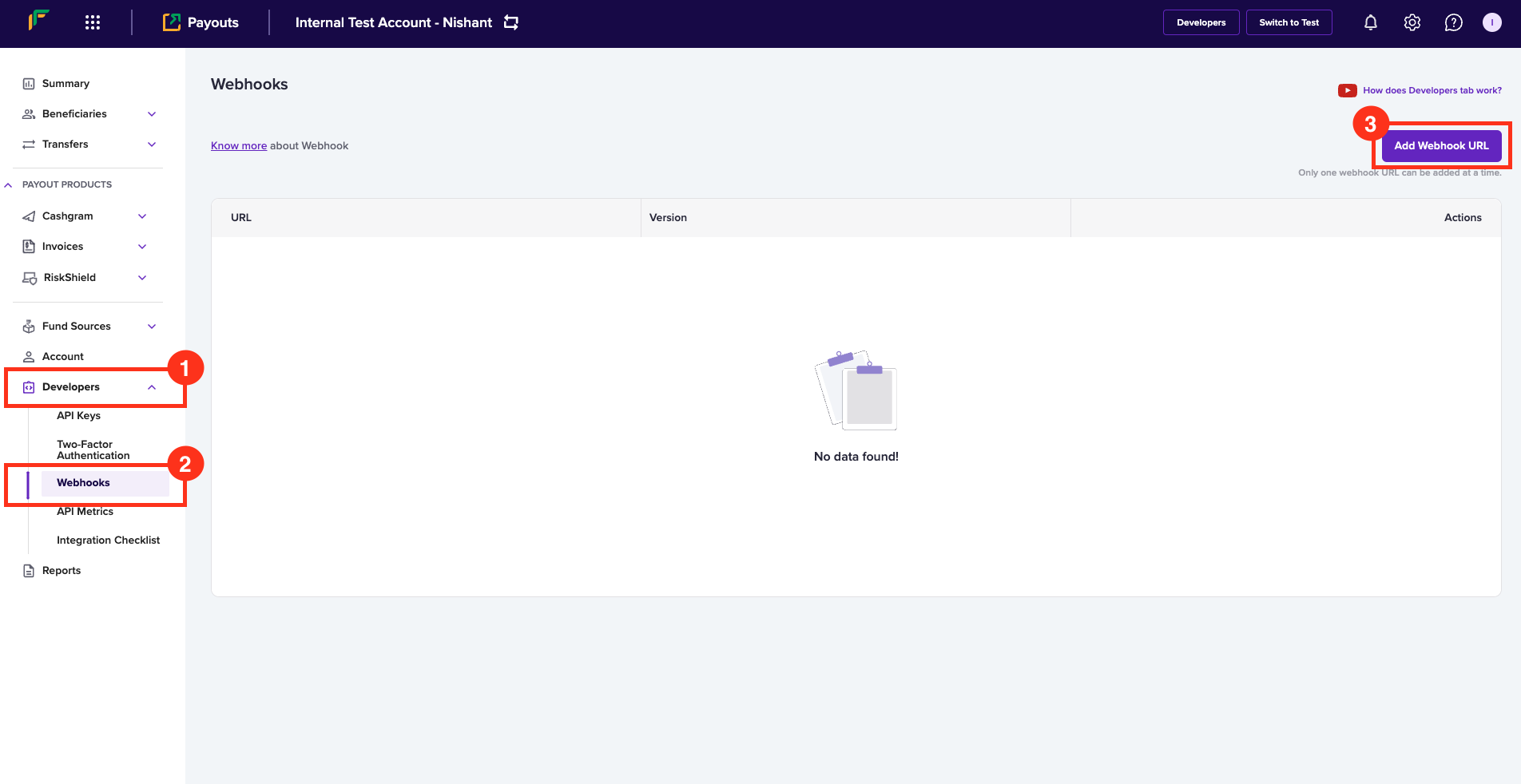
| HTTP Status Code | Status | Status Code | Status Description | Next Action | Try again via Cashfree - Yes or No |
| :--------------- | :----------------- | :----------------------------------- | :-------------------------------------------------------------------------------------------------------------------------------------------------------------------------------------------------------------------------------------------------------------------------------------------------------------------------------------------------------------------------------------------------------------------------------------------------------------------------------------- | :--------------------------------------------------------------------------------------------------------------------------------------------------------------------------------------------------------------------------------------------------------------------------------------------------------------------------------------------------------------------- | :----------------------------------------------------------------- |
| 200 | APPROVAL\_PENDING | VELOCITY\_CHECK\_FAILED | The transfer requires an approval as the count of transfers to a particular beneficiary etc, have breached the limit. You can approve or reject the transfer request from the [Merchant Dashboard](https://merchant.cashfree.com/auth/login). | You can approve/reject the transfer on the [Merchant Dashboard](https://merchant.cashfree.com/auth/login) and go to **Transfers > Approve** tab. Post the transfer is approved, the request is sent to the partner bank for further processing. | - |
| 200 | APPROVAL\_PENDING | TRANSFER\_LIMIT\_BREACH | The transfer requires approval as the transfer amount etc, has breached the limit. You can approve or reject the transfer request from the [Merchant Dashboard](https://merchant.cashfree.com/auth/login). | You can approve/reject the transfer on the [Merchant Dashboard](https://merchant.cashfree.com/auth/login) and go to **Transfers > Approve** tab. Post the transfer is approved, the request is sent to the partner bank for further processing. | - |
| 200 | APPROVAL\_PENDING | APPROVAL\_PENDING | The transfer requires approval. You can approve or reject the transfer request from the [Merchant Dashboard](https://merchant.cashfree.com/auth/login). | You can approve/reject the transfer on the [Merchant Dashboard](https://merchant.cashfree.com/auth/login) and go to **Transfers > Approve** tab. Post the transfer is approved, the request is sent to the partner bank for further processing. | - |
| 200 | APPROVAL\_PENDING | ANOMALY\_DETECTION | The transfer requires approval as it is a high risk transaction detected by the Payout Protect model. You can approve or reject the transfer request from the [Merchant Dashboard](https://merchant.cashfree.com/auth/login) and go to **Payout Protect > Risky Transfers > Flagged Transfers** | You can approve/reject the transfer on the [Merchant Dashboard](https://merchant.cashfree.com/auth/login) and go to **Payout Protect > Risky Transfers > Flagged Transfers** tab. Post the transfer is approved, the request is sent to the partner bank for further processing. | - |
| 200 | APPROVAL\_PENDING | RISK\_CHECK\_MANUAL\_REVIEW\_REQ | The transfer requires approval as it has been flagged by the Payout Protect risk model for manual review. You can approve or reject the transfer request from the [Merchant Dashboard](https://merchant.cashfree.com/auth/login). | Approve/reject the transfer on the [Merchant Dashboard](https://merchant.cashfree.com/auth/login) and go to **Payout Protect > Risky Transfers > Flagged Transfers** tab. | - |
| 200 | APPROVAL\_PENDING | RISK\_CHECK\_ANOMALY\_DETECTED | The transfer requires approval as it has been flagged by the Payout Protect risk model for manual review due to anomaly detection. You can approve or reject the transfer request from the [Merchant Dashboard](https://merchant.cashfree.com/auth/login). | Approve/reject the transfer on the [Merchant Dashboard](https://merchant.cashfree.com/auth/login) and go to **Payout Protect > Risky Transfers > Flagged Transfers** tab. | - |
| 200 | APPROVAL\_PENDING | RISK\_CHECK\_BENEFICIARY\_HIGH\_RISK | The transfer requires approval as the beneficiary has been identified as high risk by the Payout Protect model. You can approve or reject the transfer request from the [Merchant Dashboard](https://merchant.cashfree.com/auth/login). | Approve/reject the transfer on the [Merchant Dashboard](https://merchant.cashfree.com/auth/login) and go to **Payout Protect > Risky Transfers > Flagged Transfers** tab. | - |
| 200 | APPROVAL\_PENDING | RISK\_CHECK\_VELOCITY\_THRESHOLD | The transfer requires approval as it breaches the velocity threshold set in the Payout Protect rules. You can approve or reject the transfer request from the [Merchant Dashboard](https://merchant.cashfree.com/auth/login). | Approve/reject the transfer on the [Merchant Dashboard](https://merchant.cashfree.com/auth/login) and go to **Payout Protect > Risky Transfers > Flagged Transfers** tab. | - |
| 200 | APPROVAL\_PENDING | RISK\_CHECK\_TIME\_WINDOW\_BREACH | The transfer requires approval as it falls outside the allowed time window defined in the Payout Protect rules. You can approve or reject the transfer request from the [Merchant Dashboard](https://merchant.cashfree.com/auth/login). | Approve/reject the transfer on the [Merchant Dashboard](https://merchant.cashfree.com/auth/login) and go to **Payout Protect > Risky Transfers > Flagged Transfers** tab. | - |
| 200 | APPROVAL\_PENDING | RISK\_CHECK\_AMOUNT\_THRESHOLD | The transfer requires approval as it exceeds the amount threshold set in the Payout Protect rules. You can approve or reject the transfer request from the [Merchant Dashboard](https://merchant.cashfree.com/auth/login). | Approve/reject the transfer on the [Merchant Dashboard](https://merchant.cashfree.com/auth/login) and go to **Payout Protect > Risky Transfers > Flagged Transfers** tab. | - |
| 200 | APPROVAL\_PENDING | HIGH\_RISK\_BENEFICIARY | The transfer requires approval as the beneficiary is identified as high risk. You can approve or reject the transfer request from the [Merchant Dashboard](https://merchant.cashfree.com/auth/login). | Approve/reject the transfer on the [Merchant Dashboard](https://merchant.cashfree.com/auth/login) and go to **Payout Protect > Risky Transfers > Flagged Transfers** tab. | - |
| 200 | APPROVAL\_PENDING | UNUSUAL\_ACTIVITY\_DETECTED | The transfer requires approval as unusual activity has been detected in the transfer pattern. You can approve or reject the transfer request from the [Merchant Dashboard](https://merchant.cashfree.com/auth/login). | Approve/reject the transfer on the [Merchant Dashboard](https://merchant.cashfree.com/auth/login) and go to **Payout Protect > Risky Transfers > Flagged Transfers** tab. | - |
| 200 | APPROVAL\_PENDING | BLACKOUT\_WINDOW\_RULE | The transfer requires approval as it falls within the blackout window defined in the Payout Protect rules. You can approve or reject the transfer request from the [Merchant Dashboard](https://merchant.cashfree.com/auth/login). | Approve/reject the transfer on the [Merchant Dashboard](https://merchant.cashfree.com/auth/login) and go to **Payout Protect > Risky Transfers > Flagged Transfers** tab. | - |
| 200 | APPROVAL\_PENDING | CUSTOM\_RULE\_TRIGGERED | The transfer requires approval as it has triggered a custom rule defined in the Payout Protect settings. You can approve or reject the transfer request from the [Merchant Dashboard](https://merchant.cashfree.com/auth/login). | Approve/reject the transfer on the [Merchant Dashboard](https://merchant.cashfree.com/auth/login) and go to **Payout Protect > Risky Transfers > Flagged Transfers** tab. | - |
| 200 | APPROVAL\_PENDING | MANUAL\_APPROVAL\_REQUIRED | The transfer requires manual approval as per the configured workflow. You can approve or reject the transfer request from the [Merchant Dashboard](https://merchant.cashfree.com/auth/login). | Approve/reject the transfer on the [Merchant Dashboard](https://merchant.cashfree.com/auth/login) and go to **Transfers > Approve** tab. | - |
| 200 | APPROVAL\_PENDING | COMPLIANCE\_REVIEW\_PENDING | The transfer requires approval as it is pending compliance review. You can approve or reject the transfer request from the [Merchant Dashboard](https://merchant.cashfree.com/auth/login). | Approve/reject the transfer on the [Merchant Dashboard](https://merchant.cashfree.com/auth/login) and go to **Transfers > Approve** tab. | - |
| 200 | FAILED | WAIT\_TIME\_EXCEEDED | The transfer has failed because there was an intermittent internal error at Cashfree. You can reinitiate the transfer via Cashfree so that the transfer can be reattempted again by Cashfree with the partner bank(s). | You can reinitiate the transfer via Cashfree so that the transfer can be reattempted again by Cashfree with the partner bank(s). | Yes |
| 200 | FAILED | BENE\_BANK\_DECLINED | The transfer has failed because the beneficiary bank has declined the transfer. You can reinitiate the transfer via Cashfree so that the transfer can be reattempted again with the partner bank(s). | - | Yes |
| 200 | FAILED | IMPS\_MODE\_FAIL | The transfer has failed because the beneficiary account does not support IMPS transfers. This rejection is done by the partner bank for the specific beneficiary account. You can try NEFT or other channels to do the disbursals | You can try NEFT or other channels to do the disbursals. | Yes, via a different mode |
| 200 | FAILED | SOURCE\_BANK\_DECLINED | The transfer has failed because our partner bank has declined the transfer because of their internal checks, technical declines etc. You can reinitiate the transfer via Cashfree so that the transfer can be reattempted again with the partner bank(s). | You can reinitiate the transfer via Cashfree so that the transfer can be reattempted again with other partner bank(s). | Yes |
| 200 | FAILED | CONNECTION\_TIMEOUT | The transfer has failed because there was a connection timeout between the bank and Cashfree. You can reinitiate the transfer via Cashfree so that the transfer can be reattempted again with the partner bank(s). | You can reinitiate the transfer via Cashfree so that the transfer can be reattempted again with the partner bank(s). | Yes |
| 200 | FAILED | PAYOUT\_INTERNAL\_ERROR | The transfer has failed because there was an intermittent internal error at Cashfree. You can reinitiate the transfer via Cashfree so that the transfer can be reattempted again by Cashfree with the partner bank(s). | - | Yes |
| 200 | FAILED | NPCI\_UNAVAILABLE | The transfer has failed because NPCI was unavailable to complete the transfer request. You can reinitiate the transfer via Cashfree so that the transfer can be reattempted again by Cashfree. The success of the request is contingent on NPCI services being up. | - | Yes, after some time |
| 200 | FAILED | DEST\_LIMIT\_REACHED | The transfer has failed because the beneficiary account has breached the limit of receiving funds. This rejection is done by the beneficiary bank for the specific beneficiary account. You can reinitiate the transfer after a while via Cashfree so that the transfer can be reattempted again by Cashfree with the partner bank(s). The success of the request is contingent on beneficiary's limit being available to receive incoming funds. | - | Yes, after some time |
| 200 | FAILED | RETURNED\_FROM\_BENEFICIARY | The transfer has failed because the beneficiary bank has returned the transfer and has not need able to credit funds to the end beneficiary. You can reinitiate the transfer via Cashfree so that the transfer can be reattempted again with the partner bank(s). | - | - |
| 200 | FAILED | PAYOUT\_INTERNAL\_ERROR | The transfer has failed because there was an intermittent internal error at Cashfree. You can reinitiate the transfer via Cashfree so that the transfer can be reattempted again by Cashfree with the partner bank(s). | - | - |
| 200 | FAILED | INVALID\_BENE\_ACCOUNT\_OR\_IFSC | The transfer has failed because the beneficiary account or IFSC is invalid. After correcting the beneficiary account or IFSC, you can reinitiate the transfer via Cashfree so that the transfer can be reattempted again by Cashfree with the partner bank(s). | - | - |
| 200 | FAILED | PAYOUT\_INTERNAL\_ERROR | The transfer has failed because there was an intermittent internal error at Cashfree. You can reinitiate the transfer via Cashfree so that the transfer can be reattempted again by Cashfree with the partner bank(s). | - | - |
| 200 | FAILED | FAILED | The transfer has failed because there was an intermittent issue at the partner bank's end. You can reinitiate the transfer via Cashfree so that the transfer can be reattempted again by Cashfree with the partner bank(s). | You can reinitiate the transfer via Cashfree so that the transfer can be reattempted again by Cashfree with the partner bank(s). | Yes, after some time |
| 200 | FAILED | PAYOUT\_INTERNAL\_ERROR | The transfer has failed because there was an intermittent internal error at Cashfree. You can reinitiate the transfer via Cashfree so that the transfer can be reattempted again by Cashfree with the partner bank(s). | - | - |
| 200 | FAILED | INSUFFICIENT\_BALANCE | The transfer has failed because of low balance in your Cashfree Wallet/ Bank Account. After recharging the account, you can reinitiate the transfer via Cashfree so that the transfer can be reattempted again by Cashfree with the partner bank(s). | After recharging the account, you can reinitiate the transfer via Cashfree so that the transfer can be reattempted again by Cashfree with the partner bank(s). | Yes, after recharging |
| 200 | FAILED | INVALID\_BENE\_VPA | The transfer has failed because the beneficiary VPA is invalid. After correcting the VPA handle, you can reinitiate the transfer via Cashfree so that the transfer can be reattempted again by Cashfree with the partner bank(s). | After correcting the VPA handle, you can reinitiate the transfer via Cashfree so that the transfer can be reattempted again by Cashfree with the partner bank(s). | Yes, after correcting the VPA handle |
| 200 | FAILED | INVALID\_IFSC\_FAIL | The transfer has failed because the IFSC is invalid. After correcting the IFSC, you can reinitiate the transfer via Cashfree so that the transfer can be reattempted again by Cashfree with the partner bank(s). | After correcting the IFSC, you can reinitiate the transfer via Cashfree so that the transfer can be reattempted again by Cashfree with the partner bank(s). | Yes, after correcting the IFSC |
| 200 | FAILED | BAD\_GATEWAY | The transfer has failed because there was an intermittent internal error at Cashfree. You can reinitiate the transfer via Cashfree so that the transfer can be reattempted again by Cashfree with the partner bank(s). | You can reinitiate the transfer via Cashfree so that the transfer can be reattempted again by Cashfree with the partner bank(s). | Yes |
| 200 | FAILED | INVALID\_AMOUNT\_FAIL | The transfer has failed because the amount entered is invalid. After correcting the amount, you can reinitiate the transfer via Cashfree so that the transfer can be reattempted again by Cashfree with the partner bank(s). | After correcting the amount, you can reinitiate the transfer via Cashfree so that the transfer can be reattempted again by Cashfree with the partner bank(s). | Yes, after correcting the amount |
| 200 | FAILED | INVALID\_ACCOUNT\_FAIL | The transfer has failed because the Account Number of the beneficiary is invalid, as per our partner bank. After correcting the account number, you can reinitiate the transfer via Cashfree so that the transfer can be reattempted again by Cashfree with the partner bank(s). | After correcting the account number, you can reinitiate the transfer via Cashfree so that the transfer can be reattempted again by Cashfree with the partner bank(s). | Yes, after correcting the account number |
| 200 | FAILED | INVALID\_REQUEST | The transfer has failed because the transfer request is invalid, as per our partner bank, because of exceeding the character limit of certain parameter, wrong input etc. You can reinitiate the transfer via Cashfree so that the transfer can be reattempted again by Cashfree with the partner bank(s). | - | - |
| 200 | FAILED | ACCOUNT\_BLOCKED | The transfer has failed because the account is blocked, as per our partner bank. After getting the account unblocked, you can reinitiate the transfer via Cashfree so that the transfer can be reattempted again by Cashfree with the partner bank(s). | After getting the account unblocked, you can reinitiate the transfer via Cashfree so that the transfer can be reattempted again by Cashfree with the partner bank(s). | Yes, after unblocking the account number |
| 200 | FAILED | DEBIT\_FAILURE | The transfer has failed because there was an intermittent internal error at Cashfree. You can reinitiate the transfer via Cashfree so that the transfer can be reattempted again by Cashfree with the partner bank(s). | You can reinitiate the transfer via Cashfree so that the transfer can be reattempted again by Cashfree with the partner bank(s). | Yes |
| 200 | FAILED | BENEFICIARY\_BANK\_OFFLINE | The transfer has failed because the respective beneficiary bank is offline. After some time, you can reinitiate the transfer via Cashfree so that the transfer can be reattempted again by Cashfree with the partner bank(s). | After some time, you can reinitiate the transfer via Cashfree so that the transfer can be reattempted again by Cashfree with the partner bank(s). | Yes |
| 200 | FAILED | AUTHENTICATION\_FAILURE | The transfer has failed because there was an authentication failure at the partner bank's end. After checking with the partner bank, you can reinitiate the transfer via Cashfree so that the transfer can be reattempted again by Cashfree with the partner bank(s). | This is a scenario when the API access is not working at the partner bank's end. After checking with the partner bank, you can reinitiate the transfer via Cashfree so that the transfer can be reattempted again by Cashfree with the partner bank(s). | Yes |
| 200 | FAILED | NRE\_ACCOUNT\_FAIL | The transfer has failed because the beneficiary account is an NRE Account and transfers to NRE Accounts are not supported, as per our partner bank. | Get a new account(non-NRE account) from the beneficiary; you can reinitiate the transfer via Cashfree so that the transfer can be reattempted again by Cashfree with the partner bank(s). | No |
| 200 | FAILED | SOURCE\_LIMIT\_REACHED | The transfer has been failed by the partner bank as the source bank account has reached a limit of transferring funds. You can reinitiate the transfer via Cashfree so that the transfer can be reattempted again by Cashfree with the partner bank(s). | If you are on Cashfree Wallet, you can reinitiate the transfer via Cashfree so that the transfer can be reattempted again by Cashfree with the partner bank(s). If you are on Connected Bank, you need to recharge your bank account and then reinitiate the transfer via Cashfree so that the transfer can be reattempted again by Cashfree with the partner bank(s). | Yes, after some time |
| 200 | FAILED | BANK\_GATEWAY\_ERROR | The transfer has failed because there was an intermittent issue at the partner bank's end. You can reinitiate the transfer via Cashfree so that the transfer can be reattempted again by Cashfree with the partner bank(s). | You can reinitiate the transfer via Cashfree so that the transfer can be reattempted again by Cashfree with the partner bank(s). | Yes |
| 200 | FAILED | BAD\_REQUEST | The transfer has failed because the details of the transfer request is invalid, as per our partner bank. After correcting the details in the transfer request, you can reinitiate the transfer via Cashfree so that the transfer can be reattempted again by Cashfree with the partner bank(s). | After correcting the details in the transfer request, you can reinitiate the transfer via Cashfree so that the transfer can be reattempted again by Cashfree with the partner bank(s). | Yes |
| 200 | FAILED | REINITIALIZE\_TRANSFER\_LATER | The transfer has failed because there was an intermittent internal error at Cashfree. You can reinitiate the transfer via Cashfree so that the transfer can be reattempted again by Cashfree with the partner bank(s). | You can reinitiate the transfer via Cashfree so that the transfer can be reattempted again by Cashfree with the partner bank(s). | Yes |
| 200 | MANUALLY\_REJECTED | MANUALLY\_REJECTED | The transfer has failed because it has been manually rejected by the merchant or any team member user who has the permissions to do the same on [Merchant Dashboard](https://merchant.cashfree.com/auth/login). You can reinitiate the transfer via Cashfree so that the transfer can be reattempted again with the partner bank(s). | If the merchant wants to reinitiate the transfer, they can reinitiate the transfer via Cashfree so that the transfer can be reattempted again with the partner bank(s). | Yes, if you want to reinitiate the transfer |
| 200 | PENDING | SENT\_TO\_BANK | The transfer is currently in a Pending state, as Cashfree is awaiting a final confirmation from the partner bank for a terminal status. This has been sent to the bank by our banking operations team. Please do check statuses or await webhooks to know the terminal state of the transfer request. | Rely on Check Status API or webhooks | - |
| 200 | PENDING | BANK\_GATEWAY\_ERROR | The transfer is currently in a Pending state, as Cashfree is awaiting a final confirmation from the partner bank for a terminal status. You should rely only on Check Status API response or Webhooks to know the terminal state of the transfer request. | Rely on Check Status API or webhooks | - |
| 200 | PENDING | NO\_SUCH\_REQUEST | The transfer is currently in a Pending state, as Cashfree is awaiting a final confirmation from the partner bank for a terminal status. The bank is not able to find the request at their end as of now, and it has been sent to the bank by our banking operations team. Please do check statuses or await webhooks to know the terminal state of the transfer request. | Rely on Check Status API or webhooks | - |
| 200 | PENDING | IN\_PROCESS | The transfer is currently in a Pending state, as Cashfree is awaiting a final confirmation from the partner bank for a terminal status. Please do check statuses or await webhooks to know the terminal state of the transfer request. | Rely on Check Status API or webhooks | - |
| 200 | PENDING | ERROR\_FETCHING\_STATUS | The transfer is currently in a Pending state, as Cashfree is awaiting a final confirmation from the partner bank for a terminal status. The response received from the partner bank has a new code. This has been raised with the bank to understand the new code. Please do check statuses or await webhooks to know the terminal state of the transfer request. | Rely on Check Status API or webhooks | - |
| 200 | PENDING | TRANSACTION\_PROCESSED | The transfer is currently in a Pending state, as Cashfree is awaiting a final confirmation from the partner bank for a terminal status. You should rely only on Check Status API response or Webhooks to know the terminal state of the transfer request. | Rely on Check Status API or webhooks | - |
| 200 | PENDING | REQUEST\_TIMEDOUT | The transfer is currently in a Pending state, as Cashfree is awaiting a final confirmation from the partner bank for a terminal status. The bank is not able to find the request at their end as of now as the request between the partner bank has probably timed out, and it has been highlighted to the bank by our banking operations team. Please do check statuses or await webhooks to know the terminal state of the transfer request. | Rely on Check Status API or webhooks | - |
| 200 | PENDING | DUPLICATE | The transfer is currently in a Pending state, as Cashfree is awaiting a final confirmation from the partner bank for a terminal status. The bank claims of receiving a duplicate request at their end as of now. You should rely only on Check Status API response or Webhooks to know the terminal state of the transfer request. | Rely on Check Status API or webhooks | - |
| 200 | PENDING | PENDING | The transfer is currently in a Pending state, as Cashfree is awaiting a final confirmation from the partner bank for a terminal status. You should rely only on Check Status API response or Webhooks to know the terminal state of the transfer request. | | |
| 200 | PENDING | SCHEDULED\_FOR\_NEXT\_WORKINGDAY | The transfer is currently in a Pending state, as the bank has scheduled the transfer for the next working day. This typically happens for NEFT/RTGS transfers if they are initiated beyond the cut-off hours or during bank holidays. You should rely only on Check Status API response or Webhooks to know the terminal state of the transfer request. | - | - |
| 200 | PENDING | SUSPECT | The transfer is currently in a Pending state, as the bank has scheduled the transfer for the next working day. This typically happens for NEFT/RTGS transfers if they are initiated beyond the cut-off hours or during bank holidays. You should rely only on Check Status API response or Webhooks to know the terminal state of the transfer request. | - | - |
| 200 | PENDING | IMPLEMENTATION\_ERROR | The transfer is currently in a Pending state, as Cashfree is awaiting a final confirmation from the partner bank for a terminal status. You should rely only on Check Status API response or Webhooks to know the terminal state of the transfer request. | - | - |
| 200 | PENDING | UNKNOWN\_ERROR\_CODE | The transfer is currently in a Pending state, as Cashfree is awaiting a final confirmation from the partner bank for a terminal status. The response received from the partner bank has a new code. This has been raised with the bank to understand the new code. Please do check statuses or await webhooks to know the terminal state of the transfer request. | - | - |
| 200 | QUEUED | QUEUED | The transfer is currently in a Pending state, as Cashfree is awaiting a final confirmation from the partner bank for a terminal status. You should rely only on Check Status API response or Webhooks to know the terminal state of the transfer request. | Rely on Check Status API or webhooks | - |
| 200 | RECEIVED | RECEIVED | The transfer has been received by Cashfree successfully for further processing. You should use Check Status API response or Webhooks to know the terminal state of the transfer request. | Rely on Check Status API or webhooks | - |
| 200 | REJECTED | BENE\_NOT\_EXIST | The transfer has been rejected because the beneficiary, added in the transfer request, does not exist. After adding the right beneficiary, you can reinitiate the transfer via Cashfree so that the transfer can be reattempted again by Cashfree with the partner bank(s). | After adding the right beneficiary, you can reinitiate the transfer via Cashfree so that the transfer can be reattempted again by Cashfree with the partner bank(s). | Yes, after adding the right beneficiary |
| 200 | REJECTED | INSUFFICIENT\_BALANCE | The transfer has been rejected because of low balance in your Cashfree Wallet. After recharging the account, you can reinitiate the transfer via Cashfree so that the transfer can be reattempted again by Cashfree with the partner bank(s). | After recharging the account, you can reinitiate the transfer via Cashfree so that the transfer can be reattempted again by Cashfree with the partner bank(s). | Yes, after recharging |
| 200 | REJECTED | INSIDE\_BLACKOUT\_WINDOW | The transfer has been rejected because the transfer falls under the blackout window defined by you in Payout Protect. You can reinitiate the transfer via Cashfree, after the blackout window or after modifying the blackout window from the [Merchant Dashboard](https://merchant.cashfree.com/auth/login), so that the transfer can be reattempted again by Cashfree with the partner bank(s). | You can reinitiate the transfer via Cashfree, after the blackout window or after modifying the blackout window from the [Merchant Dashboard](https://merchant.cashfree.com/auth/login), so that the transfer can be reattempted again by Cashfree with the partner bank(s). | Yes |
| 200 | REJECTED | INVALID\_MODE\_FOR\_PYID | The transfer has been rejected because the payment instrument does not support this mode of transfer. You should get this mode activated on the payment instrument ID by contacting Cashfree, and then initiate a new transfer request. | You should get this mode activated on the payment instrument ID by contacting Cashfree, and then initiate a new transfer request. | Yes, after activating the mode. |
| 200 | REJECTED | BENE\_BLACKLISTED | The transfer has been rejected because the beneficiary's bank account and/or VPA handles have been blacklisted by Risk team. You should get a different bank account and/or VPA to send the transfer, or you can connect with Cashfree Team to understand more about this. | You should get a different bank account and/or VPA to send the transfer, or you can connect with Cashfree Team to understand more about this. | Yes, after correcting the beneficiary details |
| 200 | REJECTED | TRANSFER\_NOT\_ATTEMPTED | The transfer has failed because there was an intermittent internal error at Cashfree. You can reinitiate the transfer via Cashfree so that the transfer can be reattempted again by Cashfree with the partner bank(s). | You can reinitiate the transfer via Cashfree so that the transfer can be reattempted again by Cashfree with the partner bank(s). | Yes |
| 200 | REJECTED | INVALID\_TRANSFER\_AMOUNT | The transfer has been rejected because the amount entered is invalid. After correcting the amount, you can reinitiate the transfer via Cashfree so that the transfer can be reattempted again by Cashfree with the partner bank(s). | After correcting the amount, you can reinitiate the transfer via Cashfree so that the transfer can be reattempted again by Cashfree with the partner bank(s) | Yes, after correcting the amount |
| 200 | REJECTED | TRANSFER\_LIMIT\_BREACH | The transfer has been rejected because the amount entered breaches the limits set for your payout account. After correcting the amount, you can reinitiate the transfer via Cashfree so that the transfer can be reattempted again by Cashfree with the partner bank(s). You can connect with Cashfree if you are not sure about the transfer limits set for your payout account. | After correcting the amount, you can reinitiate the transfer via Cashfree so that the transfer can be reattempted again by Cashfree with the partner bank(s). You can connect with Cashfree if you are not sure about the transfer limits set for your payout account. | Yes, after adhering to the transfer limits |
| 200 | REJECTED | INVALID\_PAYMENT\_INSTRUMENT | The transfer has been rejected because the payment instrument (fundsource\_id parameter in the API request) used for attempting the transfer is invalid. After correcting the payment instrument, you can reinitiate the transfer via Cashfree so that the transfer can be attempted by Cashfree with the partner bank(s). | After correcting the payment instrument, you can reinitiate the transfer via Cashfree so that the transfer can be attempted by Cashfree with the partner bank(s). | Yes, after correcting the payment instrument |
| 200 | REJECTED | PAYOUT\_INTERNAL\_ERROR | The transfer has been rejected because there was an intermittent internal error at Cashfree. You can reinitiate the transfer via Cashfree so that the transfer can be reattempted again by Cashfree with the partner bank(s). | You can reinitiate the transfer via Cashfree so that the transfer can be reattempted again by Cashfree with the partner bank(s). | Yes |
| 200 | REJECTED | VELOCITY\_CHECK\_FAILED | The transfer has been rejected because the amount entered breaches the limits set for your payout account. After correcting the amount, you can reinitiate the transfer via Cashfree so that the transfer can be reattempted again by Cashfree with the partner bank(s). You can connect with Cashfree if you are not sure about the transfer limits set for your payout account. | After correcting the amount, you can reinitiate the transfer via Cashfree so that the transfer can be reattempted again by Cashfree with the partner bank(s). You can connect with Cashfree if you are not sure about the transfer limits set for your payout account. | Yes, after adhering to the transfer limit |
| 200 | REJECTED | PAYOUT\_INTERNAL\_ERROR | The transfer has been rejected because there was an intermittent internal error at Cashfree. You can reinitiate the transfer via Cashfree so that the transfer can be reattempted again by Cashfree with the partner bank(s). | You can reinitiate the transfer via Cashfree so that the transfer can be reattempted again by Cashfree with the partner bank(s). | Yes |
| 200 | REJECTED | PAYOUT\_INTERNAL\_ERROR | The transfer has been rejected because there was an intermittent internal error at Cashfree. You can reinitiate the transfer via Cashfree so that the transfer can be reattempted again by Cashfree with the partner bank(s). | You can reinitiate the transfer via Cashfree so that the transfer can be reattempted again by Cashfree with the partner bank(s). | Yes |
| 200 | REJECTED | DISABLED\_MODE | The transfer has been rejected because your payout account does not support this mode of transfer. You should get this mode activated on your payout account by contacting Cashfree, and then initiate a new transfer request. | You should get this mode activated on your payout account by contacting Cashfree, and then initiate a new transfer request. | Yes, after activating the mode |
| 200 | REJECTED | BANK\_ACCOUNT\_INVALID | The transfer has been rejected because there is a mismatch in the Bank Account Number of the beneficiary ID and the Bank Account Number in the transfer request. After correcting the Bank Account Number, you can reinitiate the transfer via Cashfree so that the transfer can be attempted by Cashfree with the partner bank(s). | After correcting the Bank Account Number, you can reinitiate the transfer via Cashfree so that the transfer can be attempted by Cashfree with the partner bank(s). | Yes, after correcting the bank account number |
| 200 | REJECTED | BANK\_IFSC\_INVALID | The transfer has been rejected because there is a mismatch in the IFSC of the beneficiary ID and the IFSC in the transfer request. After correcting the IFSC, you can reinitiate the transfer via Cashfree so that the transfer can be attempted by Cashfree with the partner bank(s). | After correcting the IFSC, you can reinitiate the transfer via Cashfree so that the transfer can be attempted by Cashfree with the partner bank(s). | Yes, after correcting the IFSC |
| 200 | REJECTED | VPA\_INVALID | The transfer has been rejected because there is a mismatch in the VPA handle of the beneficiary ID and the VPA handle in the transfer request. After correcting the VPA handle, you can reinitiate the transfer via Cashfree so that the transfer can be attempted by Cashfree with the partner bank(s). | After correcting the VPA handle, you can reinitiate the transfer via Cashfree so that the transfer can be attempted by Cashfree with the partner bank(s). | Yes, after correcting the VPA handle |
| 200 | REJECTED | PHONE\_INVALID | The transfer has been rejected because there is a mismatch in the Phone Number of the beneficiary ID and the Phone Number in the transfer request. After correcting the Phone Number, you can reinitiate the transfer via Cashfree so that the transfer can be attempted by Cashfree with the partner bank(s). | After correcting the Phone Number, you can reinitiate the transfer via Cashfree so that the transfer can be attempted by Cashfree with the partner bank(s). | Yes, after correcting the phone number. |
| 200 | REJECTED | BANK\_ACCOUNT\_DETAILS\_MISSING | The transfer has been rejected because the Bank Account Details are missing in the transfer request. After adding the Bank Account Details, you can reinitiate the transfer via Cashfree so that the transfer can be attempted by Cashfree with the partner bank(s). | After adding the Bank Account Details, you can reinitiate the transfer via Cashfree so that the transfer can be attempted by Cashfree with the partner bank(s). | Yes, after adding the bank account details. |
| 200 | REVERSED | ACCOUNT\_BLOCKED | The transfer has been reversed by the beneficiary bank as the end-beneficiary's account is blocked for receiving incoming funds. After correcting the account number or getting the account unblocked, you can reinitiate the transfer via Cashfree so that the transfer can be reattempted again by Cashfree with the partner bank(s). | After correcting the account number or getting the account unblocked, you can reinitiate the transfer via Cashfree so that the transfer can be reattempted again by Cashfree with the partner bank(s). | Yes, after adding the new details or getting the account unblocked |
| 200 | REVERSED | FAILED | The transfer has been reversed by the beneficiary bank as they were unable to credit the end beneficiary's bank account. You can reinitiate the transfer via Cashfree so that the transfer can be reattempted again by Cashfree with the partner bank(s). | - | Yes |
| 200 | REVERSED | NRE\_ACCOUNT\_FAIL | The transfer has been reversed by the beneficiary bank as they were unable to credit the end beneficiary's bank account as it is an NRE Account and transfers to NRE Accounts are not supported. | Get a new account(non-NRE account) from the beneficiary; you can reinitiate the transfer via Cashfree so that the transfer can be reattempted again by Cashfree with the partner bank(s). | No |
| 200 | REVERSED | RETURNED\_FROM\_BENEFICIARY | The transfer has been reversed by the beneficiary bank as they were unable to credit the end beneficiary's bank account. You can reinitiate the transfer via Cashfree so that the transfer can be reattempted again by Cashfree with the partner bank(s). | You can reinitiate the transfer via Cashfree so that the transfer can be reattempted again by Cashfree with the partner bank(s). | Yes |
| 200 | REVERSED | BENE\_BANK\_DECLINED | The transfer has been declined by the beneficiary bank and they were unable to credit the end beneficiary's bank account. You can reinitiate the transfer via Cashfree so that the transfer can be reattempted again by Cashfree with the partner bank(s). | You can reinitiate the transfer via Cashfree so that the transfer can be reattempted again by Cashfree with the partner bank(s). | Yes |
| 200 | REVERSED | IMPS\_MODE\_FAIL | The transfer has been reversed by the beneficiary bank because the beneficiary bank account does not support IMPS transfers. This rejection is done by the beneficiary bank for the specific beneficiary account. You can try NEFT or other channels to do the disbursals. | You can reinitiate the transfer via Cashfree by changing the mode so that the transfer can be reattempted again by Cashfree with the partner bank(s). | Yes, after changing the mode |
| 200 | REVERSED | DEST\_LIMIT\_REACHED | The transfer has been reversed by the beneficiary bank as the end-beneficiary's account has reached a limit of receiving incoming funds. This rejection is done by the beneficiary bank for the specific beneficiary account. You can reinitiate the transfer after a while via Cashfree so that the transfer can be reattempted again by Cashfree with the partner bank(s). The success of the request is contingent on beneficiary's limit being available to receive incoming funds. | The limits on the beneficiary account are typically refreshed every 24 hours. Its not clear when the 24 hour window shall elpase so you can then reinitiate the transfer via Cashfree after some time so that the transfer can be reattempted again by Cashfree with the partner bank(s). | Yes, after some time. |
| 200 | REVERSED | INVALID\_ACCOUNT\_FAIL | The transfer has been reversed by the beneficiary bank because the Account Number of the beneficiary is invalid. After correcting the account number, you can reinitiate the transfer via Cashfree so that the transfer can be reattempted again by Cashfree with the partner bank(s). | After correcting the account number, you can reinitiate the transfer via Cashfree so that the transfer can be reattempted again by Cashfree with the partner bank(s). | Yes, after correcting the account number |
| 200 | REVERSED | BENE\_NAME\_DIFFERS | The transfer has been reversed by the beneficiary bank because the Account Name of the beneficiary is different. After correcting the beneficiary name, you can reinitiate the transfer via Cashfree so that the transfer can be reattempted again by Cashfree with the partner bank(s). | After correcting the beneficiary name, you can reinitiate the transfer via Cashfree so that the transfer can be reattempted again by Cashfree with the partner bank(s). | Yes, after correcting the account name |
| 200 | SUCCESS | SENT\_TO\_BENEFICIARY | The transfer has been initiated via the partner bank successfully. The request is waiting to be processed at the beneficiary bank to do the credit to the end beneficiary. | - | - |
| 200 | SUCCESS | COMPLETED | The transfer has been initiated via the partner bank successfully, hence your account is debited and the request is successfully processed by the beneficiary bank and has been credited to the end beneficiary. | - | - |
#### 4XX errors
| HTTP Status Code | Error Code | Message | Next Action |
| :--------------- | :------------------------------------------------------------------------------------------------- | :------------------------------------------------------------------------------------------------------------- | :---------------------------------------- |
| 400 | batch\_transfer\_id\_missing | batch\_transfer\_id\_missing is missing in the request | Enter a batch transfer ID in the request. |
| 400 | batch\_transfer\_id\_invalid | batch\_transfer\_id\_invalid should be alphanumeric | Enter a valid batch transfer ID. |
| 400 | transfers\[0].transfer\_id\_invalid | transfer\_id should be alphanumeric | Enter a valid transfer ID. |
| 400 | transfers\[0].transfer\_id\_missing | transfer\_id is missing in the request | Enter a transfer ID in the request. |
| 400 | transfers\[0].transfer\_amount\_invalid | transfer\_amount should be greater then 1.00 | Enter an amount greater than 1.00. |
| 400 | transfers\[0].transfer\_amount\_missing | transfer\_amount is missing in the request | Enter a transfer amount in the request. |
| 400 | transfers\[0].transfer\_mode\_invalid | transfer\_mode is invalid allowed values are : bank, imps, neft, rtgs, upi, paytm, amazonpay, card and cardupi | Enter a valid transfer mode. |
| 400 | transfers\[0].beneficiary\_details.beneficiary\_id\_invalid | beneficiary\_id should be alphanumeric | Enter a valid beneficiary ID. |
| 400 | transfers\[0].beneficiary\_details.beneficiary\_name\_invalid | beneficiary\_name is invalid. only alphabets and whitespaces are allowed | Enter a valid beneficiary name. |
| 400 | transfers\[0].beneficiary\_details.beneficiary\_instrument\_details.bank\_account\_number\_invalid | bank\_account\_number should be alphanumeric | Enter a valid bank account number. |
| 400 | transfers\[0].beneficiary\_details.beneficiary\_instrument\_details.bank\_ifsc\_invalid | bank\_ifsc should be in standard ifsc format | Enter a valid IFSC. |
| 400 | transfers\[0].beneficiary\_details.beneficiary\_instrument\_details.vpa\_invalid | vpa is in invalid format | Enter a valid VPA. |
# Get Batch Transfer Status V2
Source: https://www.cashfree.com/docs/api-reference/payouts/v2/transfers-v2/get-batch-transfer-status-v2
get /transfers/batch
Use this API to get the status of the initiated batch transfer. You can use either the batch_transfer_id or cf_batch_transfer_id to fetch the details.
To check the status of batch transfers, use the [Get Batch Transfer Status API](/api-reference/payouts/v2/transfers-v2/get-batch-transfer-status-v2). Do not use the Get Transfer Status API; it applies only to individual transfers and may not provide accurate results for batch transactions.
| HTTP Status Code | Status | Status Code | Status Description | Next Action | Try again via Cashfree - Yes or No |
| :--------------- | :----------------- | :----------------------------------- | :-------------------------------------------------------------------------------------------------------------------------------------------------------------------------------------------------------------------------------------------------------------------------------------------------------------------------------------------------------------------------------------------------------------------------------------------------------------------------------------- | :--------------------------------------------------------------------------------------------------------------------------------------------------------------------------------------------------------------------------------------------------------------------------------------------------------------------------------------------------------------------- | :--------------------------------------------------------- |
| 200 | APPROVAL\_PENDING | VELOCITY\_CHECK\_FAILED | The transfer requires an approval as the count of transfers to a particular beneficiary etc have breached the limit. You can approve or reject the transfer request from the Cashfree [Merchant Dashboard](https://merchant.cashfree.com/auth/login). | You can approve/reject the transfer on the [Merchant Dashboard](https://merchant.cashfree.com/auth/login) and go to **Transfers > Approve** tab. Post the transfer is approved, the request is sent to the partner bank for further processing. | - |
| 200 | APPROVAL\_PENDING | TRANSFER\_LIMIT\_BREACH | The transfer requires an approval as the transfer amount etc have breached the limit. You can approve or reject the transfer request from the Cashfree [Merchant Dashboard](https://merchant.cashfree.com/auth/login). | You can approve/reject the transfer on the [Merchant Dashboard](https://merchant.cashfree.com/auth/login) and go to **Transfers > Approve** tab. Post the transfer is approved, the request is sent to the partner bank for further processing. | - |
| 200 | APPROVAL\_PENDING | APPROVAL\_PENDING | The transfer requires approval. You can approve or reject the transfer request from the Cashfree [Merchant Dashboard](https://merchant.cashfree.com/auth/login). | You can approve/reject the transfer on the [Merchant Dashboard](https://merchant.cashfree.com/auth/login) and go to **Transfers > Approve** tab. Post the transfer is approved, the request is sent to the partner bank for further processing. | - |
| 200 | APPROVAL\_PENDING | ANOMALY\_DETECTION | The transfer requires approval as it is a high risk transaction detected by Payout Protect model. You can approve or reject the transfer request from the Cashfree [Merchant Dashboard](https://merchant.cashfree.com/auth/login) and go to **Payout Protect > Risky Transfers > Flagged Transfers** | You can approve/reject the transfer on the [Merchant Dashboard](https://merchant.cashfree.com/auth/login) and go to **Payout Protect > Risky Transfers > Flagged Transfers** tab. Post the transfer is approved, the request is sent to the partner bank for further processing. | |
| 200 | APPROVAL\_PENDING | RISK\_CHECK\_MANUAL\_REVIEW\_REQ | The transfer requires approval as it has been flagged by the Payout Protect risk model for manual review. You can approve or reject the transfer request from the Cashfree Merchant Dashboard. | Approve/reject the transfer on the Merchant Dashboard and go to **Payout Protect > Risky Transfers > Flagged Transfers** tab. | - |
| 200 | APPROVAL\_PENDING | RISK\_CHECK\_ANOMALY\_DETECTED | The transfer requires approval as it has been flagged by the Payout Protect risk model for manual review due to anomaly detection. You can approve or reject the transfer request from the Cashfree Merchant Dashboard. | Approve/reject the transfer on the Merchant Dashboard and go to **Payout Protect > Risky Transfers > Flagged Transfers** tab. | - |
| 200 | APPROVAL\_PENDING | RISK\_CHECK\_BENEFICIARY\_HIGH\_RISK | The transfer requires approval as the beneficiary has been identified as high risk by the Payout Protect model. You can approve or reject the transfer request from the Cashfree Merchant Dashboard. | Approve/reject the transfer on the Merchant Dashboard and go to **Payout Protect > Risky Transfers > Flagged Transfers** tab. | - |
| 200 | APPROVAL\_PENDING | RISK\_CHECK\_VELOCITY\_THRESHOLD | The transfer requires approval as it breaches the velocity threshold set in the Payout Protect rules. You can approve or reject the transfer request from the Cashfree Merchant Dashboard. | Approve/reject the transfer on the Merchant Dashboard and go to **Payout Protect > Risky Transfers > Flagged Transfers** tab. | - |
| 200 | APPROVAL\_PENDING | RISK\_CHECK\_TIME\_WINDOW\_BREACH | The transfer requires approval as it falls outside the allowed time window defined in the Payout Protect rules. You can approve or reject the transfer request from the Cashfree Merchant Dashboard. | Approve/reject the transfer on the Merchant Dashboard and go to **Payout Protect > Risky Transfers > Flagged Transfers** tab. | - |
| 200 | APPROVAL\_PENDING | RISK\_CHECK\_AMOUNT\_THRESHOLD | The transfer requires approval as it exceeds the amount threshold set in the Payout Protect rules. You can approve or reject the transfer request from the Cashfree Merchant Dashboard. | Approve/reject the transfer on the Merchant Dashboard and go to **Payout Protect > Risky Transfers > Flagged Transfers** tab. | - |
| 200 | APPROVAL\_PENDING | HIGH\_RISK\_BENEFICIARY | The transfer requires approval as the beneficiary is identified as high risk. You can approve or reject the transfer request from the Cashfree Merchant Dashboard. | Approve/reject the transfer on the Merchant Dashboard and go to **Payout Protect > Risky Transfers > Flagged Transfers** tab. | - |
| 200 | APPROVAL\_PENDING | UNUSUAL\_ACTIVITY\_DETECTED | The transfer requires approval as unusual activity has been detected in the transfer pattern. You can approve or reject the transfer request from the Cashfree Merchant Dashboard. | Approve/reject the transfer on the Merchant Dashboard and go to **Payout Protect > Risky Transfers > Flagged Transfers** tab. | - |
| 200 | APPROVAL\_PENDING | BLACKOUT\_WINDOW\_RULE | The transfer requires approval as it falls within the blackout window defined in the Payout Protect rules. You can approve or reject the transfer request from the Cashfree Merchant Dashboard. | Approve/reject the transfer on the Merchant Dashboard and go to **Payout Protect > Risky Transfers > Flagged Transfers** tab. | - |
| 200 | APPROVAL\_PENDING | CUSTOM\_RULE\_TRIGGERED | The transfer requires approval as it has triggered a custom rule defined in the Payout Protect settings. You can approve or reject the transfer request from the Cashfree Merchant Dashboard. | Approve/reject the transfer on the Merchant Dashboard and go to **Payout Protect > Risky Transfers > Flagged Transfers** tab. | - |
| 200 | APPROVAL\_PENDING | MANUAL\_APPROVAL\_REQUIRED | The transfer requires manual approval as per the configured workflow. You can approve or reject the transfer request from the Cashfree Merchant Dashboard. | Approve/reject the transfer on the Merchant Dashboard and go to **Transfers > Approve** tab. | - |
| 200 | APPROVAL\_PENDING | COMPLIANCE\_REVIEW\_PENDING | The transfer requires approval as it is pending compliance review. You can approve or reject the transfer request from the Cashfree Merchant Dashboard. | Approve/reject the transfer on the Merchant Dashboard and go to **Transfers > Approve** tab. | - |
| 200 | FAILED | WAIT\_TIME\_EXCEEDED | The transfer has failed because there was an intermittent internal error at Cashfree. You can reinitiate the transfer via Cashfree so that the transfer can be reattempted again by Cashfree with the partner bank(s). | You can reinitiate the transfer via Cashfree so that the transfer can be reattempted again by Cashfree with the partner bank(s). | Yes |
| 200 | FAILED | BENE\_BANK\_DECLINED | The transfer has failed because the beneficiary bank has declined the transfer. You can reinitiate the transfer via Cashfree so that the transfer can be reattempted again with the partner bank(s). | - | Yes |
| 200 | FAILED | IMPS\_MODE\_FAIL | The transfer has failed because the beneficiary account doesnot support IMPS transfers. This rejection is done by the partner bank for the specific beneficiary account. You can try NEFT or other channels to do the disbursals. | You can try NEFT or other channels to do the disbursals. | Yes, via a different mode |
| 200 | FAILED | SOURCE\_BANK\_DECLINED | The transfer has failed because our partner bank has declined the transfer because of their internal checks, technical declines etc. You can reinitiate the transfer via Cashfree so that the transfer can be reattempted again with the partner bank(s). | You can reinitiate the transfer via Cashfree so that the transfer can be reattempted again with other partner bank(s). | Yes |
| 200 | FAILED | CONNECTION\_TIMEOUT | The transfer has failed because there was a connection timeout between the bank and Cashfree. You can reinitiate the transfer via Cashfree so that the transfer can be reattempted again with the partner bank(s). | You can reinitiate the transfer via Cashfree so that the transfer can be reattempted again with the partner bank(s). | Yes |
| 200 | FAILED | PAYOUT\_INTERNAL\_ERROR | The transfer has failed because there was an intermittent internal error at Cashfree. You can reinitiate the transfer via Cashfree so that the transfer can be reattempted again by Cashfree with the partner bank(s). | - | Yes |
| 200 | FAILED | NPCI\_UNAVAILABLE | The transfer has failed because NPCI was unavailable to complete the transfer request. You can reinitiate the transfer via Cashfree so that the transfer can be reattempted again by Cashfree. The success of the request is contingent on NPCI services being up. | - | Yes, after some time |
| 200 | FAILED | DEST\_LIMIT\_BREACHED | The transfer has failed because the beneficiary account has breached the limit of receiving funds. This rejection is done by the beneficiary bank for the specific beneficiary account. You can reinitiate the transfer after a while via Cashfree so that the transfer can be reattempted again by Cashfree with the partner bank(s). The success of the request is contingent on beneficiary's limit being available to receive incoming funds. | - | Yes, after some time |
| 200 | FAILED | RETURNED\_FROM\_BENEFICIARY | The transfer has failed because the beneficiary bank has returned the transfer and has not need able to credit funds to the end beneficiary. You can reinitiate the transfer via Cashfree so that the transfer can be reattempted again with the partner bank(s). | - | - |
| 200 | FAILED | PAYOUT\_INTERNAL\_ERROR | The transfer has failed because there was an intermittent internal error at Cashfree. You can reinitiate the transfer via Cashfree so that the transfer can be reattempted again by Cashfree with the partner bank(s). | - | - |
| 200 | FAILED | INVALID\_BENE\_ACCOUNT\_OR\_IFSC | The transfer has failed because the beneficiary account or IFSC is invalid. After correcting the beneficiary account or IFSC, you can reinitiate the transfer via Cashfree so that the transfer can be reattempted again by Cashfree with the partner bank(s). | - | - |
| 200 | FAILED | PAYOUT\_INTERNAL\_ERROR | The transfer has failed because there was an intermittent internal error at Cashfree. You can reinitiate the transfer via Cashfree so that the transfer can be reattempted again by Cashfree with the partner bank(s). | - | - |
| 200 | FAILED | FAILED | The transfer has failed because there was an intermittent issue at the partner bank's end. You can reinitiate the transfer via Cashfree so that the transfer can be reattempted again by Cashfree with the partner bank(s). | You can reinitiate the transfer via Cashfree so that the transfer can be reattempted again by Cashfree with the partner bank(s). | Yes, after some time |
| 200 | FAILED | PAYOUT\_INTERNAL\_ERROR | The transfer has failed because there was an intermittent internal error at Cashfree. You can reinitiate the transfer via Cashfree so that the transfer can be reattempted again by Cashfree with the partner bank(s). | - | - |
| 200 | FAILED | INSUFFICIENT\_BALANCE | The transfer has failed because of low balance in your Cashfree Wallet/ Bank Account. After recharging the account, you can reinitiate the transfer via Cashfree so that the transfer can be reattempted again by Cashfree with the partner bank(s). | After recharging the account, you can reinitiate the transfer via Cashfree so that the transfer can be reattempted again by Cashfree with the partner bank(s). | Yes, after recharging |
| 200 | FAILED | INVALID\_BENE\_VPA | The transfer has failed because the beneficiary VPA is invalid. After correcting the VPA handle, you can reinitiate the transfer via Cashfree so that the transfer can be reattempted again by Cashfree with the partner bank(s). | After correcting the VPA handle, you can reinitiate the transfer via Cashfree so that the transfer can be reattempted again by Cashfree with the partner bank(s). | Yes, after correcting the VPA handle |
| 200 | FAILED | INVALID\_IFSC\_FAIL | The transfer has failed because the IFSC is invalid. After correcting the IFSC, you can reinitiate the transfer via Cashfree so that the transfer can be reattempted again by Cashfree with the partner bank(s). | After correcting the IFSC, you can reinitiate the transfer via Cashfree so that the transfer can be reattempted again by Cashfree with the partner bank(s). | Yes, after correcting the IFSC |
| 200 | FAILED | BAD\_GATEWAY | The transfer has failed because there was an intermittent internal error at Cashfree. You can reinitiate the transfer via Cashfree so that the transfer can be reattempted again by Cashfree with the partner bank(s). | You can reinitiate the transfer via Cashfree so that the transfer can be reattempted again by Cashfree with the partner bank(s). | Yes |
| 200 | FAILED | INVALID\_AMOUNT\_FAIL | The transfer has failed because the amount entered is invalid. After correcting the amount, you can reinitiate the transfer via Cashfree so that the transfer can be reattempted again by Cashfree with the partner bank(s). | After correcting the amount, you can reinitiate the transfer via Cashfree so that the transfer can be reattempted again by Cashfree with the partner bank(s). | Yes, after correcting the amount. |
| 200 | FAILED | INVALID\_ACCOUNT\_FAIL | The transfer has failed because the Account Number of the beneficiary is invalid, as per our partner bank. After correcting the account number, you can reinitiate the transfer via Cashfree so that the transfer can be reattempted again by Cashfree with the partner bank(s). | After correcting the account number, you can reinitiate the transfer via Cashfree so that the transfer can be reattempted again by Cashfree with the partner bank(s). | Yes, after correcting the account number |
| 200 | FAILED | INVALID\_REQUEST | The transfer has failed because the transfer request is invalid, as per our partner bank, because of exceeding the character limit of certain parameter, wrong input etc. You can reinitiate the transfer via Cashfree so that the transfer can be reattempted again by Cashfree with the partner bank(s). | - | - |
| 200 | FAILED | ACCOUNT\_BLOCKED | The transfer has failed because the account is blocked, as per our partner bank. After getting the account unblocked, you can reinitiate the transfer via Cashfree so that the transfer can be reattempted again by Cashfree with the partner bank(s). | After getting the account unblocked, you can reinitiate the transfer via Cashfree so that the transfer can be reattempted again by Cashfree with the partner bank(s). | Yes, after unblocking the account |
| 200 | FAILED | DEBIT\_FAILURE | The transfer has failed because there was an intermittent internal error at Cashfree. You can reinitiate the transfer via Cashfree so that the transfer can be reattempted again by Cashfree with the partner bank(s). | You can reinitiate the transfer via Cashfree so that the transfer can be reattempted again by Cashfree with the partner bank(s). | Yes |
| 200 | FAILED | BENEFICIARY\_BANK\_OFFLINE | The transfer has failed because the respective beneficiary bank is offline. After some time, you can reinitiate the transfer via Cashfree so that the transfer can be reattempted again by Cashfree with the partner bank(s). | After some time, you can reinitiate the transfer via Cashfree so that the transfer can be reattempted again by Cashfree with the partner bank(s). | Yes |
| 200 | FAILED | AUTHENTICATION\_FAILURE | The transfer has failed because there was an authentication failure at the partner bank's end. After checking with the partner bank, you can reinitiate the transfer via Cashfree so that the transfer can be reattempted again by Cashfree with the partner bank(s). | This is a scenario when the API access is not working at the partner bank's end. After checking with the partner bank, you can reinitiate the transfer via Cashfree so that the transfer can be reattempted again by Cashfree with the partner bank(s). | Yes |
| 200 | FAILED | NRE\_ACCOUNT\_FAIL | The transfer has failed because the beneficiary account is an NRE Account and transfers to NRE Accounts are not supported, as per our partner bank. | Get a new account(non-NRE account) from the beneficiary; you can reinitiate the transfer via Cashfree so that the transfer can be reattempted again by Cashfree with the partner bank(s). | No |
| 200 | FAILED | SOURCE\_LIMIT\_REACHED | The transfer has been failed by the partner bank as the source bank account has reached a limit of transferring funds. You can reinitiate the transfer via Cashfree so that the transfer can be reattempted again by Cashfree with the partner bank(s). | If you are on Cashfree Wallet, you can reinitiate the transfer via Cashfree so that the transfer can be reattempted again by Cashfree with the partner bank(s). If you are on Connected Bank, you need to recharge your bank account and then reinitiate the transfer via Cashfree so that the transfer can be reattempted again by Cashfree with the partner bank(s). | Yes, after some time |
| 200 | FAILED | BANK\_GATEWAY\_ERROR | The transfer has failed because there was an intermittent issue at the partner bank's end. You can reinitiate the transfer via Cashfree so that the transfer can be reattempted again by Cashfree with the partner bank(s). | You can reinitiate the transfer via Cashfree so that the transfer can be reattempted again by Cashfree with the partner bank(s). | Yes |
| 200 | FAILED | BAD\_REQUEST | The transfer has failed because the details of the transfer request is invalid, as per our partner bank. After correcting the details in the transfer request, you can reinitiate the transfer via Cashfree so that the transfer can be reattempted again by Cashfree with the partner bank(s). | After correcting the details in the transfer request, you can reinitiate the transfer via Cashfree so that the transfer can be reattempted again by Cashfree with the partner bank(s). | Yes |
| 200 | FAILED | REINITIALIZE\_TRANSFER\_LATER | The transfer has failed because there was an intermittent internal error at Cashfree. You can reinitiate the transfer via Cashfree so that the transfer can be reattempted again by Cashfree with the partner bank(s). | You can reinitiate the transfer via Cashfree so that the transfer can be reattempted again by Cashfree with the partner bank(s). | Yes |
| 200 | MANUALLY\_REJECTED | MANUALLY\_REJECTED | The transfer has failed because it has been manually rejected by the merchant or any team member user who has the permissions to do the same on [Merchant Dashboard](https://merchant.cashfree.com/auth/login). You can reinitiate the transfer via Cashfree so that the transfer can be reattempted again with the partner bank(s). | If the merchant wants to reinitiate the transfer, they can reinitiate the transfer via Cashfree so that the transfer can be reattempted again with the partner bank(s). | Yes, if you want to reinitiate the transfer |
| 200 | PENDING | SENT\_TO\_BANK | The transfer is currently in a Pending state, as Cashfree is awaiting a final confirmation from the partner bank for a terminal status. This has been sent to the bank by our banking operations team. Please do check statuses or await webhooks to know the terminal state of the transfer request. | Rely on Check Status API or webhooks | - |
| 200 | PENDING | BANK\_GATEWAY\_ERROR | The transfer is currently in a Pending state, as Cashfree is awaiting a final confirmation from the partner bank for a terminal status. You should rely only on Check Status API response or Webhooks to know the terminal state of the transfer request. | Rely on Check Status API or webhooks | - |
| 200 | PENDING | NO\_SUCH\_REQUEST | The transfer is currently in a Pending state, as Cashfree is awaiting a final confirmation from the partner bank for a terminal status. The bank is not able to find the request at their end as of now, and it has been sent to the bank by our banking operations team. Please do check statuses or await webhooks to know the terminal state of the transfer request. | Rely on Check Status API or webhooks | - |
| 200 | PENDING | IN\_PROCESS | The transfer is currently in a Pending state, as Cashfree is awaiting a final confirmation from the partner bank for a terminal status. Please do check statuses or await webhooks to know the terminal state of the transfer request. | Rely on Check Status API or webhooks | - |
| 200 | PENDING | ERROR\_FETCHING\_STATUS | The transfer is currently in a Pending state, as Cashfree is awaiting a final confirmation from the partner bank for a terminal status. The response received from the partner bank has a new code. This has been raised with the bank to understand the new code. Please do check statuses or await webhooks to know the terminal state of the transfer request. | Rely on Check Status API or webhooks | - |
| 200 | PENDING | TRANSACTION\_PROCESSED | The transfer is currently in a Pending state, as Cashfree is awaiting a final confirmation from the partner bank for a terminal status. You should rely only on Check Status API response or Webhooks to know the terminal state of the transfer request. | Rely on Check Status API or webhooks | - |
| 200 | PENDING | REQUEST\_TIMEOUT | The transfer is currently in a Pending state, as Cashfree is awaiting a final confirmation from the partner bank for a terminal status. The bank is not able to find the request at their end as of now as the request between the partner bank has probably timed out, and it has been highlighted to the bank by our banking operations team. Please do check statuses or await webhooks to know the terminal state of the transfer request. | Rely on Check Status API or webhooks | - |
| 200 | PENDING | DUPLICATE | The transfer is currently in a Pending state, as Cashfree is awaiting a final confirmation from the partner bank for a terminal status. The bank claims of receiving a duplicate request at their end as of now. You should rely only on Check Status API response or Webhooks to know the terminal state of the transfer request. | Rely on Check Status API or webhooks | - |
| 200 | PENDING | PENDING | The transfer is currently in a Pending state, as Cashfree is awaiting a final confirmation from the partner bank for a terminal status. You should rely only on Check Status API response or Webhooks to know the terminal state of the transfer request. | Rely on Check Status API or webhooks | - |
| 200 | PENDING | SCHEDULED\_FOR\_NEXT\_WORKINGDAY | The transfer is currently in a Pending state, as the bank has scheduled the transfer for the next working day. This typically happens for NEFT/RTGS transfers if they are initiated beyond the cut-off hours or during bank holidays. You should rely only on Check Status API response or Webhooks to know the terminal state of the transfer request. | - | - |
| 200 | PENDING | SUSPECT | The transfer is currently in a Pending state, as the bank has scheduled the transfer for the next working day. This typically happens for NEFT/RTGS transfers if they are initiated beyond the cut-off hours or during bank holidays. You should rely only on Check Status API response or Webhooks to know the terminal state of the transfer request. | - | - |
| 200 | PENDING | IMPLEMENTATION\_ERROR | The transfer is currently in a Pending state, as Cashfree is awaiting a final confirmation from the partner bank for a terminal status. You should rely only on Check Status API response or Webhooks to know the terminal state of the transfer request. | - | - |
| 200 | PENDING | UNKNOWN\_ERROR\_CODE | The transfer is currently in a Pending state, as Cashfree is awaiting a final confirmation from the partner bank for a terminal status. The response received from the partner bank has a new code. This has been raised with the bank to understand the new code. Please do check statuses or await webhooks to know the terminal state of the transfer request. | - | - |
| 200 | QUEUED | QUEUED | The transfer is currently in a Pending state, as Cashfree is awaiting a final confirmation from the partner bank for a terminal status. You should rely only on Check Status API response or Webhooks to know the terminal state of the transfer request. | Rely on Check Status API or webhooks | - |
| 200 | RECEIVED | RECEIVED | The transfer has been received by Cashfree successfully for further processing. You should use Check Status API response or Webhooks to know the terminal state of the transfer request. | Rely on Check Status API or webhooks | - |
| 200 | REJECTED | BENE\_NOT\_EXIST | The transfer has been rejected because the beneficiary, added in the transfer request, does not exist. After adding the right beneficiary, you can reinitiate the transfer via Cashfree so that the transfer can be reattempted again by Cashfree with the partner bank(s). | After adding the right beneficiary, you can reinitiate the transfer via Cashfree so that the transfer can be reattempted again by Cashfree with the partner bank(s). | Yes, after adding the correct beneficiary |
| 200 | REJECTED | INSUFFICIENT\_BALANCE | The transfer has been rejected because of low balance in your Cashfree Wallet. After recharging the account, you can reinitiate the transfer via Cashfree so that the transfer can be reattempted again by Cashfree with the partner bank(s). | After recharging the account, you can reinitiate the transfer via Cashfree so that the transfer can be reattempted again by Cashfree with the partner bank(s). | Yes, after recharging |
| 200 | REJECTED | INSIDE\_BLACKOUT\_WINDOW | The transfer has been rejected because the transfer falls under the blackout window defined by you in Payout Protect. You can reinitiate the transfer via Cashfree, after the blackout window or after modifying the blackout window from the [Merchant Dashboard](https://merchant.cashfree.com/auth/login), so that the transfer can be reattempted again by Cashfree with the partner bank(s). | You can reinitiate the transfer via Cashfree, after the blackout window or after modifying the blackout window from the [Merchant Dashboard](https://merchant.cashfree.com/auth/login), so that the transfer can be reattempted again by Cashfree with the partner bank(s). | Yes |
| 200 | REJECTED | INVALID\_MODE\_FOR\_PYID | The transfer has been rejected because the payment instrument does not support this mode of transfer. You should get this mode activated on the payment instrument ID by contacting Cashfree, and then initiate a new transfer request. | You should get this mode activated on the payment instrument ID by contacting Cashfree, and then initiate a new transfer request. | Yes, after activating the mode |
| 200 | REJECTED | BENE\_BLACKLISTED | The transfer has been rejected because the beneficiary's bank account and/or VPA handles have been blacklisted by Risk team. You should get a different bank account and/or VPA to send the transfer, or you can connect with Cashfree Team to understand more about this. | You should get a different bank account and/or VPA to send the transfer, or you can connect with Cashfree Team to understand more about this. | Yes, after correcting beneficiary details |
| 200 | REJECTED | TRANSFER\_NOT\_ATTEMPTED | The transfer has failed because there was an intermittent internal error at Cashfree. You can reinitiate the transfer via Cashfree so that the transfer can be reattempted again by Cashfree with the partner bank(s). | You can reinitiate the transfer via Cashfree so that the transfer can be reattempted again by Cashfree with the partner bank(s). | Yes |
| 200 | REJECTED | INVALID\_TRANSFER\_AMOUNT | The transfer has been rejected because the amount entered is invalid. After correcting the amount, you can reinitiate the transfer via Cashfree so that the transfer can be reattempted again by Cashfree with the partner bank(s). | After correcting the amount, you can reinitiate the transfer via Cashfree so that the transfer can be reattempted again by Cashfree with the partner bank(s). | Yes, after correcting the amount |
| 200 | REJECTED | TRANSFER\_LIMIT\_BREACH | The transfer has been rejected because the amount entered breaches the limits set for your payout account. After correcting the amount, you can reinitiate the transfer via Cashfree so that the transfer can be reattempted again by Cashfree with the partner bank(s). You can connect with Cashfree if you are not sure about the transfer limits set for your payout account. | After correcting the amount, you can reinitiate the transfer via Cashfree so that the transfer can be reattempted again by Cashfree with the partner bank(s). You can connect with Cashfree if you are not sure about the transfer limits set for your payout account. | Yes, after adhering to the transfer limits |
| 200 | REJECTED | INVALID\_PAYMENT\_INSTRUMENT | The transfer has been rejected because the payment instrument (fundsource\_id parameter in the API request) used for attempting the transfer is invalid. After correcting the payment instrument, you can reinitiate the transfer via Cashfree so that the transfer can be attempted by Cashfree with the partner bank(s). | After correcting the payment instrument, you can reinitiate the transfer via Cashfree so that the transfer can be attempted by Cashfree with the partner bank(s). | Yes, after correcting payment instrument details |
| 200 | REJECTED | PAYOUT\_INTERNAL\_ERROR | The transfer has been rejected because there was an intermittent internal error at Cashfree. You can reinitiate the transfer via Cashfree so that the transfer can be reattempted again by Cashfree with the partner bank(s). | You can reinitiate the transfer via Cashfree so that the transfer can be reattempted again by Cashfree with the partner bank(s). | Yes |
| 200 | REJECTED | VELOCITY\_CHECK\_FAILED | The transfer has been rejected because the amount entered breaches the limits set for your payout account. After correcting the amount, you can reinitiate the transfer via Cashfree so that the transfer can be reattempted again by Cashfree with the partner bank(s). You can connect with Cashfree if you are not sure about the transfer limits set for your payout account. | After correcting the amount, you can reinitiate the transfer via Cashfree so that the transfer can be reattempted again by Cashfree with the partner bank(s). You can connect with Cashfree if you are not sure about the transfer limits set for your payout account. | Yes, after adhering to the transfer limits |
| 200 | REJECTED | PAYOUT\_INTERNAL\_ERROR | The transfer has been rejected because there was an intermittent internal error at Cashfree. You can reinitiate the transfer via Cashfree so that the transfer can be reattempted again by Cashfree with the partner bank(s). | You can reinitiate the transfer via Cashfree so that the transfer can be reattempted again by Cashfree with the partner bank(s). | Yes |
| 200 | REJECTED | PAYOUT\_INTERNAL\_ERROR | The transfer has been rejected because there was an intermittent internal error at Cashfree. You can reinitiate the transfer via Cashfree so that the transfer can be reattempted again by Cashfree with the partner bank(s). | You can reinitiate the transfer via Cashfree so that the transfer can be reattempted again by Cashfree with the partner bank(s). | Yes |
| 200 | REJECTED | DISABLED\_MODE | The transfer has been rejected because your payout account does not support this mode of transfer. You should get this mode activated on your payout account by contacting Cashfree, and then initiate a new transfer request. | You should get this mode activated on your payout account by contacting Cashfree, and then initiate a new transfer request. | Yes, after activating the mode. |
| 200 | REJECTED | BANK\_ACCOUNT\_INVALID | The transfer has been rejected because there is a mismatch in the Bank Account Number of the beneficiary ID and the Bank Account Number in the transfer request. After correcting the Bank Account Number, you can reinitiate the transfer via Cashfree so that the transfer can be attempted by Cashfree with the partner bank(s). | After correcting the Bank Account Number, you can reinitiate the transfer via Cashfree so that the transfer can be attempted by Cashfree with the partner bank(s). | Yes, after correcting the bank account number |
| 200 | REJECTED | BANK\_IFSC\_INVALID | The transfer has been rejected because there is a mismatch in the IFSC of the beneficiary ID and the IFSC in the transfer request. After correcting the IFSC, you can reinitiate the transfer via Cashfree so that the transfer can be attempted by Cashfree with the partner bank(s). | After correcting the IFSC, you can reinitiate the transfer via Cashfree so that the transfer can be attempted by Cashfree with the partner bank(s). | Yes, after correcting the IFSC information |
| 200 | REJECTED | VPA\_INVALID | The transfer has been rejected because there is a mismatch in the VPA handle of the beneficiary ID and the VPA handle in the transfer request. After correcting the VPA handle, you can reinitiate the transfer via Cashfree so that the transfer can be attempted by Cashfree with the partner bank(s). | After correcting the VPA handle, you can reinitiate the transfer via Cashfree so that the transfer can be attempted by Cashfree with the partner bank(s). | Yes, after correcting the VPA information. |
| 200 | REJECTED | PHONE\_INVALID | The transfer has been rejected because there is a mismatch in the Phone Number of the beneficiary ID and the Phone Number in the transfer request. After correcting the Phone Number, you can reinitiate the transfer via Cashfree so that the transfer can be attempted by Cashfree with the partner bank(s). | After correcting the Phone Number, you can reinitiate the transfer via Cashfree so that the transfer can be attempted by Cashfree with the partner bank(s). | Yes, after correcting the phone number. |
| 200 | REJECTED | BANK\_ACCOUNT\_DETAILS\_MISSING | The transfer has been rejected because the Bank Account Details are missing in the transfer request. After adding the Bank Account Details, you can reinitiate the transfer via Cashfree so that the transfer can be attempted by Cashfree with the partner bank(s). | After adding the Bank Account Details, you can reinitiate the transfer via Cashfree so that the transfer can be attempted by Cashfree with the partner bank(s). | Yes, after adding the bank account details. |
| 200 | REJECTED | BENE\_INVALID\_MODE | The transfer has been rejected because the mode is invalid for the given beneficiary. After correcting the mode and beneficiary, you can reinitiate the transfer via Cashfree so that the transfer can be attempted by Cashfree with the partner bank(s). | After correcting the mode and beneficiary, you can reinitiate the transfer via Cashfree so that the transfer can be attempted by Cashfree with the partner bank(s). | Yes, after correcting the details |
| 200 | REJECTED | INVALID\_PHONE\_BENEFICIARY | The transfer has been rejected because the beneficiary is Invalid. After correcting the beneficiary, you can reinitiate the transfer via Cashfree so that the transfer can be attempted by Cashfree with the partner bank(s). | After correcting the beneficiary, you can reinitiate the transfer via Cashfree so that the transfer can be attempted by Cashfree with the partner bank(s). | Yes, after correcting beneficiary details |
| 200 | REJECTED | INVALID\_BENE\_ACCOUNT\_OR\_IFSC | The transfer has been rejected because the beneficiary account or ifsc is Invalid. After correcting the beneficiary details, you can reinitiate the transfer via Cashfree so that the transfer can be attempted by Cashfree with the partner bank(s). | After correcting the beneficiary details, you can reinitiate the transfer via Cashfree so that the transfer can be attempted by Cashfree with the partner bank(s). | Yes, after correcting beneficiary details |
| 200 | REJECTED | NAME\_INVALID | The transfer has been rejected because the name is Invalid. Please refer Cashfree official documentation and after correcting the name, you can reinitiate the transfer via Cashfree so that the transfer can be attempted by Cashfree with the partner bank(s). | Please refer Cashfree official documentation and after correcting the name, you can reinitiate the transfer via Cashfree so that the transfer can be attempted by Cashfree with the partner bank(s). | Yes, after correcting the name |
| 200 | REJECTED | EMAIL\_INVALID | The transfer has been rejected because the email is Invalid. Please refer Cashfree official documentation and after correcting the email, you can reinitiate the transfer via Cashfree so that the transfer can be attempted by Cashfree with the partner bank(s). | Please refer Cashfree official documentation and after correcting the email, you can reinitiate the transfer via Cashfree so that the transfer can be attempted by Cashfree with the partner bank(s). | Yes, after correcting the email |
| 200 | REJECTED | REMARKS\_INVALID | The transfer has been rejected because the remark is Invalid. Please refer Cashfree official documentation and after correcting the remarks, you can reinitiate the transfer via Cashfree so that the transfer can be attempted by Cashfree with the partner bank(s). | Please refer Cashfree official documentation and after correcting the remarks, you can reinitiate the transfer via Cashfree so that the transfer can be attempted by Cashfree with the partner bank(s). | Yes, after correcting the remarks |
| 200 | REVERSED | ACCOUNT\_BLOCKED | The transfer has been reversed by the beneficiary bank as the end-beneficiary's account is blocked for receiving incoming funds. After correcting the account number or getting the account unblocked, you can reinitiate the transfer via Cashfree so that the transfer can be reattempted again by Cashfree with the partner bank(s). | After correcting the account number or getting the account unblocked, you can reinitiate the transfer via Cashfree so that the transfer can be reattempted again by Cashfree with the partner bank(s). | Yes, after adding new details or getting account unblocked |
| 200 | REVERSED | FAILED | The transfer has been reversed by the beneficiary bank as they were unable to credit the end beneficiary's bank account. You can reinitiate the transfer via Cashfree so that the transfer can be reattempted again by Cashfree with the partner bank(s). | - | Yes |
| 200 | REVERSED | NRE\_ACCOUNT\_FAIL | The transfer has been reversed by the beneficiary bank as they were unable to credit the end beneficiary's bank account as it is an NRE Account and transfers to NRE Accounts are not supported. | Get a new account(non-NRE account) from the beneficiary; you can reinitiate the transfer via Cashfree so that the transfer can be reattempted again by Cashfree with the partner bank(s). | No |
| 200 | REVERSED | RETURENED\_FROM\_BENEFICIARY | The transfer has been reversed by the beneficiary bank as they were unable to credit the end beneficiary's bank account. You can reinitiate the transfer via Cashfree so that the transfer can be reattempted again by Cashfree with the partner bank(s). | You can reinitiate the transfer via Cashfree so that the transfer can be reattempted again by Cashfree with the partner bank(s). | Yes |
| 200 | REVERSED | BENE\_BANK\_DECLINED | The transfer has been declined by the beneficiary bank and they were unable to credit the end beneficiary's bank account. You can reinitiate the transfer via Cashfree so that the transfer can be reattempted again by Cashfree with the partner bank(s). | You can reinitiate the transfer via Cashfree so that the transfer can be reattempted again by Cashfree with the partner bank(s). | Yes |
| 200 | REVERSED | IMPS\_MODE\_FAIL | The transfer has been reversed by the beneficiary bank because the beneficiary bank account doesnot support IMPS transfers. This rejection is done by the beneficiary bank for the specific beneficiary account. You can try NEFT or other channels to do the disbursals. | You can reinitiate the transfer via Cashfree by changing the mode so that the transfer can be reattempted again by Cashfree with the partner bank(s). | Yes, after changing the mode. |
| 200 | REVERSED | DEST\_LIMIT\_REACHED | The transfer has been reversed by the beneficiary bank as the end-beneficiary's account has reached a limit of receiving incoming funds. This rejection is done by the beneficiary bank for the specific beneficiary account. You can reinitiate the transfer after a while via Cashfree so that the transfer can be reattempted again by Cashfree with the partner bank(s). The success of the request is contingent on beneficiary's limit being available to receive incoming funds. | The limits on the beneficiary account are typically refreshed every 24 hours. Its not clear when the 24 hour window shall elpase so you can then reinitiate the transfer via Cashfree after some time so that the transfer can be reattempted again by Cashfree with the partner bank(s). | Yes, after some time. |
| 200 | REVERSED | INVALID\_ACCOUNT\_FAIL | The transfer has been reversed by the beneficiary bank because the Account Number of the beneficiary is invalid. After correcting the account number, you can reinitiate the transfer via Cashfree so that the transfer can be reattempted again by Cashfree with the partner bank(s). | After correcting the account number, you can reinitiate the transfer via Cashfree so that the transfer can be reattempted again by Cashfree with the partner bank(s). | Yes, after correcting the account number. |
| 200 | REVERSED | BENE\_NAME\_DIFFERS | The transfer has been reversed by the beneficiary bank because the Account Name of the beneficiary is different. After correcting the beneficiary name, you can reinitiate the transfer via Cashfree so that the transfer can be reattempted again by Cashfree with the partner bank(s). | After correcting the beneficiary name, you can reinitiate the transfer via Cashfree so that the transfer can be reattempted again by Cashfree with the partner bank(s). | Yes, after correcting the account name. |
| 200 | SUCCESS | SENT\_TO\_BENEFICIARY | The transfer has been initiated via the partner bank successfully. The request is waiting to be processed at the beneficiary bank to do the credit to the end beneficiary. | - | - |
| 200 | SUCCESS | COMPLETED | The transfer has been initiated via the partner bank successfully, hence your account is debited and the request is successfuly processed by the beneficiary bank and has been credited to the end beneficiary. | - | - |
#### 4XX errors
| HTTP Status Code | Error Code | Message | Next Action |
| :--------------- | :------------------------------- | :------------------------------------- | :-------------------------------------- |
| 404 | batch\_transfer\_id\_not\_found | batch\_transfer\_id does not exist | Enter an existing batch transfer ID. |
| 404 | cf\_batch\_transfer\_id\_invalid | cf\_batch\_transfer\_id does not exist | Enter an existing cf batch transfer ID. |
| 404 | transfer\_id\_not\_found | transfer\_id does not exist | Enter an existing transfer ID. |
# Get Transfer Status V2
Source: https://www.cashfree.com/docs/api-reference/payouts/v2/transfers-v2/get-transfer-status-v2
get /transfers
Use this API to get the status of the initiated transfer. You can use either the transfer_id or cf_transfer_id to fetch the details.
For batch transfers, check the status of individual transfers **only after** the batch status is `PROCESSED`.
| HTTP Status Code | Status | Status Code | Status Description | Next Action | Try again via Cashfree - Yes or No |
| :--------------- | :----------------- | :----------------------------------- | :------------------------------------------------------------------------------------------------------------------------------------------------------------------------------------------------------------------------------------------------------------------------------------------------------------------------------------------------------------------------------------------------------------------------------------------------------------------------------- | :--------------------------------------------------------------------------------------------------------------------------------------------------------------------------------------------------------------------------------------------------------------------------------------------------------------------------------------------------------------------- | :------------------------------------------------------------- |
| 200 | APPROVAL\_PENDING | VELOCITY\_CHECK\_FAILED | The transfer requires an approval as the count of transfers to a particular beneficiary etc have breached the limit. You can approve or reject the transfer request from the Cashfree [Merchant Dashboard](https://merchant.cashfree.com/auth/login). | You can approve/reject the transfer on the [Merchant Dashboard](https://merchant.cashfree.com/auth/login) and go to **Transfers > Approve** tab. Post the transfer is approved, the request is sent to the partner bank for further processing. | - |
| 200 | APPROVAL\_PENDING | TRANSFER\_LIMIT\_BREACH | The transfer requires an approval as the transfer amount etc have breached the limit. You can approve or reject the transfer request from the Cashfree [Merchant Dashboard](https://merchant.cashfree.com/auth/login). | You can approve/reject the transfer on the [Merchant Dashboard](https://merchant.cashfree.com/auth/login) and go to **Transfers > Approve** tab. Post the transfer is approved, the request is sent to the partner bank for further processing. | - |
| 200 | APPROVAL\_PENDING | APPROVAL\_PENDING | The transfer requires approval. You can approve or reject the transfer request from the Cashfree [Merchant Dashboard](https://merchant.cashfree.com/auth/login). | You can approve/reject the transfer on the [Merchant Dashboard](https://merchant.cashfree.com/auth/login) and go to **Transfers > Approve** tab. Post the transfer is approved, the request is sent to the partner bank for further processing. | - |
| 200 | APPROVAL\_PENDING | ANOMALY\_DETECTION | The transfer requires approval as it is a high risk transaction detected by Payout Protect model. You can approve or reject the transfer request from the Cashfree [Merchant Dashboard](https://merchant.cashfree.com/auth/login) and go to **Payout Protect > Risky Transfers > Flagged Transfers**. | You can approve/reject the transfer on the [Merchant Dashboard](https://merchant.cashfree.com/auth/login) and go to **Payout Protect > Risky Transfers > Flagged Transfers** tab. Post the transfer is approved, the request is sent to the partner bank for further processing. | |
| 200 | APPROVAL\_PENDING | RISK\_CHECK\_MANUAL\_REVIEW\_REQ | The transfer requires approval as it has been flagged by the Payout Protect risk model for manual review. You can approve or reject the transfer request from the Cashfree Merchant Dashboard. | Approve/reject the transfer on the Merchant Dashboard and go to **Payout Protect > Risky Transfers > Flagged Transfers** tab. | - |
| 200 | APPROVAL\_PENDING | RISK\_CHECK\_ANOMALY\_DETECTED | The transfer requires approval as it has been flagged by the Payout Protect risk model for manual review due to anomaly detection. You can approve or reject the transfer request from the Cashfree Merchant Dashboard. | Approve/reject the transfer on the Merchant Dashboard and go to **Payout Protect > Risky Transfers > Flagged Transfers** tab. | - |
| 200 | APPROVAL\_PENDING | RISK\_CHECK\_BENEFICIARY\_HIGH\_RISK | The transfer requires approval as the beneficiary has been identified as high risk by the Payout Protect model. You can approve or reject the transfer request from the Cashfree Merchant Dashboard. | Approve/reject the transfer on the Merchant Dashboard and go to **Payout Protect > Risky Transfers > Flagged Transfers** tab. | - |
| 200 | APPROVAL\_PENDING | RISK\_CHECK\_VELOCITY\_THRESHOLD | The transfer requires approval as it breaches the velocity threshold set in the Payout Protect rules. You can approve or reject the transfer request from the Cashfree Merchant Dashboard. | Approve/reject the transfer on the Merchant Dashboard and go to **Payout Protect > Risky Transfers > Flagged Transfers** tab. | - |
| 200 | APPROVAL\_PENDING | RISK\_CHECK\_TIME\_WINDOW\_BREACH | The transfer requires approval as it falls outside the allowed time window defined in the Payout Protect rules. You can approve or reject the transfer request from the Cashfree Merchant Dashboard. | Approve/reject the transfer on the Merchant Dashboard and go to **Payout Protect > Risky Transfers > Flagged Transfers** tab. | - |
| 200 | APPROVAL\_PENDING | RISK\_CHECK\_AMOUNT\_THRESHOLD | The transfer requires approval as it exceeds the amount threshold set in the Payout Protect rules. You can approve or reject the transfer request from the Cashfree Merchant Dashboard. | Approve/reject the transfer on the Merchant Dashboard and go to **Payout Protect > Risky Transfers > Flagged Transfers** tab. | - |
| 200 | APPROVAL\_PENDING | HIGH\_RISK\_BENEFICIARY | The transfer requires approval as the beneficiary is identified as high risk. You can approve or reject the transfer request from the Cashfree Merchant Dashboard. | Approve/reject the transfer on the Merchant Dashboard and go to **Payout Protect > Risky Transfers > Flagged Transfers** tab. | - |
| 200 | APPROVAL\_PENDING | UNUSUAL\_ACTIVITY\_DETECTED | The transfer requires approval as unusual activity has been detected in the transfer pattern. You can approve or reject the transfer request from the Cashfree Merchant Dashboard. | Approve/reject the transfer on the Merchant Dashboard and go to **Payout Protect > Risky Transfers > Flagged Transfers** tab. | - |
| 200 | APPROVAL\_PENDING | BLACKOUT\_WINDOW\_RULE | The transfer requires approval as it falls within the blackout window defined in the Payout Protect rules. You can approve or reject the transfer request from the Cashfree Merchant Dashboard. | Approve/reject the transfer on the Merchant Dashboard and go to **Payout Protect > Risky Transfers > Flagged Transfers** tab. | - |
| 200 | APPROVAL\_PENDING | CUSTOM\_RULE\_TRIGGERED | The transfer requires approval as it has triggered a custom rule defined in the Payout Protect settings. You can approve or reject the transfer request from the Cashfree Merchant Dashboard. | Approve/reject the transfer on the Merchant Dashboard and go to **Payout Protect > Risky Transfers > Flagged Transfers** tab. | - |
| 200 | APPROVAL\_PENDING | MANUAL\_APPROVAL\_REQUIRED | The transfer requires manual approval as per the configured workflow. You can approve or reject the transfer request from the Cashfree Merchant Dashboard. | Approve/reject the transfer on the Merchant Dashboard and go to **Transfers > Approve** tab. | - |
| 200 | APPROVAL\_PENDING | COMPLIANCE\_REVIEW\_PENDING | The transfer requires approval as it is pending compliance review. You can approve or reject the transfer request from the Cashfree Merchant Dashboard. | Approve/reject the transfer on the Merchant Dashboard and go to **Transfers > Approve** tab. | - |
| 200 | FAILED | WAIT\_TIME\_EXCEEDED | The transfer has failed because there was an intermittent internal error at Cashfree. You can reinitiate the transfer via Cashfree so that the transfer can be reattempted again by Cashfree with the partner bank(s). | You can reinitiate the transfer via Cashfree so that the transfer can be reattempted again by Cashfree with the partner bank(s). | Yes |
| 200 | FAILED | BENE | The transfer has failed because the beneficiary bank has declined the transfer. You can reinitiate the transfer via Cashfree so that the transfer can be reattempted again with the partner bank(s). | - | Yes |
| 200 | FAILED | IMPS\_MODE\_FAIL | The transfer has failed because the beneficiary account doesnot support IMPS transfers. This rejection is done by the partner bank for the specific beneficiary account. You can try NEFT or other channels to do the disbursals. | You can try NEFT or other channels to do the disbursals. | Yes, via a different mode |
| 200 | FAILED | SOURCE\_BENE\_DECLINED | The transfer has failed because our partner bank has declined the transfer because of their internal checks, technical declines etc. You can reinitiate the transfer via Cashfree so that the transfer can be reattempted again with the partner bank(s). | You can reinitiate the transfer via Cashfree so that the transfer can be reattempted again with other partner bank(s). | Yes |
| 200 | FAILED | CONNECTION\_TIMEOUT | The transfer has failed because there was a connection timeout between the bank and Cashfree. You can reinitiate the transfer via Cashfree so that the transfer can be reattempted again with the partner bank(s). | You can reinitiate the transfer via Cashfree so that the transfer can be reattempted again with the partner bank(s). | YES |
| 200 | FAILED | PAYOUT\_INTERNAL\_ERROR | The transfer has failed because there was an intermittent internal error at Cashfree. You can reinitiate the transfer via Cashfree so that the transfer can be reattempted again by Cashfree with the partner bank(s). | - | Yes |
| 200 | FAILED | NPCI\_UNAVAILABLE | The transfer has failed because NPCI was unavailable to complete the transfer request. You can reinitiate the transfer via Cashfree so that the transfer can be reattempted again by Cashfree. The success of the request is contingent on NPCI services being up. | - | Yes, after some time. |
| 200 | FAILED | DEST\_LIMIT\_REACHED | The transfer has failed because the beneficiary account has breached the limit of receiving funds. This rejection is done by the beneficiary bank for the specific beneficiary account. You can reinitiate the transfer after a while via Cashfree so that the transfer can be reattempted again by Cashfree with the partner bank(s). The success of the request is contingent on beneficiary's limit being available to receive incoming funds. | - | Yes, after some time. |
| 200 | FAILED | RETURNED\_FROM\_BENEFICIARY | The transfer has failed because the beneficiary bank has returned the transfer and has not need able to credit funds to the end beneficiary. You can reinitiate the transfer via Cashfree so that the transfer can be reattempted again with the partner bank(s). | - | - |
| 200 | FAILED | PAYOUT\_INTERNAL\_ERROR | The transfer has failed because there was an intermittent internal error at Cashfree. You can reinitiate the transfer via Cashfree so that the transfer can be reattempted again by Cashfree with the partner bank(s). | - | - |
| 200 | FAILED | INVALID\_BENE\_ACCOUNT\_OR\_IFSC | The transfer has failed because the beneficiary account or IFSC is invalid. After correcting the beneficiary account or IFSC, you can reinitiate the transfer via Cashfree so that the transfer can be reattempted again by Cashfree with the partner bank(s). | - | - |
| 200 | FAILED | PAYOUT\_INTERNAL\_ERROR | The transfer has failed because there was an intermittent internal error at Cashfree. You can reinitiate the transfer via Cashfree so that the transfer can be reattempted again by Cashfree with the partner bank(s). | - | - |
| 200 | FAILED | FAILED | The transfer has failed because there was an intermittent issue at the partner bank's end. You can reinitiate the transfer via Cashfree so that the transfer can be reattempted again by Cashfree with the partner bank(s). | You can reinitiate the transfer via Cashfree so that the transfer can be reattempted again by Cashfree with the partner bank(s). | Yes, after some time. |
| 200 | FAILED | PAYOUT\_INTERNAL\_ERROR | The transfer has failed because there was an intermittent internal error at Cashfree. You can reinitiate the transfer via Cashfree so that the transfer can be reattempted again by Cashfree with the partner bank(s). | - | - |
| 200 | FAILED | INSUFFICIENT\_BALANCE | The transfer has failed because of low balance in your Cashfree Wallet/ Bank Account. After recharging the account, you can reinitiate the transfer via Cashfree so that the transfer can be reattempted again by Cashfree with the partner bank(s). | After recharging the account, you can reinitiate the transfer via Cashfree so that the transfer can be reattempted again by Cashfree with the partner bank(s). | Yes, after recharging. |
| 200 | FAILED | INVALID\_BENE\_VPA | The transfer has failed because the beneficiary VPA is invalid. After correcting the VPA handle, you can reinitiate the transfer via Cashfree so that the transfer can be reattempted again by Cashfree with the partner bank(s). | After correcting the VPA handle, you can reinitiate the transfer via Cashfree so that the transfer can be reattempted again by Cashfree with the partner bank(s). | Yes, after correcting VPA handle. |
| 200 | FAILED | INVALID\_IFSC\_FAIL | The transfer has failed because the IFSC is invalid. After correcting the IFSC, you can reinitiate the transfer via Cashfree so that the transfer can be reattempted again by Cashfree with the partner bank(s). | After correcting the IFSC, you can reinitiate the transfer via Cashfree so that the transfer can be reattempted again by Cashfree with the partner bank(s). | Yes, after correcting IFSC |
| 200 | FAILED | BAD\_GATEWAY | The transfer has failed because there was an intermittent internal error at Cashfree. You can reinitiate the transfer via Cashfree so that the transfer can be reattempted again by Cashfree with the partner bank(s). | You can reinitiate the transfer via Cashfree so that the transfer can be reattempted again by Cashfree with the partner bank(s). | Yes |
| 200 | FAILED | INVALID\_AMOUNT\_FAIL | The transfer has failed because the amount entered is invalid. After correcting the amount, you can reinitiate the transfer via Cashfree so that the transfer can be reattempted again by Cashfree with the partner bank(s). | After correcting the amount, you can reinitiate the transfer via Cashfree so that the transfer can be reattempted again by Cashfree with the partner bank(s). | Yes, after correcting the amount |
| 200 | FAILED | INVALID\_ACCOUNT\_FAIL | The transfer has failed because the Account Number of the beneficiary is invalid, as per our partner bank. After correcting the account number, you can reinitiate the transfer via Cashfree so that the transfer can be reattempted again by Cashfree with the partner bank(s). | After correcting the account number, you can reinitiate the transfer via Cashfree so that the transfer can be reattempted again by Cashfree with the partner bank(s). | Yes, after correcting the account number |
| 200 | FAILED | INVALID\_REQUEST | The transfer has failed because the transfer request is invalid, as per our partner bank, because of exceeding the character limit of certain parameter, wrong input etc. You can reinitiate the transfer via Cashfree so that the transfer can be reattempted again by Cashfree with the partner bank(s). | - | - |
| 200 | FAILED | ACCOUNT\_BLOCKED | The transfer has failed because the account is blocked, as per our partner bank. After getting the account unblocked, you can reinitiate the transfer via Cashfree so that the transfer can be reattempted again by Cashfree with the partner bank(s). | After getting the account unblocked, you can reinitiate the transfer via Cashfree so that the transfer can be reattempted again by Cashfree with the partner bank(s). | Yes, after unblocking the account number |
| 200 | FAILED | DEBIT\_FAILURE | The transfer has failed because there was an intermittent internal error at Cashfree. You can reinitiate the transfer via Cashfree so that the transfer can be reattempted again by Cashfree with the partner bank(s). | You can reinitiate the transfer via Cashfree so that the transfer can be reattempted again by Cashfree with the partner bank(s). | Yes |
| 200 | FAILED | BENEFICIARY\_BANK\_OFFLINE | The transfer has failed because the respective beneficiary bank is offline. After some time, you can reinitiate the transfer via Cashfree so that the transfer can be reattempted again by Cashfree with the partner bank(s). | After some time, you can reinitiate the transfer via Cashfree so that the transfer can be reattempted again by Cashfree with the partner bank(s) | Yes |
| 200 | FAILED | AUTHENTICATION\_FAILURE | The transfer has failed because there was an authentication failure at the partner bank's end. After checking with the partner bank, you can reinitiate the transfer via Cashfree so that the transfer can be reattempted again by Cashfree with the partner bank(s). | This is a scenario when the API access is not working at the partner bank's end. After checking with the partner bank, you can reinitiate the transfer via Cashfree so that the transfer can be reattempted again by Cashfree with the partner bank(s). | Yes |
| 200 | FAILED | NRE\_ACCOUNT\_FAIL | The transfer has failed because the beneficiary account is an NRE Account and transfers to NRE Accounts are not supported, as per our partner bank. | Get a new account(non-NRE account) from the beneficiary; you can reinitiate the transfer via Cashfree so that the transfer can be reattempted again by Cashfree with the partner bank(s). | No |
| 200 | FAILED | SOURCE\_LIMIT\_REACHED | The transfer has been failed by the partner bank as the source bank account has reached a limit of transferring funds. You can reinitiate the transfer via Cashfree so that the transfer can be reattempted again by Cashfree with the partner bank(s). | If you are on Cashfree Wallet, you can reinitiate the transfer via Cashfree so that the transfer can be reattempted again by Cashfree with the partner bank(s). If you are on Connected Bank, you need to recharge your bank account and then reinitiate the transfer via Cashfree so that the transfer can be reattempted again by Cashfree with the partner bank(s). | Yes, after some time. |
| 200 | FAILED | BANK\_GATEWAY\_ERROR | The transfer has failed because there was an intermittent issue at the partner bank's end. You can reinitiate the transfer via Cashfree so that the transfer can be reattempted again by Cashfree with the partner bank(s). | You can reinitiate the transfer via Cashfree so that the transfer can be reattempted again by Cashfree with the partner bank(s). | Yes |
| 200 | FAILED | BAD\_REQUEST | The transfer has failed because the details of the transfer request is invalid, as per our partner bank. After correcting the details in the transfer request, you can reinitiate the transfer via Cashfree so that the transfer can be reattempted again by Cashfree with the partner bank(s). | After correcting the details in the transfer request, you can reinitiate the transfer via Cashfree so that the transfer can be reattempted again by Cashfree with the partner bank(s). | Yes |
| 200 | FAILED | REINITIALIZE\_TRANSFER\_LATER | The transfer has failed because there was an intermittent internal error at Cashfree. You can reinitiate the transfer via Cashfree so that the transfer can be reattempted again by Cashfree with the partner bank(s). | You can reinitiate the transfer via Cashfree so that the transfer can be reattempted again by Cashfree with the partner bank(s). | Yes |
| 200 | MANUALLY\_REJECTED | MANUALLY\_REJECTED | The transfer has failed because it has been manually rejected by the merchant or any team member user who has the permissions to do the same on [Merchant Dashboard](https://merchant.cashfree.com/auth/login). You can reinitiate the transfer via Cashfree so that the transfer can be reattempted again with the partner bank(s). | If the merchant wants to reinitiate the transfer, they can reinitiate the transfer via Cashfree so that the transfer can be reattempted again with the partner bank(s). | Yes, if you want to reinitiate the transfer |
| 200 | PENDING | SENT\_TO\_BANK | The transfer is currently in a Pending state, as Cashfree is awaiting a final confirmation from the partner bank for a terminal status. This has been sent to the bank by our banking operations team. Please do check statuses or await webhooks to know the terminal state of the transfer request. | Rely on Check Status API or webhooks. | - |
| 200 | PENDING | BANK\_GATEWAY\_ERROR | The transfer is currently in a Pending state, as Cashfree is awaiting a final confirmation from the partner bank for a terminal status. You should rely only on Check Status API response or Webhooks to know the terminal state of the transfer request. | Rely on Check Status API or webhooks | - |
| 200 | PENDING | NO\_SUCH\_REQUEST | The transfer is currently in a Pending state, as Cashfree is awaiting a final confirmation from the partner bank for a terminal status. The bank is not able to find the request at their end as of now, and it has been sent to the bank by our banking operations team. Please do check statuses or await webhooks to know the terminal state of the transfer request. | Rely on Check Status API or webhooks. | - |
| 200 | PENDING | IN\_PROCESS | The transfer is currently in a Pending state, as Cashfree is awaiting a final confirmation from the partner bank for a terminal status. Please do check statuses or await webhooks to know the terminal state of the transfer request. | Rely on Check Status API or webhooks | - |
| 200 | PENDING | ERROR\_FETCHING\_STATUS | The transfer is currently in a Pending state, as Cashfree is awaiting a final confirmation from the partner bank for a terminal status. The response received from the partner bank has a new code. This has been raised with the bank to understand the new code. Please do check statuses or await webhooks to know the terminal state of the transfer request. | Rely on Check Status API or webhooks | - |
| 200 | PENDING | TRANSACTION\_PROCESSED | The transfer is currently in a Pending state, as Cashfree is awaiting a final confirmation from the partner bank for a terminal status. You should rely only on Check Status API response or Webhooks to know the terminal state of the transfer request. | Rely on Check Status API or webhooks | - |
| 200 | PENDING | REQUEST\_TIMEDOUT | The transfer is currently in a Pending state, as Cashfree is awaiting a final confirmation from the partner bank for a terminal status. The bank is not able to find the request at their end as of now as the request between the partner bank has probably timed out, and it has been highlighted to the bank by our banking operations team. Please do check statuses or await webhooks to know the terminal state of the transfer request. | Rely on Check Status API or webhooks | - |
| 200 | PENDING | DUPLICATE | The transfer is currently in a Pending state, as Cashfree is awaiting a final confirmation from the partner bank for a terminal status. The bank claims of receiving a duplicate request at their end as of now. You should rely only on Check Status API response or Webhooks to know the terminal state of the transfer request. | Rely on Check Status API or webhooks | - |
| 200 | PENDING | - | The transfer is currently in a Pending state, as Cashfree is awaiting a final confirmation from the partner bank for a terminal status. You should rely only on Check Status API response or Webhooks to know the terminal state of the transfer request. | Rely on Check Status API or webhooks | - |
| 200 | PENDING | SCHEDULED\_FOR\_NEXT\_WORKINGDAY | The transfer is currently in a Pending state, as the bank has scheduled the transfer for the next working day. This typically happens for NEFT/RTGS transfers if they are initiated beyond the cut-off hours or during bank holidays. You should rely only on Check Status API response or Webhooks to know the terminal state of the transfer request. | Rely on Check Status API or webhooks | - |
| 200 | PENDING | SUSPECT | The transfer is currently in a Pending state, as the bank has scheduled the transfer for the next working day. This typically happens for NEFT/RTGS transfers if they are initiated beyond the cut-off hours or during bank holidays. You should rely only on Check Status API response or Webhooks to know the terminal state of the transfer request. | Rely on Check Status API or webhooks | - |
| 200 | PENDING | IMPLEMENTATION\_ERROR | The transfer is currently in a Pending state, as Cashfree is awaiting a final confirmation from the partner bank for a terminal status. You should rely only on Check Status API response or Webhooks to know the terminal state of the transfer request. | Rely on Check Status API or webhooks | - |
| 200 | PENDING | UNKNOWN\_ERROR\_CODE | The transfer is currently in a Pending state, as Cashfree is awaiting a final confirmation from the partner bank for a terminal status. The response received from the partner bank has a new code. This has been raised with the bank to understand the new code. Please do check statuses or await webhooks to know the terminal state of the transfer request. | Rely on Check Status API or webhooks | - |
| 200 | QUEUED | QUEUED | The transfer is currently in a Pending state, as Cashfree is awaiting a final confirmation from the partner bank for a terminal status. You should rely only on Check Status API response or Webhooks to know the terminal state of the transfer request. | Rely on Check Status API or webhooks | - |
| 200 | RECEIVED | RECEIVED | The transfer has been received by Cashfree successfully for further processing. You should use Check Status API response or Webhooks to know the terminal state of the transfer request. | Rely on Check Status API or webhooks | - |
| 200 | REJECTED | BENE\_NOT\_EXIST | The transfer has been rejected because the beneficiary, added in the transfer request, does not exist. After adding the right beneficiary, you can reinitiate the transfer via Cashfree so that the transfer can be reattempted again by Cashfree with the partner bank(s). | After adding the right beneficiary, you can reinitiate the transfer via Cashfree so that the transfer can be reattempted again by Cashfree with the partner bank(s). | Yes, after adding the correct beneficiary |
| 200 | REJECTED | INSUFFICIENT\_BALANCE | The transfer has been rejected because of low balance in your Cashfree Wallet. After recharging the account, you can reinitiate the transfer via Cashfree so that the transfer can be reattempted again by Cashfree with the partner bank(s). | After recharging the account, you can reinitiate the transfer via Cashfree so that the transfer can be reattempted again by Cashfree with the partner bank(s). | Yes, after recharging the account |
| 200 | REJECTED | INSIDE\_BLACKOUT\_WINDOW | The transfer has been rejected because the transfer falls under the blackout window defined by you in Payout Protect. You can reinitiate the transfer via Cashfree, after the blackout window or after modifying the blackout window from the [Merchant Dashboard](https://merchant.cashfree.com/auth/login), so that the transfer can be reattempted again by Cashfree with the partner bank(s). | You can reinitiate the transfer via Cashfree, after the blackout window or after modifying the blackout window from the [Merchant Dashboard](https://merchant.cashfree.com/auth/login), so that the transfer can be reattempted again by Cashfree with the partner bank(s). | Yes |
| 200 | REJECTED | INVALID\_MODE\_FOR\_PYID | The transfer has been rejected because the payment instrument does not support this mode of transfer. You should get this mode activated on the payment instrument ID by contacting Cashfree, and then initiate a new transfer request. | You should get this mode activated on the payment instrument ID by contacting Cashfree, and then initiate a new transfer request. | Yes, after activating mode |
| 200 | REJECTED | BENE\_BLACKLISTED | The transfer has been rejected because the beneficiary's bank account and/or VPA handles have been blacklisted by Risk team. You should get a different bank account and/or VPA to send the transfer, or you can connect with Cashfree Team to understand more about this. | You should get a different bank account and/or VPA to send the transfer, or you can connect with Cashfree Team to understand more about this. | Yes, after correcting beneficiary details |
| 200 | REJECTED | TRANSFER\_NOT\_ATTEMPTED | The transfer has failed because there was an intermittent internal error at Cashfree. You can reinitiate the transfer via Cashfree so that the transfer can be reattempted again by Cashfree with the partner bank(s). | You can reinitiate the transfer via Cashfree so that the transfer can be reattempted again by Cashfree with the partner bank(s). | Yes |
| 200 | REJECTED | INVALID\_TRANSFER\_AMOUNT | The transfer has been rejected because the amount entered is invalid. After correcting the amount, you can reinitiate the transfer via Cashfree so that the transfer can be reattempted again by Cashfree with the partner bank(s). | After correcting the amount, you can reinitiate the transfer via Cashfree so that the transfer can be reattempted again by Cashfree with the partner bank(s). | Yes, after correcting the amount |
| 200 | REJECTED | TRANSFER\_LIMIT\_BREACH | The transfer has been rejected because the amount entered breaches the limits set for your payout account. After correcting the amount, you can reinitiate the transfer via Cashfree so that the transfer can be reattempted again by Cashfree with the partner bank(s). You can connect with Cashfree if you are not sure about the transfer limits set for your payout account. | After correcting the amount, you can reinitiate the transfer via Cashfree so that the transfer can be reattempted again by Cashfree with the partner bank(s). You can connect with Cashfree if you are not sure about the transfer limits set for your payout account. | Yes, after adhering to the transfer limits |
| 200 | REJECTED | INVALID\_PAYMENT\_INSTRUMENT | The transfer has been rejected because the payment instrument (fundsource\_id parameter in the API request) used for attempting the transfer is invalid. After correcting the payment instrument, you can reinitiate the transfer via Cashfree so that the transfer can be attempted by Cashfree with the partner bank(s). | After correcting the payment instrument, you can reinitiate the transfer via Cashfree so that the transfer can be attempted by Cashfree with the partner bank(s). | Yes, after correcting the payment instrument |
| 200 | REJECTED | PAYOUT\_INTERNAL\_ERROR | The transfer has been rejected because there was an intermittent internal error at Cashfree. You can reinitiate the transfer via Cashfree so that the transfer can be reattempted again by Cashfree with the partner bank(s). | You can reinitiate the transfer via Cashfree so that the transfer can be reattempted again by Cashfree with the partner bank(s). | Yes |
| 200 | REJECTED | VELOCITY\_CHECK\_FAILED | The transfer has been rejected because the amount entered breaches the limits set for your payout account. After correcting the amount, you can reinitiate the transfer via Cashfree so that the transfer can be reattempted again by Cashfree with the partner bank(s). You can connect with Cashfree if you are not sure about the transfer limits set for your payout account. | After correcting the amount, you can reinitiate the transfer via Cashfree so that the transfer can be reattempted again by Cashfree with the partner bank(s). You can connect with Cashfree if you are not sure about the transfer limits set for your payout account. | Yes, after adhering to the transfer limits |
| 200 | REJECTED | PAYOUT\_INTERNAL\_ERROR | The transfer has been rejected because there was an intermittent internal error at Cashfree. You can reinitiate the transfer via Cashfree so that the transfer can be reattempted again by Cashfree with the partner bank(s). | You can reinitiate the transfer via Cashfree so that the transfer can be reattempted again by Cashfree with the partner bank(s). | Yes |
| 200 | REJECTED | PAYOUT\_INTERNAL\_PEOPLE | The transfer has been rejected because there was an intermittent internal error at Cashfree. You can reinitiate the transfer via Cashfree so that the transfer can be reattempted again by Cashfree with the partner bank(s). | You can reinitiate the transfer via Cashfree so that the transfer can be reattempted again by Cashfree with the partner bank(s). | Yes |
| 200 | REJECTED | DISABLED\_MODE | The transfer has been rejected because your payout account does not support this mode of transfer. You should get this mode activated on your payout account by contacting Cashfree, and then initiate a new transfer request. | You should get this mode activated on your payout account by contacting Cashfree, and then initiate a new transfer request. | Yes, after activating the mode |
| 200 | REJECTED | BANK\_ACCOUNT\_INVALID | The transfer has been rejected because there is a mismatch in the Bank Account Number of the beneficiary ID and the Bank Account Number in the transfer request. After correcting the Bank Account Number, you can reinitiate the transfer via Cashfree so that the transfer can be attempted by Cashfree with the partner bank(s). | After correcting the Bank Account Number, you can reinitiate the transfer via Cashfree so that the transfer can be attempted by Cashfree with the partner bank(s). | Yes, after correcting the bank account number. |
| 200 | REJECTED | BANK\_IFSC\_INVALID | The transfer has been rejected because there is a mismatch in the IFSC of the beneficiary ID and the IFSC in the transfer request. After correcting the IFSC, you can reinitiate the transfer via Cashfree so that the transfer can be attempted by Cashfree with the partner bank(s). | After correcting the IFSC, you can reinitiate the transfer via Cashfree so that the transfer can be attempted by Cashfree with the partner bank(s). | Yes, after correcting the IFSC |
| 200 | REJECTED | VPA\_INVALID | The transfer has been rejected because there is a mismatch in the VPA handle of the beneficiary ID and the VPA handle in the transfer request. After correcting the VPA handle, you can reinitiate the transfer via Cashfree so that the transfer can be attempted by Cashfree with the partner bank(s). | After correcting the VPA handle, you can reinitiate the transfer via Cashfree so that the transfer can be attempted by Cashfree with the partner bank(s). | Yes, after correcting the VPA handle |
| 200 | REJECTED | PHONE\_INVALID | The transfer has been rejected because there is a mismatch in the Phone Number of the beneficiary ID and the Phone Number in the transfer request. After correcting the Phone Number, you can reinitiate the transfer via Cashfree so that the transfer can be attempted by Cashfree with the partner bank(s). | After correcting the Phone Number, you can reinitiate the transfer via Cashfree so that the transfer can be attempted by Cashfree with the partner bank(s). | Yes, after correcting the phone number |
| 200 | REJECTED | BANK\_ACCOUNT\_DETAILS\_MISSING | The transfer has been rejected because the Bank Account Details are missing in the transfer request. After adding the Bank Account Details, you can reinitiate the transfer via Cashfree so that the transfer can be attempted by Cashfree with the partner bank(s). | After adding the Bank Account Details, you can reinitiate the transfer via Cashfree so that the transfer can be attempted by Cashfree with the partner bank(s). | Yes, after adding the bank account details |
| 200 | REJECTED | BENE\_INVALID\_MODE | The transfer has been rejected because the mode is invalid for the given beneficiary. After correcting the mode and beneficiary, you can reinitiate the transfer via Cashfree so that the transfer can be attempted by Cashfree with the partner bank(s). | After correcting the mode and beneficiary, you can reinitiate the transfer via Cashfree so that the transfer can be attempted by Cashfree with the partner bank(s). | Yes, after correcting the details |
| 200 | REJECTED | INVALID\_PHONE\_BENEFICIARY | The transfer has been rejected because the beneficiary is Invalid. After correcting the beneficiary, you can reinitiate the transfer via Cashfree so that the transfer can be attempted by Cashfree with the partner bank(s). | After correcting the beneficiary, you can reinitiate the transfer via Cashfree so that the transfer can be attempted by Cashfree with the partner bank(s). | Yes, after correcting beneficiary details |
| 200 | REJECTED | INVALID\_BENE\_ACCOUNT\_OR\_IFSC | The transfer has been rejected because the beneficiary account or ifsc is Invalid. After correcting the beneficiary details, you can reinitiate the transfer via Cashfree so that the transfer can be attempted by Cashfree with the partner bank(s). | After correcting the beneficiary details, you can reinitiate the transfer via Cashfree so that the transfer can be attempted by Cashfree with the partner bank(s). | Yes, after correcting beneficiary details |
| 200 | REJECTED | NAME\_INVALID | The transfer has been rejected because the name is Invalid. Please refer Cashfree official documentation and after correcting the name, you can reinitiate the transfer via Cashfree so that the transfer can be attempted by Cashfree with the partner bank(s). | Please refer Cashfree official documentation and after correcting the name, you can reinitiate the transfer via Cashfree so that the transfer can be attempted by Cashfree with the partner bank(s). | Yes, after correcting the name |
| 200 | REJECTED | EMAIL\_INVALID | The transfer has been rejected because the email is Invalid. Please refer Cashfree official documentation and after correcting the email, you can reinitiate the transfer via Cashfree so that the transfer can be attempted by Cashfree with the partner bank(s). | Please refer Cashfree official documentation and after correcting the email, you can reinitiate the transfer via Cashfree so that the transfer can be attempted by Cashfree with the partner bank(s). | Yes, after correcting the email |
| 200 | REJECTED | REMARKS\_INVALID | The transfer has been rejected because the remark is Invalid. Please refer Cashfree official documentation and after correcting the remarks, you can reinitiate the transfer via Cashfree so that the transfer can be attempted by Cashfree with the partner bank(s). | Please refer Cashfree official documentation and after correcting the remarks, you can reinitiate the transfer via Cashfree so that the transfer can be attempted by Cashfree with the partner bank(s). | Yes, after correcting the remarks |
| 200 | REVERSED | ACCOUNT\_BLOCKED | The transfer has been reversed by the beneficiary bank as the end-beneficiary's account is blocked for receiving incoming funds. After correcting the account number or getting the account unblocked, you can reinitiate the transfer via Cashfree so that the transfer can be reattempted again by Cashfree with the partner bank(s). | After correcting the account number or getting the account unblocked, you can reinitiate the transfer via Cashfree so that the transfer can be reattempted again by Cashfree with the partner bank(s). | Yes, after adding new details or getting the account unblocked |
| 200 | REVERSED | FAILED | The transfer has been reversed by the beneficiary bank as they were unable to credit the end beneficiary's bank account. You can reinitiate the transfer via Cashfree so that the transfer can be reattempted again by Cashfree with the partner bank(s). | - | Yes |
| 200 | REVERSED | NRE\_ACCOUNT\_FAIL | The transfer has been reversed by the beneficiary bank as they were unable to credit the end beneficiary's bank account as it is an NRE Account and transfers to NRE Accounts are not supported. | Get a new account(non-NRE account) from the beneficiary; you can reinitiate the transfer via Cashfree so that the transfer can be reattempted again by Cashfree with the partner bank(s). | No |
| 200 | REVERSED | RETURNED\_FROM\_BENEFICIARY | The transfer has been reversed by the beneficiary bank as they were unable to credit the end beneficiary's bank account. You can reinitiate the transfer via Cashfree so that the transfer can be reattempted again by Cashfree with the partner bank(s). | You can reinitiate the transfer via Cashfree so that the transfer can be reattempted again by Cashfree with the partner bank(s). | Yes |
| 200 | REVERSED | BENE\_BANK\_DECLINED | The transfer has been declined by the beneficiary bank and they were unable to credit the end beneficiary's bank account. You can reinitiate the transfer via Cashfree so that the transfer can be reattempted again by Cashfree with the partner bank(s). | You can reinitiate the transfer via Cashfree so that the transfer can be reattempted again by Cashfree with the partner bank(s). | Yes |
| 200 | REVERSED | IMPS\_MODE\_FAIL | The transfer has been reversed by the beneficiary bank because the beneficiary bank account doesnot support IMPS transfers. This rejection is done by the beneficiary bank for the specific beneficiary account. You can try NEFT or other channels to do the disbursals. | You can reinitiate the transfer via Cashfree by changing the mode so that the transfer can be reattempted again by Cashfree with the partner bank(s). | Yes, after changing the mode. |
| 200 | REVERSED | DEST\_LIMIT\_REACHED | The transfer has been reversed by the beneficiary bank as the end-beneficiary's account has reached a limit of receiving incoming funds. This rejection is done by the beneficiary bank for the specific beneficiary account. You can reinitiate the transfer after a while via Cashfree so that the transfer can be reattempted again by Cashfree with the partner bank(s). The success of the request is contingent on beneficiary's limit being available to receive incoming | The limits on the beneficiary account are typically refreshed every 24 hours. Its not clear when the 24 hour window shall elpase so you can then reinitiate the transfer via Cashfree after some time so that the transfer can be reattempted again by Cashfree with the partner bank(s). | Yes, after some time. |
| 200 | REVERSED | INVALID\_ACCOUNT\_FAIL | The transfer has been reversed by the beneficiary bank because the Account Number of the beneficiary is invalid. After correcting the account number, you can reinitiate the transfer via Cashfree so that the transfer can be reattempted again by Cashfree with the partner bank(s). | After correcting the account number, you can reinitiate the transfer via Cashfree so that the transfer can be reattempted again by Cashfree with the partner bank(s). | Yes, after correcting the account number. |
| 200 | REVERSED | BENE\_NAME\_DIFFERS | The transfer has been reversed by the beneficiary bank because the Account Name of the beneficiary is different. After correcting the beneficiary name, you can reinitiate the transfer via Cashfree so that the transfer can be reattempted again by Cashfree with the partner bank(s). | After correcting the beneficiary name, you can reinitiate the transfer via Cashfree so that the transfer can be reattempted again by Cashfree with the partner bank(s). | Yes, after correcting the account name |
| 200 | SUCCESS | SENT\_TO\_BENEFICIARY | The transfer has been initiated via the partner bank successfully. The request is waiting to be processed at the beneficiary bank to do the credit to the end beneficiary. | - | - |
| 200 | SUCCESS | COMPLETED | The transfer has been initiated via the partner bank successfully, hence your account is debited and the request is successfuly processed by the beneficiary bank and has been credited to the end beneficiary. | - | - |
#### 4XX errors
| HTTP Status Code | Error Code | Message | Next Action |
| :--------------- | :----------------------------------------------------------------------------------- | :------------------------------------------------------------------------------------------------------------------------------------- | :-------------------------------------------------------- |
| 400 | transfer\_id\_missing | transfer\_id is missing in the request | Enter a transfer\_id in the request. |
| 400 | transfer\_id\_invalid | transfer\_id should be alphanumeric | Enter a valid transfer\_id. |
| 400 | transfer\_amount\_invalid | transfer\_amount should be greater then 1.00 | Enter a transfer\_amount greater than 1.00. |
| 400 | transfer\_amount\_missing | transfer\_amount is missing in the request | Enter a transfer\_amount in the request. |
| 400 | transfer\_mode\_invalid | transfer\_mode is invalid allowed values are : bank, imps, neft, rtgs, upi, paytm, amazonpay, card and cardupi | Provide a valid transfer\_mode in the request. |
| 400 | transfer\_mode\_invalid | transfer\_mode\_invalid transfer\_mode is invalid allowed values are : bank, imps, neft, rtgs, upi, paytm, amazonpay, card and cardupi | Provide a valid transfer\_mode in the request. |
| 400 | beneficiary\_details.beneficiary\_id\_invalid | beneficiary\_id should be alphanumeric | Provide a valid beneficiary\_id in the request. |
| 400 | beneficiary\_details.beneficiary\_name\_invalid | beneficiary\_name is invalid. only alphabets and whitespaces are allowed | Provide a valid beneficiary\_name in the request. |
| 400 | beneficiary\_details.beneficiary\_instrument\_details.bank\_account\_number\_invalid | bank\_account\_number should be alphanumeric | Provide a valid bank\_account\_number in the request |
| 400 | beneficiary\_details.beneficiary\_instrument\_details.bank\_account\_number\_invalid | Bank account number passed in the request does not match with the beneficiary with beneficiary\_id :: test\_beneId | Provide the correct bank\_account\_number in the request. |
| 400 | beneficiary\_details.beneficiary\_instrument\_details.bank\_ifsc\_invalid | bank\_ifsc should be in standard ifsc format | Provide a valid bank\_ifsc. |
| 400 | beneficiary\_details.beneficiary\_instrument\_details.bank\_ifsc\_invalid | Bank ifsc passed in the request does not match with the beneficiary with beneficiary\_id :: test\_beneId | Provide the correct bank\_ifsc for the beneficiary. |
| 400 | beneficiary\_details.beneficiary\_instrument\_details.vpa\_invalid | vpa is in invalid format | Provide a valid vpa. |
| 400 | beneficiary\_details.beneficiary\_instrument\_details.vpa\_invalid | Vpa passed in the request does not match with the beneficiary with beneficiary\_id :: test\_beneId | Provide the correct vpa for the beneficiary. |
| 404 | beneficiary\_not\_found | Beneficiary does not exist | Provide an existing beneficiary. |
# Standard Transfer V2
Source: https://www.cashfree.com/docs/api-reference/payouts/v2/transfers-v2/standard-transfer-v2
post /transfers
Use this API to initiate an amount transfer at Cashfree Payments. It is an async request by default.
**5XX error**
When you get a 5XX response, do not initiate another transaction.
Check the status of the batch transfer using Get Batch Transfer Status V2 and then proceed further.
**Get Transfer Status**
Use the [Get Transfer Status V2](/api-reference/payouts/v2/transfers-v2/standard-transfer-v2) API to get the status of the batch transfer request. The Get Transfer Status V2 API does not give you the status of the batch transfer requests.
| HTTP Status Code | Status | Status Code | Status Description | Next Action | Try again via Cashfree Payments |
| :--------------- | :------------------ | :------------------------------------ | :-------------------------------------------------------------------------------------------------------------------------------------------------------------------------------------------------------------------------------------------------------------------------------------------------------------------------------------------------------------------------------------------------------------------------------------------------------------------------------------- | :--------------------------------------------------------------------------------------------------------------------------------------------------------------------------------------------------------------------------------------------------------------------------------------------------------------------------------------------------------------------- | :---------------------------------------------------------- |
| 200 | APPROVAL\_PENDING | VELOCITY\_CHECK\_FAILED | The transfer requires an approval as the count of transfers to a particular beneficiary etc have breached the limit. You can approve or reject the transfer request from the Cashfree [Merchant Dashboard](https://merchant.cashfree.com/auth/login). | You can approve/reject the transfer on the [Merchant Dashboard](https://merchant.cashfree.com/auth/login) and go to **Transfers > Approve**. Post the transfer is approved, the request is sent to the partner bank for further processing. | - |
| 200 | APPROVAL\_PENDING | TRANSFER\_LIMIT\_BREACH | The transfer requires an approval as the transfer amount etc have breached the limit. You can approve or reject the transfer request from the Cashfree [Merchant Dashboard](https://merchant.cashfree.com/auth/login). | You can approve/reject the transfer on the [Merchant Dashboard](https://merchant.cashfree.com/auth/login) and go to **Transfers > Approve**. Post the transfer is approved, the request is sent to the partner bank for further processing. | - |
| 200 | APPOVAL\_PENDING | APPROVAL\_PENDING | The transfer requires approval. You can approve or reject the transfer request from the Cashfree [Merchant Dashboard](https://merchant.cashfree.com/auth/login). | You can approve/reject the transfer on the [Merchant Dashboard](https://merchant.cashfree.com/auth/login) and go to **Transfers > Approve**. Post the transfer is approved, the request is sent to the partner bank for further processing. | - |
| 200 | FAILED | WAIT\_TIME\_EXCEEDED | The transfer has failed because there was an intermittent internal error at Cashfree. You can reinitiate the transfer via Cashfree so that the transfer can be reattempted again by Cashfree with the partner bank(s). | You can reinitiate the transfer via Cashfree Payments to reattempt with the partner bank(s). | Yes |
| 200 | FAILED | BENE\_BANK\_DECLINED | The transfer has failed because the beneficiary bank has declined the transfer. You can reinitiate the transfer via Cashfree so that the transfer can be reattempted again with the partner bank(s). | - | Yes |
| 200 | FAILED | IMPS\_MODE\_FAIL | The transfer has failed because the beneficiary account doesnot support IMPS transfers. This rejection is done by the partner bank for the specific beneficiary account. You can try NEFT or other channels to do the disbursals. | You can try NEFT or other channels to do the disbursals. | Yes, via a different mode. |
| 200 | FAILED | SOURCE\_BANK\_DECLINED | The transfer has failed because our partner bank has declined the transfer because of their internal checks, technical declines etc. You can reinitiate the transfer via Cashfree so that the transfer can be reattempted again with the partner bank(s). | You can reinitiate the transfer via Cashfree so that the transfer can be reattempted again with other partner bank(s). | Yes |
| 200 | FAILED | CONNECTION\_TIMEOUT | The transfer has failed because there was a connection timeout between the bank and Cashfree. You can reinitiate the transfer via Cashfree so that the transfer can be reattempted again with the partner bank(s). | You can reinitiate the transfer via Cashfree so that the transfer can be reattempted again with the partner bank(s). | Yes |
| 200 | FAILED | PAYOUT\_INTERNAL\_ERROR | The transfer has failed because there was an intermittent internal error at Cashfree. You can reinitiate the transfer via Cashfree so that the transfer can be reattempted again by Cashfree with the partner bank(s). | - | Yes |
| 200 | FAILED | NPCI\_UNAVAILABLE | The transfer has failed because NPCI was unavailable to complete the transfer request. You can reinitiate the transfer via Cashfree so that the transfer can be reattempted again by Cashfree. The success of the request is contingent on NPCI services being up. | - | Yes, after some time. |
| 200 | FAILED | DEST\_LIMIT\_REACHED | The transfer has failed because the beneficiary account has breached the limit of receiving funds. This rejection is done by the beneficiary bank for the specific beneficiary account. You can reinitiate the transfer after a while via Cashfree so that the transfer can be reattempted again by Cashfree with the partner bank(s). The success of the request is contingent on beneficiary's limit being available to receive incoming funds. | - | Yes, after some time. |
| 200 | FAILED | RETURNED\_FROM\_BENEFICIARY | The transfer has failed because the beneficiary bank has returned the transfer and has not need able to credit funds to the end beneficiary. You can reinitiate the transfer via Cashfree so that the transfer can be reattempted again with the partner bank(s). | - | - |
| 200 | FAILED | PAYOUT\_INTERNAL\_ERROR | The transfer has failed because there was an intermittent internal error at Cashfree. You can reinitiate the transfer via Cashfree so that the transfer can be reattempted again by Cashfree with the partner bank(s). | - | - |
| 200 | FAILED | INVALID\_BENE\_ACCOUNT\_OR\_IFSC | The transfer has failed because the beneficiary account or IFSC is invalid. After correcting the beneficiary account or IFSC, you can reinitiate the transfer via Cashfree so that the transfer can be reattempted again by Cashfree with the partner bank(s). | - | - |
| 200 | FAILED | PAYOUT\_INTERNAL\_ERROR | The transfer has failed because there was an intermittent internal error at Cashfree. You can reinitiate the transfer via Cashfree so that the transfer can be reattempted again by Cashfree with the partner bank(s). | - | - |
| 200 | FAILED | FAILED | The transfer has failed because there was an intermittent issue at the partner bank's end. You can reinitiate the transfer via Cashfree so that the transfer can be reattempted again by Cashfree with the partner bank(s). | You can reinitiate the transfer via Cashfree so that the transfer can be reattempted again by Cashfree with the partner bank(s). | Yes, after some time. |
| 200 | FAILED | PAYOUT\_INTERNAL\_ERROR | The transfer has failed because there was an intermittent internal error at Cashfree. You can reinitiate the transfer via Cashfree so that the transfer can be reattempted again by Cashfree with the partner bank(s). | - | - |
| 200 | FAILED | INSUFFICIENT\_BALANCE | The transfer has failed because of low balance in your Cashfree Wallet/ Bank Account. After recharging the account, you can reinitiate the transfer via Cashfree so that the transfer can be reattempted again by Cashfree with the partner bank(s). | After recharging the account, you can reinitiate the transfer via Cashfree so that the transfer can be reattempted again by Cashfree with the partner bank(s). | Yes, after recharging. |
| 200 | FAILED | INVALID\_BENE\_VPA | The transfer has failed because the beneficiary VPA is invalid. After correcting the VPA handle, you can reinitiate the transfer via Cashfree so that the transfer can be reattempted again by Cashfree with the partner bank(s). | After correcting the VPA handle, you can reinitiate the transfer via Cashfree so that the transfer can be reattempted again by Cashfree with the partner bank(s). | Yes, after correcting VPA handle. |
| 200 | FAILED | INVALID\_IFSC\_FAIL | The transfer has failed because the IFSC is invalid. After correcting the IFSC, you can reinitiate the transfer via Cashfree so that the transfer can be reattempted again by Cashfree with the partner bank(s). | After correcting the IFSC, you can reinitiate the transfer via Cashfree so that the transfer can be reattempted again by Cashfree with the partner bank(s). | Yes, after correcting IFSC. |
| 200 | FAILED | BAD\_GATEWAY | The transfer has failed because there was an intermittent internal error at Cashfree. You can reinitiate the transfer via Cashfree so that the transfer can be reattempted again by Cashfree with the partner bank(s). | You can reinitiate the transfer via Cashfree so that the transfer can be reattempted again by Cashfree with the partner bank(s). | Yes |
| 200 | FAILED | INVALID\_AMOUNT\_FAIL | The transfer has failed because the amount entered is invalid. After correcting the amount, you can reinitiate the transfer via Cashfree so that the transfer can be reattempted again by Cashfree with the partner bank(s). | After correcting the amount, you can reinitiate the transfer via Cashfree so that the transfer can be reattempted again by Cashfree with the partner bank(s). | Yes, after correcting amount |
| 200 | FAILED | INVALID\_ACCOUNT\_FAIL | The transfer has failed because the Account Number of the beneficiary is invalid, as per our partner bank. After correcting the account number, you can reinitiate the transfer via Cashfree so that the transfer can be reattempted again by Cashfree with the partner bank(s). | After correcting the account number, you can reinitiate the transfer via Cashfree so that the transfer can be reattempted again by Cashfree with the partner bank(s). | Yes, after correcting account number |
| 200 | FAILED | INVALID\_REQUEST | The transfer has failed because the transfer request is invalid, as per our partner bank, because of exceeding the character limit of certain parameter, wrong input etc. You can reinitiate the transfer via Cashfree so that the transfer can be reattempted again by Cashfree with the partner bank(s). | - | - |
| 200 | FAILED | ACCOUNT\_BLOCKED | The transfer has failed because the account is blocked, as per our partner bank. After getting the account unblocked, you can reinitiate the transfer via Cashfree so that the transfer can be reattempted again by Cashfree with the partner bank(s). | After getting the account unblocked, you can reinitiate the transfer via Cashfree so that the transfer can be reattempted again by Cashfree with the partner bank(s). | Yes, after unblocking the account number |
| 200 | FAILED | DEBIT\_FAILURE | The transfer has failed because there was an intermittent internal error at Cashfree. You can reinitiate the transfer via Cashfree so that the transfer can be reattempted again by Cashfree with the partner bank(s). | You can reinitiate the transfer via Cashfree so that the transfer can be reattempted again by Cashfree with the partner bank(s). | Yes |
| 200 | FAILED | BENEFICIARY\_BANK\_OFFLINE | The transfer has failed because the respective beneficiary bank is offline. After some time, you can reinitiate the transfer via Cashfree so that the transfer can be reattempted again by Cashfree with the partner bank(s). | After some time, you can reinitiate the transfer via Cashfree so that the transfer can be reattempted again by Cashfree with the partner bank(s). | Yes, after some time |
| 200 | FAILED | AUTHENTICATION\_FAILURE | The transfer has failed because there was an authentication failure at the partner bank's end. After checking with the partner bank, you can reinitiate the transfer via Cashfree so that the transfer can be reattempted again by Cashfree with the partner bank(s). | This is a scenario when the API access is not working at the partner bank's end. After checking with the partner bank, you can reinitiate the transfer via Cashfree so that the transfer can be reattempted again by Cashfree with the partner bank(s). | Yes |
| 200 | FAILED | NRE\_ACCOUNT\_FAIL | The transfer has failed because the beneficiary account is an NRE Account and transfers to NRE Accounts are not supported, as per our partner bank. | Get a new account(non-NRE account) from the beneficiary; you can reinitiate the transfer via Cashfree so that the transfer can be reattempted again by Cashfree with the partner bank(s). | Yes |
| 200 | FAILED | SOURCE\_LIMIT\_REACHED | The transfer has been failed by the partner bank as the source bank account has reached a limit of transferring funds. You can reinitiate the transfer via Cashfree so that the transfer can be reattempted again by Cashfree with the partner bank(s). | If you are on Cashfree Wallet, you can reinitiate the transfer via Cashfree so that the transfer can be reattempted again by Cashfree with the partner bank(s). If you are on Connected Bank, you need to recharge your bank account and then reinitiate the transfer via Cashfree so that the transfer can be reattempted again by Cashfree with the partner bank(s). | Yes, after some time |
| 200 | FAILED | BANK\_GATEWAY\_ERROR | The transfer has failed because there was an intermittent issue at the partner bank's end. You can reinitiate the transfer via Cashfree so that the transfer can be reattempted again by Cashfree with the partner bank(s). | You can reinitiate the transfer via Cashfree so that the transfer can be reattempted again by Cashfree with the partner bank(s). | Yes |
| 200 | FAILED | BAD\_REQUEST | The transfer has failed because the details of the transfer request is invalid, as per our partner bank. After correcting the details in the transfer request, you can reinitiate the transfer via Cashfree so that the transfer can be reattempted again by Cashfree with the partner bank(s). | After correcting the details in the transfer request, you can reinitiate the transfer via Cashfree so that the transfer can be reattempted again by Cashfree with the partner bank(s). | Yes |
| 200 | FAILED | REINITIALIZE\_TRANSFER\_LATER | The transfer has failed because there was an intermittent internal error at Cashfree. You can reinitiate the transfer via Cashfree so that the transfer can be reattempted again by Cashfree with the partner bank(s). | You can reinitiate the transfer via Cashfree so that the transfer can be reattempted again by Cashfree with the partner bank(s). | Yes |
| 200 | MANUALLY\_REJECTED | MANUALLY\_REJECTED | The transfer has failed because it has been manually rejected by the merchant or any team member user who has the permissions to do the same on [Merchant Dashboard](https://merchant.cashfree.com/auth/login). You can reinitiate the transfer via Cashfree so that the transfer can be reattempted again with the partner bank(s). | If the merchant wants to reinitiate the transfer, they can reinitiate the transfer via Cashfree so that the transfer can be reattempted again with the partner bank(s). | Yes, if you want to reinitiate the transfer |
| 200 | PENDING | SENT\_TO\_BANK | The transfer is currently in a Pending state, as Cashfree is awaiting a final confirmation from the partner bank for a terminal status. This has been sent to the bank by our banking operations team. Please do check statuses or await webhooks to know the terminal state of the transfer request. | Rely on Check Status API or Webhooks. | - |
| 200 | PENDING | BANK\_GATEWAY\_ERROR | The transfer is currently in a Pending state, as Cashfree is awaiting a final confirmation from the partner bank for a terminal status. You should rely only on Check Status API response or Webhooks to know the terminal state of the transfer request. | Rely on Check Status API or Webhooks. | - |
| 200 | PENDING | NO\_SUCH\_REQUEST | The transfer is currently in a Pending state, as Cashfree is awaiting a final confirmation from the partner bank for a terminal status. The bank is not able to find the request at their end as of now, and it has been sent to the bank by our banking operations team. Please do check statuses or await webhooks to know the terminal state of the transfer request. | Rely on Check Status API or webhooks. | - |
| 200 | PENDING | IN\_PROCESS | The transfer is currently in a Pending state, as Cashfree is awaiting a final confirmation from the partner bank for a terminal status. Please do check statuses or await webhooks to know the terminal state of the transfer request. | Rely on Check Status API or webhooks. | - |
| 200 | PENDING | ERROR\_FETCHING\_STATUS | The transfer is currently in a Pending state, as Cashfree is awaiting a final confirmation from the partner bank for a terminal status. The response received from the partner bank has a new code. This has been raised with the bank to understand the new code. Please do check statuses or await webhooks to know the terminal state of the transfer request. | Rely on Check Status API or webhooks. | - |
| 200 | PENDING | TRANSACTION\_PROCESSED | The transfer is currently in a Pending state, as Cashfree is awaiting a final confirmation from the partner bank for a terminal status. You should rely only on Check Status API response or Webhooks to know the terminal state of the transfer request. | Rely on Check Status API or webhooks. | - |
| 200 | PENDING | REQUEST\_TIMEDOUT | The transfer is currently in a Pending state, as Cashfree is awaiting a final confirmation from the partner bank for a terminal status. The bank is not able to find the request at their end as of now as the request between the partner bank has probably timed out, and it has been highlighted to the bank by our banking operations team. Please do check statuses or await webhooks to know the terminal state of the transfer request. | Rely on Check Status API or webhooks. | - |
| 200 | PENDING | DUPLICATE | The transfer is currently in a Pending state, as Cashfree is awaiting a final confirmation from the partner bank for a terminal status. The bank claims of receiving a duplicate request at their end as of now. You should rely only on Check Status API response or Webhooks to know the terminal state of the transfer request. | Rely on Check Status API or webhooks. | - |
| 200 | PENDING | PENDING | The transfer is currently in a Pending state, as Cashfree is awaiting a final confirmation from the partner bank for a terminal status. You should rely only on Check Status API response or Webhooks to know the terminal state of the transfer request. | Rely on Check Status API or webhooks. | - |
| 200 | PENDING | SCHEDULED\_FOR\_NEXT\_WORKINGDAY | The transfer is currently in a Pending state, as the bank has scheduled the transfer for the next working day. This typically happens for NEFT/RTGS transfers if they are initiated beyond the cut-off hours or during bank holidays. You should rely only on Check Status API response or Webhooks to know the terminal state of the transfer request. | - | - |
| 200 | PENDING | SUSPECT | The transfer is currently in a Pending state, as the bank has scheduled the transfer for the next working day. This typically happens for NEFT/RTGS transfers if they are initiated beyond the cut-off hours or during bank holidays. You should rely only on Check Status API response or Webhooks to know the terminal state of the transfer request. | - | - |
| 200 | PENDING | IMPLEMENTATION\_ERROR | The transfer is currently in a Pending state, as Cashfree is awaiting a final confirmation from the partner bank for a terminal status. You should rely only on Check Status API response or Webhooks to know the terminal state of the transfer request. | - | - |
| 200 | PENDING | UNKNOWN\_ERROR\_CODE | The transfer is currently in a Pending state, as Cashfree is awaiting a final confirmation from the partner bank for a terminal status. The response received from the partner bank has a new code. This has been raised with the bank to understand the new code. Please do check statuses or await webhooks to know the terminal state of the transfer request. | - | - |
| 200 | QUEUED | QUEUED | The transfer is currently in a Pending state, as Cashfree is awaiting a final confirmation from the partner bank for a terminal status. You should rely only on Check Status API response or Webhooks to know the terminal state of the transfer request. | Rely on Check Status API or webhooks. | - |
| 200 | RECEIVED | RECEIVED | The transfer has been received by Cashfree successfully for further processing. You should use Check Status API response or Webhooks to know the terminal state of the transfer request. | Rely on Check Status API or webhooks. | - |
| 200 | REJECTED | BENE\_NOT\_EXIST | The transfer has been rejected because the beneficiary, added in the transfer request, does not exist. After adding the right beneficiary, you can reinitiate the transfer via Cashfree so that the transfer can be reattempted again by Cashfree with the partner bank(s). | After adding the right beneficiary, you can reinitiate the transfer via Cashfree so that the transfer can be reattempted again by Cashfree with the partner bank(s). | Yes, after adding the correct beneficiary. |
| 200 | REJECTED | INSUFFICIENT\_BALANCE | The transfer has been rejected because of low balance in your Cashfree Wallet. After recharging the account, you can reinitiate the transfer via Cashfree so that the transfer can be reattempted again by Cashfree with the partner bank(s). | After recharging the account, you can reinitiate the transfer via Cashfree so that the transfer can be reattempted again by Cashfree with the partner bank(s). | Yes, after recharging. |
| 200 | REJECTED | INSIDE\_BLACKOUT\_WINDOW | The transfer has been rejected because the transfer falls under the blackout window defined by you in Payout Protect. You can reinitiate the transfer via Cashfree, after the blackout window or after modifying the blackout window from the [Merchant Dashboard](https://merchant.cashfree.com/auth/login), so that the transfer can be reattempted again by Cashfree with the partner bank(s). | You can reinitiate the transfer via Cashfree, after the blackout window or after modifying the blackout window from the [Merchant Dashboard](https://merchant.cashfree.com/auth/login), so that the transfer can be reattempted again by Cashfree with the partner bank(s). | Yes |
| 200 | REJECTED | INVALID\_MODE\_FOR\_PYID | The transfer has been rejected because the payment instrument does not support this mode of transfer. You should get this mode activated on the payment instrument ID by contacting Cashfree, and then initiate a new transfer request. | You should get this mode activated on the payment instrument ID by contacting Cashfree, and then initiate a new transfer request. | Yes, after activating model |
| 200 | REJECTED | BENE\_BLACKLISTED | The transfer has been rejected because the beneficiary's bank account and/or VPA handles have been blacklisted by Risk team. You should get a different bank account and/or VPA to send the transfer, or you can connect with Cashfree Team to understand more about this. | You should get a different bank account and/or VPA to send the transfer, or you can connect with Cashfree Team to understand more about this. | Yes, after correcting beneficiary details |
| 200 | REJECTED | TRANSFER\_NOT\_ATTEMPTED | The transfer has failed because there was an intermittent internal error at Cashfree. You can reinitiate the transfer via Cashfree so that the transfer can be reattempted again by Cashfree with the partner bank(s). | You can reinitiate the transfer via Cashfree so that the transfer can be reattempted again by Cashfree with the partner bank(s). | Yes |
| 200 | REJECTED | INVALID\_TRANSFER\_AMOUNT | The transfer has been rejected because the amount entered is invalid. After correcting the amount, you can reinitiate the transfer via Cashfree so that the transfer can be reattempted again by Cashfree with the partner bank(s). | After correcting the amount, you can reinitiate the transfer via Cashfree so that the transfer can be reattempted again by Cashfree with the partner bank(s). | Yes, after correcting the amount |
| 200 | REJECTED | TRANSFER\_LIMIT\_BREACH | The transfer has been rejected because the amount entered breaches the limits set for your payout account. After correcting the amount, you can reinitiate the transfer via Cashfree so that the transfer can be reattempted again by Cashfree with the partner bank(s). You can connect with Cashfree if you are not sure about the transfer limits set for your payout account. | After correcting the amount, you can reinitiate the transfer via Cashfree so that the transfer can be reattempted again by Cashfree with the partner bank(s). You can connect with Cashfree if you are not sure about the transfer limits set for your payout account. | Yes, after adhering to the transfer limits. |
| 200 | REJECTED | INVALID\_PAYMENT\_INSTRUMENT | The transfer has been rejected because the payment instrument (fundsource\_id parameter in the API request) used for attempting the transfer is invalid. After correcting the payment instrument, you can reinitiate the transfer via Cashfree so that the transfer can be attempted by Cashfree with the partner bank(s). | After correcting the payment instrument, you can reinitiate the transfer via Cashfree so that the transfer can be attempted by Cashfree with the partner bank(s). | Yes, after correcting payment instrument |
| 200 | REJECTED | PAYOUT\_INTERNAL\_ERROR | The transfer has been rejected because there was an intermittent internal error at Cashfree. You can reinitiate the transfer via Cashfree so that the transfer can be reattempted again by Cashfree with the partner bank(s). | You can reinitiate the transfer via Cashfree so that the transfer can be reattempted again by Cashfree with the partner bank(s). | Yes |
| 200 | REJECTED | VELOCITY\_CHECK\_FAILED | The transfer has been rejected because the amount entered breaches the limits set for your payout account. After correcting the amount, you can reinitiate the transfer via Cashfree so that the transfer can be reattempted again by Cashfree with the partner bank(s). You can connect with Cashfree if you are not sure about the transfer limits set for your payout account. | After correcting the amount, you can reinitiate the transfer via Cashfree so that the transfer can be reattempted again by Cashfree with the partner bank(s). You can connect with Cashfree if you are not sure about the transfer limits set for your payout account. | Yes, after adhering to the transfer limits. |
| 200 | REJECTED | PAYOUT\_INTERNAL\_ERROR | The transfer has been rejected because there was an intermittent internal error at Cashfree. You can reinitiate the transfer via Cashfree so that the transfer can be reattempted again by Cashfree with the partner bank(s). | You can reinitiate the transfer via Cashfree so that the transfer can be reattempted again by Cashfree with the partner bank(s). | Yes |
| 200 | REJECTED | PAYOUT\_INTERNAL\_ERROR | The transfer has been rejected because there was an intermittent internal error at Cashfree. You can reinitiate the transfer via Cashfree so that the transfer can be reattempted again by Cashfree with the partner bank(s). | You can reinitiate the transfer via Cashfree so that the transfer can be reattempted again by Cashfree with the partner bank(s). | Yes |
| 200 | REJECTED | DISABLED\_MODE | The transfer has been rejected because your payout account does not support this mode of transfer. You should get this mode activated on your payout account by contacting Cashfree, and then initiate a new transfer request. | You should get this mode activated on your payout account by contacting Cashfree, and then initiate a new transfer request. | Yes, after activating mode. |
| 200 | REJECTED | BANK\_ACCOUNT\_INVALID | The transfer has been rejected because there is a mismatch in the Bank Account Number of the beneficiary ID and the Bank Account Number in the transfer request. After correcting the Bank Account Number, you can reinitiate the transfer via Cashfree so that the transfer can be attempted by Cashfree with the partner bank(s). | After correcting the Bank Account Number, you can reinitiate the transfer via Cashfree so that the transfer can be attempted by Cashfree with the partner bank(s). | Yes, after correcting the bank account number. |
| 200 | REJECTED | BANK\_IFSC\_INVALID | The transfer has been rejected because there is a mismatch in the IFSC of the beneficiary ID and the IFSC in the transfer request. After correcting the IFSC, you can reinitiate the transfer via Cashfree so that the transfer can be attempted by Cashfree with the partner bank(s). | After correcting the IFSC, you can reinitiate the transfer via Cashfree so that the transfer can be attempted by Cashfree with the partner bank(s). | Yes, after correcting the IFSC |
| 200 | REJECTED | VPA\_INVALID | The transfer has been rejected because there is a mismatch in the VPA handle of the beneficiary ID and the VPA handle in the transfer request. After correcting the VPA handle, you can reinitiate the transfer via Cashfree so that the transfer can be attempted by Cashfree with the partner bank(s). | After correcting the VPA handle, you can reinitiate the transfer via Cashfree so that the transfer can be attempted by Cashfree with the partner bank(s). | Yes, after correcting the VPA handle |
| 200 | REJECTED | PHONE\_INVALID | The transfer has been rejected because there is a mismatch in the Phone Number of the beneficiary ID and the Phone Number in the transfer request. After correcting the Phone Number, you can reinitiate the transfer via Cashfree so that the transfer can be attempted by Cashfree with the partner bank(s). | After correcting the Phone Number, you can reinitiate the transfer via Cashfree so that the transfer can be attempted by Cashfree with the partner bank(s). | Yes, after correcting the phone number. |
| 200 | REJECTED | BANK\_ACCOUNT\_DETAILS\_MISSING | The transfer has been rejected because the Bank Account Details are missing in the transfer request. After adding the Bank Account Details, you can reinitiate the transfer via Cashfree so that the transfer can be attempted by Cashfree with the partner bank(s). | After adding the Bank Account Details, you can reinitiate the transfer via Cashfree so that the transfer can be attempted by Cashfree with the partner bank(s). | Yes, after adding the bank account details. |
| 200 | REVERSED | ACCOUNT\_BLOCKED | The transfer has been reversed by the beneficiary bank as the end-beneficiary's account is blocked for receiving incoming funds. After correcting the account number or getting the account unblocked, you can reinitiate the transfer via Cashfree so that the transfer can be reattempted again by Cashfree with the partner bank(s). | After correcting the account number or getting the account unblocked, you can reinitiate the transfer via Cashfree so that the transfer can be reattempted again by Cashfree with the partner bank(s). | Yes, after adding new details or getting account unblocked. |
| 200 | REVERSED | FAILED | The transfer has been reversed by the beneficiary bank as they were unable to credit the end beneficiary's bank account. You can reinitiate the transfer via Cashfree so that the transfer can be reattempted again by Cashfree with the partner bank(s). | - | Yes |
| 200 | REVERSED | NRE\_ACCOUNT\_FAIL | The transfer has been reversed by the beneficiary bank as they were unable to credit the end beneficiary's bank account as it is an NRE Account and transfers to NRE Accounts are not supported. | Get a new account(non-NRE account) from the beneficiary; you can reinitiate the transfer via Cashfree so that the transfer can be reattempted again by Cashfree with the partner bank(s). | No |
| 200 | REVERSED | RETURNED\_FROM\_BENEFICIARY | The transfer has been reversed by the beneficiary bank as they were unable to credit the end beneficiary's bank account. You can reinitiate the transfer via Cashfree so that the transfer can be reattempted again by Cashfree with the partner bank(s). | You can reinitiate the transfer via Cashfree so that the transfer can be reattempted again by Cashfree with the partner bank(s). | Yes |
| 200 | REVERSED | BENE\_BANK\_DECLINED | The transfer has been declined by the beneficiary bank and they were unable to credit the end beneficiary's bank account. You can reinitiate the transfer via Cashfree so that the transfer can be reattempted again by Cashfree with the partner bank(s). | You can reinitiate the transfer via Cashfree so that the transfer can be reattempted again by Cashfree with the partner bank(s). | Yes |
| 200 | REVERSED | IMPS\_MODE\_FAIL | The transfer has been reversed by the beneficiary bank because the beneficiary bank account doesnot support IMPS transfers. This rejection is done by the beneficiary bank for the specific beneficiary account. You can try NEFT or other channels to do the disbursals. | You can reinitiate the transfer via Cashfree by changing the mode so that the transfer can be reattempted again by Cashfree with the partner bank(s). | Yes, after changing mode. |
| 200 | REVERSED | DEST\_LIMIT\_REACHED | The transfer has been reversed by the beneficiary bank as the end-beneficiary's account has reached a limit of receiving incoming funds. This rejection is done by the beneficiary bank for the specific beneficiary account. You can reinitiate the transfer after a while via Cashfree so that the transfer can be reattempted again by Cashfree with the partner bank(s). The success of the request is contingent on beneficiary's limit being available to receive incoming funds. | The limits on the beneficiary account are typically refreshed every 24 hours. Its not clear when the 24 hour window shall elpase so you can then reinitiate the transfer via Cashfree after some time so that the transfer can be reattempted again by Cashfree with the partner bank(s). | Yes, after some time. |
| 200 | REVERSED | INVALID\_ACCOUNT\_FAIL | The transfer has been reversed by the beneficiary bank because the Account Number of the beneficiary is invalid. After correcting the account number, you can reinitiate the transfer via Cashfree so that the transfer can be reattempted again by Cashfree with the partner bank(s). | After correcting the account number, you can reinitiate the transfer via Cashfree so that the transfer can be reattempted again by Cashfree with the partner bank(s). | Yes, after correcting the account number |
| 200 | SUCCESS | SENT\_TO\_BENEFICIARY | The transfer has been initiated via the partner bank successfully. The request is waiting to be processed at the beneficiary bank to do the credit to the end beneficiary. | - | - |
| 200 | SUCCESS | COMPLETED | The transfer has been initiated via the partner bank successfully, hence your account is debited and the request is successfuly processed by the beneficiary bank and has been credited to the end beneficiary. | - | - |
| 200 | REJECTED | TRANSFERID\_INVALID | transferid can contain only alphabets, numbers, underscore (\_), hyphen (-). | After correcting the transferid, you can reinitiate the transfer via Cashfree so that the transfer can be attempted by Cashfree with the partner bank(s). | Yes, after correcting transfer id. |
| 200 | REJECTED | AMOUNT\_INVALID | amount can contain only numbers. | After correcting the amount, you can reinitiate the transfer via Cashfree so that the transfer can be attempted by Cashfree with the partner bank(s). | Yes, after correcting amount. |
| 200 | REJECTED | REMARKS\_INVALID | remarks can contain only alphabets, numbers and space. | After correcting the remarks, you can reinitiate the transfer via Cashfree so that the transfer can be attempted by Cashfree with the partner bank(s). | Yes, after correcting remarks. |
| 200 | REJECTED | BENEID\_INVALID | beneId can contain only alphabets, numbers and underscore. | After correcting the beneid, you can reinitiate the transfer via Cashfree so that the transfer can be attempted by Cashfree with the partner bank(s). | Yes, after correcting beneficiary id. |
| 200 | REJECTED | NAME\_INVALID | name can contain only alphabets, numbers and space. | After correcting the name, you can reinitiate the transfer via Cashfree so that the transfer can be attempted by Cashfree with the partner bank(s). | Yes, after correcting name. |
| 200 | REJECTED | EMAIL\_INVALID | email is not a valid email format. | After correcting the email, you can reinitiate the transfer via Cashfree so that the transfer can be attempted by Cashfree with the partner bank(s). | Yes, after correcting email. |
| 200 | REJECTED | IBAN\_INVALID | iban can contain only alphabet and numbers. | After correcting the iban, you can reinitiate the transfer via Cashfree so that the transfer can be attempted by Cashfree with the partner bank(s). | Yes, after correcting IBAN. |
| 200 | REJECTED | TRANSFERMODE\_INVALID | transferMode can contain in one of banktransfer upi paytm amazonpay imps neft rtgs ppc. | After correcting the transfermode, you can reinitiate the transfer via Cashfree so that the transfer can be attempted by Cashfree with the partner bank(s). | Yes, after correcting mode. |
| 200 | REJECTED | CURRENCY\_INVALID | currency is invalid. | After correcting the currency, you can reinitiate the transfer via Cashfree so that the transfer can be attempted by Cashfree with the partner bank(s). | Yes, after correcting currency. |
| 200 | REJECTED | ACCOUNT\_DOES\_NOT\_EXIST | The transfer has been rejected because the beneficiary account/ VPA does not exist as per our partner bank. | After correcting the account number, you can reinitiate the transfer via Cashfree so that the transfer can be reattempted again by Cashfree with the partner bank(s). | Yes, after correcting details. |
| 200 | FAILED | ACCOUNT\_DOES\_NOT\_EXIST | The transfer has failed because the beneficiary account/ VPA does not exist as per our partner bank. | After correcting the account number, you can reinitiate the transfer via Cashfree so that the transfer can be reattempted again by Cashfree with the partner bank(s). | Yes, after correcting details. |
| 200 | REJECTED | AMAZON\_AMOUNT\_EXCEED | The transfer has been rejected because the amount entered breaches the limits set for the beneficiaries amazon account. | After verifying the limits for beneficiaries amazon account, you can reinitiate the transfer via Cashfree so that the transfer can be reattempted again by Cashfree with the partner bank(s). | Yes, after verifying limits. |
| 200 | FAILED | AMAZON\_AMOUNT\_EXCEED | The transfer has failed because the amount entered breaches the limits set for the beneficiaries amazon account. | After verifying the limits for beneficiaries amazon account, you can reinitiate the transfer via Cashfree so that the transfer can be reattempted again by Cashfree with the partner bank(s). | Yes, after verifying limits. |
| 200 | REJECTED | ANOMALY\_DETECTION | The transfer has been rejected as Cashfree risk product has detected an anamoly. | You can reinitiate the transfer request after validation at your end. | Yes, after validation. |
| 200 | APPROVAL\_PENDING | ANOMALY\_DETECTION | The transfer requires approval as Cashfree risk product has detected an anamoly. | You can approve/reject the transfer on the merchant dashboard. Post the transfer is approved, the request is sent to the partner bank for further processing. | - |
| 200 | FAILED | BAD\_CONNECTION | The transfer has failed because there was an intermittent internal error between Cashfree and the partner bank. | You can reinitiate the transfer via Cashfree so that the transfer can be reattempted again by Cashfree with the partner bank(s). | Yes, after some time. |
| 200 | REJECTED | BENE\_INVALID | The transfer has been rejected because the beneficiary added in the transfer request does not exist. | After adding the right beneficiary, you can reinitiate the transfer via Cashfree so that the transfer can be reattempted again by Cashfree with the partner bank(s). | Yes, after adding beneficiary. |
| 200 | FAILED | BENE\_INVALID | The transfer has failed because the beneficiary added in the transfer request does not exist. | After adding the right beneficiary, you can reinitiate the transfer via Cashfree so that the transfer can be reattempted again by Cashfree with the partner bank(s). | Yes, after adding beneficiary. |
| 200 | FAILED | BENE\_NOT\_REGISTERED | The transfer has been rejected because the beneficiary added in the transfer request is not registered with the partner bank. | After adding the right beneficiary, you can reinitiate the transfer via Cashfree so that the transfer can be reattempted again by Cashfree with the partner bank(s). | Yes, after adding beneficiary. |
| 200 | VALIDATION\_PENDING | BENE\_VERIFICATION\_PENDING | The transfer is pending because the beneficiary verification is pending. Once the beneficiary is validated we will attempt the transfers with partner bank(s). | - | - |
| 200 | FAILED | BENEFICIARY\_BANK\_UNAVAILABLE | The transfer has failed because the respective beneficiary bank is offline. | After some time, you can reinitiate the transfer via Cashfree so that the transfer can be reattempted again by Cashfree with the partner bank(s). | Yes, after some time. |
| 200 | FAILED | BENEFICIARY\_NAME\_DIFFERS | The transfer has failed because the beneficiary name differs as per Cashfree's partner bank. | After adding the right beneficiary, you can reinitiate the transfer via Cashfree so that the transfer can be reattempted again by Cashfree with the partner bank(s). | Yes, after correcting name. |
| 200 | REJECTED | BENEFICIARY\_NAME\_DIFFERS | The transfer has been rejected because the beneficiary name differs as per Cashfree's partner bank. | After adding the right beneficiary, you can reinitiate the transfer via Cashfree so that the transfer can be reattempted again by Cashfree with the partner bank(s). | Yes, after correcting name. |
| 200 | REJECTED | BENEFICIARY\_NAME\_MISMATCH | The transfer has been rejected because the beneficiary name differs as per Cashfree's partner bank. | After adding the right beneficiary, you can reinitiate the transfer via Cashfree so that the transfer can be reattempted again by Cashfree with the partner bank(s). | Yes, after correcting name. |
| 200 | REJECTED | CARD\_UNSUPPORTED | The transfer has been rejected because the card is not supported. | After changing the payment instrument details, you can reinitiate the transfer via Cashfree so that the transfer can be reattempted again by Cashfree with the partner bank(s). | Yes, after changing instrument. |
| 200 | FAILED | CARD\_UNSUPPORTED | The transfer has failed because the card is not supported. | After changing the payment instrument details, you can reinitiate the transfer via Cashfree so that the transfer can be reattempted again by Cashfree with the partner bank(s). | Yes, after changing instrument. |
| 200 | FAILED | DUPLICATE\_FAILED | The transfer has failed as the bank claims of receiving a duplicate request at their end as of now. | You can reinitiate the transfer via Cashfree so that the transfer can be reattempted again by Cashfree with the partner bank(s). | Yes, with new id. |
| 200 | FAILED | ERROR\_RETRIEVING\_BALANCE | The transfer has failed because there was an intermittent issue at the partner bank's end. | You can reinitiate the transfer via Cashfree so that the transfer can be reattempted again by Cashfree with the partner bank(s). | Yes, after some time. |
| 200 | REJECTED | INVALID\_CARD | The transfer has been rejected because the card details are not correct. | After changing the payment instrument details, you can reinitiate the transfer via Cashfree so that the transfer can be reattempted again by Cashfree with the partner bank(s). | Yes, after correcting card. |
| 200 | FAILED | INVALID\_CARD | The transfer has failed because the card details are not correct. | After changing the payment instrument details, you can reinitiate the transfer via Cashfree so that the transfer can be reattempted again by Cashfree with the partner bank(s). | Yes, after correcting card. |
| 200 | REJECTED | INVALID\_CURRENCY\_FOR\_PYID | The transfer has has been rejected because the transfer currency passed in the transfer request is not supported by Cashfree. | After changing the currency to INR, you can reinitiate the transfer via Cashfree so that the transfer can be reattempted again by Cashfree with the partner bank(s). | Yes, after changing currency. |
| 200 | FAILED | INVALID\_CURRENCY\_FOR\_PYID | The transfer has has been rejected because the transfer currency passed in the transfer request is not supported by Cashfree. | After changing the currency to INR, you can reinitiate the transfer via Cashfree so that the transfer can be reattempted again by Cashfree with the partner bank(s). | Yes, after changing currency. |
| 200 | FAILED | INVALID\_MODE\_FAIL | The transfer has failed because the requested transfer mode is not supported for this beneficiary account as per the partner bank. | After changing the transfer mode, you can reinitiate the transfer via Cashfree so that the transfer can be reattempted again by Cashfree with the partner bank(s). | Yes, after changing mode. |
| 200 | REJECTED | INVALID\_OR\_NO\_SUCH\_ACCOUNT\_TYPE | The transfer has been rejected because the beneficiary account type is invalid or not supported as per our partner bank. | Get a new account from the beneficiary; you can reinitiate the transfer via Cashfree so that the transfer can be reattempted again by Cashfree with the partner bank(s). | Yes, after new account. |
| 200 | FAILED | INVALID\_OR\_NO\_SUCH\_ACCOUNT\_TYPE | The transfer has failed because the beneficiary account type is invalid or not supported as per our partner bank. | Get a new account from the beneficiary; you can reinitiate the transfer via Cashfree so that the transfer can be reattempted again by Cashfree with the partner bank(s). | Yes, after new account. |
| 200 | FAILED | INVALID\_PHONE\_BENEFICIARY | The transfer has failed because the beneficiary's phone number is not linked to any VPA. | After adding the right phone beneficiary, You can reinitiate the transfer via Cashfree so that the transfer can be reattempted again by Cashfree with the partner bank(s). | Yes, after correcting phone. |
| 200 | REJECTED | INVALID\_TRANSFER\_CURRENCY | The transfer has been rejected because the transfer currency passed in the transfer request is not supported by Cashfree. | After changing the currency to INR, you can reinitiate the transfer via Cashfree so that the transfer can be reattempted again by Cashfree with the partner bank(s). | Yes, after changing currency. |
| 200 | FAILED | INVALID\_TRANSFER\_CURRENCY | The transfer has failed because the transfer currency passed in the transfer request is not supported by Cashfree. | After changing the currency to INR, you can reinitiate the transfer via Cashfree so that the transfer can be reattempted again by Cashfree with the partner bank(s). | Yes, after changing currency. |
| 200 | REJECTED | KYC\_COMPLIANCE\_VERIFICATION\_FAILED | The transfer has failed because the KYC verification has failed. | You can reinitiate the transfer via Cashfree so that the transfer can be reattempted again by Cashfree with the partner bank(s). | Yes, after KYC resolution. |
| 200 | REJECTED | KYC\_REQUIREMENTS\_NOT\_SATISFIED | The transfer has failed because the KYC requirements have not been satisfied. | You can reinitiate the transfer via Cashfree so that the transfer can be reattempted again by Cashfree with the partner bank(s). | Yes, after completing KYC. |
| 200 | FAILED | LOAD\_LIMIT\_EXHAUSTED | The transfer has failed because the beneficiaries account has reached maximum transaction amount limit. | After 24 hours, You can reinitiate the transfer via Cashfree so that the transfer can be reattempted again by Cashfree with the partner bank(s). | Yes, after 24 hours. |
| 200 | FAILED | LOAN\_FUND\_MOVEMENT\_FAILURE | The transfer has failed because of an intermittent issue at Cashfree's end. | You can reinitiate the transfer via Cashfree so that the transfer can be reattempted again by Cashfree with the partner bank(s). | Yes, after some time. |
| 200 | PENDING | LOW\_BALANCE\_QUEUED | The transfer is pending because the balance in the fund source is exhausted. This transfer will be processed after you recharge the fund source, you need not reinitiate this transfer. | This transfer will be processed after you recharge the fund source, you need not reinitiate this transfer. Please rely on check status API or webhook for checking the status of this transfer. | - |
| 200 | REJECTED | MANUALLY\_REJECTED | The transfer has been manually rejected by you. | You can reinitiate the transfer via Cashfree so that the transfer can be reattempted again by Cashfree. | Yes, if needed. |
| 200 | REJECTED | PAYOUT\_INACTIVE | The transfer has been rejected because your payout account has been inactive. | After getting the account activated, you can reinitiate the transfer via Cashfree so that the transfer can be reattempted again by Cashfree with the partner bank(s). | Yes, after activation. |
| 200 | PENDING | PENDING | The transfer is currently in a Pending state, as Cashfree is awaiting a final confirmation from the partner bank for a terminal status. | Rely on Check Status API or Webhooks | - |
| 200 | FAILED | POOL\_CONNECTION\_TIMEOUT | The transfer has failed because there was an connection issue with the partner bank's end. | You can reinitiate the transfer via Cashfree so that the transfer can be reattempted again by Cashfree with the partner bank(s). | Yes, after some time. |
| 200 | REJECTED | QUICK\_TRANSFER\_DISABLED | The transfer has been rejected because quick transfer is disabled for your payout account. | After getting quick transfer enabled, you can reinitiate the transfer via Cashfree so that the transfer can be reattempted again by Cashfree with the partner bank(s). | Yes, after enabling. |
| 200 | REJECTED | REJECTED | Transfer rejected. | - | Yes, after correction. |
| 200 | REVERSED | REVERSED | The transfer has been reversed by the beneficiary bank as the credit to end-beneficiary's account has failed. | You can reinitiate the transfer via Cashfree so that the transfer can be reattempted again by Cashfree with the partner bank(s). | Yes, after correction. |
| 200 | FAILED | RTGS\_MODE\_FAIL | The transfer has failed because the beneficiary account doesnot support RTGS transfers. | You can try NEFT or other channels to do the disbursals. | Yes, via different mode. |
| 200 | FAILED | SUSPECTED\_FAILED | The transfer has failed, as the partner bank suspects that the transfer is of fraudulent nature. | - | No (investigate). |
| 200 | REJECTED | VBA\_TRANSFER\_DISABLED | The transfer has been rejected because transfers to virtual bank accounts are not enabled for your Cashfree Account. | After getting payouts to virtual bank accounts enabled, you can reinitiate the transfer via Cashfree so that the transfer can be reattempted again by Cashfree with the partner bank(s). You can connect with Cashfree for enabling payouts to virtual bank accounts. | Yes, after enabling. |
| 200 | REJECTED | ERROR\_SELECTING\_FUND\_SOURCE | The transfer has been rejected because their is some issue with your acccount configuration. | You can reinitiate the transfer via Cashfree so that the transfer can be attempted by Cashfree with the partner bank(s). | Yes, after fixing config. |
| 200 | VALIDATION\_PENDING | VALIDATION\_PENDING | The transfer is pending because the beneficiary verification is pending. Once the beneficiary is validated we will attempt the transfers with partner bank(s). | Rely on Check Status API or Webhooks | - |
| 200 | REJECTED | INVALID\_BENEFICIARY\_CODE | The transfer has been rejected because the bene code is Invalid. | After correcting the beneficiary code, you can reinitiate the transfer via Cashfree so that the transfer can be attempted by Cashfree with the partner bank(s). | Yes, after correcting code. |
| 200 | REJECTED | DUPLICATE\_TRANSFER | The transfer is already present in the file or has been processed previously. Please change the transferId in the api request. | After changing the Transfer Id, You can reinitiate the transfer via Cashfree so that the transfer can be reattempted again by Cashfree with the partner bank(s). | Yes, with new transfer id. |
#### 4XX errors
| HTTP Status Code | Error Code | Message | Next Action |
| :--------------- | :----------------------------------------------------------------------------------- | :----------------------------------------------------------------------------------------------------------------- | :--------------------------------------------------------------------------- |
| 400 | transfer\_id\_missing | transfer\_id is missing in the request | Enter a valid transfer\_id in the request. |
| 400 | transfer\_id\_invalid | transfer\_id should be alphanumeric | Enter a valid transfer\_id in the request. |
| 400 | transfer\_amount\_invalid | transfer\_amount should be greater then 1.00 | Enter an amount greater than 1.00. |
| 400 | transfer\_amount\_missing | transfer\_amount is missing in the request | Provide a value for the transfer\_amount parameter in the request. |
| 400 | transfer\_mode\_invalid | transfer\_mode is invalid allowed values are : bank, imps, neft, rtgs, upi, paytm, amazonpay, card and cardupi | Provide a valid transfer\_mode in the request. |
| 400 | beneficiary\_details.beneficiary\_id\_invalid | beneficiary\_id should be alphanumeric | Enter a valid beneficiary\_id. |
| 400 | beneficiary\_details.beneficiary\_name\_invalid | beneficiary\_name is invalid. only alphabets and whitespaces are allowed | Enter a valid beneficiary\_id. |
| 400 | beneficiary\_details.beneficiary\_instrument\_details.bank\_account\_number\_invalid | bank\_account\_number should be alphanumeric | Enter a valid bank\_account\_number. |
| 400 | beneficiary\_details.beneficiary\_instrument\_details.bank\_account\_number\_invalid | Bank account number passed in the request does not match with the beneficiary with beneficiary\_id :: test\_beneId | Enter the correct bank\_account\_number associated with the beneficiary\_id. |
| 400 | beneficiary\_details.beneficiary\_instrument\_details.bank\_ifsc\_invalid | bank\_ifsc should be in standard ifsc format | Enter a valid bank\_ifsc. |
| 400 | beneficiary\_details.beneficiary\_instrument\_details.bank\_ifsc\_invalid | Bank ifsc passed in the request does not match with the beneficiary with beneficiary\_id :: test\_beneId | Enter the correct bank\_ifsc associated with the beneficiary\_id. |
| 400 | beneficiary\_details.beneficiary\_instrument\_details.vpa\_invalid | vpa is in invalid format | Enter a valid VPA. |
| 400 | beneficiary\_details.beneficiary\_instrument\_details.vpa\_invalid | Vpa passed in the request does not match with the beneficiary with beneficiary\_id :: test\_beneId | Enter the correct vpa associated with the beneficiary\_id. |
| 404 | beneficiary\_not\_found | Beneficiary does not exist | Enter a valid beneficiary\_id. |
# Verify
Source: https://www.cashfree.com/docs/api-reference/payouts/v2/verify
post /payout/v1/verifyToke
Use this API to verify the bearer token generated. If the token does not exist/invalid/expired, the response "Token is not valid" is returned. Regenerate token in case of token expiry to make API calls (use /payout/v1/authorize for this).
# Verify
Source: https://www.cashfree.com/docs/api-reference/payouts/v2/verify-1
post /payout/v1/verifyToken
Verify the bearer token generated. If the token does not exist, is invalid, or has expired, the response "Token is not valid" is returned. Regenerate token in case of token expiry for making API calls ( use /payout/v1/authorize for this).
# Webhook Version V1
Source: https://www.cashfree.com/docs/api-reference/payouts/v2/webhooks/webhooks-v1
Webhooks are events that notify you about the payment status. All Payout integrations should establish a webhook to listen to payout events, like status changes on payments. Webhooks are HTTP callbacks that receive notification messages for events.
Webhooks help you receive automatic updates and are significant for completing the integration with Cashfree Payments. Webhooks are triggered with a request from your side, for example, when a transfer fails or when a daily report is available. Requests get processed both synchronously and asynchronously. In rare scenarios, for some payment methods, the outcome may take a longer duration to confirm. Cashfree Payments notifies you once we get updates from the bank about the payment status.
Do not go live without signature verification if you are using webhooks.
The oldest API keys, that are active, for Webhook signature verification to
avoid signature mismatch errors.
### Add a webhook
Follow the instructions below to configure webhooks for version 2 APIs:
1. Log in to the *Payouts* dashboard using your credentials.
2. Navigate to **Developers** > **Webhooks**.
3. Click **Add Webhook URL** in the *Webhooks* page.
4. In the *Add Webhook* popup, enter the following information:
* **Webhook URL**: Enter the URL where you want to receive the transfer related notifications.
* **Select a webhook version**: Select **V1** from the dropdown menu.
5. Click **Test & Add Webhook**.
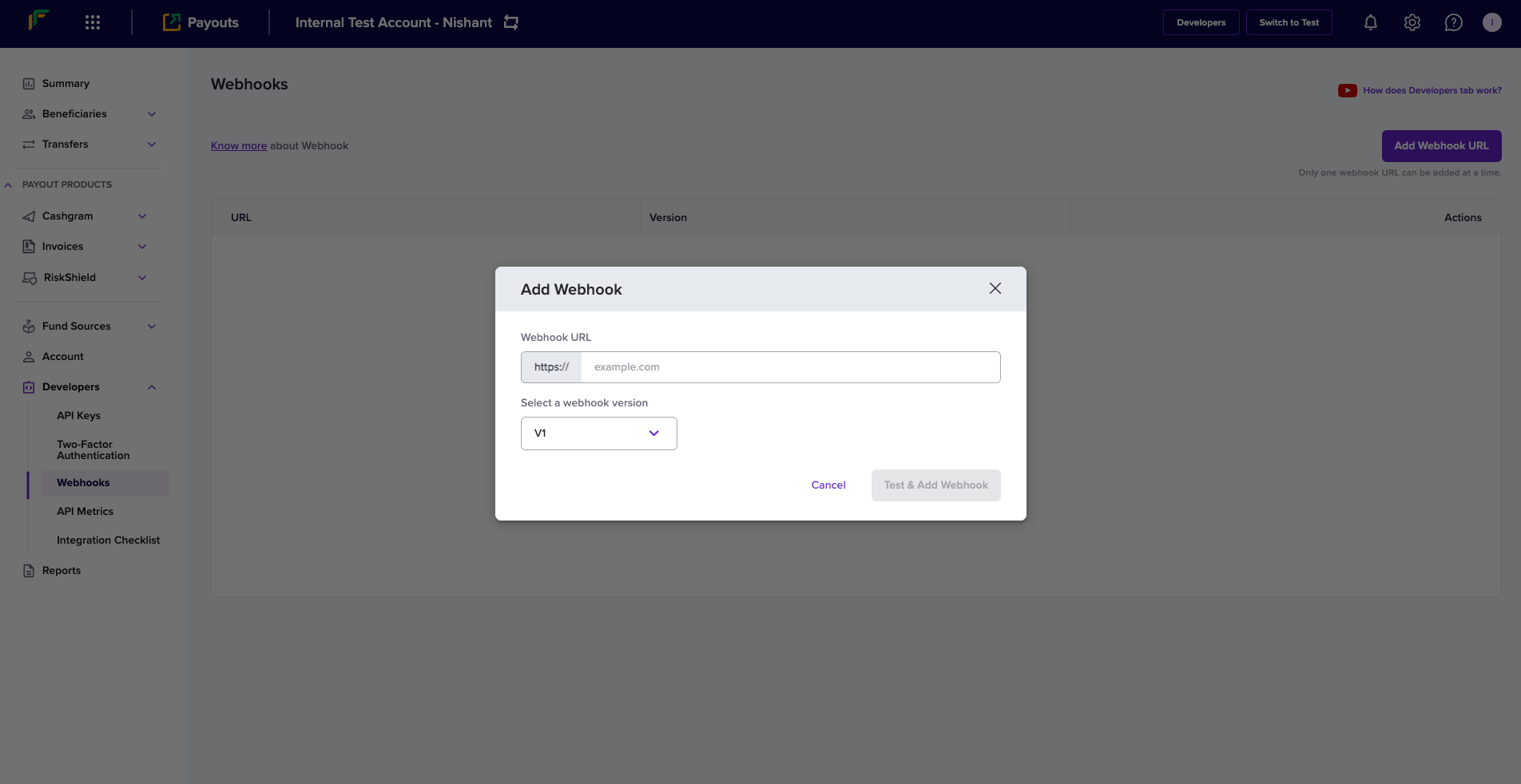
***
## Webhook events
Payouts webhooks enable you to receive updates about all event-driven activities originating from your account. Below is the list of payouts webhooks:
| Events | Notifications |
| :------------------------------------------------------------------------------------------------ | :--------------------------------------------------------------------------- |
| [TRANSFER\_SUCCESS](/api-reference/payouts/v2/webhooks/webhooks-v1#transfer-success) | Transfer successful at the bank and account debited. |
| [TRANSFER\_FAILED](/api-reference/payouts/v2/webhooks/webhooks-v1#transfer-failed) | Sent whenever a transfer attempt fails. |
| [TRANSFER\_REVERSED](/api-reference/payouts/v2/webhooks/webhooks-v1#transfer-reversed) | Transfer reversed by the beneficiary bank. |
| [CREDIT\_CONFIRMATION](/api-reference/payouts/v2/webhooks/webhooks-v1#credit-confirmation) | Confirmation of balance credit. |
| [TRANSFER\_ACKNOWLEDGED](/api-reference/payouts/v2/webhooks/webhooks-v1#transfer-acknowledged) | After the beneficiary bank has deposited the money it confirms the transfer. |
| [TRANSFER\_REJECTED](/api-reference/payouts/v2/webhooks/webhooks-v1#transfer-rejected) | Transfer rejected by Cashfree Payments. |
| [BENEFICIARY\_INCIDENT](/api-reference/payouts/v2/webhooks/webhooks-v1#beneficiary-incident) | Sent whenever a beneficiary incident is created/resolved. |
| [LOW\_BALANCE\_ALERT](/api-reference/payouts/v2/webhooks/webhooks-v1#low-balance-alert) | Payouts recharge account low balance alert. |
| [BULK\_TRANSFER\_REJECTED](/api-reference/payouts/v2/webhooks/webhooks-v1#bulk-transfer-rejected) | One of the transfers in the batch transfer file has been rejected. |
### TRANSFER\_SUCCESS
Sent when a transfer is attempted successfully at the bank and the beneficiary account is credited.
| Parameters | Description |
| :----------- | :----------------------------------------------------------------------------------------------------- |
| event | It contains the name of the event which just occurred. Value = TRANSFER\_SUCCESS. |
| transferId | Id of the transfer passed by the merchant. |
| referenceId | Id of the transfer generated by Cashfree Payments. |
| acknowledged | The flag indicates if the beneficiary bank has acknowledged the transfer. |
| eventTime | Transfer initiation time. |
| utr | Unique transaction reference number provided by the bank. |
| signature | A unique string that helps distinguish that the request is genuine and initiated by Cashfree Payments. |
***
### What does the response parameter 'acknowledged' mean?
The acknowledged parameter value conveys if the beneficiary received the funds by checking its value. Ack = 1 or 0 . 1 denotes the beneficiary received funds, and 0 denotes the beneficiary had not received funds.
The cash flow happens as explained below:
1. Debit: The debit of the transfers happens on the remitter account. After a successful debit, the beneficiary bank does further processing. When only the debit is successful, Ack = 0.
2. Credit: The beneficiary bank credits the fund to the account. The transfer is sent from the remitter bank to the beneficiary bank after a successful debit. When the credit to the end beneficiary is successful, Ack = 1.
To confirm the status of a payout, you need to check the acknowledged parameter value. If the value is 1, you can mark the transfer as successful. However, if the value is 0, you must either wait for the TRANSFER\_ACKNOWLEDGED webhook event or use the [Get Transfer Status](/api-reference/payouts/v1/get-transfer-status-v12#get-transfer-status-v1-2) API and confirm the acknowledged value.
***
### TRANSFER\_FAILED
Sent when a transfer attempt fails.
| Parameters | Description |
| :---------- | :----------------------------------------------------------------------------------------------------- |
| event | It contains the name of the event which just occurred. Value = TRANSFER\_FAILED. |
| transferId | Id of the transfer passed by the merchant |
| referenceId | Id of the transfer generated by Cashfree Payments. |
| reason | Reason for failure. |
| signature | A unique string that helps distinguish that the request is genuine and initiated by Cashfree Payments. |
***
### TRANSFER\_REVERSED
Sent when the beneficiary bank reverses a transfer.
| Parameters | Description |
| :---------- | :------------------------------------------------------------------------------------------------------ |
| event | It contains the name of the event which just occurred. Value = TRANSFER\_REVERSED. |
| transferId | Id of the transfer passed by the merchant. |
| referenceId | Id of the transfer generated by Cashfree Payments. |
| eventTime | Time at which the transfer was reversed. |
| reason | Reason for failure. |
| signature | A unique string which helps distinguish that the request is genuine and initiated by Cashfree Payments. |
***
### CREDIT\_CONFIRMATION
Sent when the balance credit is confirmed.
| Parameters | Description |
| :------------ | :------------------------------------------------------------------------------------------------------ |
| event | It contains the name of the event which just occurred. Value = CREDIT\_CONFIRMATION. |
| ledgerBalance | The overall balance of ledger. |
| amount | Amount deposited. |
| utr | Unique transaction reference number provided by the bank. |
| signature | A unique string which helps distinguish that the request is genuine and initiated by Cashfree Payments. |
***
### TRANSFER\_ACKNOWLEDGED
Sent when the bank acknowledges a transfer.
| Parameters | Description |
| :----------- | :------------------------------------------------------------------------------------------------------ |
| event | It contains the name of the event which just occurred. Value = TRANSFER\_ACKNOWLEDGED. |
| transferId | Id of the transfer passed by the merchant. |
| referenceId | Id of the transfer generated by Cashfree Payments. |
| acknowledged | The flag which illustrates if the beneficiary bank acknowledges the transfer. |
| signature | A unique string which helps distinguish that the request is genuine and initiated by Cashfree Payments. |
***
### TRANSFER\_REJECTED
Sent when a transfer is rejected.
| Parameter | Description |
| :---------- | :----------------------------------------------------------------------------------------------------- |
| event | It contains the name of the event which just occurred. Value = TRANSFER\_REJECTED. |
| transferId | Id of the transfer passed by the merchant. |
| referenceId | Id of the transfer generated by Cashfree Payments. |
| reason | Reason for rejection. |
| signature | A unique string that helps distinguish that the request is genuine and initiated by Cashfree Payments. |
***
### BENEFICIARY\_INCIDENT
Sent when a beneficiary incident is created or resolved.
| Parameter | Description |
| :---------- | :------------------------------------------------------------------------------------ |
| event | It contains the name of the event which just occurred. Value = BENEFICIARY\_INCIDENT. |
| beneEntity | The entity of the beneficiary (BANK). |
| id | Identifier of the incident. |
| mode | Mode of the incident (IMPS/NEFT) |
| startedAt | Start time of the incident. |
| status | Status of the incident (ACTIVE/RESOLVED). |
| isScheduled | Scheduled or unscheduled incident (true or false). |
| severity | The severity of the incident (LOW/HIGH). |
| entityName | Name of the entity on which incident is created (Bank Name). |
| entityCode | Code of the entity on which incident is created. |
| resolvedAt | Resolution time of the incident. |
***
### LOW\_BALANCE\_ALERT
Sent when the payout balance is low.
| Parameter | Description |
| :------------- | :------------------------------------------------------------------------------------------------------ |
| event | It contains the name of the event which just occurred. Value = LOW\_BALANCE\_ALERT |
| currentBalance | The current balance of the beneficiary account |
| alertTime | Alert initiation time. |
| signature | A unique string which helps distinguish that the request is genuine and initiated by Cashfree Payments. |
### BULK\_TRANSFER\_REJECTED
Sent when one of the transfers in the batch transfer file has been rejected.
| Parameter | Description |
| :----------------------- | :------------------------------------------------------------------------------------------------------ |
| event | One of the transfers in the batch transfer file has been rejected |
| transferId | It is the unique ID you created to identify the transfer |
| batchTransferReferenceId | It is the ID created by Cashfree Payments for internal reference. |
| eventTime | Event initiation time |
| reason | It describes the reason for the rejection. |
| signature | A unique string which helps distinguish that the request is genuine and initiated by Cashfree Payments. |
**Delay in Receiving the Response**
Cashfree Payments receives a response from the bank with the status of the transfer instantly. At times the response may get delayed due to various reasons, and the transaction status will be marked as Pending, till we get a response.
Cashfree Payments polls the transaction status from the bank for the next 72 hours. In case we do not receive the status of a transaction after 72 hours, the transaction needs to be manually reconciled.
***
### Signature Verification
Cashfree Payments sends a signature alongside every webhook, verifying this signature ( passed along with the POST parameters ) is mandatory before processing any response. It helps authenticate that the webhook is from Cashfree Payments.
We strongly recommend whitelisting Cashfree Payments production IP to help make your communication with us more secure.
Following are the steps to verify Cashfree Payments signature:
1. Get all the POST parameters except ‘signature’ and assign it to an array as key-value pair.
2. Sort the array based on keys.
3. Concatenate all the values in this array and resultant is the post data (say, postData).
4. **postData** needs to be encrypted using SHA-256, and then base64 encoded.
5. Now verify if both the signature calculated and the signature received match.
6. Proceed further if it matches, else discards the request.
Our libraries also support signature verification. To verify the signature returned by Cashfree Payments call the following methods from the library.
Below are the code snippets that can help you verify the signature:
```php PHP theme={"dark"}
$value){
if (strlen($value) > 0) {
$postData .= $value;
}
}
$hash_hmac = hash_hmac('sha256', $postData, $clientSecret, true) ;
// Use the clientSecret from the oldest active Key Pair.
$computedSignature = base64_encode($hash_hmac);
if ($signature == $computedSignature) {
// Proceed based on $event
} else {
// Reject this call
}
?>
```
```java Java theme={"dark"}
import java.util.LinkedHashMap;
import java.util.Map;
import java.util.stream.Collectors;
import com.fasterxml.jackson.core.type.TypeReference;
import com.fasterxml.jackson.databind.ObjectMapper;
import javax.crypto.spec.SecretKeySpec;
import javax.crypto.Mac;
import org.apache.commons.codec.binary.Base64;
public class ComputedSignature {
public static boolean checkSignature(String clientSecret, String data) {
// write your code here
ObjectMapper objectMapper = new ObjectMapper();
String signatureKey = "signature";
String hash = "";
try {
Map jsonMap = objectMapper.readValue(data, new TypeReference
## Webhook Retries
Cashfree Payments webhooks service does its best to deliver events to your webhook endpoint. It is best practice for your application to respond to the callback. Our webhook service may send many payloads to a single endpoint in quick succession. You will need to build an application and configure your server to receive the response we send when events get triggered during the payout process.
Your server should return a 200 HTTP status code to acknowledge that you received the webhook without any issues. Any other information you return in the request headers or request body gets ignored. Any response code outside the 200 range, including 3xx codes, indicates that you did not receive the webhook.
When Cashfree Payments does not get the acknowledgement due to any reason, we retry to establish the communication at regular intervals. If we do not receive the response after few attempts, we gradually decrease the rate of retries. Based on this count, the service is disabled if it fails more than five times.
If do not receive notifications from Cashfree Payments as expected, please fill out the [Support Form](https://merchant.cashfree.com/merchants/landing?env=prod\&raise_issue=1).
## IPs to whitelist
When you decide to consume the webhooks, first, you need to verify if your systems need an IP whitelisting to be done at your end or not. Accordingly you can whitelist the below IPs of Cashfree:
UAT:\
52.66.25.127\
15.206.45.168
Prod:\
52.66.101.190\
3.109.102.144\
3.111.60.173\
18.60.134.245\
18.60.183.142
Port: 443 (Secured)
# Webhooks Version V2
Source: https://www.cashfree.com/docs/api-reference/payouts/v2/webhooks/webhooks-v2
Webhooks are HTTP callbacks that Cashfree Payments sends to your server when specific events occur in your payout transactions. They provide real-time notifications about transfer status changes, enabling you to automate your business processes and keep your systems synchronised with transaction updates.
Version 2 webhooks offer enhanced reliability, improved payload structure, and additional event types compared to the previous version. They're essential for maintaining accurate transaction records and providing timely updates to your end users about their transfer status.
For seamless integration and security in handling your transactions, refer to the following essential guidelines:
* [Add a webhook](#add-a-webhook)
* [Webhook retries](#webhook-retries)
* [IPs to whitelist](#ips-to-whitelist)
### Add a webhook
Follow the instructions below to configure webhooks for version 2 APIs:
1. Log in to the [Merchant Dashboard](https://merchant.cashfree.com/merchants/landing).
2. Select **Payouts**.
3. Navigate to **Developers** > **Webhooks**.
4. Click **Add Webhook URL** on the *Webhooks* page.
5. In the *Add Webhook* popup, enter the following information:
* **Webhook URL**: Enter the URL where you want to receive transfer-related notifications.
* **Select a webhook version**: Select **V2** from the dropdown menu.
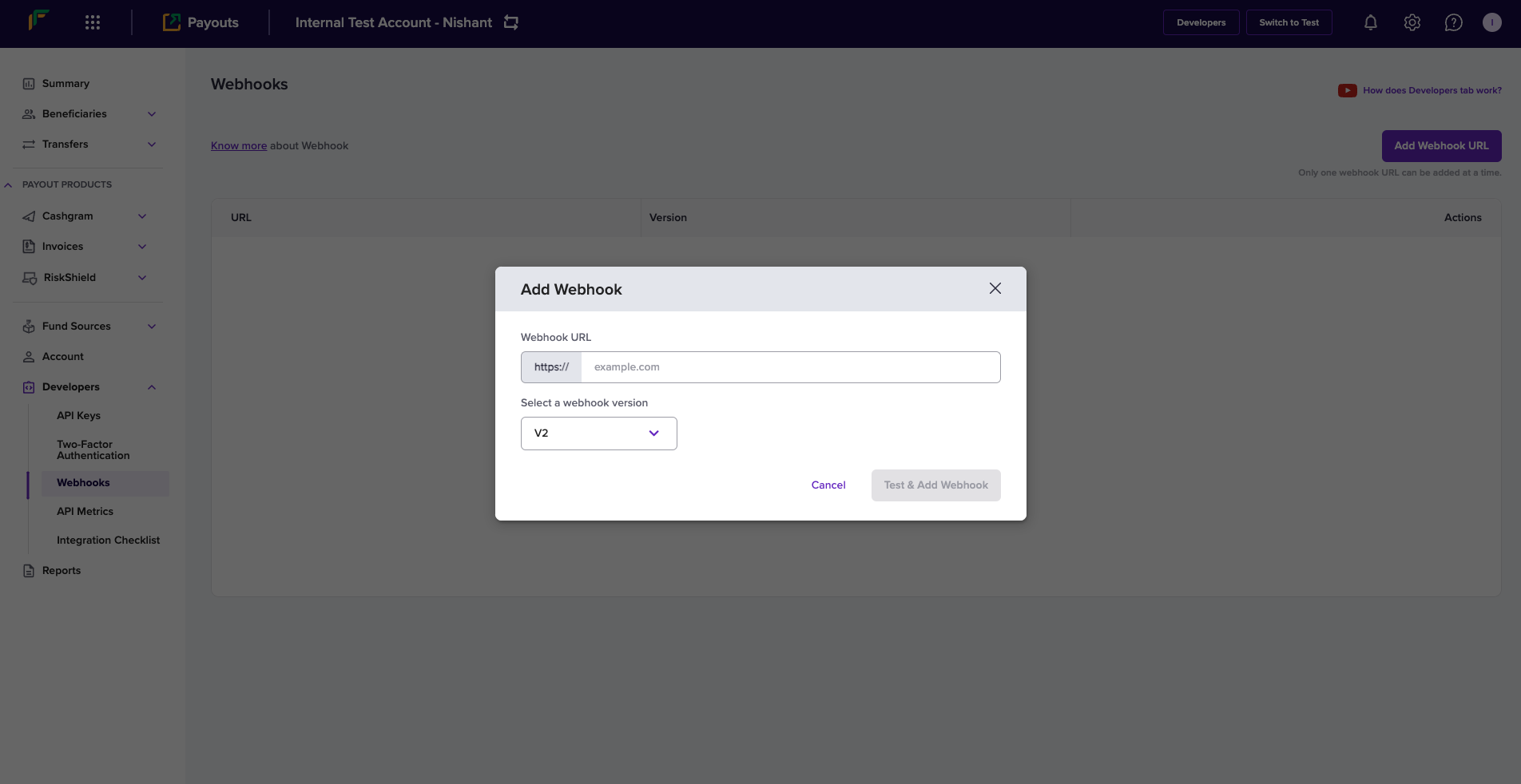
**Webhook Version: V2**: You will receive V2 webhooks only if you select the option as described and configure the respective URL.
6. Click **Test & Add Webhook**.
## Webhook signature verification code
These code snippets provide functionality to verify the authenticity of webhook requests and parse the payload data. They ensure that incoming webhook requests are from a trusted source by checking their signature and then processing the request data.
```go Go theme={"dark"}
type PayoutWebhookEvent struct {
Type string
Raw string
Object interface{}
}
func PayoutVerifyWebhookSignature(signature string, rawBody string, timestamp string) (*PayoutWebhookEvent, error) {
signatureString := timestamp + rawBody
hmacInstance := hmac.New(sha256.New, []byte(*XClientSecret))
hmacInstance.Write([]byte(signatureString))
bytesData := hmacInstance.Sum(nil)
generatedSignature := base64.StdEncoding.EncodeToString(bytesData)
if generatedSignature == signature {
var object interface{}
err := json.Unmarshal([]byte(rawBody), &object)
if err != nil {
return nil, errors.New("something went wrong when unmarshalling raw body")
}
if objectAsMapInterface, ok := object.(map[string]interface{}); ok {
if webhookType, ok := objectAsMapInterface["type"].(string); ok {
return &PayoutWebhookEvent{Type: webhookType, Raw: rawBody, Object: object}, nil
}
}
return &PayoutWebhookEvent{Type: "", Raw: rawBody, Object: object}, nil
}
return nil, errors.New("generated signature and received signature did not match")
}
```
```jsx Node theme={"dark"}
import crypto from "crypto";
class PayoutWebhookEvent {
constructor(type, rawBody, object) {
this.type = type;
this.raw = rawBody;
this.object = object;
}
}
class Cashfree {
static XClientSecret;
static XApiVersion = "2024-01-01";
/**
* Use this API to verify your webhook signature once you receive from Cashfree's server.
* @summary Verify Webhook Signatures
* @param {string} signature that is present in the header of the webhook ("x-webhook-signature")
* @param {string} rawBody is the entire body sent to the server in string format
* @param {string} timestamp that is present in the header of the webhook ("x-webhook-timestamp")
* @throws {Error}
*/
static PayoutVerifyWebhookSignature(signature, rawBody, timestamp) {
const body = timestamp + rawBody;
const secretKey = Cashfree.XClientSecret;
let generatedSignature = crypto
.createHmac("sha256", secretKey)
.update(body)
.digest("base64");
if (generatedSignature === signature) {
let jsonObject = JSON.parse(rawBody);
return new PayoutWebhookEvent(jsonObject.type, rawBody, jsonObject);
}
throw new Error(
"Generated signature and received signature did not match."
);
}
}
```
**Client secret for webhooksignature**
Please ensure that the oldest active client secret is used to generate the webhook signature. Using any other client secret will lead to a signature mismatch.
### Components
The webhook signature verification implementation uses the following key components to ensure secure processing of webhook events:
#### PayoutWebhookEvent class
This class represents the structure of a webhook event and contains the following properties:
| Property | Type | Description |
| :------- | :----- | :---------------------------------------- |
| `Type` | string | The type of the event. |
| `Raw` | string | The raw JSON body of the webhook request. |
| `Object` | object | The parsed JSON object from the raw body. |
#### PayoutVerifyWebhookSignature method
This method verifies the signature of a webhook request and parses the data. Use the following parameters when calling this method:
| Parameter | Type | Description |
| :---------- | :----- | :-------------------------------------------------------------------- |
| `signature` | string | The HMAC signature provided in the header information of the webhook. |
| `rawBody` | string | The raw JSON body of the request in string format. |
| `timestamp` | string | The timestamp provided in the header information of the webhook. |
#### Cashfree class
This class provides the method for verifying webhook signatures and includes the following properties:
| Property | Type | Description |
| :-------------- | :----- | :--------------------------- |
| `XClientSecret` | string | Secret key. |
| `XAPIVersion` | string | The API version: 2024-01-01. |
## Webhook events
Payouts webhooks enable you to receive updates about all event-driven activities originating from your account. Below is the list of payout webhooks:
| Events | Notifications |
| :----------------------- | :------------------------------------------------------------------------------------------------------------------------------------------ |
| `TRANSFER_ACKNOWLEDGED` | You receive this event when the transfer is successful, the amount is debited from the account, and the funds are credited to the end user. |
| `TRANSFER_SUCCESS` | You receive this event when the transferred amount is deposited in the beneficiary's bank account. |
| `TRANSFER_FAILED` | You receive this event when the transfer attempt fails. |
| `TRANSFER_REVERSED` | You receive this event when the beneficiary's bank reverses the transfer request. |
| `TRANSFER_REJECTED` | You receive this event when Cashfree Payments rejects the transfer request. |
| `BULK_TRANSFER_REJECTED` | You receive this event when one or more transfers in the batch transfer request are rejected. |
| `BENEFICIARY_INCIDENT` | You receive this event when there is a service disruption or incident affecting a specific beneficiary bank or payment mode. |
| `CREDIT_CONFIRMATION` | You receive this event when funds are credited to your account balance, providing confirmation of the credit transaction. |
| `LOW_BALANCE_ALERT` | You receive this event when your account balance falls below a predefined threshold, alerting you to add funds. |
### Sample payload
The following examples show the JSON payload structure for each webhook event type listed above. Each payload contains event-specific data that helps you understand the transfer status and take appropriate action in your application.
```json ACKNOWLEDGED theme={"dark"}
{
"data": {
"transfer_id": "JUNOB2018",
"cf_transfer_id": "123456",
"status": "SUCCESS",
"status_code": "COMPLETED",
"status_description": "The transfer has been initiated via the partner bank successfully, hence your account is debited and the request is successfully processed by the beneficiary bank and has been credited to the end beneficiary.",
"beneficiary_details": {
"beneficiary_id": "JOHN18011",
"beneficiary_instrument_details": {
"bank_account_number": "7766671501729",
"bank_ifsc": "SBIN0000003"
}
},
"transfer_amount": 1,
"transfer_service_charge": 1,
"transfer_service_tax": 0.18,
"transfer_mode": "BANK",
"transfer_utr": "TESTR92023012200543116",
"fundsource_id": "CASHFREE_1",
"added_on": "2021-11-24T13:39:25Z",
"updated_on": "2021-11-24T13:40:27Z"
},
"event_time": "2024-07-25T17:43:37",
"type": "TRANSFER_ACKNOWLEDGED"
}
```
```json SUCCESS theme={"dark"}
{
"data": {
"transfer_id": "JUNOB2018",
"cf_transfer_id": "123456",
"status": "SUCCESS",
"status_code": "SENT_TO_BENEFICIARY",
"status_description": "The transfer has been initiated via the partner bank successfully. The request is waiting to be processed at the beneficiary bank to do the credit to the end beneficiary.",
"beneficiary_details": {
"beneficiary_id": "JOHN18011",
"beneficiary_instrument_details": {
"bank_account_number": "7766671501729",
"bank_ifsc": "SBIN0000003"
}
},
"transfer_amount": 1,
"transfer_service_charge": 1,
"transfer_service_tax": 0.18,
"transfer_mode": "BANK",
"transfer_utr": "TESTR92023012200543116",
"fundsource_id": "CASHFREE_1",
"added_on": "2021-11-24T13:39:25Z",
"updated_on": "2021-11-24T13:40:27Z"
},
"event_time": "2024-07-25T17:43:37",
"type": "TRANSFER_SUCCESS"
}
```
```json FAILED theme={"dark"}
{
"data": {
"transfer_id": "JUNOB2018",
"cf_transfer_id": "123456",
"status": "FAILED",
"status_code": "IMPS_MODE_FAIL",
"status_description": "The transfer has failed because the beneficiary account doesnot support IMPS transfers. This rejection is done by the partner bank for the specific beneficiary account. You can try NEFT or other channels to do the disbursals.",
"beneficiary_details": {
"beneficiary_id": "JOHN18011",
"beneficiary_instrument_details": {
"bank_account_number": "7766671501729",
"bank_ifsc": "SBIN0000003"
}
},
"transfer_amount": 1,
"transfer_service_charge": 1,
"transfer_service_tax": 0.18,
"transfer_mode": "BANK",
"transfer_utr": "TESTR92023012200543116",
"fundsource_id": "CASHFREE_1",
"added_on": "2021-11-24T13:39:25Z",
"updated_on": "2021-11-24T13:40:27Z"
},
"event_time": "2024-07-25T17:43:37",
"type": "TRANSFER_FAILED"
}
```
```json REVERSED theme={"dark"}
{
"data": {
"transfer_id": "JUNOB2018",
"cf_transfer_id": "123456",
"status": "REVERSED",
"status_code": "INVALID_ACCOUNT_FAIL",
"status_description": "The transfer has been reversed by the beneficiary bank because the Account Number of the beneficiary is invalid. After correcting the account number, you can reinitiate the transfer via Cashfree so that the transfer can be reattempted again by Cashfree with the partner bank(s).",
"beneficiary_details": {
"beneficiary_id": "JOHN18011",
"beneficiary_instrument_details": {
"bank_account_number": "7766671501729",
"bank_ifsc": "SBIN0000003"
}
},
"transfer_amount": 1,
"transfer_mode": "BANK",
"fundsource_id": "CASHFREE_1",
"added_on": "2021-11-24T13:39:25Z",
"updated_on": "2021-11-24T13:40:27Z"
},
"event_time": "2024-07-25T17:43:37",
"type": "TRANSFER_REVERSED"
}
```
```json REJECTED theme={"dark"}
{
"data": {
"transfer_id": "JUNOB2018",
"cf_transfer_id": "123456",
"status": "REJECTED",
"status_code": "INVALID_MODE_FOR_PYID",
"status_description": "The transfer has been rejected because the fundsource does not support this mode of transfer. You should get this mode activated on the fundsource by contacting Cashfree, and then initiate a new transfer request.",
"beneficiary_details": {
"beneficiary_id": "JOHN18011"
},
"transfer_amount": 1,
"transfer_mode": "BANK",
"fundsource_id": "CASHFREE_1",
"added_on": "2021-11-24T13:39:25Z",
"updated_on": "2021-11-24T13:40:27Z"
},
"event_time": "2024-07-25T17:43:37",
"type": "TRANSFER_REJECTED"
}
```
```json BULK_TRANSFER_REJECTED theme={"dark"}
{
"data": {
"batch_transfer_id": "test_batch_transfer_id",
"cf_batch_transfer_id": "123456",
"status": "REJECTED"
},
"event_time": "2024-07-25T17:43:37",
"type": "BULK_TRANSFER_REJECTED"
}
```
```json LOW_BALANCE theme={"dark"}
{
"data" : {
"current_balance": "8.53",
"fundsource_id": "astring"
},
"type": "LOW_BALANCE_ALERT",
"event_time": "2024-07-25T17:43:37"
}
```
```json CREDIT_CONFIRMATION theme={"dark"}
{
"data" : {
"ledger_balance": "8.53",
"utr": "ledgerEntryUTR654321",
"amount": "10.50",
"fundsource_id": "astring"
},
"type": "CREDIT_CONFIRMATION",
"event_time": "2024-07-25T17:43:37"
}
```
```json BENEFICIARY_INCIDENT theme={"dark"}
{
"data" : {
"bene_entity": "BANK",
"id": 789,
"mode": "UPI",
"started_at": "yyyy-MM-dd HH:mm:ss",
"status": "ACTIVE",
"is_scheduled": true,
"severity": "High",
"entity_name": "name",
"entity_code": "code",
"resolved_at": "yyyy-MM-dd HH:mm:ss"
},
"event_time": "2024-07-25T17:43:37",
"type": "BENEFICIARY_INCIDENT"
}
```
### Parameters
Find the parameters and their descriptions for the events `TRANSFER_ACKNOWLEDGED`, `TRANSFER_SUCCESS`, `TRANSFER_FAILED`, `TRANSFER_REVERSED`, and `TRANSFER_REJECTED` below:
| Parameter | Description |
| :------------------------------- | :----------------------------------------------------------------- |
| `transfer_id` | The unique ID you created to identify the transfer request. |
| `cf_transfer_id` | The unique ID created by Cashfree Payments for reference purposes. |
| `status` | The status of the transfer. |
| `status_code` | The specific status of the transfer. |
| `status_description` | The detailed explanation of the transfer status. |
| `beneficiary_details` | Information about the beneficiary. |
| `beneficiary_id` | The unique ID to identify the beneficiary. |
| `beneficiary_instrument_details` | The account information of the beneficiary. |
| `bank_account_number` | The bank account number of the beneficiary. |
| `bank_ifsc` | The IFSC information of the bank. |
| `transfer_amount` | The transfer amount. |
| `transfer_service_charge` | The service charge applied for the transfer amount. |
| `transfer_service_tax` | The taxable amount for the service charge. |
| `transfer_mode` | The transfer mode. |
| `transfer_utr` | The unique transaction reference number. |
| `fundsource_id` | The unique ID to identify the fund source. |
| `added_on` | The date and time of the addition. |
| `updated_on` | The date and time of the update. |
| `event_time` | The date and time of the webhook event initiation. |
| `type` | The event type. |
Find the parameters and their descriptions for the event `BULK_TRANSFER_REJECTED` below:
| Parameter | Description |
| :--------------------- | :----------------------------------------------------------------- |
| `batch_transfer_id` | The unique ID you created to identify the batch transfer request. |
| `cf_batch_transfer_id` | The unique ID created by Cashfree Payments for reference purposes. |
| `status` | The status of the batch transfer request. |
| `event_time` | The date and time of the webhook event initiation. |
| `type` | The event type. |
A transfer is considered successful only when both the status is `SUCCESS` and the status code is `COMPLETED`.
### Webhook retries
Cashfree Payments webhooks service does its best to deliver events to your webhook endpoint. It's best practice for your application to respond to the callback. Our webhook service may send many payloads to a single endpoint in quick succession. You will need to build an application and configure your server to receive the response we send when events get triggered during the payout process.
Your server should return a 200 HTTP status code to acknowledge that you received the webhook without any issues. Any other information you return in the request headers or request body is ignored. Any response code outside the 200 range, including 3xx codes, indicates that you didn't receive the webhook.
When Cashfree Payments doesn't receive the acknowledgement for any reason, we retry to establish communication at regular intervals. If we don't receive the response after several attempts, we gradually decrease the rate of retries. Based on this count, the service is disabled if it fails more than five times.
If you don't receive notifications from Cashfree Payments as expected, please fill out the [Support Form](https://merchant.cashfree.com/merchants/landing?env=prod\&raise_issue=1).
### IPs to whitelist
When you decide to consume the webhooks, first, you need to verify whether your systems need IP whitelisting to be done at your end or not. Accordingly, you can whitelist the below IPs of Cashfree:
| UAT |
| :------------ |
| 52.66.25.127 |
| 15.206.45.168 |
| Prod |
| :------------ |
| 52.66.101.190 |
| 3.109.102.144 |
| 3.111.60.173 |
| 18.60.134.245 |
| 18.60.183.142 |
| Port |
| :------------ |
| 443 (secured) |
## FAQs
Yes, you can subscribe to **Webhooks V2** even if you're currently using **Payout APIs v1 and v1.2**.
Yes, you can typically subscribe to **Webhooks V1** even if you're using **Payout APIs V2**.
# Create Embeddable Onboarding Link (does not require login)
Source: https://www.cashfree.com/docs/api-reference/platforms/latest/merchant-onboarding/create-embeddable-onboarding-link-does-not-require-login
post /merchants/{merchant_id}/onboarding_link
Use this API to create a pre-built onboarding link for the sub-merchant account. Embed this link within your platform so that merchants can complete their KYC process. The link remains active for 1 hour only.
# Create Merchant
Source: https://www.cashfree.com/docs/api-reference/platforms/latest/merchant-onboarding/create-merchant
post /merchants
Use this API to create a sub-merchant account. You can provide basic merchant details during creation. KYC documents are required to activate the account.
# Create Standard Onboarding Link (with login required by merchant)
Source: https://www.cashfree.com/docs/api-reference/platforms/latest/merchant-onboarding/create-standard-onboarding-link-with-login-required-by-merchant
post /merchants/{merchant_id}/onboarding_link/standard
Use this API to create a pre-built onboarding link for the sub-merchant account. Share this link with the sub-merchant so they can complete their KYC process. The merchant needs to log in using their Cashfree password or OTP received on their registered email.
# Get Merchant Status
Source: https://www.cashfree.com/docs/api-reference/platforms/latest/merchant-onboarding/get-merchant-status
get /merchants/{merchant_id}
Use this API to get merchant onboarding details for the sub-merchant account.
# Getting Started
Source: https://www.cashfree.com/docs/api-reference/platforms/latest/merchant-onboarding/getting-started
Follow these setup steps to get started with the Merchant Onboarding APIs
Embedded Payments by Cashfree is an end-to-end payment product for your platform to facilitate direct payments between your businesses and their customers. You can use Embedded Payments to provide your businesses a seamless onboarding experience and a fully compliant payments module within your platform.
Merchant Onboarding APIs is a feature of Embedded Payments through which you can onboard your merchants to your platform. Through the merchant onboarding APIs, you can perform various actions such as adding a merchant, updating the merchant's details, fetching the merchant's status, and creating onboarding links.
## View end points
| Environment | Base URL |
| :------------- | :------------------------------------------------------------------------------------- |
| Test | [https://api-sandbox.cashfree.com/partners](https://api-sandbox.cashfree.com/partners) |
| Production | [https://api.cashfree.com/partners](https://api.cashfree.com/partners) |
| Latest version | v3, 2023-01-01 |
The table below provides the list of Merchant Onboarding APIs along with their description.
**Merchant Onboarding APIs**
| API Name | Description |
| :------------------------------------------------------------------------------------------------------------------------------------- | :---------------------------------------------------------------------------------------------------------------------------------------------------------- |
| [Create Merchant](/api-reference/platforms/latest/merchant-onboarding/create-merchant) | Use this API to create a sub-merchant account. You can provide additional basic details. KYC documents are then required to activate the account. |
| [Update Merchant](/api-reference/platforms/latest/merchant-onboarding/update-merchant) | Use this API to update a sub-merchant account. You can provide basic details only if the account is not yet active. |
| [Get Merchant Status](/api-reference/platforms/latest/merchant-onboarding/get-merchant-status) | Use this API to get Merchant onboarding details for the sub-merchant account. |
| [Create Onboarding Link](/api-reference/platforms/latest/merchant-onboarding/create-embeddable-onboarding-link-does-not-require-login) | Use this API to create a pre-built onboarding link for the sub-merchant account. Embed within your platform and Merchant can fill their KYC per compliance. |
**Get started in the test environment**
To get started with Merchant Onboarding API API requests, you must follow the steps below:
1. Create a account on the Test Environment using this [signup link](https://test.cashfree.com/partner-ui/authentication/signup?product=embedded)
2. Once logged in, go to the **Developers** section and click **Generate API Key**. Copy and download the API keys for future reference. You can also add a webhook endpoint to use the merchant activation status webhook.
# Update Merchant
Source: https://www.cashfree.com/docs/api-reference/platforms/latest/merchant-onboarding/update-merchant
patch /merchants/{merchant_id}
Use this API to update a sub-merchant account. You can modify basic details only if the account is not yet active.
# Upload Documents
Source: https://www.cashfree.com/docs/api-reference/platforms/latest/merchant-onboarding/upload-documents
post /merchants/{merchant_id}/documents
Use this API to upload KYC documents for merchants.
The `document_type` parameter accepts the following values organised by document category:
### Business proof documents
| Document type | Description |
| --------------------------------- | ------------------------------------------------------------------------------------------------------------------------------------------- |
| `businessproof_saecertificate` | Certificate or licence issued by the appropriate authorities under Shops and Establishment Act and any other Acts as applicable to the firm |
| `businessproof_regproof` | Other government-issued registration proof |
| `businessproof_municipal` | Municipal certificate |
| `businessproof_udhyog` | Udyog Aadhaar |
| `businessproof_taxreturn` | Sales tax and income tax return |
| `businessproof_roc` | Registration certificate from ROC (Registrar of Company for a Jurisdiction) |
| `businessproof_taxreturnfull` | Full tax return |
| `businessproof_customeragreement` | Customer agreement |
| `businessproof_platformconfirm` | Platform confirmation |
| `businessproof_invoices` | Business invoices |
### Entity proof documents
| Document type | Description |
| -------------------------------- | ------------------- |
| `entityproof_partnershipdeed` | Partnership deed |
| `entityproof_trustdeed` | Trust deed |
| `entityproof_societycertificate` | Society certificate |
| `entityproof_hufdeed` | HUF deed |
| `entityproof_llp` | LLPIN document |
### Line of business proof documents
| Document type | Description |
| ---------------------- | ------------------------------------------------------------------------------------------------------------------------------------------------------------------------------ |
| `lobproof_nonprofit` | Domestic: 80 G, 12 A or International: FCRA |
| `lobproof_travel` | IATA certificate or IRCTC agency certificate |
| `lobproof_pcidss` | AOC for PCI-DSS compliance |
| `lobproof_gaming` | RNG certificate (if applicable), legal opinion |
| `lobproof_food` | FSSAI |
| `lobproof_bbps` | BBPS certificate |
| `lobproof_jewellery` | BIS certificate, 916 Hallmark, 925 Hallmark, or GII certificate |
| `lobproof_nbfc` | NBFCs or Service Level Agreements with RBI approved NBFCs |
| `lobproof_papg` | PA-PG licence |
| `lobproof_pharmacy` | Pharmacy licence, retail or wholesale drug licence, undertaking of authorised signatory under Drugs and Cosmetics Act 1940, declaration (Form 20, Form 21, Form 21B, Form 20B) |
| `lobproof_ppi` | Bank PPI licence or Non Bank PPI licence |
| `lobproof_mutualfunds` | AMFI certificate |
| `lobproof_fema` | FEMA registration, FFMC certificate (FFMC state wise) |
| `lobproof_ayush` | Ayush (manufacturing licence - Form 24D) |
| `lobproof_sebi` | SEBI certificate |
| `lobproof_insurance` | IRDA: Life insurance, general insurance, health insurance or SLA with the insurer if this is being issued by a different party |
| `lobproof_education` | UGC certificate, ICSE, CBSE, or AICTE |
### Other documents
| Document type | Description |
| -------------------------------------------------- | ---------------------------- |
| `bank_statement` | Bank statement |
| `certificate_of_incorporation` | Certificate of incorporation |
| `board_resolution` | Board resolution |
| `gst_certificate` | GST certificate |
| `localtax_identifier` | Local tax identifier |
| `bene_owner_id_proof_1` to `bene_owner_id_proof_6` | Beneficial owner ID proofs |
# Webhooks
Source: https://www.cashfree.com/docs/api-reference/platforms/latest/merchant-onboarding/webhooks
This is list of webhooks triggered from the Cashfree system. These webhooks allow partners to remain alert to state changes for their merchants.
## Configure Webhook
To configure the webhook, go to **Partner Dashboard** > **Developers** > **Webhooks**. Add your webhook endpoint where you want to receive alerts. Ensure you do not process duplicate events.
Webhook will be sent to your configured endpoint as a POST request with the body containing the various parameters specifying the details of each event. Each request contains an event parameter that identifies its type.
We support webhooks in both encoded and JSON formats.
Webhook header parameters and descriptions are available below:
| Parameter | Description |
| -------------------- | ----------------------------------------------------------------------------------------------------------------------------------------------------------------------------------------------------------------------- |
| x-cashfree-timestamp | Timestamp in ISO format. Time at which the webhook is triggered. |
| x-cashfree-signature | String. It is a base64 encoded entity of the hash (SHA256) of the raw payload sorted by alphabetical order of keys and the latest partner API key. This signature should be used to verify authenticity of the webhook. |
Webhook parameters and descriptions are available below:
| Parameter | Description |
| :---------------------- | :--------------------------------------------------------------------------- |
| data.merchant\_id | Unique merchant id provided by the partner at the time of merchant creation. |
| data.merchant\_name | Name of the merchant |
| data.created\_at | Timestamp in ISO format for when the merchant was created in CF system. |
| data.onboarding\_status | Onboarding status for the merchant |
| event\_time | Timestamp in ISO format. Time when event was created. |
| type | Type of webhook. Value is “MERCHANT\_ONBOARDING\_STATUS” |
| version | Version of webhook. Default is 1. |
**Example - MERCHANT\_ONBOARDING\_STATUS webhook**
```
{
"data": {
“merchant_id” : “CF89797”,
“created_at” : “2021-06-23T23:15:20+0530”,
“merchant_name” : “Business A”,
“onboarding_status” : “ACTIVE”
},
"event_time": "2021-04-16T14:10:36+05:30",
"type": "MERCHANT_ONBOARDING_STATUS",
"version": 1
}
```
## Verify Signature
Use the signature received in webhooks to verify if the request has not been tampered. This is generally a good security practice to avoid abuse via a fraudulent party.
To verify the signature at your end, you need your Cashfree Partner API Key along with the webhook object.
* The timestamp is present in the webhook object header `x-webhook-timestamp`
* The actual signature generated by Cashfree is present in the webhook object header `x-webhook-signature`
The signature creation logic is as below:
```php Signature theme={"dark"}
timestamp := 1617695238078;
signedPayload := $timestamp.$payload;
expectedSignature := Base64Encode(HMACSHA256($signedPayload, $partnerApiKey));
```
***
## Activation Lifecycle
#### Onboarding Status
**Pending Email Verification**: The Merchant must first verify their registered email address. An email is sent automatically from Cashfree Payments (from [care@cashfreemail.com](mailto:care@cashfreemail.com)) to the merchant email ID you specified when you added the merchant details.\
If the merchant has not received the email in their Primary inbox, please ask them to check it in the Spam folder. If the merchant has not received the email you can use the Resend Email email to send the verification email again.
**Email Verified**: This means that Merchant has verified their email address, and can now start their KYC verification process.
### KYC Status
**Min KYC Pending**: Merchant must submit the required KYC details and documents.\
**Min KYC Submitted**: Merchant has submitted their KYC details and documents and the documents are being reviewed by Cashfree Payments\
**Min KYC Rejected**: Merchant KYC has discrepancies and corresponding KYC details and documents need to be provided.\
**Min KYC Approved**: Merchant KYC has been approved and **Payment Gateway** product is activated.
If the merchants have verified their email you can fill out the KYC on behalf of the merchant and activate the account for your merchants.
# Overview
Source: https://www.cashfree.com/docs/api-reference/platforms/overview
Cashfree’s Platform APIs enable platforms to integrate payment solutions seamlessly within their applications or marketplaces. These APIs allow you to onboard merchants, manage their lifecycle, and process payments efficiently, following standard web conventions.
You can use these APIs to integrate a seamless payment experience into your platform, manage merchant details, and ensure compliance throughout the process.
Use this API to create a pre-built onboarding link for the sub-merchant account. Requires merchant login via password or OTP for secure access.
# Postman Collections
Source: https://www.cashfree.com/docs/api-reference/postman-collections
Download and import Cashfree API collections to test APIs directly in Postman with pre-configured requests and environments.
Cashfree provides comprehensive Postman collections for all API products, making it easy to test and integrate APIs. Each collection includes pre-configured requests, sample data, and environment variables to get you started.
## Available collections
Complete collection for payment processing, orders, refunds, settlement, and subscription APIs.
## Getting started
To import a Postman collection, choose your preferred method:
1. Click on any collection link above.
2. Click the **Fork** button in Postman.
3. Choose your workspace.
4. The collection will be available in your workspace with automatic updates.
1. Download the collection JSON file from the workspace.
2. Open Postman.
3. Click **Import** → **Upload Files**.
4. Select the downloaded JSON file.
To configure your environment variables:
1. Create a new environment in Postman.
2. Add the following variables:
* `base_url`: Set to `https://sandbox.cashfree.com` (sandbox) or `https://api.cashfree.com` (production)
* `client_id`: Your Cashfree Client ID
* `client_secret`: Your Cashfree Client Secret
* `x-api-version`: API version (for example, `2025-01-01`)
Never share your production credentials. Use sandbox credentials for testing and development.
The following examples show the environment variable configuration for both environments:
Sandbox:
```json theme={"dark"}
{
"base_url": "https://sandbox.cashfree.com",
"client_id": "your_sandbox_client_id",
"client_secret": "your_sandbox_client_secret",
"x-api-version": "2025-01-01"
}
```
Production:
```json theme={"dark"}
{
"base_url": "https://api.cashfree.com",
"client_id": "your_production_client_id",
"client_secret": "your_production_client_secret",
"x-api-version": "2025-01-01"
}
```
To test your first request:
1. Select your environment from the dropdown in the top-right corner.
2. Choose a simple request like "Get Order" or "Create Order."
3. Review the request parameters and body.
4. Click **Send** to execute the request.
## Features and best practices
Each Postman collection includes the following features:
* Pre-configured requests with correct HTTP methods and headers.
* Sample request bodies with placeholder data.
* Environment variables for dynamic URLs and authentication.
* Example data including test card numbers and mock account details.
* Test scripts for automatic response validation.
Collections automatically handle authentication using your credentials. Tokens are generated and refreshed as needed, so you don't need to manually manage authorisation headers.
Use environment variables for dynamic data, update placeholder values with real test data, and keep sensitive information in environment variables rather than in requests.
Review response status codes and error messages, check the **Tests** tab for automated validations, and use the **Console** view to debug request/response details.
## Troubleshooting common issues
The following are common Postman collection errors and solutions:
* Verify your `client_id` and `client_secret` are correct.
* Ensure you're using the right environment (sandbox vs production).
* Check that your credentials are active and not expired.
* Confirm the `x-api-version` header is set correctly.
* Use `2025-01-01` for the latest API version.
* Check the API documentation for supported versions.
* Ensure you've selected the correct environment.
* Verify all required variables are defined.
* Check for typos in variable names (case-sensitive).
* Review the API documentation for required fields.
* Check data types and formats in request body.
* Ensure all mandatory parameters are included.
## Support
If you need help with Postman collections or API integration, you can use the following resources:
* Documentation: Review the detailed [API documentation](/api-reference/overview).
* Support form: Submit a ticket through the [support form](https://merchant.cashfree.com/merchants/landing?env=prod\&raise_issue=1) for technical assistance.
* Support: Contact the [developer support team](mailto:developers@cashfree.com).
* Community: Join the [developer community](https://discord.gg/ed9VWDnrh7).
# Getting Started
Source: https://www.cashfree.com/docs/api-reference/prepaid-payment-instruments/getting-started
Follow these setup steps to get started with the PPI APIs:
* [View end points](/api-reference/prepaid-payment-instruments/getting-started#view-end-points)
* [Generate API keys](/api-reference/prepaid-payment-instruments/getting-started#generate-api-keys)
* [Contact us](/api-reference/prepaid-payment-instruments/getting-started#contact-us)
## View end points
Cashfree Payments uses API keys to authenticate and authorise access to the API. You must include your API keys in all API requests to the server.
| Environment | URL |
| :---------- | :------------------------------------------------------------------- |
| Production | [https://api.cashfree.com/ppi](https://api.cashfree.com/ppi) |
| Test | [https://sandbox.cashfree.com/ppi](https://sandbox.cashfree.com/ppi) |
## Generate API keys
During onboarding, Cashfree provides merchants with the required API keys **Client ID** and **Client Secret** directly, typically via email. These credentials can be used immediately to authenticate and access the PPI API.
Do not share your API keys with anyone, as they are confidential.
## Contact us
Submit a request through the [raise an issue support form](https://merchant.cashfree.com/merchants/landing?env=prod\&raise_issue=1), completing the fields as specified below:
* **Subject**: Provide a clear one-line summary of the issue.
* **Product**: Select the relevant product under which the issue was raised or specify it as Other queries.
* **Description**: Provide a detailed description of the issue specifying the endpoint URL, HTTP method, and relevant request or response details.
* **Notify People**: You may add your account manager to be notified.
* **Attachment**: Upload any file for context to highlight the specific issue.
For dashboard issues, attach a screenshot and the HAR file.
# Min KYC Verification
Source: https://www.cashfree.com/docs/api-reference/prepaid-payment-instruments/kyc-verification/min-kyc-verification
openapi/ppi/ppi.yaml post /ppi/kyc/min
Completes the minimum KYC verification process by validating user documents and OTP verification.
This endpoint processes document information (PAN card details) along with the OTP verification ID
to complete the minimum KYC requirements for the user.
# Generate OTP
Source: https://www.cashfree.com/docs/api-reference/prepaid-payment-instruments/kyc-verification/send-otp
openapi/ppi/ppi.yaml post /ppi/otp/generate
Sends an OTP (One-Time Password) to the user via the specified notification modes.
Supports multiple delivery channels including SMS and WhatsApp for secure user verification.
# Submit OTP
Source: https://www.cashfree.com/docs/api-reference/prepaid-payment-instruments/kyc-verification/verify-otp
openapi/ppi/ppi.yaml post /ppi/otp/submit
Verifies the OTP (One-Time Password) sent to the user for verification.
This endpoint validates the OTP provided by the user against the OTP verification ID.
# Overview
Source: https://www.cashfree.com/docs/api-reference/prepaid-payment-instruments/overview
Use the Prepaid Payment Instrument (PPI) APIs to create and manage digital wallets, sub-wallets, gift cards, and prepaid cards for your users. They enable secure fund transactions, ensure compliance with RBI guidelines, and support integration across multiple business use cases.
## Key features
The key features offered by Cashfree’s PPI APIs are:
* Create and manage users, wallets, and sub-wallets.
* Handle fund transfers securely with duplicate-transaction protection.
* Enforce RBI-compliant KYC, balance, and transaction rules.
* Retrieve wallet balances in real time.
## Program structure
Cashfree sets up a Program based on your business needs and the wallet restrictions you define.
* **Definition**: A Program specifies the type of wallet or instrument you can offer.
* **Functions**: It lets you configure limits, validity, and usage rules.
* **Sub-Programs**: A Program can include multiple categories, such as meal, reward, or gift wallets, to support different use cases.
For example, the main program may have an overall load limit of ₹50,000 per month. Within it, the Meal sub-wallet could allow only ₹2,000 per month and be restricted to food merchants.
Use this API to fetch total wallet and sub-wallet balances with optional filtering by specific sub-wallet.
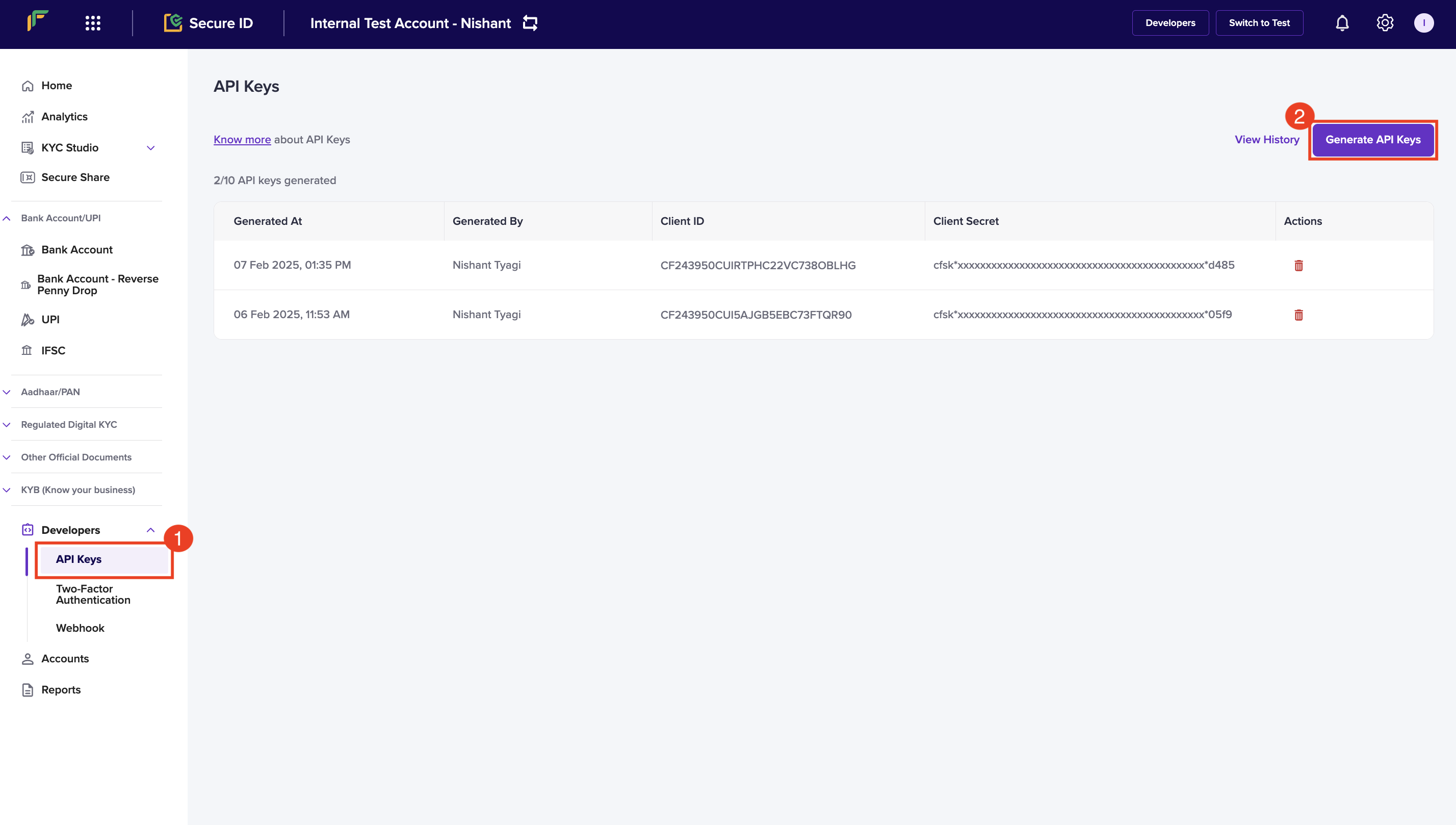
# Create User
Source: https://www.cashfree.com/docs/api-reference/prepaid-payment-instruments/user-management/create-ppi-user
openapi/ppi/ppi.yaml post /ppi/user
Creates a new user in the PPI system with the provided personal information. This endpoint enables merchants
to onboard new users who can then be associated with wallets or cards.
# Get User Details
Source: https://www.cashfree.com/docs/api-reference/prepaid-payment-instruments/user-management/get-ppi-user-details
openapi/ppi/ppi.yaml post /ppi/user/details
Retrieves details of an existing user in the PPI system based on the provided user ID.
Returns the user's personal information and account status.
# Update User
Source: https://www.cashfree.com/docs/api-reference/prepaid-payment-instruments/user-management/update-ppi-user
openapi/ppi/ppi.yaml post /ppi/user/update
Updates user details in the PPI system. Only the fields provided in the request body will be updated;
all other user fields remain unchanged.
# Create Wallet
Source: https://www.cashfree.com/docs/api-reference/prepaid-payment-instruments/wallet-management/create-wallet
openapi/ppi/ppi.yaml post /ppi/wallet
Creates a primary wallet and associated sub-wallets for a user based on the specified program ID. Sub-wallet types such as meal, fuel, and gift wallets are determined by the program configuration.
# Credit Wallet
Source: https://www.cashfree.com/docs/api-reference/prepaid-payment-instruments/wallet-management/credit-funds-to-a-user-sub-wallet
openapi/ppi/ppi.yaml post /ppi/wallet/credit
Credits funds to a specified user sub-wallet, adding money to their available balance. Supports various sub-wallet types with behaviour determined by wallet configuration.
# Debit Wallet
Source: https://www.cashfree.com/docs/api-reference/prepaid-payment-instruments/wallet-management/debit-funds-from-a-user-sub-wallet
openapi/ppi/ppi.yaml post /ppi/wallet/debit
Debits funds from a user's sub-wallet for purchases. The behaviour varies based on the sub-wallet type:
- `GIFT_PPI`: Identifies applicable gift card and debits transactionally from both gift card and gift wallet.
- `CLOSED_PPI`: Only performs ledger maintenance without actual money movement.
# Get Wallet Details
Source: https://www.cashfree.com/docs/api-reference/prepaid-payment-instruments/wallet-management/get-wallet-and-sub-wallet-balances
openapi/ppi/ppi.yaml post /ppi/wallet/details
description: |
Fetches the user's sub-wallet balances along with other details for a specific user and wallet.
- Requires both `user_id` and `wallet_id` to identify the specific user's wallet.
- If `cf_sub_wallet_id` is provided, the response includes the total wallet balance and the balance of the specified sub-wallet only.
- If `cf_sub_wallet_id` is not provided, the response includes the total wallet balance along with balances for all sub-wallets linked to the given `wallet_id`.
- Internally, the service fetches balances for all sub-wallets associated with the specified `wallet_id`, aggregates them to compute the total balance, and returns both the aggregated balance and per sub-wallet breakdown.
# Wallet Webhooks
Source: https://www.cashfree.com/docs/api-reference/prepaid-payment-instruments/wallet-management/webhook-wallet
Webhooks are server callbacks to your server from Cashfree payments.
Webhooks are event-based notifications that are received when a specific event related to the Wallet occurs.
In rare cases, such as network retries, read timeouts, processing delays, or delivery failures, the same webhook might be sent more than once for the same event. To prevent unintended side effects, implement idempotency in your webhook handler to handle duplicate deliveries.
## Webhook signature
You will receive the webhook signature in the webhook header. Here is a sample header from a webhook request.
| Header name | Header value |
| ------------------- | :------------------------------------------: |
| content-length | 1099 |
| x-webhook-attempt | 1 |
| content-type | application/json |
| x-webhook-signature | 07r5C3VMwsGYeldGOCYxe5zoHhIN1zLfa8O0U/yngHI= |
| x-webhook-timestamp | 1746427759733 |
| x-webhook-version | 2025-01-01 |
Always capture the webhook payload in its raw text format before parsing into JSON. Parsing and reserialising the payload can change the structure (for example, array ordering, spacing, or `null` handling) and cause a signature mismatch during verification. Use the exact raw body string from the request when computing the signature.
### Wallet Credit events
The following are examples of webhook events that you may receive.
```Text PPI_CREDIT_SUCCESS theme={"dark"}
{
"event_type": "PPI_CREDIT_SUCCESS",
"event_time": "2006-01-02T15:04:05Z",
"data": {
"credit_id": "CREDIT126345",
"cf_credit_id": "8901234567890123456",
"wallet_id": "WALLET936721",
"user_id": "USER827364",
"amount": 100.5,
"sub_wallet": {
"cf_sub_wallet_id": "35246543210987654321",
"name": "Gift Wallet",
"type": "GIFT_PPI",
"status": "ACTIVE",
"balance": 1500.75
},
"issued_gift_code": {
"code": "GIFT-2025-XYZ123",
"value": 100.5,
"expiry": "2025-12-31T23:59:59Z"
},
"status": "SUCCESS",
"remarks": "Refund for order 123",
"initiated_at": "2025-09-02T10:15:30Z",
"processed_at": "2025-09-02T10:20:45Z"
}
}
```
## Wallet Credit webhook payload fields
The webhook payload contains important metadata in its top-level fields.
| Field | Type | Description |
| ------------ | -------- | --------------------------------------------------------------------------------------------- |
| `event_type` | `string` | Indicates the type of event that triggered the webhook. |
| `event_time` | `string` | The UTC timestamp of when the event occurred, formatted in ISO 8601 (`YYYY-MM-DDTHH:MM:SSZ`). |
| `data` | `object` | Contains event-specific details related to this feature. |
Verifying the signature is mandatory before processing any response. Refer to [Signature Verification](/api-reference/prepaid-payment-instruments/webhook-signature-verification#webhook-signature-verification) for more details.
# Webhook Signature Verification
Source: https://www.cashfree.com/docs/api-reference/prepaid-payment-instruments/webhook-signature-verification
Verifying the signature is mandatory before processing any response. It helps authenticate that the webhook is from Cashfree Payments.
Every webhook contains a signature (`x-webhook-signature`) in the header.
The verification process is as follows:
1. Extract the **`x-webhook-timestamp`** from the headers.
2. Concatenate the timestamp and the **raw request body** (exact payload, unmodified).
3. Generate an **HMAC-SHA256 hash** of this string using your **client secret**.
4. Base64-encode the hash.
5. Compare it with the `x-webhook-signature` header value. If they match, the webhook is valid.
* Always use the **raw request body** and not a parsed JSON object. This prevents signature mismatch.
* Reject the webhook if the signature does not match.
### Sample code
```javascript Node (Express) theme={"dark"}
const crypto = require("crypto");
function verify(req) {
const ts = req.headers["x-webhook-timestamp"];
const rawBody = req.rawBody; // middleware must store raw body
const secretKey = "";
const signStr = ts + rawBody;
return crypto.createHmac("sha256", secretKey).update(signStr).digest("base64");
}
```
```go Go (Echo) theme={"dark"}
import (
"crypto/hmac"
"crypto/sha256"
"encoding/base64"
"io/ioutil"
)
func VerifySignature(expectedSig, ts, body string) (string, error) {
signStr := ts + body
key := ""
h := hmac.New(sha256.New, []byte(key))
h.Write([]byte(signStr))
b := h.Sum(nil)
return base64.StdEncoding.EncodeToString(b), nil
}
// usage
timestamp := c.Request().Header.Get("x-webhook-timestamp")
body, _ := ioutil.ReadAll(c.Request().Body)
rawBody := string(body)
signature := c.Request().Header.Get("x-webhook-signature")
VerifySignature(signature, timestamp, rawBody)
```
```php PHP theme={"dark"}
function computeSignature() {
$rawBody = file_get_contents('php://input');
$ts = getallheaders()['x-webhook-timestamp'];
$signStr = $ts . $rawBody;
$key = "";
$computeSig = base64_encode(hash_hmac('sha256', $signStr, $key, true));
return $computeSig; // compare with x-webhook-signature
}
```
```java Java (Servlet) theme={"dark"}
import javax.crypto.Mac;
import javax.crypto.spec.SecretKeySpec;
import java.util.Base64;
public String generateSignature(HttpServletRequest request) throws Exception {
BufferedReader bufferedReader = request.getReader();
StringBuilder stringBuilder = new StringBuilder();
String line;
while ((line = bufferedReader.readLine()) != null) {
stringBuilder.append(line);
}
String payload = stringBuilder.toString();
String timestamp = request.getHeader("x-webhook-timestamp");
String data = timestamp + payload;
String secretKey = "";
Mac sha256_HMAC = Mac.getInstance("HmacSHA256");
SecretKeySpec secret_key_spec = new SecretKeySpec(secretKey.getBytes(), "HmacSHA256");
sha256_HMAC.init(secret_key_spec);
return Base64.getEncoder().encodeToString(sha256_HMAC.doFinal(data.getBytes()));
}
```
```python Python (Flask/Django) theme={"dark"}
import base64
import hashlib
import hmac
def generateSignature(request):
raw_body = request.data
payload = raw_body.decode('utf-8')
timestamp = request.headers['x-webhook-timestamp']
signatureData = timestamp + payload
message = bytes(signatureData, 'utf-8')
secretkey = bytes("", 'utf-8')
signature = base64.b64encode(hmac.new(secretkey, message, digestmod=hashlib.sha256).digest())
return signature.decode("utf-8") # compare with x-webhook-signature
```
## IPs to whitelist
When you decide to consume the webhooks, first, you need to verify if your systems need an IP whitelisting to be done at your end or not. Accordingly you can whitelist the below IPs of Cashfree:
| Sandbox |
| :------------ |
| 52.66.25.127 |
| 15.206.45.168 |
| Prod |
| :------------ |
| 52.66.101.190 |
| 3.109.102.144 |
| 3.111.60.173 |
| 18.60.134.245 |
| 18.60.183.142 |
| Port |
| :------------ |
| 443 (secured) |
# Rate Limits
Source: https://www.cashfree.com/docs/api-reference/rate-limits
Learn the basics of rate limiting for Cashfree APIs
We implement rate limting in Cashfree APIs to control the number of requests a client can make within a specified timeframe. This ensures fair usage among all users, protects the API infrastructure from abuse or spikes in traffic, and maintains consistent performance.
Each API endpoint may have its own rate limit, defined by the maximum number of requests allowed per minute or hour.
You can view the specific rate limits for each API through these links:
Payment API Rate limits
SecureID API Rate limits
## Response Headers
Cashfree APIs include rate-limiting information in the response headers, such as:
1. `X-RateLimit-Limit`: The maximum number of requests allowed in the current window.
2. `X-RateLimit-Remaining`: The number of requests remaining in the current window.
3. `X-RateLimit-Reset`: The time (in seconds) until the rate limit resets.
## Throttling
If the limit is exceeded, the API returns a `429` Too Many Requests status code. Clients are advised to respect the retry-after time mentioned in the response headers before sending further requests.
## Requesting rate limit increases
If your application requires higher rate limits, you can submit a request through the [support form](https://merchant.cashfree.com/merchants/landing?env=prod\&raise_issue=1) or contact your account manager directly. When you submit your request, include the following information:
* Your merchant ID.
* Current usage patterns and volumes.
* Expected future usage requirements.
* Business justification for the increase.
Your account manager can provide faster processing and personalized assistance for rate limit increase requests.
## Best Practices
1. Implement exponential backoff strategies to handle retries gracefully.
2. Monitor API usage and avoid excessive calls by caching responses where applicable.
3. Use API keys responsibly and ensure the application logic adheres to the documented rate limits.
# 2FA API Signature Generation
Source: https://www.cashfree.com/docs/api-reference/vrs/2fa-api-signature-generation
Follow the steps below to generate your signature:
1. Retrieve your clientId (one which you are passing through the header X-Client-Id)
2. Append this with CURRENT UNIX timestamp separated by a period (.)
3. Encrypt this data using RSA encrypt with Public key you received – this is the signature.
4. Pass this signature through the header X-Cf-Signature.
In the case of using our library, go through the libraries section. During the initialization process, you need to pass the key as a parameter.
```php PHP theme={"dark"}
";
$publicKey =
openssl_pkey_get_public(file_get_contents("/path/to/certificate/public
_key.pem"));
$encodedData = $clientId.".".strtotime("now");
return static::encrypt_RSA($encodedData, $publicKey);
}
private static function encrypt_RSA($plainData, $publicKey) { if (openssl_public_encrypt($plainData, $encrypted, $publicKey,
OPENSSL_PKCS1_OAEP_PADDING))
$encryptedData = base64_encode($encrypted);
else return NULL;
return $encryptedData;
}
?>
```
```java Java theme={"dark"}
private static String generateEncryptedSignature(String clientIdWithEpochTimestamp) {
// String clientIdWithEpochTimeStamp = clientId+"."+Instant.now().getEpochSecond();
String encrytedSignature = "";
try {
byte[] keyBytes = Files
.readAllBytes(new File("/Users/sameera/Downloads/payout_test_public_key.pem").toPath()); // Absolute Path to be replaced
String publicKeyContent = new String(keyBytes);
System.out.println(publicKeyContent);
publicKeyContent = publicKeyContent.replaceAll("[\\t\\n\\r]", "")
.replace("-----BEGIN PUBLIC KEY-----", "").replace("-----END PUBLIC KEY-----", "");
KeyFactory kf = KeyFactory.getInstance("RSA");
System.out.println(publicKeyContent);
X509EncodedKeySpec keySpecX509 = new X509EncodedKeySpec(
Base64.getDecoder().decode(publicKeyContent));
RSAPublicKey pubKey = (RSAPublicKey) kf.generatePublic(keySpecX509);
final Cipher cipher = Cipher.getInstance("RSA/ECB/OAEPWithSHA-1AndMGF1Padding");
cipher.init(Cipher.ENCRYPT_MODE, pubKey);
encrytedSignature = Base64.getEncoder().encodeToString(cipher.doFinal(clientIdWithEpochTimestamp.getBytes()));
System.out.println(encrytedSignature);
} catch (Exception e) {
e.printStackTrace();
}
return encrytedSignature;
}
```
# Data to Test Integration
Source: https://www.cashfree.com/docs/api-reference/vrs/data-to-test-integration
This topic provides a comprehensive set of test data to help you validate and integrate Secure ID APIs effectively. It includes sample account details, document numbers, and API-specific parameters required for simulating various test scenarios.
Use this data to ensure that your integration behaves correctly for both successful and failure cases across multiple Secure ID services such as Aadhaar verification, PAN validation, passport verification, liveness checks, name matching, and more.
**Note**:
* Validations using any data other than what’s listed in this topic will fail. Test mode validations simulate live transactions but aren'tprocessed through actual verification systems.
* All different modes and validation for the TEST and PROD environment have to be enabled by Cashfree Payments before you attempt. You can contact your account manager or fill out the [Support Form](https://merchant.cashfree.com/merchants/landing?env=prod\&raise_issue=1) to enable it for your account.
## Test account details
The SMS notification service is unavailable on the TEST environment, and the OTP is standard across all OTP requests. It is 111000.
### Account holder names
Use the below details to test account holder name validation.
| Given name | Name specified | Match score | Match result | Account number |
| :--------- | :------------- | :---------- | :----------------------- | :-------------- |
| JOHN DOE | john doe | 100.00 | DIRECT\_MATCH | 026291800001191 |
| JOHN DOE | john d | 85.00 | GOOD\_PARTIAL\_MATCH | 026291800001191 |
| JOHN DOE | j doe | 70.00 | MODERATE\_PARTIAL\_MATCH | 026291800001191 |
| JOHN DOE | jane d | 38.00 | POOR\_PARTIAL\_MATCH | 026291800001191 |
| TOM WELLS | tom wells | 100.00 | DIRECT\_MATCH | 1233943142 |
| TOM WELLS | tom w | 85.00 | GOOD\_PARTIAL\_MATCH | 1233943142 |
| TOM WELLS | t wells | 70.00 | MODERATE\_PARTIAL\_MATCH | 1233943142 |
| TOM WELLS | tim lee | 38.00 | POOR\_PARTIAL\_MATCH | 1233943142 |
| BOB HOPE | bob hope | 100.00 | DIRECT\_MATCH | 388108022658 |
| BOB HOPE | bob h | 85.00 | GOOD\_PARTIAL\_MATCH | 388108022658 |
| BOB HOPE | b hope | 70.00 | MODERATE\_PARTIAL\_MATCH | 388108022658 |
| BOB HOPE | bane hue | 38.00 | POOR\_PARTIAL\_MATCH | 388108022658 |
### Aadhaar masking
You will get a success response for the API request when you upload a valid image format.
### Passport
The file\_number parameter requires a 15-character string value. Use the following prefixes:
| Prefix for file\_number | Remarks |
| :---------------------- | :------------- |
| PA1 | SUCCESS |
| PA0 | INVALID |
| Any other value | GATEWAY\_ERROR |
### Face liveness
Upload a valid image format and use the following prefix for the verification\_id parameter:
| Verification ID | Remarks |
| :-------------- | :------------------------ |
| 2222XXXXX | MULTIPLE\_FACES\_DETECTED |
| 3333XXXXX | FACE\_NOT\_DETECTED |
| 4444XXXXX | REAL\_FACE\_NOT\_DETECTED |
| XXXXXXXXX | Success |
### Face match
You will get a success response for the API request when you upload a valid image format.
### CIN
| CIN | Remarks |
| :-------------------- | :------ |
| U72900KA2015PTC082989 | VALID |
| U72900KA2015PTC082988 | VALID |
| U72900KA2015PTC082987 | VALID |
| U72900KA2015PTC082981 | INVALID |
| U72900KA2015PTC082982 | INVALID |
### Registration certificate (vehicle)
| Registration number | Remarks |
| :------------------ | :------ |
| HJ01ME5279 | INVALID |
| HJ01ME5679 | INVALID |
| HJ01ME5678 | VALID |
### Driving licence
| Driving Licence | DOB | Remarks |
| :-------------- | :--------- | :------ |
| KA0120198900984 | 1994-08-05 | VALID |
| KA2320238908787 | 1987-09-04 | INVALID |
### Reverse geocoding coordinates
| Latitude | Longitude | Remarks |
| :--------- | :--------- | :-------------------- |
| 1 | 2 | Internal server error |
| 12.9274915 | 77.6326806 | Success |
### Geocoding
| Address | Remarks |
| :------------------ | :------ |
| Bangalore Karnataka | VALID |
| AAA BBB CCC | INVALID |
### Voter ID
| EPIC number | Remarks |
| :---------- | :------ |
| UAI4574761 | Valid |
| UAI4574762 | Invalid |
### IP address
| IP address | Remarks |
| :------------ | :------ |
| 1.0.171.255 | VALID |
| 219.12.67.255 | INVALID |
### Fetch GSTIN with PAN
| PAN | Remarks |
| :--------- | :---------- |
| DUMPY1001A | Success |
| DUMPY1030A | Unavailable |
### Employment information
| Parameter | Value |
| :------------- | :------------------------- |
| phone | 9988775566 |
| pan | ABCDE5930G |
| uan | 101340612345 |
| dob | 1999-01-27 |
| employee\_name | John Doe |
| employer\_name | Cashfree India Private Ltd |
### Name match
| name\_1 | name\_2 | score | reason |
| :------- | :------- | :---- | :----------------------- |
| JOHN DOE | JOHN DOE | 1 | DIRECT\_MATCH |
| JOHN DOE | JOHN DE | 0.93 | GOOD\_PARTIAL\_MATCH |
| JOHN DOE | JOHN | 0.77 | MODERATE\_PARTIAL\_MATCH |
| JOHN DOE | J DO | 0.53 | POOR\_PARTIAL\_MATCH |
| JOHN DOE | DO | 0 | NO\_MATCH |
### Bank numbers
For banks, the primary parameters for transfer would be the bank account and IFSC number included while adding the beneficiary. Use these test bank numbers to test payouts to a card. Utilized only with test API keys.
| Account number | IFSC | Remarks |
| :-------------- | :---------- | :----------------------------- |
| 026291800001191 | YESB0000262 | Success |
| 00011020001772 | HDFC0000001 | Success |
| 000890289871772 | SCBL0036078 | Success |
| 000100289877623 | SBIN0008752 | Failed at bank |
| 2640101002729 | CNRR0002640 | Failure–Invaid IFSC code |
| 026291800001190 | YESB0000262 | Failure–Invalid Account number |
| 02014457596969 | CITI0000001 | Success (later to Reversed) |
### Aadhaar
| Aadhaar number | Remarks |
| :------------- | :------ |
| 655675523712 | Valid |
| 655675523711 | Valid |
| 655675523710 | Invalid |
| 655675523709 | Invalid |
### GSTIN
| GSTIN | Remarks |
| :-------------- | :------ |
| 29AAICP2912R1ZR | Valid |
| 27ABCFGH5678D1Z | Valid |
| 36JKLPQR9012E2Y | Valid |
| 45XYZLMN2345G3W | Valid |
| 12PQRST6789A4BC | Valid |
| 39ABCDE0987F6GH | Valid |
| 23UVWXYZ5678H5D | Valid |
| 05BBICP2912R1ZR | Valid |
| 29AAIZP2912R1ZR | Invalid |
| 05BBICA2912R1ZR | Invalid |
### PAN
| PAN | Remarks |
| :-------------------------- | :------ |
| Individual PAN - ABCPV1234D | Valid |
| Individual PAN - XYZP4321W | Valid |
| Individual PAN - AZJPG7110R | Valid |
| Business PAN - ABCCD8000T | Valid |
| Business PAN - XYZH2000L | Valid |
| Business PAN - AAAHU4383C | Valid |
| Business PAN - AMJCL2021N | Valid |
| Individual PAN - DEFPV0126D | Invalid |
| Individual PAN - TUVP5678W | Invalid |
| Business PAN - LMNCD8010T | Invalid |
| Business PAN - EFGH2020L | Invalid |
### Mobile 360
Use the following prefix as the data to test the API:
| Mobile number | Remarks |
| :------------ | :------------------ |
| 9999999999 | SUCCESS |
| 8888888888 | DETAILS\_NOT\_FOUND |
### DigiLocker verify account
Use the following prefix as the data to test the API:
| Mobile number | Remarks |
| :------------ | :------ |
| 9988xxxxxx | VALID |
| 919988xxxxxxx | VALID |
| +919988xxxxxx | VALID |
### Geocoding
| Address | Remarks |
| :------------------ | :------ |
| Bangalore Karnataka | VALID |
| AAA BBB CCC | VALID |
### One click onboarding
Use the following phone number and OTP to test the APIs:
| Phone number | OTP |
| :----------- | :--- |
| 9999991234 | 1234 |
# Getting Started
Source: https://www.cashfree.com/docs/api-reference/vrs/getting-started
In this article, you will learn the things to do before testing our Secure ID APIs.
* [View end points](/api-reference/vrs/getting-started#view-end-points)
* [Generate API keys](/api-reference/vrs/getting-started#generate-api-keys)
* [Whitelist IP address](/api-reference/vrs/getting-started#whitelist-your-ip-address)
* [2FA API signature generation](/api-reference/vrs/getting-started#2fa-api-signature-generation)
* [Configure success rate alerts](/api-reference/vrs/getting-started#configure-success-rate-alerts)
* [Any queries: contact us](/api-reference/vrs/getting-started#contact-us-for-any-queries)
Use Cashien AI in Visual Studio Code to get code suggestions and integration help in real time. For more information, refer to [Cashien AI](/tools-ai/cashien-ai).
## View end points
Cashfree Payments uses API keys to allow access to the API. Once you have signed up at our merchant site, you will be able to see your AppId and SecretKey.
Cashfree expects API key to be included in all API requests to the server. Use the endpoint **/api/v1/credentials/verify** to verify your credentials.
| Environment | URL |
| :---------- | :------------------------------------------------------------------------------------- |
| Production | [https://api.cashfree.com/verification](https://api.cashfree.com/verification) |
| Test | [https://sandbox.cashfree.com/verification](https://sandbox.cashfree.com/verification) |
## Generate API keys
Follow the instructions below to generate API keys:
1. Log in to your [Secure ID dashboard](https://merchant.cashfree.com/verificationsuite/home) and click **Developers** on the navigation panel.
2. Click **API Keys**.
3. Click **Generate API Keys** from the *API Keys* screen.
4. The *New API Keys* popup displays with the client ID and client secret information.
5. Click **Download API Keys** to download the information and save them in your local system folder. Do not share the keys with anyone because they are confidential. You can generate a maximum of 10 API keys.
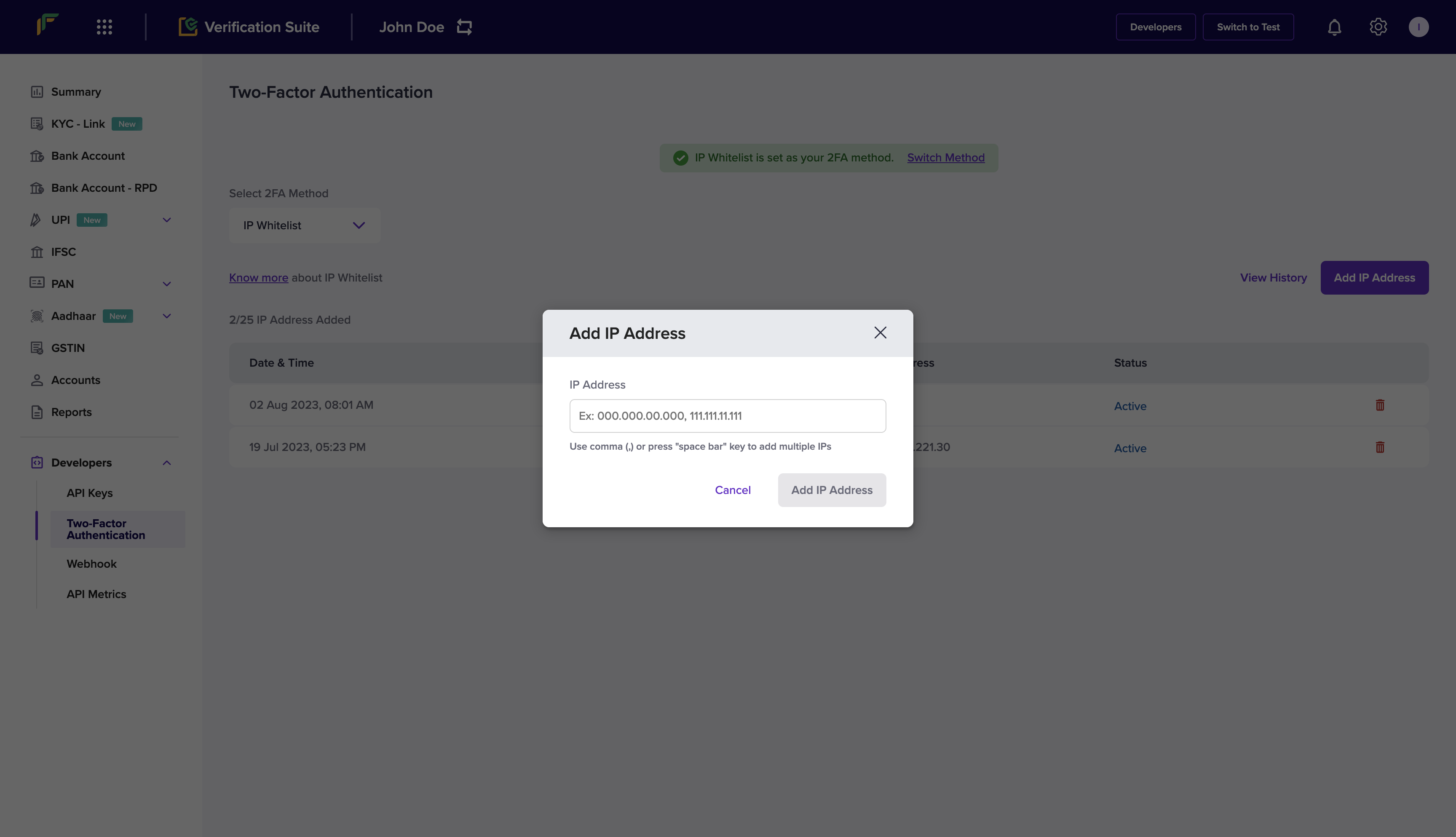
API Keys - Production Environment: You need to perform an OTP authentication
to generate API keys for production environment.
## Whitelist your IP address
Whitelisting the IP address or generating a public key provides a layer of authentication. These cybersecurity techniques prevent anonymous or unknown disbursement requests and allow only verified requests. Your IP address needs to be whitelisted in the Cashfree Payments production server or it rejects all incoming requests.
Follow the instructions below to whitelist your IP:
1. Log in to your [Secure ID dashboard](https://merchant.cashfree.com/verificationsuite/home) and click **Developers** from the navigation pane > **Two-Factor Authentication** from the **Secure ID** card.
2. Choose **IP Whitelist** from the **Select 2FA Method** drop-down.
3. Click **Add IP Address**.
4. Enter the IP address you want to whitelist in the respective field and click **Add IP Address** to save the details. Note that only IPv4 must be whitelisted, not IPv6. The whitelisted IPs appear in the dashboard.
You can whitelist up to 25 IP addresses. If you need to whitelist more than 25 IP addresses or if your IP addresses are dynamic (not static), use the [Signature Generation](https://www.cashfree.com/docs/api-reference/vrs/getting-started#2fa-api-signature-generation) method.
**How to find my IP address?**
Depending on your operating system, you can retrieve the IP of the system via
multiple methods. You can also find your IP using helper sites such as
[https://whatismyipaddress.com/](https://whatismyipaddress.com/).
## 2FA API signature generation
To generate a signature, you need to generate the public key. You then use the generated public key to generate the signature.
### Generate public key
1. Log in to your [Secure ID dashboard](https://merchant.cashfree.com/verificationsuite/home) and click **Developers** from the navigation pane > **Two-Factor Authentication** from the **Secure ID** card.
2. Select **Public Key** from the *Select 2FA Method* drop-down.
3. Click **Generate Public Key**. You can have only one active public key at a time, and you can download it only once.
4. The public key is downloaded to your computer. The public key file is password protected you need to use the unique password sent to your registered email address (linked to your Cashfree account) to open it.
### Generate signature
Follow the steps below to generate your signature:
1. Retrieve your clientId (one which you are passing through the header X-Client-Id)
2. Append this with CURRENT UNIX timestamp separated by a period (.)
3. Encrypt this data using RSA encrypt with Public key you received – this is the signature.
4. Pass this signature through the header X-Cf-Signature.
This method generates a signature that is valid for 5 minutes. Generate a new signature every 5 minutes.
In the case of using our library, go through the libraries section. During the initialization process, you need to pass the key as a parameter.
```php PHP theme={"dark"}
";
$publicKey =
openssl_pkey_get_public(file_get_contents("/path/to/certificate/public
_key.pem"));
$encodedData = $clientId.".".strtotime("now");
return static::encrypt_RSA($encodedData, $publicKey);
}
private static function encrypt_RSA($plainData, $publicKey) { if (openssl_public_encrypt($plainData, $encrypted, $publicKey,
OPENSSL_PKCS1_OAEP_PADDING))
$encryptedData = base64_encode($encrypted);
else return NULL;
return $encryptedData;
}
?>
```
```java Java theme={"dark"}
private static String generateEncryptedSignature(String clientIdWithEpochTimestamp) {
// String clientIdWithEpochTimeStamp = clientId+"."+Instant.now().getEpochSecond();
String encrytedSignature = "";
try {
byte[] keyBytes = Files
.readAllBytes(new File("/Users/sameera/Downloads/payout_test_public_key.pem").toPath()); // Absolute Path to be replaced
String publicKeyContent = new String(keyBytes);
System.out.println(publicKeyContent);
publicKeyContent = publicKeyContent.replaceAll("[\\t\\n\\r]", "")
.replace("-----BEGIN PUBLIC KEY-----", "").replace("-----END PUBLIC KEY-----", "");
KeyFactory kf = KeyFactory.getInstance("RSA");
System.out.println(publicKeyContent);
X509EncodedKeySpec keySpecX509 = new X509EncodedKeySpec(
Base64.getDecoder().decode(publicKeyContent));
RSAPublicKey pubKey = (RSAPublicKey) kf.generatePublic(keySpecX509);
final Cipher cipher = Cipher.getInstance("RSA/ECB/OAEPWithSHA-1AndMGF1Padding");
cipher.init(Cipher.ENCRYPT_MODE, pubKey);
encrytedSignature = Base64.getEncoder().encodeToString(cipher.doFinal(clientIdWithEpochTimestamp.getBytes()));
System.out.println(encrytedSignature);
} catch (Exception e) {
e.printStackTrace();
}
return encrytedSignature;
}
```
## Configure success rate alerts
Configure email alerts for each KYC API to be notified when the success rate (SR) falls below a specified threshold for any endpoint. These alerts help you proactively monitor API performance and take timely action to maintain smooth verification workflows.
To configure alerts for your Secure ID account:
1. Log in to your [Secure ID dashboard](https://merchant.cashfree.com/verificationsuite/home) using your credentials.
2. Select **Settings** from the top navigation menu.
3. Select **Email Notifications** under the **Secure ID** section.
4. Select the **SR Alerts** tab and enable the specific API endpoints you want to monitor.
5. Select **Email Notification** from the **Manage Notifications** drop-down, and enter the email addresses to receive alerts.
6. Select **Next**, review your configuration, and select **Submit**.
## Contact us for any queries
For identifying, diagnosing, and resolving problems related to API requests, ensure the information below is communicated while contacting us:
* Share the API request and response details along with `referenceId` or `verificationId`.
* Mention the registered email ID and environment in the email.
* Use your registered email address (with Cashfree Payments) to send the email or mention the registered email address.
* Include your account manager in the CC of the email request.
For dashboard queries, share the screenshot and .har file of the screen.
# Overview
Source: https://www.cashfree.com/docs/api-reference/vrs/overview
The Secure ID APIs provide RESTful endpoints for identity verification and document authentication with industry-leading success rates and highly optimised latency. These APIs support both sandbox testing and production environments, determined by your credentials, with consistent authentication and error handling across all endpoints. Real-time webhooks and SDKs ensure seamless integration with sub-second response times for critical verification workflows, including bulk processing capabilities for high-volume verification requirements.
## Key features
The key features offered by Cashfree's Secure ID APIs are:
* **Identity verification**: Verify PAN, GSTIN, DigiLocker, and other government documents in real-time.
* **Document OCR**: Extract and verify information from 8+ official documents including PAN, Aadhaar, Driving License, Passport, Voter ID, Vehicle RC, and more using Smart OCR technology with E-sign integration for document authentication.
* **Biometric verification**: Perform face liveness checks, face matching, and name matching for enhanced security.
* **Bulk processing**: Handle large-volume verification requests efficiently with batch processing capabilities for enterprise-scale operations.
* **Seamless onboarding**: 1-click onboarding solutions with mobile-based data retrieval and automated form pre-filling from verified sources through APIs and SDKs.
* **Location verification**: IP verification, reverse geocoding, and address validation tools for accurate location-based authentication.
Fetch list of GSTIN numbers associated with a PAN for business verification.
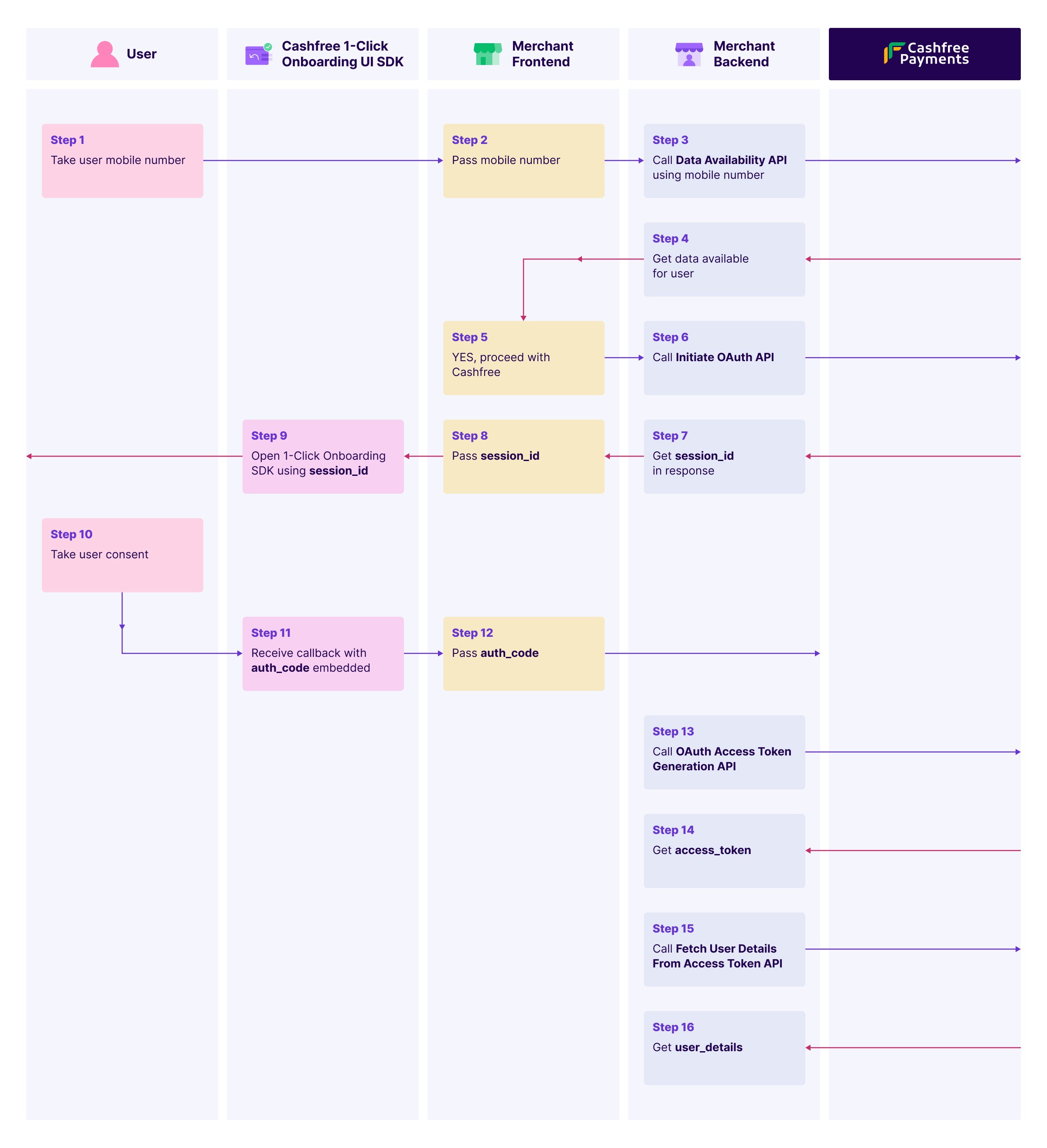
## Getting started
Use the following resources to begin implementing Secure ID verification:
Learn about Secure ID features, use cases, and implementation guides
Download SDKs and follow step-by-step integration tutorials
# Bank Verification Async
Source: https://www.cashfree.com/docs/api-reference/vrs/v1/bank-account-verification/bank-verification-async
get /payout/v1/asyncValidation/bankDetails
Use this API to validate the given bank account number and IFSC. This is an async verification request.
This API will be retired soon. Please plan to migrate to the latest version, [Bank Account Verification Async V2](/api-reference/vrs/v2/bav-v2/bank-account-verification-async-v2).
# Bank Verification Sync V1.2
Source: https://www.cashfree.com/docs/api-reference/vrs/v1/bank-account-verification/bank-verification-sync-v12
get /payout/v1.2/validation/bankDetails
Use this API to validate the given bank account number and IFSC. This is a sync verification request.
This API will be retired soon. Please plan to migrate to the latest version, [Bank Account Verification Sync V2](/api-reference/vrs/v2/bav-v2/bank-account-verification-sync-v2).
# Bulk Bank Verification
Source: https://www.cashfree.com/docs/api-reference/vrs/v1/bank-account-verification/bulk-bank-verification
post /payout/v1/bulkValidation/bankDetails
Use this API to request bank validations in bulk. It is an asynchronous process.
This API will be retired soon. Please plan to migrate to the latest version, [Bulk Bank Account Verification V2](/api-reference/vrs/v2/bav-v2/bulk-bank-account-verification-v2).
# Get Bulk Verification Status
Source: https://www.cashfree.com/docs/api-reference/vrs/v1/bank-account-verification/get-bulk-verification-status
get /payout/v1/getBulkValidationStatus
Use this API to get the status of bulk bank validation request by providing the bulkValidationId.
This API will be retired soon. Please plan to migrate to the latest version, [Get Bulk BAV Status V2](/api-reference/vrs/v2/bav-v2/get-bulk-bav-status-v2).
# Get Verification Status
Source: https://www.cashfree.com/docs/api-reference/vrs/v1/bank-account-verification/get-verification-status
get /payout/v1/getValidationStatus/bank
Use this API to get the statuses of the bank validation request by providing the bvRefId or userId.
This API will be retired soon. Please plan to migrate to the latest version, [Get BAV Status V2](/api-reference/vrs/v2/bav-v2/get-bav-status-v2).
# IFSC Verification
Source: https://www.cashfree.com/docs/api-reference/vrs/v1/bank-account-verification/ifsc-verification
get /payout/v1/ifsc/{ifsc}
Use this API to verify if a given IFSC exists. The bank name, the branch that it belongs to, the transfer modes supported, and the respective MICR code will be shown in the response.
This API will be retired soon. Please plan to migrate to the latest version, [IFSC Verification V2](/api-reference/vrs/v2/ifsc/ifsc-verification-v2).
# Integration Overview
Source: https://www.cashfree.com/docs/api-reference/vrs/v2/1-click-onboarding/1-click-onboarding-sdk
The 1-Click Onboarding SDK simplifies user verification workflows for Android, iOS, and web applications. You can include a script tag, initialise the SDK with a session ID, and manage verification processes easily. Success and error callbacks handle responses, and you can close the SDK programmatically if needed.
This topic includes the following sections:
* [Integration](#integration)
* [Initializing SDK](#initializing-sdks)
* [Callback structure](#callback-structure)
## Integration
To integrate 1-Click Onboarding:
1. Log in to the [Merchant Dashboard](https://merchant.cashfree.com/verificationsuite/1-click-onboarding) and create a 1-Click Onboarding template.
2. Follow the workflow below:
1. Verify user data using the [Data Availability API](https://www.cashfree.com/docs/api-reference/vrs/v2/1-click-onboarding/data-availability) to check user data availability using a mobile number. This step is mandatory.
2. Initiate OAuth by calling the [Initiate OAuth API](https://www.cashfree.com/docs/api-reference/vrs/v2/1-click-onboarding/initiate-oauth) with the mobile number to obtain a `session_id` for opening the SDK.
3. Collect user consent by opening the SDK using the `session_id`. Once the user provides consent, a callback returns an `auth_code`.
4. Generate an access token using the auth\_code with the [OAuth Access Token Generation API](https://www.cashfree.com/docs/api-reference/vrs/v2/1-click-onboarding/oauth-access-token-generation) to get a token valid for one hour.
5. Retrieve user details using the access token with the [Fetch User Details API](https://www.cashfree.com/docs/api-reference/vrs/v2/1-click-onboarding/fetch-user-details-from-access-token) to access user details.
Refer to the image below for a sample workflow:
## Initializing SDKs
The SDK communicates with Cashfree and provides updates via the callbacks. Initialize the applicable SDK from the options below:
* [Web](#web)
* [Android native](#android-native)
* [iOS native](#ios-native)
### Web
To initiate the web SDK, pass the `sessionId` and callback functions. Refer to the JavaScript example below:
```javascript theme={"dark"}
const cf = CF1ClickOnboarding({
sessionId: newId,
successCb: successCallback,
errorCb: errorCallback,
mode: "production" // default: "sandbox"
});
const successCallback = (data) => {
console.log("Success: ", data);
};
const errorCallback = (error) => {
console.error("Error: ", error);
};
// Close the SDK programmatically
cf.closeSDK();
```
#### Importing hosted JS SDK
Include the following SDK in your HTML document for the production environment:
```html theme={"dark"}
```
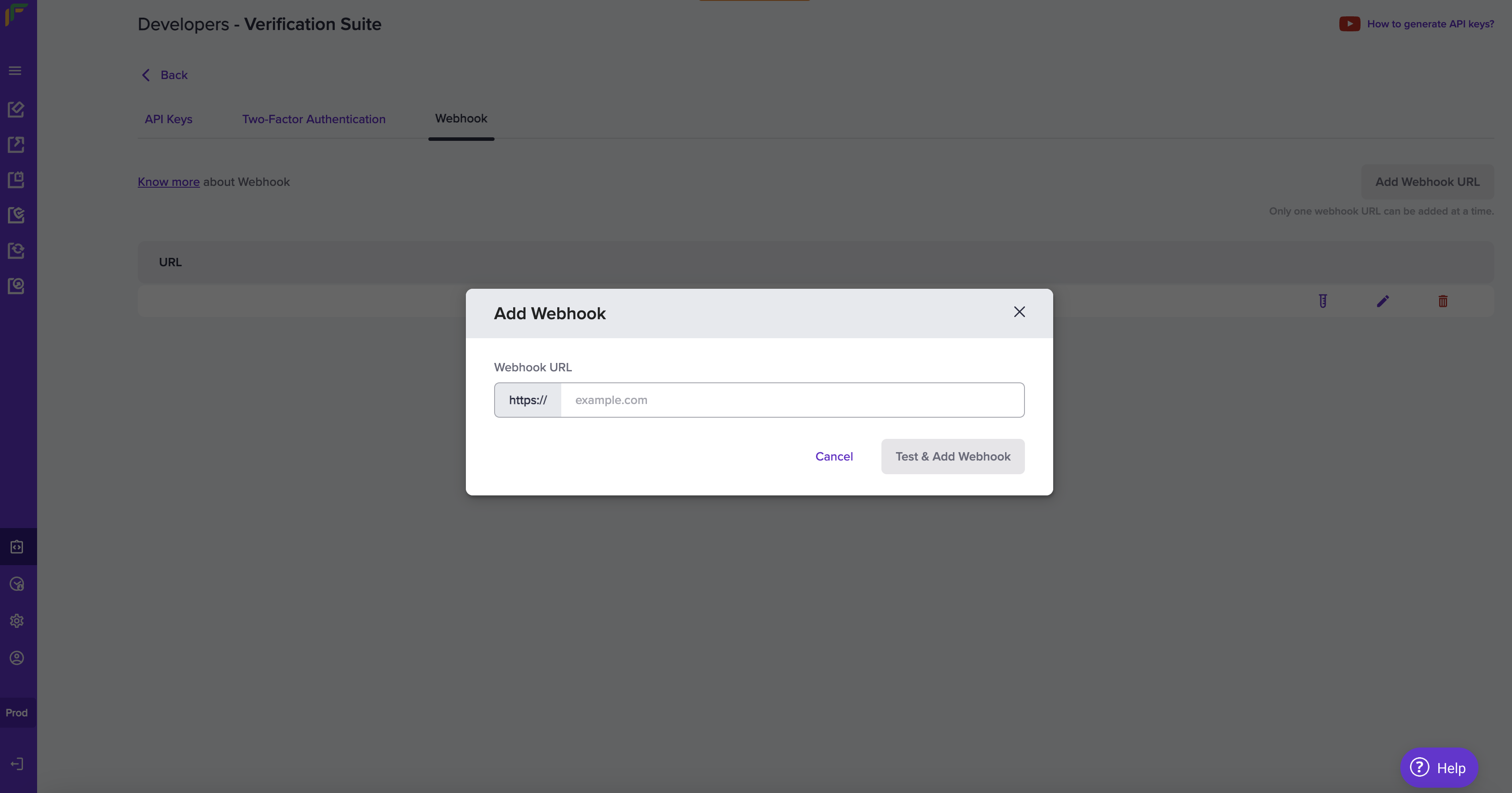
To use the test environment, set `mode="sandbox"` in the `CF1ClickOnboarding` SDK. This is the default mode. To use the production environment, set `mode="production"`.
Refer to the code snippet below for the HTML structure:
```html theme={"dark"}
1-Click Onboarding
```
### Android native
To set up the Android native SDK:
1. Add the Maven repository to `settings.gradle.kts`:
```kotlin theme={"dark"}
repositories {
google()
mavenCentral()
maven { url = URI("https://maven.cashfree.com/release") }
}
```
2. Add SDK dependency in `build.gradle.kts`:
```kotlin theme={"dark"}
dependencies {
implementation("com.cashfree.vrs:kyc-verification:1.0.1")
}
```
3. Click **Sync Now** in Android Studio to sync the project.
To initialise and use the Android native SDK:
1. Create an instance of the verification service:
```kotlin theme={"dark"}
val verificationService = CFVerificationService.Builder()
.setContext(this) // Pass the context
.build()
```
2. Configure the callback to handle verification responses, errors, and user drop scenarios:
```kotlin theme={"dark"}
verificationService.set1ClickOnboardingCallback(object : CF1ClickOnboardingCallback {
override fun onVerification(response: CF1ClickOnboardingResponse) {
// Handle response
}
override fun onVerificationError(error: CF1ClickOnboardingErrorResponse) {
// Handle error
}
override fun onUserDrop(error: CFUserDropResponse) {
// Handle user drop
}
})
```
3. Initiate the 1-Click Onboarding SDK:
```kotlin theme={"dark"}
verificationService.open1ClickOnboarding(sessionId, Environment.TEST)
```
It consists of the following parameters:
* **sessionId**: Unique session identifier.
* **Environment**: SDK environment. Possible values are:
* `Environment.TEST`
* `Environment.PROD`
### iOS native
To set up the iOS native SDK:
1. Add the SDK to your project by updating your `Podfile`:
```ruby theme={"dark"}
pod 'KycVerificationSdk', '~> 1.0.2'
```
2. Run `pod install` to install the SDK.
To initialise and use the iOS native SDK:
1. Create an instance of the `CFVerificationService` class:
```swift theme={"dark"}
let kycService = CFVerificationService.getInstance()
```
2. Set up callback handlers to manage events after verification processing. Implement the `CF1ClickOnboardingResponseDelegate` protocol to handle responses and errors:
```swift theme={"dark"}
extension ViewController: CFResponseDelegate {
func onVerification(_ verificationResponse: KycVerificationSdk.CF1ClickOnboardingResponse) {
showErrorAlert(title: "Verification Success", message: verificationResponse.verificationId ?? "N/A")
}
func onVerificationError(_ errorResponse: KycVerificationSdk.CF1ClickOnboardingErrorResponse) {
showErrorAlert(title: "Verification Error", message: errorResponse.status ?? "N/A")
}
func onUserDrop(_ userDropResponse: KycVerificationSdk.CFUserDropResponse) {
showErrorAlert(title: "User Dropped", message: userDropResponse.verificationId ?? "N/A")
}
}
```
3. Initiate the 1-Click Onboarding SDK using the following code:
```swift theme={"dark"}
do {
let environment = Environment.PROD
try kycService.open1ClickOnboarding(sessionId, environment, self, self)
} catch let e {
let error = e as! VerificationError
print(error)
}
```
It consists of the following parameters:
* **sessionId**: A unique identifier for the session.
* **environment**: Specifies the environment in which the SDK operates. Possible values are:
* `Environment.TEST`
* `Environment.PROD`
## Callback structure
Refer to the sample response below:
```json theme={"dark"}
{
"verification_id": "verification_id_value",
"auth_code": "auth_code_value",
"status": "SUCCESS"
}
```
Refer to the table below for the possible statuses:
| Status | Description |
| -------------------- | ------------------------------------------------ |
| SESSION\_EXPIRED | The session ID is invalid. |
| SESSION\_ID\_MISSING | No session ID is provided during initialization. |
| DIV\_MISSING | The `
` with ID `cf-sdk` is missing. |
| SUCCESS | The operation is completed successfully. |
| CLOSED | The SDK closes. |
**Notes**:
* Ensure the `
` with ID `cf-sdk` exists in your HTML.
* The SDK applies default styling for consistent behaviour; custom styling is not supported.
* The iframe uses sandboxing for secure interactions.
For detailed API documentation, refer to [1-Click Onboarding API](https://www.cashfree.com/docs/api-reference/vrs/v2/1-click-onboarding/data-availability) Integration.
# Data Availability
Source: https://www.cashfree.com/docs/api-reference/vrs/v2/1-click-onboarding/data-availability
post /user/data-availability
Use this API to check the availability of user data. Provide the required details in the request to retrieve data availability status.
The `available_scopes` values returned in the response have a validity period of 1 hour. Ensure that user consent is obtained and submitted within this timeframe. After expiration, you must make a new API call to retrieve updated scopes.
# Fetch User Details From Access Token
Source: https://www.cashfree.com/docs/api-reference/vrs/v2/1-click-onboarding/fetch-user-details-from-access-token
get /oauth2/user-details
Use this API to retrieve user details by providing a valid access token fetched from the OAuth Access Token Generation API. This endpoint fetches the information associated with the authenticated user.
# Initiate OAuth
Source: https://www.cashfree.com/docs/api-reference/vrs/v2/1-click-onboarding/initiate-oauth
post /oauth2/session
Use this API to initiate the OAuth process by providing the necessary credentials to obtain the session details, which will be used to initiate the SDK.
**Notes**:
* The session ID generated by this API is valid for 1 hour.
* Get the X Client ID and X Client Secret from the [Merchant Dashboard](https://merchant.cashfree.com/verificationsuite/1-click-onboarding) when you create the app under the 1-Click section.
# OAuth Access Token Generation
Source: https://www.cashfree.com/docs/api-reference/vrs/v2/1-click-onboarding/oauth-access-token-generation
post /oauth2/generate-token
Use this API to generate an access token after the user completes the OAuth authentication process. This token is required to access user details once the user provides consent.
> **Note**: The X Client ID and X Client Secret mentioned in this API are obtained from the [Merchant Dashboard](https://merchant.cashfree.com/verificationsuite/1-click-onboarding) when creating the app under 1-Click section.
# Aadhaar Masking
Source: https://www.cashfree.com/docs/api-reference/vrs/v2/aadhaar/aadhaar-masking
post /aadhaar-masking
Use this API to mask the first 8 digits of your customer's aadhaar number and block the QR code (if it exists). Masking aadhaar card of your customers ensures privacy and makes it storable in your database. View the [test data](https://www.cashfree.com/docs/api-reference/vrs/data-to-test-integration#aadhaar-masking) and use the information to trigger the validations. The test data are usable only in test environments such as gamma and sandbox.
| Sub code | Status | Message | Next action |
| -------- | ------- | -------------------------------------------------------------------------------------------------------------------------------------------------------------------------------------------------------------------- | ----------------------------------------------------------------------------- |
| 200 | SUCCESS | VALID | - |
| 200 | SUCCESS | INVALID\_DOCUMENT | Upload a valid copy of the aadhaar. |
| 400 | ERROR | x-client-id is missing in the request | Enter all the header information in the API request. |
| 400 | ERROR | image is missing in the request | Upload the image file of the aadhaar card that needs masking. |
| 400 | ERROR | verification\_id can include only alphanum, dot, hyphen and underscores | Only alphanumeric, period (.), hyphen (-), and underscore ( \_ ) are allowed. |
| 400 | ERROR | Client secret belongs to test environment | Enter the correct environment credentials in the request. |
| 401 | ERROR | Invalid clientId and clientSecret combination | Enter valid client ID and secret key in the request. |
| 403 | ERROR | IP not whitelisted your current IP is 106.51.91.104. For IP whitelisting assistance, visit our [IP Whitelisting guide](https://www.cashfree.com/docs/secure-id/get-started/integration/ip-whitelisting-verification) | Whitelist the IP address. |
| 409 | ERROR | verification ID already exists | Enter a unique verification ID. |
| 413 | ERROR | file size exceeded | The maximum file size should be 10 MB. |
| 422 | ERROR | Insufficient balance to process this request. | Ensure you have sufficient balance and then process the request. |
| 500 | ERROR | something went wrong | Try after some time. |
# Request Consent
Source: https://www.cashfree.com/docs/api-reference/vrs/v2/account-aggregator/account-aggregator-consent-request
post /aa/consent
Use this API to request consent from the individual to fetch the financial information.
# Fetch Financial Information
Source: https://www.cashfree.com/docs/api-reference/vrs/v2/account-aggregator/account-aggregator-fetch-fi-data
get /aa/fi
Fetch Financial Information
# Get Consent Status
Source: https://www.cashfree.com/docs/api-reference/vrs/v2/account-aggregator/account-aggregator-get-consent-status
get /aa/consent
Get Consent Status
# Request Financial Information
Source: https://www.cashfree.com/docs/api-reference/vrs/v2/account-aggregator/account-aggregator-request-fi
post /aa/fi
Request Financial Information
# Webhooks
Source: https://www.cashfree.com/docs/api-reference/vrs/v2/account-aggregator/account-aggregator-webhook
Webhooks are server callbacks to your server from Cashfree payments.
Webhooks are event-based notifications that are received when a specific event related to the account aggregator occurs.
## Add webhooks
Add your webhook URL in our system for us to deliver webhook events.
Follow the instructions below to configure the webhook URL. Ensure to provide the publicly accessible HTTPS URL to your webhook endpoint.
1. Log in to the **[Merchant Dashboard](https://merchant.cashfree.com/merchants/)** and click **Developers**.
2. Click **Webhooks** listed under the **Secure ID** card.
3. Click **Add Webhook URL** in the **Webhook** screen.
4. In the **Add Webhook** popup, fill in the following information:
* **Webhook URL**: Enter the URL in this field.
5. Click **Test & Add Webhook**.
## Consent webhook event
| Event | Description |
| :---------------------------------- | :------------------- |
| AA\_CONSENT\_VERIFICATION\_SUCCESS | Consent is approved. |
| AA\_CONSENT\_VERIFICATION\_PAUSED | Consent is paused. |
| AA\_CONSENT\_VERIFICATION\_REVOKED | Consent is revoked. |
| AA\_CONSENT\_VERIFICATION\_REJECTED | Consent is rejected. |
| AA\_CONSENT\_VERIFICATION\_EXPIRED | Consent has expired. |
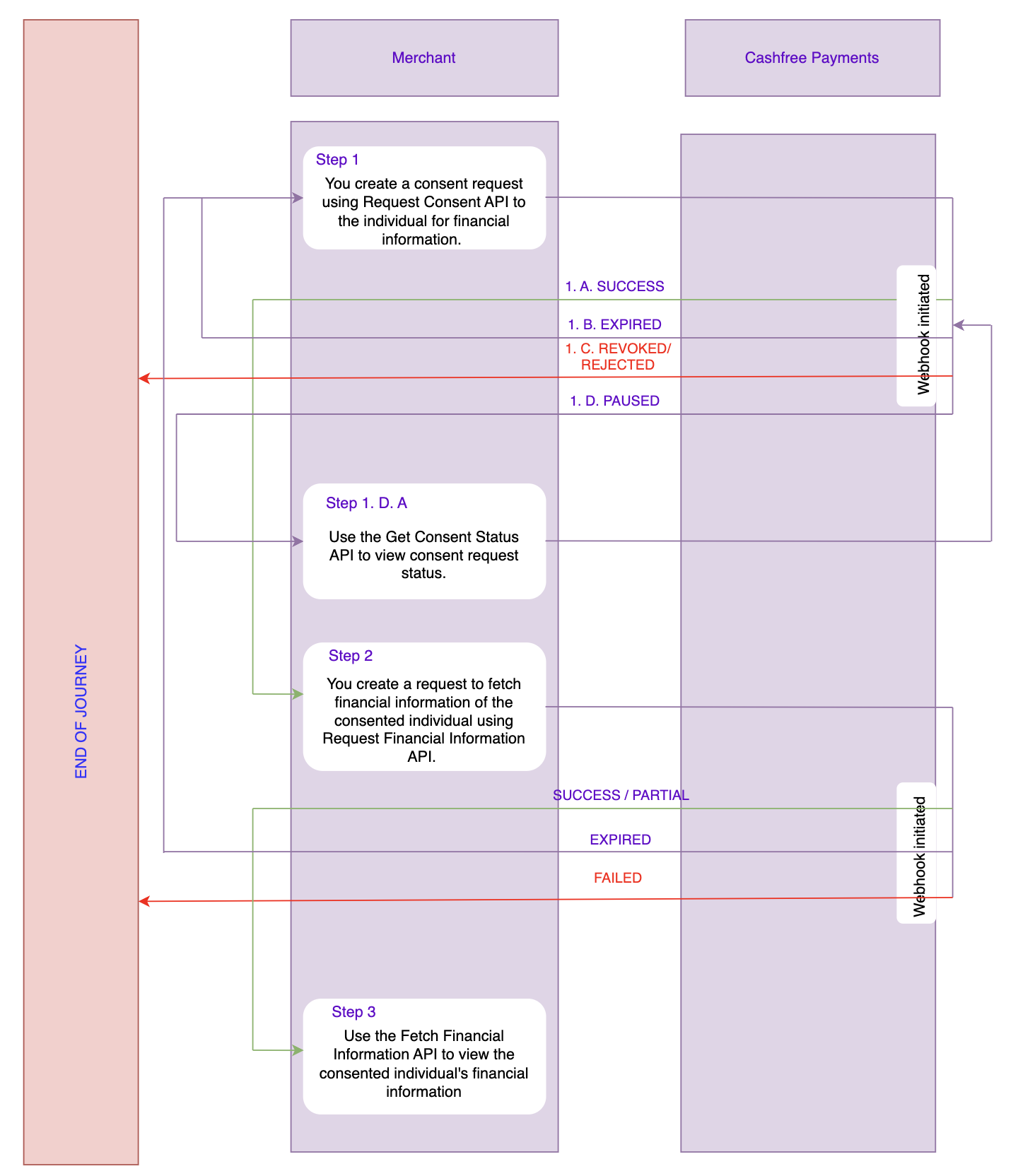
```Text AA_CONSENT_VERIFICATION_SUCCESS theme={"dark"}
{
"event_type": "AA_CONSENT_VERIFICATION_SUCCESS",
"event_time": "2024-02-15 16:53:15",
"version": "v1",
"data": {
"status": "SUCCESS",
"consent_verification_id": "a12bc34def56789"
}
}
```
```Text AA_CONSENT_VERIFICATION_PAUSED theme={"dark"}
{
"event_type": "AA_CONSENT_VERIFICATION_PAUSED",
"event_time": "2024-02-15 16:53:15",
"version": "v1",
"data": {
"status": "PAUSED",
"consent_verification_id": "a12bc34def56789"
}
}
```
```Text AA_CONSENT_VERIFICATION_REVOKED theme={"dark"}
{
"event_type": "AA_CONSENT_VERIFICATION_REVOKED",
"event_time": "2024-02-15 16:53:15",
"version": "v1",
"data": {
"status": "REVOKED",
"consent_verification_id": "a12bc34def56789"
}
}
```
```Text AA_CONSENT_VERIFICATION_REJECTED theme={"dark"}
{
"event_type": "AA_CONSENT_VERIFICATION_REJECTED",
"event_time": "2024-02-15 16:53:15",
"version": "v1",
"data": {
"status": "REJECTED",
"consent_verification_id": "a12bc34def56789"
}
}
```
```Text AA_CONSENT_VERIFICATION_EXPIRED theme={"dark"}
{
"event_type": "AA_CONSENT_VERIFICATION_EXPIRED",
"event_time": "2024-02-15 16:53:15",
"version": "v1",
"data": {
"status": "EXPIRED",
"consent_verification_id": "a12bc34def56789"
}
}
```
## FI webhook event
| Event | Description |
| :---------------------------- | :------------------------------------------------ |
| AA\_FI\_VERIFICATION\_SUCCESS | Financial information verification is successful. |
| AA\_FI\_VERIFICATION\_ACTIVE | Financial information consent is active. |
| AA\_FI\_VERIFICATION\_FAILED | Financial information verification has failed. |
| AA\_FI\_VERIFICATION\_EXPIRED | Financial information verification has expired. |
```Text AA_FI_VERIFICATION_ACTIVE theme={"dark"}
{
"event_type": "AA_FI_VERIFICATION_ACTIVE",
"event_time": "2024-02-15 16:53:15",
"version": "v1",
"data": {
"status": "ACTIVE",
"fi_verification_id": "v1234567890abcdef",
"fi_status_response": [
{
"fip_id": "FIP_1",
"accounts": [
{
"link_ref_number": "b2328fa7-0dcd-2314-asb5-9ef7b4c1cz6b",
"fi_status": "READY"
},
{
"link_ref_number": "a2328fa7-0dcd-2314-asb5-9ef7b4c1cz6b",
"fi_status": "TIMEOUT"
}
]
},
{
"fip_id": "FIP_2",
"accounts": [
{
"link_ref_number": "c2328fa7-0dcd-2314-asb5-9ef7b4c1cz6b",
"fi_status": "READY"
}
]
}
]
}
}
```
```Text AA_FI_VERIFICATION_SUCCESS theme={"dark"}
{
"event_type": "AA_FI_VERIFICATION_SUCCESS",
"event_time": "2024-02-15 16:53:15",
"version": "v1",
"data": {
"status": "SUCCESS",
"fi_verification_id": "v1234567890abcdef",
}
}
```
```Text AA_FI_VERIFICATION_FAILED theme={"dark"}
{
"event_type": "AA_FI_VERIFICATION_FAILED",
"event_time": "2024-02-15 16:53:15",
"version": "v1",
"data": {
"status": "FAILED",
"fi_verification_id": "v1234567890abcdef",
}
}
```
```Text AA_FI_VERIFICATION_EXPIRED theme={"dark"}
{
"event_type": "AA_FI_VERIFICATION_EXPIRED",
"event_time": "2024-02-15 16:53:15",
"version": "v1",
"data": {
"status": "EXPIRED",
"fi_verification_id": "v1234567890abcdef",
}
}
```
## Webhook signature
You will receive the webhook signature in the webhook header. Here is a sample header from a webhook request.
| Header Name | Header Value |
| ------------------- | :------------------------------------------: |
| content-length | 1099 |
| x-webhook-attempt | 1 |
| content-type | application/json |
| x-webhook-signature | 07r5C3VMwsGYeldGOCYxe5zoHhIN1zLfa8O0U/yngHI= |
| x-webhook-timestamp | 1746427759733 |
Always capture the webhook payload in its raw text format before parsing into JSON. Parsing and re-serialising the payload can change the structure (for example, array ordering, spacing, or `null` handling) and cause a signature mismatch during verification. Use the exact raw body string from the request when computing the signature.
## Webhook payload fields
The webhook payload contains important metadata in its top-level fields.
| Field | Type | Description |
| ------------ | -------- | --------------------------------------------------------------------------------------------- |
| `event_type` | `string` | Indicates the type of event that triggered the webhook. |
| `event_time` | `string` | The UTC timestamp of when the event occurred, formatted in ISO 8601 (`YYYY-MM-DDTHH:MM:SSZ`). |
| `version` | `string` | Indicates the webhook format being used. Default version is "v1". |
| `data` | `object` | Contains event-specific details related to this feature. |
Verifying the signature is mandatory before processing any response. Refer to [Signature Verification](/api-reference/vrs/webhook-signature-verification#webhook-signature-verification) for more details.
# Overview
Source: https://www.cashfree.com/docs/api-reference/vrs/v2/account-aggregator/overview
Learn about Account Aggregator
## Entities involved
* **Account aggregator (AA)**
An Account Aggregator is an intermediary entity that facilitates the collection and aggregation of financial data from various Financial Information Providers (FIPs) and provides it to Financial Information Users (FIUs).
* **Financial Information Provider (FIP)**
FIPs are financial institutions or organisations that hold financial data. These could include banks, credit unions, investment firms, and other entities that provide financial services.\\
* **Financial Information User (FIU)**
FIUs are entities or applications that use the aggregated financial data. They could be financial management apps, credit scoring services, or investment platforms.
### How they work?
1. **Consent Request:** The Account Aggregator APIs first request user consent to access their financial data from Financial Information Providers (FIPs).
2. **User Consent:** For an FIU to access data from an FIP, the end-user must provide consent. Users authenticate their accounts and authorise the API to retrieve their information.
3. **Data Collection:** Once consent is granted, the APIs connect directly to FIPs to collect financial data, such as account balances and transaction histories.
4. **Data Aggregation:** The APIs consolidate data from various FIPs into a unified format, making it easier to manage and analyse.
5. **Secure Transfer**: The Account Aggregator APIs ensure the secure transmission of data between FIPs and Financial Information Users (FIUs), using encryption and other security measures to protect sensitive information.
6. **Service Integration:** Financial Information Users (FIUs) receive the aggregated data through the API. They leverage this data to provide enhanced financial services, such as budgeting tools, investment analysis, and credit scoring.
## Account Aggregator APIs
With Cashfree Payments, you can securely access and aggregate financial data from various accounts and institutions. Utilise our APIs to collect data such as bank account balances, transaction history, investment portfolios, and more, from multiple sources in one place. They simplify the process of connecting to financial institutions by providing a standardised way to retrieve data, making it easier for developers to build applications that involve financial information.
| API | Description |
| :------------------------------------------------------------------------------------------------------- | :-------------------------------------------------------------------------------------- |
| [Request Consent](/api-reference/vrs/v2/account-aggregator/account-aggregator-consent-request) | Use this API to request consent from the individual to fetch the financial information. |
| [Get Consent Status](/api-reference/vrs/v2/account-aggregator/account-aggregator-get-consent-status) | Use this API to get the status of the consent request. |
| [Request Financial Information](/api-reference/vrs/v2/account-aggregator/account-aggregator-request-fi) | Use this API to request the financial information of the consented individual. |
| [Fetch Financial Information](/api-reference/vrs/v2/account-aggregator/account-aggregator-fetch-fi-data) | Use this API to fetch the financial information of the consented individual. |
## Use case scenario
A financial advisory firm, X, offers a digital platform that provides personalised financial planning and investment advice. To deliver accurate and tailored advice to clients, X leverages Cashfree Payments' Account Aggregator APIs to access and aggregate financial data.
### Steps involved
1. **Client onboarding**
Preethi signs up for X's financial planning service. To create a plan, X requires access to Preethi's complete financial data.
2. **Consent request**
X uses Cashfree Payments' Account Aggregator APIs to request Preethi's consent to access her financial data. X specifies what kind of financial information they require in the **[Request Consent](/api-reference/vrs/v2/account-aggregator/account-aggregator-consent-request)** API. The API directs Preethi to authenticate with her bank and other financial institutions to grant permission.
3. **Data collection**
Once Preethi provides consent, the **[Request Financial Information](/api-reference/vrs/v2/account-aggregator/account-aggregator-request-fi)** API connects to her various financial accounts and retrieves relevant data such as account balances, transaction histories, income statements, and investment holdings.
4. **Data Aggregation**
Cashfree Payments consolidates this data into a standardised format and X can view them using **[Fetch Financial Information](/api-reference/vrs/v2/account-aggregator/account-aggregator-request-fi)**. This allows the firm to view Preethi’s complete financial profile in one place.
5. **Financial Analysis**
X’s platform analyses the aggregated data to assess Preethi’s financial health. This includes evaluating her spending patterns, savings, investment performance, and overall financial situation.
6. **Personalised Recommendations**
Based on the analysis, X generates tailored financial advice and investment recommendations for Preethi. This might include budgeting strategies, savings goals, investment opportunities, and retirement planning tips.
7. **Client Review and Feedback**
Preethi reviews the personalised financial plan and recommendations through X's platform. She can provide feedback, ask questions, and make adjustments to her financial strategy based on the advice received.
# Get Employment Details
Source: https://www.cashfree.com/docs/api-reference/vrs/v2/advanced-employment/get-employment-details
post /advance-employment
Use this API to to retrieve an individual's recent employment details such as member ID, joining date, and exit date of the company. Verifying the employment information of the individual mitigates risk and prevents fraud. View the [test data](https://www.cashfree.com/docs/api-reference/vrs/data-to-test-integration#employment-information) and use the information to trigger the validations. The test data are usable only in the sandbox environment.
# Bank Account Verification Async V2
Source: https://www.cashfree.com/docs/api-reference/vrs/v2/bav-v2/bank-account-verification-async-v2
post /bank-account/async
Use this API to verify bank account information. It is an aysnc request. View the [test data](https://www.cashfree.com/docs/api-reference/vrs/data-to-test-integration#bank-numbers) and use the information to trigger the validations. You can use the test data only in sandbox environment.
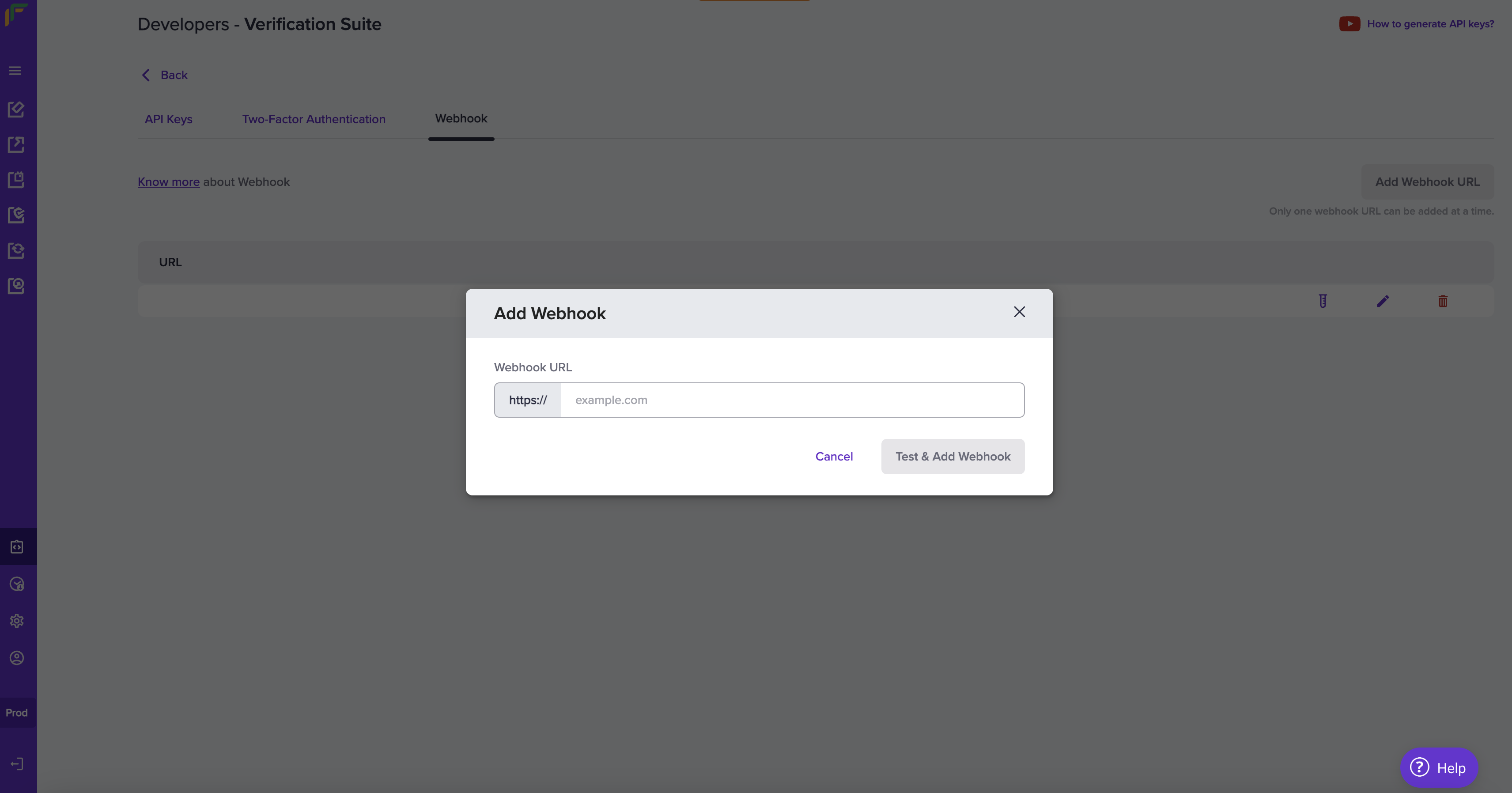
* Cashfree does not support the verification of Deutsche Bank and Paytm Payments Bank accounts.
* For further queries, please refer to the [Bank Account Verification FAQs](https://www.cashfree.com/docs/secure-id/kyc-stack/verify-bank-account#faqs).
# Bank Account Verification Sync V2
Source: https://www.cashfree.com/docs/api-reference/vrs/v2/bav-v2/bank-account-verification-sync-v2
post /bank-account/sync
Use this API to do bank account verification in sync. View the [test data](https://www.cashfree.com/docs/api-reference/vrs/data-to-test-integration#bank-numbers) and use the information to trigger the validations. You can use the test data only in sandbox environment.
* Cashfree does not support the verification of Deutsche Bank and Paytm Payments Bank accounts.
* For further queries, please refer to the [Bank Account Verification FAQs](https://www.cashfree.com/docs/secure-id/kyc-stack/verify-bank-account#faqs).
* IMPS verifies only the first five characters of the IFSC code, which represent the bank. It does not verify the remaining six characters that identify the branch.
# BAV Response Description
Source: https://www.cashfree.com/docs/api-reference/vrs/v2/bav-v2/bav-response-description
## account\_status
It displays the status of the bank account.
| STATUS | DESCRIPTION |
| :------------------- | :----------------------------------------------------------------------------------------------------------------------------------------- |
| `VALID` | The account is successfully verified. |
| `INVALID` | The account is invalid. |
| `RECEIVED` | The transaction request has been successfully received and awaits processing or verification. |
| `FAILED` | The transaction failed due to an error or issue on the bank's side. |
| `REJECTED` | The transaction was rejected, typically due to issues such as insufficient funds. |
| `APPROVAL_PENDING` | This status indicates that the verification process is awaiting merchant approval of the submitted files to proceed further. |
| `PARTIALLY_APPROVED` | This status indicates that some of the submitted data or files have been approved for verification. |
| `IN_PROCESS` | This status indicates that the request is currently under validation, and the verification process is actively ongoing. |
| `CANCELLED` | This status indicates that the request was terminated by the user and will not proceed further. |
| `PROCESSING` | This status indicates that the request is being actively handled, and the system is working on completing the verification or transaction. |
| `MANUALLY_REJECTED` | This status indicates that the request was explicitly reviewed and rejected by a user. |
## account\_status\_code
| STATUS | DESCRIPTION |
| :----------------------------------- | :----------------------------------------------------------------------------------------------------------------------------------------------------------------------------------------------------------------------------------------------------------------------------------------------------------------------------------------------------- |
| `ACCOUNT_IS_VALID` | Bank account has been successfully verified. |
| `FRAUD_ACCOUNT` | Fraudulent activity has been detected involving the bank account and IFSC. As a precautionary measure, both the account and IFSC have been blocked to prevent future transactions. To request unblocking, please contact your account manager or fill out the [Support Form](https://merchant.cashfree.com/merchants/landing?env=prod\&raise_issue=1). |
| `FAILED_AT_BANK` | The transaction failed due to an error or issue at the bank's end. |
| `NPCI_UNAVAILABLE` | The transaction could not be processed because the NPCI (National Payments Corporation of India) service is currently unavailable. |
| `CONNECTION_TIMEOUT` | The transaction failed due to a timeout while trying to establish a connection with the bank. |
| `SOURCE_BANK_DECLINED` | The transaction was declined by the source bank due to issues at their end. |
| `BENE_BANK_DECLINED` | The transaction was declined by the bene bank due to issues at their end. |
| `IMPS_MODE_FAIL` | The transaction failed because it could not be processed through the IMPS mode. |
| `BENEFICIARY_BANK_OFFLINE` | The transaction could not be processed because the beneficiary's bank is currently offline or unreachable. |
| `VALIDATION_IN_PROGRESS` | The transaction is currently being validated and is awaiting confirmation. |
| `INVALID_ACCOUNT_FAIL` | The transaction failed because the provided account details are invalid. |
| `INVALID_IFSC_FAIL` | The transaction failed because the provided IFSC code is invalid or incorrect. |
| `VERIFICATION_ALREADY_UNDER_PROCESS` | The verification is already in progress, and another verification request cannot be processed at this time. |
| `NRE_ACCOUNT_FAIL` | The transaction failed because the account is a Non-Resident External (NRE) account, which is not supported for this transaction type. |
| `ACCOUNT_BLOCKED` | The transaction failed because the account is blocked and cannot process transactions. |
| `INSUFFICIENT_BALANCE` | The transaction failed due to insufficient funds in the merchant account for processing the transaction. |
## name\_match\_result
It displays the result of the name match verification. Name match verification is done against the name provided in the request and the name associated with the bank account.
| STATUS | DESCRIPTION |
| :----------------------- | :------------------------------------------------------------------------------------------------------------------------------------------------------------------ |
| `DIRECT_MATCH` | Indicates that the name provided in the request matches exactly with the name associated with the bank account. |
| `GOOD_PARTIAL_MATCH` | Indicates a strong similarity between the provided name and the name associated with the bank account, with minor differences. |
| `MODERATE_PARTIAL_MATCH` | Indicates a noticeable similarity between the provided name and the name associated with the bank account, but with more significant variations or missing details. |
| `POOR_PARTIAL_MATCH` | Indicates a weak similarity between the provided name and the name associated with the bank account, suggesting a potential mismatch but with some common elements. |
| `NO_MATCH` | Indicates that there is no recognisable similarity between the provided name and the name associated with the bank account, or the names are entirely different. |
Example of name\_match\_result.
| Given Name | Name at bank | Match Score | Match Result | Account Number |
| :--------- | :----------- | :---------- | :----------------------- | :-------------- |
| JOHN DOE | john doe | 100.00 | DIRECT\_MATCH | 026291800001191 |
| JOHN DOE | john d | 85.00 | GOOD\_PARTIAL\_MATCH | 026291800001191 |
| JOHN DOE | j doe | 70.00 | MODERATE\_PARTIAL\_MATCH | 026291800001191 |
| JOHN DOE | jane d | 38.00 | POOR\_PARTIAL\_MATCH | 026291800001191 |
| TOM WELLS | tom wells | 100.00 | DIRECT\_MATCH | 1233943142 |
| TOM WELLS | tom w | 85.00 | GOOD\_PARTIAL\_MATCH | 1233943142 |
| TOM WELLS | t wells | 70.00 | MODERATE\_PARTIAL\_MATCH | 1233943142 |
| TOM WELLS | tim lee | 38.00 | POOR\_PARTIAL\_MATCH | 1233943142 |
| BOB HOPE | bob hope | 100.00 | DIRECT\_MATCH | 388108022658 |
| BOB HOPE | bob h | 85.00 | GOOD\_PARTIAL\_MATCH | 388108022658 |
| BOB HOPE | b hope | 70.00 | MODERATE\_PARTIAL\_MATCH | 388108022658 |
| BOB HOPE | bane hue | 38.00 | POOR\_PARTIAL\_MATCH | 388108022658 |
# Bulk Bank Account Verification V2
Source: https://www.cashfree.com/docs/api-reference/vrs/v2/bav-v2/bulk-bank-account-verification-v2
post /bank-account/bulk
Use this API to verify bank account information in bulk. View the [test data](https://www.cashfree.com/docs/api-reference/vrs/data-to-test-integration#bank-numbers) and use the information to trigger the validations. You can use the test data only in sandbox environment.
* Cashfree does not support the verification of Deutsche Bank and Paytm Payments Bank accounts.
* For further queries, please refer to the [Bank Account Verification FAQs](https://www.cashfree.com/docs/secure-id/kyc-stack/verify-bank-account#faqs).
# Get BAV Status V2
Source: https://www.cashfree.com/docs/api-reference/vrs/v2/bav-v2/get-bav-status-v2
get /bank-account
Use this API to get the details of the bank account verification request. You need to enter either the reference ID or user ID.
* Cashfree does not support the verification of Deutsche Bank and Paytm Payments Bank accounts.
* For further queries, please refer to the [Bank Account Verification FAQs](https://www.cashfree.com/docs/secure-id/kyc-stack/verify-bank-account#faqs).
# Get Bulk BAV Status V2
Source: https://www.cashfree.com/docs/api-reference/vrs/v2/bav-v2/get-bulk-bav-status-v2
get /bank-account/bulk
Use this API to get the details of the bulk bank account verification request. You need to enter either the bulk reference ID or bulk validation ID. If you want to get the status of a single entry, enter the particular reference ID in the request.
* Cashfree does not support the verification of Deutsche Bank and Paytm Payments Bank accounts.
* For further queries, please refer to the [Bank Account Verification FAQs](https://www.cashfree.com/docs/secure-id/kyc-stack/verify-bank-account#faqs).
# Webhooks
Source: https://www.cashfree.com/docs/api-reference/vrs/v2/bav-v2/webhooks-bank-account-verification
Webhooks are server callbacks to your server from Cashfree payments.
Webhooks are event-based notifications that are received when a specific event related to async bank account verification occurs.
In rare cases, such as network retries, read timeouts, processing delays, or delivery failures, the same webhook might be sent more than once for the same event. To prevent unintended side effects, implement idempotency in your webhook handler to handle duplicate deliveries.
## Add webhooks
Add your webhook URL in our system for us to deliver webhook events.
Follow the instructions below to configure the webhook URL. Ensure to provide the publicly accessible HTTPS URL to your webhook endpoint.
1. Log in to the **[Merchant Dashboard](https://merchant.cashfree.com/merchants/)** and click **Developers**.
2. Click **Webhooks** listed under the **Secure ID** card.
3. Click **Add Webhook URL** in the **Webhook** screen.
4. In the **Add Webhook** popup, fill in the following information:
* **Webhook URL**: Enter the URL in this field.
5. Click **Test & Add Webhook**.
## Webhook event
| Event | Description |
| :------------------------------------ | :-------------------------------------- |
| BANK\_ACCOUNT\_VERIFICATION\_SUCCESS | Bank account verification is a success. |
| BANK\_ACCOUNT\_VERIFICATION\_REJECTED | Bank account verification is rejected. |
| BANK\_ACCOUNT\_VERIFICATION\_FAILED | Bank account verification is a failure. |
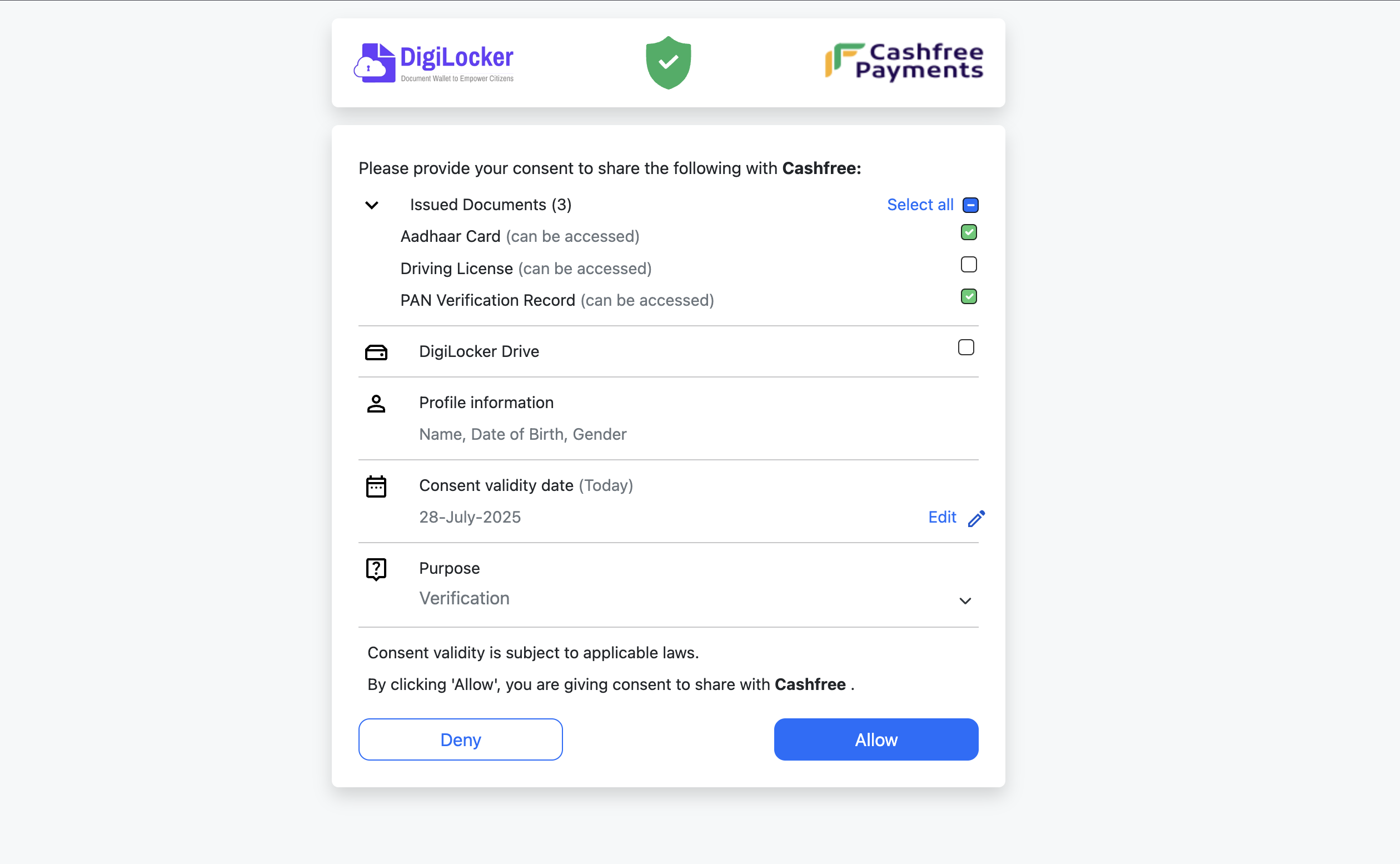
```Text BANK_ACCOUNT_VERIFICATION_SUCCESS theme={"dark"}
{
"signature":"signature",
"event_type":"BANK_ACCOUNT_VERIFICATION_SUCCESS",
"event_time":"2023-07-19 10:46:16",
"version":"v2",
"data":{
"reference_id": 1294785793,
"user_id" : "123123",
"name_at_bank": "John Doe",
"amount_deposited": "1.04",
"bank_name": "YES BANK",
"utr": "404223241811",
"city": "MUMBAI",
"branch": "SANTACRUZ, MUMBAI",
"micr": 400532038,
"name_match_score": "90.00",
"name_match_result": "GOOD_PARTIAL_MATCH",
"account_status": "VALID",
"account_status_code": "ACCOUNT_IS_VALID"
}
}
```
```Text BANK_ACCOUNT_VERIFICATION_REJECTED theme={"dark"}
{
"signature":"signature",
"event_type":"BANK_ACCOUNT_VERIFICATION_REJECTED",
"event_time":"2023-07-19 10:46:16",
"version":"v2",
"data":{
"reference_id": 1294785793,
"user_id" : "123123",
"account_status": "REJECTED",
"account_status_code": "INSUFFICIENT_BALANCE"
}
}
```
```Text BANK_ACCOUNT_VERIFICATION_FAILED theme={"dark"}
{
"signature":"signature",
"event_type":"BANK_ACCOUNT_VERIFICATION_FAILED",
"event_time":"2023-07-19 10:46:16",
"version":"v2",
"data":{
"reference_id": 1294785793,
"user_id" : "123123",
"account_status": "FAILED",
"account_status_code": "SOURCE_BANK_DECLINED"
}
}
```
## Webhook payload fields
The webhook payload contains important metadata in its top-level fields.
| Field | Type | Description |
| ------------ | -------- | ---------------------------------------------------------------------------------------------- |
| `signature` | `string` | A Base64-encoded HMAC-SHA256 signature of the payload, generated using a shared client secret. |
| `event_type` | `string` | Indicates the type of event that triggered the webhook. |
| `event_time` | `string` | The UTC timestamp of when the event occurred, formatted in ISO 8601 (`YYYY-MM-DDTHH:MM:SSZ`). |
| `version` | `string` | Indicates the webhook format being used. Default version is "v1". |
| `data` | `object` | Contains event-specific details related to this feature. |
## Signature Verification
Verifying the signature is mandatory before processing any response. It helps authenticate that the webhook is from Cashfree Payments.
Follow the steps to verify the signature:
1. Sort the array based on keys.
2. Concatenate all the values in this array and the resultant is the post data (**postData**).
3. **postData** needs to be encrypted using SHA-256 and then base64 encoded.
4. Verify if both the signature calculated and the signature received match.
5. Proceed further only if the signatures match. If not, discard the request.
6. Ensure **clientSecret** you use is from the oldest active key pair.
For example, from the webhook received, extract the data and pass it to generate HMAC function:
```
{bank_account=026291800001191, ifsc=YESB0000262, upi=, name_at_bank=John Doe,
verification_id=fadsfdsf, ref_id=332, utr=332, status=SUCCESS,
added_on=2023-09-06T07:48:53+05:30, processed_on=2023-09-06 07:49:03,
penny_collected_on=2023-09-06 07:48:53}
```
```Text Java code - for reference theme={"dark"}
import javax.crypto.Mac;
import javax.crypto.spec.SecretKeySpec;
import java.util.Map;
import java.util.TreeMap;
import com.fasterxml.jackson.core.type.TypeReference;
import com.fasterxml.jackson.databind.ObjectMapper;
import org.apache.commons.codec.binary.Base64;
public class ComputedSignature {
public static String generateHMAC(String clientSecret, String data) {
String hash = null;
ObjectMapper objectMapper = new ObjectMapper();
try {
Map jsonMap = objectMapper.readValue(data, new TypeReference